-
Is AI killing the 3D star?
Fauvist said:
WendyLuvsCatz said:
Fauvist said:
WendyLuvsCatz said:
this the problem with the AI debate
the all bad v all good dicotomy
some try to address the ethical training issues only to be told it's giving big corporations like Getty Images using their licensed content leading to a corporate monopoly
or it's soulless, taking jobs etc
others like to push the democratising aspects saying it gives unskilled people an outlet for creativity like using 3D models posed in DAZ studio does to an extent and we all know the hate directed by pure artists at doing that
there are far to many layers to address and have a single debate
photogrammetry is probably the bigger threat to the 3D star specifically
AI + photogrammetry + 3D mesh creation from single images with AI assisted retopology will be the nail in the coffin for 3D modellers
I don't see that as a bad thing, it's a tool like the camera which was the first step towards capturing reality
the skill will always be storytelling, composition etc, having a phone camera doesn't make one Dean Semmler
enter ChatGPT and other large language models...

I've never heard of photogrammerty - but whatever it means - only YOU are going to be able to create your characters and your creatures - that exist only in your head. So it will be like everything else in the world - people will pay a premium for sometheing they really really like, something unique, and you can create that, and AI can't.
photogrammetry is what Quixel Megascans among others do, Dreamlight sells many examples in the DAZ store as does polygonal Minatures
it is basically taking lots of photpgraphs or video footage and joining it all together to create a point cloud (a lot of points in 3D space)
3D scanning is another name for it
the point cloud can then be made into either a guassian splat or actual mesh using various softwares to create faces between the points
one can then use retopology such as Zremesher in Zbrush to create clean meshes that can be UV mapped and Zproject the vertex colours from the original on to that
3DZepher is a photogrammetry software you can use on your own computer as is Meshroom
But it's not as easy as typing a sentence and clicking ENTER. These 3D models that you say are alreay being created and sold here - are they rigged, or rigable? Or are they just a static mesh?
can be either
DAZ uses Photogrammetry too, nothing new about it
there is a video of Reby Sky being 3D scanned for V4,
it's just that now one can use any camera including a phone because of software advances
partially aided by AI
the term AI does not just mean GENERATIVE AI BTW
or Diffusion models
Face Transfer plugin is such an AI assisted tool too
Pose Recorder too
Mechasar's Characters Catalog: Who's next? (commercial)Hello,
When using Natural Movements Pack for Genesis 9 (using the automatic mode), I saw a strange hole on the thumb:

Same character, same pose but without Natural Movements Pack active:
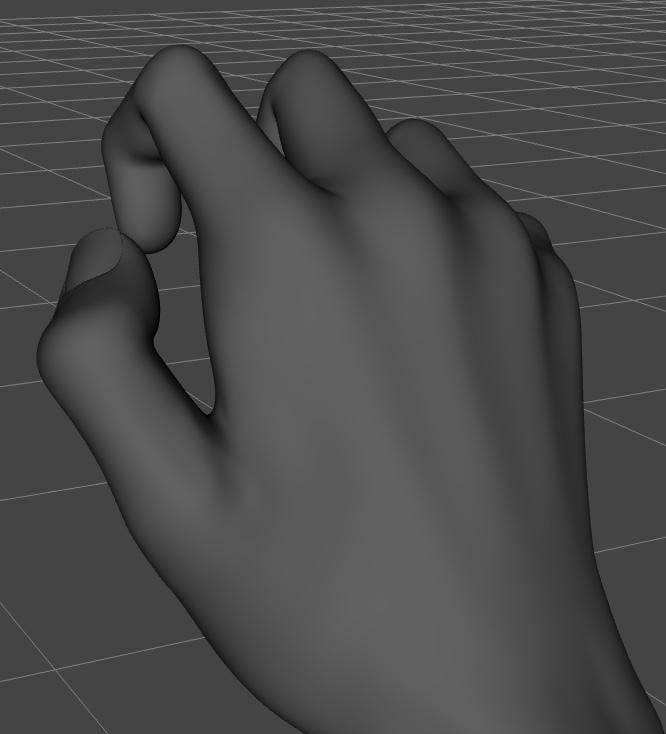
It seems to be the influence from morphs on the four other fingers because if I restore their default poses, the hole goes away:
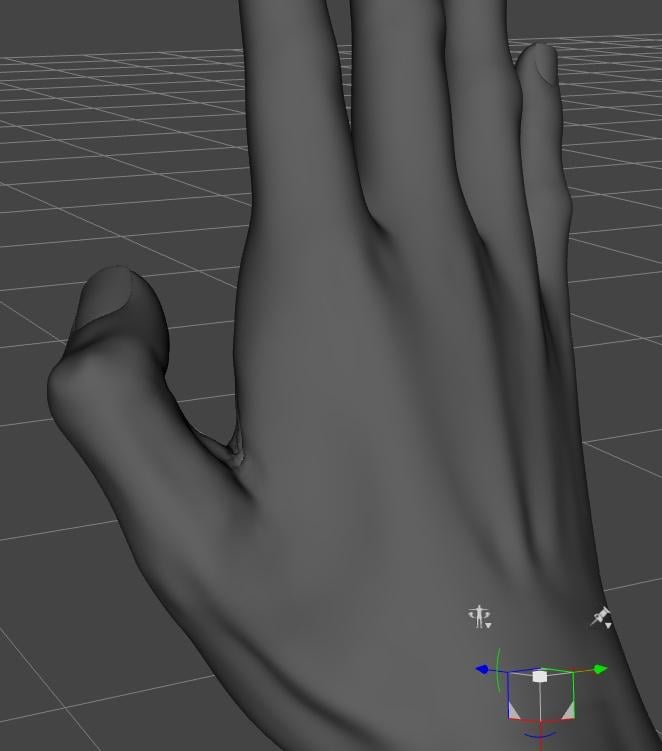
Restoring the default thumb's pose while keeping the other fingers posed keeps the hole on the thumb:
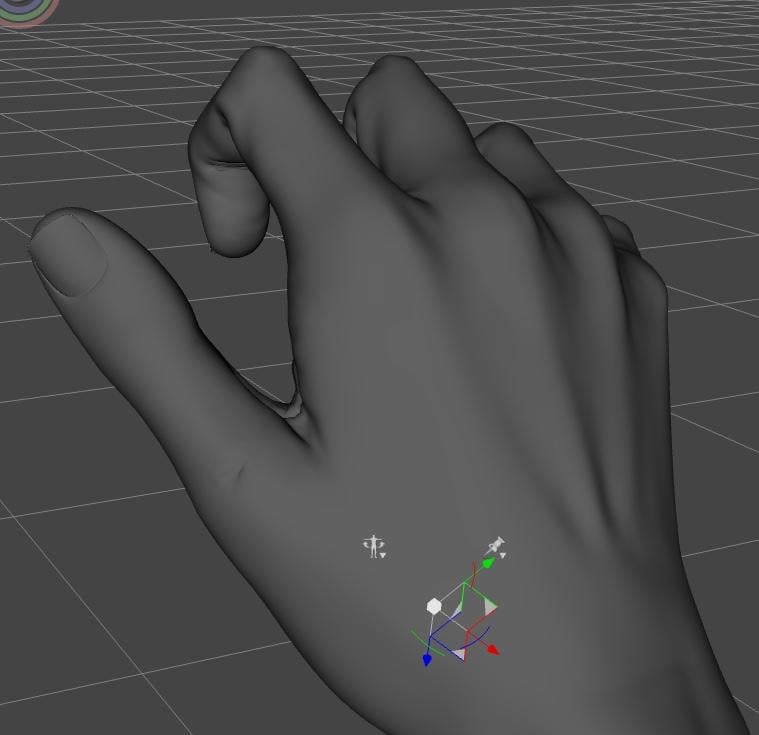
I tried to see which finger was responsible, but from my limited tests, everyone of them is contributing to the possible problem.
I initially saw the problem with a pose I bought here, and only though about using pose control once I had done a couple of screenshots. But I checked and using the Pose Controls Fingers Grasp or Fingers Fist will trigger the same hole (this time, I removed the character morph, so it's Genesis 9 Base's hands on the following two screenshots):
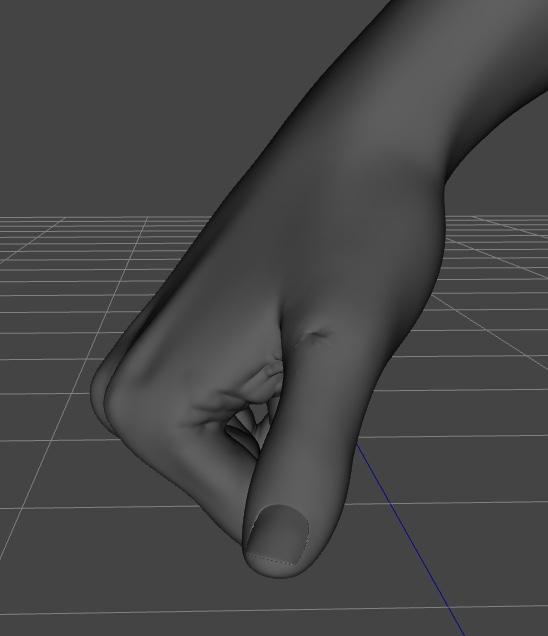
Using Hand Grasp or Hand Fist will not show the same behavior:
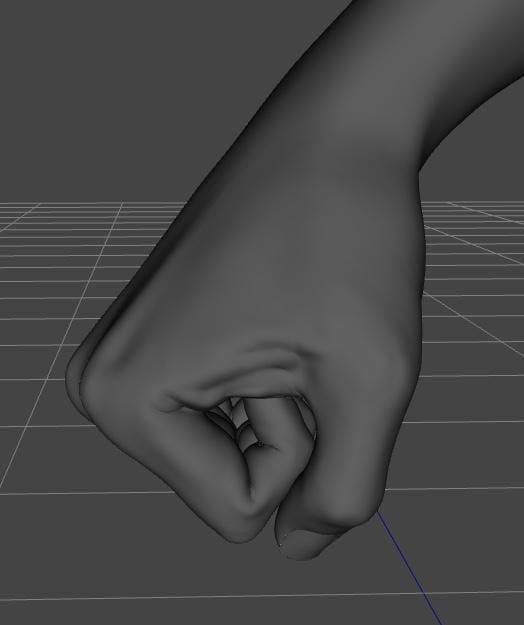
It's less visible in Iray with a skin textures, but it's still here, it look a bit strange but I don't know if it's a bug or not.
Does the FPD Alex for Genesis 9 doorbuster still affect every Genesis 9I had the same problem. The reason is that the default value of the Full morph of Alex is set to 1%. You can fix the "FPD Alex for Genesis 9" 1% issue with following steps:
1. Make a backup of the Alex Full morph file in the Daz directory in case something goes wrong:
data\DAZ 3D\Genesis 9\Base\Morphs\FreshPixel Designs\FPD Alex for Genesis 9\FPD Alex Full.dsf2. Rename the file "FPD Alex Full.dsf" to "FPD Alex Full.zip" because the dsf file is zip-compressed.
3. Uncompress the file "FPD Alex Full.zip". You will get an uncompressed file "FPD Alex Full.dsf".
4. Change the value of modifier_library.channel.value from 0.01 to 0
This is the value in line 31.old line:
"value" : 0.01,new line:
"value" : 0,5. Save the file.
6. You can keep the file uncompressed or you compress the file and rename the compressed file to "FPD Alex Full.dsf".
Clothing geometry issuefelis said:
If the clothing doesn't have a custom morph for length, iDS will generate one.
And to my knowledge projected morphs just work on proximity.
Options as I see it:
A) Take it into a modeller and smooth out the morph. If you save it with the same name as the projected, DS will use that instead.
B) SImulate the length change. It will make the outfit a little larger for the character, but might work.
Can use animated timeline for simulation with e.g full length at frame 0 reduced/increased length at frame 15, pose at frame 35 and stabilize to frame 50.
Yeah I did try simulating over an animation while changing the height, and it does keep the geometry from getting kinked up but since the garment doesn't follow transforms during a simulation it ends up long and baggy.
Clothing geometry issueIf the clothing doesn't have a custom morph for length, iDS will generate one.
And to my knowledge projected morphs just work on proximity.
Options as I see it:
A) Take it into a modeller and smooth out the morph. If you save it with the same name as the projected, DS will use that instead.
B) SImulate the length change. It will make the outfit a little larger for the character, but might work.
Can use animated timeline for simulation with e.g full length at frame 0 reduced/increased length at frame 15, pose at frame 35 and stabilize to frame 50.
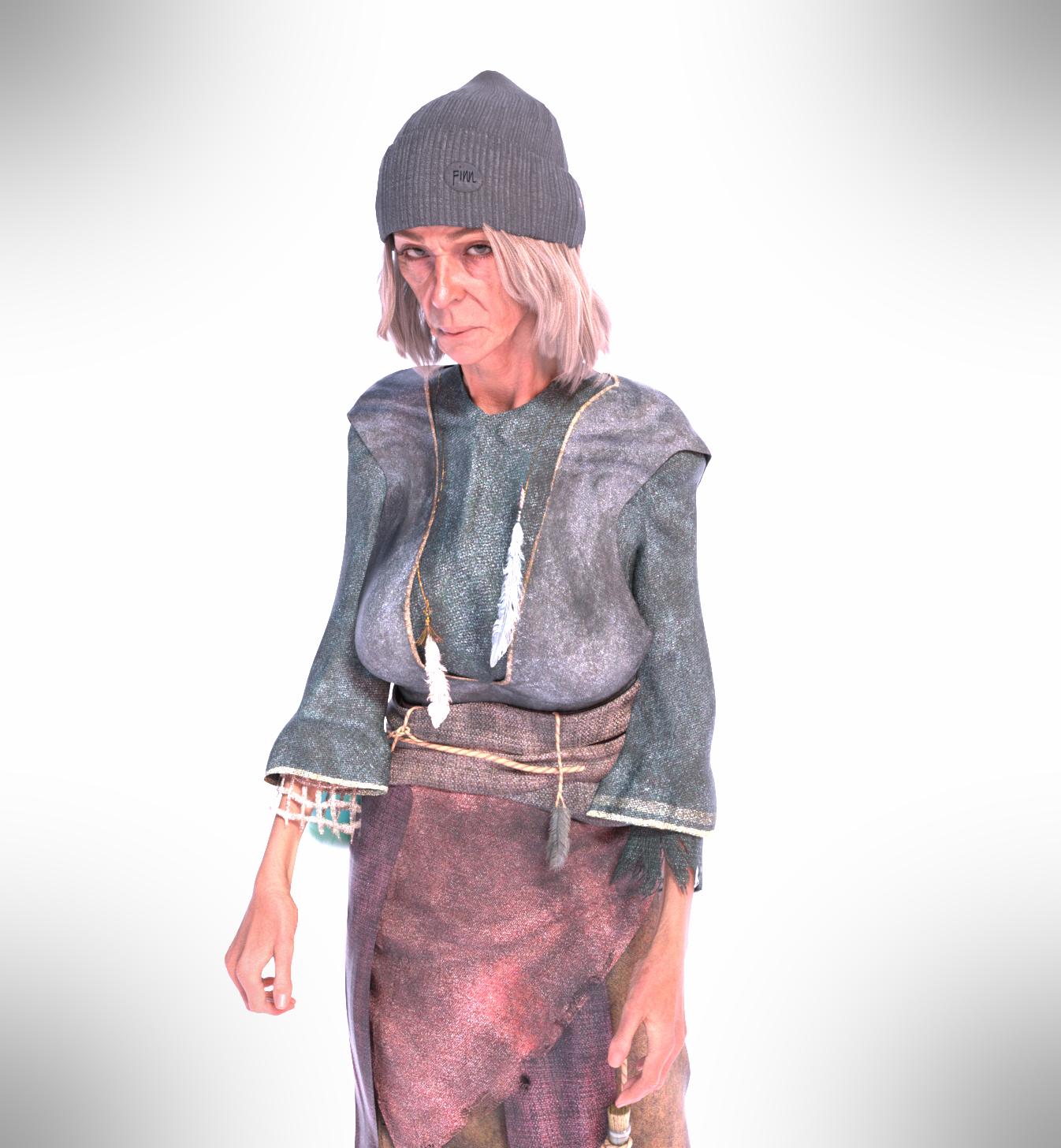
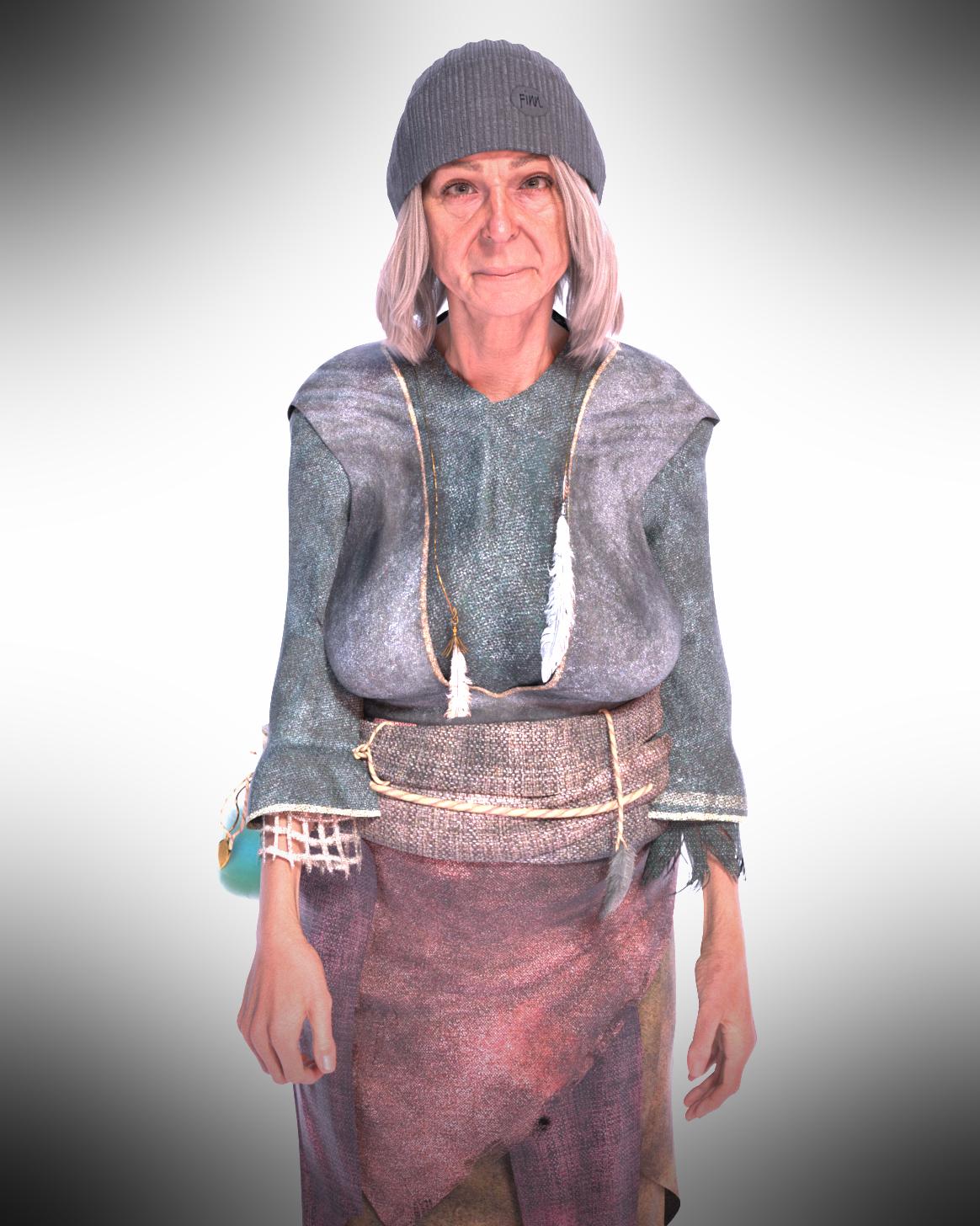
Can I use Walter 9 to make a sweet grandma of a character?Here's Walter HD as female. Not sure he/she is sweet, but you can use morphs to turn him into female, and saggy breasts, etc .... I believe they are all included in essential morphs and all that package. I usually buy whatever morphs are available from DO at least, so not sure they are part of the free one, although for sure the morphs to go male/female are free. I added the Walter HD thin shape which help a lot. I think for a sweet old lady a heavier morph would be better. I'll give that a go in a bit. well, i made her heavier..not too bad. Obviously different clothes and hair would change the overall look.
 genesis 9 smooth anatomy/crotch
Well, the mesh in crotch area on G9 is denser than G8, so G9 can easily show you some "details" there. There may be no easier way to "smooth" it but further cranking up SubD Level (no matter in Viewport or for Render...), e.g. to Level 4 ~ 5.
If you want to smooth it (no matter on characters' Body Morph and/or Corrective Morphs with such Pose...) by sculpting in external applications, it won't work either as users don't have HD plugin to import morphs with SubD...Sculpted morphs with Base Resolution won't help...
genesis 9 smooth anatomy/crotchGenerally I perfer the look of G9 characters but I am unable to get a smooth crotch area from the chacters. I have tried every add-on geo graft and morph I could find and nothing makes a difference. G8 produces wonderful results although almost everything else looks better in G9, IMO. This is particularly pronounced when working at high resolution. I hope it's ok to post a picture here with no textures, below are two examples, same pose and subD level of 3. G8 is milica and G9 is addy nadine. It's less pronouced when viewed with smooth shaded mode but you can still see it. Are there any good solutions to smooth the area out?
Can't figure out how to create a prop correctlyWell, I just use a rigged Figure rather than a Prop in the example, but the mechanism of ERC should be always same.
(I ever make that "folding figure" for a folk in here, I just downloaded it from the forum to make this example... https://www.daz3d.com/forums/discussion/689376/)I'm sorry that I still don't understand the "lockout" issue... why couldn't you change / dial the property Operate which is just set as a 2nd Stage Controller ? This is the simplest way to make it work as per you "multi-dimentional control" requirement.
This is the very same way like using a character's Head Morph / Body Morph at 2nd Stage to trigger character's specific corrective morphs dialed... while Head Morph / Body Morph are still freely dialable for any other purpose.
But if you really don't like this way, you can freely create other properties to get it work... Only my "style" is that if I can use 2 properties to get job done, I never use 3 properties... haha
 (Released) FK dForce LUXE Chains TWO
Fabiana said:
@barbult that's sort of the gem buried in the mud,lol I mean... Could be impossible to recreate that situation if just doing a morph, but it looks pretty interesting. For sure there's something that disturbs the sim, who knows... Did you try to sim the chains together but over the bare skin? I have discovered that doing that way it still leaves room for a normal dress or shirt even without sim together. But you got an unique necklace!
No, I didn't try the sim without the dress. I did have the hair hidden, though. I think it is possible the the simulation settings got reset from your values to the default values, because at some point I closed DS and reopened it. Either that of the necklaces collided with each other or the model. The very small necklaces were very close to her skin. I didn't make another attempt to make them work, because I was so enthralled with the collision result. I'll try again some other time. I haven't had collision problems in the past.
Just cannot get face transfer utility to workHad similar problem, finally I find out. It is because the program fails to create the face transfer map in TEMP folder (select in Preference). Seemed the err msg "Try a different source image" dont show the actual problem in my case.
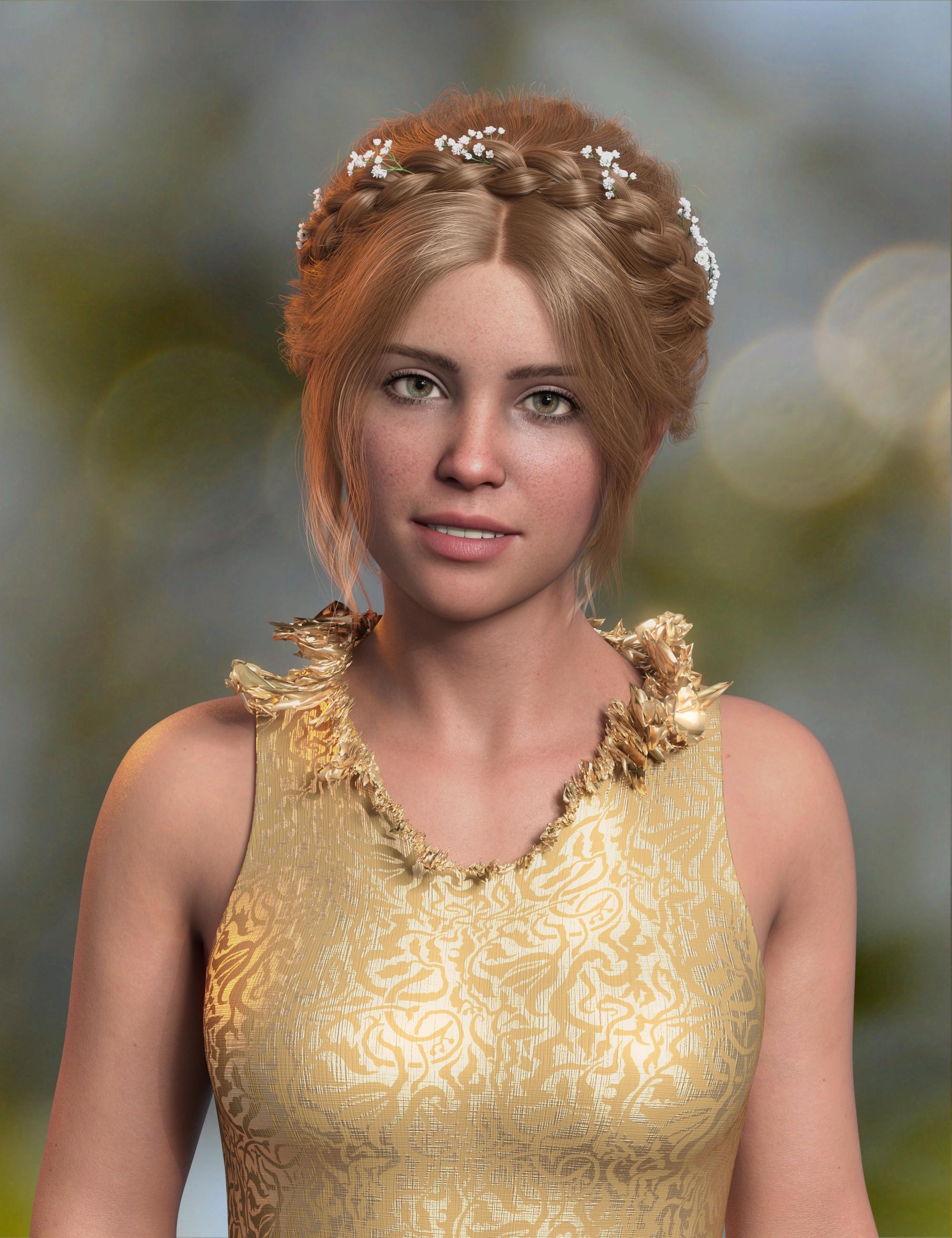
(Released) FK dForce LUXE Chains TWO@barbult that's sort of the gem buried in the mud,lol I mean... Could be impossible to recreate that situation if just doing a morph, but it looks pretty interesting. For sure there's something that disturbs the sim, who knows... Did you try to sim the chains together but over the bare skin? I have discovered that doing that way it still leaves room for a normal dress or shirt even without sim together. But you got an unique necklace!(Released) FK dForce LUXE Chains TWOHere I used my exploded necklace morph at a lower setting.
 (Released) FK dForce LUXE Chains TWO
I tried to dForce 3 Venice Tiny Balls necklaces of different lengths at the same time. They exploded. I deleted two of them and kept this one. I thought it looked fabulous! I saved it as a morph so I could use it again.
 Daz Studio BETA - version 4.24.0.4!
felis said:
If you have used mesh grabber, and then made your morph on top, then I think Daz will reference the scene file.
I think you should have saved the mesh grabber changes as a morph first.
I was pretty sick with pneumonia at the time I did that, and I don't remember exactly what I did. I don't know if I used Mesh Grabber in addition to Blender or not. I think I somehow tried to save a G9 morph into an autofitted G3 garment. I had saved a G9 asset of the garment fit to the base G9, but I must not have reloaded that before creating the body morph for VYK Dystopian Daisy.Then today I forgot that I had even saved the G9 version, and I autofitted the G3 version again, getting the missing file error. I redid it all properly today and deleted the old morph file. It works properly now.
Daz Studio BETA - version 4.24.0.4!If you have used mesh grabber, and then made your morph on top, then I think Daz will reference the scene file.
I think you should have saved the mesh grabber changes as a morph first.
Daz Studio BETA - version 4.24.0.4!I'm starting to get missing files popups when I load a garment that I have previously saved a morph on. I saved a body morph as a Modified Asset, and the dsf file for that morph lists a scene file as the "parent" under the "modifier_library" section. I have since deleted that old scene file, so I guess that is why I get the missing file pop up. But why is a scene file listed as the parent of a morph? I see that #geometry is in that scene file reference. Is it maybe related to the use of Mesh Grabber or something like that? Or maybe I autofit this G3 Garment to G9 and tried to save a morph for the G9 character on that G3 garment?
"parent" : "/N%3A/DAZ%203D/Scenes/VYK%20Dystopian%20Daisy_003.duf#geometry",
Daz to Maya with morphs, weight drivers blocked in shape editor, how to do ?The sliders in the Shape Editor all have expressions that tie them back to a central controller thats in the outliner, so you shouldnt be trying to control your morphs from there.
Look in your outliner, and you should see a null group called "Morphs". Select it, and open up the Attribue Editor. On the Transform tab, scroll to the bottom and open up the Extra Attributes rollout. Boom, theres all your morph sliders.
[Released] RSSY Character And Material Conversion Bundle Genesis 8 to Genesis 9 [Commercial]I'm having trouble with a plus-size female I created. I tried using the RSSY Character Converter Genesis 8 to 9 but the resulting figure was all twisted (both with zero and restore options).
I then tried using ManFriday figure converter which got the morph onto a G9 dev figure. I then tried to use the Material Suit converter to convert the G8 Hierarchical figure to this G9 morphed figure but got the error that there is an unknown figure in the hierarchical material preset. Any help?
Problem activating the plugin for Face Transfer 2Try the public build,Face Transfer 2 is in 4.22.x.x
Daz 3D is part of

Connect
DAZ Productions, Inc.
7533 S Center View Ct #4664
West Jordan, UT 84084Licensing Agreement | Terms of Service | Privacy Policy | EULA
© 2026 Daz Productions Inc. All Rights Reserved.