-
[Released] RSSY Hair Converter from Victoria 4 to Genesis 8 Female [Commercial]
Do you have show hidden properties checked?
Thanks carrie58 ! That did the trick. At least for 2 out of 3 hair files I have tested.
It seems like not all morphs are transferred. I also think they shouldn't be in the "hidden" section at all.. My old eyes hate reading grey on grey.
The authorship information is alright.
It's a pity as I am a big fan of the RSSY converters and I was really waiting for this one... sigh...
The script is telling the Transfer Utility to transfer ALL morphs so I am unsure what I can do about this one.
Don't know if it is related but I was using M4 Midnight Hunter the other night and I found I had to turn off limits and really yank up the numbers before seeing any movement in the back flap of the trench coat - or any of the transfered morphs. Maybe the morphs need to be x10 or x100 strength to see the movement that the original has? And maybe the morphs are there but only appear to be not working. (Don't like the Grey on Grey either but nothig you can do about that)
I don't know.
 @zzspriest, which item are you not seeing the morphs?
It is the Christine Hair, a DAZ Original.
Can I use a texture/material created using nodes in Blender in DAZ?I don't believe there is a way to transfer a procedural materials node setup from Blender to DS; it would need rebuilding (in Shader Builder) from scratch. I imagine some very clever scripting in at least two languages would be required to transfer automatically and that no-one has seen enough benefit to attempt it. The almost total lack of documentation on Shader Builder also makes the rebuild a tough ask.
A simple node set up for the eyelashes is shown in the attached image. It's the inverting then mixing the Transparent BSDF that's the key. Works in Cycles; probably works in EEVEE, but some scene setup required for transparency to work which I can't remember off hand.
Your other texturing problems need more information and you are probably better off posting a separate thread if you want help on those.
There is no way within the current version of Daz Studio to alter the font size (something about the UI toolkit I gather, which rather begs a question about toolkit choice). If on Windows, DS will follow changes to the Windows font size, though of course that's not what you want if DS is the only application you want to change. If you are on Windows, the builtin magnifier - though limited - may be your friend.
Anatomical ElementsWhich of Male-M3dia's products offers the best value for genital enhancements? The comical prudishness of Daz's website makes it a little hard to know what you really get in that area.
Well, you may just want to look for numbers of morphs.
For instance... https://www.daz3d.com/m3d-hd-hero-shapes-for-michael-8
This lists "3 Anatomical Elements presets".https://www.daz3d.com/m3d-dalton-hd-for-genesis-8-male
This has 2 "Anatomical Elements presets".I happen to have both of those packages, and I can tell you that each of those presets has its own look. So there's not a huge worry of overlap.
It's difficult to tell you what to buy without pictures, but even an untextured picture would not work here, so I'll just leave it at that. There's a variety when you get multiples, and you can mix/match by using partial dials. The more you have, the better, sort of like Pokemon.
......
Actually there's more differences in there as the Hero product mentions veins.. and Dalton is the only set that morphs, ahem, anyway... you should get both sets particularly Dalton (and M3D Jesse for G3M) if you're posting images on 'rotica. I only do that one morph once per generation because it's a PAIN to do.
This is why I prefer regular brows over fibermesh browsOk just some quick and dirty/ noisy renders. The first 2 renders are with the default hdri and just demonstrate how they fit between shapes. The first one is V8 and the second one is G8. The third pic I tried to add some rim and above lighting and an awkward angle. all which show that they sit flush and have just a little length but not overly poofy/puffy.
Thanks for doing the renders, they look great. Your brows definitely look better than what I have. As shown in the first image below, these fibermesh brows look like fur taped onto the face, but yours look a heck of a lot more natural. I also noticed with the brows in my image that they are really floating off of the figure in texture view as compared to the V8 fibermesh brows which attach to the face perfectly. Someone also mentioned in another post about creating geoshells for fibermesh brows to help them blend in better. How do you do that?
Character's fibermesh brows (furry looking):

V8 fibermesh brows (nice looking):

Her brows have settings to "sink" them closer to the face if that is your preference.....
How to do I sink them closer? Fit to is already on, and I can't adjust xyz with it on.
Oops, I made a mistake... I was thinking of Supernatural brows which does have a morph setting to make the brows flatter against the head. With Beautiful brows, I would select the head bone of the eyebrows and gently bend the brows closer in the Parameter tab or parent the brow to the figure head and then you could move them using the conventional Z axis.
How do I learn to rig/build an armature for human/oid figures that I might model from Blender?Hi again. So I have another question to puzzle you learned people with: I love the way that the figures move realistically in DAZ when you are posing them. Like the mesh doesn't ever seem to distort like I have issues with in Blender. Is there any way I could learn how to rig characters in DAZ and use this knowledge in Blender? Are there any tutorials? I would like to have beginner all the way to advanced if possible. I'll even learn Weight Painting (I hate Weight Painting and avoid it in Blender.)
I exported the g8 male and female to Blender using obj and Poser settings and everything does fine even the textures (except for the very weird eyelashes and this layer over the eyes containing the glints and reflections that transfers over as a plain white mesh. I get around this just by deleting them. I haven't learned yet how to make eyelashes in Blender because I have been busy with other things like freaking modeling genetalia which is time consuming and fairly gross there has to be an easier way that doesn't cost a freaking fortune like buying the expensive V4 pack) but the thing that doesn't transfer over is the rig/armature. So I learned some basic Blender rigging skills from several different tutorials on youtube and built an IK rig for the male and then just appended it over and resized it for the g8 female mesh but it doesn't work quite that well on her. I like the way DAZ deforms the mesh better. (That is really the only reason why I am thinking I need to do all of my scene stuff in DAZ but I want the control I have and the understanding I have in Blender, if that makes sense.That and I wanted to alter some of the building/environment models to represent my own world and characters which I can do in Blender to an extent but not in DAZ. And I don't know how to build or alter something in Blender and then transfer it textures and all to DAZ. So, you probably can understand my frustration. I just want one program if possible or one main program and get all the programs to play nice together.)
Thank You for any links to any tutorials or any advice.
Celebrity Look-a-Likes for 3D figures Part 2Any progress on Daisy? I just watched 'The Force Awakens' again, and I'd love to see a top-notch likeness of her, which you seem to be making.
Best Regards,
Learstang
Don't worry, she's still underway! The release of Daz Studio 4.11 introduced some issues with displacement in my previous products so I've had to go back and do some updates. The displacement for Daisy has also now been updated to work correctly with 4.11 so I'm back on track.
While I'm here, does anyone have suggestions for hair that could work well for Daisy Ridley? I'm not very familiar with female contentGreat to hear that Daisy is still on her way, I've really liked what you've done with your other characters so far so looking forward to see what you do with her.
As for hair, well that's the question isn't it? She does have one signature look but that's not so straight forward. There is a 'Rey' hairstyle from The Force Awakens available over on rendo but it is for Victoria 4 and poser (though it does say that you can fit it to Victoria 8 by parenting it to the head and using a morph) so if you can use it you will need to use separate Iray shaders. The venders store seems to be on sale at the minute so this might actually be good timing!
https://www.renderosity.com/mod/bcs/hr-202/127102/
As for other hair because she is a model as well as an actress she often changes the style and even colour of her hair but a few that I've seen that look similar to a few pictures of her are:
Starlette Hair for Genesis 3 and 8 Female(s) - https://www.daz3d.com/starlette-hair-for-genesis-3-and-8-females
MEGA Updo Hair for Genesis 3 and 8 Female(s) - https://www.daz3d.com/mega-updo-hair-for-genesis-3-and-8-females
HY Wavy Bob Hair for Genesis 3 and 8 - https://www.daz3d.com/hy-wavy-bob-hair-for-genesis-3-and-8
Haydina Hair for Genesis 8 Female(s) - https://www.daz3d.com/haydina-hair-for-genesis-8-females
Sylvia Tied Bun Hair for Genesis 8 Female(s) - https://www.daz3d.com/sylvia-tied-bun-hair-for-genesis-8-females
Taylor Hair For Genesis 8 Female(s) - https://www.daz3d.com/taylor-hair-for-genesis-8-female-s
Jackie Hair For Genesis 8 Female(s) - https://www.daz3d.com/jackie-hair-for-genesis-8-females
and
Sprite's Leisure Hair for Genesis 8 Female(s) - https://www.daz3d.com/sprites-leisure-hair-for-genesis-8-females
Another style I've seen quite often is a long sleek hair-do that she tucks behind her ears but I've not found one that looks close to her's yet....... and boy do I sound like I'm obsessed with Miss Ridley's hair! LOL
Anyway hopefully that helps a bit and I'm sure everyone else will find much better ideas than mine if you're not convinced.
May the Force be with you (seems appropriate)
Stu
Hylas' corner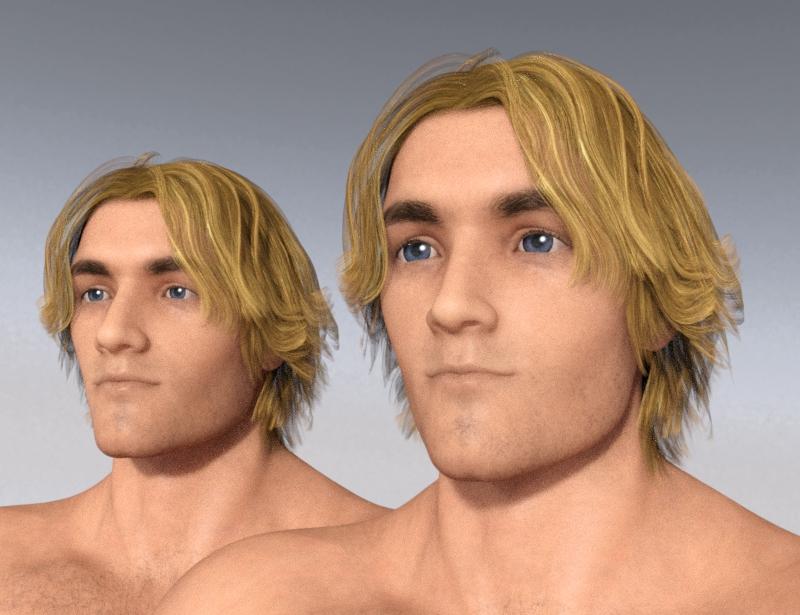
So, I finally took a closer look at Sickleyields tutorial for transferring character morphs across generations and genders. Lo and behold, I managed to make it work! I now have a Aiko 8 head morph slider for my G8M characters. I'm pleased as punch. On the left is a G8M character I often use, on the right is the "Aikofied" version. I don't like what it's doing to his mouth, I'll have to correct that... but I love what's happening with his eyes! Finally Aiko has some proper male companions!
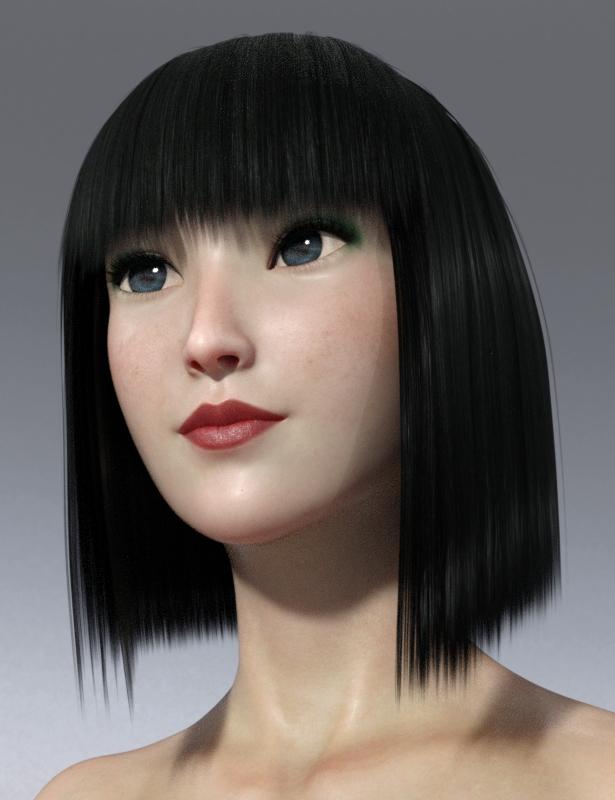
And here's Aiko 7 transferred to Genesis 8. This makes me so happy. Now I can also start using G3 characters without having to invest in all those G3 basic products like head and body morphs, fit control, clones, etc. I've been G8 exclusively so far... and it looks like it's going to stay that way!
Morphs from G3 to G8I think at the moment you can focus on the G1 to G2\3\8 transfer.
Now that G8 has got working IK I think many of us will happily move to newer generations.
3D Art Freebie Challenge-June 2019-"Summertime Pin-Ups" -Main Thread OnlyThought I'd have a go at the competition again this month...
Beach Pinup

Not many products used, but they are all free:
- Background and lighting: Stinson Beach HDRI
- Girl: Amy for G3F, free download from DS Creative 13
- Hair: Side Swept Rose
- Bikini: RW Bow Bikini for Genesis 3 Female (bows hidden, and hideous original texture replaced with plain colours)
- Ball: BeachBall
- Nail polish: Iray Nail Shaders for G3 & G2 Females by Allenart (were free, but no longer available)
Lighting comes from the HDRI, and from a plane primitive used as a reflector to fill in the shadows.
If you haven't tried Side Swept Rose yet, I recommend it. It has more material options and morphs than a lot of paid-for hairs do, even including a "wet look" morph and material.
All Links Check Out Plz Move To Entries Thread
This is why I prefer regular brows over fibermesh browsThat's a good point, Redz; a lot of vendors aren't going to think of doing a projection morph for HD morphs of the forehead because it's not a very common use case. Hmm.
Another vote for strand hair. ;)
I really wish do there was a symmetry option for the strand based editor.
This is why I prefer regular brows over fibermesh browsThat's a good point, Redz; a lot of vendors aren't going to think of doing a projection morph for HD morphs of the forehead because it's not a very common use case. Hmm.
Another vote for strand hair. ;)
This is why I prefer regular brows over fibermesh browsIf your character is a HD morph, and the vendor hasn’t made a projection morph for the head and/or adjusted the brows to take account of the HD details, then this floating effect may occur. I’ve usually found that with adjustment morphs and tweaking the opacity/refraction weight, you can get finer looking brow hairs, especially for lighter hair colours. Sometimes combining painted and fibermesh with the opacity reduced gives a more realistic result. Ultimately there is an infinite variety in styles and growth patterns of eyebrows in real life, some lie flat, some project more, some are more groomed/plucked than others, and I think there’s room for all sorts in 3D art.
Correct method to transfer My Library to new computerPlanning on building a new system, but wondering how to transfer my DAZ Studio library over. What is the correct/safe way to do this? When I backup my current system I copy my entire library under my Documents > Daz 3D > Studio > My Library. However, I pretty sure that I can't simply re-copy this to a new install of Daz Studio on the new system.
This is why I prefer regular brows over fibermesh browsThings like hair, beards, eyelashes, and eyebrows are separate meshes that need fitting. Once you deviate from the base character, it's not going to be a perfect fit, unless some adjustments are made.
TO reiterate, one reason I'm excited about sbh/dynamic hair is that the way it functions is MUCH more resistant to morph problems that can distort fibermesh.
I'd experiment but the lack of grooming symmetry throws me way the heck off. I'll let people with steadier hands put out product. ;)
What makes strand-based hair resistance to morphs? I haven't had the chance to use them much, but I would think they suffer from the same fitting issues. A strand of hair is a separate mesh, is it not? And separate meshes need fitting.
Anatomical ElementsI don't see a dividing line between salacious and nonsalacious use (it's all legitimate use in my book), but there's a sliding scale of goodness and propriety when it comes to payment processing.
It's the business transaction side that matters most, and that sliding scale/spectrum between General audiences and Restricted ones does matter.I'll never fault Daz for not allowing naughty images because there would be a cost to that. I don't mind shopping elsewhere when I need to, even if I appreciate the artists that do work here and support sexy work.
Or just go to renderotica and get a 3rd party option. They usually have more options anyway and look/function better.
you've seen one anotomical, you've seen 'em all - imo 3rd party is not any better in fact even terrible when you it comes to character textures; but 'otica does offer good morph and pose dials for the defualt element
maybe you are talking about the males since I don't use them often, but for the females, the 3rd party addons are far superior and I have no issues with textures matching, it's a simple click.
The 3rd Party male products don't work to well with custom shapes that are scaled. I had looked at making some shapes for some other products but I stopped because the rigging wasn't suitable, and I ran into issues making them work with my shapes. This is why I add these shapes for the DAZ gens to my products in this store.
I would also say that 3rd party (male and female) tend to distort more with more exaggerated bending, in my experience. Fifty Shades of something or other... I suppose.
Daz gens tend to perform better over a broader variety of bends, with less deformation.
You may get more surface details in a reasonable band of performance out of third party, but Daz gens have an even larger "good" consistency level.
Any adult Genesis 3 Female-based character, yes - as long as the materials included Anatomical Elements textures.
Except Centaur 7 Female.
 The geograft isn't quite that versatile...
Lol. 'Rotica has pervy people covered on that front... Or rear, as it were.
This is why I prefer regular brows over fibermesh browsTO reiterate, one reason I'm excited about sbh/dynamic hair is that the way it functions is MUCH more resistant to morph problems that can distort fibermesh.
I'd experiment but the lack of grooming symmetry throws me way the heck off. I'll let people with steadier hands put out product. ;)
dForce questions - Wrinkle Removal...well, switching visibility off in the Node Editor for the outfit's bones didn't seem to do anything. But if you were referring to hiding or deleting using the Geometry editor, you can read all about my efforts in my Misadventures with Adventurer Knight topic. I'm at peace with the idea of just deleting the geometry and not using the buttons, my only concern is how that might affet the dForce simulation in the future.
As for wrinkles, this might be a result of me doing dForce all wrong. I noticed that once the legs stopped changing on the timeline, the cloth position looked pretty acceptable, but this was about 2-3 frames before the character reached the final pose. In those last few frames, as the arms continued to raise while the feet remained stationary, the cloth of the skirt kept moving, as if still responding to the force applied by the legs twisting. This would make sense, it's dForce, not d-"Stop Once You Collide Against The Model Please". He starts from T-pose and goes into that open-stance position, so the cloth continues to wrinkle before starting to settle down. I can imagine a few possible solutions:
- Run the simulation for even more frames. Feels kind of crazy to just have it going for 60-70 frames as opposed to the 30 I have (only because that's the default for the scene)...I know there's a frame multiplier, but would that specifically help with prolonging the animation after the character reaches pose, or is there another setting I should be looking at?
- Start the character in this fighting stance. Use the outfit adjustment morphs to position the skirt so it's not clipping,and have the animation change only the morph settings during the simulation. It almost feels like I've seen this done before, maybe in another life or a past tutorial I watched a long time ago.
Could use a bit more advice on those two approaches, since cloth simulation is still pretty new to me - and currently, I'm still in the phase of messing around with parameters and then waiting 4 minutes to see how they affect the final outcome.
EDIT: What I was really searching for this whole time, it seems, was Air Resistance. I was so caught up in material settings, that it didn't even cross my mind that the cloth was behaving like it would in a vacuum.
G8F Expression recommendations?If you've not already got it, the default expression pack at least has the advantage that some character creators create corrective morphs to make them work better on those characters' faces.
The general problem is morphs are purely additive, and cannot themselves compensate for the different shapes of the faces they're on, so as nelsonsmith says, on anything other than their intended character base, no expression will come out 100% identical; a lot of tweaking can be required.
Still, I find G8 expressions a considerable improvement over G3 expressions; it's a big part of why I'm interested in the GenNext script to transfer characters to the newer generation.
[Released] RSSY Hair Converter from Victoria 4 to Genesis 8 Female [Commercial]Do you have show hidden properties checked?
Thanks carrie58 ! That did the trick. At least for 2 out of 3 hair files I have tested.
It seems like not all morphs are transferred. I also think they shouldn't be in the "hidden" section at all.. My old eyes hate reading grey on grey.
The authorship information is alright.
It's a pity as I am a big fan of the RSSY converters and I was really waiting for this one... sigh...
The script is telling the Transfer Utility to transfer ALL morphs so I am unsure what I can do about this one.
Don't know if it is related but I was using M4 Midnight Hunter the other night and I found I had to turn off limits and really yank up the numbers before seeing any movement in the back flap of the trench coat - or any of the transfered morphs. Maybe the morphs need to be x10 or x100 strength to see the movement that the original has? And maybe the morphs are there but only appear to be not working. (Don't like the Grey on Grey either but nothig you can do about that)
It could be that again the morphs were made for use in Poser .... try opening one of the morph settings and check the "Limits" if it is un checked and the number value is 1000000.0% ,you will have very little action until you get into high numbers ,what I have been doing is turn the limits on and change the Positive value to 100.0% and the negative to -0.0% and test the movement if I like it I save it as a modified asset . If you don't like the grey on grey uncheck Hidden ,and then the morphs will show up.Again remember to saveas a modified asset
Morphs from G3 to G8That was the idea. Some people just aren't going to give up V4, tho.
If I can, reasonably, find a way to have bi-directional transfer to and From V4, I will. But I don't see it happening at this point. The curled fingers thing (This is really a Genesis issue, but it does impact Generation 1-4) is preventing good results on transfer to Genesis. This is due to the same issue that had impacted G3/8 when Geneis was first added to the potential figures list. The bones don't line up correctly.
I can fix it, but I honestly don't know that I will. I might leave it out there as problem for someone else to solve. (The solution is to force the source characters into a pose that matches the Genesis T pose, with curled fingers in the same way that script, essentially, puts every figure in the A Pose. It's just a matter of having to do a new set of clones to go with it because the trickery in the clones is kinda specific to the A-Pose. Fixing it for a new Pose would not be too hard, but it would be tedious, as I've been slowly fixing the errors in the G2/G1 clones to make them work).
As for the remaining distortion issues, I am seeing a problem where parts of meshes seem to not get the projection data for some reason. This is new to the current way the script runs, so I'm not sure why it's happening. I think it might go away with a small change to the script, but I've not tested that because tediously fixing the clones.
I'll be perfectly honest, I am not working that hard on the clone fix. I'm still teaching myself other stuff, and signs point to my having adult ADD, so ---OOOOO! SQUIRREL!!!!!!!!!!!!!!Daz 3D is part of

Connect
DAZ Productions, Inc.
7533 S Center View Ct #4664
West Jordan, UT 84084Licensing Agreement | Terms of Service | Privacy Policy | EULA
© 2026 Daz Productions Inc. All Rights Reserved.