-
(Released!) Leading Male Morph Collection for Genesis 8 Male(s) (Commercial)
Hi Chris,
I agree. My idea of Leading Men is not only good looks, but personality and character-which I hoped to add to the morph set. I do not believe a leading man is only a good looking man, but a man with a distinct face, or mannerisms, character ability, etc. I've actually had a challenge posted in the art forum in my thread for my followers to suggest people they'd like me to use as references (Since I do not do complete likenesses to avoid legal issues), and all of the morph sets in this pack are from that list of 32 names chosen randomly by a randomizer I found online.
Thank you, Sigurd!
Agree to a dot with your description of the leading man, and this is a product that I feel fills a definite niche (it isn't really a niche, it's a gaping hole between the skinnies and the Ivans!). I'm waay over my budget for the month, but I'll definitely be picking this up very soon.
Thanks and keep up the good work!
Zombie dogThe zombie dog makes me sad. He was a Good Boy once, and this is what's left of him.

(But yeah, good work on the morph and textures.)
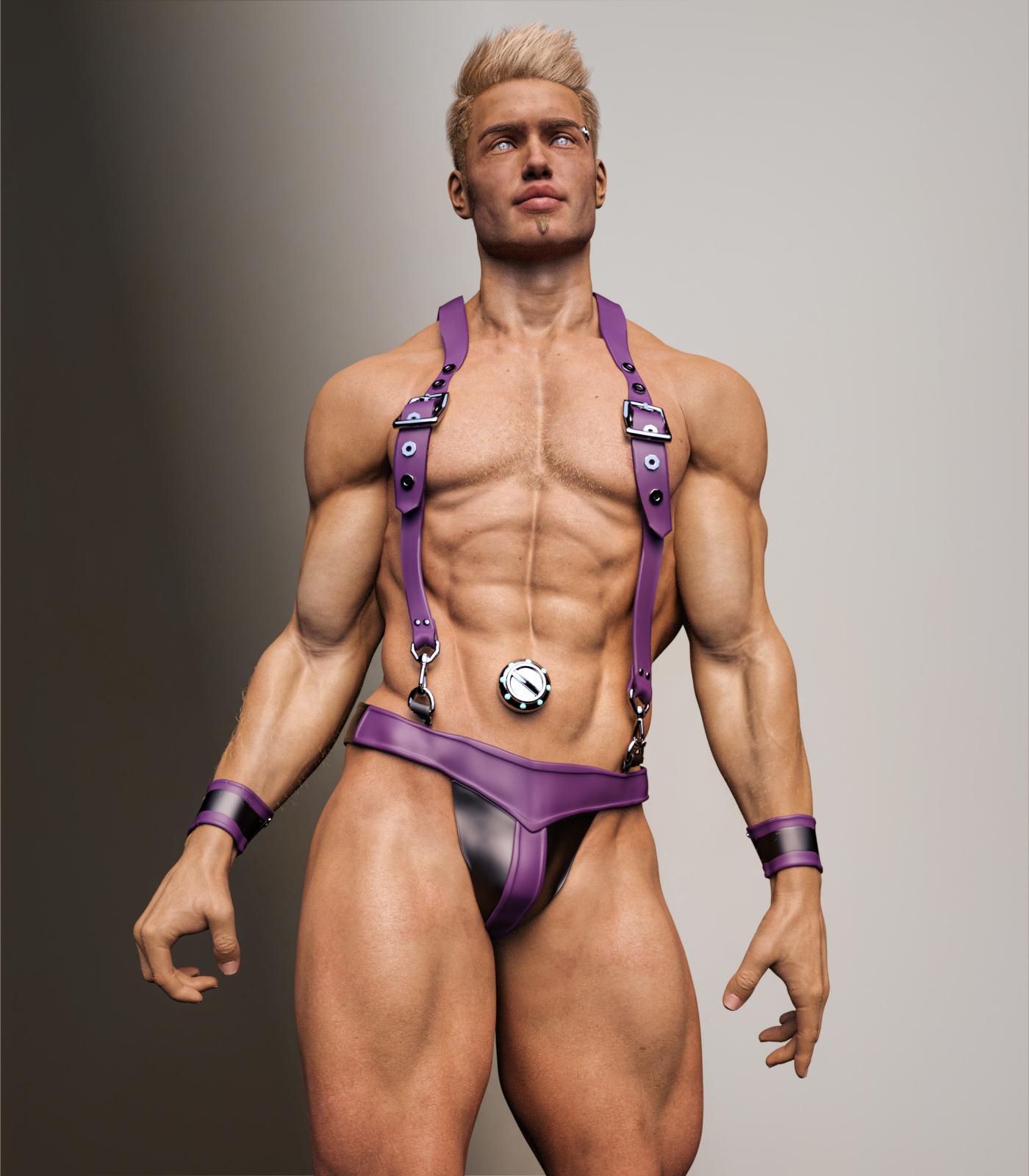
SereneNight's Sci-Fi Fun Thread 2Another male set released today. by the wonderful Dzheng. I had a bit of trouble with the suspenders, but the set looks fun and sassy. I wish there was a morph that the suspenders would drop entirely, but there wasn't. They do go to one side, but are still warping a bit. Would like them to fall completely down.
I wonder if doing that sort of drop is very difficult. I have one of his older Genesis items with suspenders, and he actually had two separate sets, one to wear like you have them, and one that dangled at the sides like someone had just slipped them off.
I get making a big deal out of the prime anniversary, but I wish they'd spread his stuff out a bit more through the entire sale. It can't possibly do as well for him having them all on one day; it forces people who don't have a lot of money to pick and choose when otherwise they might just get everything.
ITF Character Dev Kit for G8MThe explode teeth morph is not working.Please provide more details. Do any error messages appear? Did you install through DIM or manually?
I've just run another test on a computer with a fresh Daz Studio install, containing only Genesis 8 essentials and ITF Dev Kit - The Explode Eyes and Teeth morph is working without issue.
I installed through DIM, so that might be it. It literally did -nothing- when I pressed it.So the eyes and teeth don't move at all? Make sure you're zoomed out a bit, because the meshes get moved out to the side of Genesis 8 Male's head. And you need to have Genesis 8 Male selected in the scene before double clicking on Explode Eyes and Teeth, though it will display an error if you don't.
Please check if the morph appears in the Parameters pane under Genesis 8 Male -> Actor -> InTheFlesh -> ITF Dev Kit
I can't replicate this issue on 2 computers with clean Daz Studio installations installed through DIM using the same files uploaded to Gumroad and ShareCG. I'd like to correct the problem, but I'm not sure where to look if I can't duplicate the issue.
Can anyone else confirm if they are having the same problem?
Installed it through the zip, works fine now.Glad to hear! Thanks for letting me know
 SereneNight's Sci-Fi Fun Thread 2
Another male set released today. by the wonderful Dzheng. I had a bit of trouble with the suspenders, but the set looks fun and sassy. I wish there was a morph that the suspenders would drop entirely, but there wasn't. They do go to one side, but are still warping a bit. Would like them to fall completely down.
 MimicMolly's Renders & WIPs
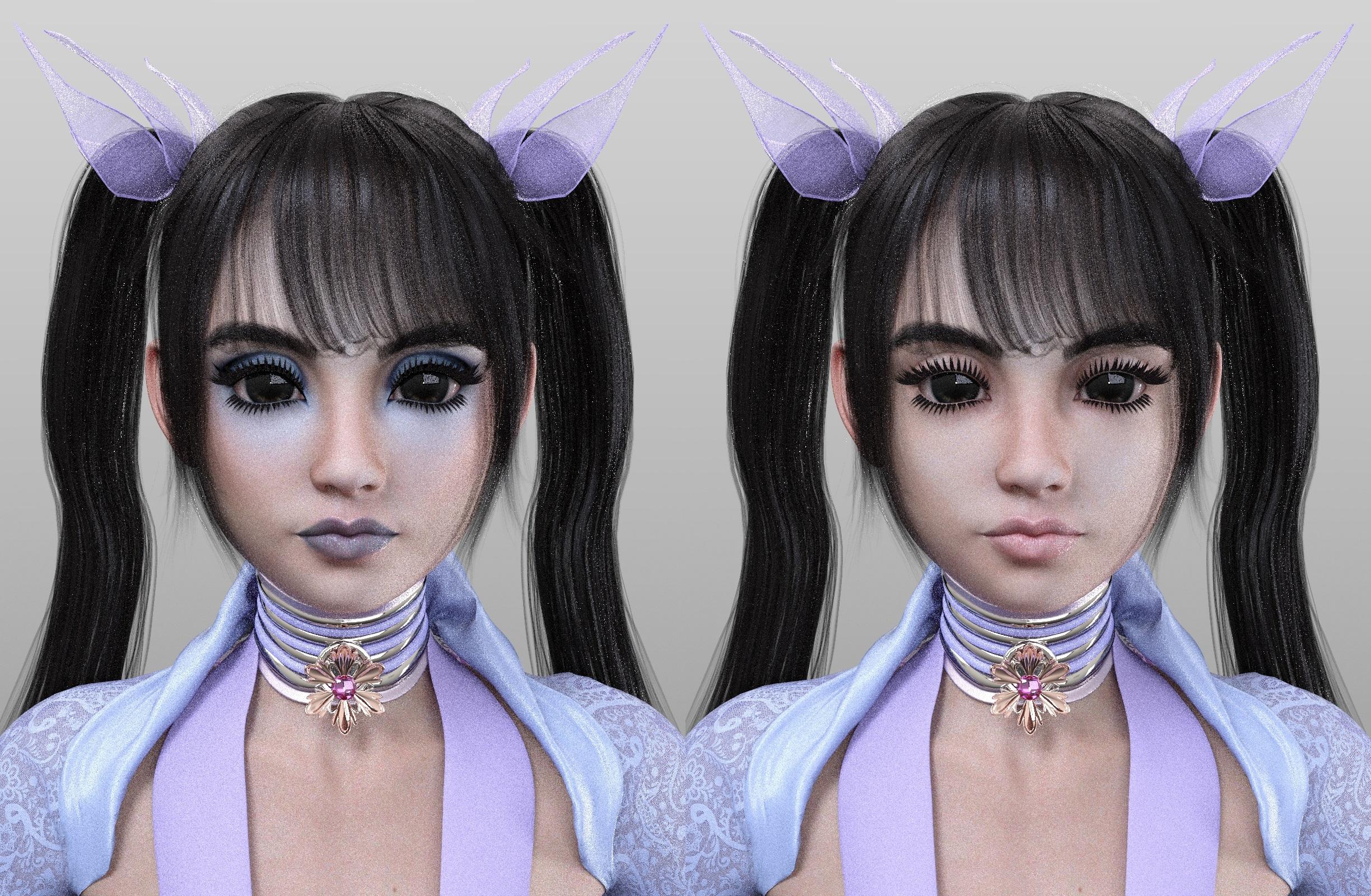
I did a couple of renders, but I ran out of time. This is the Cinder morph at 100% with the dial-spun Kanade. I put the Kanade Hair on her. The Tasha 8 eyebrows kinda match with Cinder's eyebrows.
 [Released] Character Converter from Genesis 3 Female to Genesis 8 Female(Now Conv JCMs) [Commercial]
Does this tool technically more than the Morph Transfer Tool (with the exception of an easier use)?
I can't say for sure as I never got into GenX2 (even though I bought it), but as far as morphs, I think GenX2 does more.
Hey,
thank you for your answer. But I think you got me here wrong.
I was asking about the Transfer Utility which allows me to transfer G3 to G8 and even cross gender.
My question was, has your tool any benefits compared to the Transfer Utitly (with the exception of an easier use)?
Some guy (I think Singular Blue) published a more universal Morph Transfer Tool some time ago for free, which fixed had some "fixed" for the transfer. Daz had some copyright objections against that tool, so it's currently unpublished, but Singular Blue is working on an "legal" version.Oh.
 Basically, the script automates that procedure. In addition, it creates a controller property, copies loaded materials, creates a character preset, copies icons & categories for that character preset, and repeats.Face/Morph problems with figures - Genesis 3 and Genesis 8 - they dont look as they seem
No, I did not buy these extensions. So then there are figures where you need these "body morphs" extra?
Yes, a lot of characters use the base head and body morphs (especially the body morphs as it's often easier to get clothes to fit well when using those than if the morph is totally custom).
Basically if the character lists a product as "required product" then you need to own it if you want the character to look as in the promo pics.
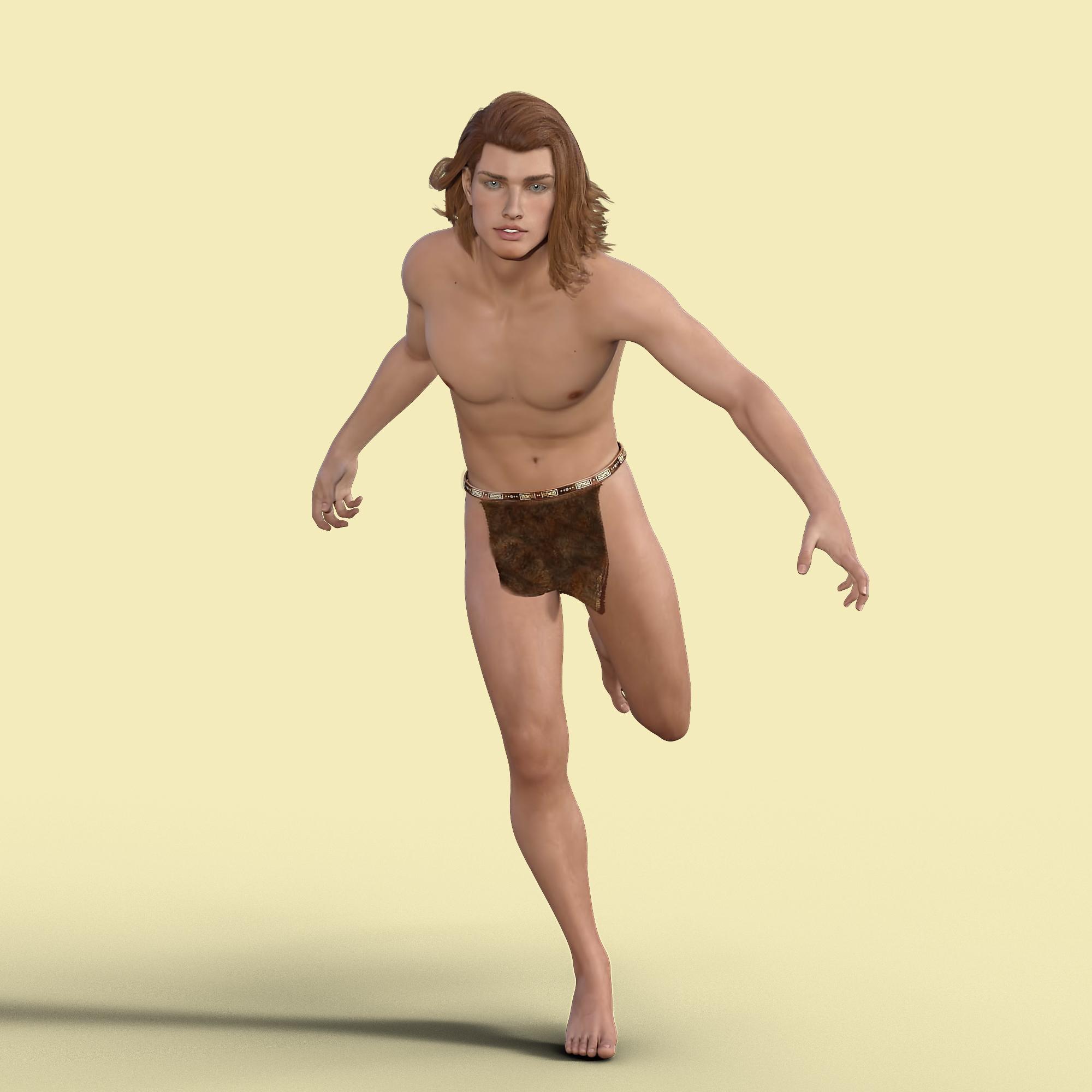
Worlds Edge's Trials And ErrorsHere is Luke from DM's Leading Men morph set with Josh skin materials. A post worked and full image using other materials is in the gallery.
 [WTB] Genesis 8 Male breast implant morphs
Hi all,
I'm looking for Genesis 8 Male breast implant morphs, that creates non-malformed tits for G8M, and it's size range is from small to huge. I'd use it in our game, for transgender characters.
I could not find such a morph set not in DAZ store, nor in Renderosity.
I would buy it if someone here is capable to create it - or I'm open to any suggestions how to achieve this result with some existing morphs.
Thanks,Paul
Contact me, if you would create it: [email protected]
Would the single gender Genesis base not be better for your needs?
[Released] Character Converter from Genesis 3 Female to Genesis 8 Female(Now Conv JCMs) [Commercial]Does this tool technically more than the Morph Transfer Tool (with the exception of an easier use)?
I can't say for sure as I never got into GenX2 (even though I bought it), but as far as morphs, I think GenX2 does more.
Hey,
thank you for your answer. But I think you got me here wrong.
I was asking about the Transfer Utility which allows me to transfer G3 to G8 and even cross gender.
My question was, has your tool any benefits compared to the Transfer Utitly (with the exception of an easier use)?
Some guy (I think Singular Blue) published a more universal Morph Transfer Tool some time ago for free, which fixed had some "fixed" for the transfer. Daz had some copyright objections against that tool, so it's currently unpublished, but Singular Blue is working on an "legal" version.Favourite Genesis 2 CharactersMy favorite G2F character morph is Lucy by Sabby, thats what I have for my avatar, though I also love any morph that is toon/anime/manga styled, such as Erin for G3F or the male and female Art Doll morphs by RedEyeCat for Gen4 up to G3. However,I almost never use the textures a character comes with except for anything made by Tempest3d. Now as for the character textures of choice...
https://www.daz3d.com/otherworldly-wonders-tamesis ; https://www.daz3d.com/tamesis-bundle ; https://www.daz3d.com/tanwen-bundle
Then there are the textures made by Tempest3d, which I love, they are so well made even as far back as the one's for Generation 4. The ALXN Nimmeth by Alexaana, which comes with many options, and finally Danae, of which I like many of the textures and some of the morphs, especially for the males. You will notice that these are made for Gen4, but not if you convert the textures to Daz duf and then you can use them for all the above mentioned.
Carrara Freepozitory archive and more new free stuff for CarraraFluidos 1.4 plugin and free scene for Carrara. LightX plugin. Genesis morph eraser plugin. By Alvin Bemar. https://sharecg.com/pf/full_uploads.php?pf_user_name=nolinealBoaris for G8M [commercial]Hey Raw, Boaris G8M is a very cool product. Mistakes happen, so regarding your forum posts I was exepting a tail and a female morph so I was a bit disappointed to find neither. It is a great product as it is nevertheless so I of course won't return it. Thx!
[Released] Character Converter from Genesis 3 Female to Genesis 8 Female(Now Conv JCMs) [Commercial]Does this tool technically more than the Morph Transfer Tool (with the exception of an easier use)?
I can't say for sure as I never got into GenX2 (even though I bought it), but as far as morphs, I think GenX2 does more.
Why are some skins problematic? I thought G8 is backwarts compatible to G3?
The UVs for a lot of G3Fs are different.
I would have prefered if you did some universal tool, which contains G3 to G8 (both genders, and cross gender) and G8 to G3.
Seeing Cross Gender as a single product is propably unlikly...
This one was a lot harder, and took a lot longer, than I expected. I decided to release for G3F->G8F and hopefully improve all the products as I go along.
[WTB] Genesis 8 Male breast implant morphsHi all,
I'm looking for Genesis 8 Male breast implant morphs, that creates non-malformed tits for G8M, and it's size range is from small to huge. I'd use it in our game, for transgender characters.
I could not find such a morph set not in DAZ store, nor in Renderosity.
I would buy it if someone here is capable to create it - or I'm open to any suggestions how to achieve this result with some existing morphs.
Thanks,Paul
Contact me, if you would create it: [email protected]
[Released] Character Converter from Genesis 3 Female to Genesis 8 Female(Now Conv JCMs) [Commercial]Does this tool technically more than the Morph Transfer Tool (with the exception of an easier use)?
Why are some skins problematic? I thought G8 is backwarts compatible to G3?
I would have prefered if you did some universal tool, which contains G3 to G8 (both genders, and cross gender) and G8 to G3.
Seeing Cross Gender as a single product is propably unlikly...
[Released] Character Converter from Genesis 3 Female to Genesis 8 Female(Now Conv JCMs) [Commercial]I think that there would be an audience, since GenX basically transfers morphs rather than characters.
Not to highjack this thread completely, but could you explain what this means?
With GenX, you check the morphs that you want to transfer between generations, so "nose size" or "Victoria 5 head," etc. Then those morph dials become available on the target generation figure.
Sounds like this, on the other hand, will transfer the entire character you have highlighted, so your character could have a bunch of morphs, and all those active morphs (including JCMs, if activated) would be transferred, plus a resulting dial for just that character. So this would be easier to transfer custom characters or characters in the store that are based on existing morph packs (see Saiyaness's characters). With GenX, you'd have to find out which morph dials were being used, transfer those morphs, and then apply the value of each morph dial to the new generation to get the same character. With this product, you can easily get the character transferred.
Nice summary. Thanks.
In your initial description you are stating that JCMs are not transferred, and yet in the summary above (which you agreed with) it is surmising that JCMs are transferred. Which is true?
"The Character converter script does not copy joint corrective morphs (JCMs) or morph corrective morphs (MCMs) properly". The "properly" is the key word here. If JCMs are being used, they are transferred. HOWEVER, they are not hooked up properly (the corrective part of JCMs), i.e., they will not be engaged when another morph get engaged or anything like that with extreme poses.
[Released] Character Converter from Genesis 3 Female to Genesis 8 Female(Now Conv JCMs) [Commercial]I think that there would be an audience, since GenX basically transfers morphs rather than characters.
Not to highjack this thread completely, but could you explain what this means?
With GenX, you check the morphs that you want to transfer between generations, so "nose size" or "Victoria 5 head," etc. Then those morph dials become available on the target generation figure.
Sounds like this, on the other hand, will transfer the entire character you have highlighted, so your character could have a bunch of morphs, and all those active morphs (including JCMs, if activated) would be transferred, plus a resulting dial for just that character. So this would be easier to transfer custom characters or characters in the store that are based on existing morph packs (see Saiyaness's characters). With GenX, you'd have to find out which morph dials were being used, transfer those morphs, and then apply the value of each morph dial to the new generation to get the same character. With this product, you can easily get the character transferred.
Nice summary. Thanks.
In your initial description you are stating that JCMs are not transferred, and yet in the summary above (which you agreed with) it is surmising that JCMs are transferred. Which is true?
Render up some "character"My lastest dial spin. Trying to use the ladies more since I have so freakin' many of them ;). Sooo many morphs in this one, I couldn't even begin to list them all. The skin is Zelara's and the eye textures are Kala's.
What render subD is she at?
Id really like the morph list for your dial spin, if you want to share that is. If I saw her in the store id purchase her for sure. Perhaps there could be a gift card in exchange for a morph list?

Sorry, I never saw this post until now. I can look and see what she's made of and what increments, but I really doubt you'll have everything needed ;)
That would be cool, if its not too much trouble. I have plenty of morphs. Could always pick up another morph pack if I need to.
Daz 3D is part of

Connect
DAZ Productions, Inc.
7533 S Center View Ct #4664
West Jordan, UT 84084Licensing Agreement | Terms of Service | Privacy Policy | EULA
© 2026 Daz Productions Inc. All Rights Reserved.