-
Tried out dForce and the Clothing went crazy
I put a dress that is supposed to be compatible with dForce on a figure and posed the figure as sitting. The dress didn’t take account of the bent legs but I read that using dForce would help the clothing to fit to the figure.
Unfortunately, while the dress started to look OK, half way through the simulation the dress turned into a cocoon around the figure.
Where am I going wrong?
Before and after pictures attached
Figure: Victoria 8.1 with Alternative Shapes for Victoria 8.1 applied
Dress: dForce Evaline Outfit for Genesis 8 and 8.1 Females
Talk Show PosesCatherine3678ab said:
I don't know which one was used in the promo.
At the moment, this is the best buy to get a microphone: https://www.daz3d.com/vintage-film-props
This set also has microphones but at the moment the sale prices have not registered for all products so I would wait for a better price.
https://www.daz3d.com/jw-hd-microphone-and-singing-poses-for-genesis-8
And here's another one:
https://www.daz3d.com/guitar-and-microphone-with-poses-for-genesis-8-female-and-victoria-8
Thanks! I think I have one of those products, so I will look for it.
Talk Show PosesI don't know which one was used in the promo.
At the moment, this is the best buy to get a microphone: https://www.daz3d.com/vintage-film-props
This set also has microphones but at the moment the sale prices have not registered for all products so I would wait for a better price.
https://www.daz3d.com/jw-hd-microphone-and-singing-poses-for-genesis-8
And here's another one:
https://www.daz3d.com/guitar-and-microphone-with-poses-for-genesis-8-female-and-victoria-8
Torment 8.1 gender-swaplou_harper said:
MelissaGT said:
lou_harper said:
Instead swapping skins you could turn Torment into female using https://www.daz3d.com/genesis-8-cross-figure-resource-kit
How would you do that - doesn't the Cross-Figure Resource Kit only work to transfer clothing from male to female and vice versa?
Nope. You're thinking of a different product. This one, once installed, is a dial in the Parameters tab.
Nope, I have the product you linked, and all it does is convert clothing from male to female and vice versa. You can dial in the male to female clone and vice versa, but that's just the base male or female shape...it won't allow you to see the male morphs on a female character. Unless you're talking about loading Torment as a G8.1M and then dialing in the female clone...I wasn't aware that would work...but even then, it wouldn't allow you to see actual female morphs as options to use (i.e. dialing in Victoria 8.l on a loaded Torment 8.1).
Which "sexy" outfit is this?Scene loading time solutionTo all those who noticed that DAZ is taking an increasingly long time to load a scene.
I have the same scene, loading on two different computers, with similar CPU/GPU/memory.
The scene is has about 20 characters but they are all just two models ( Victoria 8 and Michael 8 ). The first computer needs a whooping ONE HOUR AND 3 MINUTES to load the scene.
I have been discussing this with DAZ for months, they claiming the scene is not taking long and not being able to explain it even after me sending tons of debug and log files. At an end, when I was finally able to reach someone who really knew about the project ( that is, after more than one month of having to go through layers and layers of customer service representative who knew nothing more than "re-install DAZ/Windows" ), there was a surprising conclusion.I have too many products.
My library is about 400+ products, most of them based on the Genesis 8 character. Apparently, DAZ has an issue with such big libraries. Therefor, the obvious solution was to trim down my library.
I have setup the second computer with the same scene and this time only the products i am using in the scene. The load time :
ONE MINUTE 42 SECONDS.The problem is that I need the full library while composing the scene.
Conclusion : DAZ does not support big libraries. The unofficial solution, therefor, is:
DO NOT BUY TOO MANY PRODUCTS. Buy just what you need, not everything that looks shiny/new/sexy. Buying all you like instead of just what you need will bring your DAZ to its knees and you will spend hours cursing the incredibly low speed.
A Little Help Re DAZ3Dhttps://www.daz3d.com/z-sign-language-alphabet-for-genesis-81-female-and-victoria-81
https://www.daz3d.com/the-good-student-poses-sign-language-and-expressions-for-genesis-8-female
https://www.daz3d.com/fingerspelling-poses
What is the most realistic and sexy skin? What is your favorite skin?Speaking culturally, as a North American, not personally - "sexy skin" is perfect looking. Thus, the thousands of products on the market, like syrums, creams, makeup, tanning products, shaving or hair removal stuff. Perfect skin is flawless. Flawless means young skin with no wrinkles, marks, blemishes, and that is evenly coloured, is not dry, etc. Fashion and beauty advertisments are heavily retouched to remove all imperfections.
Real looking skin is imperfect snd has hundreds of, what are considered, flaws.
Personally, not culturally, some people find real skin with all it's imperfections and flaws, sexy.
On that other 3D website with all the sexy content, many of the female figures in the promo images, use this skin, presumably because it's the sexiest skin https://www.daz3d.com/lyfw-adrienne-hd-for-victoria-6
An example of flawless male skin is https://www.daz3d.com/hercules-hd-for-genesis-3-male
In my opinion, a realistic male texture is https://www.daz3d.com/bjarke-hd-for-genesis-8-male
What is the most realistic and sexy skin? What is your favorite skin?IMO, the various generations of the Monique character qualify on both counts. Realistic imperfections in the skin make her more unique. The character expressions that are available in the bundles add to the usefulness of the character. She's a dark skinned character that doesn't look spray-painted. I have Monique6 and Monique7.
The Erynn character is also very nice. I can't resist freckles...
D-force Clothing Do not Adjust with figure
Thanks for the information, I will take a look.rcourtri_789f4b1c6b said:
Eparagraphics said:
Hello, I do images only. So do I also need to run simulations? Also, is there any good video or Guide where I can learn the same? Also, it is not related to dforce-bollywood-bride dress only, but happen with almost every skirt.Eparagraphics, the previous two posts point you toward helpful videos--where to find the appropriate tabs and buttons, the order of the steps taken, etc. Since your only creating still images, I would defer experimenting with animated-timeline simulations until you are getting good results with "Current Frame" simulations. Work on dForce with the character posed in empty space, and after you feel good about that, work on characters sitting or laying on furniture and the ground or floor. A long, loose-fitting skirt like on the Bollywood Bride Outfit can be quite tricky when the figure is sitting on a chair or stool.
"Almost every skirt," eh? Long skirts are the most difficult clothing item for the user (and probably the clothing's creator) to deal with. They need to bend at the hip and the knee, and that's usually even more challenging than shoulder/elbow/breasts issues with tops. Many older longer skirts are so much trouble that they can only be used in standing poses, either because the shape of the skirt can't be changed enough, or it can be changed only after excessive time and effort ("more trouble than it's worth").
Staying with Indian-themed clothes, I find the https://www.daz3d.com/saree-for-genesis-8-female-and-victoria-8 outfit easier and faster to use than the Bollywood Bride outfit, with equally good results in most poses and from most camera angles. It's a non-dForce outfit, and comparing how to fit the two outfits to a posed figure will give a user some useful experience for thinking about the advantages and disadvantages of conforming vs. dForce dynamic clothes. Anyway, a new user is well advised to practice with both conventional conforming and dForce dynamic clothing, and working with almost any outfit can provide some useful insights.
Let us choose which morphs to load before loading a character into the scene?Robert Freise said:
vozolgant said:
Let's say we want to load G8F into the scene. It would be nice if we could specify which morphs to load for it. I noticed that the more morphs G8F has, the slower it is to load. Letting us specify which morphs to load before hand could help fix that.
What do you guys think?
Years ago you could load a figure without any morphs add the ones you wanted and then save it as a custom figure.
No, the channels always had to be present - which was why combining mutliple sets was a pain, if each had its own custom CR2. The ExP System used by Victoria 4, Michael 4, etc. used separate pz2s listing each morph pack's entries and a utility to index them all for loading, but that required updating the inex files after any instalaltion. The only system that would inject morphs without any groundwork was the Poser .pmd system, but that had memory impact initially and the format of the calls changed with every service pack making ti impossible for Daz to implement, and a pain for Poser users.
However there were complaints from people who wanted all the morphs to load but didn't want load them and save a custom figure and then there was the problem created when you bought an outfit and it didn't have all the morphs in it.
So now everything loads every morph you have and you get long load times and a list of morphs that takes three days to look through with many duplicates of right eye closed, breasts big, cleavege mouth open and so on
Let us choose which morphs to load before loading a character into the scene?If you want to use a specific character preset, it's best to use that character preset. Whether that's Sakura, Tara or classic Victoria. You can also save a character as a preset to load instantly with all of the dials and morphs as you set them previously.
To do this, go to File -> Save as -> Character Preset
You can then simply load the character preset immediately by double-clicking on your character preset in the Content Library. I have many character presets saved, as there are a few I used regularly. There's also a handy-dandy guide in my sig if you want it to show up in the main Smart Content menu.
[Released] Bone Minion for Generation 4 Poses [Commercial]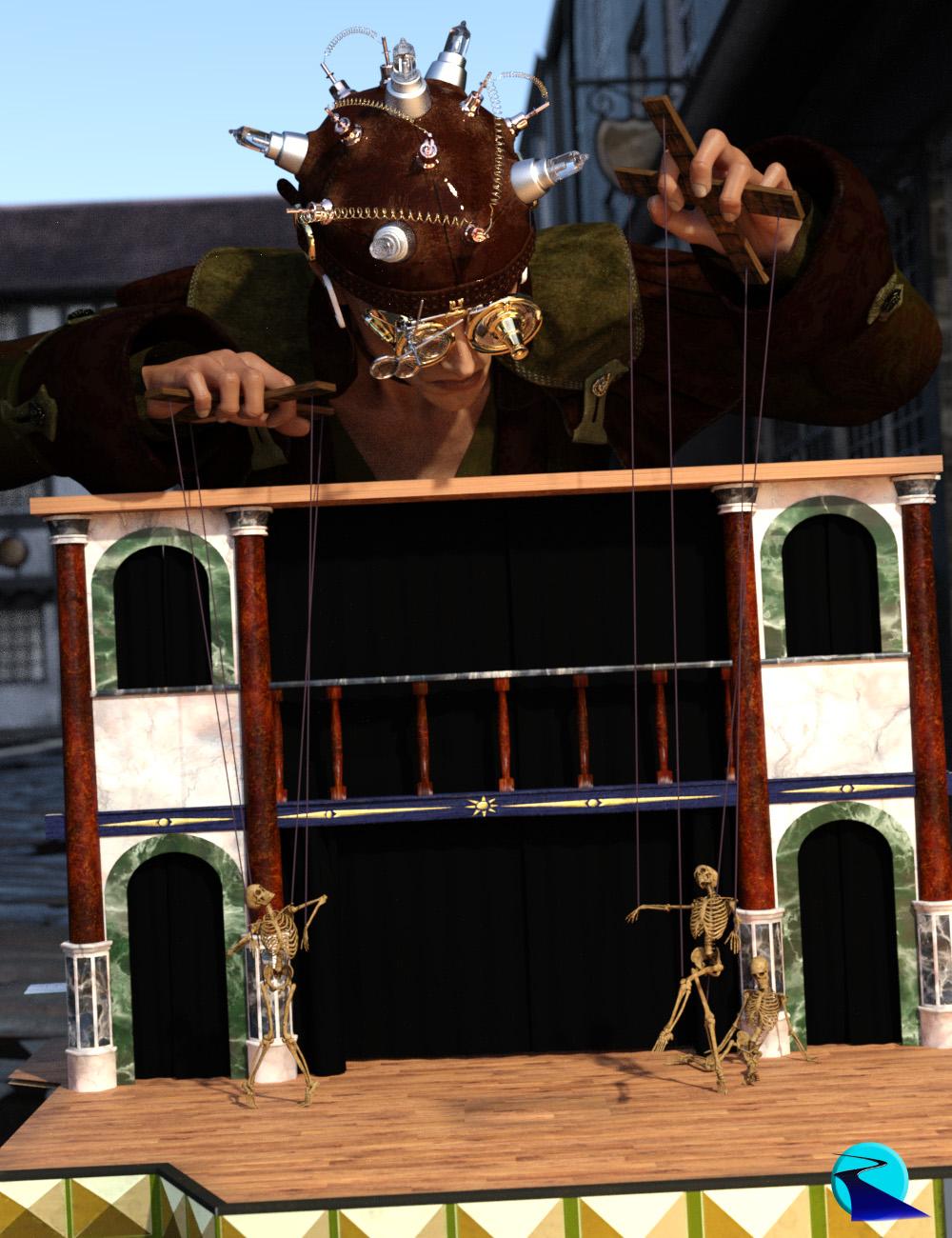 Introducing the revolutionary new way to use poses from different figure generations! Stop wasting time and hard drive space converting pose presets, just use them! With Bone Minion, you can directly use poses for Michael 4 and Victoria 4 on later generations without first converting and saving them to a preset. Your Bone Minion will do the hard work for you by acting as a bone "catcher" for a pose and then transferring (and converting if necessary) the pose to its parent target figure*. Simply load the desired Bone Minion (i.e., Victoria 4 Bone Minion for Victoria 4 poses) on your target figure (Genesis 8.1 Male), select the Bone Minion, and start applying poses!
- On the fly conversion of poses to your Target Figure
- Directly convert from the Source generation to the Target generation without converting to intermediate generations (i.e., direct conversion from V4 to G8F instead of V4 to G2 to G3 to G8)
- Works with full poses, partial poses**, and even hierarchical poses***
- Automatically applies full poses when they are loaded**
- Cross-gender pose conversion
- Use Pose Details on the Bone Minion to apply partial poses
Note that converted poses (and especially props if they are hierarchical poses) may not be perfect and may require tweaking. Facial Bones (i.e., expressions) except for the eyes are not transferred.
* Requires purchase of the correct Bone Minion product.
** Any pose that sets the hip of the Bone Minion will be automatically converted on the fly and applied to the target figure. Only 1 bone minion can be in automatic mode per figure (the first installed on a character). The Apply Changes script can be used to transfer any pose (including partial poses) on the Bone Minion to its target figure.
*** Hierarchical poses require the props loaded on both the Bone Minion and the target figure. The prop will be properly rotated for the pose but may need to be manually translated to the correct location.
Tutorial
 D-force Clothing Do not Adjust with figure
Eparagraphics said:
Hello, I do images only. So do I also need to run simulations? Also, is there any good video or Guide where I can learn the same? Also, it is not related to dforce-bollywood-bride dress only, but happen with almost every skirt.Eparagraphics, the previous two posts point you toward helpful videos--where to find the appropriate tabs and buttons, the order of the steps taken, etc. Since your only creating still images, I would defer experimenting with animated-timeline simulations until you are getting good results with "Current Frame" simulations. Work on dForce with the character posed in empty space, and after you feel good about that, work on characters sitting or laying on furniture and the ground or floor. A long, loose-fitting skirt like on the Bollywood Bride Outfit can be quite tricky when the figure is sitting on a chair or stool.
"Almost every skirt," eh? Long skirts are the most difficult clothing item for the user (and probably the clothing's creator) to deal with. They need to bend at the hip and the knee, and that's usually even more challenging than shoulder/elbow/breasts issues with tops. Many older longer skirts are so much trouble that they can only be used in standing poses, either because the shape of the skirt can't be changed enough, or it can be changed only after excessive time and effort ("more trouble than it's worth").
Staying with Indian-themed clothes, I find the https://www.daz3d.com/saree-for-genesis-8-female-and-victoria-8 outfit easier and faster to use than the Bollywood Bride outfit, with equally good results in most poses and from most camera angles. It's a non-dForce outfit, and comparing how to fit the two outfits to a posed figure will give a user some useful experience for thinking about the advantages and disadvantages of conforming vs. dForce dynamic clothes. Anyway, a new user is well advised to practice with both conventional conforming and dForce dynamic clothing, and working with almost any outfit can provide some useful insights.
help find characterI would assume it is https://www.daz3d.com/vyk-marty-for-victoria-81
As she is listed as being used in the promos.
Don't know if anyone else has noticedBlando Calrissian said:
Almost as popular as the fascination with the female midriff... Victoria's friends probably refer to her as "the crop-top girl" when she's not around.

Aye. As someone who make paracozy book covers, I love the graveyards. The more the merrier. Female midriffs, on the other hand, I have zero use for. Or "assassin" outfit that conisist of high heels and and two strips of spandex.
Don't know if anyone else has noticedBlando Calrissian said:
Almost as popular as the fascination with the female midriff... Victoria's friends probably refer to her as "the crop-top girl" when she's not around.
Oh yeah, reminds me I need more belly button rings in the store, LOL
 Don't know if anyone else has noticed
Almost as popular as the fascination with the female midriff... Victoria's friends probably refer to her as "the crop-top girl" when she's not around.
Character rendering in a different colour light to the sceneIn my opinion the default skin of some vanilla characters is a little bit too red tinted, for example Victoria.
Combine that with a lighting that reinforces that effect and you get a skin that looks too red and unnatural.
I don't own the Elizabeth character but I guess that might be the issue in your case too.
Have you tried reducing the translucency of the skin?
Because the red tint may be caused by the translucency color.
Or maybe you have accidentally set the translucency color to high in the skin options and as a result the skin looks now too red.
In my case that helped.
Using DAZ/3D figures ‘as is’ in (semi-)professional 3D productions?FSMCDesigns said:
I do consider it lazy, especially since there are more than enough tools, morphs and skins to create plenty of unique characters, so why stick with the defaults that DAZ created. Ask yourself, do you want people to see your work and go there is victoria 8 or wow, what a great looking character, wonder what software they used.
Can't contest that FSMCDesigns, thanks for your feedback. I recently learned in the area of skins that some users would like to have certain skins from older generations applied to Gen8 and there are indeed tools (or skills) to do so, I wonder what they discovered that made that 'old skin' so precious! As to ('lazily') using unaltered figures in renders, I must confess there is one particular figure that makes me smile every time I see it used (unmodified) in renders, the 'feast of recognition' accounts for something I guess and it also suggests this character is living the life, moving from one crazy adventure to another!
Daz 3D is part of

Connect
DAZ Productions, Inc.
7533 S Center View Ct #4664
West Jordan, UT 84084Licensing Agreement | Terms of Service | Privacy Policy | EULA
© 2026 Daz Productions Inc. All Rights Reserved.