-
[Released] Character Converter from Genesis 3 Female to Genesis 8 Female(Now Conv JCMs) [Commercial]
I moved my post from one I created about this program to here. Sorry I missed the first 12 pages, so forgive me if some of this has been discussed. I haven't had an opportunity to read them.
Here's the pasted questions from my other thread:
Sorry if this is something I'm not understanding, but the program says it works with figures based off the off the basic G3F UV set, and those that aren't will have ugly seams. I have several G3F characters (from pro bundles, etc) that are based on their own Custom UV's. So does that mean all those will have ugly seams and/or misaligned features? Then it shows Aiko7 materials used on Aiko8 and says in this case, other materials should be used as there are problems with the eyes, lips and neck. I assume this is because Aiko 7 has Custom UV's that don't transfer correctly to A8? What other materials should be used then?
Character Creator converts your morphs from G3 to G8. When it is done, the morphs are on a vanilla G8F with the converted morphs dialed in. This means that it has the base G8F UV set (which is also the G3 UV set). The *shape* of the figure has no seams or problems. Materials copied from custom UV sets onto these figures will have seams. If there are problems with the materials, just use any of the G8F materials (like I did using Aiko 8 materials).
And does it only copy 'materials'? He shows using a V7 figure but says V8 eyes are used. Why?
Yes, it only copies materials. They are not converted from one UV to another.
Not sure quite how the morph transfer thing works either, or does it actually not transfer all G3F morphs to G8F? Reads like it will only transfer only the morphs currently in use from G3F to G8F.
CC only copies the used morphs for a character, i.e., every morph currently in use on the G3 figure that makes its shape what it is. (height, body, breast, etc). All morphs to make that shape are copied individually.
Also the whole box where you have to manually add vendor/product name/character name one at a time seems time consuming. Guess it is what it is, but still.
For the main batch script, you do not have to add vendor, product, or character name. It automatically gets that information and transfers it. So if you just want to transfer characters from character presets, no extra information is required.
For the custom character script, once you have a figure in the scene, there is no longer any way to know this info (you could have modified the shape) so it asks. It will remember your answers so that makes it a little faster.
I'm too confused to buy it, and I know I can return it before 30 days, but I just don't know.
If you have any other questions, please ask. Have you used any of my other conversion products (clothing converter, hair converter)? If you have, it works like those, just for characters.
[Released] Character Converter from Genesis 3 Female to Genesis 8 Female(Now Conv JCMs) [Commercial]Yeah, no way am I going to uninstall G3. I have Victoria 7 and the majority of her Daz-O sisters converted to G8, but HD morphs cannot be converted. Plus some morphs cannot be moved over, such as all the options for Aarki's Lady Rune for G3. I'm not converting everything to G8 and I have way too much invested in G3 to simply cast it aside. I like having them all, right where they are waiting to be used. ;-)
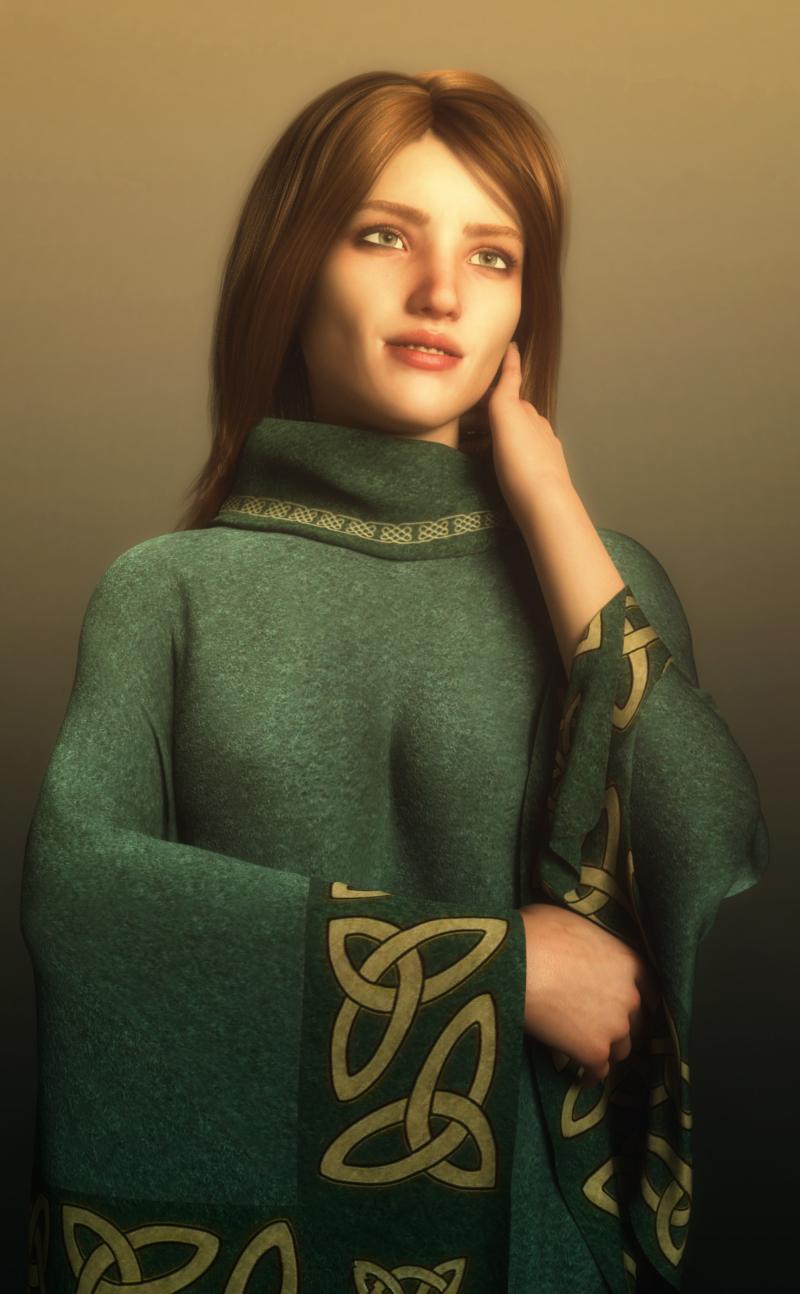
This is nothing like what Artini has been sharing with us, but the image here is of my first character I converted with the Scene Converter. She has a full Victoria 4 GenX figure dialed in. While she's pretty basic, and nothing extreme at all, the GenX morph converted perfectly and I've had no problems fitting clothes to her nor any issues with any poses I've tried.
You are very kind.
Your render looks very nice.
I have bought GenX a long time ago, but have never use it.
Would like to know, how to proceed with it.
I have a lot of Victoria 4 based characters, that I would like to see on Genesis 8 Female.
Could GANs (deepfake technology) be used to create morphs?Hi all,
I'm curious to hear what people familiar with GANs (generative adversarial networks, the technology behind deepfakes) think of potential applications for 3D. Imagine being able to load in a photograph (or series of photographs) of yourself or a friend/family member and generating a morph for whatever base 3D character you wanted, as long as the mesh is in the database? Am I way off base here, or is this something you could see on the DAZ Studio roadmap?
Thanks for your input.
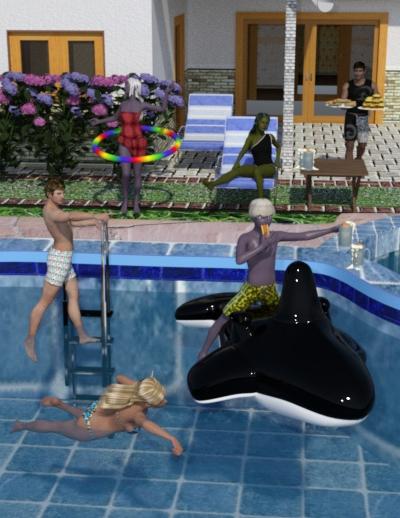
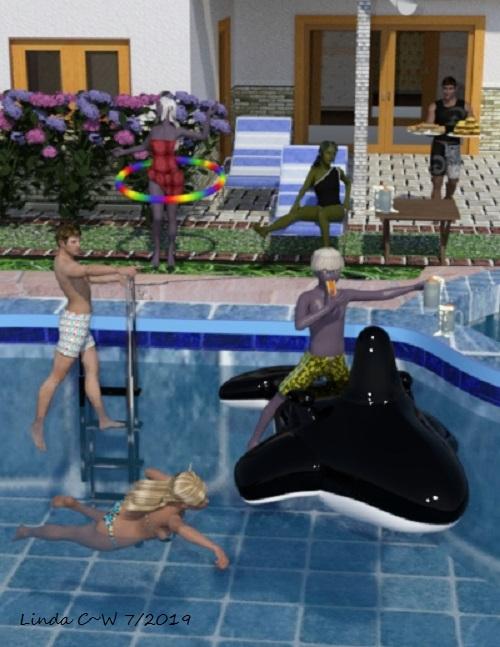
3D Art Freebie Challenge-July 2019-"Pool Party" -Entries Thread OnlyEven superheroes need to cool off and have some downtime. Only Matt, the good doctor hanging off fthe pool ladder, is an ordinary human. His lovely wife Maryn, swmiining nearby, is a popular superhero. They've invited her teammate Hank, a strongman laden with hot dogs and burgers; his lovely alien girlfriend El; and Anya and Heyyu, a couple of youngsters from a secret forest realm. The kids may look like dark elf refugees from a D&D game, but they're very sweet--although Heyyu is a mischief-maker, which he is dmeonstrating by stealing Matt's root beer float. (The floats are kept cold in the summer heat thanks to Maryn's cold powers.)
Sig is only post work
Unpaid
Big Burger Prop (4th item on left at link) https://www.most-digital-creations.com/free_poser_poses_textures_morphs_props_19.htmBig Family House https://www.renderosity.com/mod/freestuff/for-poser-big-family-house/57005
Caribbean Outfit G2F https://www.wilmapsdigitalcreations.co.uk/view_product.php?id=228
Duke Hair Genesis/Genesis Starter Essentials http://docs.daz3d.com/doku.php/public/read_me/index/14812/start
Elven Princess Hair x3 https://www.renderosity.com/mod/freestuff/?search=elven+princess+hair
Furniture Set 5 Cupboards & Ornaments (Oval Plate)
https://www.wilmapsdigitalcreations.co.uk/view_product.php?id=216G3F/G8F Swimsuit 5 (25th from top on left) https://www.most-digital-creations.com/freestuff.htm
Genesis Drow Skin https://sharecg.com/v/67291/gallery/21/DAZ-Studio/Genesis-Drow-2nd-Skin
Genesis Swimwear (female) https://www.wilmapsdigitalcreations.co.uk/view_product.php?id=31 ;
Genesis Swimwear 2 (male) https://www.wilmapsdigitalcreations.co.uk/view_product.php?id=32 ;
Hydrangea https://www.renderosity.com/mod/freestuff/hydrangea/82574Let's Put On a Show (Hoop) https://www.daz3d.com/let-s-put-on-a-show
McCoy Hair M4 x2 https://www.sharecg.com/v/38477/
Pool Fun Pack 1 (Whale Float) https://www.renderosity.com/mod/freestuff/pool-fun-pack-1/60974
Pool w/Ladder & Diving Board https://www.renderosity.com/mod/freestuff/pool-with-ladder-and-diving-board/57006
Strong for G8M https://www.renderosity.com/mod/freestuff/strong-for-g8m-character-morph-amp-pose/82833 ;
Surf's Up Outfit/G2 Starter Essentials/Scenebuilder http://docs.daz3d.com/doku.php/public/read_me/index/16280/start
Paid
Beach Props https://www.daz3d.com/beach-props
Nylissa G3F/G8F https://www.daz3d.com/nylyssa-for-genesis-3-and-8-female
Sickleyield Good to Go Lights! https://www.renderosity.com/mod/bcs/?ViewProduct=116315Not Counted
Food Pack (Hot Dog & Root Beer Float) (Discontinued Daz item)*
Genesis x2
G2M
G3F
G8F & M*I can screenshot my Product Library page if needed
 SereneNight's Sci-Fi Fun Thread 2
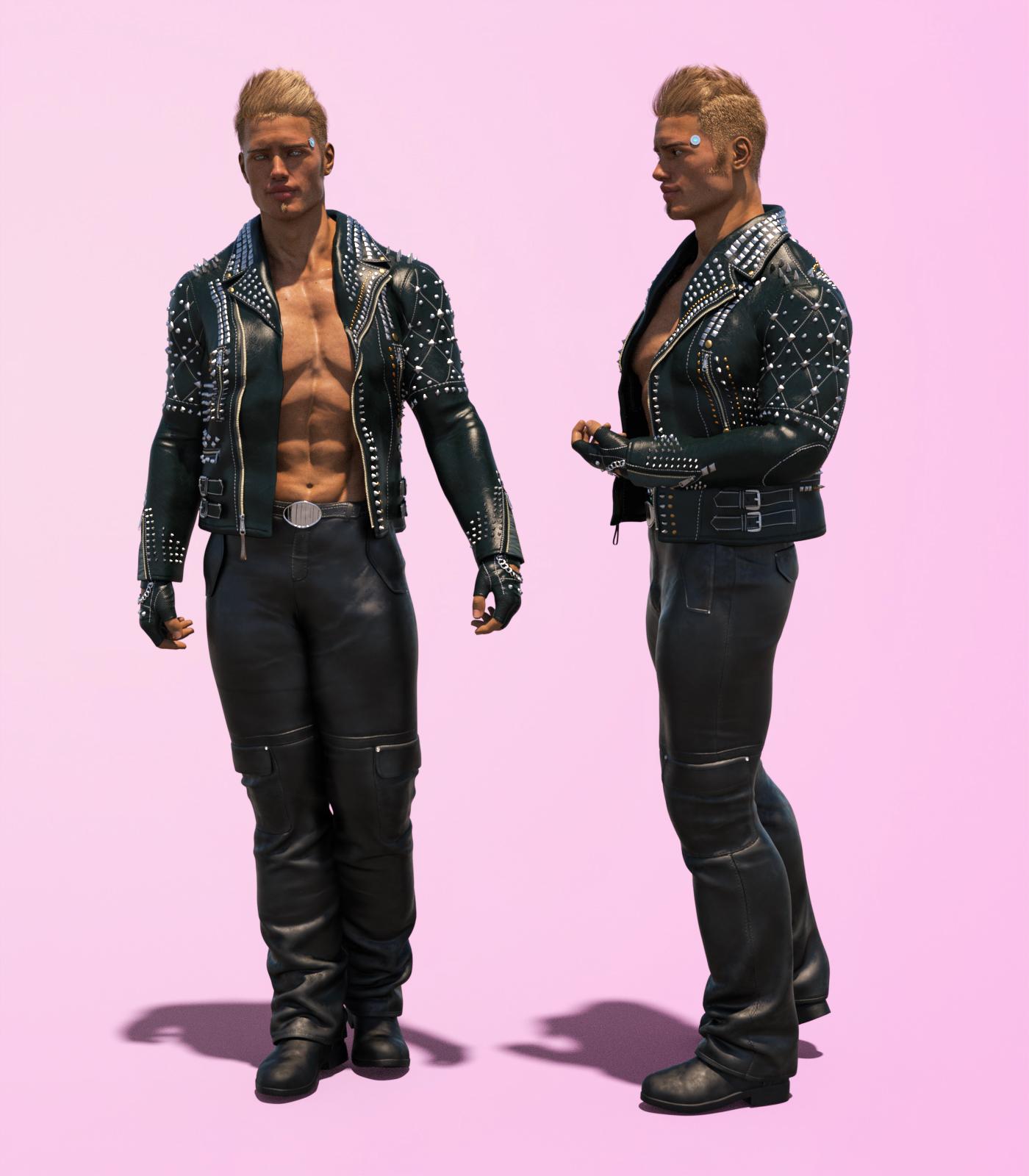
On the topic of men's clothing, this is a new release its Spiky Jacket for Genesis 8 Male by Zoro_D.
This is a nice piece of work. You get a jacket, a set of gloves and a leather texture for pants, if you own the Every day outfit. The jacket includes an open morph and a vest morph. There is a texture expansion.
I fit the jacket nicely over the dforce biker outfit. The included leather texture is nice, and works well wtih the spiked jacket.
 XTransfer Module 1- Genesis 3 to Genesis 8 Morph Converter (Commercial)
I'm buying both of them. The RS converter works really well for quick transfer of specific characters, but it doesn't do individual morphs in the same way that this looks like it will. Between these two products and the RSSY clothing/hair converters, there's now a pretty decent incentive for people who wanted to jump to G8 but had invested heavily in G3 to do so.
[Released] Character Converter from Genesis 3 Female to Genesis 8 Female(Now Conv JCMs) [Commercial]I picked up Narkissa because I wanted to try converting a character with an unusual HD head morph. I think she came across pretty well even with the HD details missing.
@sapat The box has been prefilled every time I used it, but with my username instead of the original vendor. I changed it to the name of the vendor and the actual character just for organizational purposes, but I think you could probably just hit accept since it's for personal use.
@Wonderland It appears to copy head and body dials over from the character. I didn't do anything special to create these, and they let me dial in the character to G8F figures normally:
 SereneNight's Sci-Fi Fun Thread 2
I haven't seen any clothing fit genital morphs. One recent purchase did include a male elements morph that sort of folded the element up into a shape. I never used it though. A friend showed me how to make the real male elements fit, and I've never gone back.

The Dzheng clothing morphs work okay. I think if you don't know how to fit gens to the pants, they are fine to use, but it certainly fits better to use smoothing and put the elements in the correct position manually. Although it is more work.
I haven't seen much Harry Potter, but there is this: https://www.renderosity.com/mod/bcs/sevvie-for-m4/69360
Orangutan!!!That head morph would make a good alien with a different skin to
like this one? (I thought the same thing when making it)

That reminds me of something, but I can't think what. Makes a cool looking alien though! :) So sad that @RawArt released these when I'm broke. :(
[Released] Character Converter from Genesis 3 Female to Genesis 8 Female(Now Conv JCMs) [Commercial]I moved my post from one I created about this program to here. Sorry I missed the first 12 pages, so forgive me if some of this has been discussed. I haven't had an opportunity to read them.
Here's the pasted questions from my other thread:
Sorry if this is something I'm not understanding, but the program says it works with figures based off the off the basic G3F UV set, and those that aren't will have ugly seams. I have several G3F characters (from pro bundles, etc) that are based on their own Custom UV's. So does that mean all those will have ugly seams and/or misaligned features? Then it shows Aiko7 materials used on Aiko8 and says in this case, other materials should be used as there are problems with the eyes, lips and neck. I assume this is because Aiko 7 has Custom UV's that don't transfer correctly to A8? What other materials should be used then?
And does it only copy 'materials'? He shows using a V7 figure but says V8 eyes are used. Why?
Not sure quite how the morph transfer thing works either, or does it actually not transfer all G3F morphs to G8F? Reads like it will only transfer only the morphs currently in use from G3F to G8F.
Also the whole box where you have to manually add vendor/product name/character name one at a time seems time consuming. Guess it is what it is, but still.
I'm too confused to buy it, and I know I can return it before 30 days, but I just don't know.
Genesis "Basic Child" character rendering BRIGHT PURPLE for me in IRAYIncidentally, is it at all possible that something I installed into my Content folders could have altered something under the hood that makes the colors on this character come out wrong? And if so, how would I detect what it was? I know that occasionally morphs spontaenously turn themselves ON for other content when you install some new character that includes a special-made morph for the just-installed character. Could similar things happen with shaders? 0o I suppose I could go look at the appropriate shader files for the Basic Child character and see if the datestamps on them changed or something.
SereneNight's Sci-Fi Fun Thread 2Bit of a relief, I thought maybe my download was borked and some files were missing, as the M4 outfits they make do have matching poses for those parts. Guess I'll have to pay a visit to R'otica and see what they have that's within my budget. Right now I'm trying to remember how to get a G3M morph into G8M. I've done it before with a free script that was kicking around but it's been ages and I've done a couple re-installs since that so not a clue what I'm doing. I made a really nice Snape for M4 in Poser once upon a time, today I thought I'd give it a try on the G3/G8s. The head is perfect but my custom body has a wonky chest I just can't fix so I'm trying to get as close as I can using the Genesis morphs. Any ideas for a good skin? Needs to be rather pale but all I have like that for Daz makes him look too young. And I'm probably gonna have to buy new wizard robes for him too. :sigh: Unless maybe I can get away with a hiding-from-the-Dark-Lord-in-Muggle-London type scene. That might work ... I hope.
 [Released] Character Converter from Genesis 3 Female to Genesis 8 Female(Now Conv JCMs) [Commercial]
I'm also getting this when transfering a dial spun character. Along with the autofit problem I'm beggining to wonder if this is just not suitable for home spun dialed characters.
I asked this earlier but I think you missed it among the large stream of posts. After loading a vanilla G8F, if you dial in a normal G8F morph (not one that was from conversion), can you auto-fit? After loading a vanilla G8F, if you dial in a converted G8F morph (undial the normal G8F morph), can you auto-fit?
Yes that works fine I have no problems with autofit except for when trying on a converted character.
To be clear, you can load a vanilla G8F and then dial in a converted morph and there is no problem with auto-fit? It is only when you use the character presets created by the script? If so, that sounds like there is something wrong with your Daz Studio. The save character preset is a Daz Studio function the script is calling. I won't recommend it because I know it is such a pain but uninstalling and reinstalling Daz Studio should fix this.
[Released] Character Converter from Genesis 3 Female to Genesis 8 Female(Now Conv JCMs) [Commercial]For genX transfers we would use the custom shape option as the dials are not located in the content library correct? It seems to transfer kind of well but the character stays the same height but the shape changes to match, for example trying to transfer the Maddie 3 shape, it transfers the shape but you end up with a giant child lol
Oh, I need to capture the scale. I will fix this.
[Released] Character Converter from Genesis 3 Female to Genesis 8 Female(Now Conv JCMs) [Commercial]Yeah, no way am I going to uninstall G3. I have Victoria 7 and the majority of her Daz-O sisters converted to G8, but HD morphs cannot be converted. Plus some morphs cannot be moved over, such as all the options for Aarki's Lady Rune for G3. I'm not converting everything to G8 and I have way too much invested in G3 to simply cast it aside. I like having them all, right where they are waiting to be used. ;-)
This is nothing like what Artini has been sharing with us, but the image here is of my first character I converted with the Scene Converter. She has a full Victoria 4 GenX figure dialed in. While she's pretty basic, and nothing extreme at all, the GenX morph converted perfectly and I've had no problems fitting clothes to her nor any issues with any poses I've tried.
Duplicate Formulas Found Error for Genesis 8 Male and FemaleThe list of properties not found is not an error, usually, and can be ignored. The actual duplicate forumlae are related to LY Briallen - make sure you have the current version of the character as it was recently updated. (Dueplicate formulae are in the morph asset files and those are read every time you load the base figure.)
Yes those duplicate formulae are indeed in the morph files the reason why i suggest for them to check if they have the figures double installed is because i had this happend while working on a project while the product was double installed on two different places and folders and therefor it had two times the same morphs files but in different Paths and directories. If they Will uninstall one of the products then the error Will be gone because that way you also remove the double morphs folder. I thought it might be happening in this case too you never know and this would be simple and easy to solve ????
Sorry about the question Marks they were supose to be a smiley face but it got turned into question Marks somehow lol.
Duplicate Formulas Found Error for Genesis 8 Male and FemaleThe list of properties not found is not an error, usually, and can be ignored. The actual duplicate forumlae are related to LY Briallen - make sure you have the current version of the character as it was recently updated. (Dueplicate formulae are in the morph asset files and those are read every time you load the base figure.)
Yes those duplicate formulae are indeed in the morph files the reason why i suggest for them to check if they have the figures double installed is because i had this happend while working on a project while the product was double installed on two different places and folders and therefor it had two times the same morphs files but in different Paths and directories. If they Will uninstall one of the products then the error Will be gone because that way you also remove the double morphs folder. I thought it might be happening in this case too you never know and this would be simple and easy to solve ????
Duplicate Formulas Found Error for Genesis 8 Male and FemaleThe list of properties not found is not an error, usually, and can be ignored. The actual duplicate forumlae are related to LY Briallen - make sure you have the current version of the character as it was recently updated. (Dueplicate formulae are in the morph asset files and those are read every time you load the base figure.)
Character Converter Question(s) - MOVED TO COMMERCIAL THREADI assume this is because Aiko 7 has Custom UV's that don't transfer correctly to A8? What other materials should be used then?
There are two possible fixes.
1) Purchase the product in the store that adds the custom UVs from the Gen 7 DOs to G8F.
2) Bake the textures onto the base UVs using the Map Transfer tool in the Surfaces Tab. It's more effort, but it has the benefit that it will mean the texture will then work with overlays intended for the Base UVs (e.g. Skin Builder, other LIE presets, etc).And does it only copy 'materials'? He shows using a V7 figure but says V8 eyes are used. Why?
Although the base UVs otherwise have entirely interchangeable texture layouts, G3 and G8 have slightly different eye UVs, so the usual fix is to pick a similar set of G8F eyes.
Is there a way I can make a clothing morph for a posed characterHi tulip,
Thanks so much, I'll check that video out.
Felis,
I do have dforce on the skirt. I'll probably just stick with that.
Thanks for reminding me.
Cheerio
yes that is possible you use the goz bridge and morph it in the sitting position and once your done import it back in via morphloader pro but Now click Yes instead of no within the option that says reverse deformation
Daz 3D is part of

Connect
DAZ Productions, Inc.
7533 S Center View Ct #4664
West Jordan, UT 84084Licensing Agreement | Terms of Service | Privacy Policy | EULA
© 2026 Daz Productions Inc. All Rights Reserved.