-
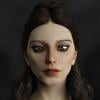
Do you know this character/wearable?
The outfit looks to be System 46 for Genesis 3 Female by daveyabbo:
https://www.daz3d.com/system-46-for-genesis-3-female-s
I don't recognize the upper helmet-like part - it could be part of some other set. The character could be a morph of one of the younger character packages for Genesis 3 or 8. If you could find the original image in the galleries, that might give you some clue.
How G8F morphs automatically work on her dress?I am working on 3D game where clothes need to be morphed also when G8F body morphs that is why I need to understand how to implement it )
I know that each morph (.DSF file) of Genesis 8 Female contains an array named "deltas" with indexes of vertices that need to be changed and X,Y,Z values.
I am curious, does Daz Studio uses these G8F morph indexes somehow to morph a dress. But dress has completely different indexes...
How G8F morphs automatically work on her dress?I don’t know how it does that technically but yes, DS includes a feature called “auto follow” which will automatically project morphs (tagged with “auto follow” in morph properties) from the figure to the clothes.
How G8F morphs automatically work on her dress?I created a dress in Hexagon and imported it back to Daz Studio as OBJ file. Then I used "Transfer Utility" to auto-rig it.
Now when I apply ANY morph to G8F a dress also follows that morph. If I go to "Parameters" tab of a dress and activate "Show hidden properties" I can see that all applied to G8F morphs are also here.
Does Daz Studio copies all active morphs from G8F to Dress figure? How it knows which vertices of the dress to morph when base morph is applied on G8F?
I looked inside .DUF and .DSF files of a dress and there were NO mentions of any of applied morphs. That means Daz Studio somehow intellectually knows how to morph a dress, but does it do it?
Auto Face Enhancer [Commercial]Where can I find the facial morph expression presets?MimicMolly's Renders & WIPsI'm trying to recreate my head morph with other morph combinations. Mostly to see if it's possible.
Roughly, the original is Monique 8 Head 14% and Olympia 8 Head 41% (with nose lips and eye tweaks). This new one is Kala 8 Head 40.6%, Latonya 8 head 17%, Olympia 8 Head 25.5%, and Tasha 8 Head 37.7%. (No tweaks yet but they are needed.)
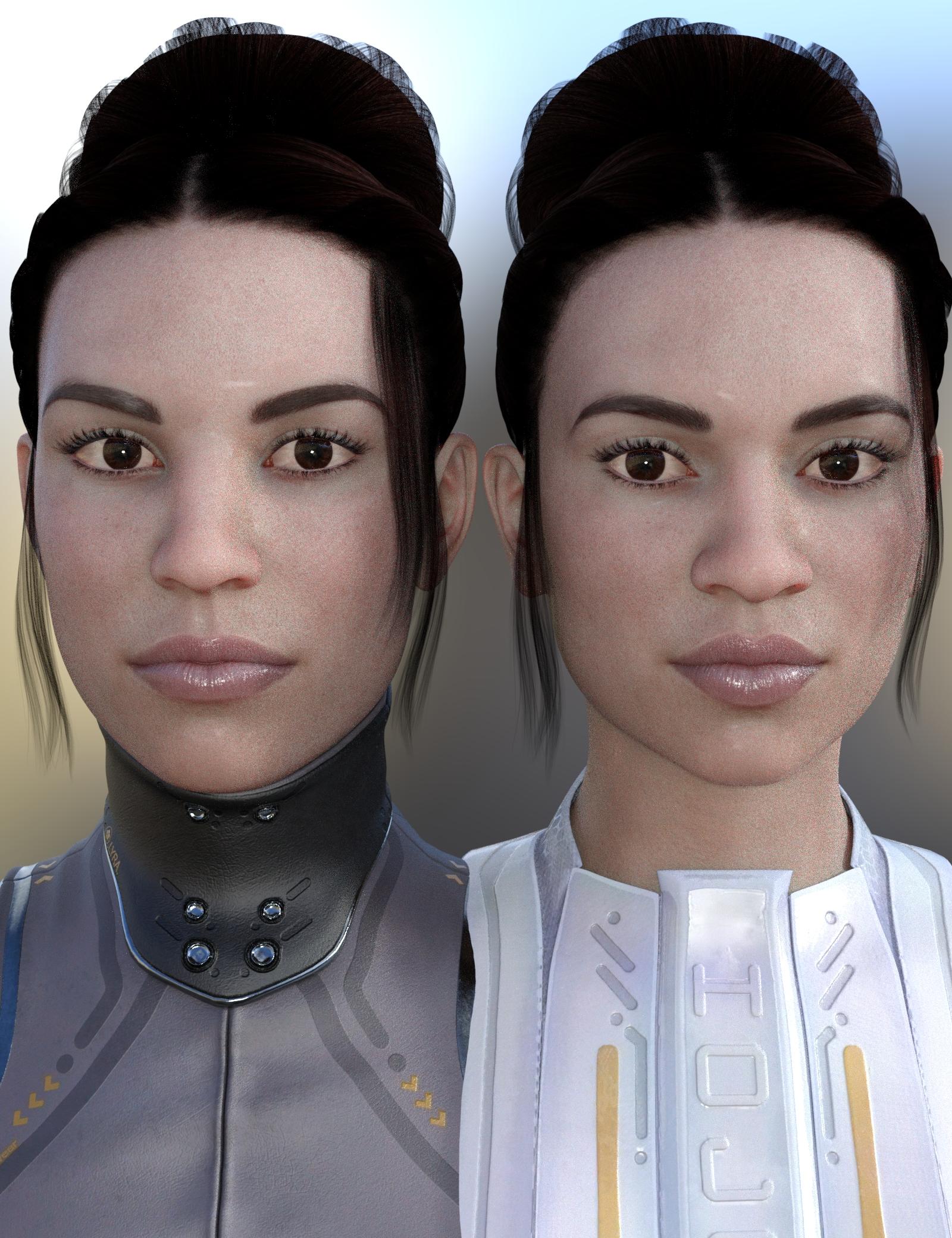
The second one has that G3F/G8F angular face look and possibly a more accurate-looking nose.
[Released] Character Converter from Genesis 3 Female to Genesis 8 Female(Now Conv JCMs) [Commercial]So, I really was surprised to see this one. Ever since the tragic passing of Dimension3D the morph convertor-happy users like myself have been pretty much left on our own. Sure, there have been different techniques provided to us in tutorial threads us both on and off the forums, and even one of us have dedicated their time and effort to try and make a sufficient enough script to fill-in that gap, shout-out to SingularBlues. But this is the first time since the discontinuation of GenX that we're finally getting a solid, in-store PA product addressing this.
Thank you SO much for this, RiverSoftArt! :DYou are very welcome! I knew from spelunking through the forums that there were user efforts (though I never tried them, way too busy). After 2 years though, it didn't seem like there were any official products, and Sickleyield convinced me to try and make one. I had no idea if there would be a market for this. I was afraid the the "morph converter-happy" users would have already done all they needed to with home-grown techniques.

Oh no, trust me. We warmly welcome ANYTHING that lets us do these things in the least amount of steps possible. :D
 That reminds me why I tell people I am a good programmer. I am so lazy that I program things to be as simple as possible. So I work really, really hard to be lazy
That's the goal! ^-^
converting textures between male and femaleYou can use some male textures on female, and vice versa, with this product: https://www.daz3d.com/genesis-3-uv-swap-male-and-female-base
The texure you start with has to use Base Male or Base Female UV for this to work. If you try to work with any of the Daz-produced main figures -- Victoria, Michael, Ivan, Lucian, Elijah, Mika, Olympia, Gia, etc. -- it will not work.
So, for example, with this character -- https://www.daz3d.com/drako-for-ivan-7 -- in the "Whats Included and Features" section, it says, "This product uses the Genesis 3 Base Male UV maps." That statement, or something very close to it, is what you need to look for. It should explicitly say something about "Base Male" or "Base Female" UV maps. (For reasons that surpasseth all understanding, a lot of them seem to say, "This product uses the Genesis 3 Base Male Female UV maps." That also works, but it should really say either Male or Female, not both.)
This character -- https://www.daz3d.com/gianni-7 -- would NOT work for what you want, without sending him through a map transfer (a process that is too detailed to get into). In his "Whats Included" section, it notes that Gianni uses the "Gianni 7 custom UV set", which is just different enough from Base Male to cause problems.
Hope this helps.
Cut a hairstyle to make it shorter?Holy crap, I just tried the Geometry Editor on the hair in earnest, and I'm already impressed by the results! By lasso-selecting and hiding polygons, I can cut away any part of the hair I don't like. And if it looks a little too short, I can just invert which polygons are hidden, select the ones I want to add back on, then invert again to see the results.
This is only a first pass, and the bottom of the hair still has obvious polygonal jank, but just this amount of progress has given me a new surge of optimism. Plus, since I'm only hiding polygons and not deleting them, I can tweak the hidden polygons each time I shoot from an angle that doesn't look so great.
You would need to bring the hair in a modeller and alter it, then import the modified mesh as a morph with Morph Loader Pro. You could use the Hexagon bridge for that for example.You can't remove any part of the mesh if you want it to work as a morph, only move the vertices, so it wouldn't be that easy, especially since that hair seems to have a lot of strands. But it's probably doable.
Yeah, I've already discovered that outright deleting portions of the hair mesh screws up the texture mapping. I guess that means merging vertices is out too.
Maybe if I pinch down the new ends of the strands into points, without actually merging the vertices, I can get a good result.
Cut a hairstyle to make it shorter?EDIT: It does not work. The same parts of the texture file are used across different regions of the hair mesh, so it's impossible to make the long hair in back invisible without also affecting areas higher up.
I don't have that hair but depending on how the material zones are setup you may be able to get around that by creating multiple transmaps for the different surfaces, or using LIE to alter the transmap on some surfaces.
You can always try creating a morph for the hair yourself.
I don't understand what that means, but I'm interested to hear more. I always prefer to frontload the work rather than fix it in post, whenever possible.
You would need to bring the hair in a modeller and alter it, then import the modified mesh as a morph with Morph Loader Pro. You could use the Hexagon bridge for that for example.
You can't remove any part of the mesh if you want it to work as a morph, only move the vertices, so it wouldn't be that easy, especially since that hair seems to have a lot of strands. But it's probably doable.
FBM Fitness and JMCWind node can be tricky, for sure. It either seems too powerful or too wimpy. It is hard to adjust for me, too.
I wanted strong wind for a render and it was a nightmare. I ended up making a wind morph in Blender than killing my time
with the wind node. It's exactly like you said it: too powerfull or too wimpy, never as you want it! Confused about what I need
For Genesis 8 (the latest model) you'll need Genesis 8 male body morphs and Genesis 8 female body morphs. This will give you the basics and it will get you quite far already. I'd recommend getting those first and play around with them, and only get further products if you feel you still need more possibilities.
For the two previous Generations the equivalent products are called the same: Genesis 3 male/female body morphs and Genesis 2 male/female body morphs. They are all the same price, so why not go with the most recent model? Genesis 3 and 8 are very similar. I personally haven't worked with Genesis 2 but I heard the posing is a little less sophisticated.
You could save a little bit of money by going even further back. For Genesis you'd need Genesis Evolution: Body Morphs. It covers both genders, so you'd have to get only one product and not two.
The generation before Genesis would be Victoria 4 and Michael 4, the products you'd need are Victoria 4 Shapes++ and Michael 4 Shapes++. V4 and M4 don't come with the base program, but both figures and their morph packs sometimes show up in the freebie section. I wouldn't spend money on this generation, but if you're very patient/thrifty/desperate you could get it for free.
Btw the above products are all just for shaping bodies. To shape faces you'll need Genesis 8/3/2 male/female head morphs.
Auto fit of v4 costumes to G3F doesn't work well with daz 4.11.At the time of daz4.9, even if you wear v4 clothes with autofit, it did not break through the clothes extremely like daz4.10.
If you don't have the skills to manually fit the suit to G3F in a modeling program, then my suggestion would to autofit to G3F, add a smoothing modifier (leave it default), hide G3F with her eyeball in the scene tab, export the bodysuit as a OBJ, unhide G3F and delete the bodysuit, import the OBJ you just made and use the Transfer Utility to fit it to G3F, then save it with "Support Assets > Figure/Prop Assets".
If daz4.11 is currently used for this problem, this method seems practical. I'll try.
Cut a hairstyle to make it shorter?You can always try creating a morph for the hair yourself.
I don't understand what that means, but I'm interested to hear more. I always prefer to frontload the work rather than fix it in post, whenever possible.
Cut a hairstyle to make it shorter?You can always try creating a morph for the hair yourself.
AIUTO...CHI CONOSCE L’ITALIANO? PARTE DODICIRiprovato poco fa, ha funzionato... Magari avevano il sistema un pò intasato...
Ah, Lenio, hai visto i nuovi prodotti per il trasferimento dei morph? Sembra vogliano fare anche il "Cross"!

Gian Mario Filippo potrà finalmente diventare Gianna Maria Filippa!Magari, grazie per la bella notizia! Anche 40 euro sono pronti questo secondo se lo fanno!
Stavo quasi pensando di arretrare a G3 per questo fatto.Ora ho altre preoccupazioni riguardanti il mondo dei render :/
Sono sempre col PC secondario questo mese, e il kit 2x8Gb che avevo preso non è compatibile con questa schifezza di A320 che ho. Quindi resterò con la RAM 8Gb intasata, ma va beh, rallenta un po' i render e finisce là.
Però purtroppo questo Ryzen 3 1200 è davvero debole. Lagga il mondo quando poso i personaggi, c'è un delay che se va bene è di 3 secondi.
Detesto usare solo pose già fatte, ma dubito di avere molta scelta.Avevo pure fatto da me (con prop però già esistenti, non so modellare) un intero set televisivo per la prossima storia!
Carrara Challenge 48 - transcendent or immanent WIP thread- Misty - thanks for the tip to invert the brush. Will come in handy.
- Stezza - Fantastic render! Love to see your use of other figures. Great morph. I can usually spot Dr. Pitterbil, but this time I couldn't.
suggestions for Genesis 9More compatibility with other software has to be a consideration if talking about the figures not the program.
Having all the features only work in DAZ studio is not going to sell content to people not using DAZ studio, they have indeed addressed some of this selling FBX dressed versions with game licenses but I need to ask why not a Poser compatible range too for example?
Yes I know all the history etc but I am certain they would sell even if not the main market the Premier Artists want to make a living of off, DAZ could possibly squeeze a few more bucks out of it with Poser versions of the base figures and a morph loading facility to add any other characters maybe convert JCMs etc a script utility not needing DAZ studio.
Renderosity owns Poser now and they are happily making content for DAZ studio so DAZ could grab some reciprocal profit back making stuff for Poser I thought.
As for Carrara, yeah sadly not a huge fix but one they are not willing to do for some reason.
My reason to use DAZ Studio is, that I was hyper frustrated about the lack of figure developments in Poser. (E.g. : Bad joints, ugly non generic look) I was also unhappy about Poser's render engine and at the peek of my frustation, DAZ released a built with Genesis 3 figures and Iray GPU rendering. I never looked back again.
So, from this position, to me the question is, why should DAZ care about Poser more, than it allready does. There are still a lot of DAZ products, that work fine in Poser though.
Daz should not have to care for the success of Poser figures. Poser and DAZ Studio are two different compunies with two different softwares.
If you need high quality figures for Poser, Renderosity is now the place to make your request.yes I know it is their choice to become more niche
Poser can after all import Mixamo and other FBX content too and Adobe is moving in on the 3D market
I am also an iClone user
if they want their content to work only in DAZ studio it is their choice, other products from other markets will indeed take the place, I just grabbed a heap of freebies from Unreal again today too
Confused about what I needThe basic Head and Body Morph sets would probably meet your needs.
XTransfer Module 1- Genesis 3 to Genesis 8 Morph Converter (Commercial)No..Only way that is possible is if the HD tools are distributed which is not allowed. If we find a way around it we will do it.
A shame DAZ does not create a limited version of the tools that can be called by the script API that only allow for transfer of existing HD morphs and not creating whole new HD morphs. This would allow DAZ to continue to maintain their monopoly while allowing users to move their favorite HD characters to the newest generation.
+1
+2
+3
Daz 3D is part of

Connect
DAZ Productions, Inc.
7533 S Center View Ct #4664
West Jordan, UT 84084Licensing Agreement | Terms of Service | Privacy Policy | EULA
© 2026 Daz Productions Inc. All Rights Reserved.