-
Morph Master - Does it work on Animation?
barbult said:
Pickle Renderer said:
3DMinh said:
Hi,
There's a new product (I can't find the official thread for it) : https://www.daz3d.com/morph-master
I have a question, does it work with animation?
Thank you.
Best regards,
Minh
That product has an rather creepy picture.
Yes, it sure does. It might be a great product, but that main promo made me want to look no furthere and run far away.

Indeed ~~ though I watched the video for a while..

To be honest, the product just automates the workflows of using Smoothing modifier with collisions plus some cut colliders... but that's not the natural physical collision we see in real life as well as we really need in a render. For instance, in that case of people sitting on a sofa, there should be mesh deformation on both figure's body and sofa... With Smoothing modifier, you can just see the sofa "deformed"... let alone we also know Smooting modifiers perform badly in quite a lot of cases. Personally, I'd rather use dForce modifiers + weight maps on the body and colliders, with a Simuation on timeline. I can get much better results.
So still, we expect there'll be a true softbody / ragdoll engine in the future ~~
A question about character morphsOP can directly contact the vendor to report the issue... If OP wants to fix it, properly batch set Type / Path on the morph properties in Parameters pane first, then save a Figure / Prop Asset Morph / Modifier Assets with the Subset selected ...
No need to be overly critical of the content creators from 3rd-party sites... Not like the vendors in this store...who are given quite a few tools / documentation by Daz at the very beginning, 3rd-party vendors most of the time have to go for self-learning as there's no official guideline for them. So from time to time, they just make some mistakes ~~
I've seen worse cases in this store... yes, for instance... there're saved DSFs but none of the morph properties works (resulted from a wrong workflow...). The worst case is : some vendors make mistakes but never correct them ....
Morph MasterHi matew, that has interesting capabilites. Questions: Could it be used just to bake the DS smoothing modifier applied to one figure, quickly creating a morph - hopefully one that could be separate, as in head or body only morphs? It's adding extra smoothing capabilities, for example, smoothing individual areas? Thanks / peace
Morph Master - Does it work on Animation?Pickle Renderer said:
3DMinh said:
Hi,
There's a new product (I can't find the official thread for it) : https://www.daz3d.com/morph-master
I have a question, does it work with animation?
Thank you.
Best regards,
Minh
That product has an rather creepy picture.
Yes, it sure does. It might be a great product, but that main promo made me want to look no furthere and run far away.
A question about character morphsIt sounds as if the morphs were not saved as assets, so they are available only when the figure is loaded from a file that embeds them (the Scene Subset, though a Character preset would also work if used to load a new figure). Morph should not usually be left in the Morph Loader group, either, so it does appear that this artist is not following general conventions on packaging.
Morph Master - Does it work on Animation?3DMinh said:
Hi,
There's a new product (I can't find the official thread for it) : https://www.daz3d.com/morph-master
I have a question, does it work with animation?
Thank you.
Best regards,
Minh
Hi!
Definitely yes. All morphs are animatable, so you can put them on your timeline as any other property.
Morph MasterYes, this is the item from Daz store, that I have purchased immediately right after seeing it in the store.
I have big hopes for Morph Master.
Congratulation on the release.
A question about character morphsHello,
I have purchased a very nice character for G8.1F that includes the character shaping morphs plus some very nice smile morphs. The character is loaded as a scene subset, and when loaded, the morphs show up on the Parameters tab under Morphs/Morph Loader. Whe the character is not loaded into the scene, these morphs don't show up. I would like to try the smile morphs with other characters, so is there a way to get these morphs to show up in Morphs/Morph Loader without having to add the character to the scene?
Thanks in advance for any replies.
nabob21
Morph Master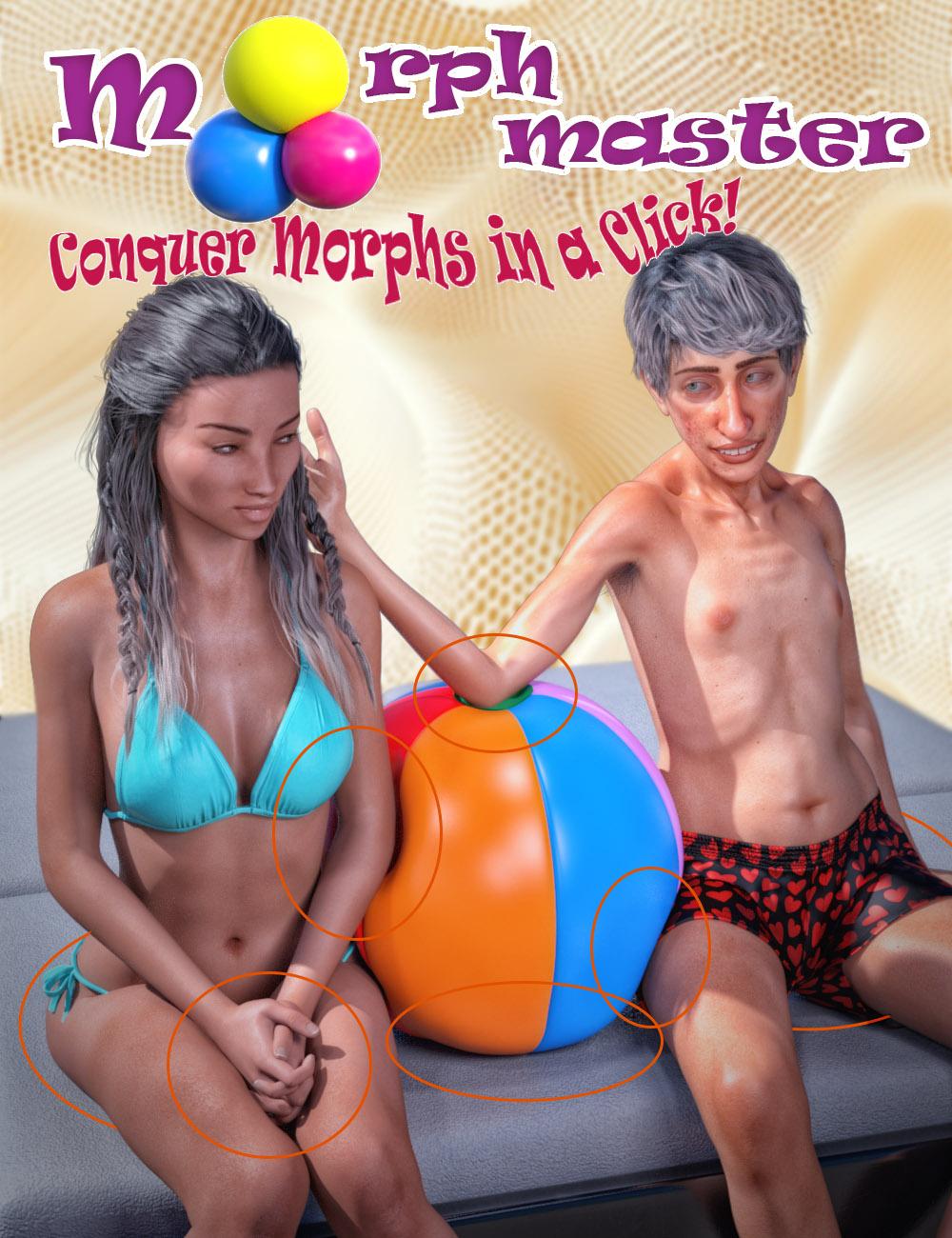
Have you ever wished you could create custom morphs in DAZ 3D with just a single click, without wrestling with complicated workflows or third-party tools? Would you love to simulate realistic soft body compression with body volume preservation right inside DAZ Studio, with no external applications required? Or perhaps you've tried to set up collisions with multiple objects - like several characters sinking into a plush couch - only to find the process too tedious to bother with?
Meet Matew's Morph Master: the ultimate solution for fast, intuitive, and completely integrated morph creation. This groundbreaking toolkit transforms every aspect of the morphing process, from turning smoothing and collisions into stable morphs to creating multi-object collision setups and realistic volume preservation effects. With Morph Master, you'll gain new creative freedom to sculpt perfect shapes, easily correct poke-through issues, or seamlessly combine multiple morphs - all without ever leaving DAZ Studio.
Why Choose Morph Master?
- One-Click Ease: Convert smoothing and collisions into morphs instantly - no extra steps, no messy preparations. Convert smoothing and collisions into morphs instantly - no extra steps or messy preparations required. This conversion not only frees DAZ Studio from continuous smoothing calculations but also provides additional benefits:
- Set up multiple collisions with the same figure effortlessly.
- For collisions involving human figures, wearables like clothes and geografts automatically follow the collision morph.
- Multiple Collisions and Self-Collision Simplified: Effortlessly handle collisions with any number of objects by creating unified colliders or extracting any polygon selection for realistic self-collisions in one click.
- Artistic Flexibility: Import morphs from external applications like Blender, combine multiple morphs into one, or sculpt detailed volume preservation maps directly in DAZ Studio.
- Non-destructive and Undoable Workflow: No need to remove wearables, reset resolutions, or detach geografts. Morph Master does all the behind-the-scenes work, so you can focus on creativity.
- Precision and Control: Fine-tune morphs to ensure your character's shape matches its rigging, transfer complex character shapes to new figures, and easily manage clothing autofollow for perfect fit and realism.
Stop letting technical hurdles stifle your imagination. With Matew's Morph Master, you can create stunning, production-ready morphs in record time - no compromises, no frustration. It has never been so easy!
Short video: Matew Morph Master – Revolutionize Your Daz Studio Workflow in 5 Minutes
Full video tutorial: Mastering Morph Master: An In-Depth Tutorial for Beginners and ProsUPDATE 1-19-2025:
The issue with not working in older versions of DAZ is solved. The updated version of Morph Master is live in the DAZ Store.Content Directory for 4.23joecrash455_a690f3984a said:
So the CONTENT folder is a good bulk of the problem, I will have to make some changes with that. Was reading: https://www.daz3d.com/forums/discussion/650301/can-t-apply-any-shaping-or-morph-solved, and it was mentioned that DAZcentral and DIM64, and DAZ studio itself are all capable of installing files purchased from the DAZ shop, and somehow they conflict with each other.
Instaling threough Daz Studio (Daz Connect) uses a diffrent location from Install Manager/Daz central (which share settings, and are indeed the same core code). They don't conflict, but the Connect install takes precedence over any other so if something goes agley with its files (fail to decrypt, moved) then the product will fail to load even if the DFIM/Daz Central files are still correctly in place. There is no conflict between them, however - merely potential waste of disc space.
With every new DAZ studio install, we get two folders:
My Library
My DAZ 3D Library
Yes, those are the defaults for user files and installed content, respectively, though the names and locations are not fucntionally significant - only the relative path within the content directory matters.
I usually drag and Drop/manual install the Data/people/runtime folders right where they need to go (because I Archive all my stuff on an external drive). If not manually installing, then I use DAZ Install Manager (64-bit).exe
Which will give the same result if done correctly.
So get this, a renderosity product can be copied into My Library, and be able to be loaded no problem. And a product installed by DIM cannot be loaded properly from that folder. A Character purchased through DAZ shop, can be loaded as its own (Actor) figure properly as long as its loaded from My DAZ 3d Library. But trying to load the shape morphs to turn Genesis 9 into the Character does not work no matter which folder I try to load from.
This suggests that the isntallation to My Library is incorrectly configured - most likely DIM is pointed one folder too deep or too shallow - as there is no functional difference between the two locations.
Just going to have to manually install DAZ shop files to my library, but leave out the CONTENT folder. Seems like the only way I can get it to work properly.
Check the path settings in DIM - I am sure they will not exactly match those in DS.
Thanks for the help anyways.
Non conforming or smoothingLots of clothing cannot well support partial body morphs and/or customized/blended full body morphs. Some ways for fixing:
1) use a timeline to simulate, at starting frame , zero Breast shapes or body morphs that you use.. .then dial the expected value at interim frame or last frame;
2) smooth the underbreasts geometry in external software, import the morph as a Base Fixing.Base G9 eyes slightly detach from the eyelids when posedWhen I load the base G9, the eyes look fine with no gap between the eyeballs and the eyelids. But as soon as I pose the eyes there is a gap. I looked at the hidden properties for G9, the head, and the eyes for any rogue PA morphs and there are none. The gap gets worse when any head morph is applied. I'm getting tired of having to manually adjust the eyes after every pose, and if I lock my corrections, the eyes will bulge out slightly with the next pose. Is anyone else having this issue with the eyes, and if so, were you able to figure out which product is the culprit?
Morph Master - Does it work on Animation?3DMinh said:
Hi,
There's a new product (I can't find the official thread for it) : https://www.daz3d.com/morph-master
I have a question, does it work with animation?
Thank you.
Best regards,
Minh
That product has an rather creepy picture.
Content Directory for 4.23So the CONTENT folder is a good bulk of the problem, I will have to make some changes with that. Was reading: https://www.daz3d.com/forums/discussion/650301/can-t-apply-any-shaping-or-morph-solved, and it was mentioned that DAZcentral and DIM64, and DAZ studio itself are all capable of installing files purchased from the DAZ shop, and somehow they conflict with each other. With every new DAZ studio install, we get two folders:
My Library
My DAZ 3D Library
I usually drag and Drop/manual install the Data/people/runtime folders right where they need to go (because I Archive all my stuff on an external drive). If not manually installing, then I use DAZ Install Manager (64-bit).exe
So get this, a renderosity product can be copied into My Library, and be able to be loaded no problem. And a product installed by DIM cannot be loaded properly from that folder. A Character purchased through DAZ shop, can be loaded as its own (Actor) figure properly as long as its loaded from My DAZ 3d Library. But trying to load the shape morphs to turn Genesis 9 into the Character does not work no matter which folder I try to load from.
Just going to have to manually install DAZ shop files to my library, but leave out the CONTENT folder. Seems like the only way I can get it to work properly.
Thanks for the help anyways.
Coming soon: Mesh Grabber 4.0 [Commercial]inquire said:
How about this "Morph Master" That's on sale today? Does that Look useful?
I'm still using DAZ Studio 4.21. The ad says it works with Version 4.23. Does anyone know if it is compatible with version 4.21?
Almost certainly, but it was only tested and released with the latest release DAZ Studio in DAZ 3D, although the PA probably started developing it, and maybe even finished developing it, using a prior version of DAZ Studio.
Coming soon: Mesh Grabber 4.0 [Commercial]inquire said:
How about this "Morph Master" That's on sale today? Does that Look useful?
I'm still using DAZ Studio 4.21. The ad says it works with Version 4.23. Does anyone know if it is compatible with version 4.21?
if it doesn't work, you can always return it within 30 days, afaik.
Let's appreciate/discuss today's new releases - more ongoinger threadscorpio said:
Mesh Grabber isn't listed as a requirment - so does this need mesh grabber to work? I thought from the description it was a standalone plugin.
From what I saw in the first video (I have yet to watch the second one), Mesh Grabber is not mandatory.
In the first video, it's used to rapidely morph the shoulders of the character, to show how Morph Master can be used to adjust clothes to a new morph. It's around the 2 minutes mark in the first video.
It was likely done both because it was convenient, filming that step of the video in one go (Create the morph and save it with Mesh Grabber > Using Moprh Master to make the clothes react to the morph), and because it also explained to people with Mesh Grabber that they need to save the morph to use this function of Morph Master (which isn't necessary if the morph was created in a third party program, because to get the morph in Daz Studio in this case, you have to save it in the first place).
New Year, New Sales Thread: Report Issues Here "Reporting Only"Cris Palomino said:
tsroemi said:
Hi mods, I'm sorry if this has been mentioned already, but adding a gift card to the card seems to cancel out getting ANY tokens at all for the order. Am attaching the cart. I'm DAZ+, so I think I should get 1 token for Morph Master, no?
Cheers!
Verified and reported.
Thanks!
It's interesting, tokens seem to become reactivated once I include more items in my cart and thus cross the threshold to 20 dollars (plus gift card). Token count then normalizes it seems. Just fyi!
Edit: No, it's not quite back to normal, it seems the New Item that triggers the gift card discount isn't counted towards the tokens, if that makes sense. So I'm actually getting 2 tokens when I should be getting 3.[Released] Hat Check for Genesis 9 [Commercial]willowfan said:
RiverSoft Art said:
willowfan said:
Great product in the main. I've found that it (a) does not like ears if the hat sits too close to them (like a baseball cap) and (b) doesn't look good if the hair has a lot of volume (away from the head), producing an unnaturally sharp cutoff where the feathering morph ends.
However I can confirm that it does indeed work with dforce strand based hair (see pic).
Thanks for the independent confirmation @willowfan
BTW, have you tried extending the feathering distance for the high volume hairs?
I believe an apology is in order. Tried again with the same hat and hair as was giving me problems yesterday and it looks fine. Below is with feathering at 10.
I must have been doing something wrong as I was getting a sharp cutoff with a noticable angle change even at 10.
Congratulations on a great product.
Not sure why it would have changed so much, but I am really happy you like the product.
Coming soon: Mesh Grabber 4.0 [Commercial]How about this "Morph Master" That's on sale today? Does that Look useful?
I'm still using DAZ Studio 4.21. The ad says it works with Version 4.23. Does anyone know if it is compatible with version 4.21?
Daz 3D is part of

Connect
DAZ Productions, Inc.
7533 S Center View Ct #4664
West Jordan, UT 84084Licensing Agreement | Terms of Service | Privacy Policy | EULA
© 2026 Daz Productions Inc. All Rights Reserved.













