-
Filament tutorials/shaders/lights?
I got this on a video uploaded October 19
you should watch the Getting Started with Filament from The WP Guru, your Filament lighting settings are way out of balance
hindsight is a wonderful thing for critics, I had not even learnt of the Filament draw options or anything yet
I was playing with the beta
Filament tutorials/shaders/lights?@MECH4D you are making a set of shader presets to properly convert at least the more recent Genesis 8 products to a more proper set of PBS settings so they work better in Filament? Thanks! And I'll buy a copy too!
Filament bring out the RendersI love Filament! Moar! <3
feel free to post in this thread
it is for Filament lovers

Bought Animate2 today, first time trying animation, if I have something Ill post here :)
 DS 4.14 - a total no sale for me...
Why does everyone think that just because Daz added Filament that the whole program is completely different??! You can have the EXACT SAME INTERFACE that you've always used, right down to the open gl preview if you want. Nothing has changed EXCEPT for the addition of Filament, which you can use - OR NOT.
Laurie
I'm starting to think there must have been a thread on another forum spreading some misinformation about the newest Daz Studio release. I can't explain, otherwise, why people are coming out of the woodwork falsely claiming things like the program being really different. I'm going to put on a tinfoil hat for a second and wonder if it has anything to do with Poser getting a new version recently as well. lol *Removes tinfoil hat.*
I think this must be it. There's been a steady stream of posters doing these sort of flyby posts. 4.14 added a render engine that I found pretty pointless and moved some stuff around in a way I thought was more logical but will take some getting used to.
Yes, the new iRay version ended support for some reasonably recent cards but those cards had next to no VRAM and with the current version of iRay how was anyone using them anyway?
Animation workflow in DazSeems like 4.14 try to bring animation actually doable in Daz.
With the new tools like face rig for G8, spring and Filament or even Octane Render to speed up photorealistic render.But it's been some times now I'm wondering if people are actually doing animation inside Daz? (I'm mean by that, actual keyframing and complex animation... not import BVH/mixamo and hit render)
If so, I'm really curious about the workflow you are using. What tools are indispensable, timeline hidden tricks, scene otpimisation etc...
I did try to animate in Daz and it always has been painful. The timeline is full of bug, I can't edit properly key frame graph interpolation, IK acting weird sometimes... I was wondering if other people also encoutered this kind of problem ? If the tools and add-on proposed on the store were really necessary ?
For example, I don't have Ani-Mate2. Is this really a tool that makes a huge difference ? I feel like it's for Ani-block but I don't have interest for Ani-blocks, I want to make my own animation.Filament bring out the RendersI love Filament! Moar! <3
feel free to post in this thread
it is for Filament lovers
Bought Animate2 today, first time trying animation, if I have something Ill post here :)
Spring Dynamics! AWESOME!I used it to have a kitsune character's tail swish with her walk animation, as well as added a couple of bones to her hair to have it bounce a bit with her steps. The hair could have used some work (first time adding bones; it was quick and dirty), but the tail movement was very impressive--and thanks to Filament I could see the results of changing the parameters quickly enough that multiple tests weren't much of a hassle. I just wish Daz could set up colliders for bone movement, the physics are too limited to painlessly animate anything.
A nice extension to this mod would indeed be collisions.
DS 4.14 - a total no sale for me...DS 4.14 - a total no sale for me...
I am a hobbyist with limited time... so now I have to re - learn how to set up a scene among many other things. Frankly I don't care if 4.14 is a fabulous upgrade, it just made my life more difficult and less fun...
At least I won't need to spend a lot of money on an nvidia gpu when I upgrade my pc...
Probably no one cares anyway, but I just had to vent.
Bye all, been fun while it lasted.
What are you on about? The latest Daz is so good, I can have my alt preview window set to Iray and it's almost real-time on my 3070. I am finding filament to be pointless though, but my stuff is set for iray, not filament so that's probably why.
Because you are a higher tier gpu user hence Iray is satisfied, new update is good for rtx gpu and lot of gtx stopped working with Iray with this update. Anyone can confirm, is GeForce GT 730/4GB still working with Iray? As it is a 4GB gpu hence will not render most non optimized scenes but I guess small scenes will work with this gpu.
[Released] ROG Red Crow Inn [Commercial]Since I installed the new daz-studio version, with the filament preview mode.... I'm having lots of problems in the tavern
Preview is way too bright, renders are extremely dark.
smoke items don¡t look well in preview, but is not a big deal.
I worked to separate different parts of the inn in different groups to hide in an easier (for me) way. I don't know if the problem is my file, or anyone using this product out of the box is experimenting any problem too...
thanks!
To fix the bright Filament viewport:
Find the exterior lights group in the Inn scene you have open, should be called 'Light Sources - Exterior - DAY Light Setup' or NIGHT if it's a night scene.
Open the group and click on the Sun DistantLight (Or moon in night scenes if I remember correctly)
Then in Parameters Tab > Display > click OFF 'Visible in Viewport'That should fix things in Filament without affecting Iray renders.
As for the rest... renders look as they should in the last Publishing build and I didn't notice any difference in previous builds. Perhaps some lighting settings got changed in the scenes if they're too dark in Iray ?
If it's too dark in Texture shaded mode, just hit Ctrl + LThe smoke issue seems to be a problem with FIlament not liking the Diffuse map used in the smoke material for some reason. There's nothing special about it so I don't know what's causing it.
A simple solution is to find all the Smoke nodes/meshes in the Daz scene (most will be instances) and remove the 'Base Color' texture map in the Smoke material. That should fix the smoke in Filament.The smoke will perhaps be slightly brighter in Iray renders after that. If so, you can either make the base color a bit darker or lower the Cutout Opacity to 0.75 or so to compensate, haven't really tested it, but that would be the 2 quickest ways to compensate if the smoke changed intensity.
Hope that helps.
Filament bring out the RendersI love Filament! Moar! <3
feel free to post in this thread
it is for Filament lovers
DS 4.14 - a total no sale for me...DS 4.14 - a total no sale for me...
I am a hobbyist with limited time... so now I have to re - learn how to set up a scene among many other things. Frankly I don't care if 4.14 is a fabulous upgrade, it just made my life more difficult and less fun...
At least I won't need to spend a lot of money on an nvidia gpu when I upgrade my pc...
Probably no one cares anyway, but I just had to vent.
Bye all, been fun while it lasted.
What are you on about? The latest Daz is so good, I can have my alt preview window set to Iray and it's almost real-time on my 3070. I am finding filament to be pointless though, but my stuff is set for iray, not filament so that's probably why.
Spring Dynamics! AWESOME!I used it to have a kitsune character's tail swish with her walk animation, as well as added a couple of bones to her hair to have it bounce a bit with her steps. The hair could have used some work (first time adding bones; it was quick and dirty), but the tail movement was very impressive--and thanks to Filament I could see the results of changing the parameters quickly enough that multiple tests weren't much of a hassle. I just wish Daz could set up colliders for bone movement, the physics are too limited to painlessly animate anything.
Filament bring out the RendersI love Filament! Moar! <3
Daz Studio 4.14 Pro, General Release!I have posted Rob's explanation of why the new nodes are sensible before, but heer it is as a reminder:
The singleton nodes are the embodiment of scene level options moved (not copied) to nodes in the scene in order to provide access to those settings outside of the limited context there were previously provided under. Because it is now possible to have a viewport set to the Filament (PBR) DrawStyle, and also have the active renderer set to NVIDIA Iray, both of which have similar settings, it was not intuitive to have to go to Render Settings for the NVIDIA Iray renderer in order to adjust a setting that affected the Filament (PBR) DrawStyle. Similarly, it would not be intuitive to have to set the DrawStyle for the active viewport (of which there can be several) to Filament (PBR) and then access the Draw Setting pane in order adjust setting that affect the NVIDIA Iray renderer. It made more sense to expose the common settings using a familiar paradigm (a node in the scene), introduce the concept of singletons, and present the properties on those nodes in the appropriate panes w hen/where applicable.
I'm not sure I follow. The render settings panel is already contextual to the render engine. In 4.11 we have different parameters for iray and 3delight for example. Filament is just another engine with its own settings, that we can eventually choose for the viewport the same as we can choose iray.
Anyway it's good to know what this is intended for. So thank you for the explanation.
edit. Though in 4.14 I don't see filament selectable as render engine, but only as viewport draw style. Then I can choose viewport as render engine to get a filament render. It's a bit clumsy in my opinion but I guess we'll adapt.
edit. Also tone mapping doesn't match anyway, that is, iray exposure 13 is equal to filament exposure 14.
This is iray with exposure 13

This is filament with exposure 14

This is filament with exposure 13
 Filament bring out the Renders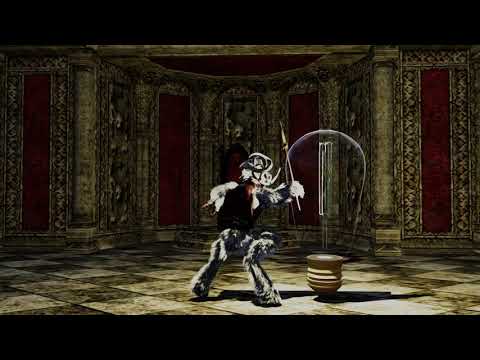
A Video
don't like it, don't use it, you have a choice
let other's like me enjoy their toys
this took far longer to load and pose the figure etc than the few minutes it took to render
is it as good as iray? no, do I want to wait 12 hours? noooooooooooooo
DS 4.14 - a total no sale for me...The only change I can see in the layout itself is adding filament as an option, and moving the environment and tone mapping out of render and into it's own tab where you get your assets. Sure, if you haven't upgraded your nvidia driver yet iray probably won't work, but update it and you're good to go.
I'm using an NVIDIA driver from July and 4.14 Iray works fine.
Do you know what specific driver version that is you're using? I'm holding off updating my driver because it causes issues with other things, and because of that I was holding off on upgrading DS.
DS 4.14 - a total no sale for me...The only change I can see in the layout itself is adding filament as an option, and moving the environment and tone mapping out of render and into it's own tab where you get your assets. Sure, if you haven't upgraded your nvidia driver yet iray probably won't work, but update it and you're good to go.
I'm using an NVIDIA driver from July and 4.14 Iray works fine.
DS 4.14 - a total no sale for me...The only change I can see in the layout itself is adding filament as an option, and moving the environment and tone mapping out of render and into it's own tab where you get your assets. Sure, if you haven't upgraded your nvidia driver yet iray probably won't work, but update it and you're good to go.
New DS Filament Render EngineUsing filament the inside of the characters mouth is brightly illuminated.
Is this just me or this a problem with filament? Any solution?
I believe in the Filament Tonemapping scene settings that you can play around with scene AO and darken up areas like the inside of the mouth :).
Laurie
DS 4.14 - a total no sale for me...I don't use filament or animaton and I'm still doing studio just like usual. I haven't noticed the sky has fallen yet.
Daz 3D is part of

Connect
DAZ Productions, Inc.
7533 S Center View Ct #4664
West Jordan, UT 84084Licensing Agreement | Terms of Service | Privacy Policy | EULA
© 2026 Daz Productions Inc. All Rights Reserved.