-
Daz to Unreal Update 4.0
Tsuba said:
Razzle-Dazzle3D said :
To do this you will first want to grab the Unreal 4.26 bridge file from wherever content is installed to on your machine; this should be similar to "...Users/Public/Documents/DAZ 3D/InstallManager/Downloads". You can see this from within Daz Central by naviagting to the gear icon in the top right-hand corner of the window and taking note of the location listed under Daz Studio 4.5 Install Location.
Once you've located the downloads folder in your files, copy the entire "IM00072003-04_DazToUnreal464bit.zip" folder to your desktop (you can delete this afterwards), right-click and extract the files using 7-Zip (or similar). Then locate the file for DaztoUnreal_4.26 and copy it.
Finally, navigate within your files to wherever you have your Unreal plugin installed to, which by default is located under C:\Program Files\Epic Games\UE_4.26\Engine\Plugins; and paste the DaztoUnreal_4.26 file here and rename it "DazToUnreal".
Once you have manually installed this file to this location, you should be able to locate the plugin and enable it within Unreal the next time you launch it.
"Then locate the file for DaztoUnreal_4.26 and copy it." >>> "Then locate the folder for DaztoUnreal_4.26 and copy it."
"rename it "DazToUnreal"" + "replace if a DazToUnreal folder is already in there"
That seems to have worked ! Thanks you.Glad it worked for Tsuba! Thank you for being so patient with us!
My content libraries have completly disappearedHi,
All my content has vanished, no instal, no content library, no smart content, it's all gone.
Things I've tried:
- Turned off and on again
- What I belive to be a complete wipe of daz from my system (macOS Catalina)
- Also uninstall and reinstall from Daz Central
- Update of metadata
- Used content direcctory manager to reimport database, re imported meta data and proccessed metadata queue.
I was trying to manually install a piece of content I purchased from the store that would not install via DC, this prevented me from seeing the content in smart and instal tabs but could still see the tabs at this point. I've nver manual installed before.Next I tried uninstaling then using variouse tuts online that showed me how ro use metadata updating features to get it back. I restarted daz and even those tabs were gone.
I have not made any changes to the content library on my mac other than deteting problematic manually installed content.
After completely removing daz and reinstalling the problem persists.
Any help is appreciated thanks.
See attached for an image of what I see as well as my most recent log which I don't understand how to read.
Cannot Log Into DAZ Install ManagerOkay. Since DAZ Install Manager wasn't working, I decided to give DAZ Central a go. Figured maybe I'd have better luck. And one of the things it downloaded was an update for DAZ Install Manager. When I saw that DIM was being updated, I decided to give it another try, hoping that whatever update DAZ Central had downloaded would alleviate my problems. When I did so, my account name isn't displayed even though I'm able to access at least some of my products.
When I try to log in using my own name and account, my user name is used as both the name and the email address and the login fails. I am then told that I am unable to login to the specified account and try again.
Cannot Log Into DAZ Install ManagerRichard Haseltine said:
If it persists you will need to open a support ticket.
Something unusual happened. I was working with DAZ Central, and after I did so, I was able to launch DAZ Install Manager again. But it's now listing my account as DAZ Central with my email address, and I'm not seeing a lot of my purchased products in DIM. Would someone mind explaining what the heck is going on?
More Non-photorealisitic Renders (NPR II)juvesatriani said:
3Diva said:
@thedoctor Those TwinMotion renders look great!
Thank you so much @3Diva. I enjoy your posts so much and appreciate how much you devote to this community.
I am glad this is an active thread with people who are passionate about the medium. This weekend I spent some time on the PencilJack forum, which is comprised almost exclusively of artists who are comic "purists." I found it interesting and useful to get a better understanding of how 3D comics are perceived by traditional artists. They have a pretty cool ongoing competition called PUMMEL in which artists go head-to-head. The rules forbid use of any 3D except as a guide and only if the artist personally created and mapped the models used. One member even commented "What about use of 3d? It's 2017, are we going to start using digital tools that some comics professionals actually use or continue plodding along as usual with no real justification?" Another member admitted he used 3D on 90% of his paid work for clients.
There was also a fascinating discussion looking at how the great artist Brandon Peterson began using 3D references for his work around 2015.
Yeah, I think a lot of "purists" think that 3D is a crutch, but really it's an extremely valuable tool. People create comics simply for the love of comics - you'll never get rich making comics (unless you are one of a very small handful of the top artists working for Marvel or DC), and comics take an extraordinary amount of time to create. An entire team of people from writers, penciler, inker, colorist, letterer, to editor are all usually needed to produce "traditionally drawn" comics at a fast enough rate to even be remotely viable for hitting a release schedule on time. And even then, unless the comic is super popular, you'll really not make enough to make a decent living. Six different people needing to be paid from the sale of a single comic. However, when 3D enters the picture it can greatly speed up production, and essentially allow a single person to take on the role of what "traditionally" usually requires an entire team of people. It opens the doors for so many who normally wouldn't be able to tell their stories in this medium (not without a Ton of Cash and/or VAST amounts of time to do all the drawing, inking, coloring, and lettering by themselves).
3D is an incredible tool that opens doors that would otherwise have remained shut. Storytellers, on a fairly modest shoestring budget, can tell their own stories, in their own ways, and in their own time - and that is HUGELY liberating.
@thedoctor Those TwinMotion renders look great!
One member added this comment:
"I agree there is some nice sophisticated stuff going on in the 3d page. There are obvious advantages to 3d: dynamic camera angles, lighting/shadow information, accurate linear perspective, reuseable assets, speed, etc. One drawback, at least in Peterson's 2015 sample, is that I think he used pre-made 3d figures from software like Poser or Daz Studio, which tend to produce stiff poses. I've noticed that artists who can model and rig their own 3d characters generally have a better chance at fluidity a la Pixar"
Other members are simply adamant that using 3D leads to "lifeless" pages.
I think that a lot of premade poses can be pretty stiff, one has to learn to pose their figures with dynamic energy. Camera angles can play a big role in that too. In traditional comics the bodies are usually drawn as if they are "coiled springs" - they are either released and "sprung" or compressed and coiled and ready to spring. You rarely see them in a stage that lacks energy. Take the following page from Captain America for example. This is an EXTREME example, and of course, a lot of comics will not need to show this extreme level of energy - but it does show that dynamic energy is often needed for the poses and the camera angles in order to convey action and motion.

Look at Captain's body in the first panel - it's like a coiled spring that has just been released and all the force and energy of it expelled upon the enemy that he's punching. And his body in the third panel: crouched a bit lower, compacted - again like a spring, but this time coiled and ready to be sprung. Dynamic poses go a long way to help bring energy and motion to the panels/scenes.
At the same time, using dynamic camera angles also can help inject a lot of energy into the panels/scenes. Take the second panel for instance - the hand and gun are huge, the biggest things in the panel conveying their importance and the urgency of the situation. The extreme perspective not only puts the gun and the hand reaching for it as the main focus but also injects more energy into the scene.
Again, that page is an EXTREME example, and not all comic pages will (or even should) be that extreme. But it illustrates how movement and energy can be brought to the scene by purposefully adding dynamic energy to the poses, camera angles, and perspectives.
In many successful comics, even when two people are just shown taking, their hands, shoulders, and faces are usually extremely expressive and show energy. With static images one can't show true motion, so motion and energy often needs to be added to the poses, expressions, and camera angles in order to convey that "motion". That is something that 3D comic creators sometimes lack and it can lead to pages that (as was pointed out) feel "lifeless". However, when creating your scenes, if one can keep "dynamic energy" in mind when setting up poses, expressions, and camera angles, it can really breath life into the scenes.
I agree with @Diva explanation about camera and Pose . I do believe that's because people already familiar with what or how images in comic presented to us so many years ahead .
Its not about right or wrong body or movement proportions - Shadow and bounce lights captured in image form (which 3D superior and accurate in this area) but its about how to brought Exaggerate emotions/actions via images. Its hard to get same effect without breaking the 3D laws ;)
I saw several Behind the scene of Cel Shading Games which showed me how they bent the rules of 3D via carefully scaling several body part and camera placement to make equivalent with what people brain already familiar with 2D mediums.
3D tools actually really good tools to help story teller in many ways , but we just need to always breaking the rules about it if we want to dive in already established format just like comic or cel shading world . Liquify in Photoshop is one of useful feature to help us to achieve it . Some people just ignore the face and choose to draw the eyes or expressions to reduce what comic purist called as "lifeless"
Good observations. We get away with a LOT of things in comic art because it's the art of reduction. We cut out what's unnecessary so we can focus on what is important/what is left. Take a look at this Richie Rich comic page:

Even without reading it, we get the setting that he's in his dad's office and that he's being kind or sentimental about the old guy there. Notice how often the background is removed and replaced with simple color. Almost everything is removed except figures that are interacting to emote a scene.
I used something similar to this in my own comic: I removed the background and replaced it with a simple gray color because it was more effective to remove background clutter and just let your eyes focus on the emotions and action of the central character.
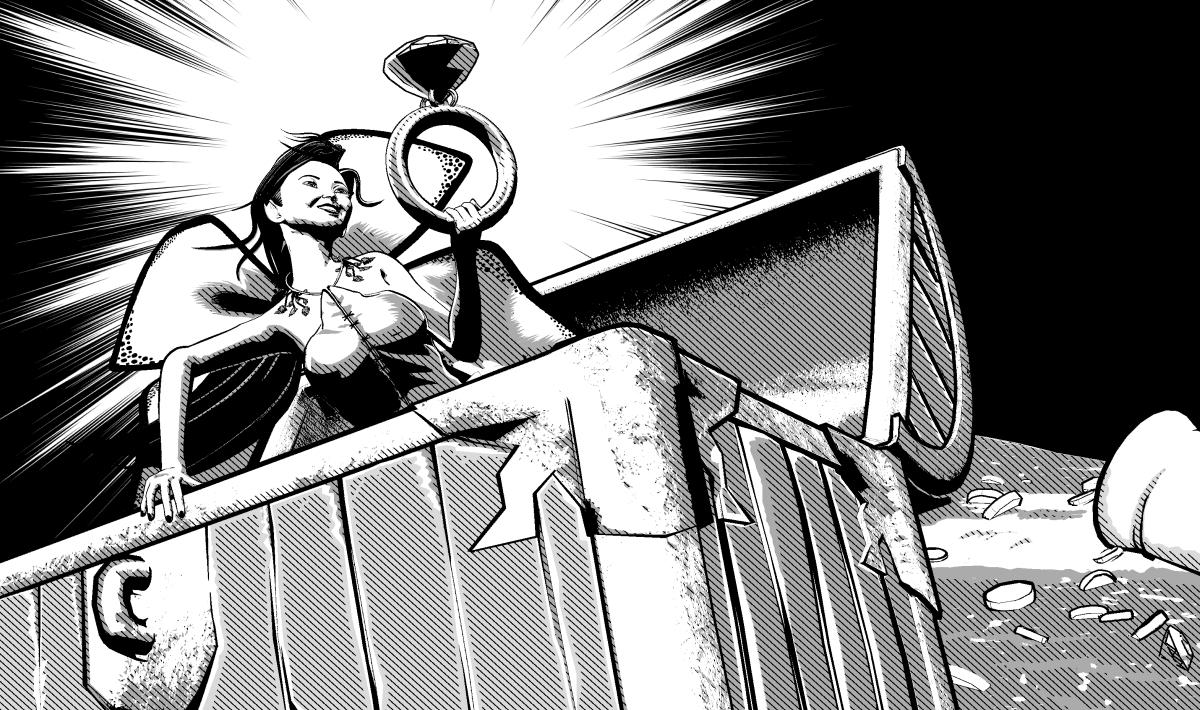
I could throw in a lot more examples, but I don't think I need to. And, although it is possible to use blurs and other camera-like effects in 3D, the 3D artist can't really take things out of the scene to simplify it for one panel because 3D is so close to real that we viewers would notice the absence of the missing elements and probably think of them as continuity errors. Now go back to the RR comic and look at the background in panel 4. Based on the other panels, there should be a painting behind Mr. Rich. But we don't see it here because the artist (wislely) removed it to eliminate clutter. If this were a 3D scene filled with realistic figures and high-def shaders, we readers would expect to see that painting behind them. In that scenario, the director/artist would probably shift the camera angle so it shifted the painting out of our view. So, even though both styles of art can achieve the same thing (simplifying backgrounds to remove unnecessary/unwanted clutter), the two styles of art can approach the matter in different ways.
Importing Metadata (User data), but it is only recreating a tenth of my custom categoriesDid you re-import the product data, too? The custom categories depend on the existence of information about Products and all their items in the CMS database.
The fact that you did not have a Runtime/Support folder in your library kind of suggests it isn't in the right place. When you exported the User Data, it would have gone to the Runtime/Support folder on the original machine. I assume you copied the entire Library over to the new machine? There most definitely would be a Runtime/Support folder, unless you installed everything manually. The metadata that is installed in the database all comes from the .dsx files in the Support folder when installed with DIM or DAZ Central.
Are you sure there was only one UserData_nnn.dsx file? They max out at about 30 MB.
February 2021 - DAZ 3D New User Challenge - Lighting and Light EffectsVersion B here with two more hostiles, a bloom filter added, and footing adjusted on the central hostile who's feet were in the floor it turned out.
The completely gratuitous complaint thread@McGyver: Wonderful, useful information. I'll keep it in mind next time I want to create a stealthy gardinia bomb. However, regarding the soap. I'm not sure it is actually gardinias that I smell, it's just flowery, yet somehow chemical, almost sickening.
But the only other time I actually felt sickened by a flowery smell was back in the early '80s before the big freeze in central Florida in '82 or 3. We would drive through the area north of Orlando through the thousands of acres of orange groves. When you hit them at the right season, all the blossoms are in bloom and the smell of billions of oranges goes from being mouthwatering and memory invoking to being stomach turning.
That area is now almost entirely devoid of oranges because of the freeze in '82.
 Daz to Cinema 4D Bridge - Meet the Team
DAZ_sam said:
scobb3_60a649a03a said:
Upgraded to 1.1 today.
The plugin still is not showing up for me in R23.
In R21 morphs are working again, but now I can't get Auto-IK to work at all. It keeps on telling me to wait, with all of the buttons greyed out, BUT it allows me to convert materials ebven though that button is also greyed out..
Any thoughts? I am on OSX 10.13.6
If you had the old version installed before you would need to change the path on Daz Install Manager or Daz Central. Please let me know if you need assistance on doing so.
Look like something is failing when you run AUTO-IK could you send me your console log?
To access your console in Cinema 4D Either press Shift + F10 or go Extentions > Console
What the post above describes is the same for me. Stuck on "please wait..." Which path would I need to chenge on Daz Central?
Attaching my log file after my latest attempt.. Also, thank you SO much for your response!
I, for one, was feeling lost after 4.14 broke the morphs. The feedback and help is much appreciated!
Daz Install Manager (DIM) 1.4.0.94, Now Available! (*UPDATED*)felix_nukem said:
Starting from yesterday, I am being greeted with this message whenever I try to connect with either DIM, DAZ Studio (Connect - login) and Daz central.
I checked the windows firewall dropped packets log and it is not blocking anything (nothing has changed in the system anyway). Is there an issue with servers currently? (It is obvious that I can log-in to website and forums just fine).
I can also connect to various places with various applications fine.
Daz internal log:
2021-02-04 17:17:50.653 WARNING: ..\..\..\..\..\src\sdksource\cloud\dzcloudtasknotifier.cpp(178): Failed to parse returned JSON:
2021-02-04 17:17:50.654 WARNING: ..\..\..\..\..\src\sdksource\cloud\dzcloudtasknotifier.cpp(178): Communication to server failed.That is usually a server issue. Are you using a VPN? If it persists with DIM, DazCentral as well as Connect, then I would contact Customer Services.
Daz Install Manager (DIM) 1.4.0.94, Now Available! (*UPDATED*)Starting from yesterday, I am being greeted with this message whenever I try to connect with either DIM, DAZ Studio (Connect - login) and Daz central.
I checked the windows firewall dropped packets log and it is not blocking anything (nothing has changed in the system anyway). Is there an issue with servers currently? (It is obvious that I can log-in to website and forums just fine).
I can also connect to various places with various applications fine.
Daz Studio internal log:
2021-02-04 17:17:50.653 WARNING: ..\..\..\..\..\src\sdksource\cloud\dzcloudtasknotifier.cpp(178): Failed to parse returned JSON:
2021-02-04 17:17:50.654 WARNING: ..\..\..\..\..\src\sdksource\cloud\dzcloudtasknotifier.cpp(178): Communication to server failed.DIM internal log (first occurance):
2021-02-03 10:08:57.035 Starting CMS...
2021-02-03 10:08:58.537 Connected to CMS: PostgreSQL 9.3.4, compiled by Visual C++ build 1600, 64-bit
2021-02-03 10:09:01.329 Unable to login customer during authentication.
2021-02-03 10:09:04.830 Saving Account Settings: Account
2021-02-03 10:09:04.844 Unable to login customer during authentication.
2021-02-03 10:09:08.282 Saving Account Settings: Account
2021-02-03 10:09:08.294 Unable to login customer during authentication.
2021-02-03 10:15:13.520 Saving Account Settings: Account
2021-02-03 10:15:13.562 Unable to login customer during authentication.
2021-02-03 10:15:19.146 Saving Account Settings: Account
2021-02-03 10:15:19.158 Unable to login customer during authentication.
2021-02-03 10:15:22.692 Saving Account Settings: Account
2021-02-03 10:15:22.828 --------------- Install Manager exited ------------------Convert/upgrade genesis 8 characters to 8.1?There is nothing evil about DIM (Central isn't evil either it is just an idiot). When you run DIM for the first time do so in Offline mode so you set the program up to your liking.
Daz to Unreal Update 4.0Razzle-Dazzle3D said :
To do this you will first want to grab the Unreal 4.26 bridge file from wherever content is installed to on your machine; this should be similar to "...Users/Public/Documents/DAZ 3D/InstallManager/Downloads". You can see this from within Daz Central by naviagting to the gear icon in the top right-hand corner of the window and taking note of the location listed under Daz Studio 4.5 Install Location.
Once you've located the downloads folder in your files, copy the entire "IM00072003-04_DazToUnreal464bit.zip" folder to your desktop (you can delete this afterwards), right-click and extract the files using 7-Zip (or similar). Then locate the file for DaztoUnreal_4.26 and copy it.
Finally, navigate within your files to wherever you have your Unreal plugin installed to, which by default is located under C:\Program Files\Epic Games\UE_4.26\Engine\Plugins; and paste the DaztoUnreal_4.26 file here and rename it "DazToUnreal".
Once you have manually installed this file to this location, you should be able to locate the plugin and enable it within Unreal the next time you launch it.
"Then locate the file for DaztoUnreal_4.26 and copy it." >>> "Then locate the folder for DaztoUnreal_4.26 and copy it."
"rename it "DazToUnreal"" + "replace if a DazToUnreal folder is already in there"
That seems to have worked ! Thanks you.Zips from other storesProducts and Categories are not real folders, they are database driven views to what has been installed and require the correct metadata for DIM of DAZ Central installation, which often is missing from non-Daz installation files.
Within DS you can see the real folders (ones that you can find also with the File Explorer/Windows Explorer on your HD/SSD) when you expand "Daz Studio Formats" and "Poser Formats"
Daz to Maya not showing up in the Daz studio Scripts tab.I installed the Daz to Maya on the Daz Central but when I open the Scripts tab on Daz Studio the Daz to Maya button does not show up. What might have caused this?
Daz to Unreal Bridge [Materials - Plugin FIX - Morph Exporting - Smooth Meshes FIX]mirrorimagepictures said:
@moreffector - thanks for the breakdown. Can you clarify more of this, a bit confused on the plugin setup:
- You're using the official Daz to Maya Bridge for setting up HumanIK and Control Rig for animation as well as exporting proper morphs?
- You then import this into Unreal via FBX from the Maya export for the mesh?
- Textures and Materials come over via official Daz to Unreal plugin? Which version is this?
- Can you use David's plugin (the one you posted at the top) with the official Daz Studio Unreal Plugin? That Git depot has both the UE4 plugin and the Daz Studio plugin for compiling
- Does this require the Daz SDK?Thanks for digging into this.
Hi. Let me answer those questions.
- I am using Official DazToMaya 1.5 Plugin for exporting to Maya. Only models, hairs, clothes. Not animations. I am exporting animations from daz manually. (i am mostly using old DazToMaya version because its working well. Especially for morphs.)
- Yes i am exporting FBX from Maya and import to Unreal.
- Yes absolutely. First of all you have to design, decide and export Daz character with DazToUnreal plugin (For Daz 4.14 / Unreal 4.26.0 i am using). Enter port 0 , choose a directory and export it. You will see a " .dtu " file there. You have to import this .dtu file with unreal engine. This step for daz materials and unreal materials converting Iray Shaders. So this step is only for material creating actually. I explained it above.
- I just downloaded and used this plugin from David's github page. But Daz Central automatically updating or installing also. Just follow those steps that i explained.Daz to Cinema 4D Bridge - Meet the Teamscobb3_60a649a03a said:
Upgraded to 1.1 today.
The plugin still is not showing up for me in R23.
In R21 morphs are working again, but now I can't get Auto-IK to work at all. It keeps on telling me to wait, with all of the buttons greyed out, BUT it allows me to convert materials ebven though that button is also greyed out..
Any thoughts? I am on OSX 10.13.6
If you had the old version installed before you would need to change the path on Daz Install Manager or Daz Central. Please let me know if you need assistance on doing so.
Look like something is failing when you run AUTO-IK could you send me your console log?
To access your console in Cinema 4D Either press Shift + F10 or go Extentions > Console
Daz to Unreal Update 4.0mt900_81a0736ec2 said:
After going thru the DC uninstall/reinstall/restart system routine 7 times for the Daz to Unreal plugin, I finally had a 4.26 project show the plugin installed but not active.
After activating it normally and restarting, I get the attached error and the project won't even load now. Good thing I'm familiar with this type of crap from Daz and was only working with a test project. The only way to get back into the project is to delete the daztounreal plugin folder under Engines/Plugins and then restart the affected UE4 project. You then get a standard UE4 plugin not found error but you now have the option to disable it so the project will load.
Someone is spending too much time on social media and not coding.I apologize for the confusion; to confirm, are you using Daz Central to install this bridge? As it appears that this is so from your screenshot, so I'll base my instructions on this installer. As Sam noted previously, you will need to manually install the file to its proper location for 4.26 in order to utilize this version of Unreal. For the time being, you will not be able to access 4.26 by simply downloading the update via an Install Manager.
To do this you will first want to grab the Unreal 4.26 bridge file from wherever content is installed to on your machine; this should be similar to "...Users/Public/Documents/DAZ 3D/InstallManager/Downloads". You can see this from within Daz Central by naviagting to the gear icon in the top right-hand corner of the window and taking note of the location listed under Daz Studio 4.5 Install Location.
Once you've located the downloads folder in your files, copy the entire "IM00072003-04_DazToUnreal464bit.zip" folder to your desktop (you can delete this afterwards), right-click and extract the files using 7-Zip (or similar). Then locate the file for DaztoUnreal_4.26 and copy it.
Finally, navigate within your files to wherever you have your Unreal plugin installed to, which by default is located under C:\Program Files\Epic Games\UE_4.26\Engine\Plugins; and paste the DaztoUnreal_4.26 file here and rename it "DazToUnreal".
Once you have manually installed this file to this location, you should be able to locate the plugin and enable it within Unreal the next time you launch it.
Ethnicity for GenesisI just purchased Ethnicity for Genesis and when i click open from DAZ Central i get an error saying
13896 product not found. How do i get access my purchase and how do i use it in DAZ. It says
compatible with Genesis. Does that mean ALL Genesis Characters?
A
Daz to Unreal Update 4.0None of the below works as there is no file named IM00072003-04_DazToUnreal464bit.zip downloaded anywhere (using DC, not IM).
I opened DazCentral and set the Unreal Engine Install Location to 4.26, shut down DC, restarted, uninstalled/reinstalled the Unreal plugin and it shows up in the Unreal Engine Install Location.
However, UE4 won't load the plugin into any project as it doesn't showup in the plugins list.
You guys need to think this thru before you blindly post such useless instructions.DAZ_sam said:
I know everyone wants 4.26 unfortunately it is not a one-click install but, here is a workaround in the meantime.
This more easier done with Install Manager but, can be done with Daz Central as well.
First off there should be a new update for everyone make sure you update before following these steps.
There will be a file on your pc now it is downloaded when you installed the Bridge.
Step to find the file.
1. The Default location will be "C:/Users/Public/Documents/DAZ 3D/InstallManager/Downloads"2. Search for "IM00072003-04_DazToUnreal464bit.zip" and unzip it.
3. Once its unzipped, open up the folder "Unreal_Engine_4_(64-Bit)"
4. Inside there you will find "DaztoUnreal_4.26"
To install DaztoUnreal for 4.26 you will need to manually install the Unreal Engine Side.1. Open up your plugin folder by default it will be. C:\Program Files\Epic Games\UE_4.26\Engine\Plugins
2. Copy "DazToUnreal_4.26" to the Plugin Location.
3. Rename the Folder to "DazToUnreal"
4. Open up Unreal Engine and it should ask you to enable the plugin.
This will only be temporary until we can make it an automatic option.Daz 3D is part of

Connect
DAZ Productions, Inc.
7533 S Center View Ct #4664
West Jordan, UT 84084Licensing Agreement | Terms of Service | Privacy Policy | EULA
© 2026 Daz Productions Inc. All Rights Reserved.