-
Odd thing going on with G9 head and neck when turning them invisible after creating morph slider.
If you did ERC Freeze on the imported morph slider with Head / Neck nodes set as Hidden, you would get this issue. If you ever did so, you also can firstly ERC Bake on the morph slider, unhide Head / Neck nodes, then redo ERC Freeze.
Morph Mastermatew said:
rhye_7b205b2b74 said:
matew said:
epl379 said:
Hi. I keep getting an error message when trying to open any of the scripts. "An error occured while reading the file." I've tried uninstalling/installing and receive the same issue. I'm using Daz 4.21. Not sure if it's not compatible with 4.21? Didn't read that anywhere.
One other customer complained about the similar situation, howerer he had only two first scripts didn' work. I gave him unencrypted script and it worked without any issues.
We tried a lot of things but it seems like the problem is buggy DAZ encription. We opened tickets today, waitinf for answer.
Download please the first script from here and try it out. If it works, that you have the same issue: bug in DAZ encripting. I will keep you updated. You can also open a ticket.Worked a treat thanks.
One question, can you get this to save a dForce simulation on just the cloth?
Yes, you can. In my workflow, I always save the results of any dForce simulation, allowing me to continue working at frame #0. It keeps everything neat. Also, it allows you to begin a new dForce simulation from the result of the previous dForce simulation.
Sorry if it's a noob question but how do you u use your script to save a dforce sim as morph?
Odd thing going on with G9 head and neck when turning them invisible after creating morph slider.It's just as the title says. Before, and with every freshly loaded G9, I could select the head, and neck parts eperatly. With a charavter I created with various morph packs, and then created a morph slider with Morph Loader Pro, the head and neck parts are all one. I still can select them and adjust them individually like before.
Morph MasterRegarding the bug where Morph Master doesn't work in older versions of DAZ:
Thank you, everyone! It seems you were right. One of my customers also reached this conclusion. He kindly agreed to help me identify the issue, as I was unable to reproduce it on my PC. He encrypted my unencrypted script on his own system, and it didn’t work. However, once he replaced the first comment from:
// DAZ Studio version 4.22.0.16 filetype DAZ Scriptto
// DAZ Studio version 4.9.0.0 filetype DAZ Scriptit started working! It's extremely strange that a comment string could cause so much trouble. One customer already initiated a refund, most likely due to this issue. I'm at a loss for words. :(
Now, the solution:
- The easiest solution is to update DAZ Studio.
- If you don't want to update DAZ Studio, please wait a bit. I've contacted the support team, and they have escalated the issue to the tech team. I'm waiting for confirmation from the person helping me to ensure 100% that this fix works before notifying the tech team and reuploading the scripts.
- If you don't want to update DAZ Studio and don't want to wait, please PM me with proof of purchase, and I'll provide you with a link. However, I still need to be completely sure the solution works before proceeding.
Thank you for your patience and understanding!
ISO: Cookie Clothing itemswsterdan said:
Silent Winter said:
I'm glaGroovy. And nice pic :)
What are you using for Cookie in that image? Is it a Cookie morph pack or a Cookie for Genesis-X clone?
Thanks. If I remember correctly, I think it was pure Cookie with the "Curvy" morph. It was a long while ago. I sometimes used Cookie Dough in small doses but I tended to stick more with the base characters to help with clothing fits.
When using Cookie or Chip, I always select the head and all of it's children (eyes, tongue, etc.) and scale them down – usually to about 65% – to get a toon look I like.Cool - I like that look too :)
MJ007 said:
Silent Winter said:
Knew I'd seen it somewhere - found it in my toon runtime for Cookie and got the name - then easy to find in store:
Cookie Endeavor: https://www.daz3d.com/endeavorI believe it's also Silver Elf as it's in my runtime as: SE Cookie Endeavor
Edit: There's also a bundle with an overdress: https://www.daz3d.com/endeavor-bundle (the other product in this bundle doesn't seem to be available separately)
Wow! Good Work SE! I actually thought it was a SilverElf product as well and as luck would have it, I actually own! WooHoo!!!
Thanks Guys!
-MJYay, glad that worked out :)
Feng Character Morphsgfdamron1 said:
Thanks Crosswind and Elor! I did find FNEdith_body_cbs_spine_2_3_bend set to 100%. My question now is, even though this has a value, is it actually affecting the G9 morph (from a different PA) that I'm using? I don't see anything out of the ordinary with spine 2 and 3 fully bent forward.
It will be making a small correction. While it doesn't seem too obvious with the character you're using, if another character you have also has corrective morphs for that area, there may be a conflict and it could give you an undeseriable effect.
Also, if you decide to create any characters of your own, you would be inadvertently building off of a a non-zeroed figure. You might bend/pose your figure and that morph might make you think your figure needed correction. You'd be fixing/morphing the area on top of that corrective morph.
How can I export a morph from Daz Studio?How can I export a G3M morph as a fbx file?Feng Character MorphsElor said:
You deleted the picture it seems.
I don't remember seeing anything out of the ordinary when I looked at Genesis 9 (it's still human character: it would likely be more visible if Rawart made a mistake and a monster morph was active when it should not
 ), but it's an easy fix so I did it for my peace of mind.
Sorry about that- I had added the wrong screenshot and accidentally deleted both of them. I have the correct screenshot up now. The risks of not having enough coffee...
Morph MasterV3Digitimes said:
Not sure subdivision modifier keeps the vertex order when reversed in 4.3. And keeping vertex order is pretty fundemental. Just try and see, it's faster than wondering :)
The morph loaded fine when I applied subdiv modifier and removed it before exporting. But yet to try applying it after applying shade smooth. Just wanted to know if overall this is better and any tips to making viewport less laggy when using subdiv modifier without lowering the number of subdivs. Like forcing it to use gpu or smth?
Feng Character MorphsYou deleted the picture it seems.
I don't remember seeing anything out of the ordinary when I looked at Genesis 9 (it's still human character: it would likely be more visible if Rawart made a mistake and a monster morph was active when it should not
), but it's an easy fix so I did it for my peace of mind.Feng Character MorphsThanks Crosswind and Elor! I did find FNEdith_body_cbs_spine_2_3_bend set to 100%. My question now is, even though this has a value, is it actually affecting the G9 morph (from a different PA) that I'm using? I don't see anything out of the ordinary with spine 2 and 3 fully bent forward.
Feng Character Morphsgfdamron1 said:
I'm trying to check for this, as I have some of the Feng characters listed above. I must be looking in the wrong place; the attached screenshot is where I'm looking. I don't see any Feng items in the list. Where should I be looking?
From what I remember, you have to bend the character forward (so +30 or +40 depending on the bone selected), and once you have done that, it's best to check Currently used. If any FN morph are active, you'll know which characters to check.
ISO: Cookie Clothing itemsSilent Winter said:
I'm glaGroovy. And nice pic :)
What are you using for Cookie in that image? Is it a Cookie morph pack or a Cookie for Genesis-X clone?
Thanks. If I remember correctly, I think it was pure Cookie with the "Curvy" morph. It was a long while ago. I sometimes used Cookie Dough in small doses but I tended to stick more with the base characters to help with clothing fits.
When using Cookie or Chip, I always select the head and all of it's children (eyes, tongue, etc.) and scale them down – usually to about 65% – to get a toon look I like.Released : V3D FilaToon Converter, Manager and Tools (Commercial)OK, I updated the conversion script this morning :
Due to an eye conversion issue on the eyes of Generation 4 figures (Victoria 4, Michael 4, etc..), the surface "7_EyeSurface" is now also considered as set as transparent when the option : “Usual Semi Transparent Human Eyes are set as transparent” is checked (default behavior). This should help a lot with the Victoria and Michael 4 family eyes issues.
A new conversion option, UNchecked by default, with allow you to transfer the cutout opacity value from the original shader to the final shader. This was made compatible for the following original shaders : (a) any shader using “Cutout Opacity” property to control the opacity, (b) “Daz Studio Default”, “omHumanSurface”, “omSimpleSurface”, “AoA_Subsurface”, “omUberSurface”, “Daz Studio Glossy Plastic/Metal/Matte”, “Daz Studio Plastic/Metal/Skin”, “Daz Studio Toon Glossy Plastic/Metal”, “Daz Studio Toon Metal/Plastic/ Skin”, using their “Opacity Strength” Control. For other initial Shaders, Cutout Opacity is set to 1 in the final Filatoon Shader.
The function to restore the original Opacity values acts before the function to maintain eyes semi transparent surfaces at 0 opacity, to be able to keep the required eyes surfaces transparent, and acts before the Glass Options too (so that it does not interfere with your other choices).
I'd like to have some tests before submitting the update, @Artini, @barbult, would you like to check if the new version is OK with what you wanted to solve and does not bring any other issue?I'm especially interested in knowing if I should keep the option unchecked by default or if I should change it checked by default. I'm afraid it could cause more issue than solutions if I check it by default...
ISO: Cookie Clothing itemswsterdan said:
Silent Winter said:
Knew I'd seen it somewhere - found it in my toon runtime for Cookie and got the name - then easy to find in store:
Cookie Endeavor: https://www.daz3d.com/endeavorI believe it's also Silver Elf as it's in my runtime as: SE Cookie Endeavor
Edit: There's also a bundle with an overdress: https://www.daz3d.com/endeavor-bundle (the other product in this bundle doesn't seem to be available separately)
You're absolutely correct, and I was wrong; I own the Silver Elf bundle as well as the Dark Design version. I dug a little deeper and the Dark Design version is a little different – it includes guns and holsters, for one thing.
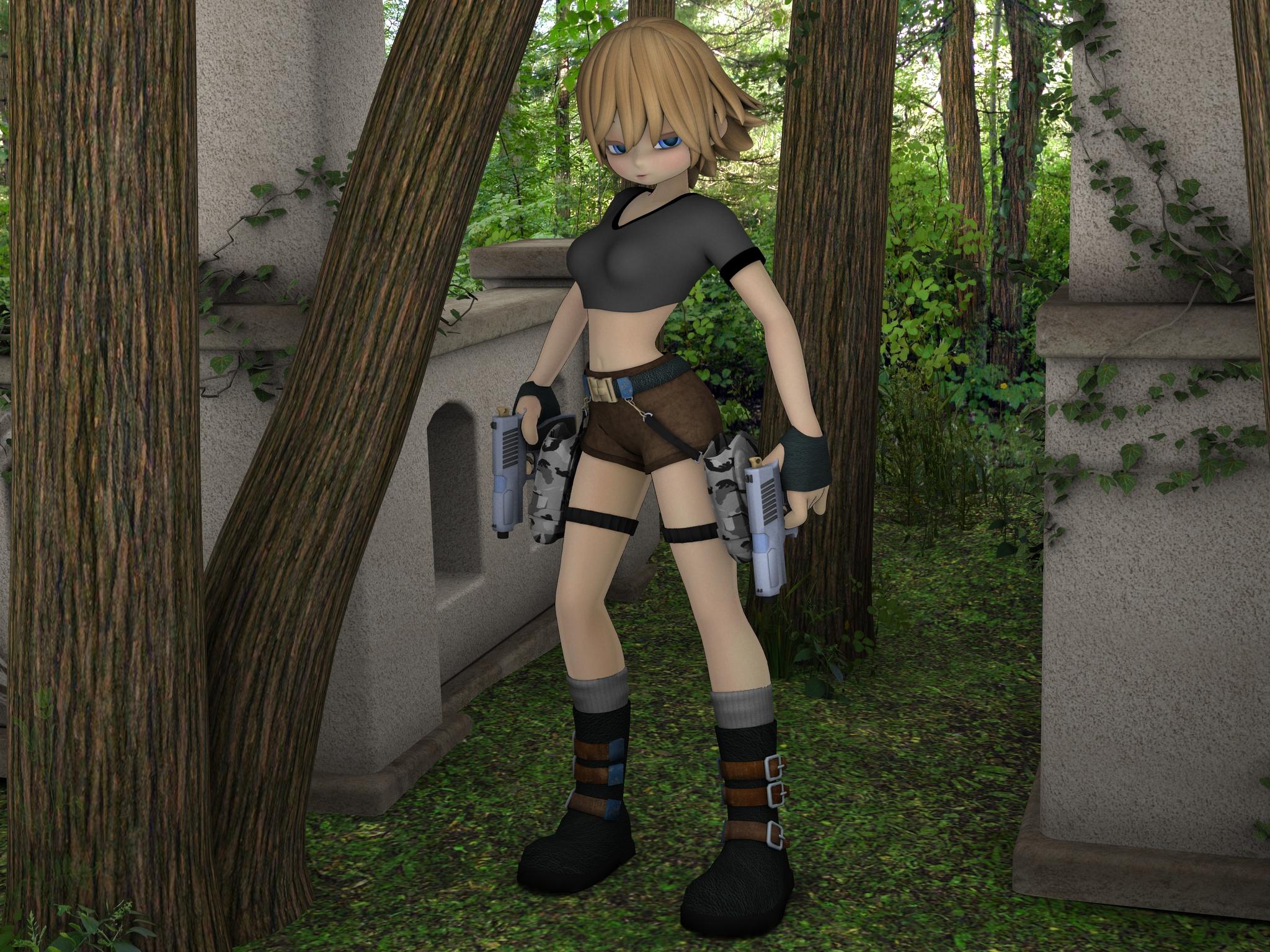
I'm glad you were able to correct me and give MJ007 the package he needed.
Groovy. And nice pic :)
What are you using for Cookie in that image? Is it a Cookie morph pack or a Cookie for Genesis-X clone?
Morph Master - Does it work on Animation?maikdecker said:
Cybersox said:
... multiple collisions by seperate objects on the same figure...
There's at least one freebie around that manages that, too, with just marking the objects/figures and than using a script. Doesn't come up with a morph, though.
This product looks like a nice gathering of helpful functions. It surely proves a big help for people who don't have the time to hunt the different sources for free scripts or utilities.
Especially when you have a library that is already overflowing with hundreds of scripts, many with names that don't necessarily call to mind every function they can achieve and others that have, for various reasons, simply ceased to work as they once did. As I noted above, simply having all these functions laid out together in a single pane, rather than scrolling back up and down looking for the script that does X, is a big time saver.
A question about character morphsnabob21 said:
Thanks to everyone for replying to this topic. Crosswind, thank you for suggesting a way to transfer the morph to other characters. Just to be clear, the character in question is very well made and I am very happy with it. I was just hoping that there was a way to transfer the smile morph to try and mix it in with other characters. If I can't well, I still have a great character to play with. And as a bonus, I have learned a lot from all of the responses to my question.
No problem ! Still, as we mentioned previously, you may save those Smile properties (no matter they're Morphs or Pose Controls ) as Morph Assets (Modifier Assets if you DS 4.23+), via File > Save As > Support Asset > Morph Asset(s) ( or Modifier Asset(s) )
Select the Smile properties in the list, also select eJCM...properties (expression joint corrective morph) if there's any. Load another character of the same generation, then try dialing the saved Smile properties with proper values, see if they work well.
Morph Master - Does it work on Animation?Cybersox said:
... multiple collisions by seperate objects on the same figure...
There's at least one freebie around that manages that, too, with just marking the objects/figures and than using a script. Doesn't come up with a morph, though.
This product looks like a nice gathering of helpful functions. It surely proves a big help for people who don't have the time to hunt the different sources for free scripts or utilities.
Several questionsqweretrretet said:
The Perspective View is not saved, aniamted, or added to the undor stack - if you get a view you like you should create a camera to match (Create>Camera, then in the options dialogue expand it to show More Options and select the oiption to copy the current view).
Thank you, that's exactly what I was looking for.
If they are the same siz then copy/paste works (cmd/ctrl c, cmd/ctrl V or use the Edit menu). Trying to adjust different items to match isn't possible automatically (though a script could be written to work on the bounding boxes, and the align pane woudl handle placement but not scaling). Measure Metrics (paid-for plug-in) could be used to apply measures as a guide while adjusting scale.
What a pain. Thank you
If you turn off Parent In Place (check box at the bottom of the Change Parent dialogue or toggleable command in the Scene pane option menu, the lined/hamburger button in the top corner) then when you parent an item the child will snap to match its origin to that of its parent - from there it can be adjusted to fit in the hand. The Align pane can also be used, or the Snap Parent script for parenting a prop to a bone (essentially the same as turning off Parent in Place).
Thank you.
Select the object in the Scene and open the Surfaces pane, in its Editor tab select the shirt (or a specific surface under the shirt - the Surface Selection tool is useful for this). You can then change basic settings (Base Colour, for example, to add a green tint) or you an apply a Shader Preset (from the Presets tab or from a general content pane) - there are various free and for-sale packs with shaders for different kinds of fabric.
I didn't know this could be a way. But I want to learn how I can export and edit a texture fil so I can make more complex changes.
The textures are already external files - if you click the tiny thumbnail next to a property bar in the Surfaces pane that has a map you will get a menu that starts with browse - click that to open a file dialogue, from which you can access system tools (e.g. right-click on the image and use the Open With command). Save under a new name before making changes; you can use the Browse command properly to select and apply a different map.
You can use a dForm to add a shape, then the dForm pane will turn it into a morph; if you are a Premier member you can use the Geometry Scluptor tool, or you can purchase an older version of the same tool as Mesh Grabber. You can also export an OBJ (File>Export, make sure it is at base resolution), modify it in a modellign application, and then use Edit>Figure>Morph Loader to bring it as a new morph (make sure you use the same preset in the two options dialogues or s cale/orientation may not match)
If you mean a slider for a shape made from mutliple morphs then don't use the export/importroute as it breaks many things - instead you can spawn a new controller and then make it a driver for the rest of the proerpties, giving you a one-slider control for the shape. With the shape, and ideally nothing else, applied right-click in the Parameters pane and enable Edit mode, right-click in the desired property group and Create a New Property, give it settings, then set the new slider to 100% and right-click on it>ERC Freeze, check the right items are listed as sub-components, and click Accept.
Thank you, I'll give it a try
Another questions: is there a way to reset multiple parameters in one way? For example, can I reset all the 3 rotations of an object in one go?
Only one at a time or, via Edit>Figure>Restore (or Zero), all at once. A script could be written to reset or zero specific transforms on any selected node however. Edit: or if you have the Parameterspane in Edit mode, as discussed earlier, you can multi-select properties using ctrl/shift modifiers and then a right-click will offer a command to set their values in one go - but I think alt/opt-clicking the sldiers one-by-one will be easier.
Feng Character Morphspaulawp (marahzen) said:
ainm.sloinneadh said:
What a shame. I've so many Feng characters and, as I'm not using them yet and therefore have no inclination to do this fix on so many, I'll just uninstall them.
Does anyone know whether this issue will impact performance? I've been having a torrid time posing G9 and have been unable to track down the issue. It can take an hour to restore a pose too, which obviously removes that as an option in my workflow. I've suspected it may be something related to correctives and am now wondering whether Feng's characters may be a culprit. But I'm not really clear on how that all works.
I haven't run into a posing problem - in applying, undoing or zeroing - on G9, and I have multiple Feng characters (including one of the ones mentioned as affected by this problem) installed.
Applying and zeroing are fine. It's specifically when I'm manually posing or restoring. I've no idea how many characters I have (hundreds and hundreds), so there's that, but I also suspect there are a few misconfigured ones in there causing me some compound problems. I get problems like severe slider lag if I dial in more than half a dozen full characters, and I also have various corrector/bend morph products on top of all that nonsense. I think, for me, it's the cumulation of little errors. Whenever I find a product with an issue, out it goes. That's on me - I should've been more vigilant when I was installing en-masse. I don't know if correctives like these being misconfigured are at the root of my issues, but I need to start somewhere. I can be lenient if it's one product, but the same error repeated across products makes my decision easy. I love Feng's products, btw. Just explaining my need to keep my library working for me.
I've had a look in Daz at the G9 Feng characters I have (26 out of the 40-ish - I truly do love their characters), and these six have the issue described.
- Edith
- Eleanor
- Ethan
- John
- Noah
- Quinn
Daz 3D is part of

Connect
DAZ Productions, Inc.
7533 S Center View Ct #4664
West Jordan, UT 84084Licensing Agreement | Terms of Service | Privacy Policy | EULA
© 2026 Daz Productions Inc. All Rights Reserved.