-
Double blank for exported morph names
When I export a model with certain morphs to use with other software, the naming of the morphs contains double blanks. Why? Is that somehow changeable?
Easy Environments: Wuxia Mountains (Daz Studio) [Commercial]Thanks Ivy, glad you like it!
You could animate the palm trees if you want. Can`t say I`ve tried it, but moving a few % on the morph slider could work to give a windy feeling. ;)if you included a morph dial I am sure i can come up with something to make it animate :)
This dragon animation i used your high peaks and rolling hills world domes , they looked amazing in this animation
 Easy Environments: Wuxia Mountains (Daz Studio) [Commercial]
Thanks Ivy, glad you like it!
You could animate the palm trees if you want. Can`t say I`ve tried it, but moving a few % on the morph slider could work to give a windy feeling. ;)OT - Dark Crystal, Age of ResistanceAny recomendations for recreating gelfling outfits in DAZ? The characters... Thorn's models are a good start, with more of a muzzle and a 4-digit hand morph. I should be able to handle that. But the outfits are a bit... less flamboyant than typical DAZ fantasy offerings. But still more than the basic tunics.
The Skeksis - that's a giant task I don't feel up to trying.
Please List Items Used In PromosAnd I guess this is how it’s done correctly by PAs...
And once that list gets long enough (I think the one in your image is already reaching that tresshold), people will post a new thread asking what hair is used in the promo anyway, because they can't be bothered searching through the wall of links.
That could become a particular problem if a PA wants to do previews that aren't just "model shots" but represent more finished scenes.
Discounting Measure Metrics from that list (as it's not really something that falls into the category of "I like it, but can't work out what it is" in the same way as a character skin or dress does) and noting that there are some Rendo items in those images that are therefore unlisted, that's 16 items listed across 20-something promos.
As I try to list everything practical with the images I upload to the gallery* (although I usually have to leave out poses, as it's usually very hard to ID which ones I've used when I finally settle on an image composition, and I've usually mixed or edited them enough that I'm not sure they're then hugely representative of the product anyway), I'm often aware of just how long such a list can get.
This piece of mine, which was specifically done to experiment with RawArt's (then) new Medusa Maker to see how it worked on other G8F figures (so it wouldn't be completely ludicrous as an idea for a promo image), hits 30 links in one image, despite coincidences like the smartphone prop being part of a hair product I was already using in the scene. And that's a scene that's very light on props, just characters and clothing. Had I really had the VRAM on my middling card to have included a drinks table or something at the back of the dance hall, that could easily have added a few more products to that list.
(And, at the same time, it's also a case of "things I could actually list". To actually have the female centaur look like that, I had to create a counter morph in Blender to nullify the head portion of the full body morph and thus allow the use of Olympia's head).At a certain point, common sense does have to come into it, or you will get ridiculous lists.
* Which does sometimes appear to be a rarity. There are a few products on the store where the Daz Deals add-on shows that only I've linked them.
How Do I Actually "Collab" ?!So I actually managed to gather with multiple other artists and we're starting a project together soon. I'm not as technically gifted as the others, I just like art, but i figured I could maybe get some help as to how its done, regarding saved animation files, or morph presets, essentially I'm looking for the Daz Studio Partner Guide for Dummies.
OOT hair - forehead crackingSorry about the double post. The adjust headsize morph seems to help... thanks!
Starfire hair! :) I needs it.Okay, no attempt to morph the character, or dress her appropriately - minimal effort to match hair textures, too. But...
Nice, what hair is that?
Two Harlow's from AprilYSH and a Julia Hair from Rendo. The Julia can go very long and has goodly morphs.
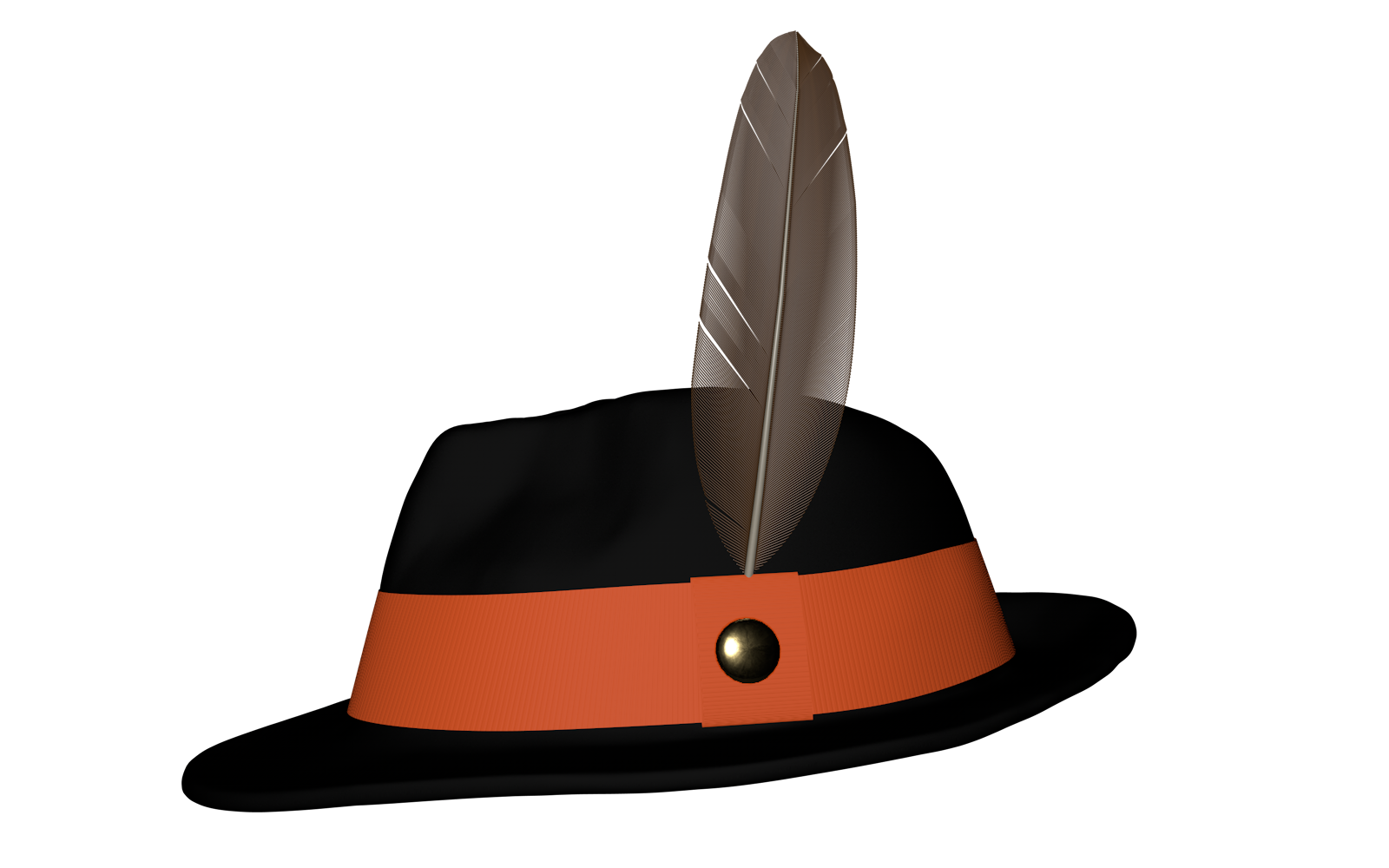
Mens Suits and a proper Fedora too please!Morphs are a little beyond my ken at this point. I'm still just at the sculpting phase, and have no idea how to rig or morph yet. I'll tell you one thing that WILL be included, however...
 Starfire hair! :) I needs it.
Okay, no attempt to morph the character, or dress her appropriately - minimal effort to match hair textures, too. But...
Nice, what hair is that?
Starfire hair! :) I needs it.Okay, no attempt to morph the character, or dress her appropriately - minimal effort to match hair textures, too. But...
Can daz studio import V4 morphs without injecting it into V4 first?Basically you used "Convert figure to WM", well I hope you are ready to learn to rerig V4, paint new WM for her, rebuild every single morph she has (both DAZ and 3rd party), rebuild every JCM, and coz it's V4 rebuild ever magnet based JCM she has.
And that's before you even think about redoing all of her conformers, and the morphs in those conformers.
Should keep you going for roughly the next 10 years, and that's without doing any renders or using other figures and programs.
Stay the **** away from that bloody "Convert to WM" feature, it doesn't do what you people think it does, all it does is leaves you with a HUGE mess that is really only fit for the trash can.
Ultimate Pose Master [Commercial]
Hi! Thanks for the feedback! For the icons I am not sure but I think they are shortcuts to morph loader and morph loader pro. I can check tomorrow if you want to !V3m I love how active you are on your new and awesome software. I'm going through the great tutorials now.
OT question, what is the "flex" icon you have?
Is There Any Difference Between Anatomical Elements from Figure to Figure?Typically, there is no morph difference. Some artists do provide morphs for the anatomical elements of some sort or another. On the female side... Male-M3dia, Kayleyss have some morphs, as I recall, but they are probably not the only ones. Zev0's shape shift, I think, also does broad morphing of the genital area. On the male side? Start with Male-M3dia.
Regarding shape, the males probably have the best options in this store through Male-M3dia.
Female shapes for the girl parts are less numerous here, which may be counterintuitive. You'd have to go to third party sites for more detailed gynecological morphs to the specific body parts involved with the vajayjay, and that's where you see the numbers reverse. You may find that third party anatomical elements provide more of what you want, but there are definitely more morphs for the anatomical area than what you can find on Daz's family friendly storefront.
Genesis to Genesis 3, or later...To transfer the morphs from G1 to G3F with GenX you'll need the base program and both the G2 and G3 add-ons
https://www.daz3d.com/genx2-addon-for-genesis-2
https://www.daz3d.com/genx2-addon-for-genesis-3
For the textures, you'll need one of the "legacy UVs" products by Cayman Studios (depending on which UVs the textures use).
Very annoying and asset killing problem with iWave asset SKU 53033Are you uding a custom morph, one that has not yet been saved as a morph asset? (A custom morph means created with dForms, or by importing a modified shape with one of the Morph Loaders).
No, nothing like this; I even don't know what dForms means:-)
Besides the same model with the same stockings was fine when I imported it as subscene, but when I just moved it a little bit horizontally, the effect appeared. I have the feeling it may be some weird effect from the HDRI light, but I spent two days already and don't want to fight it more. I have some G3 "hot secretary", will use her sockings.
Very annoying and asset killing problem with iWave asset SKU 53033Are you uding a custom morph, one that has not yet been saved as a morph asset? (A custom morph means created with dForms, or by importing a modified shape with one of the Morph Loaders).
Genesis to Genesis 3, or later...You can use GenX (available in store), with its various addons to get from Genesis to G3; a manual conversion is possible, or you can buy a new product to transfer from G3 to G8. You may or may not have issues as the new product doesn't deal with helper morphs that the original characters may have had, but there is another new product due that should deal with the helper morphs.
Genesis 8 Female Base is alteredSorry about the picture. My mistake. It is the base and "thought" it was okay. I'll delete the Bunny. Thank you for the fast reply!
I use the DIM to uninstall it correct?
Update: Not in the DIM (I guess I didn't use it) so all I could do was delete from the hard drive... See what happens next.
Nope still deformed...
Perhaps it would be a good idea to re-upload a non-nude picture of the altered character... Some other well known candidates for causing alterations/deformations of the G8F head are "Demona" and "Erevan Airy". Or perhaps this: https://www.daz3d.com/forums/discussion/212596/g8f-base-character-and-at-least-some-others-distorted ; You certainly will have good chances to detect the morph causing your problem if you search with Google in this forum (site:www.daz3d.com) for G8F/Genesis 8 female and distortion/distorted/altered/deformed...
Ultimate Pose Master [Commercial]I don't understand why this happens to you. I'm working on my 6 years old computer and have no big lags. Having a lot of things in your scene can slow down the script indeed. For the number of characters you own it should not change the script behavior. Working on a HD figure can slow things down too. I've spent the day testing and updating the script in order to have something more fluid (and to add the various features request). One thing that can really slow down the script is also the smoothing modifiers on the outfits. Because at each pose update by the script, the smoothing modifier will recalculate the outfit, and this can explode the global calculation time. I'll include in the update something to hide/show various elements in the scene which can slow down the script.I wonder, and this would be a very important information for me, are you also laggy when you use the "+" and "-" (you click on them and you hold down the click) in order to move the helpers (the + and - around the helper dials)?
Because if not, I found a solution to have something fluid and comfortable to use using only these + and - (I overloaded my scene in order to get laggy and test the new options for these, and it went fluid).
One more question, since you have lag issues, would you be interested to test my update before I release it (while I develop the solutions)?
After I initially used Bridget HD, I switched to undressed and hairless basic G8s in an empty scene - so no interference from other factors.
The + and - are more responsive than the sliders, more so in G8M than in G8F. I usually work in texture shaded.
Ok today I will have a look if it can come from the content size by modifying a few (a lot of) elements in my script. Thanks for helping me sorting this out for you, I will let you know how I progress on the subject! I really hope I will find the exact origin of the issue for you because normally there should be no or only minor lag. I don't believe it took me months to optimise this and I have to back in a new optimization process now!
When you say that the + and - are more responsive, does it mean that if you hold on the mouse clicked on them (so that the helperq keeps on moving) you can have a totally non laggy response or does it still lag anyway?
In lit wireframe the + and - are I'd say smooth, in texture shaded there's a slight pause
(and with the random poses I've been inflicted G8 now looks as if she stepped on a live wire while at a heavy metal concert (I'd do a screenshot, but I'd have to put some clothes on the poor girl first)
Lol! I'd like to see that! Well, for now, I finally managed to create a laggy scene (super high resolution dressed and hairy figures with smoothing modifiers on outfits), and in my script I moved some actions out of some loops, which allows me a smoother movement of the helpers with the handles for heavy configurations (right arm only is tested for now), but not totally smooth yet. I'm going to modify a few more things and then, I'll have to transfer this to left arm and feet which will at least take me one full day (maybe two) if I meet no issue. So I'm going on with this.
I'm working on a second alternative which is a dropdown menu allowing to swap the "+ and - steps" between 5cm and 1 or 0.5 cm, so that you can use the 5 cm to move the arms at the same speed as you would do with the handle of the dial (5 cm steps looks fair). In practice it is a dropdown menu with two options : "set up current dial and resolution to solve lag issues (set dials +/- to 5 cm and also sets the figure to normal resolution)", and "Come Back To Initial Dial Configuration For Fine Tuning Using + and -", accessible from any tab at the bottom of the interface.
Finally I am adding a second always accessible dropdown menu with key options and features asked or which can be interesting (store/restore, hide/show hair/outfits/otherfigures, delete or not before you close). Maybe it will be joined with the first menu for compacity reasons.
Sounds good (I think) - I do hope it leads to something, because even with the lag I'm really starting to like the ease of use of the script.
And here is electrified G8...
Daz 3D is part of

Connect
DAZ Productions, Inc.
7533 S Center View Ct #4664
West Jordan, UT 84084Licensing Agreement | Terms of Service | Privacy Policy | EULA
© 2026 Daz Productions Inc. All Rights Reserved.