-
is there a Face Transfer thread
I desperately need this feature for a client,
Assuming I have a windows computer, how do I access Face Transfer?
is there a Face Transfer threadWill this ever be available on Mac? I have a mac and need it ASAP!!
Also, how to do access face transfer? (Assuming I have a windows)
Morph Loader Pro - Doesnt Morph just Shrinks and Grows1. Did you export and import at the same scale? I normally use Daz scale for OBJ export and then make sure that Morph Loader Pro (MLP) also shows Daz scale.
2. You're trying to transfer morphs? Genesis to Genesis 8?
3. What kind of morph are you making?
Export - Import obj, how do I preserve morphs?Greetings.
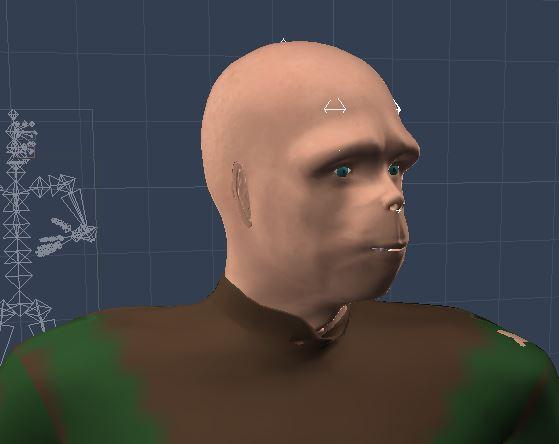
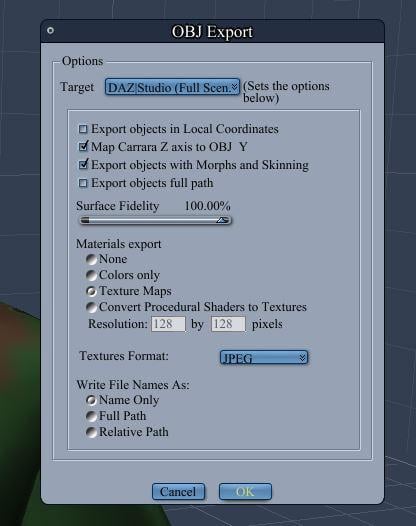
I created a base human mesh, rigged it, and posed it, in another program (Carrara). I also created a head morph for a 1970s style ape for "planet of the apes". I saved it as an obj making sure to check "export objects with morphs and skinning." When I try to import the obj in Bryce, the pose is preserved (skinning) but not my ape head morph.
Any idea why the obj transfer is recognizing the pose export but not the morph export, given that I am checking "export objects with morphs and skinning"?
Also tried collada dae with no success.
Base mesh
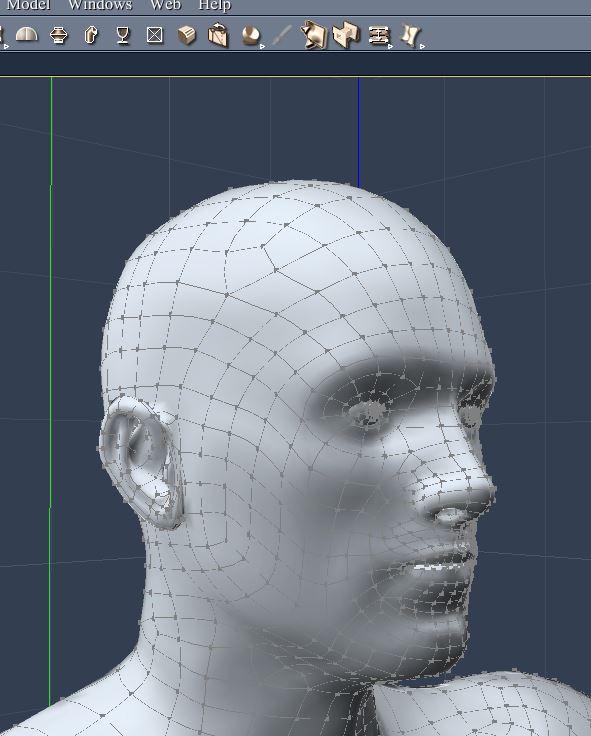
Planet of the Apes Morph (and costume attached)
Export Import dialogue
import obj to Bryce and see that the pose (skinning) worked
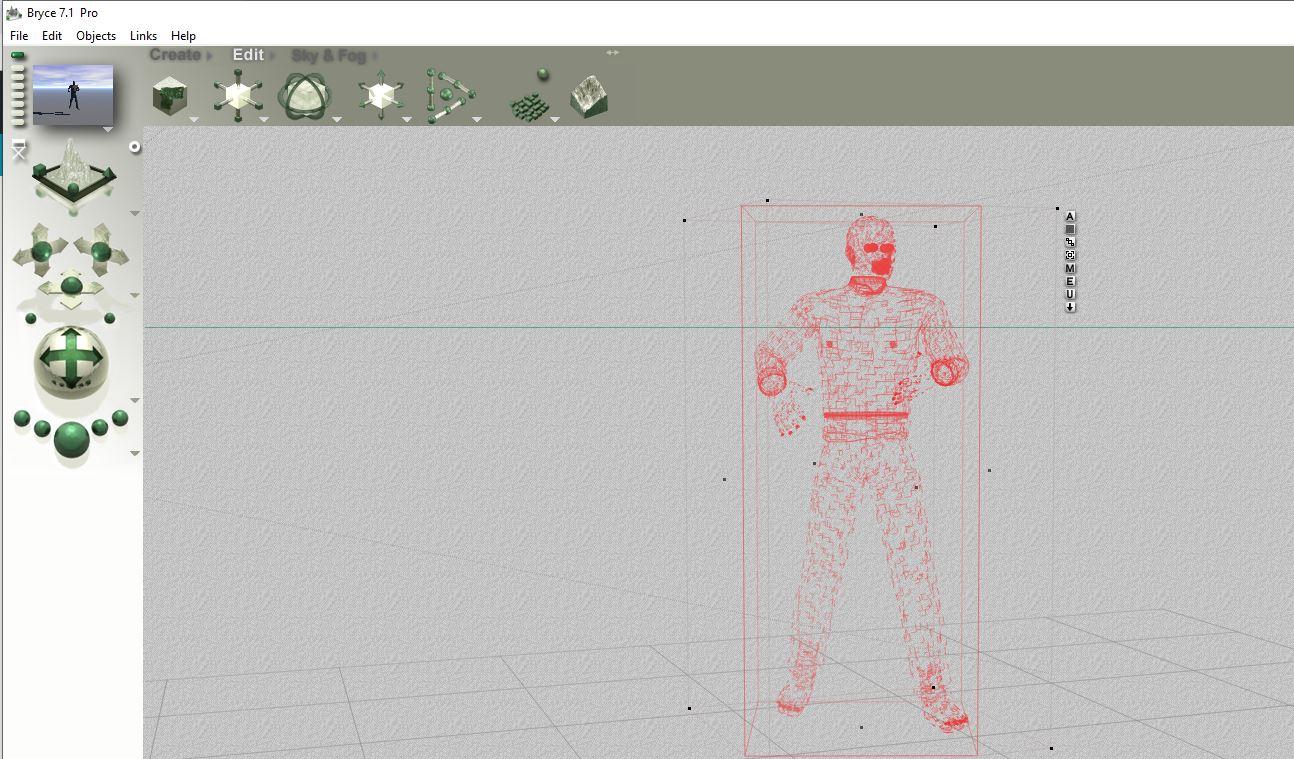
But test render shows that the ape head morph did not transfer with the obj export import
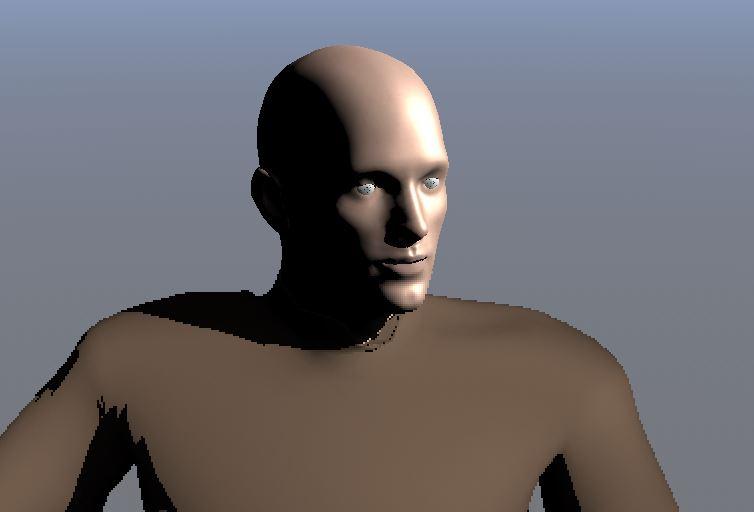 Morph Loader Pro - Doesnt Morph just Shrinks and Grows
Hi folks, I'm a relatively new user and I have been following some tutorials about transferring Morphs between Gen and Gen 8
I manage to get the Dial to show etc, but every Tutorial I follow whenever I get to the part of testing the Morph Dial All that happens is that the figure Shrionks or Grows, no actual change to the shape only to its size.I have tried to find a solution to this problem to no avail.
Could someone please put me pout of my misery I'm sure there is something silly I'm missing that is causing this.Cheers
dForce Servant Dress Flat Ear MorphAnyone who owns the product - does the morph work for you? It does nothing when I attempt to apply it to my figure. tx
Creating a "clone" or identical model in Daz!Yes, look there: https://www.daz3d.com/forums/discussion/351636/is-there-a-face-transfer-thread#latest
Face Transfer is only in the test version, but I already like it.
Daz Studio Pro BETA - version 4.12.2.60! (*UPDATED*)The Face Transfer could use an option to make the face symmetric/copy left-to-right or right-to-left. Many times minor artifacts due to hair/shadows only affect one side of the face causing it to be distorted when the other side is fine. If we could mirror, the user to could copy the correct side over the distorted side giving a much better morph. I submitted a ticket for this request.
Celery.I saw the word "celery" and my first thought was that someone was planning to depict the 5th Doctor as portrayed by Peter Davison. He wore a stalk of celery upon his lapel. Seems odd that the "decorative vegetable" (as David Tennant's Doctor mocked it in "TimeCrash") never wilted. However, we should remember he pinned it to his coat in "Castrovalva" a city which was really a trap constructed from "block transfer computation" along with everything and every "citizen" within it. In effect, it was an illusion given solid form. The better question is why it continued to exist answer the Master's hold upon Adric was broken and the simulation collapsed.
Okay, that went on a tangent.
Sincerely,
Bill
That was my initial thought too.
Clipping, how to solve it.This item has some issues even in A pose.
This Albany in A pose with no morphs applied, straight out of Smart Content. The edge of the inner part of the robe pokes through the outer part. You have to use the Separate lower layers adjustment to fix that.

If you then use the open styling morph, even 20% or so, you get this around the belt, and I couldn't eliminate it completely with the adjustment sliders.

Applying a pose got me this

Overlapping parts of clothing are hard, but there's the armpits, and everything. This is with smoothing and collision applied.
So, yeah, I think you're looking at postwork if you want to keep using it. I just checked and I'm 2 weeks past the RMA limit. I'd request a refund. Feel free to use these pictures. Maybe it will get fixed.
Morph creation tutorials?Strike that idea.

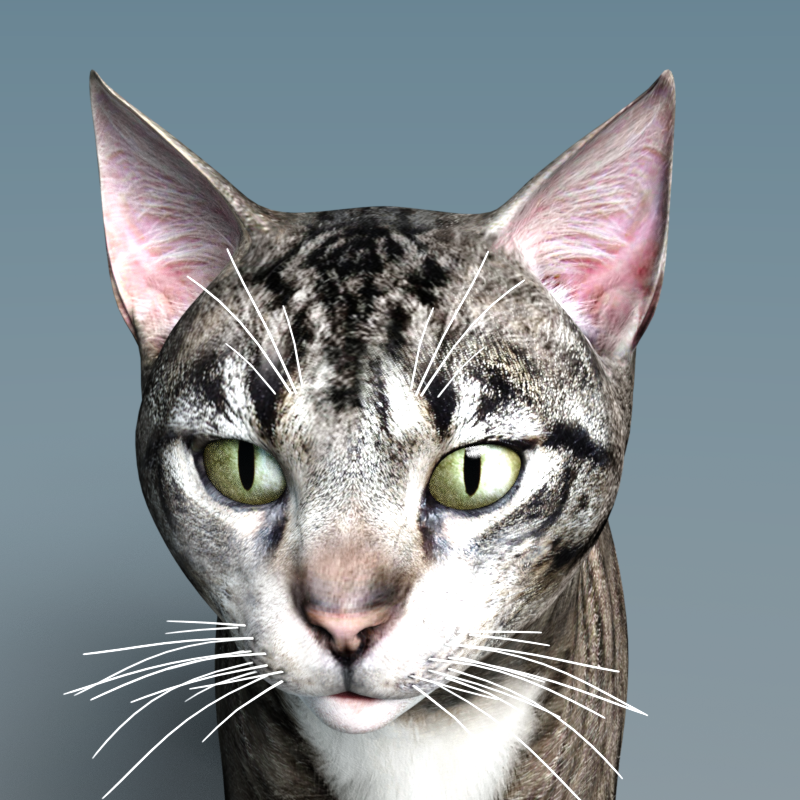
I spent an hour trying to get weightmapped dforms to do what I wanted them to do. Then I used the Studio-Hexagon bridge. And created the ear morphs in about 15 minutes. The first video John shared did save me from a few mistakes along the way though. Like remembering to save the morph asset after I created it.
Quick test render of the Bobcat Ears morph. Just using the tabby texture right now, that will be another challenge.

 Celery.
I saw the word "celery" and my first thought was that someone was planning to depict the 5th Doctor as portrayed by Peter Davison. He wore a stalk of celery upon his lapel. Seems odd that the "decorative vegetable" (as David Tennant's Doctor mocked it in "TimeCrash") never wilted. However, we should remember he pinned it to his coat in "Castrovalva" a city which was really a trap constructed from "block transfer computation" along with everything and every "citizen" within it. In effect, it was an illusion given solid form. The better question is why it continued to exist answer the Master's hold upon Adric was broken and the simulation collapsed.
Okay, that went on a tangent.
Sincerely,
Bill
Daz Studio Pro BETA - version 4.12.2.60! (*UPDATED*)The video links at the bottom of the Face Transfer pane don't work for me. They open my default browser (Chrome) and very briefly flash a URL (like daz3d.com/dsportal/4/Video_FaceTransfer_GenerateFace) and then the URL rapidly changes to the https://www.daz3d.com/shop page. How can I find and watch these videos?
is there a Face Transfer threadA short video made with recently created Face Transfer character.
 is there a Face Transfer thread
Can anyone tell if this is doing morphs or just textures? I guess I'll need to load the beta up on my windows machine now.
It is creating a morph, yes.
is there a Face Transfer threadBut anyway, I like the transfer...
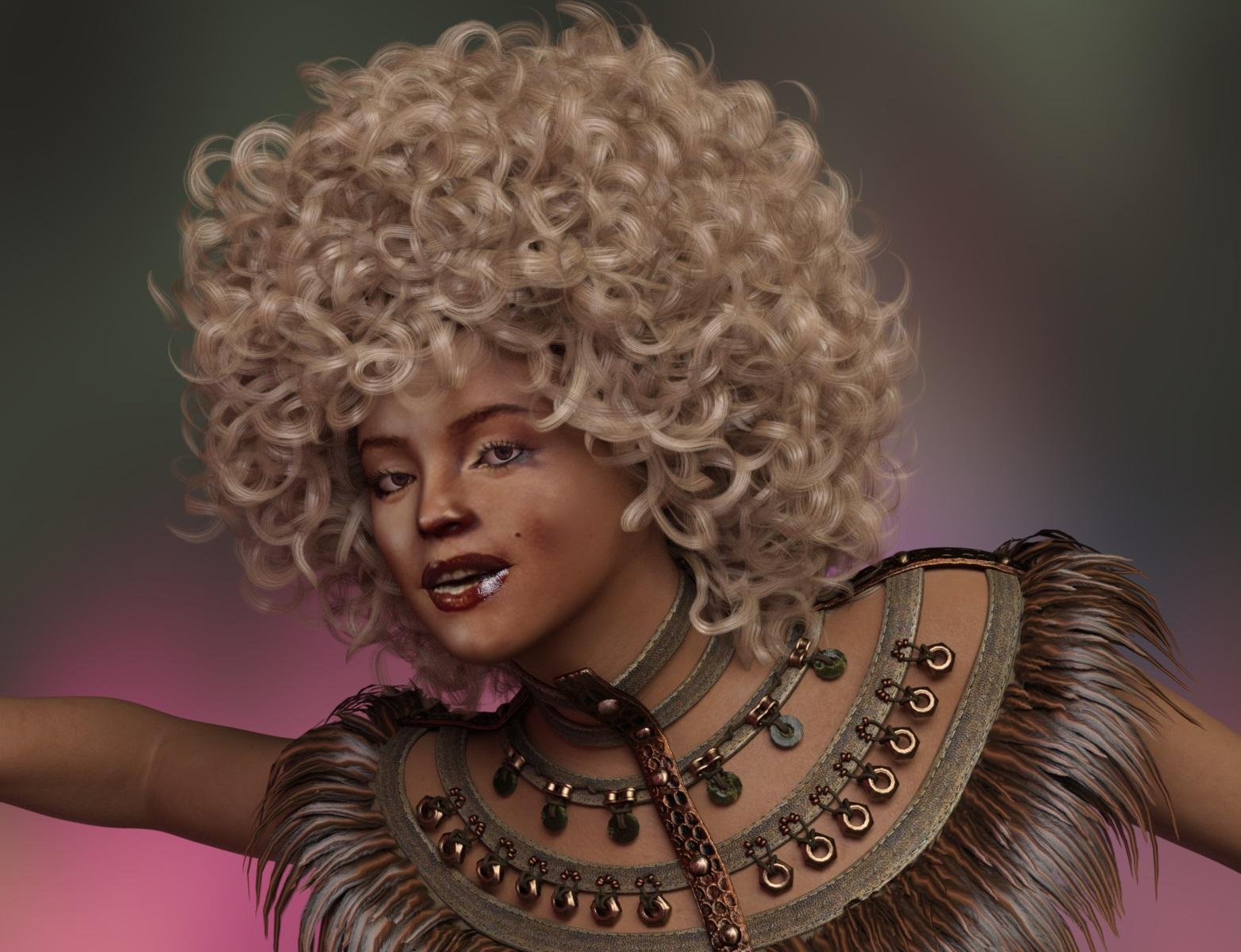 [Released] RSSY Ultimate Clothing Fixer [Commercial]
Ok - got it installed. Before I go down some dark and unsupported path (being ornery and refusing to follow directions), will this allow me to add morph to a garment obj or do I have make it... whatever.... functional.... first?
You need an actual clothing item, not just the mesh.
[Released] RSSY Ultimate Clothing Fixer [Commercial]Ok - got it installed. Before I go down some dark and unsupported path (being ornery and refusing to follow directions), will this allow me to add morph to a garment obj or do I have make it... whatever.... functional.... first?
I am not sure I understand your question. The clothing item should work first. This product adds morphs to a clothing item and will save them so that they will load back whenever you use that clothing item again. The morphs are saved as separate files and will never hurt the original clothing item.
[Released] RSSY Ultimate Clothing Fixer [Commercial]Ok - got it installed. Before I go down some dark and unsupported path (being ornery and refusing to follow directions), will this allow me to add morph to a garment obj or do I have make it... whatever.... functional.... first?
is there a Face Transfer threadCopied from
https://www.daz3d.com/forums/discussion/comment/4903221/#Comment_4903221
Just to make it easier to find
- Face Transfer pane
- Windows 64-bit only
- A new pane that allows selection of a source portrait photo to transfer to a Genesis 8 Male/Female
- Lighting should be uniform, without shadows, and not too bright or dark
- Face must be clearly visible, with no obstructions like glasses, hair blocking the forehead, etc.
- Facial expression should be neutral
- Facing direction should be straight ahead
- Requires latest update to Genesis 8 Starter Essentials Male/Female
- Generates a morph, associated facial bone adjustments/links, and a texture set
- Texture set is based on default textures provided by Starter Essentials packages
- Materials
- Uses a "trial usage" activation policy
- Allows unlimited generated previews
- Generated preview textures are watermarked and not preserved between transfers or sessions
- Allows 3 saves via Face Transfer, per release channel, before requiring a valid serial number
- Entering a valid serial number does the following:
- Removes watermarking from generated previews
- Enables unlimited Face Transfer save operations
- Allows unlimited generated previews
- A Face Transfer save performs the following
- Renames and/or relabels temporary morph, property, alias, and textures based on user-specified values
- Generates a Scene Subset consisting of the figure, the generated morph and textures and any fitted/parented items
- ...
- See in-pane Guide and Tip pages for more information
Daz 3D is part of

Connect
DAZ Productions, Inc.
7533 S Center View Ct #4664
West Jordan, UT 84084Licensing Agreement | Terms of Service | Privacy Policy | EULA
© 2026 Daz Productions Inc. All Rights Reserved.