-
New DS Filament Render Engine
Thanks 3Diva, that's a really useful summary. So Filament, at least for character portraits, is a very good preview mechanism and a very poor renderer. Of course, there is the option for spot rendering hair in one of the other engines and then compositing in a paint program. Fiddly, but doable.
j.cade is Back! And brought the adorable Bette!I made a little very short Filament animation with Bette. I put it in my Dropbox. Can you see it?
Thats Amazing! :)
Also great filament still render too! Theoretically I should actually try experimenting with filament.
I'm glad you were pleased! When you start to experiment with Filament, watch the Kindred Arts video and read Mec4D's tutorial thread. One great tip I got from her was to set the ISO in the Filament Draw Options to 0.56, to better control the light level. With default settings, Filament will draw things much lighter than they would be rendered with Iray. So, change that Filament ISO and avoid having to tweak many materials.
Visual Novel support groupI don't know how the mods are with thread necros, but as there is already a thread for VN support I did not really want to create a new one. This way it keeps the topic contained (as it does not appear to be a widely used purpose, at least in the forums).
I arrived here months ago as the reason I started looking into Daz was to review its feasibility (for me) in creating art assets for a VN. While I'm satisfied (more than so, really) that it can create great art, I only just stumbled onto a method I can reliably use it to create backgrounds and characters that were somewhat seamless. As a bonus, this method lets me use emissives from the set and avoid lighting replication issues. As an added bonus, it it very easily applied:
Iray Matte. The advanced Iray parameter lets you turn any surface into a shadow and reflection catcher. These are stil preliminary test renders but it shows the basic premise. Setup the scene and cameras and render (without the figure).
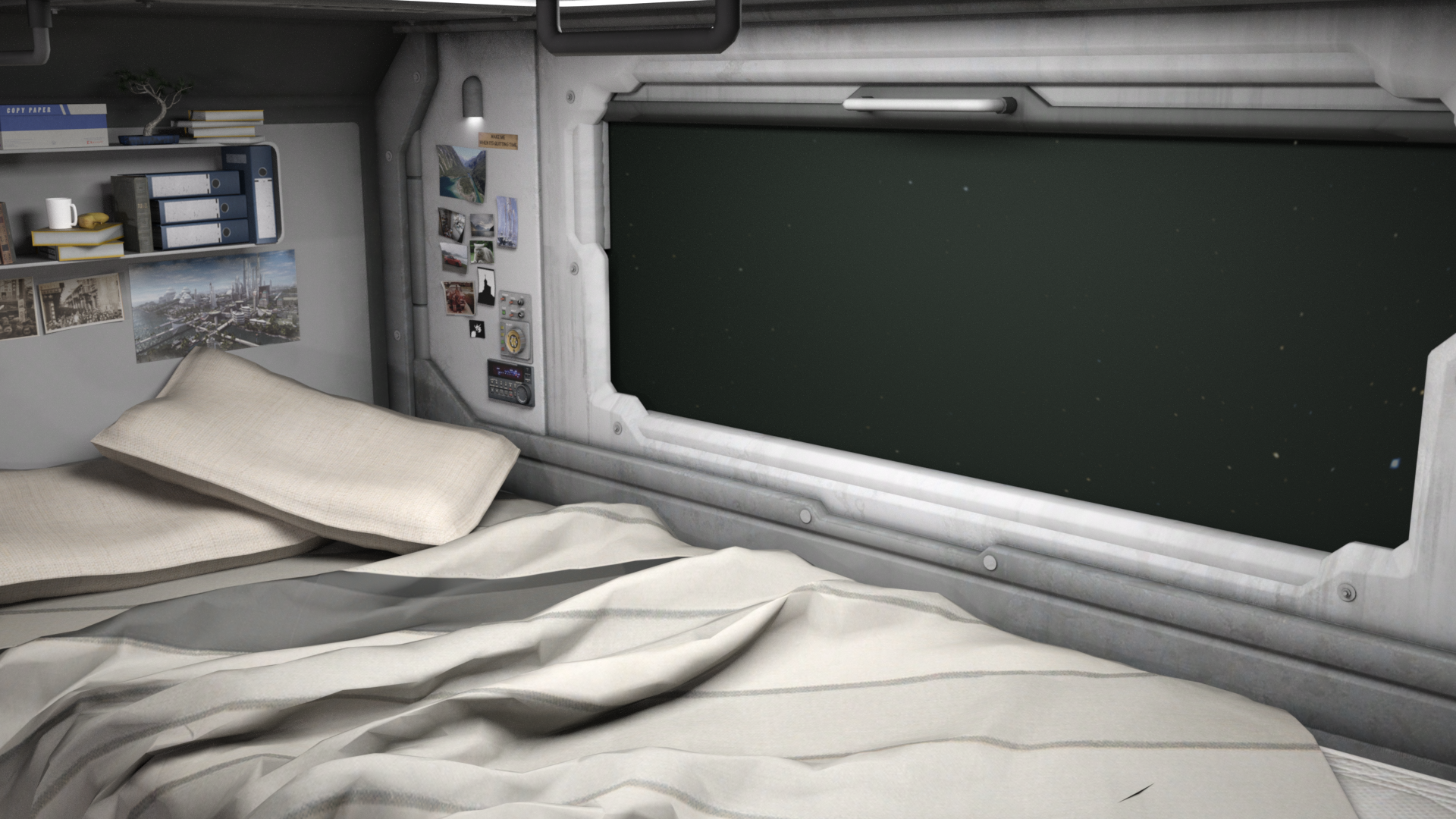
Then duplicate all the emissive set surfaces and visible set surfaces (at least the ones that will potentially get shadows) and set them all to a Matte surface in the parameters. Remove any visible dome/ground (in this example I also removed the dome as it was not providing scene light). Then render your figure.
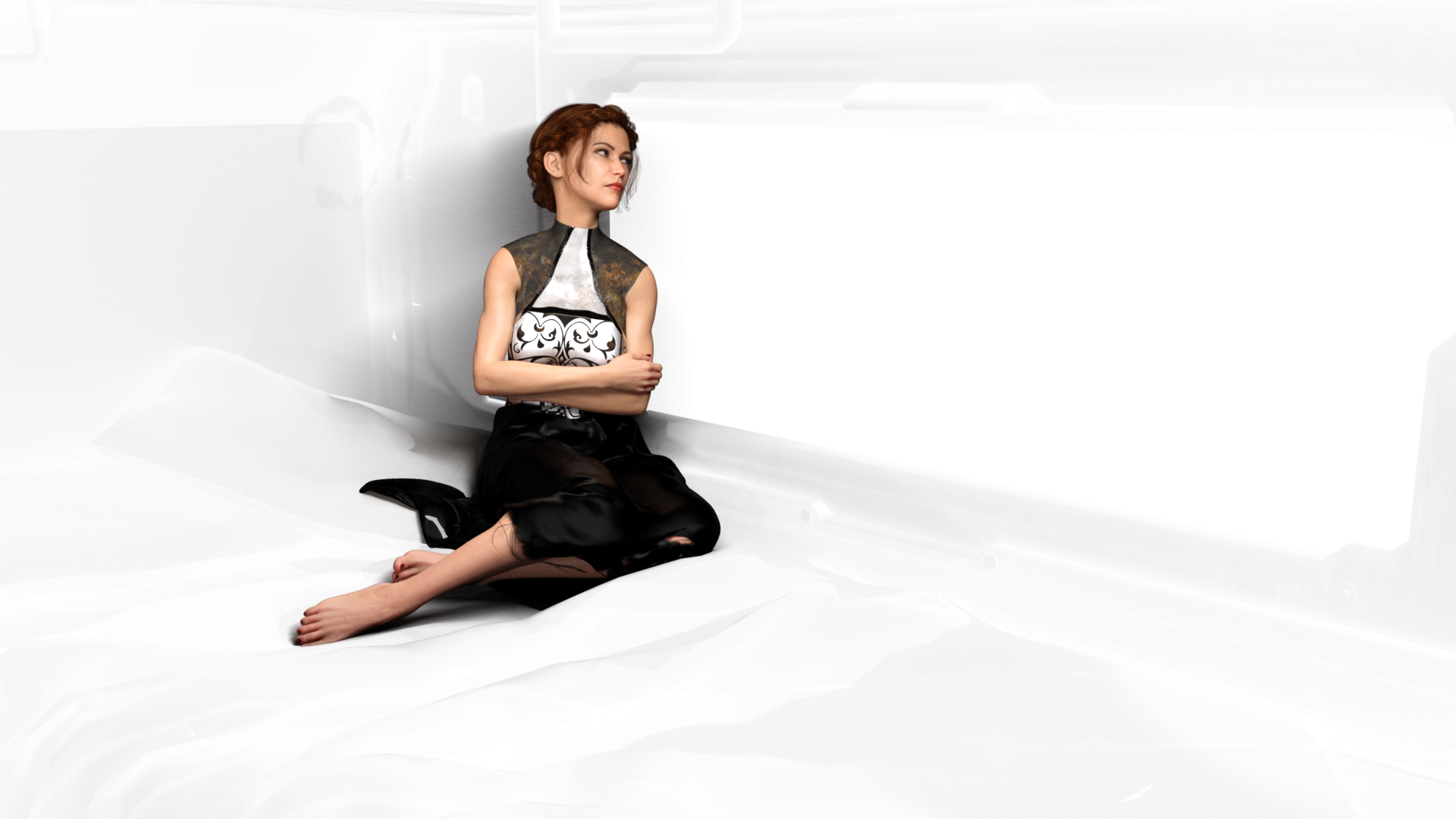
In your VN maker of choice, use the character image as your character.
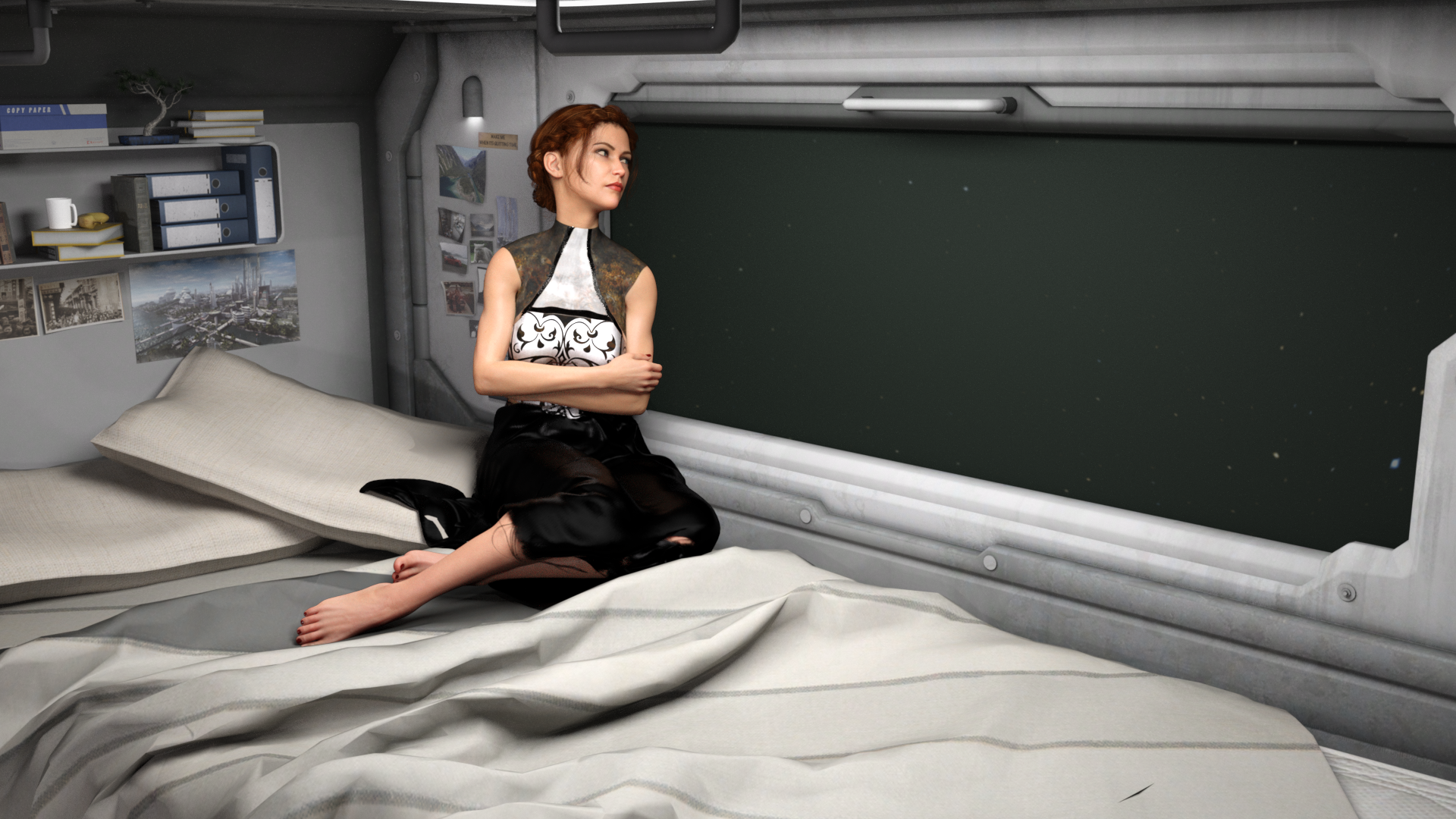
Overal render time is quite diminished. As well, iterations of expression/poses can be saved as separate frames and rendered as a batch.
Depending on your lighting, this will add a small amount of extra shadow. This can be edited out later (or left as desired).
This is a fantastic idea! And yeah, I can totally see this being use as a shadow overlay for like Filament renders! Doing the character and the Iray Matte in Iray and rendering the background in Filament then combining them in PS or Gimp.
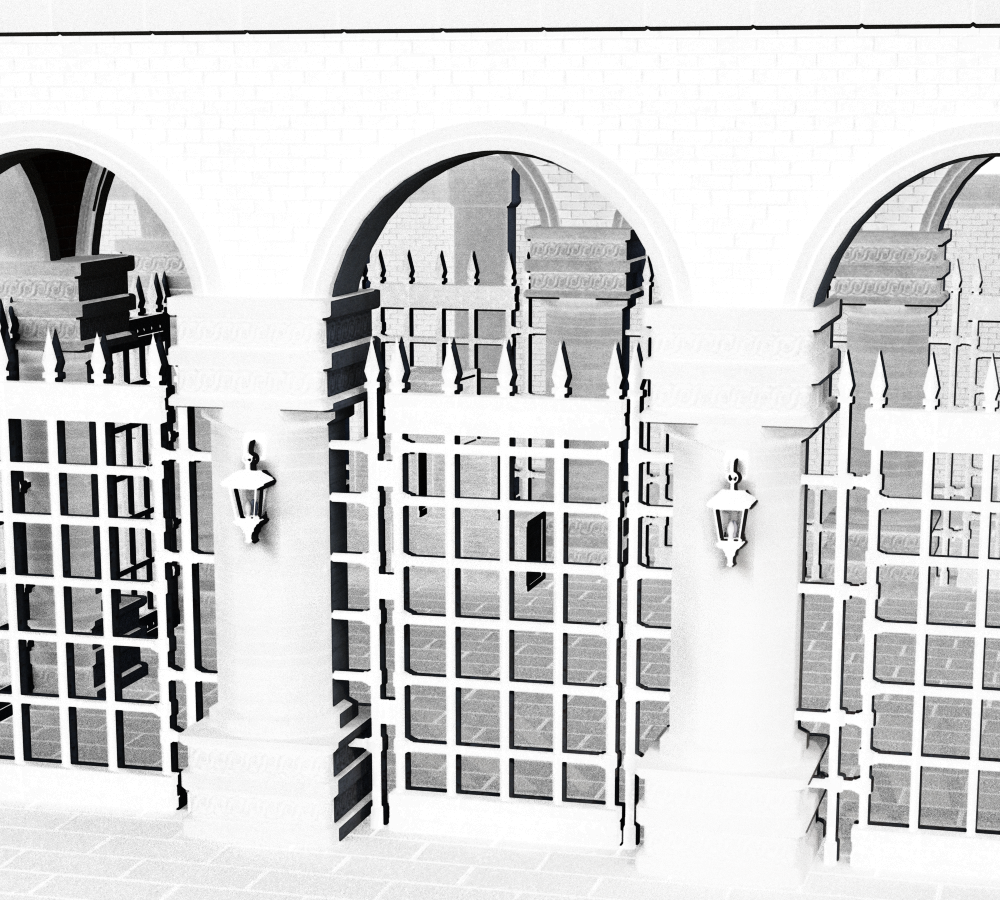
I think an easy way to duplicate the surfaces is just to create a Group of the environment elements then create an instance of the group (Create >> New Node Instance). Then you can size the original group up slightly larger and "over" the instance, apply the Iray Matte to the original group and render it - that should create the shadows layer.
I tried it out and it seemed to work pretty well!
Here's the Iray Matte pass (layer duplicated 3 times and combined in Photoshop to make the shadows darker):
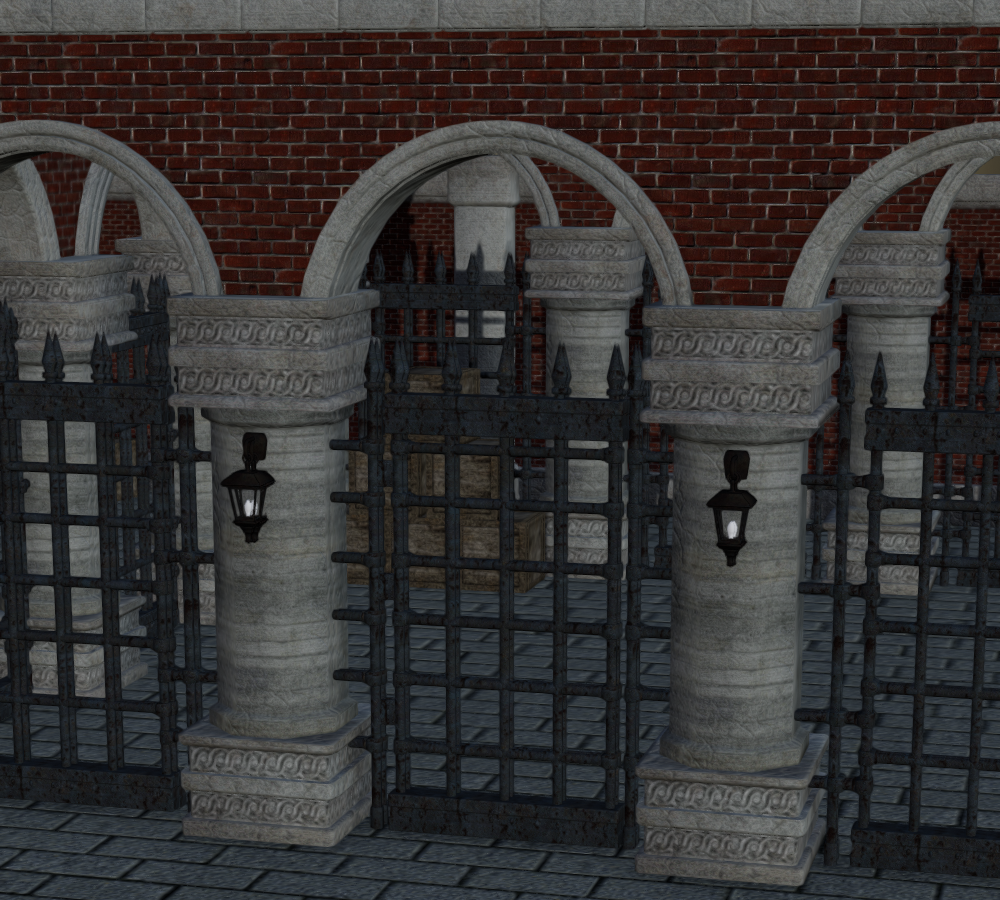
Here's the Filament pass:
Here's the combination plus a minor tweak to color and contrast:
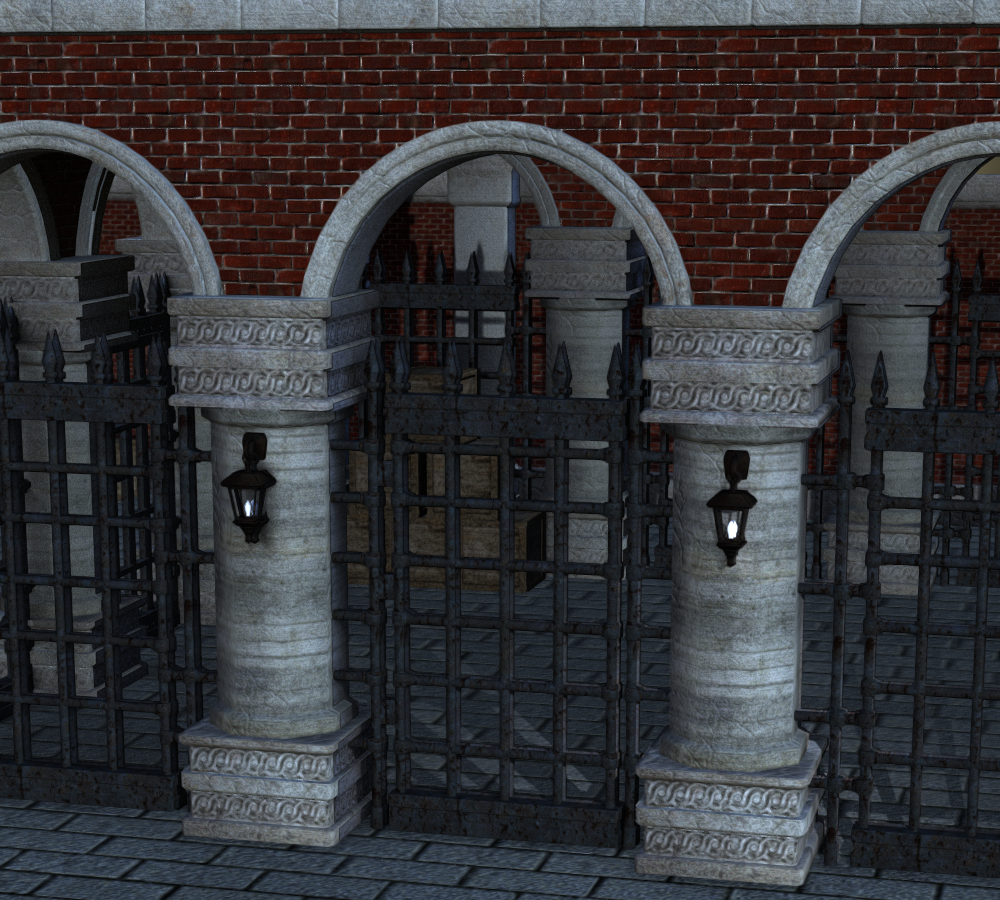
The whole thing, including compositing in PS, took maybe five minutes. Rendering it in Iray would have taken much longer on my machine. So this seems like it would be a great way to create fast backgrounds by combining Iray shadows with Filament renders.
New DS Filament Render EngineHere's something odd. I guess Filament doesn't like the omUberSurface.
Here's a scene I was working on, as you can see the hair looks fine:
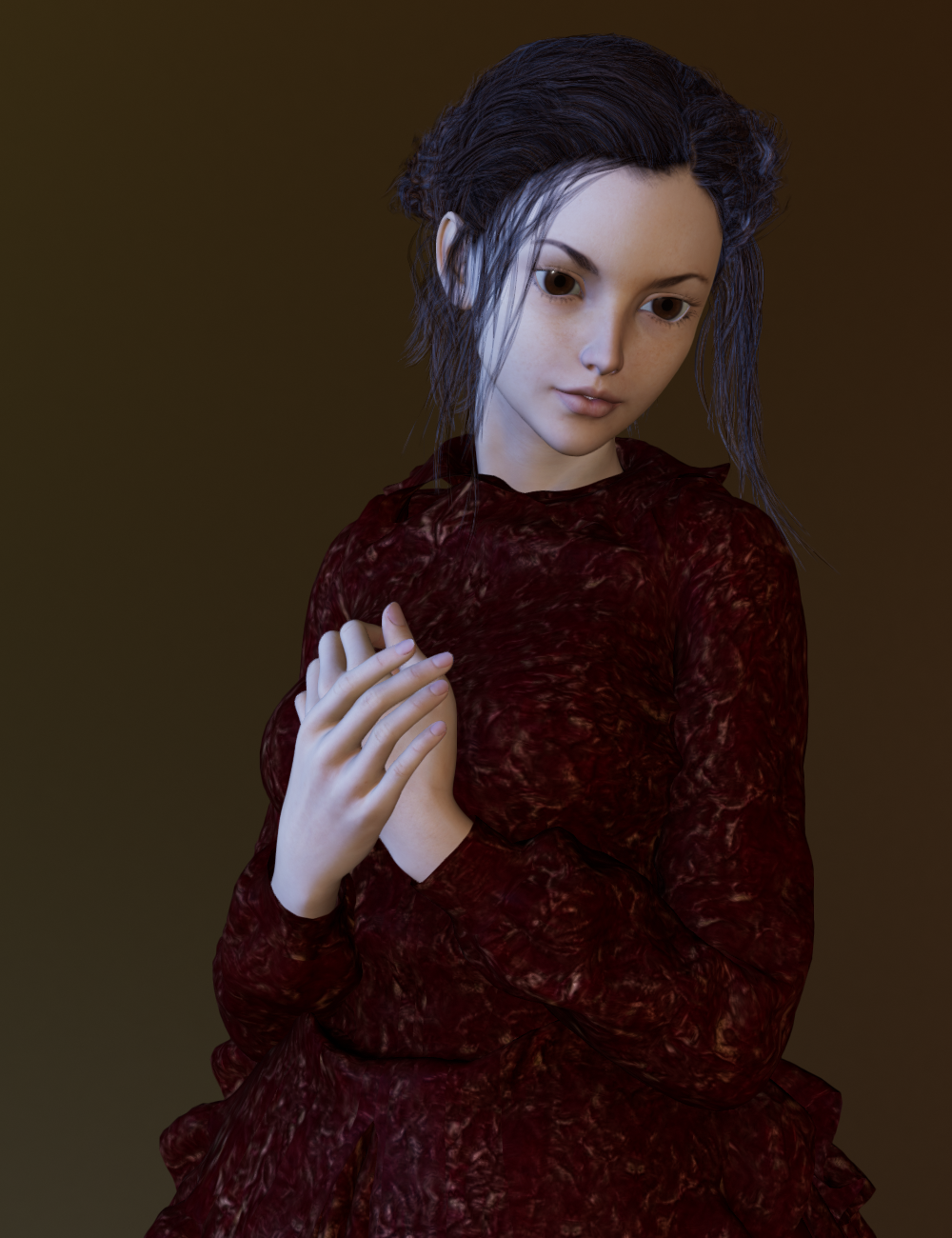
I add a pair of earrings that have the omUberSurface and the suddenly the hair looks like this:
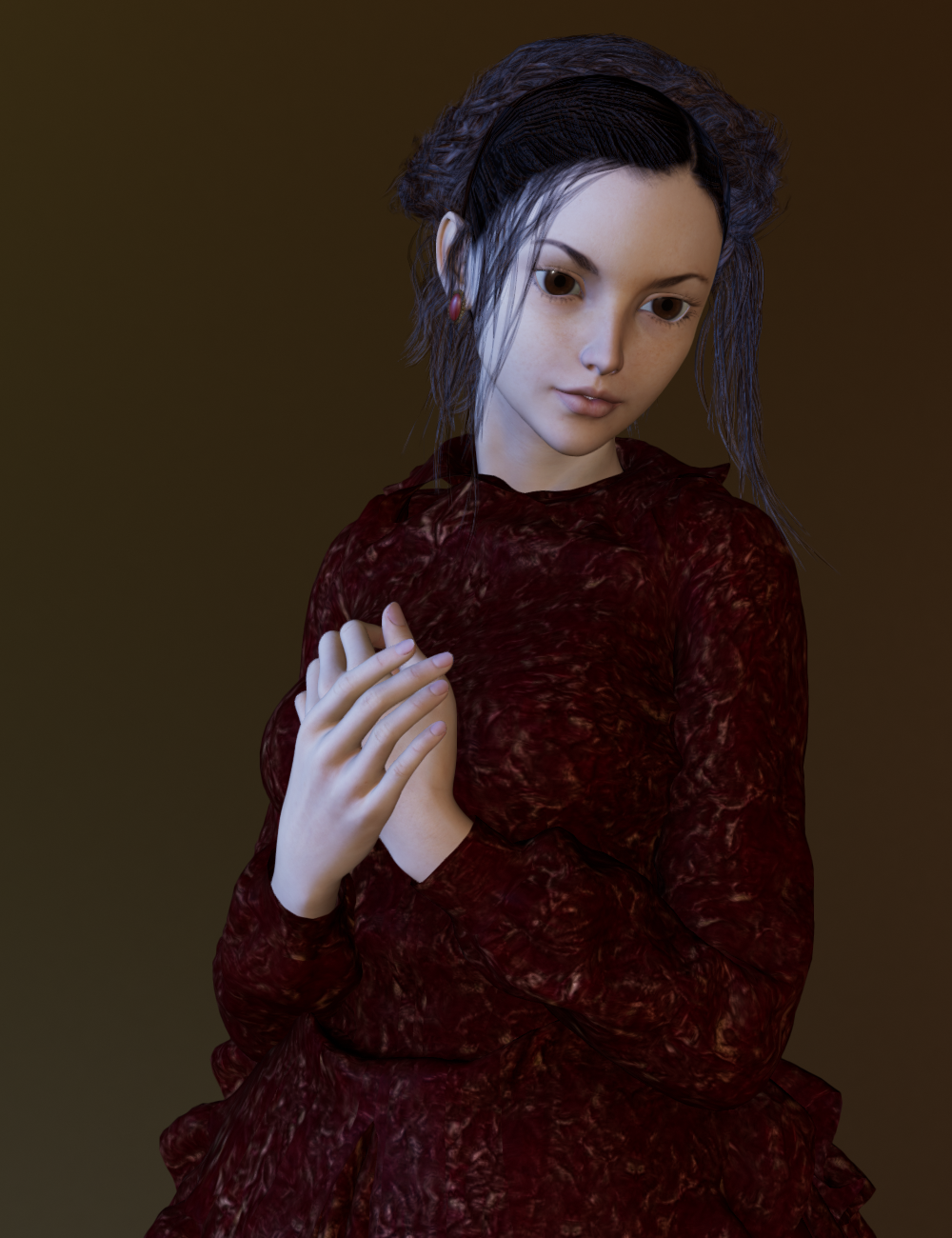
I switched the earrings visibility off and on in the scene tab and when the earrings are made invisible the hair goes back to normal.
I then applied the Iray Uber surface to the earrings and then switched them on and off and now the hair looks fine with the earrings:

So, maybe a glitch with the way Filament reads the omUberSurface?to say that all hair works out of the box is not really the truth.
Uhhhh Do what now? Who said that all hair works out of the box? I haven't seen a single person say that. In fact, it's been very clear by most of the renders that most hair doesn't do well in Filament's current state.
Here's something odd. I guess Filament doesn't like the omUberSurface.
Here's a scene I was working on, as you can see the hair looks fine:
I add a pair of earrings that have the omUberSurface and the suddenly the hair looks like this:
I switched the earrings visibility off and on in the scene tab and when the earrings are made invisible the hair goes back to normal.
I then applied the Iray Uber surface to the earrings and then switched them on and off and now the hair looks fine with the earrings:
So, maybe a glitch with the way Filament reads the omUberSurface?Could you please check it the hair has High Resolution settings or the "Base"?! And could you also, if it's not to much to ask, try other hairs too and name those that "work" like that?
The hair is set to Base Resolution. If I turn it to High Resolution it has the scalp showing through it like so many of the hair with Filament.
None of the hair that have trans maps seem to work very well with Filament in its current state (nor does anything else that has trans maps). However, some hairs do better than others - like that Anjou Hair.
From my experiments so far it seems that the hair that tends to do best is the hair that is "busy" with curls or with braids upfront like Anjou. The busyness of braids and curls can help mask some of the transparency issues. Darker colors tend to work best, as well as 3DL hair mats seem also to work better in most cases than Iray hair mats (unless it's omUberSurface - it appears that Filament doesn't do well with that for hair). Turning the Opacity Strength/Cutout Opacity down to zero on the Skullcap/Scalp/Cap can also sometimes help hair look better. Lighting and render angle will also factor in how the hair looks. And, as was pointed out, setting the hair to "Resolution Level: Base" can also sometimes help. Tweaking the surface settings is also pretty much a must for most hair to look better in Filament.
Besides Anjou Hair, here are a few others that somehow managed to look "ok", under the Right Conditions consisting of some of the above suggestions:
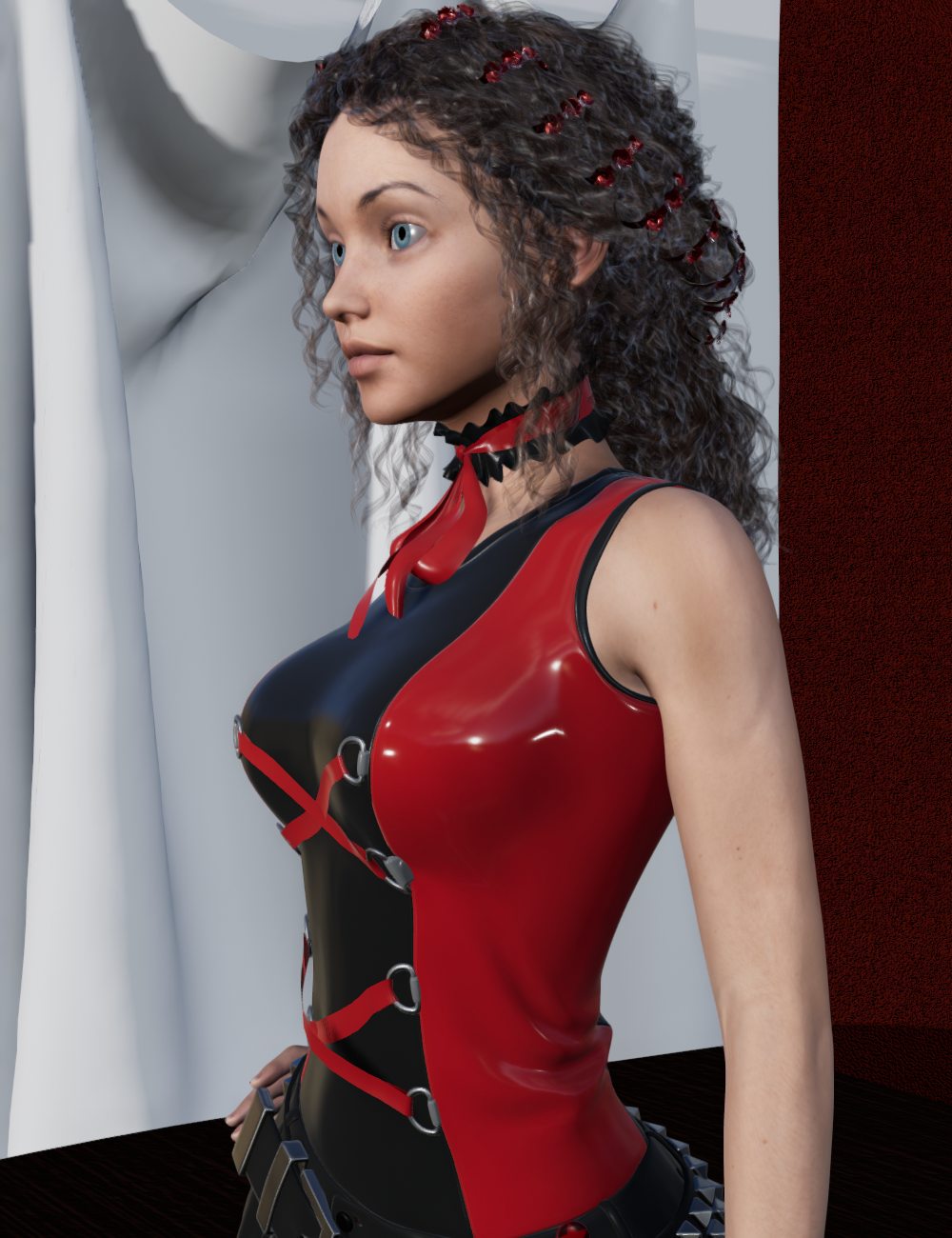
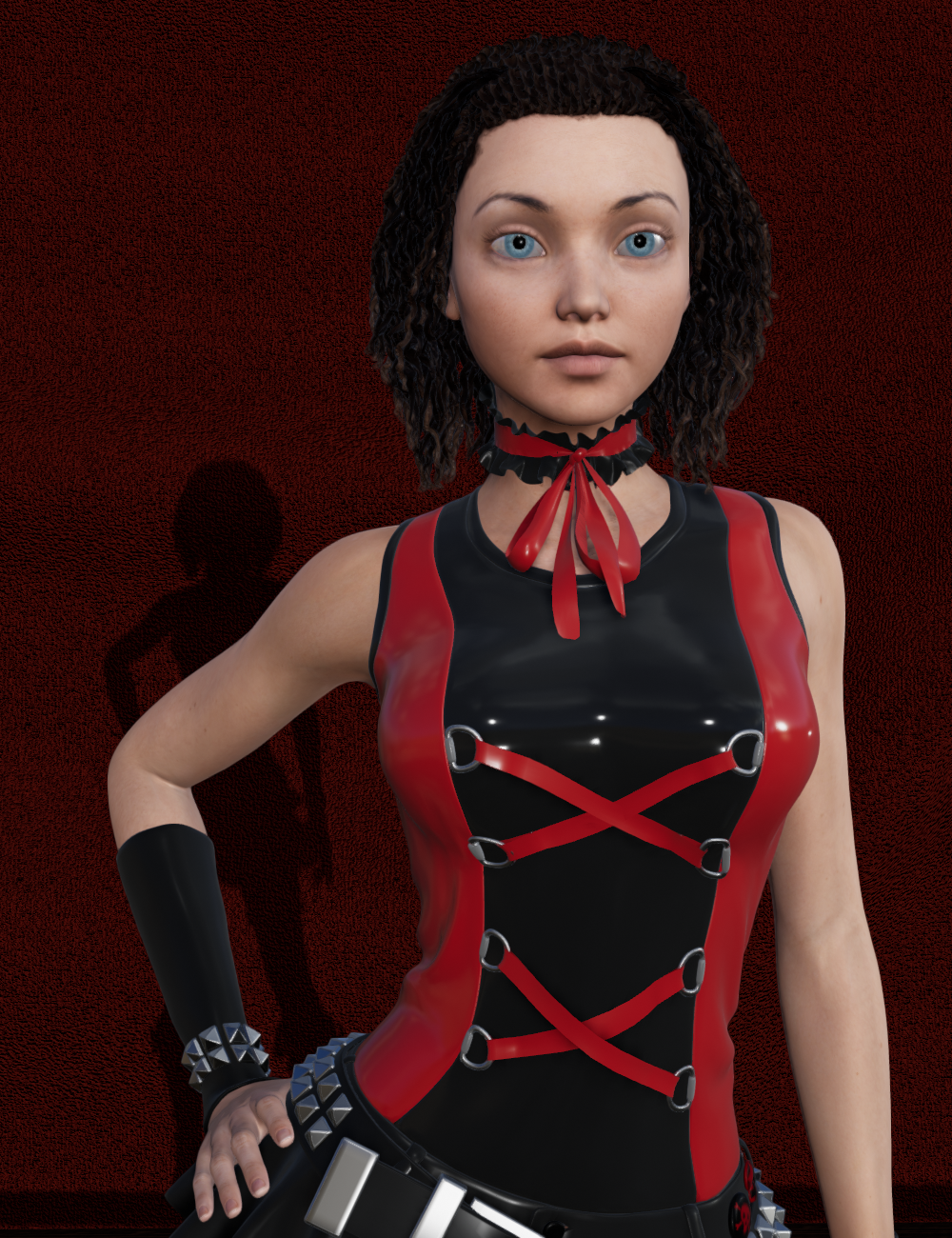
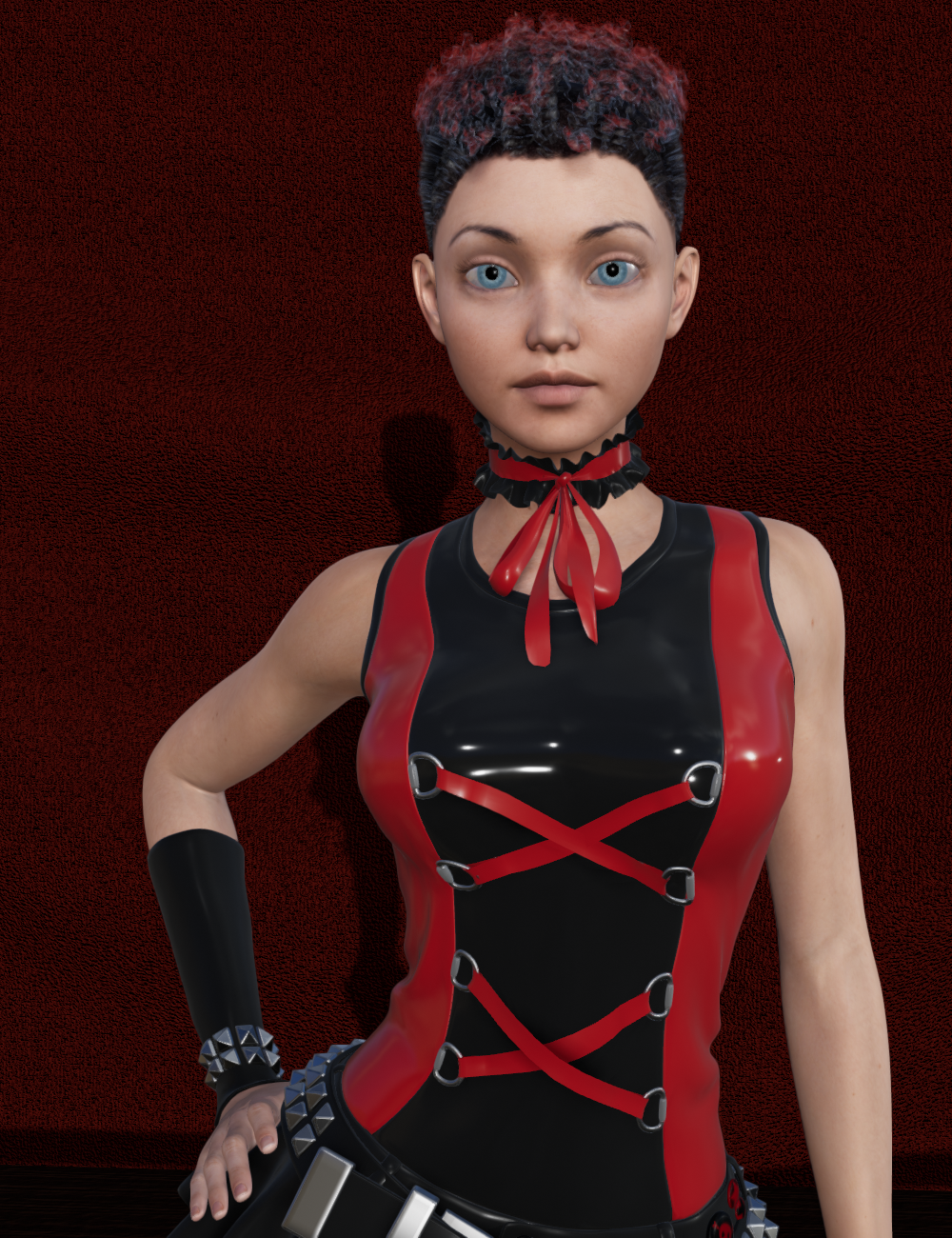
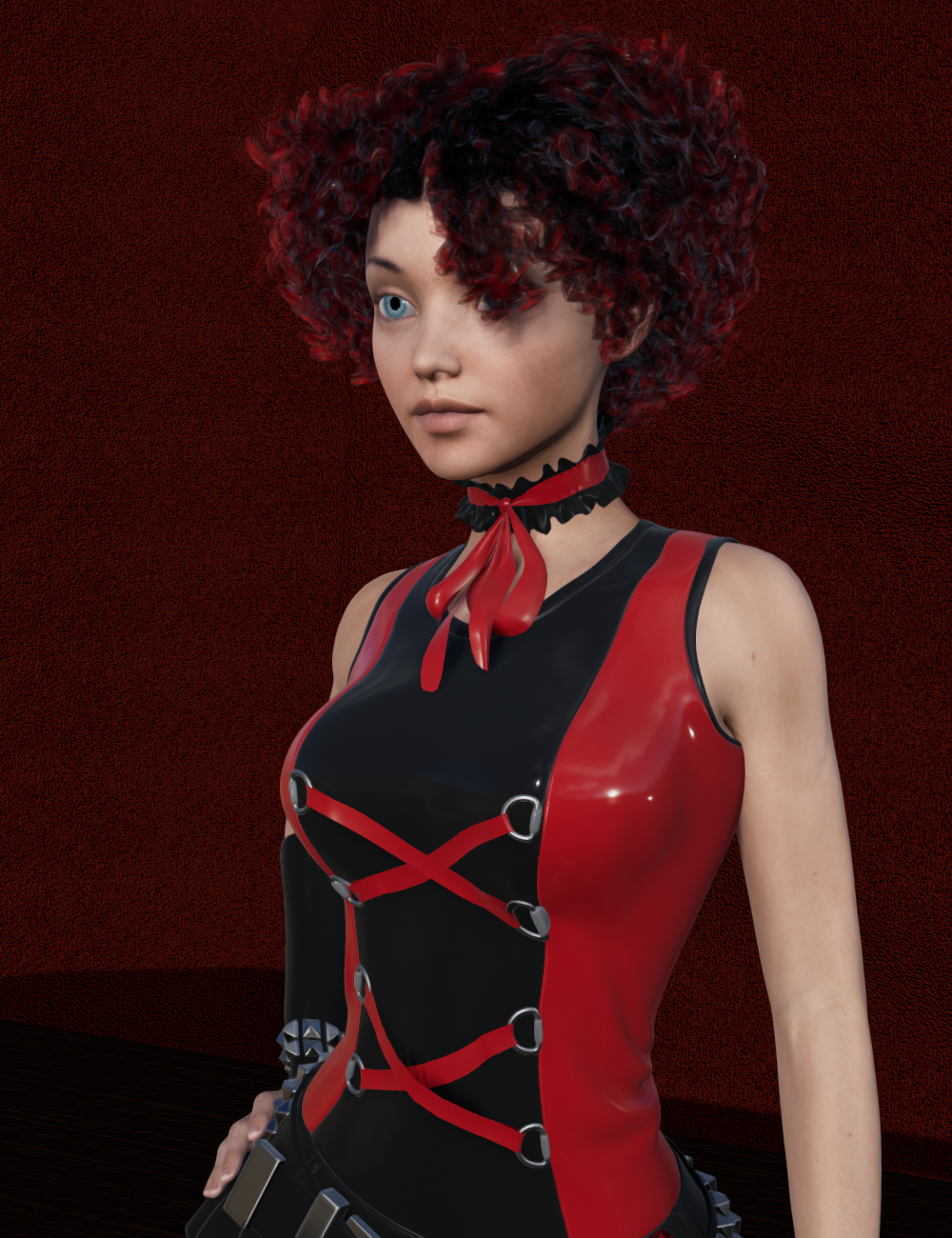
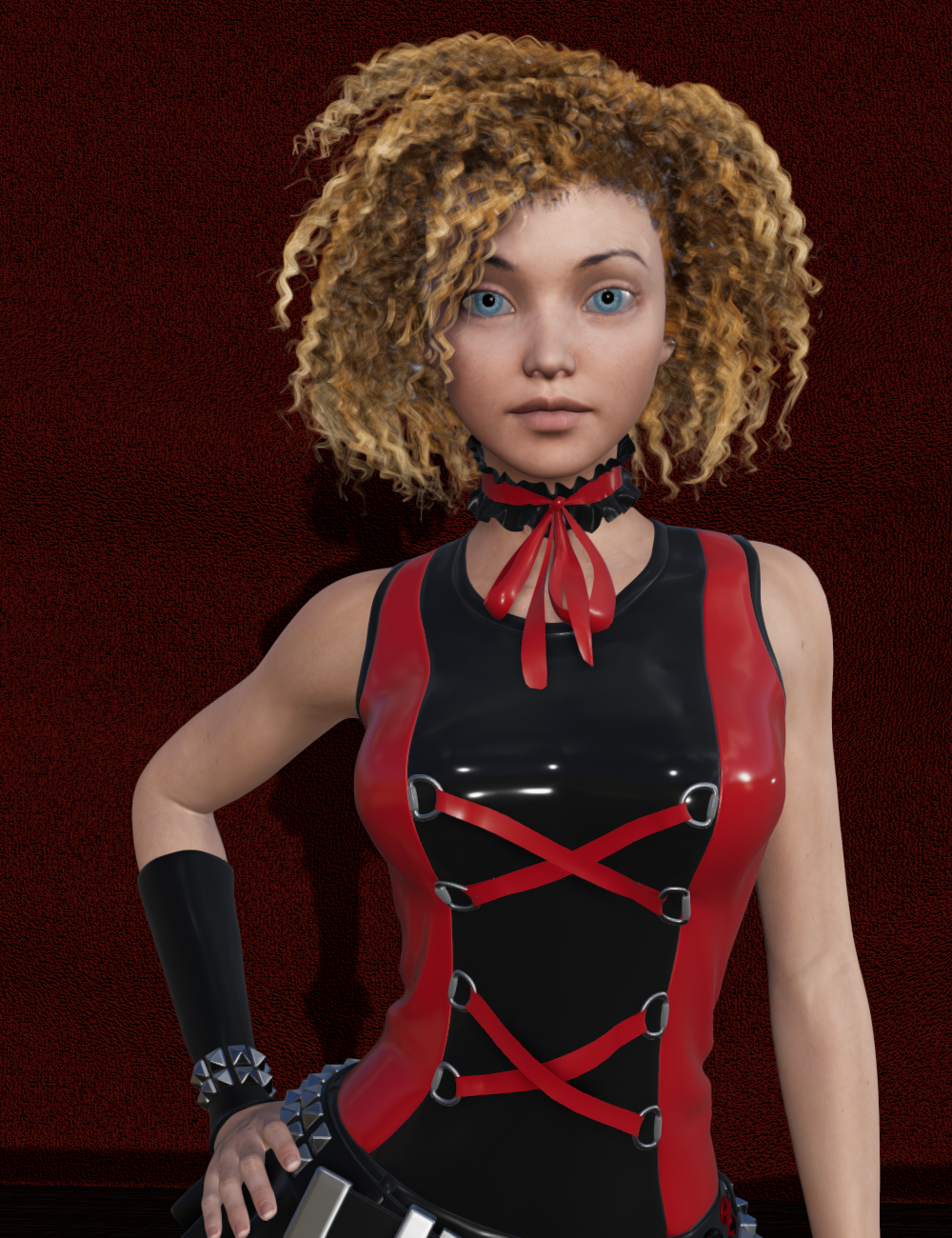
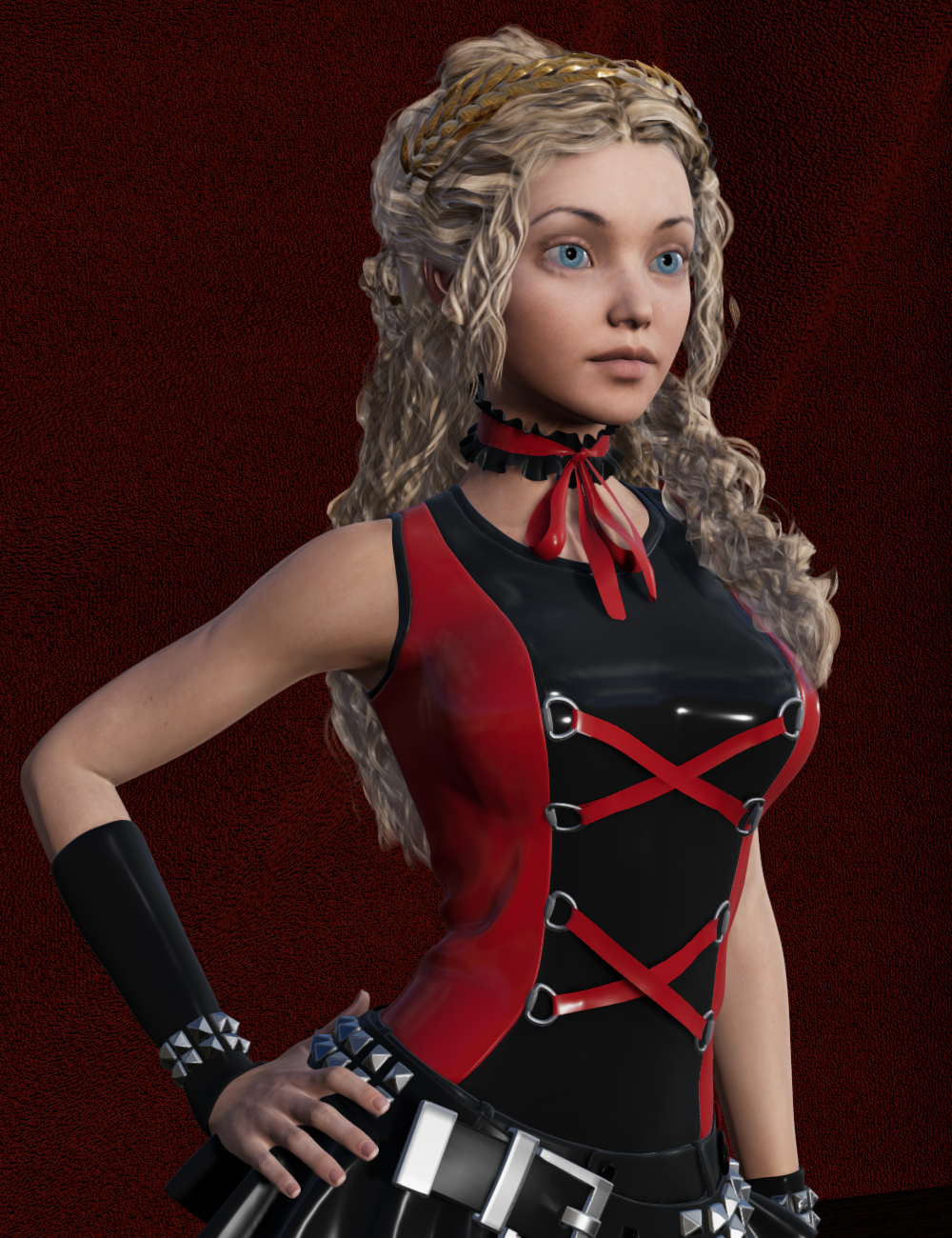
See a trend? "Busy" hair, or curly hair, or braids, can sometimes help hide the translucency issues.
All that to say, though, is that hair is extremely tricky in the current version of Filament (from what I can tell). That's not to say that it's not doable for Filament renders, of course, it just takes some tweaking for the time being. Hopefully, trans maps will be something that is worked on and addressed with future updates.
Filament update Broke Nvida Iray previewAfter the new Filament update 4.14.0.8 my Nvida Iray engine preview no longer works.
First off I'm really enjoying the Filament system, I understand It's going though some Growthing pains right now. It has wonderful potention for workflow and productivity. That being said, let's start getting those kinks out of the system by sharing our experiences. I Played around with Filament, tryed a few quick animations, previews, sets. Nothing fancy, just getting my feet wet, but noticed Iray mat colors looked "off" almosted fadded or washed out in the filament preview, but fine in texture shaded preview. I just chalked it up to weird lighting or perhaps the nature of the filament previewer after that I did the following...
Things I have tired so far:
-swapped render settings to viewport / Filament (PBR) + Nvidia Iray preview -- Iray image pixiles never load image stays greyed out awaiting color, but rotatable/repositionable (as if still in filament but w/o color)
-Swapped render settings back to Nvida / Nvidia Iray preview + restart pc + reload program + reload refresh Iray Character-- same result as above.
-Attempted Spot Render Tool while in Nvidia Engine + Texture shaded preview / filament (PBR)--popup window calculating colors pops up along w/window of image, but image never forms, after 3 to 10 seconds calculating window closes and image stays white. all I can do is close it. Moving scene around clears the spot render preview.
-Attempted Spot Render Tool while in Viewport + Texture shaded preview / filament (PBR)--same as above.
-Attempted to Render image while in Texture shaded / Nvidia /Filament (PBR) preview while in Nvidia engine Result was image instantly completed not high quality rendered image (assumed filament) and saveable it also matched the Filament preview window.
Attached is the dxdiag file of my PC. Below is General Info of my pc:
PC Win10 home 64bit
AMD RYZEN 7 1700 8CORE 16CPU 3.0GZ
Nvidia GeForce GTX 1050 Ti
64GIG RAM
DirectX 12
Please help any advice would be greatly appreciated. I had waited a few days at first thinking there'd be a patch (or two or there) but nothing so far. Let me know what I can do to help resolve this issue!
Thank you for your time
Sincerely,
Jacob
Visual Novel support groupI don't know how the mods are with thread necros, but as there is already a thread for VN support I did not really want to create a new one. This way it keeps the topic contained (as it does not appear to be a widely used purpose, at least in the forums).
If I were you, I'd create a new topic in the new users subforum for just this. What you described here is a very interesting way about getting around correcting lights for spot rendering characters into scenes. Of course there are ways which others will argue are easier to set up, such as using iray canvases, but your method will benefit other renderers like filament too.
Filament Preview crashes DAZOn a side note, resetting things (purging caches, etc) it DID allow me to render and use filament. I also merged and updated the panels. Once. I rendered. Moves stuff around. Went to re-render and crash. I was able to reopen a saved scene into filament.
I have not yet upgraded the drivers so I am using NVidia Studio Driver 457.30 (released 11/17/2020)
Reopened scene in Filament. Changed from Filament to texture shading and was able to render.
Hope this helps. Not sure what the magic setting was though.
Thank you. But I'm not this adventurous. And I don't think it should be this delicate.
In any case, if a setting causes Filament preview to crash DAZ Studio, it should do so "gracefully" with an informative error message.
 Filament Preview crashes DAZ
I am experiencing that problem as well. I also have a 64GB or RAM and a GTX 1070 video card.
Filament worked at first.I am using the Studio driver and am changing to Game Ready driver. Will see if that makes a difference. I did purge my caches. Will have to see if reseting the Daz3d settings will work too.
It worked for me too, at first. But now it just takes down DAZ Studio.
It would be a nice viewport tool if it actually worked now.
And I have not changed any settings to cause this. I don't even know how.
Filament Preview crashes DAZOn a side note, resetting things (purging caches, etc) it DID allow me to render and use filament. I also merged and updated the panels. Once. I rendered. Moves stuff around. Went to re-render and crash. I was able to reopen a saved scene into filament.
I have not yet upgraded the drivers so I am using NVidia Studio Driver 457.30 (released 11/17/2020)
Reopened scene in Filament. Changed from Filament to texture shading and was able to render.
Hope this helps. Not sure what the magic setting was though.
Filament Preview crashes DAZI am experiencing that problem as well. I also have a 64GB or RAM and a GTX 1070 video card.
Filament worked at first.I am using the Studio driver and am changing to Game Ready driver. Will see if that makes a difference. I did purge my caches. Will have to see if reseting the Daz3d settings will work too.
DELETEthese are all M3 and V3, I would be out of RAM with two Genesis + in that scene
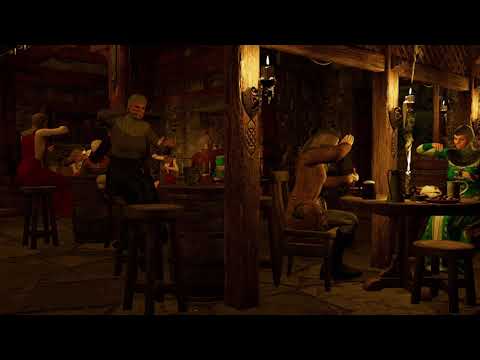
I am now redoing it with even 6 more M3 characters so less instanced duplicates, still under 20GB RAM and just fits on my 980ti surprisingly with more headroom using iray than Filament but iray painfully slow.
New DS Filament Render EngineDoes anyone know whether the AOA Advanced Ambient, Spotlight and Distant lights work in Filament?
I thought that since lighting seems to be sort of retro in Filament (point, spot & distant lights instead of meshes and emissives etc) that old-skool products catering to the 3DL days might be useful, and since these AOA Advanced lights had lots of custom controls for SHADOWS and FALLOFF and so forth I thought they might really be awesome for Filament rendering. BUT. I tried each of the 3 AOA Advanced light types, and even with super-freak intensity values, I see NO ADDED LIGHT or any other scene change (except of course, the light objects being in the scene list) from any of them. All the controls which go to each of the light types show up in the appropriate places, I can place and move and adjust the light objects in the scene... in other words, everything seems to be working as expected, except the part about no light. (Yes, I did switch the illumination for the light to ON ;) So, are these lights only renderable by the 3DL engine? I confess, I'm fearfully ignorant of how light devices work in terms of the various engines, but since the regular SPOT, DISTANT and POINT lights in daz seem to work in 3dl AND in iray, and these AOA lights worked in 3dl, I sort of thought they'd work in Filament likewise.
~GenMEC4D's celebration ( with freebies ) [commercial]I was playing with Poser12 , very fast rendering with all my GTX cards , 5 sec for a full Stonemason scene that was faster than in iray and super crisp with SuperFly .
However using true HDRI is still questionable so how PBR suppose to work without it as the surface can't reflect proper light values like in Filament ? any idea Richard , since you beta tested it
or should I use emitters with HDRI maps ?
Happy Thanksgiving to everyone. Quiet day. I watched Steel Magnolias. I laughed hard at the relationship between Ouiser and Clairee and other moments but cried my eyes out about death and birth and weddings. I'm such a sap!
 DS 4.14 Crashing
This raises a question. What actual advantage is there to upgrading to 4.14?
I'm on a Mac, so I don't have access to Nvidia hardware. Filament is also a no-go. Are there any actual features or improvements in 4.14 that are accessible to me? Is there any practical reason for me to upgrade at this point in time?
I'm very much in an "it ain't broke" position right now. I don't do animations, and don't care about Iray. What's in 4.14 for me?
Still using 4.12.0.86 as it has no problems that I have encountered and waiting to see what kind of problems early adopters are having.
4.14 was about support for RTX 30xx, Filament and fixes for problems with timeline in 4.12.1.xx, none which concern me. So far it looks like I'm skipping this one too.
SOLVED:Can't select Filament (PBR) in Viewport drop-down (grayed-out)But, why it's still not working? (The Filament Render still not working)DS 4.14 CrashingWin10, 2080Ti, found Studio 4.12 very stable.
Win10, 2080Ti Studio 4.14, PoS by comparison. Many crashes where Daz simply quits and I'm left cursing. Now I'm saving every few changes.
Worst offender seems to be Filament. I absolutely won't use it now.
DS 4.14 CrashingThis raises a question. What actual advantage is there to upgrading to 4.14?
I'm on a Mac, so I don't have access to Nvidia hardware. Filament is also a no-go. Are there any actual features or improvements in 4.14 that are accessible to me? Is there any practical reason for me to upgrade at this point in time?
I'm very much in an "it ain't broke" position right now. I don't do animations, and don't care about Iray. What's in 4.14 for me?
https://www.daz3d.com/forums/discussion/449356/daz-studio-pro-4-14-highlights#latest
DS 4.14 CrashingThis raises a question. What actual advantage is there to upgrading to 4.14?
I'm on a Mac, so I don't have access to Nvidia hardware. Filament is also a no-go. Are there any actual features or improvements in 4.14 that are accessible to me? Is there any practical reason for me to upgrade at this point in time?
I'm very much in an "it ain't broke" position right now. I don't do animations, and don't care about Iray. What's in 4.14 for me?
I'd stick with 4.12 if you're happy with it.
DS 4.14 CrashingThis raises a question. What actual advantage is there to upgrading to 4.14?
I'm on a Mac, so I don't have access to Nvidia hardware. Filament is also a no-go. Are there any actual features or improvements in 4.14 that are accessible to me? Is there any practical reason for me to upgrade at this point in time?
I'm very much in an "it ain't broke" position right now. I don't do animations, and don't care about Iray. What's in 4.14 for me?
New DS Filament Render Enginehey thanks :) first thing i did when downloading was switch to viewport mode for filament but was confused and unimpressed as the light was super bright and was slightly confused then after learning to create the filament draw mode to alter the brightness i was impressed
Daz 3D is part of

Connect
DAZ Productions, Inc.
7533 S Center View Ct #4664
West Jordan, UT 84084Licensing Agreement | Terms of Service | Privacy Policy | EULA
© 2026 Daz Productions Inc. All Rights Reserved.