-
New DS Filament Render Engine
Filament got a new release version 1.9.9 almost 2 weeks ago:
https://github.com/google/filament/releases
dunno what version DS has but for sure is not 100% capable yet INSIDE DS.
And this is DAZ github. Looks like the latest update was July :P
New DS Filament Render EngineFilament got a new release version 1.9.9 almost 2 weeks ago:
https://github.com/google/filament/releases
dunno what version DS has but for sure is not 100% capable yet INSIDE DS.
The previous version wasn't fully implemented in DS, either.
New DS Filament Render EngineFilament got a new release version 1.9.9 almost 2 weeks ago:
https://github.com/google/filament/releases
dunno what version DS has but for sure is not 100% capable yet INSIDE DS.
Visual Novel support groupI don't know how the mods are with thread necros, but as there is already a thread for VN support I did not really want to create a new one. This way it keeps the topic contained (as it does not appear to be a widely used purpose, at least in the forums).
I arrived here months ago as the reason I started looking into Daz was to review its feasibility (for me) in creating art assets for a VN. While I'm satisfied (more than so, really) that it can create great art, I only just stumbled onto a method I can reliably use it to create backgrounds and characters that were somewhat seamless. As a bonus, this method lets me use emissives from the set and avoid lighting replication issues. As an added bonus, it it very easily applied:
Iray Matte. The advanced Iray parameter lets you turn any surface into a shadow and reflection catcher. These are stil preliminary test renders but it shows the basic premise. Setup the scene and cameras and render (without the figure).
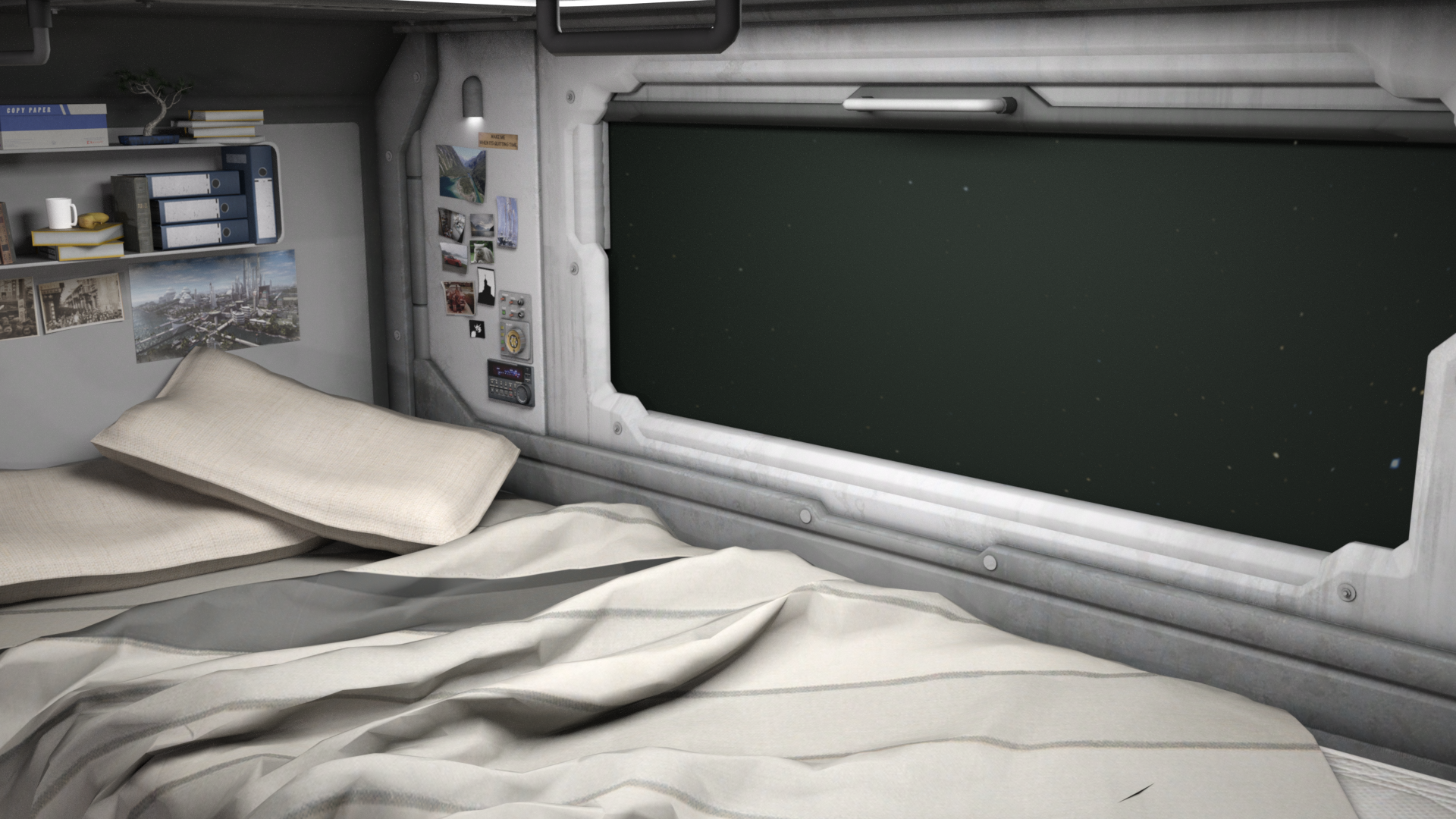
Then duplicate all the emissive set surfaces and visible set surfaces (at least the ones that will potentially get shadows) and set them all to a Matte surface in the parameters. Remove any visible dome/ground (in this example I also removed the dome as it was not providing scene light). Then render your figure.
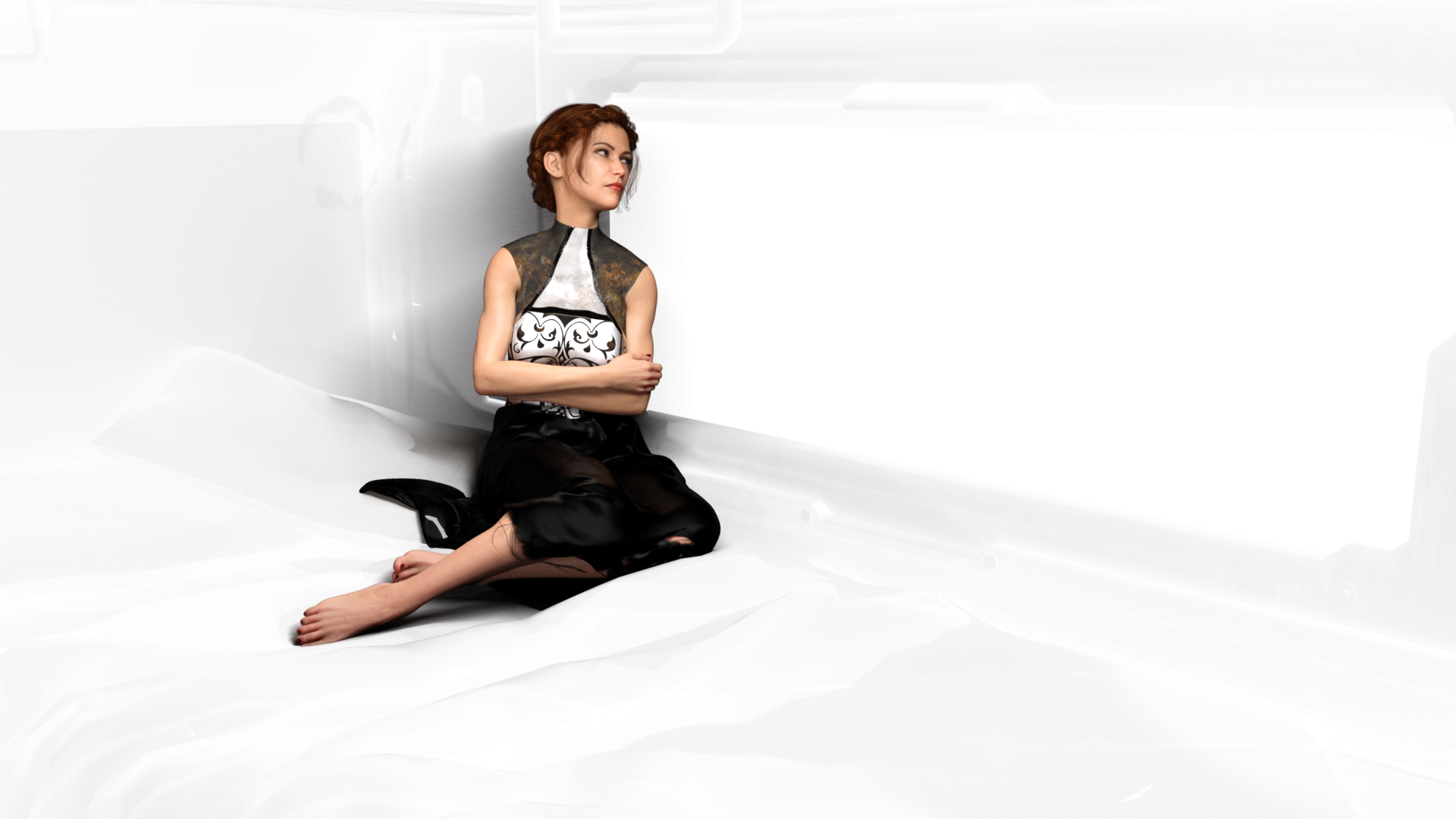
In your VN maker of choice, use the character image as your character.
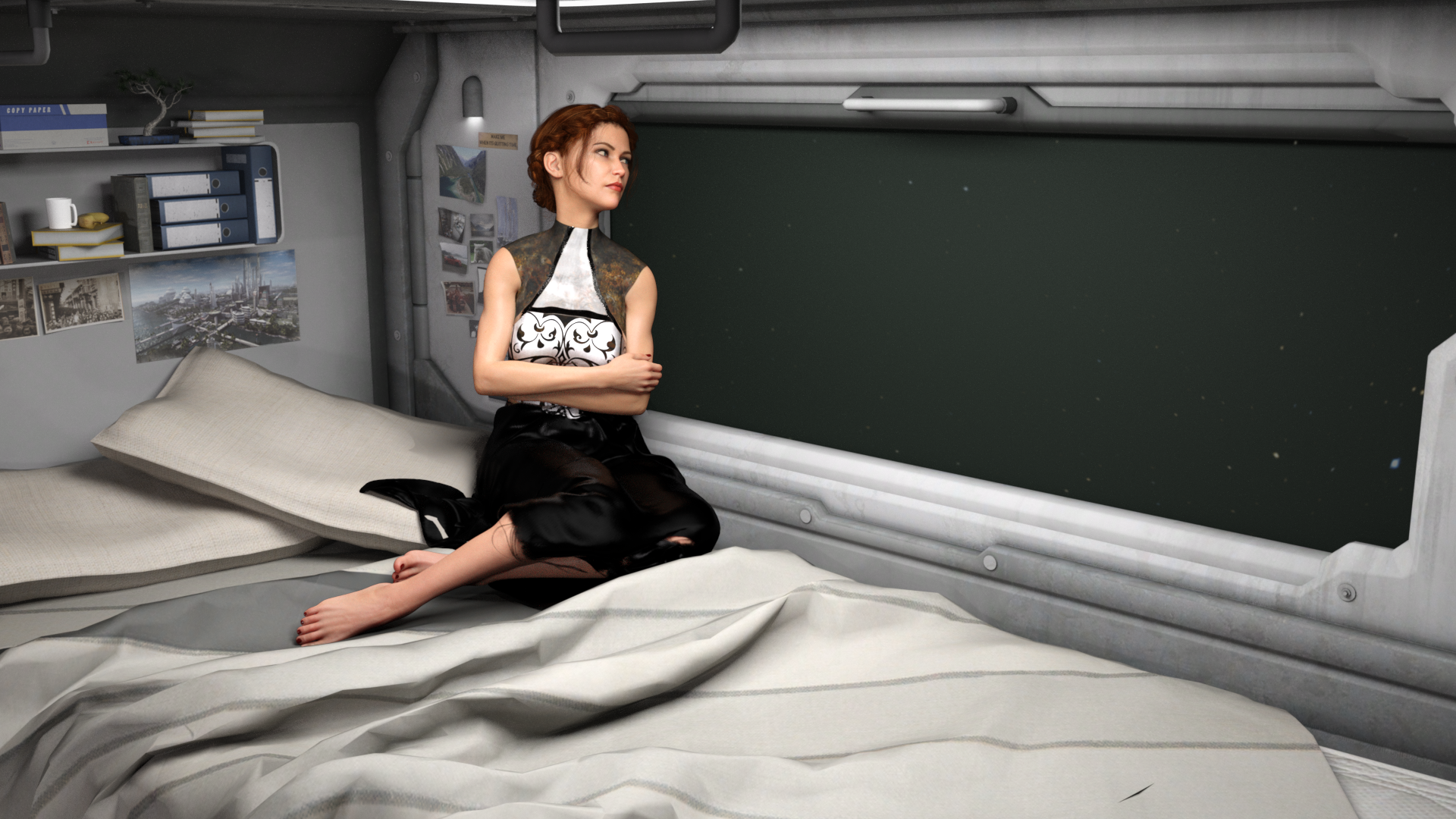
Overal render time is quite diminished. As well, iterations of expression/poses can be saved as separate frames and rendered as a batch.
Depending on your lighting, this will add a small amount of extra shadow. This can be edited out later (or left as desired).
This is a fantastic idea! And yeah, I can totally see this being use as a shadow overlay for like Filament renders! Doing the character and the Iray Matte in Iray and rendering the background in Filament then combining them in PS or Gimp.
I think an easy way to duplicate the surfaces is just to create a Group of the environment elements then create an instance of the group (Create >> New Node Instance). Then you can size the original group up slightly larger and "over" the instance, apply the Iray Matte to the original group and render it - that should create the shadows layer.
I tried it out and it seemed to work pretty well!
Here's the Iray Matte pass (layer duplicated 3 times and combined in Photoshop to make the shadows darker):
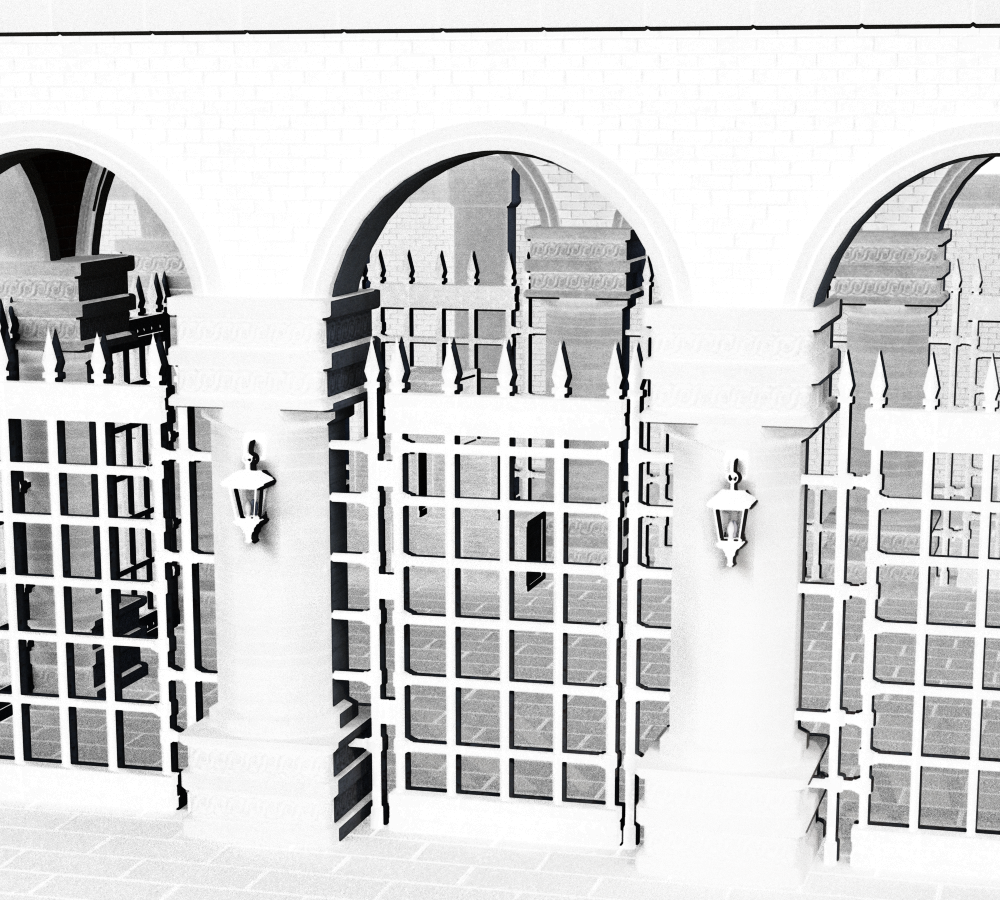
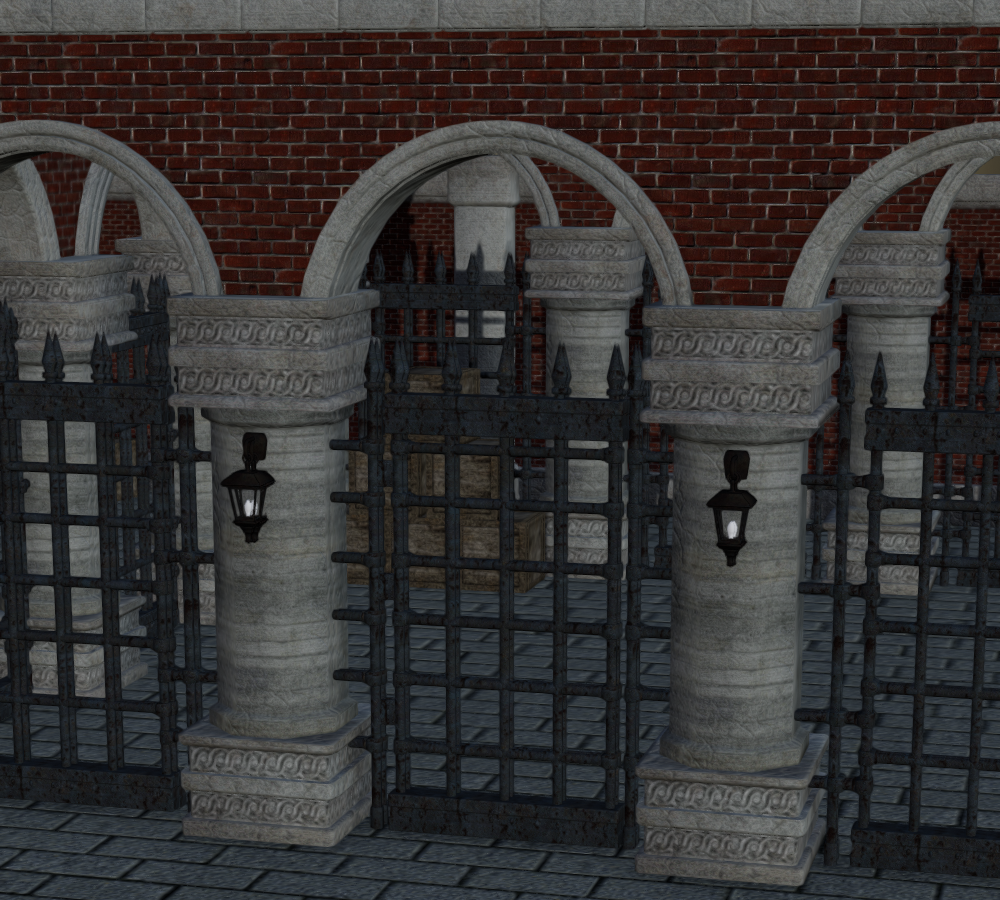
Here's the Filament pass:
Here's the combination plus a minor tweak to color and contrast:
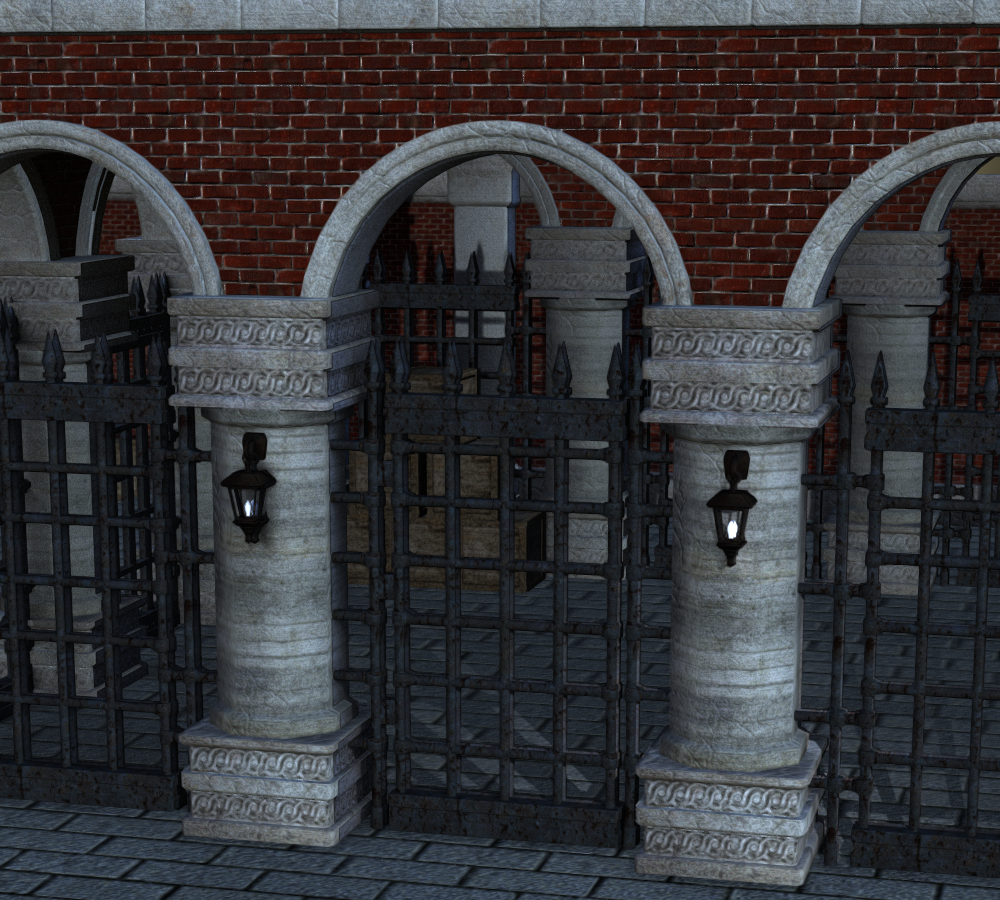
The whole thing, including compositing in PS, took maybe five minutes. Rendering it in Iray would have taken much longer on my machine. So this seems like it would be a great way to create fast backgrounds by combining Iray shadows with Filament renders.
Oh this is awesome. I've been playing with Iray/Filament composites and I do a lot of compositing in general, so I'm going to have to play around with this for sure.
Daz Studio 4.14 Pro, General Release!Any word of if or when emissives will be added to Filament?
Apparently they have to be "baked" to work in Filament. One thing that seems to happen is that HDRI light dome light penetrates walls with Filament even to the extent that I've seen a (bright) Dome actually come through a (dim) Backdrop. This may be because the shader setup on the backdrop is such that Filament treats it as transmissive, this certainly happens with some garments with Iray materials, so I don't know if it is a general property of the Dome or not. Anyway, it gives a second solution to emissive surfaces (the first being to supplement them with Scene lights); once a scene is set up with a camera use the camera to render a Dome in Iray consisting of just the emissive surfaces including the original dome (should be fast) then use this as the environment dome. I haven't tried this; so far I've just added new Scene lights, something that is pretty easy.
Daz Studio 4.14 Pro, General Release!Any word of if or when emissives will be added to Filament?
I don't think we ever get any information about future additions to Daz Studio. You can watch the change log to see what they are working on (scroll to the end), but it is "sanitized" with statements like "Source maintenance" to keep things secret.
Daz Studio 4.14 Pro, General Release!Any word of if or when emissives will be added to Filament?
Llynara's Loony Bin (WIP Thread)Ha ha, thanks!
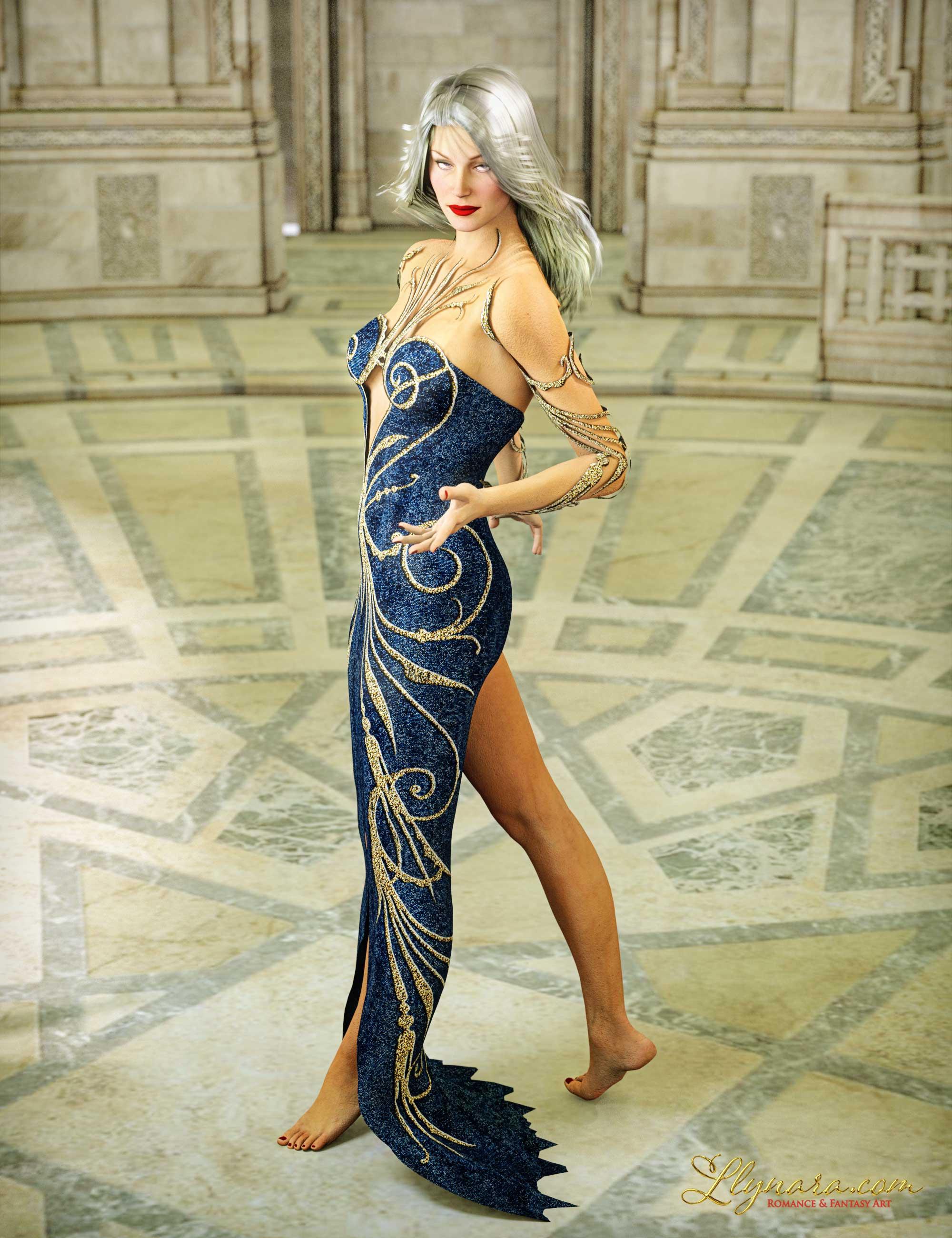
I haven't been here in an age. This year has been so totally crazy. Haven't opened DAZ much, not even the store, but the new Filament and Octane add-ons looked fun, so I started playing. And what better way to test Octane than to throw my favorite, ancient characters at it?
Here's V3 in the Blue Moods Dress and the Aslan Court set. Spellcaster poses, V3 Hi Def mats, and Embrace V3 hair. Default materials on everything, auto-converted. I had to mess with the lipstick and nail polish to get it to show right. I really love the results and the render was so fast! I put my usual postwork on.
 The Mac FAQ
So, 4.14 is working on Catalina, with equal or better IRAY (but without Filament or Octane)?
Yep, Tho Filament does work on MacOS its just daz hasn't add it as of yet (it's something to do with the SDK), There is also a version of Octane that works on the Mac but only if you have one of the supported gfx cards (it seems you need a Mac Pro or an iMac Pro) but there is no Daz plug-in for it.
MEC4D's celebration ( with freebies ) [commercial]I was playing with Poser12 , very fast rendering with all my GTX cards , 5 sec for a full Stonemason scene that was faster than in iray and super crisp with SuperFly .
However using true HDRI is still questionable so how PBR suppose to work without it as the surface can't reflect proper light values like in Filament ? any idea Richard , since you beta tested it
or should I use emitters with HDRI maps ?
Happy Thanksgiving to everyone. Quiet day. I watched Steel Magnolias. I laughed hard at the relationship between Ouiser and Clairee and other moments but cried my eyes out about death and birth and weddings. I'm such a sap!

I know very little about HDR's honey. I know that using the still in beta of Snarly's Python EZDome works very well. The thing is allot of the HDR's don't come with IBL files and that really helps load up the default settings best for it. Here is an example of Alex's Apartment using the EZDome. Looks like a photograph to me so it's improved compared to Poser 11!
Auto Muscle Enhancer HD [Commercial]terry_duquette, "Wow"! Younger Lara is one of the best fitness models I have ever seen!
leemoon thank you for your condolences. It is a relief to know that he he is restored to physical and mental health but his passing did leave a Grand Canyon size hole in our life.
Here is me still trying to find the right skin shade in Filament. Trying to work out something in quality to Iray but failing miserably. If anyone has figured this out please share.
Thank you.
Thanks Sigurd! Meant to post this pic, with an expression and the backpack fix. Regarding Filament, my investigations have shown that the settings are highly dependent on the SSS settings. Some 3Delight textures look better in Filament! Also I haven't found any universal setting that works either. Overall I like it during workflow, but it is definetley a lower resolution renderer. However it makes animations a whole lot more fun and way faster to see an outcome. If somebody comes up with some settings that work I would love to see them also.
Thanks again,
TD.
Auto Muscle Enhancer HD [Commercial]terry_duquette, "Wow"! Younger Lara is one of the best fitness models I have ever seen!
leemoon thank you for your condolences. It is a relief to know that he he is restored to physical and mental health but his passing did leave a Grand Canyon size hole in our life.
Here is me still trying to find the right skin shade in Filament. Trying to work out something in quality to Iray but failing miserably. If anyone has figured this out please share.
Thank you.
New DS Filament Render EngineThanks 3Diva, that's a really useful summary. So Filament, at least for character portraits, is a very good preview mechanism and a very poor renderer. Of course, there is the option for spot rendering hair in one of the other engines and then compositing in a paint program. Fiddly, but doable.
Actually, it's not a great preview mechanism, at least for Iray, and it's a decent and very fast render engine for certain styles of artwork. When I started this thread after it first appeared in the beta it was originally titled something about Filament as a preview mode. When I realized it's something else, I changed the thread subject. Iray Photoreal depends heavily on lighting, reflections, transparency maps and emissives and none of those work the same way in Filament, and never will. For Iray renders, we're still better off going between texture-shaded for setup and Iray Photoreal previews, IMO. You can use Filament to position HDRI backgrounds if you don't depend heavily on the HDRI for lighting, but that's about all.
The misconception about Filament being a preview mode for Iray comes from the fact that it is implemented as a draw style and uses the Viewport render function. The thing is you need to do a lot of the work PAs usually take care of by supplying Iray materials. And you can't expect to get Iray results with Filament any more than you should expect to get filet mignon results when cooking pork. You set up a scene for Iray or you set up a scene for Filament.
Here we go again - falling back on cpu rendering, yet againI was wrong. I don'T even have to load new assets, it already happens when I turn off assets in the scene. Even with the iray preview. I load the scene it renders on gpu, I hide one item, it falls back on cpu instantly.
Are you using Section Planes? How much memory does your GPU have, and what is in the scene? Do you avoid this if the Viewport is in a non-GPU mode (not Filament or iray) when you start the render? Are you closing earlier render windows before starting a new render?
Not using section planes. 11GB VRAM, it would be so great if the iray renderer would actually display the VRAM required to render the scene on GPU, and an exact reason for the CPU fallback when that happens. And the fallback shouldn't be automatic! When for some reason GPU rendering fails, it should give a message: " Hey stoooopid, gpu render failed for this and this exact reason, do you want to continue rendering on CPU or cancel?" I didn't buy a $1000 GPU to then be stuck rendering on my CPU 100 times slower.
CPU fallback (without prompting) is the default behaviour - set in the Advanced tab of Render Settings (a restart is needed after changing it).
Unfortunately there isn't a way to pre-claculate how much memory will be used, and for error messages DS is limited to what Iray provides (which get written to the log).
Visual Novel support groupIf I were you, I'd create a new topic in the new users subforum for just this. What you described here is a very interesting way about getting around correcting lights for spot rendering characters into scenes. Of course there are ways which others will argue are easier to set up, such as using iray canvases, but your method will benefit other renderers like filament too.
The whole thing, including compositing in PS, took maybe five minutes. Rendering it in Iray would have taken much longer on my machine. So this seems like it would be a great way to create fast backgrounds by combining Iray shadows with Filament renders.
I had not even considered the potential opportunity with Filament renders. I'd honestly ignored Filament for now as I ue a lot of emissives in my renders, but this is a great workaround!
AIUTO...CHI CONOSCE L’ITALIANO? PARTE DODICI@Imago senti ma non capisco una cosa, Filament può usare sia gli Shader di Iray che di 3Delight?
Esatto, ma non tutti. Alcuni non vanno proprio, come quelli delle rifrazioni per 3Delight e gli emissivi IRay.
Ne ho provati un pò e qualcuno 3Dlight sembra funzionare, ma la compatibilità maggiore ce l'hai con IRay perchè è un motore puramente fisico e IBL come Filament.
In ogni caso, i materiali di bvase per 3Delight funzionano perfettamente come le bump map e le reflections.
Io feci un test veloce con un item per 3Delight (Rama Drums | 3D Models and 3D Software by Daz 3D), e devo dire che ne rimasi sinceramente sorpreso. Ma se il viewport è piccolino, come nel mio caso, non posso renderizzare in un formato più grande?
Certo, dalle impostazioni di render.
COme faccio? se non fa lìoutput in finestra esterna, lo faccio direttamente slaare con le misure che imposto?
Ogni tanto ho il dubbio che non usiate DAZ Studio ma qualche altro programma...

Esattamente come per IRay e 3Delight, vai nelle opzioni di render (Render Setting) e imposti la destinazione come New Window e le dimensioni, ricordandoti di settare su "viewport" il motore in alto (engine).
Ora quando premi su "Render" o pigi CTRL+R DAZ Studio renderizzerà con Filament in una nuova finestra, applicando tutti quegli effetti non visibili direttamente nel workspace, secondo lo shader che stai usando.
Ah, al momento lo Spot Render risponde al ultimo motore usato prima di Filament, per cui se hai usato IRay prima di Filament avrai uno spot su IRay, stessa cosa con 3Delight.
Visual Novel support groupThis is an outstanding technique, Tirick, and the solution to something that had bothered me for quite some time. Thank you for sharing. Also, thanks, 3Diva, the trick to add realistic shadows to Filament could also significantly speed things up.
The Mac FAQSo, 4.14 is working on Catalina, with equal or better IRAY (but without Filament or Octane)?
Here we go again - falling back on cpu rendering, yet againI was wrong. I don'T even have to load new assets, it already happens when I turn off assets in the scene. Even with the iray preview. I load the scene it renders on gpu, I hide one item, it falls back on cpu instantly.
Are you using Section Planes? How much memory does your GPU have, and what is in the scene? Do you avoid this if the Viewport is in a non-GPU mode (not Filament or iray) when you start the render? Are you closing earlier render windows before starting a new render?
Not using section planes. 11GB VRAM, it would be so great if the iray renderer would actually display the VRAM required to render the scene on GPU, and an exact reason for the CPU fallback when that happens. And the fallback shouldn't be automatic! When for some reason GPU rendering fails, it should give a message: " Hey stoooopid, gpu render failed for this and this exact reason, do you want to continue rendering on CPU or cancel?" I didn't buy a $1000 GPU to then be stuck rendering on my CPU 100 times slower.
Filament bring out the Renders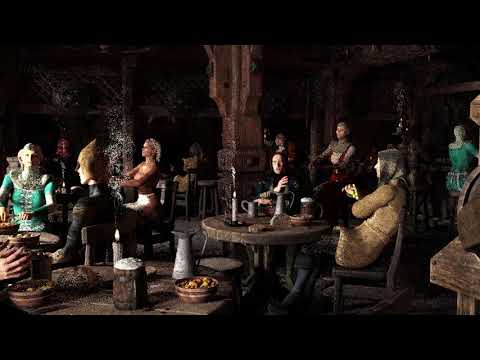
3 Filament clips
same clips
iray-iray denoised-iray all 20 iterations path length 10

both screen blended,
the denoised one has little effect IMO
Daz 3D is part of

Connect
DAZ Productions, Inc.
7533 S Center View Ct #4664
West Jordan, UT 84084Licensing Agreement | Terms of Service | Privacy Policy | EULA
© 2026 Daz Productions Inc. All Rights Reserved.