-
Daz Studio 4.12 Pro, General Release! (*UPDATED*)
I'm using DS 4.12.0.86 that I installed less than a couple weeks ago. All of a sudden last night, I can't render anything. I have nothing but a blank checkered viewport after rendering. Haven't made any changes. Just stopped working. Any ideas what would make that happen?
Also check that Windows Update hasn't downdated your GPU driver below the minimum rquired version (430.86).
I'm using DS 4.12.0.86 that I installed less than a couple weeks ago. All of a sudden last night, I can't render anything. I have nothing but a blank checkered viewport after rendering. Haven't made any changes. Just stopped working. Any ideas what would make that happen?
Check the log and see what it says.
This is the long and not short version of it. Am pasting a bunch of stuff:
Log file snippets:
Windows 10 build 9200, no service pack installed
Could not add path:** "C:/Users/Owner/AppData/Roaming/DAZ 3D/Studio4/temp/shaders/iray". Due to unknown error -2
**In my temp folder I don't even have a shaders folder. Only folders I have are: Face Transfer, render, RenderAlbumTmp, textureConvert. How do I get an Iray folder?2019-11-07 20:17:31.683 Scanning Content folders...
2019-11-07 20:17:31.700 WARNING: ..\..\..\..\..\src\sdksource\general\dzcontentmgr.cpp(1816): Nested directory encountered while adding a content folder: E:/My Documents/DAZ 3D/Studio/My Library/content : E:/My Documents/DAZ 3D/Studio/My Library
**I have 2 content libraries on E:\. One goes to My Library, and the other is My Libray/content (don't ask--too late in my life to move them). So is that causing an issue?(GeForce GTX 1070 Ti): WDDM driver used, consider switching to TCC driver model if no display needed (via 'nvidia-smi -dm 1'), to increase rendering performance
**Huh? What does that mean?I updated my nvidia driver to 431.86
My log file also says "Your NVIDIA driver supports CUDA version up to 10.1; iray requires CUDA version 10.1; all is good."
**So does that mean my CUDA is now 10.1 since I upgraded my driver? The other day it said CUDA was 9.1.Could not add path:** "C:/Users/Owner/AppData/Roaming/DAZ 3D/Studio4/temp/shaders/iray". Due to unknown error -2
**In my temp folder I don't even have a shaders folder. Only folders I have are: Face Transfer, render, RenderAlbumTmp, textureConvert. How do I get an Iray folder?2019-11-07 20:17:31.683 Scanning Content folders...
2019-11-07 20:17:31.700 WARNING: ..\..\..\..\..\src\sdksource\general\dzcontentmgr.cpp(1816): Nested directory encountered while adding a content folder: E:/My Documents/DAZ 3D/Studio/My Library/content : E:/My Documents/DAZ 3D/Studio/My Library
**I have 2 content libraries on E:\. One goes to My Library, and the other is My Libray/content (don't ask--too late in my life to move them).I can render again, but I still can't render dforce cat hair or human hair.
Forgot to add my screenshot. Is the OpenGL 4.6 a current version?
Try to render something, and copy/paste the last few lines or so of the log. That usually contain any render errors, etc.
Guy 8Of course, with Aiko 8 and Kanade 8, Gen8 has THREE toon style females.
As for male toons not selling well, it's often the case that no-one will buy what simply does not exist!
Well, we finally got Kanade's companion...
I suspect a male toon character will sell better than BABIES especially if bundled with good clothing (like all the other figures).
Don't be so sure. Babies are one of those general Quality of Life figures that's generally needed. Problem is the offical daz babies are rather terrible to the point I actually perfer the Genesis 1 baby.... or Sixus1's Genesis 8 baby. Face is a little off, but dialing in some of the Daz baby's face smooths out the worst of it and the body is infinitely less derpy.
I, for one, would like to be able to do, say, i nice Dragonball or Street Fighter render that feayured some of the MALE characters.
Toon Hero is perfect for that. Esp if you port The Guy 7 to Genesis 8 and then mix the two.
I suspect a male toon character will sell better than BABIESUGH. Even seeing mention of those triggers me!
Because you think they're pointless or because you think they're poorly done?
Back on topic: One of the main reasons why I haven't purchased Girl 8 or Sakura 8 is because there isn't yet a male counterpart. I get that they might not sell as well, but if I'm going for a particular style, I'd prefer to have all the necessary tools, not half of them.
Dig up the free G3 to G8 transfer script off the forum. You'll be able to port Guy 7 to Genesis 8 rather easily. Girl 7 too. She actually mixes rather well with Girl 8 to give an array of good looking characters. Same with Toon Hero and Guy 7
Right now Cartoonized for G8F/G8M can offer that, but it leaves a lot to be desired in the eye customization.
Guy 7 to 8 ;)
Daz Studio 4.12 Pro, General Release! (*UPDATED*)I'm using DS 4.12.0.86 that I installed less than a couple weeks ago. All of a sudden last night, I can't render anything. I have nothing but a blank checkered viewport after rendering. Haven't made any changes. Just stopped working. Any ideas what would make that happen?
Also check that Windows Update hasn't downdated your GPU driver below the minimum rquired version (430.86).
I'm using DS 4.12.0.86 that I installed less than a couple weeks ago. All of a sudden last night, I can't render anything. I have nothing but a blank checkered viewport after rendering. Haven't made any changes. Just stopped working. Any ideas what would make that happen?
Check the log and see what it says.
This is the long and not short version of it. Am pasting a bunch of stuff:
Log file snippets:
Windows 10 build 9200, no service pack installed
Could not add path:** "C:/Users/Owner/AppData/Roaming/DAZ 3D/Studio4/temp/shaders/iray". Due to unknown error -2
**In my temp folder I don't even have a shaders folder. Only folders I have are: Face Transfer, render, RenderAlbumTmp, textureConvert. How do I get an Iray folder?2019-11-07 20:17:31.683 Scanning Content folders...
2019-11-07 20:17:31.700 WARNING: ..\..\..\..\..\src\sdksource\general\dzcontentmgr.cpp(1816): Nested directory encountered while adding a content folder: E:/My Documents/DAZ 3D/Studio/My Library/content : E:/My Documents/DAZ 3D/Studio/My Library
**I have 2 content libraries on E:\. One goes to My Library, and the other is My Libray/content (don't ask--too late in my life to move them). So is that causing an issue?(GeForce GTX 1070 Ti): WDDM driver used, consider switching to TCC driver model if no display needed (via 'nvidia-smi -dm 1'), to increase rendering performance
**Huh? What does that mean?I updated my nvidia driver to 431.86
My log file also says "Your NVIDIA driver supports CUDA version up to 10.1; iray requires CUDA version 10.1; all is good."
**So does that mean my CUDA is now 10.1 since I upgraded my driver? The other day it said CUDA was 9.1.Could not add path:** "C:/Users/Owner/AppData/Roaming/DAZ 3D/Studio4/temp/shaders/iray". Due to unknown error -2
**In my temp folder I don't even have a shaders folder. Only folders I have are: Face Transfer, render, RenderAlbumTmp, textureConvert. How do I get an Iray folder?2019-11-07 20:17:31.683 Scanning Content folders...
2019-11-07 20:17:31.700 WARNING: ..\..\..\..\..\src\sdksource\general\dzcontentmgr.cpp(1816): Nested directory encountered while adding a content folder: E:/My Documents/DAZ 3D/Studio/My Library/content : E:/My Documents/DAZ 3D/Studio/My Library
**I have 2 content libraries on E:\. One goes to My Library, and the other is My Libray/content (don't ask--too late in my life to move them).I can render again, but I still can't render dforce cat hair or human hair.
Forgot to add my screenshot. Is the OpenGL 4.6 a current version?
How long until Gen9?I’m glad I didn’t vaguely avoid G8 out of some worry about future upgrades. Have you all seen the amount of G8 items at bargain basement prices over the past two months? Waiting and missing them was a mistake for those who did. One should at least give serious debate to the 1.99 items. There have even been a few G8 items in the 8 for 2.99 bundle.
If if I took this viewpoint, I could still be on G2. G8 has a lot of great nuances for both figures. I’ve been slower on G8M but have still picked up a bunch of great stuff for it. Most G3 clothing and hair items work. (I know people will copy the last sentence and ignore everything else) Poses are poses and always need conversion or simply new packs. But again, the new packs have been at basement busting prices.
It will be annoying to wait a few months and then try to start without the sale. G9 isn’t coming anytime soon. Avoiding 8 will eventually become painful, as so many cool items release for it. I only picked up a few items in the prior (2018) holiday sale run. After these last two months, my G8 collection is solid.
So I can understand keeping it slow. But don’t completely miss out on amazing G8 sales just because of a generic decision. Feel free to avoid G8 after these sales. I’ve still been buying tons of G3 and even G2 stuff because they’re backwards compatible.
..if you saw the post I made few pages back where I listed all the base items required to make G8 as useful as G3, that can be a pretty hefty investment for those on a tight budget. Also again from the perspective that G8 was not as major of a n advancement change G3, like G3 was from G2, the incentive to purchase all the basic utility content all over again was not as strong. Indeed G8 has outpaced G3 in content offerings, particularly clothing (much of it dForce which I don't use due to having an older system) which I find somewhat disappointing, as straight autofitting (backwards) doesn't always have the best results.
Then there is this:
The other thing is that you might have created content yourself that cannot be easily transferred to a new generation, or cannot be transferred at all. For instance if you created strand based hair for this generation I doubt you can transfer it to the next generation. Same for custom morph. Yes, DAZ releases a morph package for every generation that is more or less the same or at least similar. Characters based on these morphs could be re-created given some effort. But the custom morphs you've created using Blender and imported via obj and saved as a morph asset? I don't think you can transfer them without a dedicated tool. Yes one time a character or morph converter will hit the store. But it took RiverSoft Art, one of the most accomplished creators of converters, so long to come up with the characters so I doubt the mechanism is easy. This means that for morph transfer or might take you till the end of the next genesis cycle until you can convert your morph. And still you are not guaranteed a good likeliness.
Yes of course you could entirely start over and render new characters. There are people who don't care about that V7 looks very different to V8. Or for whom it's a good thing that V8 looks different than V8. But some people care about characters especially if they made them themselves for personal use. Of course you could always start from scratch and create a new morph. I know I did but I came from ol' V4 and M4 and I couldn't get GenX to produce a decent copy for G1. So I started all over. Fortunately I came up with a much better morph this time but I prefer not to create new morphs for every generation especially as it's not easy to create an exact likeliness.
Except for this, I'd happily start with Gen9. Improved skin shaders and hair shaders are likely to convince me anyway. G8 is quite good here, but of course there's always room for improvement.
Cannot acces Face Transfer plug-inI just purchased the Daz Face Transfer Unlimited: https://www.daz3d.com/face-transfer-unlimited
I discovered it is not an installable download, but instead, a plugin that was part of the original Daz installation, which for me is v. 4.12. I followed the downloadable user guide, opened Daz, went to <Help> then to <About Installed plugins...>, then, found the "dzfacetransfer" pulgin. However, the "plug" next to it was red and there was a note in the information box "Plugin failed to load!" in bold red. The filename reads "C:/Program Files/DAZ 3D/DAZStudio4/plugins/dzfacetransfer.dll" I went to that file location and did find the referenced .dll file there.
It also says
Reason: Library could not be loaded. File is not a valid DAZ studio plug-in, or was made for a different version of DAZ Studio.
I then found an older tech forum post wherein it indicated that the Gen 8 Starter Essentials need to be reloaded, so I did for both male and female. But it didn't change anything.
Does the plug-in work for 4.12? Does anyone know what is going on with this product?
Opinions on Marvelous Designer Video Tutorial?MDD works perfectly so far. I draped the clothes on both of these women in MD. One is wearing the dress I created. The other is wearing the pants I created and the men's t-shirt freebie from Marvelous Designer. The dog didn't get any clothes, poor thing.
So to be clear, you are now doing all the draping in MD and importing the garment back to DAZ Studio as an .obj file which covers the pre-posed character already in your DAZ Studio scene, right? No dForce required, no conforming or fit adjusting either - perfect fit for that particular pose. And if you change the pose slightly, you need to go back to MD and re-drape? Are you finding this an efficient workflow? Just interested because I have been intending to do the same for months and have just not got around to it - I think I keep putting it off because of the belief that I need to do all the MD tutorials before I get to that stage but you seem to have reached it in no time.
As long as you finalise your pose before doing anything else, that aspect of it shouldnt be much of a concern.
But perhaps there is a way of using Morph Loader Pro to make the process a bit easier (i.e., that way you could just apply the moprh of the clothing rather than loading in the garment OBJ into Daz from scratch and loading in all shaders/textures again with the surfaces tool, which could be tedious if there are many many material zones).
Also im wondering what the pipeline would look like if you wanted to use unique textures instead of Daz shaders. Like, a workflow that uses Daz, MD, and e.g., Substance Painter.
Yeah, "finalise the pose" seems like good working practice but I am never sure when a pose is finalised. I keep tweaking and saving, then noticing something else not quite right so I tweak some more. Bad enough doing that just in DAZ Studio but to keep having to export/import to and from MD would likely be a great time consumer. As you say, finalise must be literal - all the tweaking done for certain.
Opinions on Marvelous Designer Video Tutorial?MDD works perfectly so far. I draped the clothes on both of these women in MD. One is wearing the dress I created. The other is wearing the pants I created and the men's t-shirt freebie from Marvelous Designer. The dog didn't get any clothes, poor thing.
So to be clear, you are now doing all the draping in MD and importing the garment back to DAZ Studio as an .obj file which covers the pre-posed character already in your DAZ Studio scene, right? No dForce required, no conforming or fit adjusting either - perfect fit for that particular pose. And if you change the pose slightly, you need to go back to MD and re-drape? Are you finding this an efficient workflow? Just interested because I have been intending to do the same for months and have just not got around to it - I think I keep putting it off because of the belief that I need to do all the MD tutorials before I get to that stage but you seem to have reached it in no time.
As long as you finalise your pose before doing anything else, that aspect of it shouldnt be much of a concern.
But perhaps there is a way of using Morph Loader Pro to make the process a bit easier (i.e., that way you could just apply the moprh of the clothing rather than loading in the garment OBJ into Daz from scratch and loading in all shaders/textures again with the surfaces tool, which could be tedious if there are many many material zones).
Also im wondering what the pipeline would look like if you wanted to use unique textures instead of Daz shaders. Like, a workflow that uses Daz, MD, and e.g., Substance Painter.
Morphing electrical cordInterstingly, I've seen some sockets with USB ports on them, to plug charge cords for cellphones and other devices into. Something like that might be worth making a version of, too. I was actually looking for something like that as a prop a few months ago when I was kit-bashing a room. The one wall in the room I needed to remove and replace with a copy of another wall from that room was the only one that had sockets on it, and the sockets there were the type that had those USB ports on it, but the sockets were part of the wall itself and couldn't be pulled off of it for kit-bashing, so had to use the ones from one of the other products.... which didn't have USB ports.
I saw outlets with USB ports (see pics) and that's something I may add to an extension or socket. Bear in mind that with every new addition to an outlet, morphs have to be added to the appropriate cables so they can be plugged in, and the work involved increases exponentially.
To make this worse for you, most USB cables have two different plugs at opposite ends...one that goes into that outlet, and a smaller one that goes into the device being charged.
Dana
Yep. I'm working right now on a 1 meter USB extension cable. I already have the male/female plugs, plus an iPhone plug, so I'm considering how to best go about it. One way is to make the extension with a single male plug (to go into the electrical outlet, pc, etc), and leave the other end 'blank' so the user can fit a plug. But a better alternative may be to include the female plug, and add a morph which makes it disappear so a different one can be added. (I'm not sure how well that morph would work, but if it's horrible in the in-between stages, I can make it a boolean switch so it's either on or off).
Adding a quick render of the new socket with USB.
How long until Gen9?The issue with upgrading, and why some have trouble with it, is not only an issue of financial investment. Sure if you've spent a lot for one generation you wish to use your content and maybe you don't upgrade because you have to have to start all over.The other thing is that you might have created content yourself that cannot be easily transferred to a new generation, or cannot be transferred at all. For instance if you created strand based hair for this generation I doubt you can transfer it to the next generation. Same for custom morph. Yes, DAZ releases a morph package for every generation that is more or less the same or at least similar. Characters based on these morphs could be re-created given some effort. But the custom morphs you've created using Blender and imported via obj and saved as a morph asset? I don't think you can transfer them without a dedicated tool. Yes one time a character or morph converter will hit the store. But it took RiverSoft Art, one of the most accomplished creators of converters, so long to come up with the characters so I doubt the mechanism is easy. This means that for morph transfer or might take you till the end of the next genesis cycle until you can convert your morph. And still you are not guaranteed a good likeliness.
Yes of course you could entirely start over and render new characters. There are people who don't care about that V7 looks very different to V8. Or for whom it's a good thing that V8 looks different than V8. But some people care about characters especially if they made them themselves for personal use. Of course you could always start from scratch and create a new morph. I know I did but I came from ol' V4 and M4 and I couldn't get GenX to produce a decent copy for G1. So I started all over. Fortunately I came up with a much better morph this time but I prefer not to create new morphs for every generation especially as it's not easy to create an exact likeliness.
Except for this, I'd happily start with Gen9. Improved skin shaders and hair shaders are likely to convince me anyway. G8 is quite good here, but of course there's always room for improvement.
Darwins' Schtuff Pt DeuxThanks! Still working on it, but the structure of the morph I think I'm happy with. Got the error message fixed (had to completely redo the Zev0 preset for the face, but eh, my bad), so it's onto the skin.
Export things to blender and import without loosing rigDepending on what you are doing loading as a morph may also be an option.
SereneNight's Sci-Fi Fun Thread 2If I understood you correctly, you've uninstalled Toon Generations G8M, right? So maybe this will work. Assuming both that you've uninstalled Toon Generations G8M and that you have a Windows 7/10 system:
Go to the directory at /data/DAZ 3D/Genesis 8/Male/Morphs/3D Universe/ToonGenerations8/ (Under whatever your top content directory is; My Library or My Daz Library or whatever it may be)
Delete any files that may still be there. It sounds as if maybe those two files got left behind, and since Genesis 8 loads every morph when either G8M or G8F is pulled into the workspace, those two files may basically be saying, "Where's the rest of me?" So to speak. Actually, if you've uninstalled the product, you can delete the ToonGenerations8 directory completely.
A DIM or Smart Content uninstall should actually have emptied or deleted the directory when you uninstalled the product, but clearly, something got left behind. If the directory actually IS either empty or deleted, then the product stuck some of its DSF files outside the ToonGenerations8 directory, in which case, figuring out what to do may be more difficult.
If it doesn't work to delete the ToonGenerations8 directory/files, can you expand the parameters tab width so that the full parameter name can be seen? That may help figure out which files are causing the issue.
Since Toon Generations 8 Male was released over a year ago, and you can't possibly be the first person to run into the always-on issue, I wouldn't be particularly hopeful about the product being fixed, either. (I don't think they've fixed Yvanovich hair that you reported, either, and that's been months as well.)
Thank you, No uninstalling them worked to remove the morphs, it’s just that my saves now ask for toon generations, because it was dialed in at zero by default. I can resave, but it impedes my work flow to open all my recent files and save without toon generations. I can leave it in and not have that issue, but I’m working on poses right now and I don’t want to save garbage data in my files.
Export things to blender and import without loosing rigIs there a way to export clothing or figures to blender and then importing it back to daz without it loosing it's rigging? I know that one can transfer rigs in daz, but just curious if there is a better way so it won't loose the rigging in the first place.SereneNight's Sci-Fi Fun Thread 2If I understood you correctly, you've uninstalled Toon Generations G8M, right? So maybe this will work. Assuming both that you've uninstalled Toon Generations G8M and that you have a Windows 7/10 system:
Go to the directory at /data/DAZ 3D/Genesis 8/Male/Morphs/3D Universe/ToonGenerations8/ (Under whatever your top content directory is; My Library or My Daz Library or whatever it may be)
Delete any files that may still be there. It sounds as if maybe those two files got left behind, and since Genesis 8 loads every morph when either G8M or G8F is pulled into the workspace, those two files may basically be saying, "Where's the rest of me?" So to speak. Actually, if you've uninstalled the product, you can delete the ToonGenerations8 directory completely.
A DIM or Smart Content uninstall should actually have emptied or deleted the directory when you uninstalled the product, but clearly, something got left behind. If the directory actually IS either empty or deleted, then the product stuck some of its DSF files outside the ToonGenerations8 directory, in which case, figuring out what to do may be more difficult.
If it doesn't work to delete the ToonGenerations8 directory/files, can you expand the parameters tab width so that the full parameter name can be seen? That may help figure out which files are causing the issue.
Since Toon Generations 8 Male was released over a year ago, and you can't possibly be the first person to run into the always-on issue, I wouldn't be particularly hopeful about the product being fixed, either. (I don't think they've fixed Yvanovich hair that you reported, either, and that's been months as well.)
Need some help making a Genesis 8 figure inspired by Leia Organa from Star Wars.Hey there, I'm pretty new at using DAZ3D for character modelling, but so far I've found it really seems to be the most purpose-built software out there for that purpose. I've been working on some character models of characters from Star Wars, but I'm running into some trouble getting my figures to look as realistic as their counterparts. For example, my figures of Leia Organa are almost accurate, but not quite, particularly in the face area. I'm using a head model from Battlefront II for comparison, but I would like some help and suggestions about what I can do to achieve her look. My attempts are the model on the left and the one on the right, with DICE's Battlefront II model of Leia (well, her head) in the middle.
To achieve the appearance of anybody it is recommended to work from reference images, not other 3D models because they are not all quite as perfect as the real McCoy. Look up a good profile image and a good portrait image ... and morph to match what can be accomplished. Look also for a suitable texture to compliment the morph and as you have, the signature hairdo.
There are also a number of morph packages and Face Transfer and Face Transfer Shapes, etc. in the store to help folk make their characters.
Of the 3 images posted, I prefer the shiny one on the right as it caught something of 'the look' she could give.
LilSideChallenge #09: theme - Kinky Green Onions (Orions)started playing with Zelara
confusing what should go in which shader channel
needs a layer to put the back bits.
and needs a zelara support morph.
and jewelry, thinkin splines should be good for that
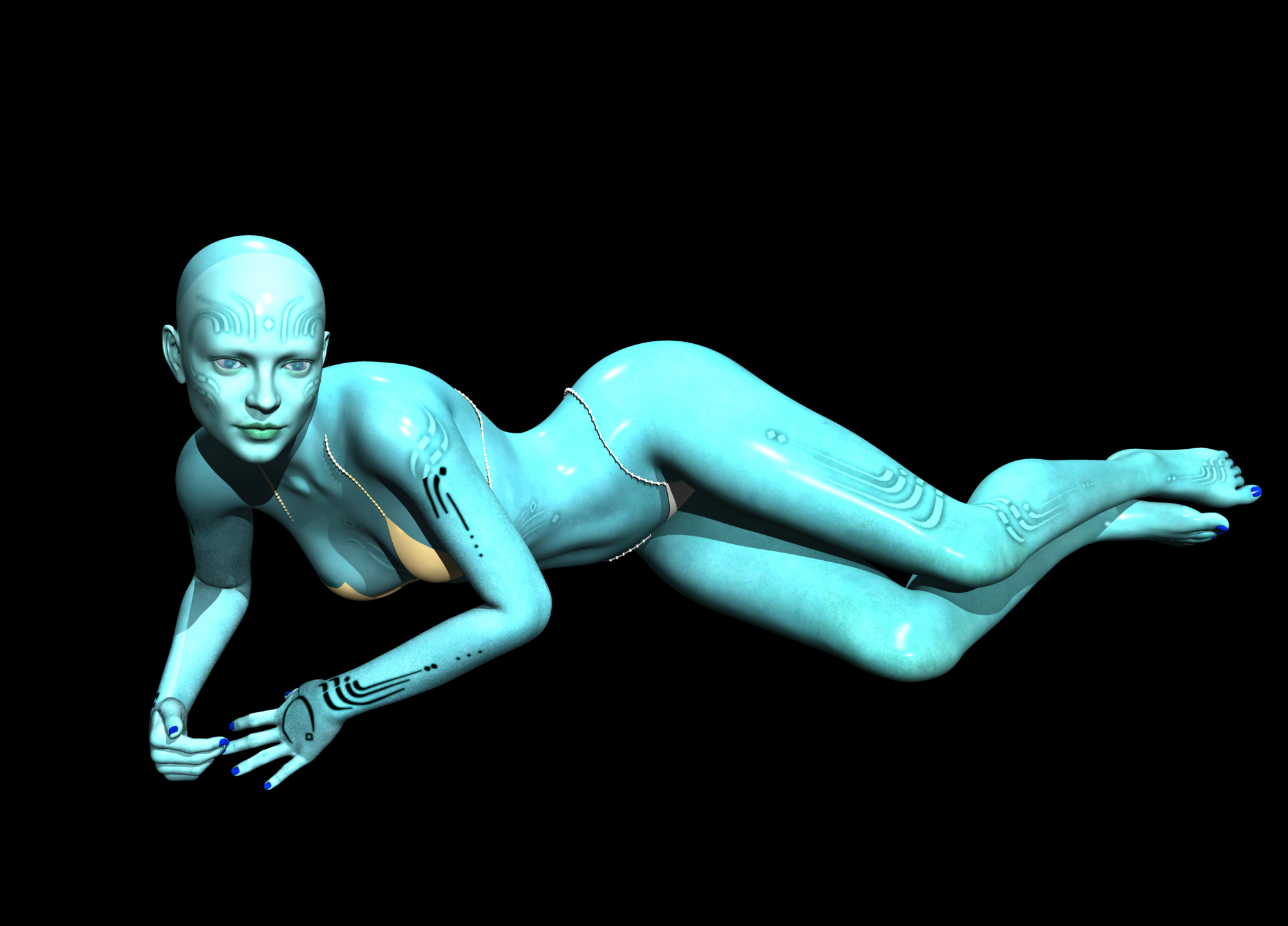 Things I'm Playing with ........
Well this is my first play with Face Transfer and while it doesn't look like the picture I still like it ,did some additional morphs to bring out the depth of the face and used Edwards skin
 DAZ Studio 4.12 ... Face creation abilities????
Thank you very much for releasing Face Transfer Shapes - much needed product. Purchased it at once.
DAZ Studio 4.12 ... Face creation abilities????Anyone using or interested in Face Transfer may also be interested in my new product - Face Transfer Shapes - which will be launched soon. It consists of a main "Fix" morph which adjusts the geometry to an "average" face, restoring the proper depth geometry, particularly noticable around the mouth and nose, and fixing the gap between the mouth and nose. There are then a number of further adjustment morphs for ethnicity, age and overall face shape to get the best match to the original image (these morphs can also be used independently, thus extending the usefulness of the product). There are morphs for both male and female characters.
A much needed product, Phil. Your "Robert De Niro" is really quite exceptional. I'm really enjoying the face transfer feature, but it takes a lot of extra work to make the result convincing. The morphing is very much the weak point and in my attempts it also makes the heads too small, and I generally either don't use the morph and create my own, or reduce it to 50% or more and add my own morphs from there. Your conversions though, as well as saving time and work, also look as if they will retain the character of the transfer.
Leisa 8Alessi, with those artificial rosebud lips sharp chin & turned up eye corner makeup, reminds me the hordes of V3 or V4 images we used to see at Renderosity during the early to mid 2000's. All wore identikit rosebud lips, sharp chin and turned up corners to their eyes. Feels very retro to me, and not in a good way. Not very keen on the Alessi character myself.
Gabi & Leighton are rather nice, but to get them you need a rather 'meh' base character. I felt Bidget was 'meh' too and haven't used her since, but 'Ellis for Bridget' was definitely much more of a must-buy than Gabi & Leighton, which is why I got 'Bridget', and why I won't be getting Leisa.
Regards,
Richard
Since I have lots of natural-looking characters, it's nice to have something different. I don't have a horde of V3 - V4 Renderosity identical characters that you are referring to. Besides, I was more struck by the makeup and tattoos. I especially like the raven/third eye and feathery make-up feature. Even if I didn't use the morph and just used the skin, it's a great addition. Besides I tend not to use characters out of the box and mix and match morphs so I hardly think she's part of a horde
Daz 3D is part of

Connect
DAZ Productions, Inc.
7533 S Center View Ct #4664
West Jordan, UT 84084Licensing Agreement | Terms of Service | Privacy Policy | EULA
© 2026 Daz Productions Inc. All Rights Reserved.