-
Morph loader...ugh! How annoying!
One thing has changed, for Genesis 8 models only. Before you export the base model, you must delete the eyelashes. Eyelashes are a separate mesh, and they will mess up your morph if you don't delete it.
So, you might end up doing a lot of work for nothing if you don't get rid of them.Converting Slime Attack Vol. 1 to G8F?Props do not require 'converting' to other figures. The poses of G3 should be pretty close to how G8 can be posed as well. Tweak the poses as desired and then save out the new Pose presets.
I do not own that set, going by the product page there are several props which if they didn't place quite right, one should be able to make a morph to polish the look.
Looks to be a fun set.
Haven't tried this but the price is good ;-)
https://sharecg.com/v/88560/view/21/DAZ-Studio/G3F-G8F-pose-adjust-scripts-Legs-Arms-and-Full
Daz Studio is neglecting to export a specific morph, but only when I export it as a .dae file.I have two characters that I created using morphs in daz studio (newest version) and i am trying to export them as .dae files to be used in blender 2.8 (newest version).
now the first character, the male character exports perfectly, the rig works, everything.
the second character. the female character, again, the rig works, everytings fine, except one morph is not being applied.
"chest width"
it's also not a third party morph, it's one of the basic ones that daz comes with from what i understand. i also have many other morphs from the same set applied, all of which export correctly.
why is this happening? i've closed, restarted, exported again, exported as differetn file types (which all worked fine), but the only one giving me a problem is the ".dae" file failing to export the "chest width" morph.
any help would be greatly appreciated. Thank you!
DAZ Studio 4.12 ... Face creation abilities????Another character created from the photo using https://www.daz3d.com/face-transfer-unlimited
and applied the preset FTS Apply Fix 100% from https://www.daz3d.com/face-transfer-shapes-for-genesis-8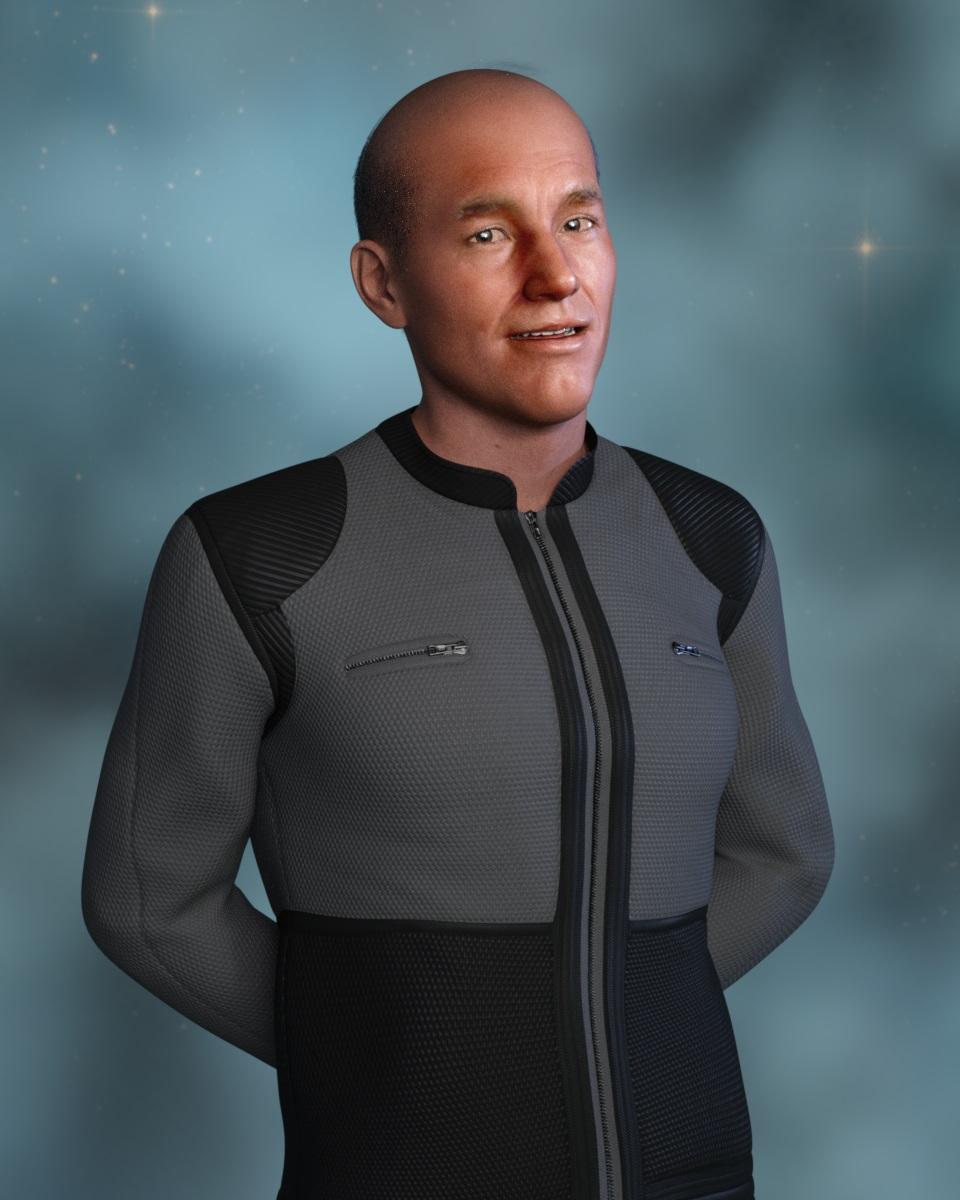 Face Transfer Shapes for Genesis 8
I'm afraid face Transfer is Windows only.
Face Transfer Shapes for Genesis 8I have installed the Face Transfer Shapes for Genesis 8 from PhilW. But I cant find the Plugin in the Window > Panes.
I work with DAZ Studio 4.12 Pro on Mac OS 10.13.6
dForce Simulation: How to avoid exploding skirt while sitting?When I hear wind and exploding skirts!!! I think a bad case of gas and suggest maalox or pepto bismol.hahaha
On a serious note unless you are animating this you could just create a sit down morph for the skirt in blender or hexagon.
Using Daz Studio to create custom 3D renders for indie comic books?My suggestion:
Situation 1:
If budged is tight:
All Genesis 1 to 8 are free. Play with them. Choose your preferred Genesis version.
Purchase essential items:
Morph (body and head) only for your preferred Genesis version.
Expression only for your preferred Genesis version.
Look for various sales time to time.
If sufficient budged is available:
Collect all morph, expression, poses for all figures (these items will require all the time).
Collect essential plugins product and custom character and I also suggest full version of face creation from photo by DAZ.
Collect clothing and hair items etc.
Collect useful free items. There are many high quality free items available from here and there.
Bluejaunte's AmalaI bought her, but I also agree that having a human headshape option (even if it's only a morph - there are plenty of normal human textures) might have helped somewhat.
Making Morphs in BlenderThe Reverse Deformations reverses out morphs you applied prior to export from Daz Studio. If the figure is then redistibuted, it would require the user to have those extra morphs.
Also check that the scale used to export from Daz Studio is the same for import with Morph Loader Pro (MLP).
Clipping issue...?Oh I mentioned timeline thinking it was a DForce clothing item. Skip that idea then ;-)
Quick sketch for morphing:
If you have Hexagon, in D/S remove all the hair etc. from the figure except the 2 clothing pieces that are clipping. Fit/parent them to the figure. Send the figure over the bridge to Hexagon. [in D/S under Edit/Preferences, Advanced Bridge setting] In Hexagon do not move the figure one bit, "freeze" [lock] it on the sidebar in Hexagon. Select the clothing and use the smoothing or ballooning brushes to gently move the clothing where you want it.
In D/S select one clothing piece, in Hexagon, send that same clothing piece back over the bridge. In D/S make the morph, "reverse deformations", etc. and then find it and slide the dial up and if you like it, zero the morph and save the morph. Repeat for the 2nd clothing piece.
...........
By the way, it is a DForce clothing set, you might want to try using DForce with it, it should drape the clothing over the foot too.
Isn't using Dforce the same as simulation? I saw a daz tutorial about it... Have I been using it wrong?

Thank you so much for you help! I'll give morphs a try. For now I've managed to move the foot slightly and it's better :)Yes it is using the simulation. If you open the Timeline tab [normal station for it is along the bottom] you will see how long it takes and that you can scrub [move the action line slowly back and forth through the frames] along to find the best still frame you might like to render.
How long until Gen9?...face chips?
Maybe "face handles" would be a more familiar term — just like the non-rendering handles built into some long dresses to help pose them more easily. Open the Head body part in the Scene pane, open the Lower Jaw part, and you'll see Lower Face Rig and Upper Face Rig. Each of these contain the face handles dotted all over the front of the head. It's not too tricky to use subtle shifts here and there to customise the face into whatever you want. It's also way too easy to end up with something that makes Quasimodo look good, so don't overdo it.
FWIW, the Left and Right Pectoral on the Upper Chest seem to be the same sort of invisible handles. Gives a bit more flexibility to the... uh... flexible bits.
...I've never seen "face handles" either, unless they come with certain character (not figure) content that I don't purchase. All I see are the standard morph sliders.
No they come with the base figure.
...don't see them in the parameters tab.
They're not in the parameters tab, not directly at least. Load a figure, then go into The windows menu -> Panes -> Power Pose. to ge the face click the arrow on the head icon on the top left. You can then click and drag different parts of the face which move bunches of morph sliders at the same time.
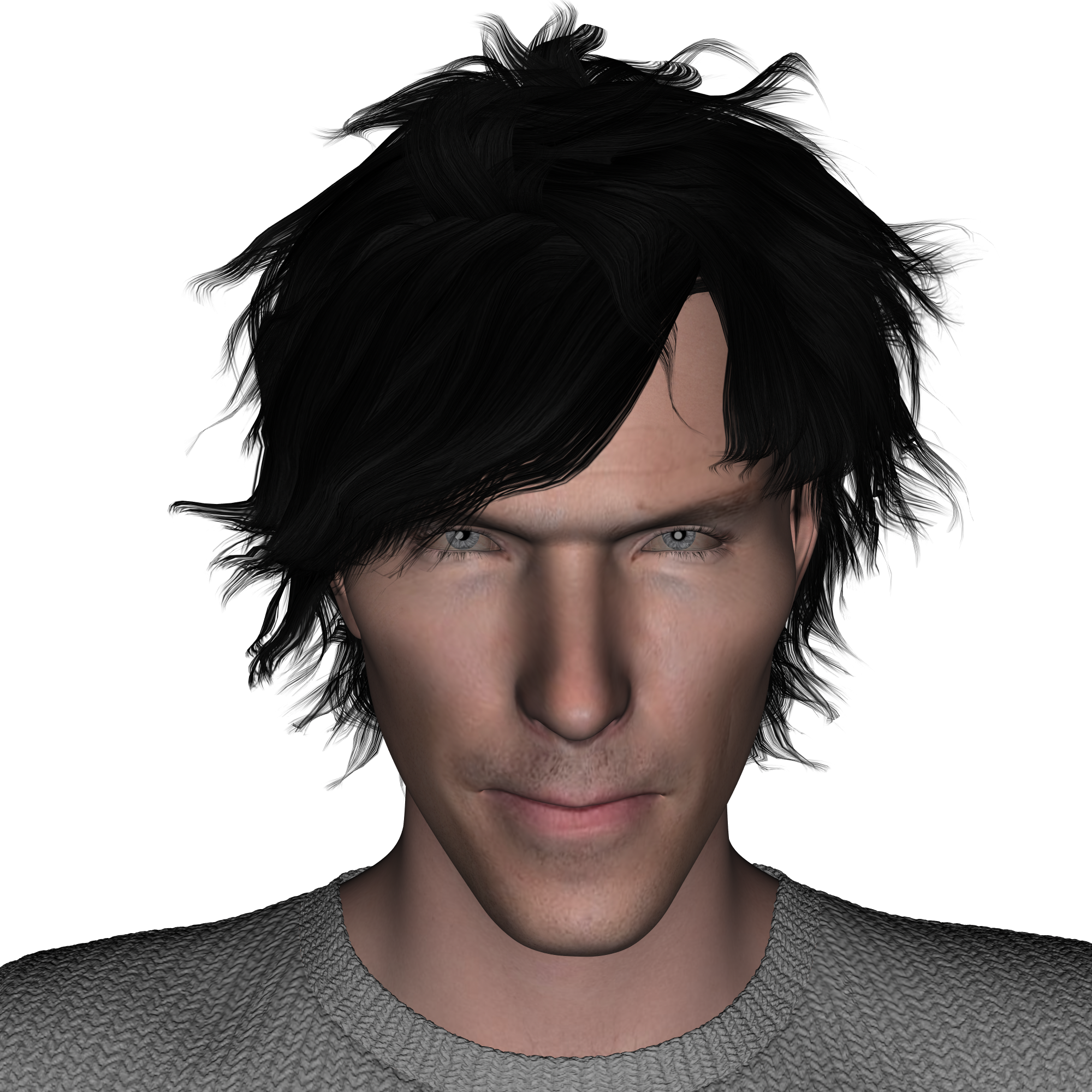
DAZ Studio 4.12 ... Face creation abilities????My 3rd try with Face Transfer I'm haveing fun!! Gonna get the Face Transfer Shapes as soon as I can afford it
 DAZ Studio 4.12 ... Face creation abilities????
Goes to show what a generally useful morph you have created from a single Face Transfer. The first one perhaps has the most character with the original textures but they are all good.
The original textures may provide some extra character, but imho they look the least realistic. The skin at side of the face does not fit well with that of the front, and there is a fair bit of specular burnt into the texture. Naturally both these issues are due to using a photo as a texture source, but the problems are magnified with an older skin.
The next Challenge is the 50th - any suggestions or requests about rules/theme? :)thinking
 out loud ~ something different could be finding a free object file that can be available to all of some kind and do a render with it in the scene..
see how many different ideas get done with the same item.
encouragement to morph deform or atomise it, so as to use some of Carrara's tools.
 The Mac FAQ
A series of Questions, which I'll number:
1. So, are you saying that Open GL & Open CL codes can't be written into OS 10.16, for users who wish to render with them?
2. Or, could someone write an application that would take the Open GL & Open CL codes and transfer them into Metal for whichever applications you wanted, such as DAZ Studio, Poser, Reality, LUX?
3. Or, as still another alternative, do any of the high-priced applications that are going to go with Apple's Metal, let us use DAZ characters, or Poser characters?
4. At least the new Mac Pro with 10.15 still has Open GL and Open CL, so with it's new components, it should be faster than the Macs are today. It's just that there won't be any nVidia components that work with it, huh? But it looks like that with a lot of Ram, the renders should still be pretty speedy.
Opinions on Marvelous Designer Video Tutorial?I kind of want to get into content creation (once I learn a lot more) so these tutorials about JCMs, rigid follow nodes, and morphs are very helpful. It looks like it covers many things I was curious about.
I was wondering, in general for a clothing product in the Daz store, what kind of morph support do you need? Is it just JCMs or do you need to support a bunch of other morphs like specific morphs for popular figures and specific morphs for popular body morphs?
DAZ Studio 4.12 ... Face creation abilities????Goes to show what a generally useful morph you have created from a single Face Transfer. The first one perhaps has the most character with the original textures but they are all good.
Help rigging pauldronsAfter rigging it (with the Transfer Utility, which will give the unwanted version) edit the weight maps so that it influenced only by the collar bones, or even use the Joint Editor to give eacha custom bone that i a child of the collar bone and weight the whole thing to that so that you can then adjust the position as needed (weighting just to the collars would probably be an issue if you wanted it to be possible to raise the arms, though I feel that woudl be realistic for the shape).
How long until Gen9?...face chips?
Maybe "face handles" would be a more familiar term — just like the non-rendering handles built into some long dresses to help pose them more easily. Open the Head body part in the Scene pane, open the Lower Jaw part, and you'll see Lower Face Rig and Upper Face Rig. Each of these contain the face handles dotted all over the front of the head. It's not too tricky to use subtle shifts here and there to customise the face into whatever you want. It's also way too easy to end up with something that makes Quasimodo look good, so don't overdo it.
FWIW, the Left and Right Pectoral on the Upper Chest seem to be the same sort of invisible handles. Gives a bit more flexibility to the... uh... flexible bits.
...I've never seen "face handles" either, unless they come with certain character (not figure) content that I don't purchase. All I see are the standard morph sliders.
No they come with the base figure.
...don't see them in the parameters tab.
Look in the Power Pose tab
Daz 3D is part of

Connect
DAZ Productions, Inc.
7533 S Center View Ct #4664
West Jordan, UT 84084Licensing Agreement | Terms of Service | Privacy Policy | EULA
© 2026 Daz Productions Inc. All Rights Reserved.