-
Face Transfer
Wanted to try the new plugin. It seems to be the only one that wont load. Any ideas guys??
You may need to follow these steps:
The Face Transfer plugin failing to load on some machines may be due to a dependent library (e.g., msvcp140.dll) that does not exist on the user's machine. If this is the case, until we update the package to either include the VS 2015 redistributable or we can get a 3rd party library compiled with an earlier version of the compiler, users that experience this issue can download/install "Visual C++ Redistributable for Visual Studio 2015" from Microsoft @ https://www.microsoft.com/en-us/download/details.aspx?id=48145 and this should resolve the issue.
Problem with eyes using Face TransferI love this new addition, Face Transfer. I'm can create more models with it. The only problem I have (mostly, I do have another one) with it is the eyes. The 'whites of the eyes' are darker and sometimes dotted. I included two images, one of Daz's Elenora and the other, Shantell, I created using Face Transfer. Is this a bug with the program and I have to put up with it? Or is there an solution available?
Thanks in advance for any help you can provide.
Wolfman and Wolfwomanbuy demon creator morphs https://www.daz3d.com/ej-demon-races-creator-and-morphs-for-genesis-8-females-and-males
and use strand hair for the body
I have Demon creator morph. Doesn't do the job.
Second, if you'd checked out the images you'd notice that the look I was suggesting doesn't have much in the way of extra body hair.
[Released] Character Converter from Genesis 8 Female to Genesis 3 Female - Conv JCMs too[Commercial]the first one was ChanelHD and then EsmeHD. And a bunch of my own custom G8F characters which were derived using the various morph packs(mostly Zev0 Morphs)
I don't have either of those. But looking at the pictures, neither of those should be giving you problems.
(BTW, if you are using the current process, e.g., "Use Legacy Conversion Process" is UNCHECKED, the tolerance matters a lot less. The current process does a better job for the majority of characters without having to fiddle with the tolerance, which is why it is the default. However, for some eyes, it is better to use the legacy process and fiddle with the tolerance.
The only thing I changed frome the default settings is the tolerence set to .001. I figured the tighter the tolerence the beter the conversion, but maybe I'm wrong.
Yes, the tighter tolerance is usually better. When you change the tolerance, are you deleting the old morphs? By default, morphs won't be overwritten so any changes to the tolerance won't matter. (BTW, Are you having a problem with the morphs or the textures?)
[Released] Ultimate Clothing Fixer Genesis 3 [Commercial]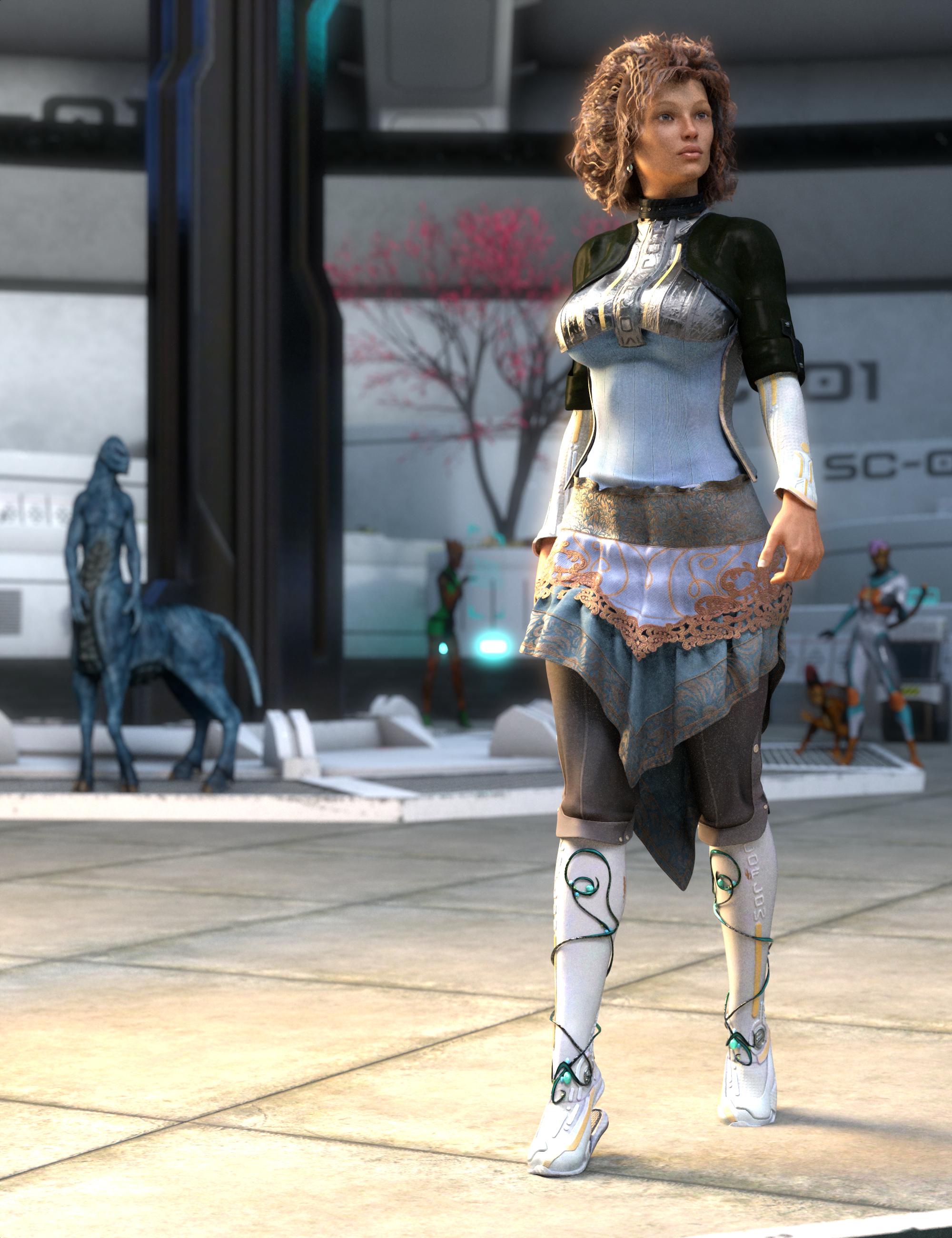 Riversoft Art and SickleYield bring you the pinnacle of clothing fit that's fast, easy to use, and saves fixit morphs right into clothing!
Where projection morphs require you to dial from the body of Genesis 3 and are limited to the figure shape, this product builds the morphs you choose from our list into a clothing piece right in your scene, then saves them so they can be used right from the clothes. Our innovative conformer-based morph solution also lets you add skirt morphs!
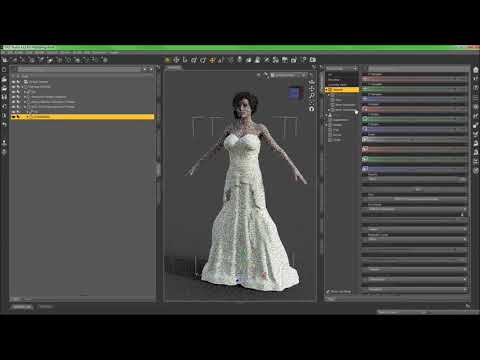
Not only that, but additional workflows also let you achieve "just for one scene" quick solutions if you don't want to save morphs in every clothing piece that needs clipping fixed. Our product comes documented with two enclosed video tutorials.
The videos show Genesis 8, but the procedure is identical.
Basic Tutorial
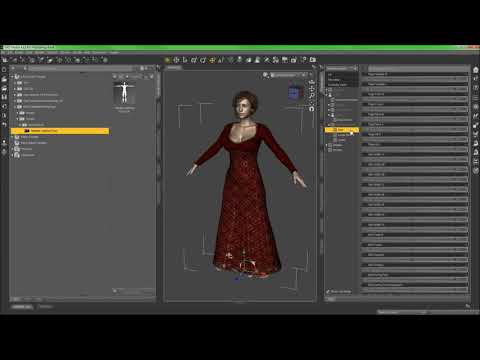
Conform Clothes to Fixer Use
 Face Transfer: weak sauce
I was struggling to get anything worthwhile out of Face Transfer, so I thought I'd try an experiment; to give it the best chance of success I rendered a Daz3D character at 4000x5200 giving a nice high resolution source and allowing me to control the lighting, exposure, framing, etc., to eliminate as many potential issues as I could, then used that render as the source image for Face Transfer, and the results speak for themselves. The mouth is passable (lips are too thin, but the general shape is a reasonable match), but the rest of it is terrible: the head is completely the wrong size and shape, the nose isn't even close, the eyes are as generic as you can get, and the skin is really plastic looking.
If this is as good as it gets then it's a hard pass from me.
is there a Face Transfer threadAfter several hours experimenting, I have concluded that Face Transfer is largely a waste of time -- there's a difference between "simple and easy to use" and "dumbed down to the point of uselessness", and sadly this falls into the latter category. If your subject has nice smooth skin and a symmetrical face it may provide usable[1] results, but on pictures of real people with our skin imperfections, wrinkles, bumps, wonky noses, etc., the results are barely any better than if you just slapped your photo in as a texture and hoped for the best, and the lack of any tweaking means that if it didn't work first time you're pretty much out of luck.
[1] Usable in the sense of "doesn't look like a train wreck", not in the sense of "looks like the person in the photo" -- running a few famous faces through it generated a bunch of characters that looked like they were just really cheap lookalikes or maybe distant cousins of the subject.
is there a Face Transfer threadSorry if I missed it somewhere on the thread, but how are people getting the head shapes with face transfer? Every time I try It's like someone just peeled off the skin and slapped it onto the gen8 base model..Are you shaping the faces/heads manually? Or is face transfer supposed to be able to follow facial structure as well?
Actully face transfor will automatically structer the head morphs, though you have to choose a nice photo ( no Shadows or strong lighting )
it's simmilar to facegen - only face transfor will make it so easir to just copy and transfor it becouse it's pluging within daz it self
here is my first attemp to face transfer

the orignal photo
Right side, is a simple one click transfer
I had an iisue with the eyes and lips
On the Left side I've add a view things ( eyeleshes ,lips, some blushes )
and in poerpose function you will find a ( Face controler )
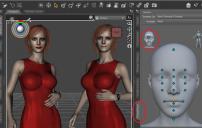
If you're not happy with the some structer, you can fix them
Note; this only work for G8 genration
but al in all, face transfor is really nice and easy to use.
Daz Studio 4.12 Pro, General Release! (*UPDATED*)In my understanding I'm losing about 2 GB of GPU memory of my GTX1060 when using 4.12 due to the change in Optix settings.
That causes larger scenes to crash and I have to render them on CPU only.
I was expecting issues like this to be identified by Daz QA and getting a disclaimer before upgrading.
I logged a support ticket and was advised to revert to 4.11, but I already bought the unlimited face transfer key. I could return that, only to rebuy it at a higher price once Daz and or Nvidia have fixed the issue. Does it make me feel like a valued customer?
My impression is that Daz became a slave to Nvidia when deciding on the Iray path, and now Nvidia wants to force users to upgrade to RTX cards.
[Released] Character Converter from Genesis 8 Female to Genesis 3 Female - Conv JCMs too[Commercial]the first one was ChanelHD and then EsmeHD. And a bunch of my own custom G8F characters which were derived using the various morph packs(mostly Zev0 Morphs)
Sculptural Genesis 8 Ultra Fun Kit [Commercial]Even more fun with Sculptural and Face Transfer together.
Canary3D, you are a genius and your products serve well our Daz 3D community.
Thanks again for creating such an amazing and useful product.
LOL! Ok how does a ceramic man grow real hair, is what I wonder.
More accurate G2 to G3 Conversion with Gen X2?Dont really know how to do that within GenX2 but when I convert the G3F into G8F it actually gets a little closer to the original. I tried several different ways to convert into G3 to get more accurate results and ended up messing the whole conversion up somehow...
It's not in GenX, it's part of Daz Studio. just select theZG3 or G8 figure, go to the parameters tab, look for mesh resolution and turn the subdivisons up. This is how you get all the details in HD morphs to show up better, so since it is increasing the mesh density, it might also make the morph look more like the transfer
"Duplicate Formulas Found" is KILLING me!The log identifies which specific characters and morphs are causing the "Duplicate Formulas" problem. If removing one character/morph package doesn't resolve the problem, it's because you have other problematic packages in your library. Clear your scene, clear your log, reload the G3/G8 base character, check your log for the next problem package. Lather, rinse, repeat until the problem disappears.
Ain't happening. My time is valuable, and it should be ON DAZ to have a system that prevents this from happening, and when it does, THEY fix it. Piss poor QA gets buyers into trouble, then QA should fix the problematic packages. I do admire your go-getter attitude though!
 Facegen now on sale...get it!
I'm sorry, but it is generally accepted that choosing Mac or Linux is likely going to get less support regardless of the software. That is just how it is. When people get frustrated with Daz for releasing yet another white girl, the common response is they make what sells. The same is true here. Linux and Mac make up such a small percentage of users that supporting them for everything just doesn't make logical sense...or dollars and cents. Maybe down the road they will, but its not something we can really expect.
Face Transfer isn't free, it has a free demo, but it is very limited allowing you to save only 3 faces. Facegen has a free demo at its own website. It is limited as well, in that your exports get a giant "FG" on your forehead and it only supports G1 and G2. Of course Facegen is only Windows as well, and for the same reason.
Face Transfer - flat mouth?There's a big thread over here about Face Transfer.
Daz Studio 4.12 Pro, General Release! (*UPDATED*)What is this Avatar SDK mentioned in the 4.12.1.x private channel release notes? An extension of the Morph 3D/Taffy avatar system they said they was working on?
I don't know, but I did wonder if it might be related to Face Transfer (perhaps it's the underlying technology).
OK, thanks.
Face TransferI don't think it does enough morphs? I am just speculating here but it is my impression from the work people have posted that it just pastes face texture on face and moves geometetry a little. I think that this type of software needs multiple photo from multiple angles and some work in a 3d modeler or something like 3d paint or zbrush to have decent results. I have tried the paid for software that does face transfers and it just does not work period. I end up just buying the morphs that people make and put up for sale on renderosity and am pleased with how close the likeness is. I think it is just too much work to make a real likeness and the face software is like step one and the rest needs fixing in serious software.
Yep, I worked with a program like this in Poser, which has a Morph Brush, and that would help a great deal. (Hopefully, DAZ Studio 5 will have a Morph Brush.) Anyway, the appropriate skin texture does a lot to make the "face" look like the person in the picture. This is less than ideal, though, when you can't match the skin texture on the face to the skin on the rest of the figure.
But, as you're seeing, if you examine the "morphed" face without the texture, the morphing is not precise. Using a package of face and head morphs will help; that, and some additional morphing, maybe in Z Brush?
I would usually choose a skin texture that approximated, to me, the kind of skin shown in the picture, and use that all over the character.
Facegen now on sale...get it!Well, just think if you were a Mac user: There's only the Head Shop app available. But DAZ provided a free Face Transfer for Windows users. Sigh!
Facegen now on sale...get it!Yeah, Facegen does ALL Genesis models, even G1. I think it is kind of messed up that Daz's own Face Transfer is the ONLY ONE out of the three face making apps that does not support multiple generations of Genesis. Head Shop does 2, 3, and 8. Yet Daz Face Transfer only supports the latest Genesis 8. It makes it look like Daz does not care about their previous generations at all.
iray to 3delight hairThank you very much for the script! He helped me understand how it works. I got a great result! :) Is this method suitable for any iray hairstyle? Or i need different methods for each hairstyle?
Very glad you found it useful;) Well the method can be used for any hair, just note that the materials preset I posted is for Sara Hair only. What you can do is load Sara Hair, apply the preset, save as a shader preset but, in the save menu, uncheck maps. Then you can apply the shader preset to any hair but need to manually load the maps. Also note that, for hair props that use the IRay Uber shader, you can normally use the IRay to 3DL conversion script, but for hairs like many OOT hairs, that use custom shaders like OOT hair blending, the script won't necessarily work or some maps will not transfer, so then you will have to locate and load the maps manually.
And yet, can I somehow speed up the rendering of hairstyles for 3Delight? I use uberenvironment 2, I turn off occlusion and ray tracer but I don’t see the difference ..Sara hair and many other OOT hairs look great but are rather complex models, that of course goes for most new hair products I'm afraid:) Turning off occlusion for the hair surfaces will help. Turning off raytracing means the hair won't show in reflective surfaces, such as glass, water, metals. So if your scene has a lot of metal etc. disabling raytracing will have an impact on rendertimes. Also, if the hair looks good enough with base resolution, it will render a bit faster than with high resolution (SubD). If you own the AoA lights (Age of Armor), swapping the standard distant- and spotlights for AoA lights will speed up rendering quite a bit. If you don't have them I recommend looking into them. And the AoA ambient light is much faster than UE2, only it will not take environment maps. I often use the AoA ambient for occlusion and UE2 in ambient mode for backdrop/environment color. Hope this helps...can't think of anything useful to add at this point

Edit: There is actually one more thing. If you want to render with HDRIs, check out IBL-Master by Parris. He made a light shader that renders 3DL transmapped hair pretty darn fast;)
Daz 3D is part of

Connect
DAZ Productions, Inc.
7533 S Center View Ct #4664
West Jordan, UT 84084Licensing Agreement | Terms of Service | Privacy Policy | EULA
© 2026 Daz Productions Inc. All Rights Reserved.