-
OptiTex Dynamic Clothes
So, if those dynamic clothes (indluding head pieces) have been specifically designed for DAZ (as I supposed) it must be a way to make them working fine with genesis/Genesis 2 right?
If someone is in touch with Martin (the designer) may kindly ask him to explain (or maybe make a brief tutorial) how to make headpieces working correctly?
What I need to generate are only stil images (obj's) to import into Vue, no animation at all.
I emailed him through his website but not sure if he got my message.A doubt: Maybe the problem should be that I am trying to use those dynamic clothes on Genesis/Genesis 2 while Michael 4 And Victoria 4 are required to make eveything working fine? I apologize for the 'silly' question but I am still a newbie ;-)
Where is Genesis 2 Male Genitalia?There is, but only if you buy the Michael 6 Pro bundle. Same with female genitals (except for Girl 6 because she's supposed to be a toon character and those apparently don't need wazoos. :snort:) You'll have to either buy that, go shopping at Renderotica for a third-party substitute or else borrow Michael 5's or Michael 4's toast if you want an anatomically correct Genesis 2 male.
Welcome to the March 2014 Freebie Challenge: Just Like the GrownupsMINI CONTEST NON-ENTRY
NOTHING COMPARES 2 U2
Always the (Irish) gentleman, Bono allows Sinead O'Connor to go through airport security first as they arrive in the US for the St Patrick's Day "Fairytale of New York" festival.
(Shane McGowan of the Pogues is already in custody.)
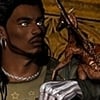
MICHAEL 4 from DAZ3D
Facial Piercings by Cool Tuna (near bottom of this page)
http://www.cooltuna.com/poser/poser-freebies.htmlMorphing Glasses by Adam Thwaites (9th item down)
http://www.most-digital-creations.com/free_poser_poses_textures_morphs_props_21.htmV4 Cross Earring by Adam Thwaites (10th item down)
http://www.most-digital-creations.com/free_poser_poses_textures_morphs_props_42.htmNecklace bling by Trekkiegrrl (4th item down)
http://trekkiegrrrl.dk/prp6.htmClover from Plant Pack by TrueForm, a Renderosity Christmas gift in 2012
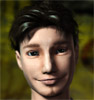
VICTORIA 4 from DAZ3D
Alta morph by Long Time Ago
Charlotte mat by narehdawn at Deviant Art (shaalia in the DAZ forums) was a Freebie Challenge entry prize
Aline Dress by alt_design at Renderosity
http://www.renderosity.com/mod/freestuff/details.php?item_id=59867... with a texture by FeralCat, which I thought was at Rendo, but isn't
V4 Bajoran Earrings by Mylochka at ShareCG
http://www.sharecg.com/v/49821/browse/11/Poser/Bajoran-Earrings-for-V4School Uniform Kireta Clothing Set 5 by 3574 (a short scroll, then a couple of hoops to jump through -- watch for the password on the Download Request page -- probably "emyonhadakamaturi"
http://poserfreebie.blog.fc2.com/blog-category-2.htmlFriskatron by MrSparky at Poser Direct
http://www.poserdirect.com/free_friskatron.htmlCIA Lobby by grinch2901 at ShareCG
http://www.sharecg.com/v/37944/browse/11/Poser/CIA-Lobby-SetTest product?fixmypcmike said:Taozen said:fixmypcmike said:Bundles should NOT have a single zip file with all the items, it should instead link to the individual items.
OK. I was thinking of the DIM link on the bundle page which (AFAIK) is supposed to install all files in the bundle at once, and thought there was supposed to be a single zip file with them all as well (no problem with that IMO if there still are links to the individual items as well on their respective pages, or on the bundle page).
Some bundles btw, like the Millennium Horse Bundle, actually do have a single zip installer. Michael 4 Pro Bundle also has a file "7880_1_dpc_Michael4ProBundle.zip" but it's only 7 MB and seems to contain only some DIM files or something. So the whole thing seems a bit confusing.
The one on the Mil Horse Bundle page is the old Mac installer zip. The only DIM zip on that page is the Foal Bonus, which is not available separately. On the M4 Pro Bundle page, the zip you named is the Mac installer zip for the bonus poses you get with the bundle, which what the single DIM zip on that page is also.
In general, any zip on a product page which doesn't start with IM and have a green DIM button is the Mac installer. Except for old bundles which might not have been updated yet, the only time a DIM zip should appear on a bundle page instead of on the page linked at the bottom for the parts of the bundle is when there is a bonus item which isn't available separately.
Yea, forgot the new zips start with IM (suffering from jetlag at the moment so my brain is a bit fuzzy). I assume that when everything has been converted to zips things will be more logically structured.
Test product?Taozen said:fixmypcmike said:Taozen said:Well it's confusing. In any case, they seem to have fixed my account now and removed the test file.As for The Xin Xin Hair textures, I think the file is listed there because it's not a real item but just a bonus so it doesn't have its own page in the library like the other items in the bundle have. I would have expected one file with all the included items in it on the Anime Bundle page (that's the goal for all the bundle pages AFAIK) but they're not finished with converting all the bundles to DIM yet so that's probably why you have to download the included items (except the bonus) separately from their own pages.
Bundles should NOT have a single zip file with all the items, it should instead link to the individual items.
OK. I was thinking of the DIM link on the bundle page which (AFAIK) is supposed to install all files in the bundle at once, and thought there was supposed to be a single zip file with them all as well (no problem with that IMO if there still are links to the individual items as well on their respective pages, or on the bundle page).
Some bundles btw, like the Millennium Horse Bundle, actually do have a single zip installer. Michael 4 Pro Bundle also has a file "7880_1_dpc_Michael4ProBundle.zip" but it's only 7 MB and seems to contain only some DIM files or something. So the whole thing seems a bit confusing.
The one on the Mil Horse Bundle page is the old Mac installer zip. The only DIM zip on that page is the Foal Bonus, which is not available separately. On the M4 Pro Bundle page, the zip you named is the Mac installer zip for the bonus poses you get with the bundle, which what the single DIM zip on that page is also.
In general, any zip on a product page which doesn't start with IM and have a green DIM button is the Mac installer. Except for old bundles which might not have been updated yet, the only time a DIM zip should appear on a bundle page instead of on the page linked at the bottom for the parts of the bundle is when there is a bonus item which isn't available separately.
Test product?Taozen said:
Some bundles btw, like the Millennium Horse Bundle, actually do have a single zip installer. Michael 4 Pro Bundle also has a file "7880_1_dpc_Michael4ProBundle.zip" but it's only 7 MB and seems to contain only some DIM files or something. So the whole thing seems a bit confusing.And the understatement of the year award goes to...
Test product?fixmypcmike said:Taozen said:Well it's confusing. In any case, they seem to have fixed my account now and removed the test file.As for The Xin Xin Hair textures, I think the file is listed there because it's not a real item but just a bonus so it doesn't have its own page in the library like the other items in the bundle have. I would have expected one file with all the included items in it on the Anime Bundle page (that's the goal for all the bundle pages AFAIK) but they're not finished with converting all the bundles to DIM yet so that's probably why you have to download the included items (except the bonus) separately from their own pages.
Bundles should NOT have a single zip file with all the items, it should instead link to the individual items.
OK. I was thinking of the DIM link on the bundle page which (AFAIK) is supposed to install all files in the bundle at once, and thought there was supposed to be a single zip file with them all as well (no problem with that IMO if there still are links to the individual items as well on their respective pages, or on the bundle page).
Some bundles btw, like the Millennium Horse Bundle, actually do have a single zip installer. Michael 4 Pro Bundle also has a file "7880_1_dpc_Michael4ProBundle.zip" but it's only 7 MB and seems to contain only some DIM files or something. So the whole thing seems a bit confusing.
Bruise packs?aeternali said:SimonWM said:The set was done for Victoria and Michael 4 and 4096 x 4096 texture maps weren't as common as they are now (they were named "elite" back then). There is a high resolution section on this set geared towards "elite" textures.I have to specify the upcoming "update" is not a free update. Just like Wet Body and Wet Body Gen 5, the product is being updated as a new product for Generation 6. Going to a different set of UVs and in this case resolution (in some areas) means as much work as the first time, just (perhaps) less research work. Sorry if I've caused confusion about this.
I would buy it right away. :)
Good to know. Work has started on this.
Back after a *long* break. What first?Luxury said:I definitely understand the "morphs of morphs" issue. There were add-ons to the elite morphs back when I was involved before.Ok, so Genesis is 5th Generation and Genesis2 is 6th, correct? Deciding to change the nomenclature from Gen1, Gen2, Gen3, Gen4 was a bad idea. And changing it to a nomenclature that is *also* naturally abbreviated "Gen" was a *really* bad idea. ;)
Do the converters from G3 to Genesis have a batch mode, or do I have to do it one at a time? (I realize even if it does I'll still have to do fit and finish one by one.)
Is there a way to batch process converting from G5 to G6 and saving each item?
Basically, it'd be nice to be able to automate the process because then I can have the time spent doing it occur while I am sleeping, rather than either spend lots of time converting up front ( I have thousands of $ in Gen3 and hundreds in Gen4) or spending extra time converting in the middle of my workflow (ick if converting is quick, super ick if it's slow).
Thanks for your help, it's much appreciated.
There are no convertors from Generation 3 to Genesis. At one time DAZ sold the Universal Texture Convertor that allowed users to convert textures for personal use. The UTC is was replaced by Texture Convertor 2. This one will convert between Generation 3 and Generation 4 textures if you have the correct plugins. They do not have a batch mode and are only for textures.
DAZ Studio does allow for UV swapping. Not completely sure but I think if you have either Generation 3 models or the Generation 3 iconic shapes for Genesis loaded into you DS library, you could swap the UV map between Genesis and V3. Mind you I'm not completely certain as I've never had need to do this. DS also has map transfer so you should be able to transfer Gen 3 textures to Genesis if you have the Generation 3 iconic shapes for Genesis.
If you want to use any of the older products from Generation 3 or 4, I would suggest you purchase the Genertion 3 and Generation 4 shapes for Genesis. They give you the autofit clones and I believe the UV swap.
http://www.daz3d.com/v4-and-m4-shapes-for-genesis
http://www.daz3d.com/david-3-for-genesis
http://www.daz3d.com/reby-sky-for-genesis
http://www.daz3d.com/gen-4-iconic-shapes-for-genesis
http://www.daz3d.com/gen-3-iconic-shapes-for-genesis
There are 4 products to make you life easier using G2F/M. If you want to use V4 textures on G2F and M4 textures on G2M, I recommend buying the
V4 to Genesis 2 Female(s)
http://www.daz3d.com/victoria-4-for-genesis-2-female
M4 to Genesis 2 Male(s)
http://www.daz3d.com/michael-4-for-genesis-2-male
And the auto convertors
http://www.daz3d.com/v4-skins-auto-converter-for-genesis-2-female-s
http://www.daz3d.com/michael-4-skins-auto-converter-for-genesis-2-male-s
The Girl InstallationHello Everyone,
I'm a fist time user of the DAZ Studio Pro, however long time user of Carrara Pro and Poser. Just downloaded and installed DAZ Studio Pro 4.6 through the DIM. Everything went smoothly. Bought, downloaded and installed "the Girl" base through the DIM. However, nothing shows up in the left-hand panel under figures or people like Michael 4 Base, Victoria 4.2 Base, Genesis, etc. Also, nothing like "the Girl" shows up on the right-hand panels under parameters or content library, etc. (please see attached files) I do see morphs that DON'T affect the head and hair…? So I'm not sure what I paid for. Does the base not include everything?
What am I doing wrong or not looking for? Any help is appreciated.
Thanks much,
DerekBack after a *long* break. What first?Luxury said:I stopped using Daz Studio way back when V4 was the new thing. I have a lots of stuff of that age, and even more for the V3 era. So I'd like to know:1) Is there a path to use the V4 (M4, etc) clothing, skin, poses, etc. on the current generation of models?
4th Generation clothing and textures will work on Genesis 1 out of the box. For Genesis 2 you need http://www.daz3d.com/michael-4-for-genesis-2-male and http://www.daz3d.com/victoria-4-for-genesis-2-female
Poses will work pretty well, but there are some bones in the Genesis figures that aren't in the 4th Generation figures, so some adjustment will be needed. http://www.daz3d.com/handy-dandy will fix the hands transferred between figures; there is a freebie on ShareCG to try to adjust for the other differences, and a product called PoseMaster sold at Rendo as well.
Luxury said:2) As above, but V3.http://www.daz3d.com/v3-and-m3-shapes-for-genesis (also available as part of a bundle with other 3rd Generation figures) will give you autofit clones to fit their clothes to Genesis 1. You can save those and then the Genesis 1 versions can be fit to Genesis 2. For textures, they can't be converted on-the-fly the way 4th Generation textures can -- you'd need to use http://www.daz3d.com/texture-convertor-2-tc2-bundle outside of DS to convert the skins to V4 first. Poses, again, can be used with some adjustments needed.
Luxury said:3) As above, but V2 (not that important).There's no automated way for 2nd Generation figures. There is a long thread explaining how to make your own autofit clones for other figures, as well as for how to rerig clothing for Genesis using the Transfer Utility which is part of DS4Pro. For textures you would need the predecessor to TC2, UTC, but I don't think that is for sale any more. Poses,, again, with some adjustment.
4) How easily will V5 stuff work with V6?
Textures and clothing will work out-of-the-box. Poses will work pretty well -- Handy Dandy mentioned above will fix the hands, the rest of the pose should work pretty well.
5) Where would you suggest I start in order to "get current." In other words, to be able to use most new content as it comes out.
Genesis Starter Essentials, Genesis 2 Female Starter Essentials, Genesis 2 Male Starter Essentials, and Default Lights and Shaders for DAZ Studio all come free with DS -- most products for Genesis and Genesis 2 will work just with those. Some products use different UVsets than the ones which come free in the Starter Essentials -- the most important ones are V5 and M5 for Genesis 1 products and V6 and M6 for Genesis 2 products.
GenX2 and Genesis 2 AddOn released! [Commercial]Fragg1960 said:So according to this:The GenX2 plugin includes support for the generation 4 Poser figures (Victoria 4, Michael 4, and Kids 4) as well as for Genesis (version 1). Further figures are supported by add-ons sold separately. To transfer morphs from or to Genesis 2, the GenX2 AddOn for Genesis 2 is required.
Basically when I upgrade my Generation X to GenX2 all I have is still Generation X (but with Gen2 capability). So I can transfer morphs from Gen 4 to Genesis One, but I still can't transfer morphs to Gen2 until I purchase an additional add-on. Did I read that right?
Right. The GenX2 plugins contains several improvements that are independent of Genesis 2 (see the initial post for details). But it does not include support for additional figures. For Genesis 2, the separate add-on is required.
GenX2 and Genesis 2 AddOn released! [Commercial]So according to this:
The GenX2 plugin includes support for the generation 4 Poser figures (Victoria 4, Michael 4, and Kids 4) as well as for Genesis (version 1). Further figures are supported by add-ons sold separately. To transfer morphs from or to Genesis 2, the GenX2 AddOn for Genesis 2 is required.
Basically when I upgrade my Generation X to GenX2 all I have is still Generation X (but with Gen2 capability). So I can transfer morphs from Gen 4 to Genesis One, but I still can't transfer morphs to Gen2 until I purchase an additional add-on. Did I read that right?
trying to find armorHi Guys and Gals! I am fixing to start a scene where I need some armor. I have been browsing the store and web for anything and everything but have come up with very little. Here is a sketchy description of the scene (still haven't nailed it down):
-Biblical times
-Joshua as a waroir
-Heat of battle
-running out of day light
-calls for the sun to stand stillI figure he will be elevated slightly above the crowd of battle (on a rock or something) and while fending off an attack, he will be calling out to the sun to "STOP!"
My issue and why I am posting here for your help. I need armor or outfit that will suite this scene without it being too fantasy inspired....any Ideas?
It has to be for Poser and Michael 4. I like to edit the textures so that isn't too much of a worry for me.
Thanks for your help!
GenX2 and Genesis 2 AddOn released! [Commercial]Dimension3D said:OK, lot's of things to answer, so here we go ...Melissa Conway: If you never used Poser, you are probably accustomed to the Power Loader in DS. GenX2 will not load morphs automatically for M4 or V4. You may need to use the morph injection poses found in Runtime/libraries/Pose/Michael 4. After loading M4 in GenX2, simply drag'n'drop these poses to GenX2 to get all the morphs. But most character poses will inject the required morphs anyway.
To select for transfer those morphs that are used by a character, simply use "Transfer: On for all non-zero morphs". This will select all the morphs that have a value other than zero.
Yes, that's what I figured out after seeing Steve's vid last night. I guess I'm a visual learner! Thanks for your patience and for a great product. Here's Rafael on G2M:
New Release: Genesis Generation X2 (upgrade ends soon) [Commercial]Vaskania: For those characters, which set the eye scaling/translation directly, you can use the "Presets" tab to translate the pose into a DS preset that works for Genesis. In the options of the "Presets" tab, use nothing but "Eye transforms" under "Translate" to create a preset for eye fixing.
genejoke: Yes, you can transfer characters based on Morphs++. However, you may need to inject the morphs first using the injection poses from Runtime\libraries\Pose\Michael 4 or Runtime\libraries\Pose\Victoria 4. This is the same as in Poser, but different from DS, where Power Loader will inject these morphs automatically when you load V4 or M4.
GenX2 and Genesis 2 AddOn released! [Commercial]OK, lot's of things to answer, so here we go ...
Melissa Conway: If you never used Poser, you are probably accustomed to the Power Loader in DS. GenX2 will not load morphs automatically for M4 or V4. You may need to use the morph injection poses found in Runtime/libraries/Pose/Michael 4. After loading M4 in GenX2, simply drag'n'drop these poses to GenX2 to get all the morphs. But most character poses will inject the required morphs anyway.
To select for transfer those morphs that are used by a character, simply use "Transfer: On for all non-zero morphs". This will select all the morphs that have a value other than zero.
Kharma: Character poses either adjust things like the position or scaling of the eyes by controlling these values with the morph values, or by setting them directly. In the first case, GenX will transfer this and it will work automatically. In the other case, you need to convert the eye fix pose (or the character pose if it includes the eye fix directly) into a preset for Genesis that sets the according values. You can do this in the "Presets" tab. Simply drag'n'drop your pose there, select the source shape (A3) and target shape (G2F), and click "Translate". In the options, you have to select nothing but "Eye transforms" to create a pure eye fix preset.
To delete morphs, go to the "Morphs" tab of GenX. There, you can delete or disable morphs.
Slosh, none01ohone, dkgoose, whispers65: Send me an e-mail, so I can send you the bug fix for the crashes.
Cypherfox: Right, the initialization is missing for one object, just wonder why it never crashed on my system.
apollyonpt2: Sorry, but I think the best way is to delete both versions and install Genesis 2 again to have a clean version. Merging into one would be an option if you have some part in one directory, and some part in another, but not if everything is there twice.
Getting two instances of Genesis 2 is caused either by installing it twice and the installer not removing the existing version. Or it may happen when you use "Save Asset" to save changes you made for the figure in DS.
Essentially, this a DS problem, not a GenX problem, so you may request help from DAZ Support.
DavidGB: Sure, the "smooth" option will smooth the mesh and may smooth out some detail. In general, it works better when transferring from G1 to G2, but there may be exceptions. That's why you can select the quality mode.
Kyoto Kid: If DIM is not working, you can use the updated EXE installers from the Product Library to install the Gen3 add-ons. But the files should be listed in DIM in any case. Filter DIM for GenX2 to see the updated versions of the add-ons.
Bruise packs?SimonWM said:The set was done for Victoria and Michael 4 and 4096 x 4096 texture maps weren't as common as they are now (they were named "elite" back then). There is a high resolution section on this set geared towards "elite" textures.I have to specify the upcoming "update" is not a free update. Just like Wet Body and Wet Body Gen 5, the product is being updated as a new product for Generation 6. Going to a different set of UVs and in this case resolution (in some areas) means as much work as the first time, just (perhaps) less research work. Sorry if I've caused confusion about this.
I would buy it right away. :)
GenX2 and Genesis 2 AddOn released! [Commercial]Dimension3D said:Melissa Conway: When following the steps from the quick start, where does it fail? The main difference between transferring from Genesis or transferring from a Poser figure is when you load them. Genesis is selected from the Source menu, Poser figures are loaded by drag'n'drop from the content library. Also, you need to inject the morphs for Poser figures from injection pose files. (Like in Poser, unlike DS, which loads them by Power Loader.) Resaving the Poser figure should be not required, except for special cases like binary morphs.I don't use Poser. Not at ALL. Rafael is a character created for Michael 4 and I used it in DS. So, please excuse my general confusion.
GenX2 and Genesis 2 AddOn released! [Commercial]Mari-Anne said:Melissa Conway said:Mari-Anne said:Melissa Conway said:Well, here I am again requesting a step-by-step Tutorial for Dummies. I bought Genesis Generation X2 and the GenX2 add-on for Genesis first thing this morning and have read both manuals from beginning to end and then some, and I’ve read over this thread, and yet I am unable to suss out how to do what I want to do. Which is: transfer the Michael 4 character Rafael to G2M. I own V4 and M4 Shapes for Genesis (if that matters, and I think it does). So far in the many experiments I’ve conducted over the course of the day, I’ve only been able to transfer Genesis morphs to G2M.Anyway, I’m at a loss and could really use that step-by-step…
Thanks.
M.
P.S.: in the product description for Genesis Generation 2, the links to the product pages for Gen 4 Legacy shapes and V4 and M4 shapes are mixed up (each link goes to the other product’s page).
Hi Melissa - if this will help, you can substitute Rafael & G2M where I use A Little Love & G2F as necessary & use these steps that I ran by Dimension 3D:
1. Open D|S and Load V4 via Power loader2. Load A Little Love - Body & Face
3. Save A Little Love as a CR2 file
4. Open GenX2 and Load A Little Love.CR2
5. Select BODY, CHEST, LHAND, RHAND, but only ALLHEAD under Head
6. Right-Click and click All > Transfer ON
7. Click Transfer (use Create Single Morph)
8. Name Morph and click Accept
9. Close and re-open Daz Studio
10. Load G2Female
11. Set Parameter to V4 = 1
12. Set Parameter to A Little Love = 1
To which Ralf added the following comments:1. Usually, it should work to load the base V4 in GenX and then use morph injection poses to add all necessary morphs.
6. "Transfer: On for non-zero values" should select all morphs used in a character.
9. It should be enough to start a new scene. And even this should be only necessary, if the figure you created new morphs for was loaded in the scene.
Maybe that's where I went wrong...I don't know how to save as a CR2 file. I go to File/Save as and I'm given several options, all of which seem to save as a .duf file...
Click on File > Export instead of File > Save. Then create a new folder under My DAZ 3D Library > Runtime > libraries > Character
That should do the trick.
Thank you very much Mari-Anne, for trying to help. Exporting to .CR2 is a little more complicated than I expected (there is a dialog box that wants information), but I think I managed. Unfortunately, I was not given the option of ALLHEAD, and I didn't know how to go about naming my morph, so was unable to accomplish my goal.
Daz 3D is part of

Connect
DAZ Productions, Inc.
7533 S Center View Ct #4664
West Jordan, UT 84084Licensing Agreement | Terms of Service | Privacy Policy | EULA
© 2026 Daz Productions Inc. All Rights Reserved.