-
FANTASY SKINS 8.1 [Commercial]
You've been waiting for it for a long time and it took a long time to develop due to the nature of PBR shader.
V3Digitimes and myself are happy to present you the new version of FANTASY SKINS, specially crafted for Genesis 8.1.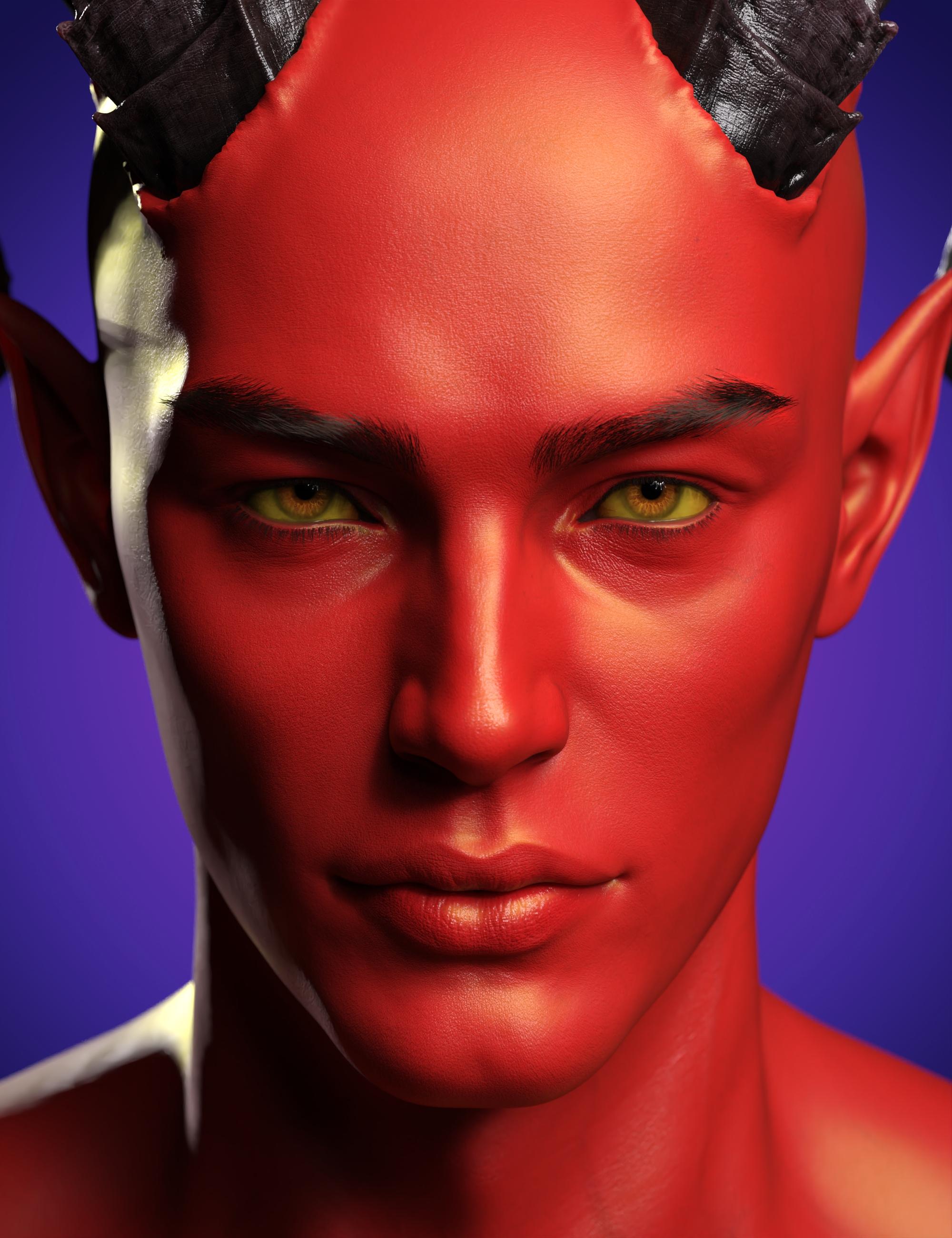


We know Genesis 9 is right around the corner but we also know we all have a HUGE library of awesome 8.1 characters that deserve that brilliant treatment.
So what did we cook for you?
- 1 Fantasy Skins for Genesis 8.1 Male(s)
- 1 Fantasy Skins for Genesis 8.1 Female(s)
- 1 Fantasy Skins Special presets specifically designed for Victoria 8.1
And a bundle to rule them all !
Fantasy Skins for Genesis 8.1 Bundle
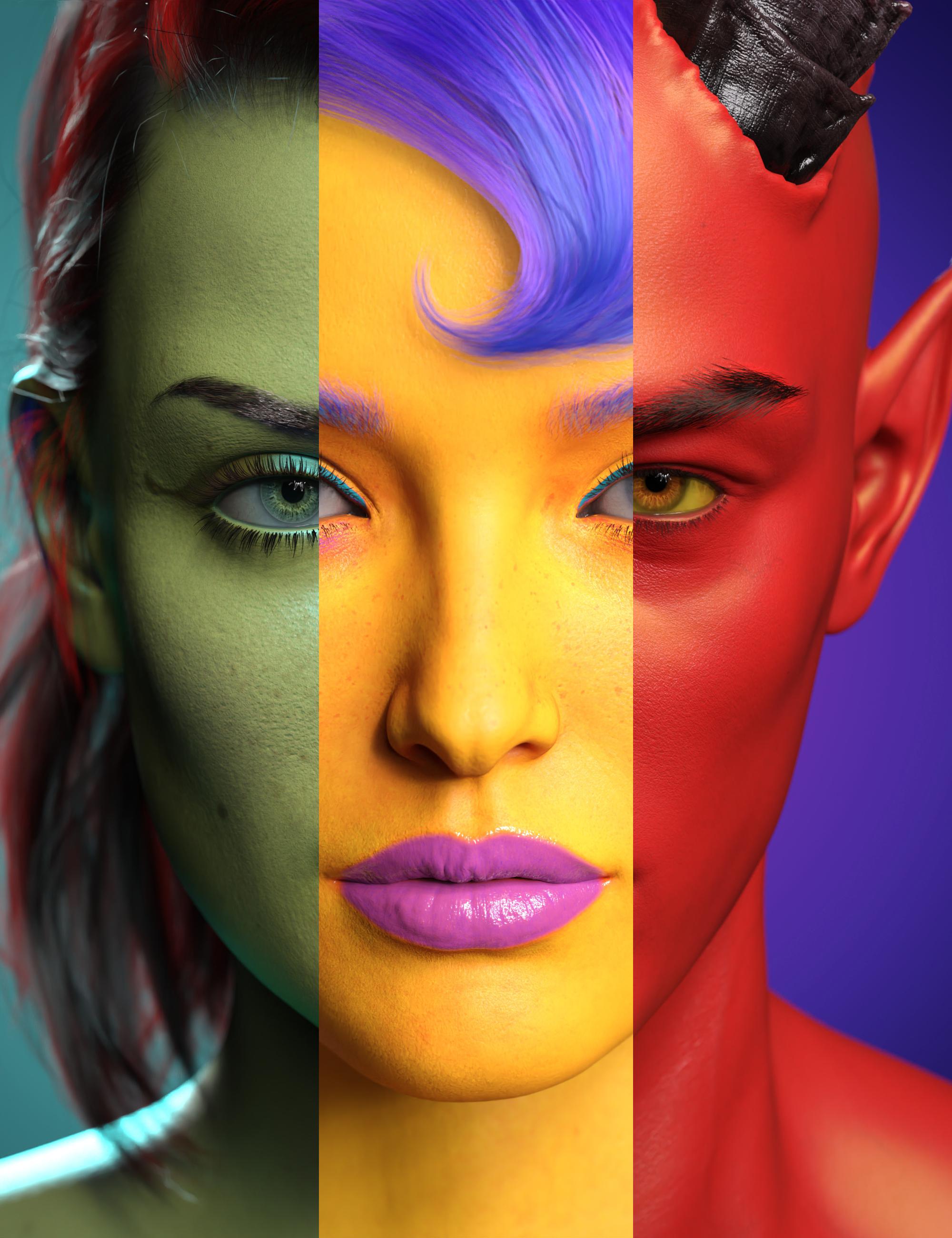
Need a red devil?
A black demon?
A green superhero?
The Fantasy Skins for Genesis 8.1 sets will provide you with all you need to make great fantasy creatures using any of your existing Genesis 8.1 characters and their original texture sets, providing more than two hundred presets, to begin with.
Even better: based on a unique shader mixer shader, you can access even more skin configurations using four layer blending effects, each effect allowing you to choose more than 26 blending modes (amongst them hue and saturation), and using two additional effects on the translucency color. Play with these effects in the surfaces editor, or simply load the existing presets and tools, it's up to you!

Adjust everything with the included Builder Tools! The figure is too dark? Is it too blue? Not enough green? Play with the incremental builder tools to increase the lightness, reduce the blue, increase the green, etc, of your current skin. They will iteratively adjust the lightness and the color of your figure to your taste.

Once the base skin is set up, you can, if you want, customize your fantasy characters in very unique and characteristic ways using the additional Top Coat options (two additional topcoat layers are included), Flakes options, Eyes options, and Nails options. Additional tools allow you to transfer skin settings to any geograft element including Anatomical Elements.
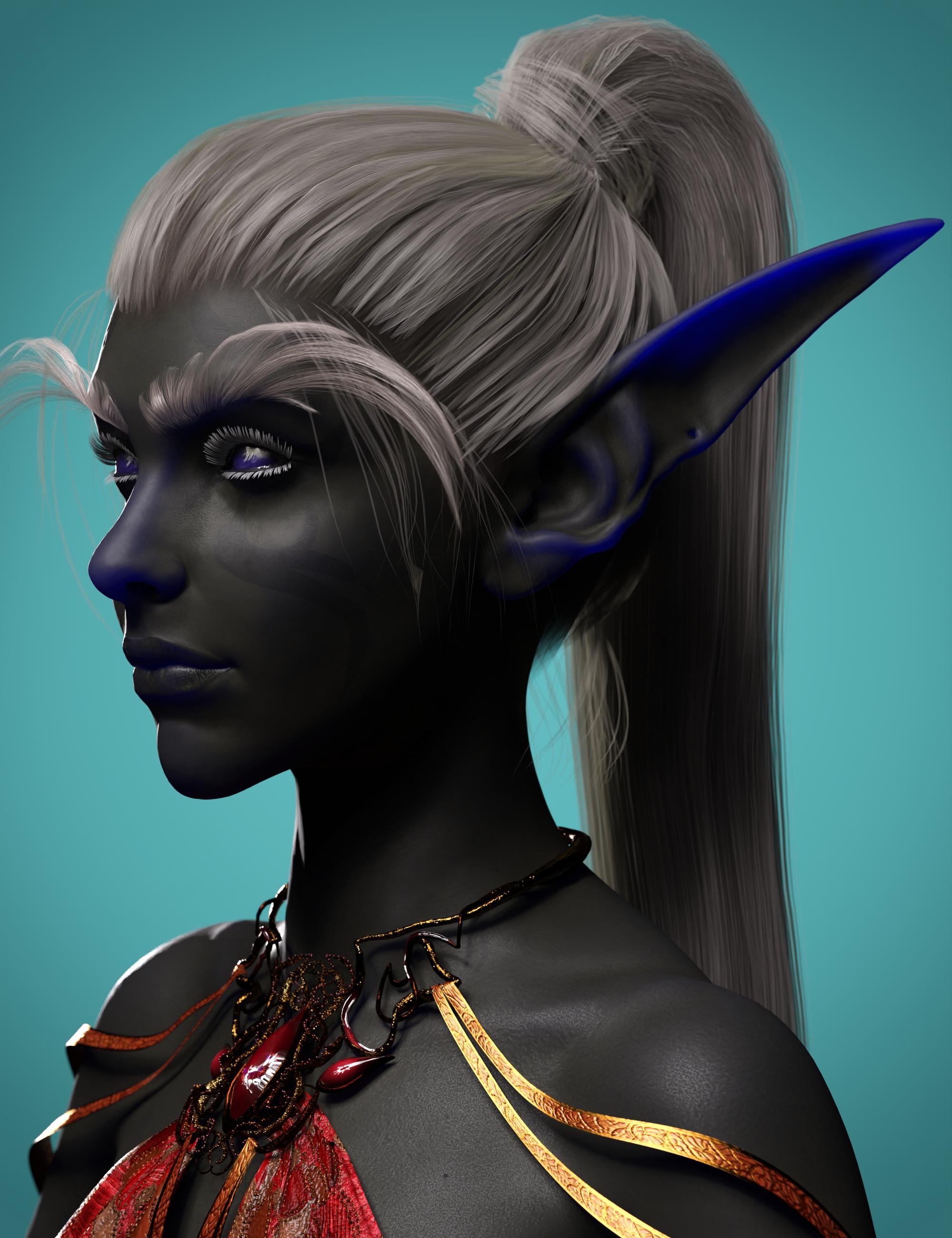
With more than 250 full presets to start with, which can all be altered by the builder tools and completed with tens of additional effects options, the only limit is your imagination.
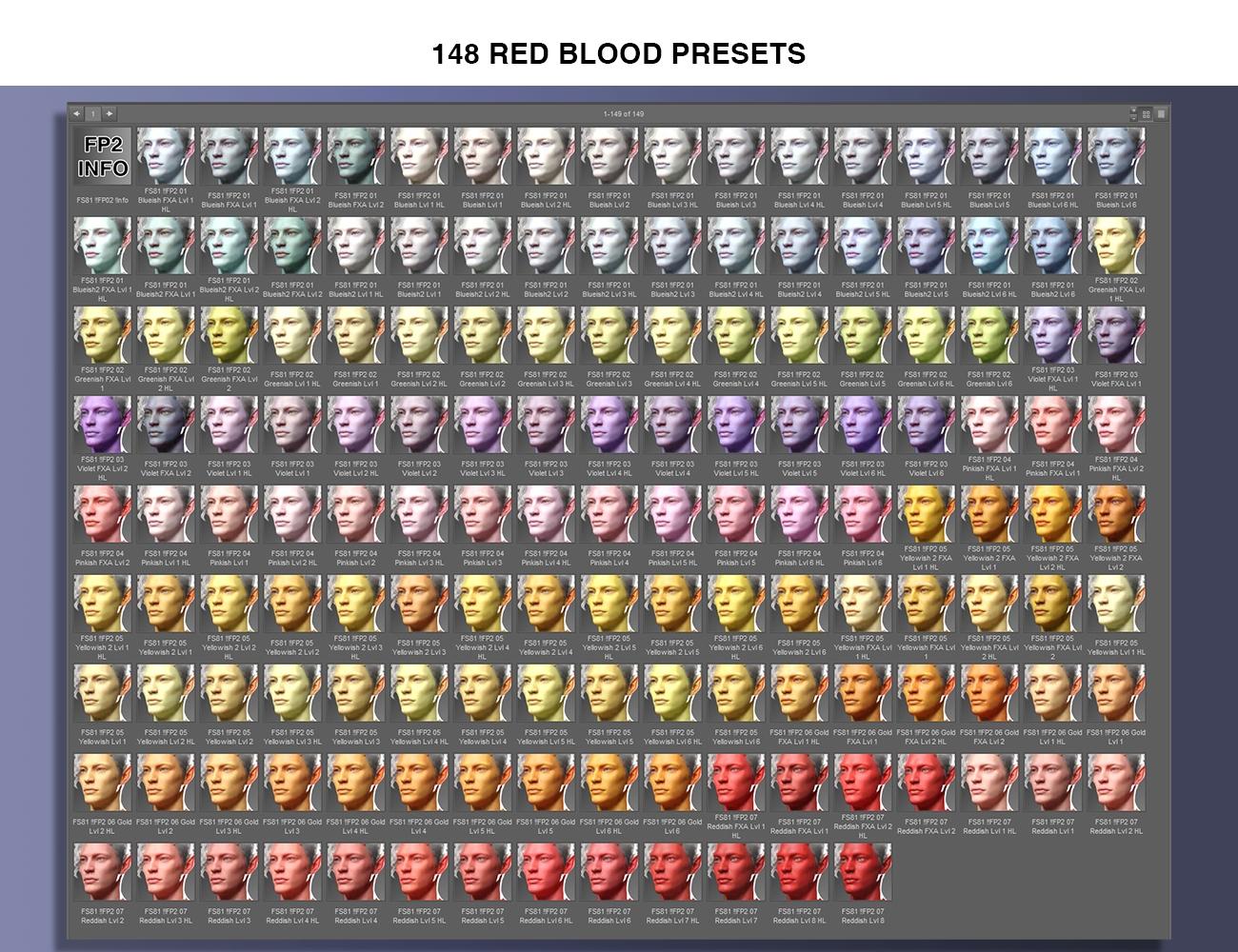
So, let's bring all those creatures to life!

Those products will be released very soon.
If you have any question about it, please, feel free to ask them here and we'll answer the best we can.Which Victoria is the best?After fighting with the near-ubiquitous nasolabial folds on Genesis 8 female characters, I came to really appreciate Victoria 7's youthful features. The PA characters based on her were my brand of cute.
But Victoria 9 looks nice and young from what I've seen, though you can never fully suss the idiosyncrasies of a figure before you work with them.
RY Felina for Victoria 8?DarkElegance said:
richardandtracy said:
'Fraid Gordig is correct. V8.1 is not an upgrade of V8, but instead is a completely different character. It's a real change from the way V4.2 was an upgrade from V4 in the past. All I can suggest is, if you don't want V8.1, that you return the character and ask for your money back. Regards, Richard.
I see. I had assumed that with it being "Victoria 8.1" it was an upgrade that included the previous morphs etc. The name kind of denotes it is an upgrade.
I will then have to purchase the Vic' 8 as well it seems.
Might as well build the library now. Thank you for the information. I appreciate itGenesis 8.1 is an upgrade to Genesis 8, but Michael and Victoria 8.1 are distinct characters from M8 and V8.
RY Felina for Victoria 8?richardandtracy said:
'Fraid Gordig is correct. V8.1 is not an upgrade of V8, but instead is a completely different character. It's a real change from the way V4.2 was an upgrade from V4 in the past. All I can suggest is, if you don't want V8.1, that you return the character and ask for your money back. Regards, Richard.
I see. I had assumed that with it being "Victoria 8.1" it was an upgrade that included the previous morphs etc. The name kind of denotes it is an upgrade.
I will then have to purchase the Vic' 8 as well it seems.
Might as well build the library now. Thank you for the information. I appreciate itGenesis 9 Coming Soon! Preorder Victoria 9 HD Today@Noah Of course not, HD is used in G8 G81 too. The difference is that now with G9 you are forced to use HD because in the unimesh there's no topology for details. While with G8 G81 you can use HD or not, depending on the final quality you wish.
@Gordig That is not a navel, it's just a hole in the mesh. It doesn't have the anatomical features for a navel, because there are no edge loops for that. With the same principle you can do something that resemble nipples, but are just bumps in the mesh, there are not the edge loops so you can't do it. Again you're forced to use HD for that.
@Wendy I doubt that G9 will provide HD morphs to relocate the nipples and navel, usually HD morphs don't "relocate". Also, it's not mentioned that G9 will have HD morphs, only Victoria 9 will. That's a easy way to limit the G9 usabilty unless you get a HD figure.
edit. Also third parties will not be able to do HD for G9, unless daz opens up the HD tools to non-PAs. So forget G9 figures to be functional outside the daz store, that's also another "smart" way to limit the G9 functionality.
Returning after 10 year Absencemercedeskeyes said:
 First, hello everyone. Second, I'm saddened because I spent no less than a $1000s of dollars here on content from Michael / Victoria 3 to 7 - and I've tried over and over to get access to account that I opened back in 2005 - moved from England back to America - divorced - moved some more and now I'm settling back in and wish to return to this world of art only to find I've lost everything. I made the mistake of not downloading and backing up everything and even if I did - not even sure this NEW and improved Daz will show it, and I'm on a NEW computer, Windows 11 - so very frustrating and heart-breaking. It is sooo very expensive to start from scratch.
Not even sure if I have the energy or money to do so. But I miss it. I've opened tickets to try and find the old account, but they said they couldn't find it. I had a gallery here loaded with art as well. I believe the last work of uploaded to it was my book cover.
I suppose I should keep on trying. But I don't know what else I can provide to help locate my old account.
I remember you.
I hope they can get you set up with all your old content again.
RY Felina for Victoria 8?Victoria 8.1 is not Victoria 8.
RY Felina for Victoria 8?Ok, so I have been updating my content. Found the lovely RY Felina for Victoria 8. Purchased it. Not realizing that in my zeal I had not purchased vic'8
Tonight, vic'8.1 was reduced so I purchased it.
But it seems that Felina is not compatible with it? It keeps telling me that the FBMvictoria8.dsf could not be found. FHMvictoria8.dsf could not be found.
I thought maybe, I needed to close DS and reopen it. But, that did not work.
I did use the install manager to install it.
Am I needing to buy vic'8 too?
(I do realize this may be a stupid question. I am just getting back into DS. A little bit of patience would be deeply appreciated)Returning after 10 year Absence First, hello everyone. Second, I'm saddened because I spent no less than a $1000s of dollars here on content from Michael / Victoria 3 to 7 - and I've tried over and over to get access to account that I opened back in 2005 - moved from England back to America - divorced - moved some more and now I'm settling back in and wish to return to this world of art only to find I've lost everything. I made the mistake of not downloading and backing up everything and even if I did - not even sure this NEW and improved Daz will show it, and I'm on a NEW computer, Windows 11 - so very frustrating and heart-breaking. It is sooo very expensive to start from scratch.Not even sure if I have the energy or money to do so. But I miss it. I've opened tickets to try and find the old account, but they said they couldn't find it. I had a gallery here loaded with art as well. I believe the last work of uploaded to it was my book cover.
I suppose I should keep on trying. But I don't know what else I can provide to help locate my old account.
MimicMolly's Renders & WIPsI'm still trying to work on my previous render but I've been busy drawing. Speaking of which, I've managed to cobble up a reference for an illustration I have in mind. It is of a father teaching his young son how to drive while his two daughters are in the back playing with a Nintendo Gameboy because this drawing is meant to be a "period" one set in the 1990s. (One girl is supposed to be holding a flashlight to help her sister play, but the prop didn't render.) I used Mattymanx's Resource Savers Shaders Collection for Iray to color the figures but since I don't want my forum pic getting taken down, I've grayscaled it.
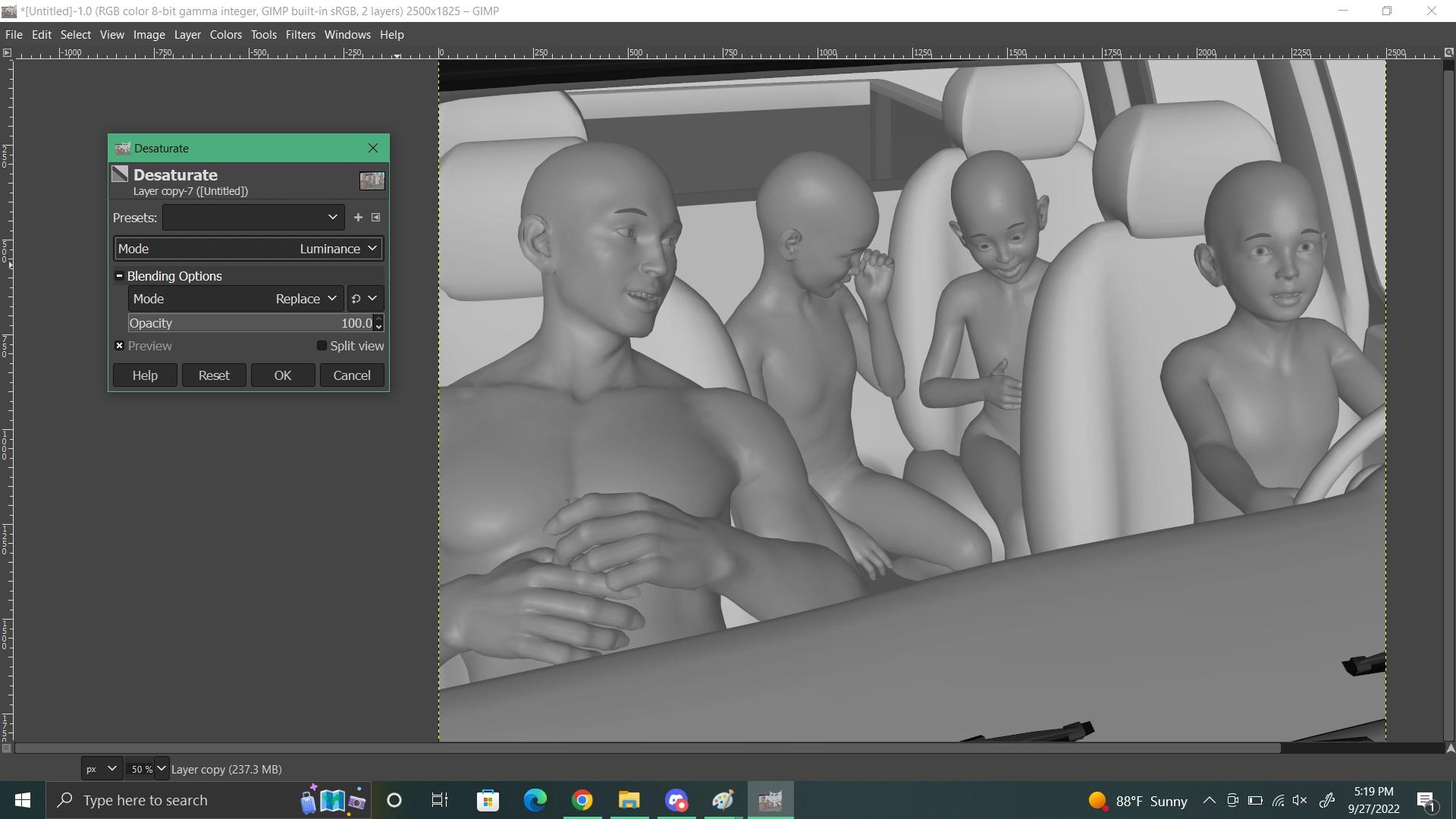
I've also "pre-ordered" V9 HD (not the bundle, because I don't buy things unseen.) I do love her skins, and that's the main motivation why. I've been wanting a light-skinned vitiligo skin and a freckled skin for a long time. I was originally going to buy that Enchanted Elven Mega Bundle for the two elves but I dislike how Emirys gives all his characters baked-in HD morphs. (In my experience, baked-in HD doesn't mix well with other HD when you're mixing characters. It's the main reason I refrain from buying characters made by PAs who do this.) V9 apparently has this problem, but her skins are useful since the UVs are totally different, so I just won't use her shape. I doubt they'd fix the product description, but V9 is not the first "Core" character with baked-in HD. As far as I know, White Priestess 8.1 has baked-in HD and that was disappointing. (I love her otherwise.) HD also increases memory consumption because of the subdivision levels. But, G9's mouth and eyeballs are separate props, and I can control the subdivision of each...or not load them at all, to save on system resources.
Anyway, I'm very excited about Genesis 9 because it's "unified" like Genesis 1. It doesn't bother my investment in the G8 figures because I will still use them for drawing references, just like this screenshot I took a few minutes ago. I used Genesis 1 for a drawing reference for a long time until I built up my G8 collection and had more than enough shapes to recreate characters with models that had better bends.
Genesis 9 Coming Soon! Preorder Victoria 9 HD TodayNoah LGP said:
HD is the main feature of G9 ?
HD included rather than an add-on is a feature of Victoria 9.
Genesis 9 Coming Soon! Preorder Victoria 9 HD TodayThe positive point is Victoria 9 is already HD (no HD add-on)
Anatomical elements on adult G8 and G8.1 modelshansolocambo said:
You'll most likely find what you're looking for on more specialized websites such as Renderotica.
I strongly advice :
- New Gens For Victoria 8 (3feetwolf) for female genitalia geograft.
New Gens For Victoria 8 provides a script that will auto-texture female genitals so that their color blends perfectly with the rest of the torso, for absolutely any Genesis 8/8.1 female.
I agree, it works with any G3F or G8F characters, could be the best thing to purchase at renderotica. 3feetwolf keeps helping customers on the renderotica forums, wich is a rare feature in the Daz Studio content creators sphere... Just dreaming of a "New Gens For Victoria 9" by 3feetwolf!
Which Victoria is the best?Victoria 7 is the prettiest of all of them IMO, followed by 9.
For usability though, the Genesis 7 line had their own UVs which was annoying to use. Victoria 4 of course a clear winner for versatility.
Anatomical elements on adult G8 and G8.1 modelsLike frank0314 said with "Pro G8 bundle" you get the actual genitalia that will show up in the anatomy section of DAZ Studio. It is important to know you only get these in the adult versions of G8 Pro like Victoria 8 Pro and Michael 8 Pro, if you buy a teenage Pro bundle (like Teen Raven Pro) it will NOT contain the (anatomy section) actual genitalia. Practically speaking you only need two adult versions of G8 Pro (1 x male and 1 x female) to cover your entire G8 library; in essence you would have to do the same for G3 (should you use that) that comes with its own adult versions of G3 Pro. Daz Victoria Pro and Daz Michael Pro are your safest bets but other DAZ adult Pro’s should work too but I stick to what I know. G8 can be forced to work on G3 but some weird problems can occur that I'll leave to your imagination. I was delighted when I finally had the adult male and female G8 and G3 Pro versions.
As for the anatomical elements ("a.e.") that many figures that you buy in the DS shop have, it has already been explained, these contain the materials that will provide the "skin" of the actual genitalia; so first you would apply the genitalia from the central Anatomy section, this will result in a "Genesis 8 Female Genitalia" or "Genesis 8 Male Genitalia" node in your figure (and a metal like outline of the selected genitalia); and then you select this node and double click anatomical elements from your figure, and the metal like outline of the selected genitalia will be covered with skin material identical to the rest of your figure. Some skin materials, often with “full” in their name cover both the figure and the a.e. in one go.
A substantial amount of figures that you buy in the DS shop have no anatomical elements*; you can still give them the actual genitalia from the central Anatomy section; you can subsequently try (the skin material) from the anatomical elements of a different figure but you'll find that almost always there is an annoying color difference. The easiest (but radical) solution for this is to apply the Materials --> (skin) MAT from a figure like Michael 8 (that has the anatomical elements) on the (gender corresponding) figure that has no anatomical elements, then follow up by adding the actual genitalia from the central Anatomy section and then applying the Michael 8 anatomical elements to the newly formed "Genesis 8 Male Genitalia" node. With this simple workaround you can give any ('human') Gen8 figure genitalia.
* whereas some signature figures have both Male Anatomical Elements and Female Anatomical Elements like the wonderful Catty.Obviously using a different skin on a figure will also change the look of that figure, sometimes quite dramatically. There are cases in which the end result is (surprisingly) way better than the original figure, sometimes it just looks different. The good news is you can cycle through your entire library of Gen8 figures that have anatomical elements and apply their skins and a.e. to your figure. until you come up with a result that you like. As for makeup, unless you use L.I.E. material usually you can only use the stuff that came with your a.e. "donor" figure, if you use the makeup of your original figure it may look bad.
As for the shape and other attributes of genitalia, the DAZ shop has some products that provide a few sliders for that, like zev0 "Shape Shift". A website like Renderotica has stuff that either works with the official DS anatomical elements/anatomy (but you still would have to have a Pro bundle [see above] and a figure with a.e.) and it also has products that provide 'exotic' proprietary solutions (often no DAZ Pro bundle required). In my experience the official DS stuff, enhanced with a couple of sliders will suit most purposes. Quite a few Renderotica products turn out to be a waste of money, esp. color options are often woefully inadequate.
Some DS developers provide their figures with "Genital hair" and usually you can apply that material to almost any other ('human') DS figure within the same gender and generation, so it pays to look for that when browsing the materials of a figure you want to buy so you build a small collection of that particular resource (unfortunately most look exactly the same apart from color aspects, but there are a few different shapes to be found).
Which Victoria is the best?Never been a Victoria fan. The Victoria(s) I spent most time and energy on, have been Victoria 2 and Victoria 3, who were just the best availeble figures at that time. I have never been into Victoria 4 and still don't understand the hype about her. She has mostly been useful for great portraits or backgrounds.
To answer the question, I think, the upcoming Victoria 9 will be the best.Which Victoria is the best?Have to confess I am not a fan of V8 or 8.1. I think V9 looks absolutely stunning, but is beyond my current system's capability. V7 looks quite attractive too. The only other Victoria I have really used is V3, and there was a lot of work involved in hiding the joint problems she had.
But.. looks wise, I do feel Jim Burton's Glamorous Vickie 3 was the best early Victoria of them all, not only did she look good, but also corrected a few of the joint problems to be found with V3 by having her own DAZ approved CR2 file and didn't have to rely on V3 as a base figure. Not all the problems were corrected, and she had many more joint problems than V4, but was a stepwise improvement at the time.
Regards,
Richard.
Which Victoria is the best?Victoria 8
genesis 9/victoria 9 8k maps and lower graphic cardsGordig said:
catmaster said:
I agree that nature mechanisms do not apply to artificial figures.
Victoria 9 looks sexy but G9 unimesh is too primitive to my like :)"Primitive" in what way?
Watched the promotion video of Victoria 9, when dragging the G9 unimesh slider there is not enough change to distinguish two opposite sexes.
People who use Daz as the only DCC software or as the end output would be very happy about G9 unimesh and probably don't care about bridges.
G8 and all the G8 ecosystems are far more useful for tool chains beyond image rendering purpose, until G9 gets the same level of support of G8.Again, what are you basing this statement on? Why would G9 be any harder for bridges to deal with? Also, G9's rigging is more in line with industry standards, so G9 could potentially be much easier to work with in other programs.
Don't know the G9 rigging until it comes out. Maybe you're one of the G9 developers and know the G9's rigging is more industry compatible?
genesis 9/victoria 9 8k maps and lower graphic cardscatmaster said:
I agree that nature mechanisms do not apply to artificial figures.
Victoria 9 looks sexy but G9 unimesh is too primitive to my like :)"Primitive" in what way?
People who use Daz as the only DCC software or as the end output would be very happy about G9 unimesh and probably don't care about bridges.
G8 and all the G8 ecosystems are far more useful for tool chains beyond image rendering purpose, until G9 gets the same level of support of G8.Again, what are you basing this statement on? Why would G9 be any harder for bridges to deal with? Also, G9's rigging is more in line with industry standards, so G9 could potentially be much easier to work with in other programs.
My opinion is to keep support of both G8 and G9 for different purposes.
That depends on what you mean by "support". There's no reason to believe that G8 will stop working in DS at any point, and the bridges were built around G8, so I wouldn't expect future updates to the bridges to drop G8 support. Will Daz continue releasing new content for G8 after G9 is released? Probably not for long, but that's been true of every previous generation as well.
Padone said:
@Gordig It is not a matter of technology but of complexity and easy of use. They separated the gender meshes in G2 because it was too difficult for the PAs to handle the unimesh for male/female outfits. This was the explanation by daz. Otherwise there was no reason to abandon the unimesh. After that they kept the gender-meshes from G2 to G81. Now they go back to unimesh with G9 that is even more complex than G1, so it is logical to expect that this will fail and will be abandoned same as G1.
IS that logical to expect? I would posit that it's more logical to think that they didn't go back to a unimesh for no reason, and that they applied lessons they learned from G1 in that decision. They've explained the decision, and the changes they made to facilitate clothing creation.
Daz 3D is part of

Connect
DAZ Productions, Inc.
7533 S Center View Ct #4664
West Jordan, UT 84084Licensing Agreement | Terms of Service | Privacy Policy | EULA
© 2026 Daz Productions Inc. All Rights Reserved.