-
Genesis 9 Eyes Pivot Point Issue
I am having the exact same issue and the morphs on the eyes and the rig are one to one... I tried dialing every morph to zero but with no luck. I am not sure I got every morph so I am going to try it with just the base g9 tonight. If it persists or if I find the eaxct morph causing the issue then I will update the forum. This happend sinc an update in the last week or so. I made some purchases in that time so I will start with those and work my way back.
Clothing not staying fitted to figure when loading sceneYes, if you delete the polygons on a fitted garment, its rigged geometry as well as the dialed morph effect will be destroyed.
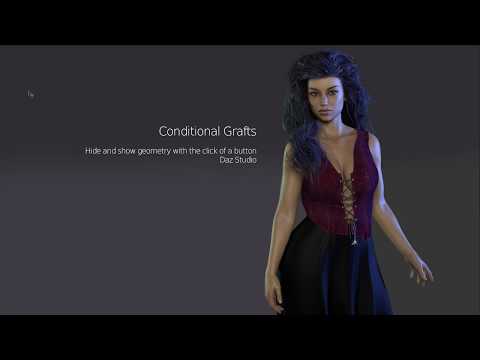
So, never do so on rigged items. Instead, you can easily create Conditional Graft(s) to toggle Hide / Show the designated polygons. Check Mada's tutorial down below:
 Cryptid Heroes Outfit Question
nabob21 said:
Hello,
It is unclear to me in the descriptions for the Cryptid Heores Outfit and the texture expansion (https://www.daz3d.com/dforce-cryptid-heroes-outfit-for-genesis-9 and https://www.daz3d.com/dforce-cryptid-heroes-outfit-texture-add-on) if everyting in these two packages are there to make all of the costumes shwon in the attached promo for the texture expansion set. Specifically, I am wondering if everything is there to make all of the masks that are shown. The Cryptid Heroes Outfit description doesn't really say if the mask is actually morphable like the ones that are shown in my image. Can anyone who has this set let me know if these masks can be made as shown, or if another morph set is required?
Thanks in advance for any replies.
nabob21
Ah, i realized i bought them and never used it... To answer your question, yes, evrything you might need to generate the costumes/uniforms/outfits is present in the product so you are ready to go.
Cryptid Heroes Outfit QuestionHello,
It is unclear to me in the descriptions for the Cryptid Heores Outfit and the texture expansion (https://www.daz3d.com/dforce-cryptid-heroes-outfit-for-genesis-9 and https://www.daz3d.com/dforce-cryptid-heroes-outfit-texture-add-on) if everyting in these two packages are there to make all of the costumes shwon in the attached promo for the texture expansion set. Specifically, I am wondering if everything is there to make all of the masks that are shown. The Cryptid Heroes Outfit description doesn't really say if the mask is actually morphable like the ones that are shown in my image. Can anyone who has this set let me know if these masks can be made as shown, or if another morph set is required?
Thanks in advance for any replies.
nabob21
Script to export geograft morphsRichard Haseltine said:
Well, what he does (if Auto Follow was turned off before fitting) is stop the morphs from being projected into the fitted item as temporary morphs, so he can then add permanent properties with the same name which will follow the settings on the base and will exist to be exported. However, those new properties won't do anything so I am not sure how that helps.
I haven't gotten as far as testing the exported FBX, but I did solve recreating the steps in the video:
First, set a var for the node you want to add the property to. In my case, i called it primaryNode.Then, turn auto follow off:
oProperty.setCanAutoFollow(false);Then, add it to your desired node:
primaryNode.addProperty(oProperty);At this point you've replicated all the steps from the video. I don't yet know whether it's effective, as you said.
That being said, I'm still running into the naming issue. I'm finding these properties using
oProperty = oPropertyGroupTree.findProperty(sProperty);and if that fails, then
oProperty = oPropertyGroupTree.findPropertyByLabel(sProperty);But as I said, it will find "Some Morph Name" on the first pass, but then in subsequent passes I get the "DZ_NON_UNIQUE_NAME_ERROR" error for names that use the first name as a suffix, like "Some Morph Name More 1" and "Some Morph Name More 2" etc. I assume some issue in the core code with regex, although I'm continuing to examine my own code to see if I have created this issue somewhere.
LI Wolfsbane Fur - Lycan 9 / Addon / Pelts - Usage Help & TipsHey everyone! I’m here to share some insights and tips on using the LI Wolfsbane Fur products for Lycan 9, including the base fur, addons, and pelts. I know a few users have had questions, so I hope this helps you get the most out of these products!
Firstly, this was a massive project. What you see out of the box is just the foundation—the fur system can be pushed far beyond the initial presets. If you’re interested in diving deeper, exploring DAZ’s dForce Hair features and experimenting with custom density maps will really unlock the potential here. I designed it to strike a balance between performance and flexibility, making it adaptable to a range of system capabilities.
When working with the LI Wolfsbane Fur, you’ll notice two UV options:
UV BMU (Base Multi UDIM): This setting uses the Genesis 9 UVs, making it compatible with standard Genesis 9 textures. If you’re blending the fur with textures on other Genesis 9 characters, this is the way to go.
UV LYCAN: Specifically tailored for the Lycan 9, this UV setting aligns with the unique texture layout of the character, allowing for detailed fur placement and precise masking.
Why does this matter? Choosing the correct UV setting is essential if you plan to use Density Maps for customizations, like masking specific sections or achieving that “Mange” effect in some presets. Density Maps depend heavily on UV alignment, so selecting the right UV will give you more control over the fur’s appearance.
Some features may seem like “extras” that aren’t immediately necessary, but they’re there to enable advanced customization. If you want to push creative boundaries, try layering different fur regions or experimenting with density adjustments. The fur system is especially useful for characters wearing clothing—custom density maps can “hide” fur in specific regions to avoid overlap.
I’ll be honest, the biggest challenge I couldn’t fully resolve was creating smoothly blended edges. Unfortunately, DAZ doesn’t yet allow density maps to control hair thickness, which would have been ideal for creating more seamless transitions. Still, the potential of this product is huge, with plenty of flexibility for creative adaptations.
Notice:
One of the biggest challenges in crafting the LI Wolfsbane Fur - Lycan 9 product was managing fur density across Lycan’s unique anatomy. Due to the significant morph adjustments that the Lycan 9 character applies to the Genesis 9 base shape, areas like the feet, ears, and snout experience spread-out fur density when additional strands are simulated.
This is influenced by both the UV layout and surface area (cm²) in each region, which can create variations in fur distribution. To address these challenges, additional assets were developed to enhance fur coverage in these areas, ensuring a consistent, natural appearance across the entire figure.
For the best results, keep the fur assets for these regions in Root Radius Mode. While this limits certain simulation options, it preserves the original grooming shape and form, ensuring optimal coverage and detail in tricky areas.
Tips & Tricks for Getting the Best Results:
Tip 1: To push the fur beyond its default limits, use Target Surface Mode in the dForce Hair Simulation settings. This setting unlocks the full functionality, generating additional fur strands for a denser effect. I recommend using Target Surface Mode primarily for the full-body fur simulations. When adding extra fur pieces from the Addon pack, switch to Root Radius Mode to keep simulations more manageable.
Tip 2: Start by applying the Wearable Presets. These presets provide a solid foundation, with essential fur settings already applied. They make it easier to build and customize your look.
Tip 3: Use LI Wolfsbane Fur - Lycan Coat as your base fur layer, then layer on LI Wolfsbane Fur - Lycan Culled to add variety. Adjusting the Culled fur settings can create lighter, flyaway strands, resulting in a natural, layered effect that enhances the appearance of the fur.
Tip 4: Hierarchical Material Compatibility – Hierarchical materials work seamlessly across all assets loaded onto Genesis 9 or Lycan 9, with a couple of exceptions. You can only have one of the Lycan Coat variants (standard or Alt) loaded at a time for hierarchical materials to apply automatically. If both are loaded simultaneously, manual adjustments may be required to achieve the desired look.
Tip 5: Understanding PR and PS Settings in dForce Hair Generation
PR (PreRender): This setting displays simulated fur strands only in the final render, which is useful for animations as it saves on viewport performance while preserving full dForce detail in the output.
PS (PreSim): This setting allows you to see the simulated strands live in the Iray Viewport, making it ideal for static renders. You can make real-time adjustments, which is especially helpful when fine-tuning for still shots.
This is just the starting point! If you have any questions or need additional guidance, feel free to reach out. I’m here to help you unlock the full potential of these products!
Released : "Drops Generator" (Commercial)Sorry guys I did not answer I had an emergency for my dog, and I could not be online... Well let's see what's new here ;)
Thanks for the feedback. Happy to see you like the morph stuff. Feel free to mix and combine for more variety :) Ah, and you should always find morphs to ajust size, thickness, width and length (for drops), I tried to make it as versatile as possible. Happy rendering :)Choppski said:
It's incredibly cool. So many potential uses, and somehow I had missed that the drops and drips had morphs, or that there were props. Really cool.
I hope you'll have fun with it, feel free to share images or ask questions if necessary :)MissLeah said:
It's in my cart right now! I can't wait to have some time to play!

Great ! I understand you used big drops, it goes well with the mood of the image :) And I'm delighted to know the shaders work for filament too... Gosh, if I had known I would have mentionned it in the description..... Thanks for the feedback. And yes, I agree, filament is wonderful for render times :)Artini said:
I have not changed the shader at all. For my purposes is ok.
The speed of rendering in Filament is unresistable and unbeatable (almost instant, max 2 seconds).
I have made such a big drops to see them better.
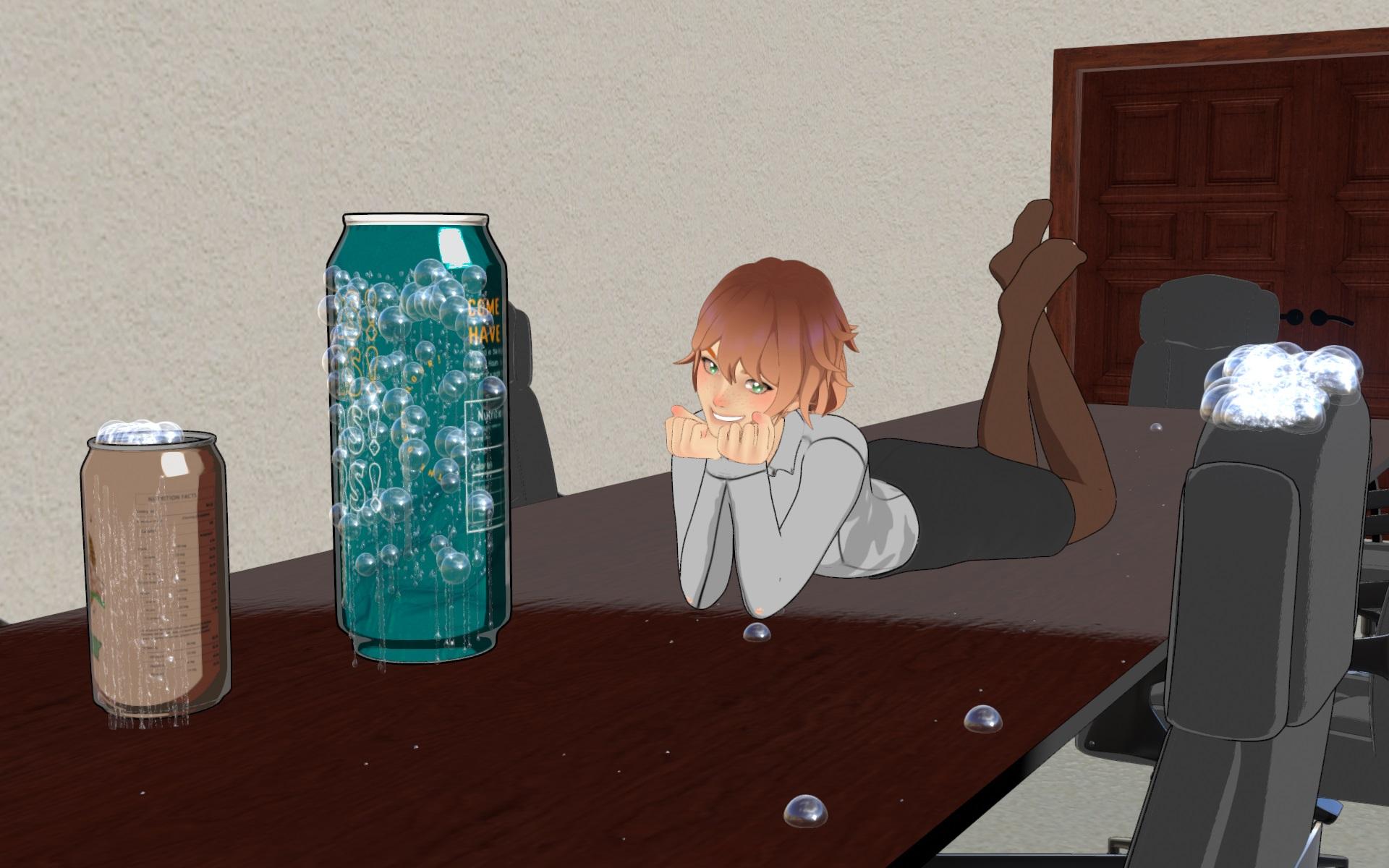
THANK YOU for your tests! Hurray for the Generators in 4.21. Normally they are the most complex scripts, the others should work too in 4.21, let me know if it is not the case.Elor said:
V3Digitimes said:
If anybody has a way to test it on 21 and it works - or not, feel free to let us know.
I was able to create drips and drops with the corresponding script with Daz 4.21, but didn't test the other scripts.
Script to export geograft morphsRichard Haseltine said:
I haven't watched the video (a description of waht youw ant to achieve would be helpful) but copying a proeprty won't help if you are wanting to project a matching morph into a graft - that is a modifier (which will be driven by a property but is rather more than a proerpty itself). If the graft is close-fitting to existing mesh then you will get the projected morph when the morph on the base figure is set and just need to make it persistent, otherwise you would need to create a new morph for he graft.
The gentleman in the video is using the Golden Palace geograft as an example. I have been attempting to replicate the results in script using this shark tail resource which is a SFW geograft:
https://www.daz3d.com/shark-tail-for-genesis-8-and-81-femaleFirst, he opens the settings on the morph he wants to export and unchecks the "auto follow" box. He also copies several of the parameters such as name, label, type, and other settings to notepad.
Then he selects the model, goes into Edit Mode, and clicks "create new property". Property type is "float".
He pastes the params from notepad into his new property. He then clicks "create".
He then clicks on the parameter settings for the new property, and checks the box for "auto follow".
After these steps, he is able to use "FBX to Unity" successfully. I am not exporting to unity, I am exporting FBX 2020 Ascii if that matters.
So, I thought there would be two possible avenues to tackle this in script:
1. Replicate the menu actions that the video describes using script (not sure how to accomplish this)
or
2. Find a more direct way to copy/move the morph to the main model that satisfies the requirements for FBX export
Question about tasha 8 fangsProduct link https://www.daz3d.com/tasha-8
The file list include a fangs morph, but not a preset. So if you load a G8.1F and go to Parameters > Actor > Head and search for fangs it will come up and you can dial it in.
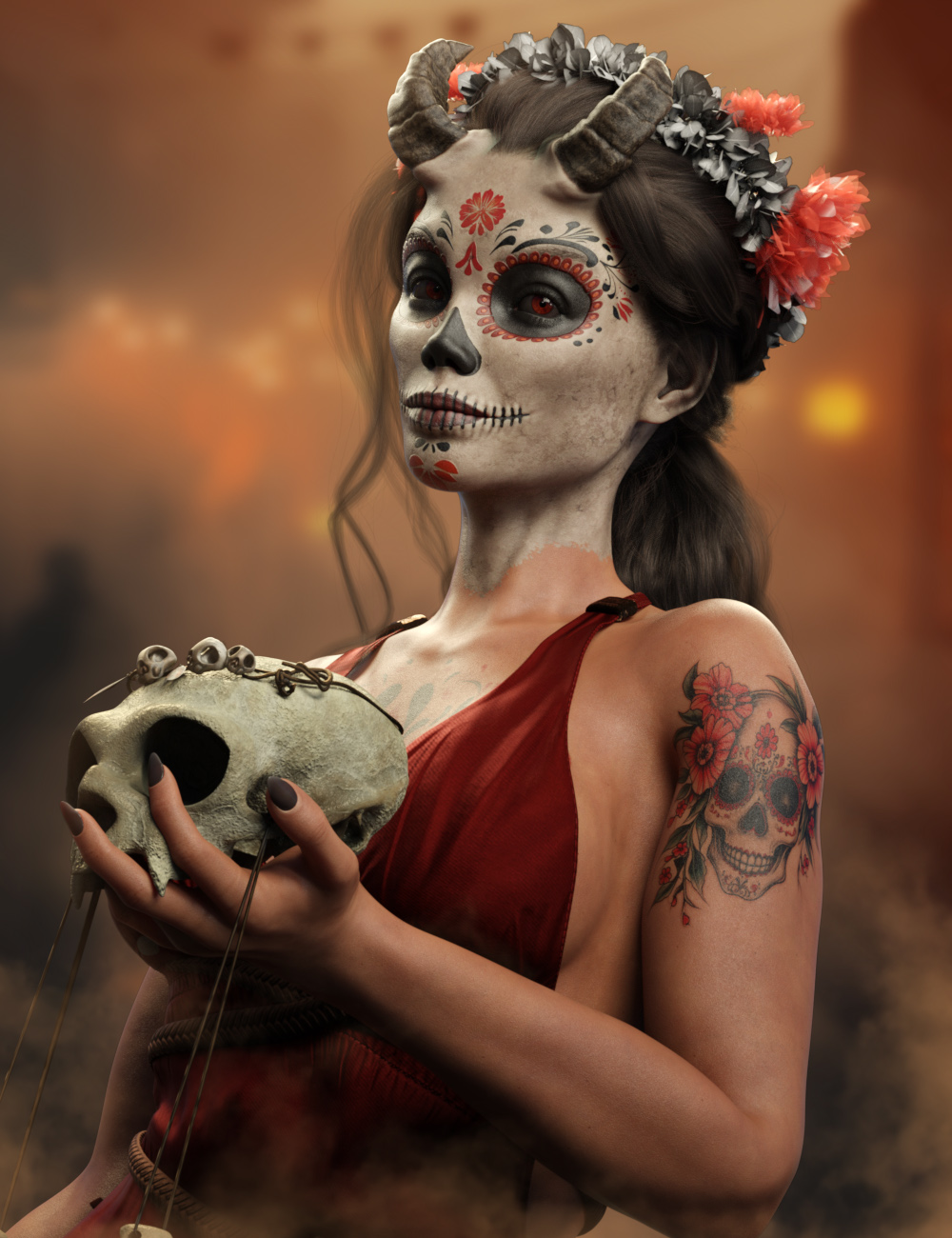
CalaVeera for G9 [commercial]CalaVeera for Genesis 9
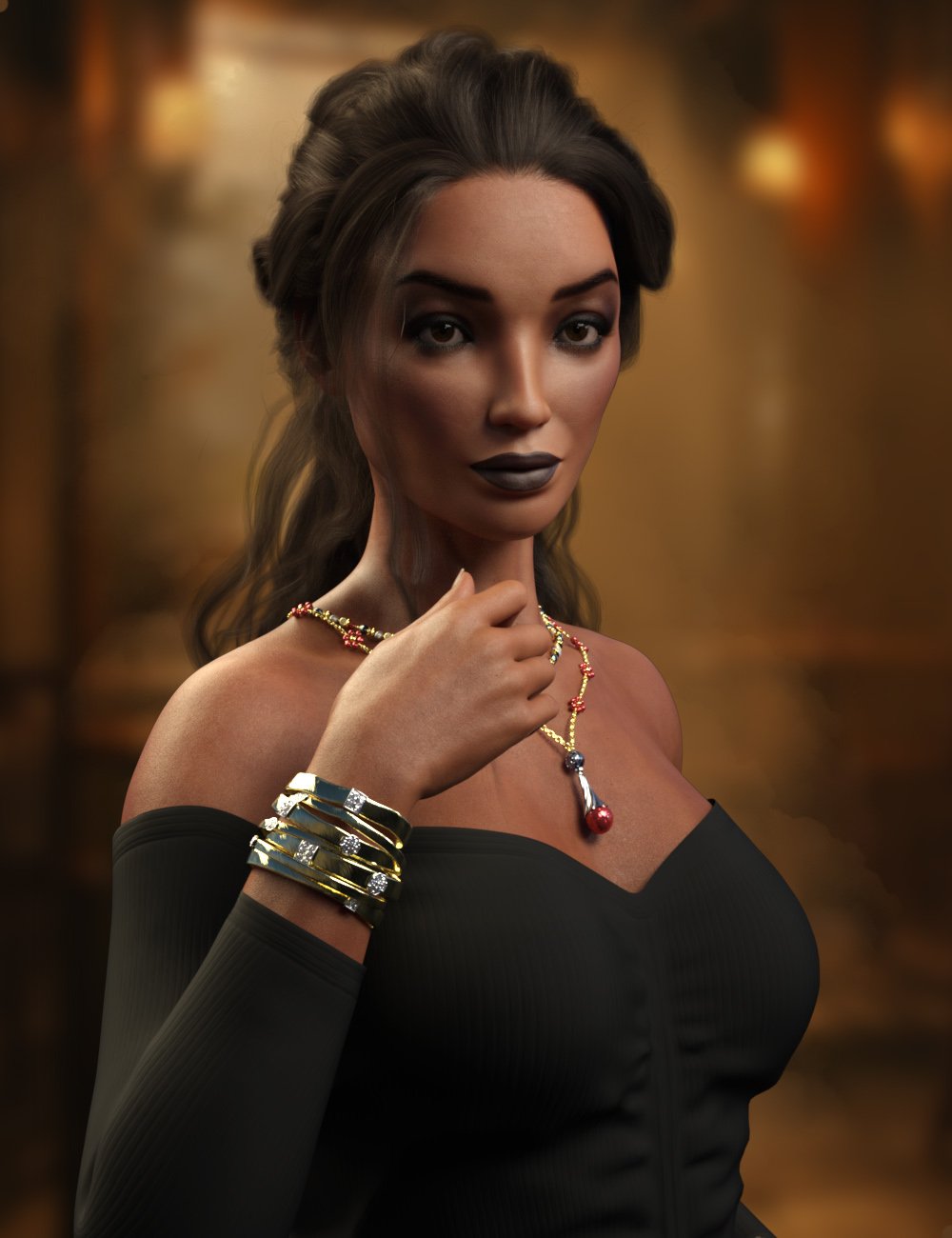
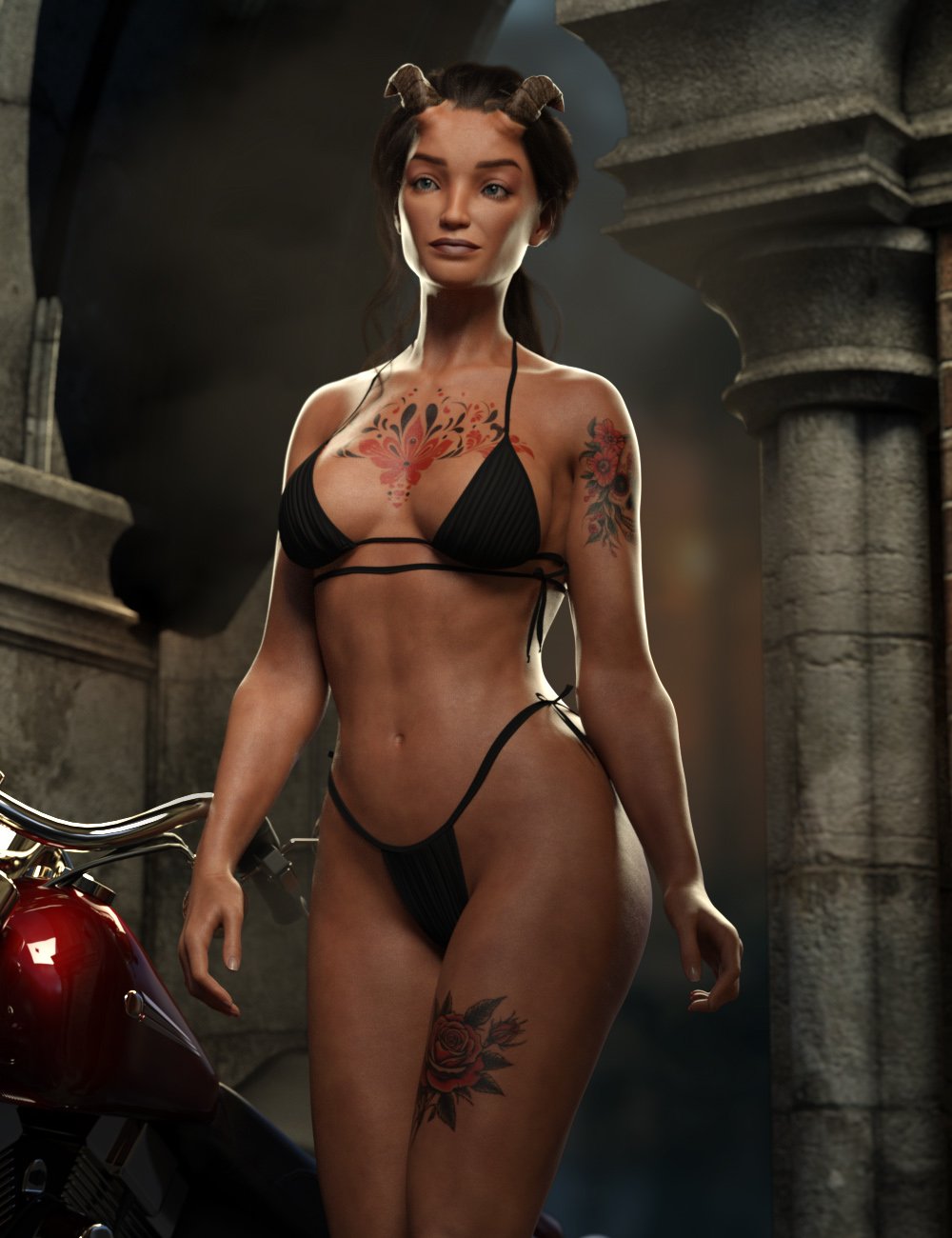
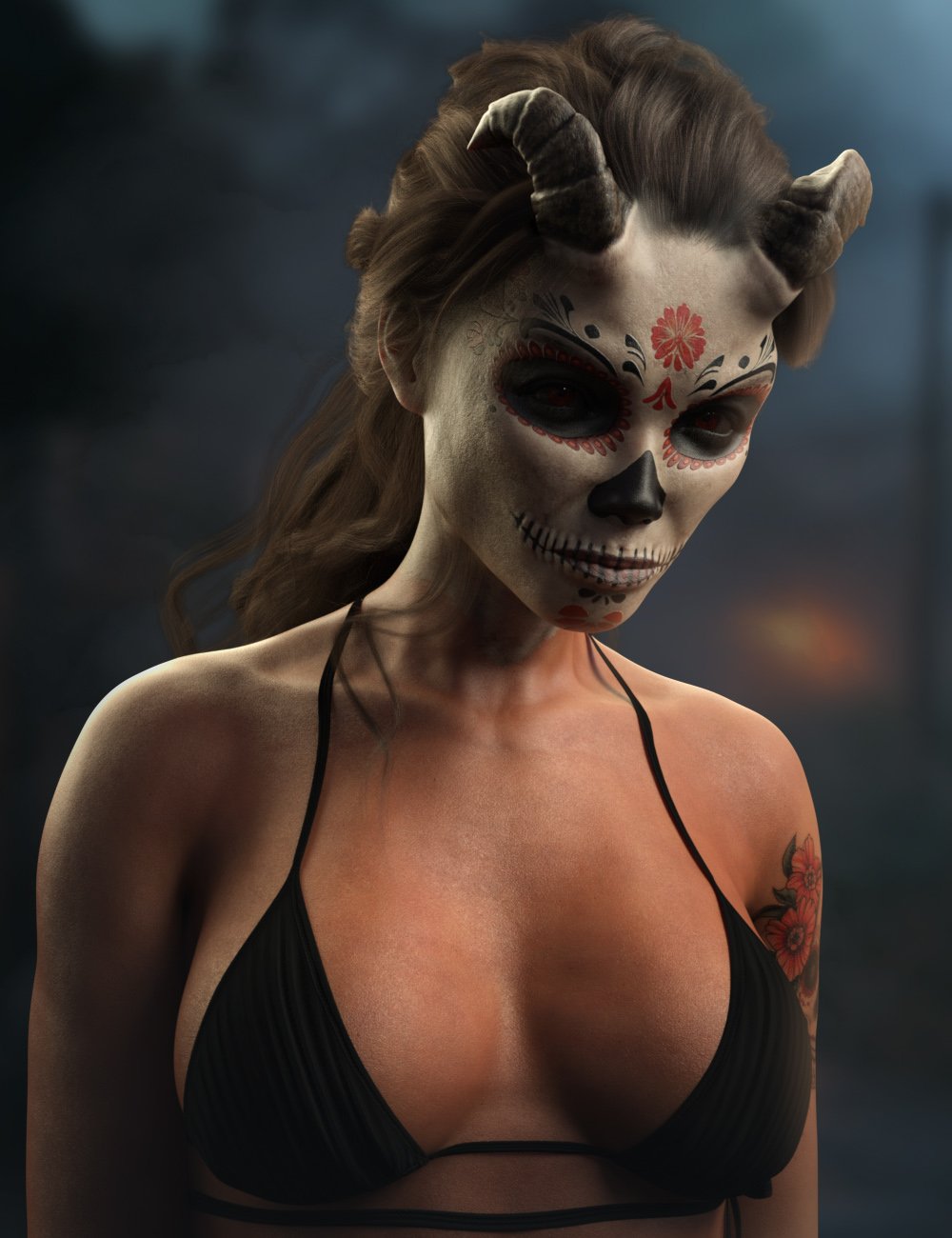
https://www.daz3d.com/calaveera-for-genesis-9CalaVeera is a demon in woman form who comes out during Día de Muertos holiday celebrations.
Makeup variations can turn her from a proud powerful woman, who enjoys the Day of the Dead festival, and ultimately a skull faced demon with horns.
CalaVeera Horns are a geografted figure with pose dials included to adjust into a variety of shapes.
Separate head and body morph dials allow easy blending with other Genesis 9 characters, to create some really unique characters.
CalaVeera comes with High Definitions morphs, Ultra Realistic textures to really bring this character to life for your renders
What's Included and Features
- CalaVeera for Genesis 9: (.DUF)
- CalaVeera Demon Character Preset
- CalaVeera Woman Character Preset
- CalaVeera Demon Shaping Preset
- CalaVeera Woman Shaping Preset
- CalaVeera Horn Details On Preset
- CalaVeera Horn Details Off Preset
- CalaVeera Skull Details On Preset
- CalaVeera Skull Details Off Preset
- Wearables:
- CalaVeera Horn Wearable Preset
- Material Options:
- 01 Full Skin Mat with Female Anatomical Elements
- 01 Bare Face Material Preset
- 04 Face Makeup Material Presets
- 01 Arm Tattoo Material Presets
- 01 Chest Tattoo Material Presets
- 01 Leg Tattoo Material Presets
- 07 Eye Material Presets
- 04 Nails Material Presets
 Fit Control for Genesis 8 (Commercial)
nabob21 said:
I have removed the files that were duplicates and re-installed the Fit Control Add-On but still have the crashes when certain characters remain installed. Herre is the latest log file.
Hi Nabo21, I had a problem that seems identical to yours, though in my case, it also coincided with an upgrade (I upgraded again, but it did not eliminate it).
Tried to remove a character you suggested, but before even trying if it was only that character, I found a workaround (hoping Zev0 is not going to kill me and somehow change the product so the workaround stops working :-P :-)), thanks to an old post in which Zev0 indicated how Fit Control (for G2, I think, but it is the same principle) worked.
If the morphs are correctly installed, they are in reality loaded with the character, just not visible. In the parameters, there is a "hidden" folder - in reality, the morphs you can see there, are not really hidden, but if you use the menu in the "preferences" tab (top left corner) and select "show hidden", you will see the fit control morphs are there.
Once that is the case, you can just select them as "favorites" (the little heart), then use the transfer utility to transfer them from the character to the clothes you want to apply fit control to. If you want to do it for a bunch, or all of them, better pass into "edit mode" and select multiple, that way you can "favorite" them at once.
In basic terms, you would be doing manually the work the the script does.
Of course if you transfer all them and then want to "clean up" becomes a tedious long work, because the scripts from Zev0 normally do all the work for you, and it seems even you untick the "hidden", they still stay hidden (but I did not yet try saving the scene and reloading it), so, it is far from being as good as Zev0 scripts, and I would suggest you really transfer only the morphs you need for the specific clothes.
But at least it works and is better than the alternative I had got from DAZ. Their idea, after a "peer review" of my ticket (worked in helpdesk in the past, loved that one :-)), was to blame it to my database not being in the default location, and tell me I had to remove every daz related, full library included, and reinstall everything, which means thousands of assets, many of which cataloged by myself, and without giving me any way to save and restore that information.
Luckily I work in IT, so, I could see what their indication relly meant :-)
Hope this helps, even if it is only a workaround and not a real solution.
DAZ and Blender Animating.I will hijack this thread for my own questions:
- If you do diffeomorphic transfer and get rigged character into Blender, then animate in Blender using the default rig, is that animation transferable back to Daz? E.g., by fbx export?
- Are JCMs maintained through transfer to diffeomorphic so that the animated figure in Blender will roughly match the figure in Daz Studio when applying the animation in Daz?
RRRR - Weird Holiday Traditions Render Contest *CLOSED*acb said:
Pull#1:
- Undead Creature Creator HD Morph Pack for Genesis 3 Male #34857
- 8bit Retro V2 #58873
- Cb Clementine Corset And Choker For Genesis 8 And 8.1 Females #85649
- Dforce Liberty Grace Outfit For Genesis 8 Female #54203
- LB: Spr Ob Suit Jacket For Genesis 8.1 Female #85996
- LB: Dforce Flirty Bow Dress For Genesis 8 Female(s) #53187
- LB: dForce Succubus Armor Outfit for Genesis 9 #93499
Tag:acb#01
Halloween
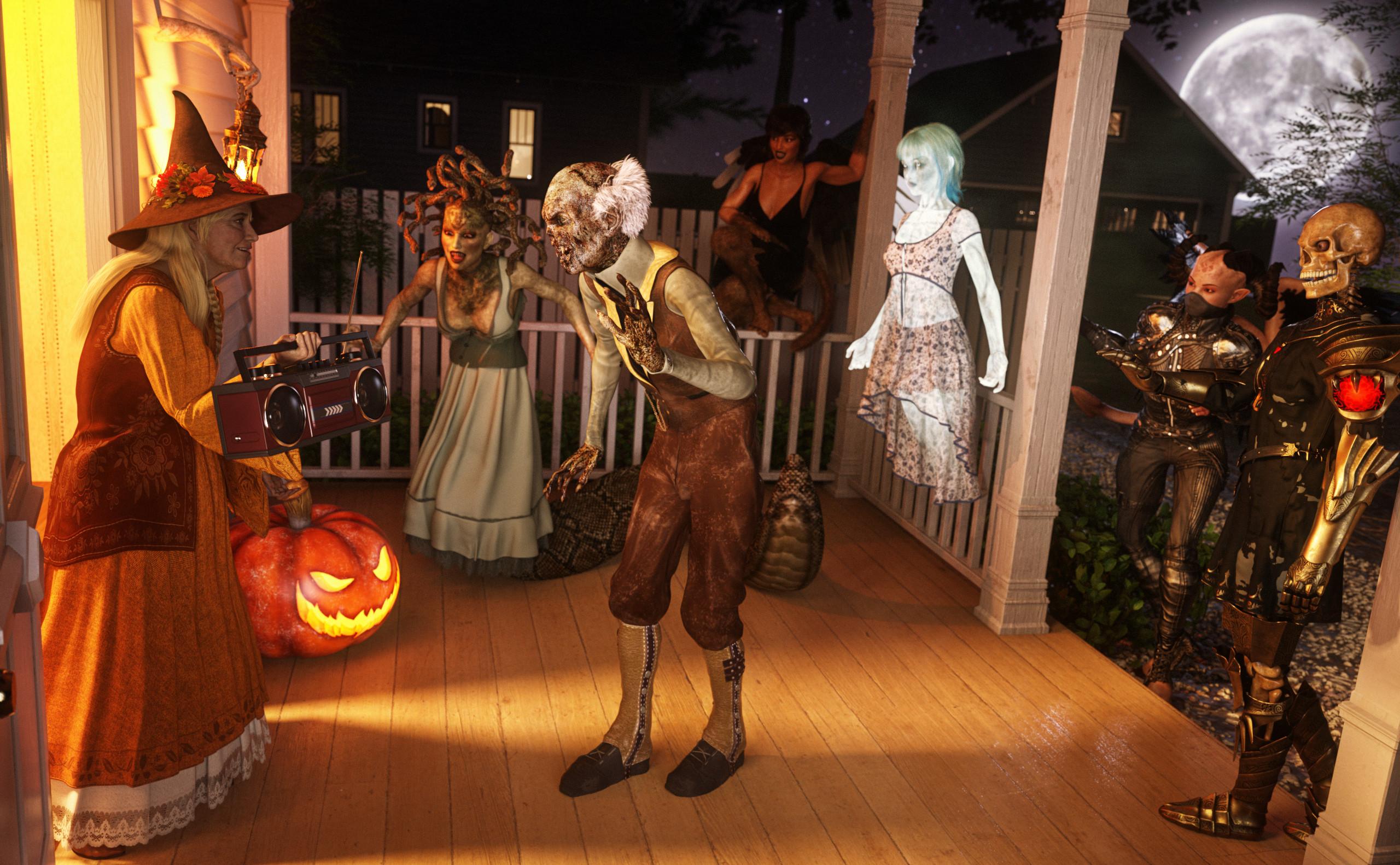
Zombie Bert had been wondering for a few years why the humans always dressed like normal people at the end of October and went from house to house. And in return they were given something to eat at every door they rang.
He wanted that too!
This year Bert got his friends together to also go from house to house in normal clothes (apparently everyone has a different idea of what normal clothes are).
And the whole thing was a great success. But the best part was at the Fletchers. There they got 80s tech instead of food.Bert and his friends do this every year from now on.
 Any of you recognise this character?
The skin appears to be from Aino, but I'd look through Mousso's store for the face morph. MSO Mirage looks close, but it's probably an earlier model. Try MSO Vix.
Script to export geograft morphsI haven't watched the video (a description of waht youw ant to achieve would be helpful) but copying a proeprty won't help if you are wanting to project a matching morph into a graft - that is a modifier (which will be driven by a property but is rather more than a proerpty itself). If the graft is close-fitting to existing mesh then you will get the projected morph when the morph on the base figure is set and just need to make it persistent, otherwise you would need to create a new morph for he graft.
Premier locked - interactive licenses?zombietaggerung said:
G9 is unisex. Couldn't you just dial in the default G9 female shape onto the male Lycan? Then you wouldn't have to worry about liscencing another figure shape.
I'm considering my options there. Was hopoing to have a difinitive answer before purchase though. I suspect what I might (MIGHT) be able to do is apply the base masculine G9 morph as a negative, thereby reducing the inherent masculinity.
How do you create a slider dial from an expression?By new property, it is meant whatever you named the new property. Location of the morph should generally be in data\DAZ 3D\"figure name"\Female\Morphs\"Create a folder here"
So as an example data\DAZ 3D\Genesis 8\Female\Morphs\RacerDC or data\DAZ 3D\Genesis 8\Female 8_1\Morphs\RacerDC
Added an image for an example, in case a picture is better than words lol
Script to export geograft morphsCurrently trying to replicate this in script: https://www.youtube.com/watch?v=Gq6eePZxxvE
Was hoping I could use `oElement.addProperty` to quickly copy a property from the geograft to the main figure.
First problem was that this seemed to move the property rather than create a new one. But no big deal, I thought I should still be able to export it (though apparently the export didn't work).
Second problem, and the problem I'm trying to solve now, is that properties whose names have the same suffix won't add, and I get a "DZ_NON_UNIQUE_NAME_ERROR".
`MorphName This Morph` gets added, but then I get the duplicate name error when trying to subsequently add `MorphName This Morph More 1` and `MorphName This Morph More 2`.
I might be barking up the wrong tree anyway, since the export didn't seem to work. I'm considering trying to replicate the menu actions from the video if all else fails, but that's its own problem since I'm not sure those actions in "edit mode" are triggerable via script.
Freebie Challenge October 2024 - "Monster Mash '24!" - Entries ThreadHalloween 2024 Monster Mash
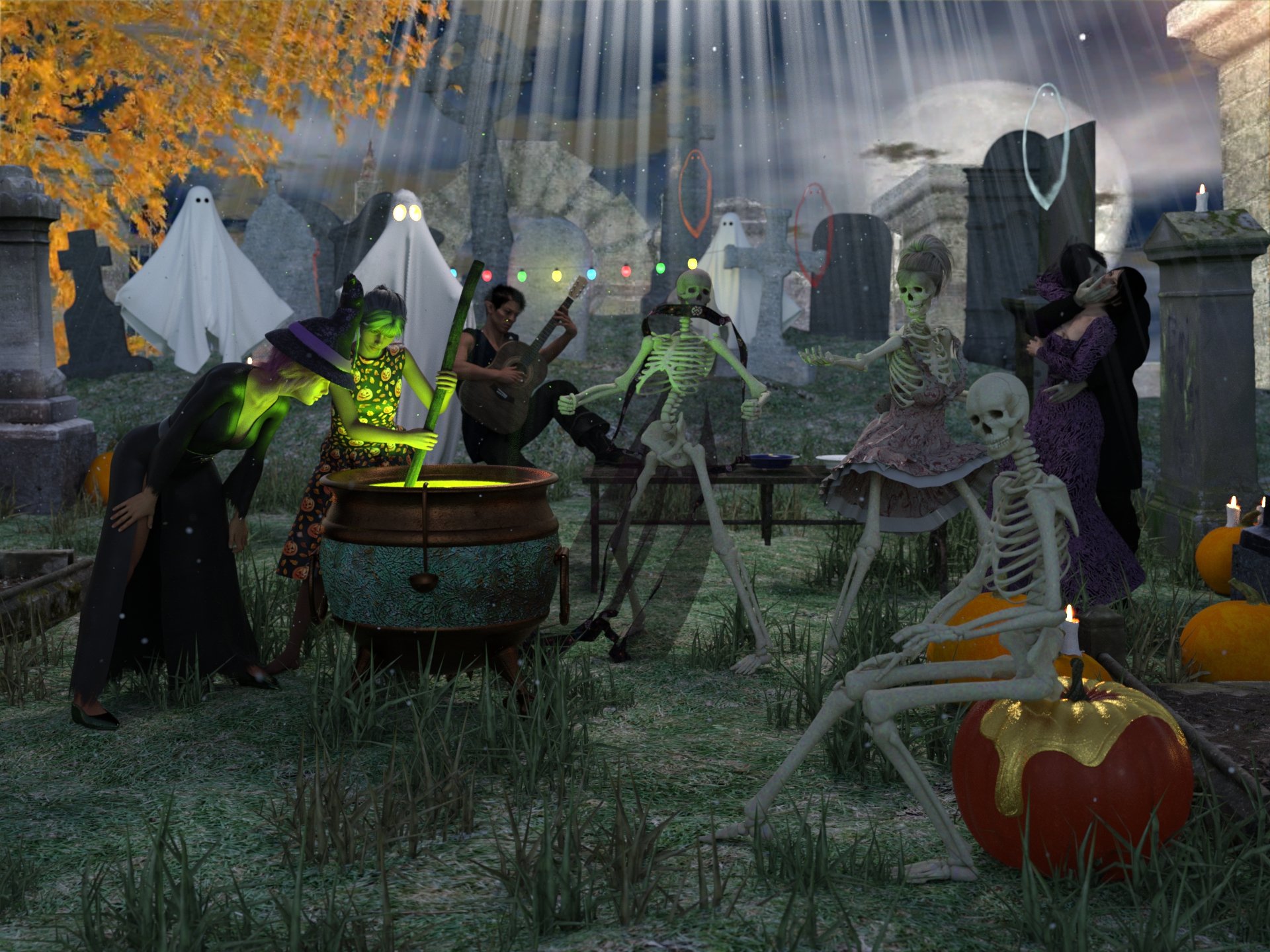
Freebies
Halloween Party for DAZ
https://www.renderhub.com/shredder/halloween-party-for-dazAA Cauldron
https://sharecg.com/v/98638/browse/21/DAZ-Studio/AA-CauldronTrixie's Pumpkin for Daz Studio by TwiztedMetal
https://www.renderosity.com/freestuff/items/83410/trixies-pumpkin-for-daz-studioProp - Morphing Godrays
https://www.deviantart.com/squarepeg3d/art/Prop-Morphing-Godrays-875530244Prop - Dust Mote Cloud
https://www.deviantart.com/squarepeg3d/art/Prop-Dust-Mote-Cloud-875458221freebie Abyss ghosts
https://www.deviantart.com/greendragon-gecko/art/freebie-Abyss-ghosts-791607529Mystics-Ghost
https://www.deviantart.com/mysticartdesign/art/Mystics-Ghost-815468075Ghost by teknology3d
https://www.renderosity.com/freestuff/items/80215/ghostWROUGHT IRON GARDEN BENCH by doggod
https://www.renderosity.com/freestuff/items/70611/wrought-iron-garden-bench2 Hallow Dishes by Emanuela1 day 12
https://www.thefantasiesattic.net/halloween/2024/index.htmlEl Mariachi Guitar Part 1 by sadrielxv
https://www.renderosity.com/freestuff/items/93700/el-mariachi-guitar-part-1El Mariachi Guitar Part 2 by sadrielxv
https://www.renderosity.com/freestuff/items/93701/el-mariachi-guitar-part-2Bloody Vampires
https://sharecg.com/v/94729/gallery/21/DAZ-Studio/Bloody-VampiresErmine for G9
https://www.renderhub.com/undeadcrabb/ermine-for-g9Modular Orc Morphs for G9
https://www.renderhub.com/undeadcrabb/modular-orc-for-g9-october-freebieCassie 9 Character Morph for Genesis 9
https://www.renderhub.com/lambdax/cassie-9-character-morph-for-genesis-9Second Sid by MortemVetus
https://www.renderosity.com/freestuff/items/84772/second-sidFWSA Sharah HD for Olympia 8 Daz biweekly freebie 4-10-2024 (I don't own Olimpia 8 and I applied the character to Genesis 8 female and it works)
https://www.daz3d.com/fwsa-sharah-hd-for-olympia-8Elvira Dress - Simple dForce dress for G8F by chriscox
https://www.renderosity.com/freestuff/items/96252/elvira-dress-simple-dforce-dress-for-g8fWitch Hat for G3F and G8F - Free 3D model
https://www.deviantart.com/bubblecloud/art/Witch-Hat-for-G3F-and-G8F-Free-3D-model-767900163
https://www.renderosity.com/freestuff/items/84212
https://www.renderhub.com/bubblecloud/whitch-hat-for-g3f-g8fNew Dress by Nena Lu/PeTeGe day 20
https://www.thefantasiesattic.net/halloween/2024/index.htmlCaptain Barbossa by Paspu (Pants and boots)
https://www.renderosity.com/freestuff/items/91488/captain-barbossaG3M Weekend Set (waistcoat)
https://www.wilmapsdigitalcreations.co.uk/view_product.php?id=422NeoIndia Veil for G2F and G3F by Arki
https://www.renderosity.com/freestuff/items/75797/neoindia-veil-for-g2f-and-g3fFloral Dress Complete Set-For Genesis 2 Female
https://www.cgtrader.com/free-3d-models/character/clothing/flo-71c1b700-a088-4278-84e4-85fdeca7ded5dForce Medieval Dress for Genesis 9 by syzethal
https://www.renderosity.com/freestuff/items/96799/dforce-medieval-dress-for-genesis-9Medieval Dress G9 - additional textures by eblank
https://www.renderosity.com/freestuff/items/96812/medieval-dress-g9-additional-texturesStar Trek Uniform Set for Genesis 8 Male (Pants and boots)
https://www.deviantart.com/amyaimei/art/Star-Trek-Uniform-Set-for-Genesis-8-Male-7522328091940's Inspired Mens Suit Long Jacket for G8M by perlk
https://www.renderosity.com/freestuff/items/95401/1940s-inspired-mens-suit-long-jacket-for-g8mHair 1 for Daz 3D Genesis 9
https://www.deviantart.com/amyaimei/art/Hair-1-for-Daz-3D-Genesis-9-935744713Noki Airy Low Ponytail Hair
https://www.daz3d.com/forums/discussion/698421/noki-airy-low-ponytail-hair#latestUPDATE - V Devil May Cry 5 Hair Prop for G8M
https://sharecg.com/v/93558/browse/21/DAZ-Studio/UPDATE-V-Devil-May-Cry-5-Hair-Prop-for-G8MLorelay hair
Ds Creative 11 Published on Apr 30, 2015, pag 18-19
https://issuu.com/philatdsc/docs/ds_creative_11
http://4eyes.code66.se/dsc/Lorelay_Hair.zipHAIR - Pugilist Punk Hair for G8F By SquarePeg3D
https://www.deviantart.com/squarepeg3d/art/HAIR-Pugilist-Punk-Hair-for-G8F-926178644Everyday Poses 01, 02, and 03 by Foxclaw
https://www.renderosity.com/freestuff/items/86791/everyday-poses-01-02-and-03Paid
iG 100 Must Have Poses for Genesis 8 Female(s)
https://www.daz3d.com/ig-100-must-have-poses-for-genesis-8-femalesThere's Always Another Sale Thread -- Discussions Only Pt 3TesseractSpace said:
OrangeFalcon said:
XiousDs said:
Ghosty12 said:
Just seen Lycan 9 looked interesting, that is until I read that the female Lycan 9 shape is locked behind premier. So any thought of getting anything Lycan 9 has gone straight out the window.
Did Victoria 9 provide a specific male version for it? Did Michael 9 provide a specific female version for it? No, but you could super easily make the opposite gender for them by just dialing in the opposite gender shape. Later we got daz customized opposite genders for the models. With gen 9 you can put boobs and gens on any model, so I think you might be over reacting. The female shape is literally a convenience feature for premier rather than a requirement, unlike Aiko 9. I would dare say, though, you can pretty much replicate Aiko 9 via the toon essentials and some time so even that is probably more of a convenience feature too.These are great points. With sliders you can easily do things like change genders and go all out with the customizing.
However, in this case, having Lycan female is required because it's a unique model-the Lycan morph is great, but there are things that just don't work. For example, the feet need the slider to be at or close to 100% to look right. And, well, there isn't an individual morph for it, so you'll get the full bulky Lycan model. M3D Claws look fantastic, but my lady werewolf isn't a bodybuilder so I'm awaiting the female to be released (I have Premier and it look like it isn't available to add to my library yet).
I'd like to reiterate that I do not support putting anything behind the subscription paywall. If anything, this makes it more annoying because you CAN'T easily morph Lycan to female. I suppose you could get Phenotypes for Monsters but a full, dedicated model is always the best way to go.
You can dial in base feminine and breast morphs just fine with the Lycan 9 at 100%. Won't be quite the same, but it will work and there are anatomy textures in Lycan 9 for females.
Yes, I have experimented with it, but for me it's the lupine feet that make me unhappy. It can look okay from the waist up with the breast morphs, but I don't like the full body look. It would have been nice for them to just add the male and female to the base product.
Daz 3D is part of

Connect
DAZ Productions, Inc.
7533 S Center View Ct #4664
West Jordan, UT 84084Licensing Agreement | Terms of Service | Privacy Policy | EULA
© 2026 Daz Productions Inc. All Rights Reserved.