-
DIM Filtering Question
I am trying to figure out a way to isolate some of my DS assets. Specifically I want to have all of the G8 characters, morphs and textures in their own Runtime. (The same with G3F, etc.)
Why? Two reasons... having all the morphs installed adds a lot of overhead and irrelevant dials when I am designing characters.
A couple of ideas I had...
Use DIM to install everything and then use a file filter to uninstall anything with morphs and reinstall those to a different directory.
Or install everything and physically move the morph directory through Windows, but worried that this might have unintended consequences.
Anyone have any suggestions?
hi please can someone help me with this in daz studiowilll this also work for g3 and g8 female
Yes, anytime the figure you transfer from is anything other than base figure in base pose, you'll need to use "current" and "reverse source shape from target"
problem with arm morphok...the problem was a problematic morph from swole8 from simon ...... Jesus....dont they look into it when they make these???
[Released] Character Converter from Genesis 3 Female to Genesis 8 Female(Now Conv JCMs) [Commercial]So, tried the product. The conversion went well but the converted character has strange, wavy biceps. Ill post a pic tomorrow.
That is strange. What character? Homegrown?
Its Jenn HD, https://www.daz3d.com/jenn-hd-for-victoria-7 . Heres a pic.
I think other morphs may have been pulled in. When you load Jenn, what currently used morphs are engaged? You may have to fix this by deleting the morphs and reconverting. You could verify this by temporarily renaming the Data/Daz 3D/Genesis 8/Female/Morphs directory and trying to convert Jenn again.
Do ypu mean what morphs are present with a default load or what morphs are present when I load her into the converter?
What morphs are pulled in with the character.
So im trying a new conversion to the file path that you suggested. If I want to delete a converted character what files do I need to find?
All of the morphs from converted characters are in data/DAZ 3D/Genesis 8/Female/Morphs under the FIRST directory for Daz Studio Formats specified in the Content Directory Manager. Characters do not need to be deleted as they can be overwritten without issue.
The only thing im loading into the converter is the character preset. The only morphs that load with the character are all Kayleyss morphs with the exception of two daz morphs. One for v7 head at 15 % and navel 100%.
You are showing all hidden morphs too? When you dial in the body morph, the arms go wavy and no other morphs engage? Then it is the body morph. You will have to try again. (You can turn off conversion of the JCMs and that speeds up stuff quite a bit).
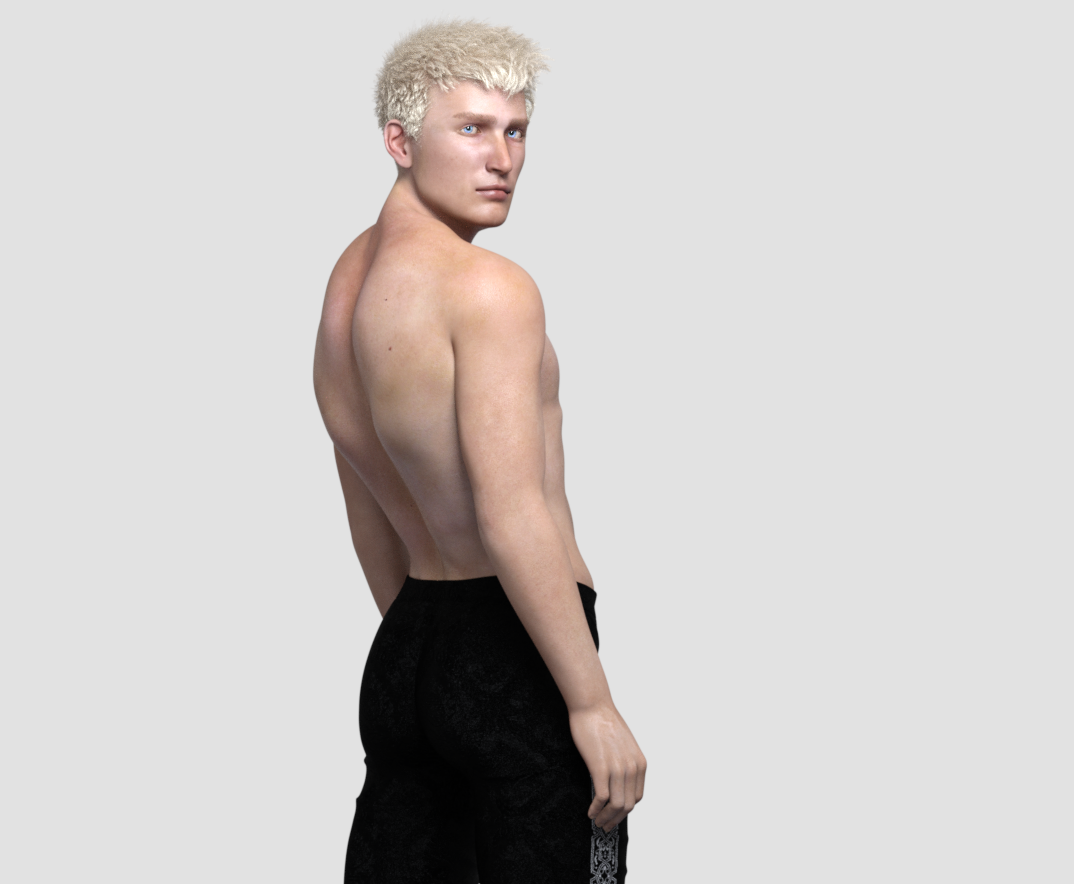
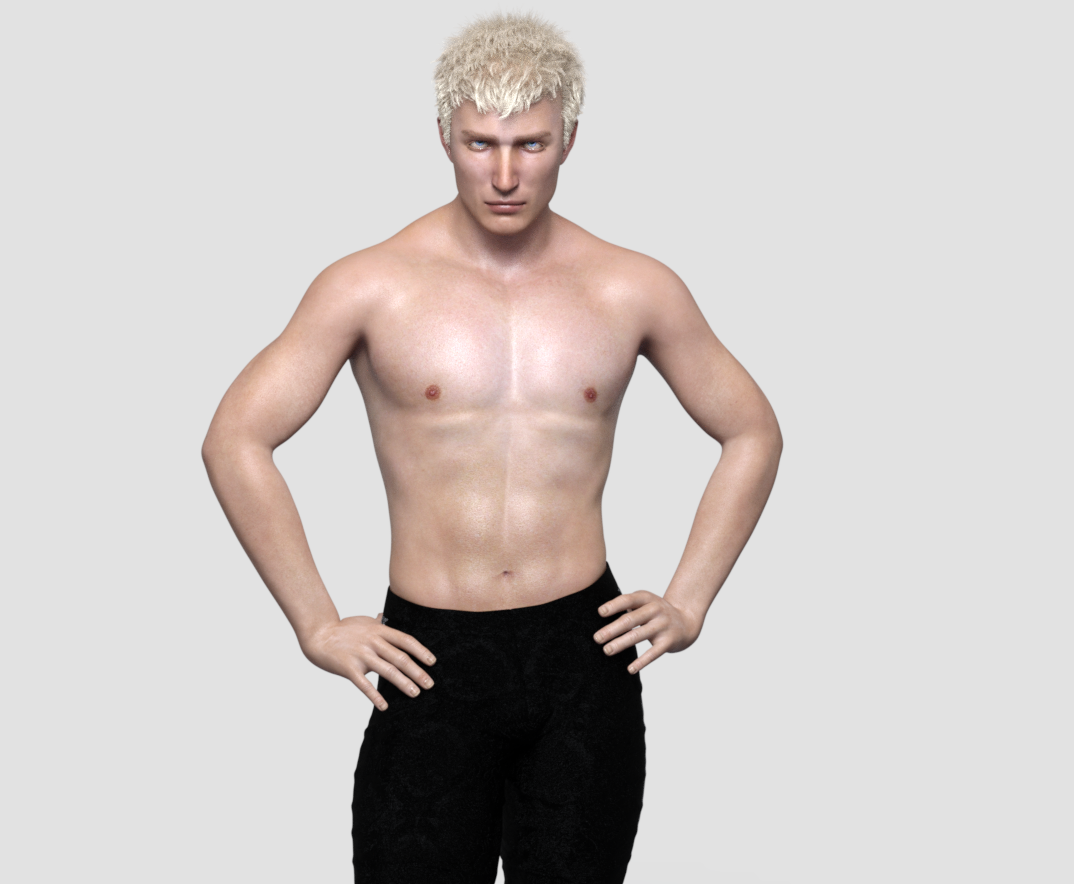
Darwins' Schtuff Pt DeuxBody shots (and attached references): I still have to make the navel morph and he'll be done and I can move on to the last dude. XD
 Auto Face Enhancer [Commercial]
There is a problem.
The AFE Expression for G8F have been defaulted to 'On'. It's easy enough to turn if off & on but customers generally don't expect unrelated products to load with another product turned on as well, in this case AFE for G8F / AFE HD Expressions for G8F is on a 100% for VYK Judy from the Girl 8 Pro Bundle. I'm sure that would be the case for other G8F characters as well.
I haven't tested if that is true also for G8M.
On or Off, no morph is activated till you express your characters.
That's the problem, most customers don't expect a product they haven't activated to be active when they pose / express their default plain characters, they expect a normal DAZ 3D expression until they explicit activate AFE. However, if DAZ 3D doesn't have a problem with that I don't particularly care one way or another either.
dForce Supervillain Costume for Genesis 8 Male(s) by OskarssonDear Oskarsson,
your new Supervillain Costume for G8M is awesome, exact what we (or in this case I) wnat since years ... A Superhero Bodysuit for the Genesis 8 Males. The costume was immediatly in my cart, but then I had a second look on the promo pictures and I see that the whole dress has lot of wrinckles, especially on the part of the legs. The suit looks in that part more like a jogging pant. Why???
Are perfectly fitting body suits off. Can't you maybe. . . make another smooth version of the suit. Or perhaps a morph that completely 'irons' the dress? Sorry for my little critics. But if everyone, in my opinion, always just writes how great they think everything is, that doesn't really help the creator for upcoming projects.
Besides, I'm still gonna buy the dress
 Relative poly count or burden on resources from different generations?
When a character says "for Victoria 7", it means it uses the Victoria 7 shape as a base to create the character. Maybe not at 100%, but you will need the V7 shape for the character to look like in the promos.
Yeah, that was pretty clear. I was seeking to understand why some specifically say for Victoria 7 and for Genesis 3, given that Victoria 7, as pointed out above in this thread by First Bastion, is a morph of G3. The wording is ambiguous at best when both are listed. It seems to indicate—ambiguosly—that the character could be used by someone who had the G3 base, but not Victoria 7. That's why I asked. Obviously, if it says it is "for Victoria 7," then Victoria 7 would be needed. Obviously.
It could mean the character includes a version using the V7 morph and one for the base figure only.
Hat and Hair HelpSilly me. I bought SY Hat and Hair Helper (Genesis 3), and only after I have done the most that it will do---sometimes it's enough---do I resort to geometry editing or push modifying, which can sometimes cause less than natural results if I'm not careful and circumspect.
I like it too, and although it's not infallible I would recommend it to anyone who needs something like it, can afford it, and isn't afraid to fiddle with a couple dozen morph dials to get what they want. But OP was asking for options that didn't involve buying more stuff.
I see. I didn't read the entire OP. Thanks for pointing that out.
3D Art Freebie Challenge-March 2020-"March Winds" -Main Thread Only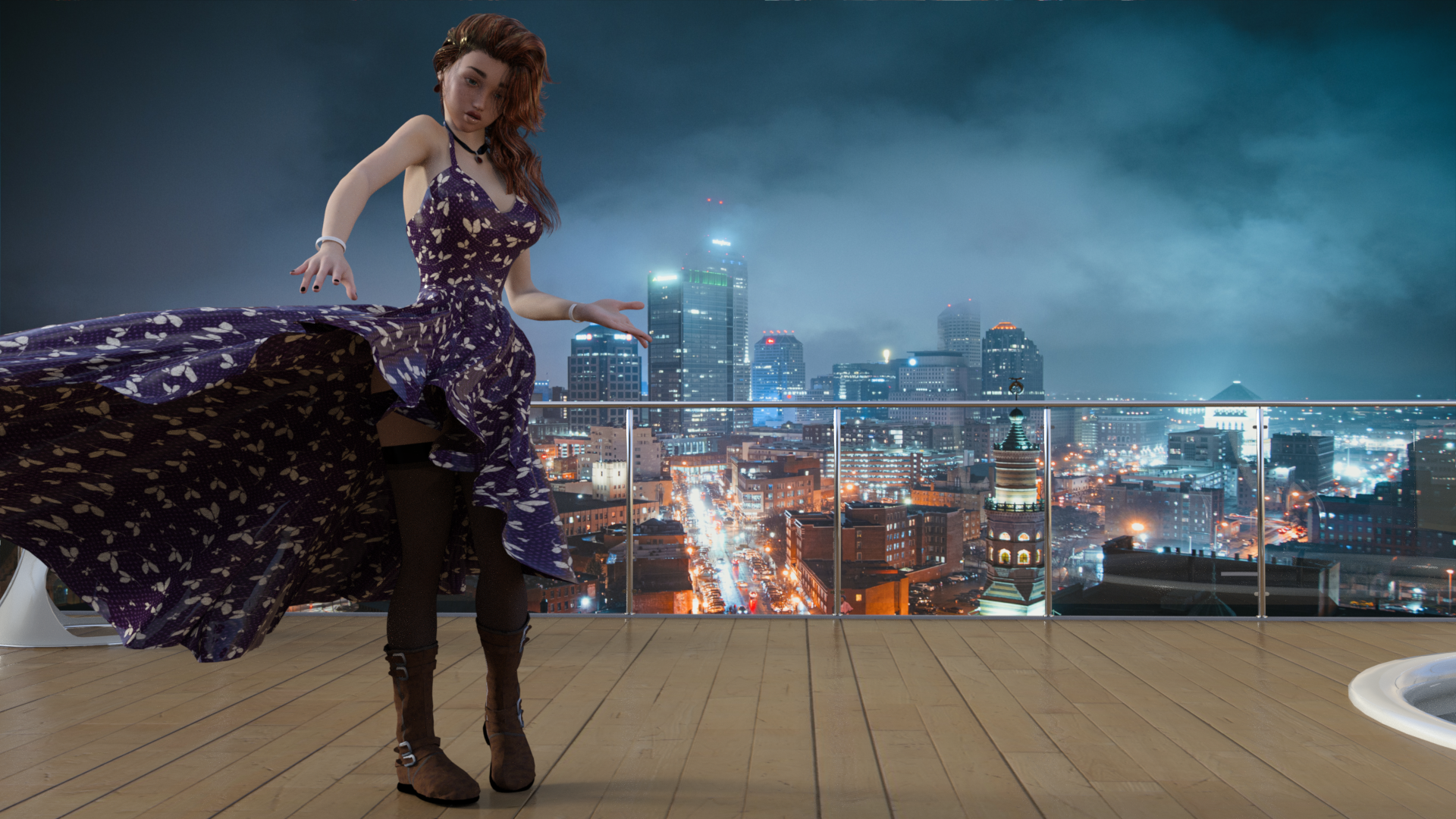
March Winds cause Evelyn's wardrobe to malfunction
Free
The Girl 6 (February Daz Freebie)
Party Girl (February Daz Freebie) - Dress and wind morph
Tamesis Bundle (Lipstick) (February Daz Freebie)
Free Stockings for Genesis 2 Female
CElegance Jewelry (Necklace and Earring)
Bird's Eye View of Lighted CIty (Backdrop)
Paid:
Utopia Living
Molly HD Eyebrows and Freckles
End of Summer Hair
Tarian HD for Genesis 8 and 3 Females (fingernails)
Teen Josie 6 Face Morph (this was actually free when I got it last year).
[Released] Character Converter from Genesis 2 Female to Genesis 8 Female [Commercial]Hi RiverSoft!
Just curious, how did you get Callie 6 to transfer so nicely? I've tried 2 times now (once on default tolerance and once on .09 tolerance (took 2 1/2 hours) and both times her eyes stretched vertically. Any idea what I'm doing wrong?
Thanks :)
Huh. You are using the 2020 method in options? Make sure Hide Eyes is UNCHECKED. Close DS, delete the FHM morph, restart DS and the script and immediately convert Callie. Weirdly, I have gotten different results running twice.
Got a much better result with that and turning down tolerance to .045. Will backup this copy of the head morph and try a few more times with the tolerance tweaked just to see if there's any change, but it looks really good :)
Thanks RS! :D
Great! You are welcome! Please post pics.
[Released] Character Converter from Genesis 2 Female to Genesis 8 Female [Commercial]Hi RiverSoft!
Just curious, how did you get Callie 6 to transfer so nicely? I've tried 2 times now (once on default tolerance and once on .09 tolerance (took 2 1/2 hours) and both times her eyes stretched vertically. Any idea what I'm doing wrong?
Thanks :)
Huh. You are using the 2020 method in options? Make sure Hide Eyes is UNCHECKED. Close DS, delete the FHM morph, restart DS and the script and immediately convert Callie. Weirdly, I have gotten different results running twice.
Got a much better result with that and turning down tolerance to .045. Will backup this copy of the head morph and try a few more times with the tolerance tweaked just to see if there's any change, but it looks really good :)
Thanks RS! :D
Hat and Hair HelpSome hairs come with a hat morph, would be nice if more vendors did that, it's not a lot of extra work when you're creating morphs anyway. Other hairs include both hat + morph.
[Released] Character Converter from Genesis 2 Female to Genesis 8 Female [Commercial]Hi RiverSoft!
Just curious, how did you get Callie 6 to transfer so nicely? I've tried 2 times now (once on default tolerance and once on .09 tolerance (took 2 1/2 hours) and both times her eyes stretched vertically. Any idea what I'm doing wrong?
Thanks :)
Huh. You are using the 2020 method in options? Make sure Hide Eyes is UNCHECKED. Close DS, delete the FHM morph, restart DS and the script and immediately convert Callie. Weirdly, I have gotten different results running twice.
Auto Face Enhancer [Commercial]There is a problem.
The AFE Expression for G8F have been defaulted to 'On'. It's easy enough to turn if off & on but customers generally don't expect unrelated products to load with another product turned on as well, in this case AFE for G8F / AFE HD Expressions for G8F is on a 100% for VYK Judy from the Girl 8 Pro Bundle. I'm sure that would be the case for other G8F characters as well.
I haven't tested if that is true also for G8M.
On or Off, no morph is activated till you express your characters.
[Released] Character Converter from Genesis 2 Female to Genesis 8 Female [Commercial]Hi RiverSoft!
Just curious, how did you get Callie 6 to transfer so nicely? I've tried 2 times now (once on default tolerance and once on .09 tolerance (took 2 1/2 hours) and both times her eyes stretched vertically. Any idea what I'm doing wrong?
Thanks :)
Hat and Hair HelpSilly me. I bought SY Hat and Hair Helper (Genesis 3), and only after I have done the most that it will do---sometimes it's enough---do I resort to geometry editing or push modifying, which can sometimes cause less than natural results if I'm not careful and circumspect.
I like it too, and although it's not infallible I would recommend it to anyone who needs something like it, can afford it, and isn't afraid to fiddle with a couple dozen morph dials to get what they want. But OP was asking for options that didn't involve buying more stuff.
Relative poly count or burden on resources from different generations?In practice, the poly count of the figure itself is only significant to the overall scene if you've got a high subdivision, and the specific generation used really doesn't matter much.
While textures are generally the main culprit when it comes to memory use, even ignoring that and looking specifically at just scene geometry... the base figures are actually fairly efficient. What adds scene geometry is when you need detailed shapes, and while HD morphs are easily capable of adding loads of tiny wrinkles to a figure, for the most part a lot of the details on human skin are small enough to be faked with bump or normal maps, so the base geometry of the figures is usually fairly smooth and doesn't need that many polygons.
On the other hand, clothing with loads of modelled seams, or hair with loads of layers and curls? These can easily exceed the geometry of the figure they're fitted to. And from experience, the generation of an asset really doesn't guarantee anything about its mesh resolution; there are loads of old Genesis assets with huge mesh resolutions, there are some Genesis 8 assets that are as light as a feather...
... on which note, neither those wings or that hair you're using are going to be light on mesh geometry. That hair has loads of layers of individual curling strands, and wings that need to model the geometry of each feather... each feather alone is going to be quite a lot, and multiply that up by hundreds of feathers.
I was seeking to understand why some specifically say for Victoria 7 and for Genesis 3
In this case, it probably means that the figure only uses Victoria 7's body morph, not her face morph (or very little of her face morph), so while having Victoria 7 is preferred, not having Victoria 7 won't make the character look hugely different.
However, there's not exactly rock solid consistency about this.
Relative poly count or burden on resources from different generations?Some character morphs are design from the genesis 3 base, whereas other character morphs, build on top of Victoria 7 which is a morph of the Genesis 3 base. To get the look of the character as seen in the promos, you need both the genesis 3 base along with the victoria 7 morph package. You can use the character without the Victoria morph, but usually the face will look different as a result.
Thank you, First Bstion. And while I'm here: Thank you sincerely for all that you have brought to the Daz universe. I use the word "universe" advisedly, because without the amazing array of terrain and structures and buildings and skies and even the depths of outer space that you and some of the other great creators have toiled over and provided, all these marvelous 3D humanoids and animals would be floating in a grey void.
Relative poly count or burden on resources from different generations?When a character says "for Victoria 7", it means it uses the Victoria 7 shape as a base to create the character. Maybe not at 100%, but you will need the V7 shape for the character to look like in the promos.
Yeah, that was pretty clear. I was seeking to understand why some specifically say for Victoria 7 and for Genesis 3, given that Victoria 7, as pointed out above in this thread by First Bastion, is a morph of G3. The wording is ambiguous at best when both are listed. It seems to indicate—ambiguosly—that the character could be used by someone who had the G3 base, but not Victoria 7. That's why I asked. Obviously, if it says it is "for Victoria 7," then Victoria 7 would be needed. Obviously.
Daz 3D is part of

Connect
DAZ Productions, Inc.
7533 S Center View Ct #4664
West Jordan, UT 84084Licensing Agreement | Terms of Service | Privacy Policy | EULA
© 2026 Daz Productions Inc. All Rights Reserved.