-
Who Are Some of Your Favorite PA's?PW Productions and Polish - Jaw dropping attention to detail in your boats, yachts, planes... ElianeCK - A fantastic talented artist who makes the best asian characters. Your promo pics are so unique and well composed and often I spend days trying to hunt down the outfits and accessories used. iSourceTextures - Gorgeous female characters. Gotta get them all. SickleYield/V3digitimes - Awesome, can't-live-without utilities and tutorials. i13 - Your stuff is just way too cool. I think I own your entire store. Orestes - Love your HDRI skies!A lightweight night skydome? (Iray)
Maybe time to upgrade since in my experience the HDRIs from Orestes are fairly lightweight already. I can't think of any HDRIs that are even lower resolution than those. You could try compositing the image in photoshop
A lightweight night skydome? (Iray)I would need a night background for a scene, but background pictures generally don't look great and there's the problem of shadows being cast, and while I have some of Orestes HDRI, my modest computer seems unable to handle both one of his skydomes and the rest of the scene, it just freezes.
So, do you know of a lightweight night HDRI/skydome/environment/background?
Novica & Forum Members Tips & Product Reviews Pt 12My studio (the 4.11 beta) is still crashing, so I'm switching back to 4.10. As stated with previous posts and data, my computer is not overheating, it's not a RAM issue. I have no problem with 4.10 I'll see if I get time to do a few renders in the upcoming days. I'm busy working on files from another store, getting them all packaged and installed, and it's going to take a long time to do that :(
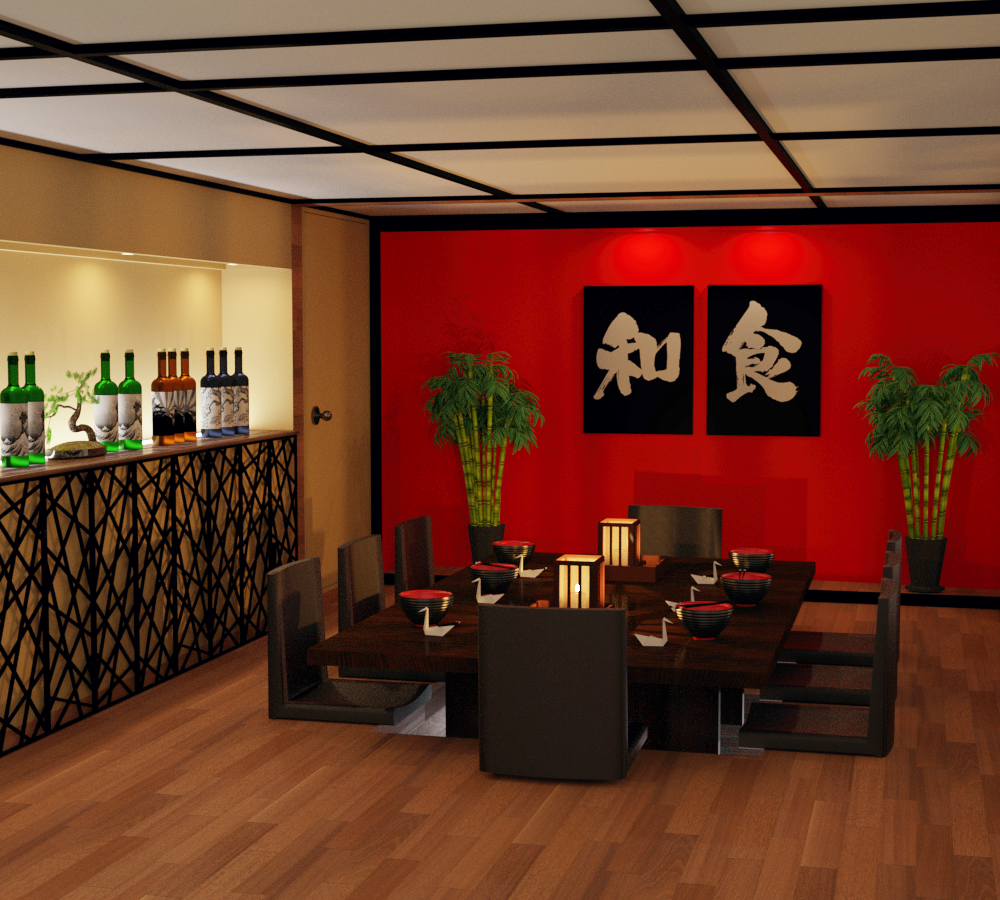
Japanese Restaurant Orestes Iray HDRI Environment Virgil Creek Falls
However, there was a question on another thread about the Japanese Restaurant, regarding walls being separate. The one end is open, the "partition" is paper thin and will let in a lot of light, but it IS separate and can be turned off. The other two walls can't, but you don't need to do that for lighting purposes. For cameras, perhaps. There is no door, you can slide Partition to cover it, but that leaves a gap at the other end. Simply X scale to make the partition longer/cover the door opening. But there is no door that I've found.
TIP: For even room lighting to avoid the obvious "the end of this room is open and too much light is pouring in from there" problem- here's the dome settings to try with HDRI products. I used Virgil Creek and turned Draw Dome off. Settings:
For X/Y/Z Dome ORIENTATION: 250/270/220 (First time I've played with all three!) Gives you great, even diffused lighting. I turned the overall Dome Rotation to zero. Try it and see how it works for you to get even lighting in a room with one end open. That end should FACE FRONT.
All lights in the room are the vendor's default for lanterns, etc.
In Tone Settings, as usual the Film ISO is 135 and then Exposure Value 11.76
As usual: Mitchell, not Gaussian, in Render Settings/Filtering. While there, Pixel Filter Radius 1.30 (remember the lower you go, the crisper the image.) Turn Noise Filter on, Noise Degrain Filtering is 4 and the Radius is 3.
See the even lighting? Not pouring in from the end. Yessss!!!!
Click to enlarge.
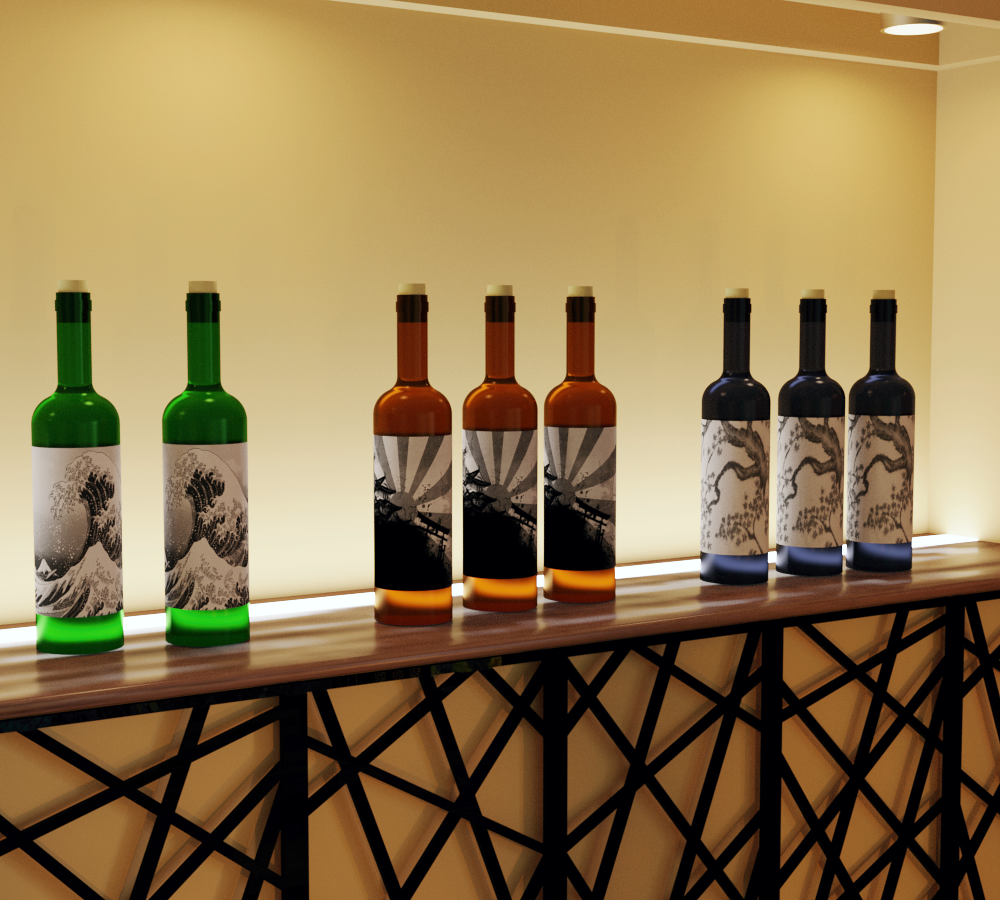 a smashing pumpkins add on for epic pumpkins
https://www.daz3d.com/orestes-epic-pumpkins-bundle
i need pumpkins looks like a dragon stepped on it
Background image not renderingA scene I just purchased contains a background plane with an image on it. The image does not appear in my iRay renders.
The product is: Peaceful Corners – BASE ( https://www.daz3d.com/peaceful-corners-base )
How do I get that background image to render?
That is a very old product for Poser!
I'd suggest you to not buy background planes, but HDRI domes in their stead!
Here are some examples: https://www.daz3d.com/orestes-graphics
How to Show Iray Sky Domes@Richard Haseltine
One of the products I recently bought is Orestes Iray HDRI Skydomes - Winter Moon by Orestes. which I used one of the HDRI's in my posted example Iray render, but such as the Enchanted Forest, all I can do is turn off the visibilty of that 3Delight skydome ---which you had helped me with a while back!
@Fishtales, thank you for the info about the Visualize Finite Dome. Apparently, one uses this tool with the Iray View. Haven't tried that yet, but if that makes the positioning of the HDRI image within the View easier, that will save guessing time.
Are yopu saying it loaded a modelled dome, or just that there was a dome in the scene to start with?
How to Show Iray Sky Domes@Richard Haseltine
One of the products I recently bought is Orestes Iray HDRI Skydomes - Winter Moon by Orestes. which I used one of the HDRI's in my posted example Iray render, but such as the Enchanted Forest, all I can do is turn off the visibilty of that 3Delight skydome ---which you had helped me with a while back!
@Fishtales, thank you for the info about the Visualize Finite Dome. Apparently, one uses this tool with the Iray View. Haven't tried that yet, but if that makes the positioning of the HDRI image within the View easier, that will save guessing time.
How to Show Iray Sky DomesIray sky domes seems like a contradiction. I bought some 3rd party Iray HDRI night skies. But they just rendered black. I had to turn off Sky Dome visibilty in Parameters to have the Iray lighting acess my scene, which makes the Iray sky dome useless. After you have chosen say a night sky SkyBox or Skydome Iray HDRI 3rd party product for your Environmental Map
Chose "Dome and Scene"
However, I began to realize the Sky Dome (or Sky Box) of third party products were "finite" as contrasted with the Daz Infinite sphere. Aha!
So make Dome mode "Finite"
Choose On "Draw Dome" (I didnt need ground)
Now the option I have never seen mentioned anywhere, in searchs, or tutorial that makes it work: "Visualize Finite Dome" which of course you don't see if you haven't selected Dome Mode:Finite!
Attached is the Render Setting menu as I set it up for a quick example.
I have finally been able to render a moody night sky! Ok, it's not awesome, but this is a straight render using an Orestes product. I can add other lighting features. The important thing is I now have the ambience and tunable background. Hope that helps!
Promo image settingsHi everyone,
I was wondering through this promo image: https://www.daz3d.com/media/catalog/product/cache/1/image/9df78eab33525d08d6e5fb8d27136e95/e/v/every-girl-hd-kit-for-genesis-8--3-female-09-daz3d.jpg
from "Every girl kit HD" which is the character morph, make-up, hair... used. The final result is very gorgeous and I can't find anywhere what's has been use for this promo image. If you guys have an idea or the now the exact settings, feel free to answer. (If my post is not in the good section, displace it :) )
See you !
https://www.daz3d.com/paris-room
https://www.daz3d.com/ainsley-hair-for-genesis-3--8-females
Delicate Nightie by Lilflame @Rendo
Every Girl Cheryl Head 100%
Every Girl Patty Body 100%
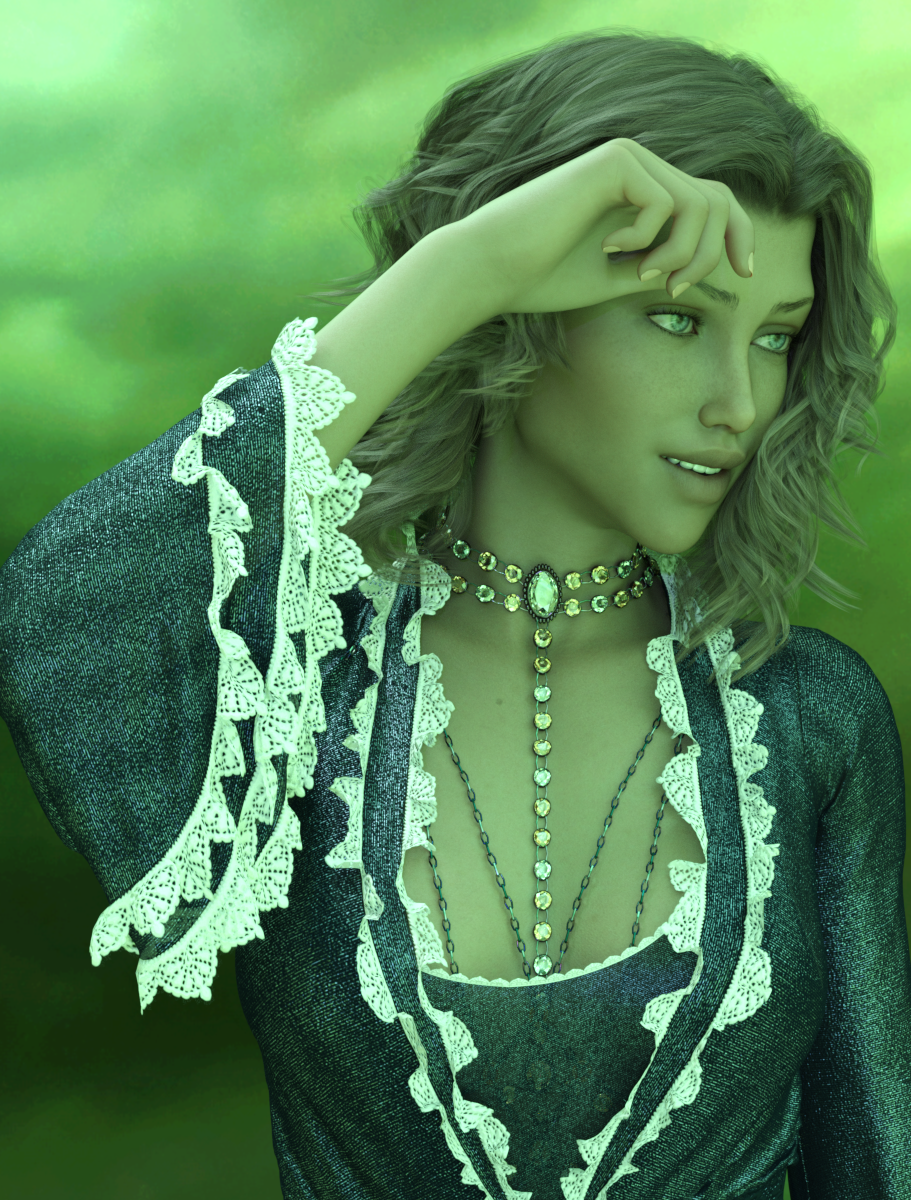
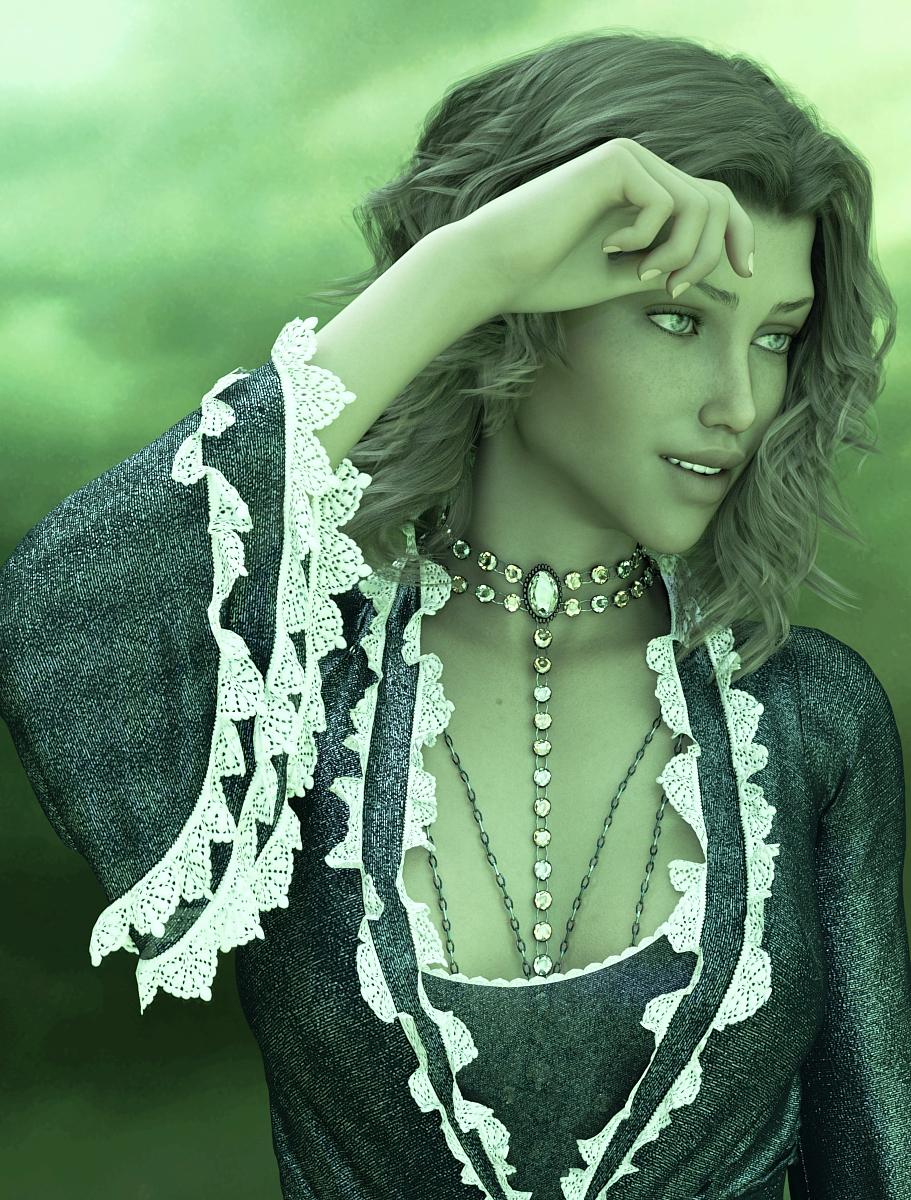
https://www.daz3d.com/orestes-iray-hdri-skydomes-vol-4-sunsetNovica & Forum Members Tips & Product Reviews Pt 12Ugh, we have tornadoes and severe weather coming in fast. In case we lose internet, I want to get these uploaded. It's Saoirse HD (Gen8F) again, and this is the lighting I really didn't like the hair. So what you can do to see the various postwork-
The first image is the default lighting from Orestes Iray HDRI Skydomes- Radiathane and the second is postwork, removing saturation so the green is dimmer. TIP: That HDRI Skydome gives you a really nice portrait background if you were to just render it and then insert it as a backdrop.
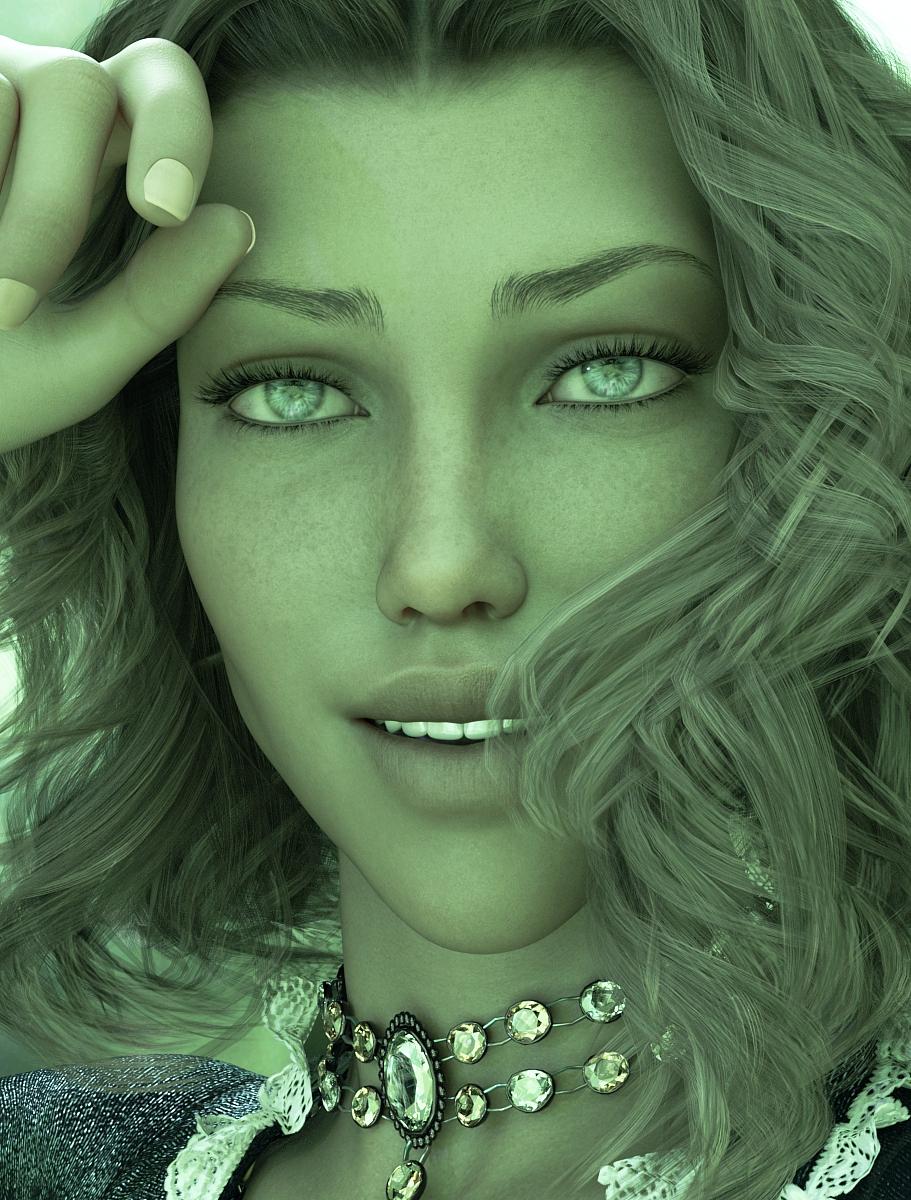
Next you have the face, then note the postwork on the eyes to remove the lighting glare. Last, I then added hair strands, as I said, I didn't like the transparency but wanted to show it out of the box.
And note again the body chains, as I mentioned previously- there was NO POKETHROUGH. Just applied them and done.
Stay safe Mississippi, more tornadoes spinning up now in the upper part of the state. It's also now right at Mobile, AL but no tornadoes yet.
Click to enlarge, then click those back and forth to see the changes.


 Novica & Forum Members Tips & Product Reviews Pt 11
Well, those thunderstorms are getting ready to hit here. While we usually don't lose internet, thought I'd mention if I seem to go POOF, I may be offline due to the lightning and/or no internet. I can use my phone but I usually just render :) I have already bought for today, and downloaded, and installed. I picked up India HD, Spandex Shaders, the Radiathane HDRI Skydome by Orestes, and Body Chains 2 for my 4 items and $30 off giftcard (so got a $30 one, of course.) It's a bummer though that with a gift card in the cart, you can't use a gift card to pay for it. :) That's the way it should be, but I had quite a few things in the cart due to the extra 30% for buying 4 new things.
I picked up Saoirie , the Dutchess Dress and textures, Cowgirl Leather Boots , a bunch of the leg and body chains, (just pop into the store to see them, that's the link to one.) as I like the lit option. Bet it would look neat in the dark! Also got three of the Orestes HDRI Skydomes, including Winter Moon.
Okay, gotta go, it's going to storm shortly. I've fixed a box that is covered on my front porch, one of the strays is here and I've got to see if I can get him/her to get in it before this hits. It's already rumbling in the close distance. TTYL
Does the Duchess dress drape properly for you? I was going to return it, but let myself be convinced to file a help call instead.
It didn't quite fit properly, and I had weird spikes in the arms and the train.
Novica & Forum Members Tips & Product Reviews Pt 11Well, those thunderstorms are getting ready to hit here. While we usually don't lose internet, thought I'd mention if I seem to go POOF, I may be offline due to the lightning and/or no internet. I can use my phone but I usually just render :) I have already bought for today, and downloaded, and installed. I picked up India HD, Spandex Shaders, the Radiathane HDRI Skydome by Orestes, and Body Chains 2 for my 4 items and $30 off giftcard (so got a $30 one, of course.) It's a bummer though that with a gift card in the cart, you can't use a gift card to pay for it. :) That's the way it should be, but I had quite a few things in the cart due to the extra 30% for buying 4 new things.
I picked up Saoirie , the Dutchess Dress and textures, Cowgirl Leather Boots , a bunch of the leg and body chains, (just pop into the store to see them, that's the link to one.) as I like the lit option. Bet it would look neat in the dark! Also got three of the Orestes HDRI Skydomes, including Winter Moon.
Okay, gotta go, it's going to storm shortly. I've fixed a box that is covered on my front porch, one of the strays is here and I've got to see if I can get him/her to get in it before this hits. It's already rumbling in the close distance. TTYL
Easy Environments: Wuxia Mountains (Daz Studio) [Commercial]lmao.. i love clear and explicative answers! very detailed, guys


EDIT: well i wishlisted a bunch of'm... now, one precise question about the newer ones with HDRI - how heavy are the HDRI? like, i love those made by Orestes, i bought Harvest Moon... but i can't really use it, the HDR are so huge they crash or lag my system big time. i even tried a converter somewhere but then the quality was awful, pixelated and the colors to cry. so if those from the EE are also that big, i'll have the same issue..
Hi manekiNeko!
Glad to see the series caught your interest. :)The Easy Environments HDRIs (.exr) are in the 40 to 60 MB range.
The non-HDRI 3Delight versions (.jpg) vary wildly from set to set, from about 20 to 50 MB.Differences to Terradome 3 ... I`d say quite a lot, from handling to purpose.
-Terradome has a relatively big geometry plane, with morphs and shaders. Hills/mountains are to be dialed in on that plane, and usually surround your character. The HDRI skies cover the upper half of your scene.
-Easy Environments usually cover a comparatively small, fixed area with geometry. I think "less flexible, more focussed" would be fair to say here. The HDRIs always cover the whole scene, sky in the upper half, landscape in the lower half.In general Terradome 3 renders are likely to display more geometry, Easy Environment renders are likely to display more of the HDRI/Skysphere.
Terragen 3 tends to put your figures in a valley, Easy Environments tend to put your figures in a high position overlooking a wide landscape (the HDRI).I hope I managed to keep this informal, but of course I am biased on the topic.
hey a word from the creator is always welcome! ^^ and not biased since what you wrote was informative and to the point. i think i see it now. and my primary idea with terradome 3 was to render my own background pics instead of buying them from others - and i suck with terragen, so.. but yeah, the geometry is enormous and using it as a scene with figures wasn't so easy. so your series might fit in better for this. i love the tree of life a lot btw, as well as the hell and the road to hell ^^. also a few others.
another thing: i tried to use a few of terradome 3's hdr in other scenes, and there's always a problem with the sky not going "down to the horizon" i.e. showing terrain, since as you said the concept is more about mountains/valleys (that would hide this). i guess it's not the case with EE so i can use the hdrs for anything...
as to the size of the hdri, Oreste's (in harvest moon) are wayyyy bigger, like 200MB. and when i use the outdoor for iray hdr which are around 100mb, no problem - so yours will be ok ^^Easy Environments: Wuxia Mountains (Daz Studio) [Commercial]lmao.. i love clear and explicative answers! very detailed, guys
EDIT: well i wishlisted a bunch of'm... now, one precise question about the newer ones with HDRI - how heavy are the HDRI? like, i love those made by Orestes, i bought Harvest Moon... but i can't really use it, the HDR are so huge they crash or lag my system big time. i even tried a converter somewhere but then the quality was awful, pixelated and the colors to cry. so if those from the EE are also that big, i'll have the same issue..
Hi manekiNeko!
Glad to see the series caught your interest. :)The Easy Environments HDRIs (.exr) are in the 40 to 60 MB range.
The non-HDRI 3Delight versions (.jpg) vary wildly from set to set, from about 20 to 50 MB.Differences to Terradome 3 ... I`d say quite a lot, from handling to purpose.
-Terradome has a relatively big geometry plane, with morphs and shaders. Hills/mountains are to be dialed in on that plane, and usually surround your character. The HDRI skies cover the upper half of your scene.
-Easy Environments usually cover a comparatively small, fixed area with geometry. I think "less flexible, more focussed" would be fair to say here. The HDRIs always cover the whole scene, sky in the upper half, landscape in the lower half.In general Terradome 3 renders are likely to display more geometry, Easy Environment renders are likely to display more of the HDRI/Skysphere.
Terragen 3 tends to put your figures in a valley, Easy Environments tend to put your figures in a high position overlooking a wide landscape (the HDRI).I hope I managed to keep this informal, but of course I am biased on the topic.
Easy Environments: Wuxia Mountains (Daz Studio) [Commercial]EE is super ... you know ... easy to use. In seconds I have great sky and lighting for almost all of my scenes. Plays really well with other stuff. Almost all of my book covers have SOMETHING, even if just the lights, from an EE product.
I have and like both:
Easy is easy and looks really good. Terradome has way more options and flexibility, maybe not quite as good for any specific scene.
lmao.. i love clear and explicative answers! very detailed, guys
EDIT: well i wishlisted a bunch of'm... now, one precise question about the newer ones with HDRI - how heavy are the HDRI? like, i love those made by Orestes, i bought Harvest Moon... but i can't really use it, the HDR are so huge they crash or lag my system big time. i even tried a converter somewhere but then the quality was awful, pixelated and the colors to cry. so if those from the EE are also that big, i'll have the same issue..
Orestes Fantasy MoonHi Folks. Quick question. Is it possible to rotate the position of the moon in this product?
I love alchemy chasm, recommendations for similar sets?Orestes Graphics has a lot of cool things in the underground/dungeon genre - check out https://www.daz3d.com/the-underdocks-bundle
Jack Tomalin's store is full of great stuff - https://www.daz3d.com/cista-sanctus is an underground watery dungeon type place.
First Bastion has a cool cave product - https://www.daz3d.com/spiral-descent-cave-entrance
Announcing: Daz Deals Browser Add-onView All Artists link does show up, but the URL I get is https://www.daz3d.com/shop/#filter_vendor=^^^^^^^^^^^^^^^^^^^^^^^^^^^^^^^^^^^^^^^^^^^^^^^^^^^^^^^^^^^^^^^^^^^^^^^^^^^^^^^^^^^^^^^^^^^^^^^^^^^^^^^^^^^^^^^^^^^^^^^^^^^^^^^^^^^^^^^^^^^^^^^^^^^^^^^^^^^^^^^^^^^^^^^^^^^^^^^^^^^^^^^^^^^^^^^^^^^^^^^^^^^^^^^^^^^^^^^^^^^^^^^^^^^^^^^^^^^^^^&filter_new=0&filtered=1
which doesn't work, of course.
Try this:
I did it in TextPad using a bunch of search, replace, copy, etc.
Man, I gotta learn Javascript.
Edit: Nevermind, my link still doesn't show all the items that should be available.
 Query about a product promo
This one I think
I don't think it's cassini as in the promo the ground is different and light is more intense and yellowish than the cassini
I think you are right, the planet itself isn't quite the same.
Daz 3D is part of

Connect
DAZ Productions, Inc.
7533 S Center View Ct #4664
West Jordan, UT 84084Licensing Agreement | Terms of Service | Privacy Policy | EULA
© 2026 Daz Productions Inc. All Rights Reserved.