-
Basic tutorial for transferring Genesis3 female morphs to Genesis8 female
I know that I am late to the party, but, thank you MariaTortillia for this very useful tutorial. I have successfully changed a number of my own characters using this method. However, I was wondering the same thing as rbrunodesign, can you reverse the process and transfer G8 morphs to G3? I would like the flexibility to be able to use a G3F clone if I need / want my character/s to wear say V3 or V4 clothes in a certain scene.
Possible to read Morph Rules through DzFbxExporter?Is it possible to parse the existing morph rules from DzFbxExporter or are they perhaps stored in a file somewhere that could be accessed?
Using Arki's Ocean Queen in DS 4.12They won't follow the poses. The statue pose requires them to curve and bend and they refuse to cooperate.
I've gone through the gambit, making sure IK is off, trying with IK on, adding after posing..etc.
I tried to use her without the wings, but that leaves a gaping hole.
Just wondering why it's listed as working in DS when it doesn't.
I suppose "follow the pose" is a bit misleading. They will morph to mimic the included Ocean Queen poses if you apply the same pose to the membranes. They will not follow any random movement of the bones, it must be one of the included poses.
Attachments show the Ocean Queen as loaded, and the parented wing and tail membranes as loaded. The next two are one of the lying poses, and the following two are the statue pose.
Torso too wide?Is this a morph you created yourself or purchased?
Could you put some basic clothing on the figure and post a screenshot?
morph splitting product?Shape Shifter appears to have changed names, it was originally released as X-Morphs I believe, and that is what the installation package is called, though the Read-Me page is titled Morph Splitter, the product link is Shape-Splitter and the description refers to X-Morphs. See Here.
How to tell if a node has a morph target?Yes
but, Rob says, that doesn't mean it has any deltas of its own - which is, I think, what you are wanting to check. Unfortunately the documentation for the various specific modifiers is currently unavailable, and I can't recall offhand if the morph modifier has soemthing like a hasDeltas() method (which would probably be what you wanted).
morph splitting product?Am I nuts or did I see a product on here (and a thread here in the commons about it)? I can't remember what it was called and now I find that I could use something like that. I have looked, but not knowing the name of it kinda makes it harder.
FBX - Studded Jeans OutfitFBX is a file format for a 3D model, and yes Daz Studio can import FBX files.
But in order to make them wotk they need to be modelled to that character base, e.g. G8M.
After import you will then need to do a transfer rigging to the model you wan't to use them on. Some uses might look a little off without changing the weight paint, but if you can use them with dForce you don't need to worry about that.
Celebrity Look-a-Likes for 3D figures Part 2If the face transfer add-on is used to create celebrity face morphs, I may very well consider such add-on.
Meanwhile, is there any way a face morph based on Cher can be created for Genesis 3 Female?
If you can find a good full front picture of her with a neutral expression I could give it a quick try, but I suspect that her nose will result in a poor likeness.
There is a free Cher morph for V4.
https://www.renderosity.com/mod/freestuff/cherilyn/78529It could be transferred to Genesis 3 with Genesis Generation X2 and the G3 plugin, both here at DAZ, but not currently on sale...
Celebrity Look-a-Likes for 3D figures Part 2If the face transfer add-on is used to create celebrity face morphs, I may very well consider such add-on.
Meanwhile, is there any way a face morph based on Cher can be created for Genesis 3 Female?
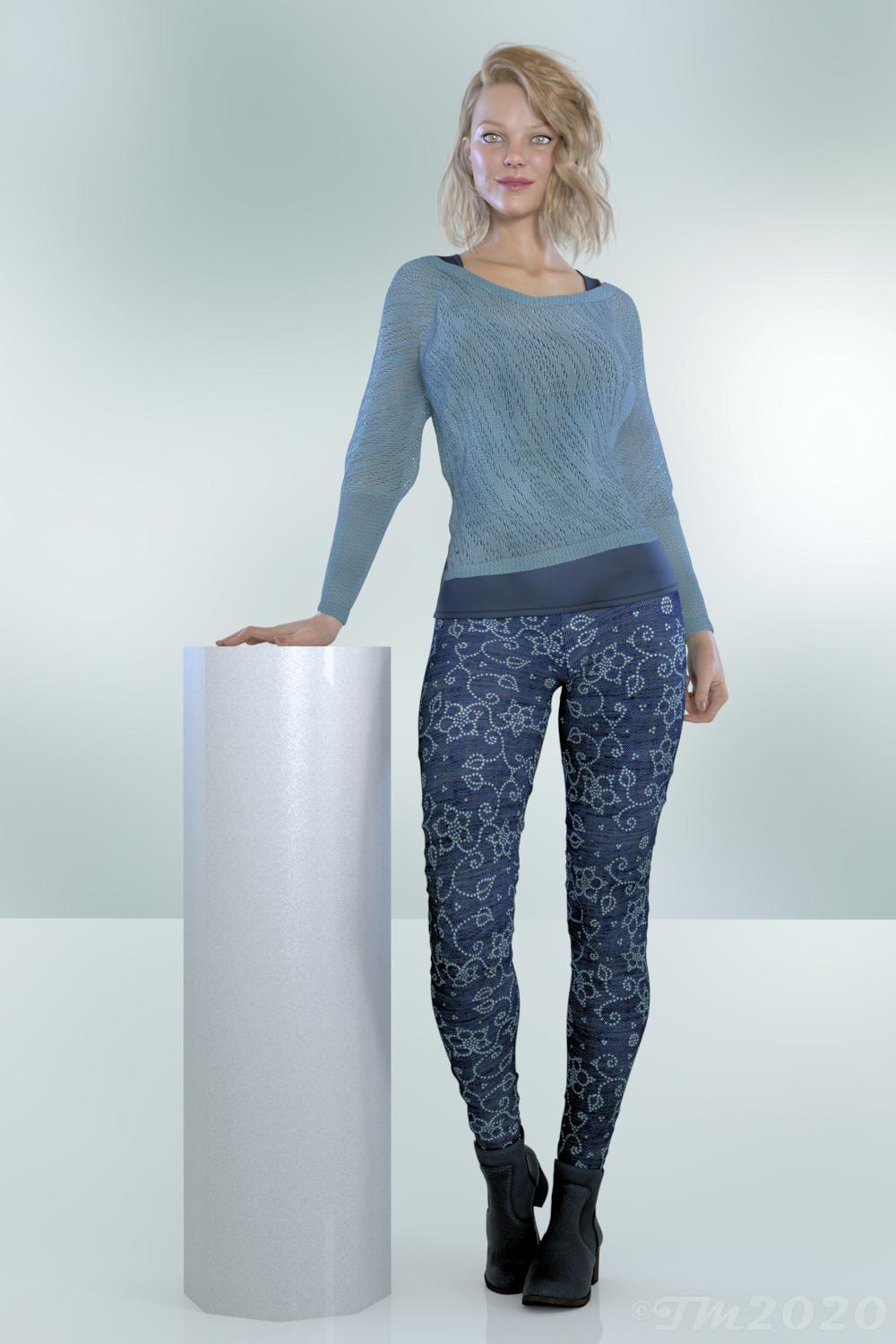
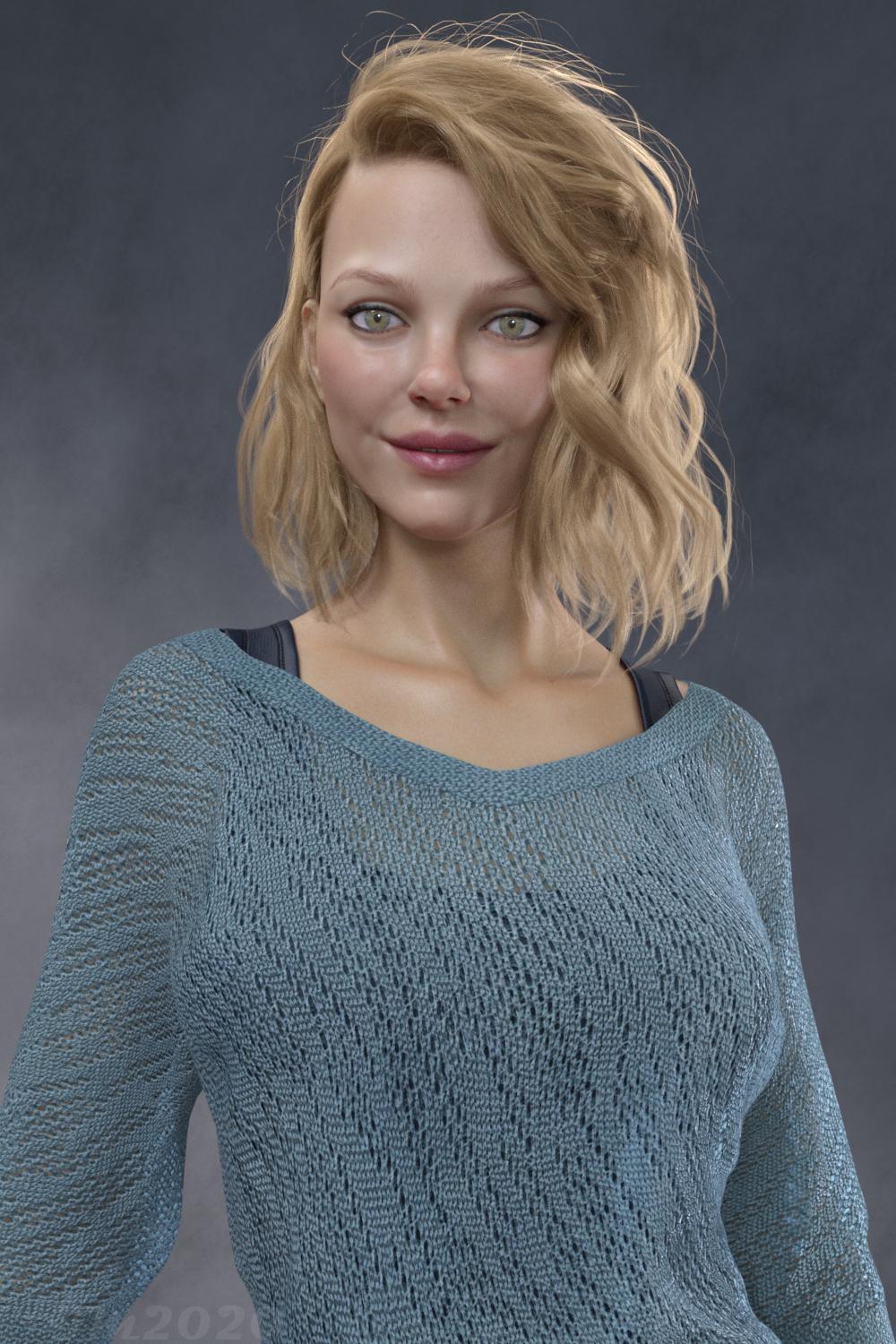
Novica & Forum Members Tips & Product Reviews Pt 12Gudrun by Mousso G8F dForce Collection 04-Casual Outfit G8F by Esha Haydina Hair by Windfield
Gudrun- I got this gal because I really liked her skin and eye textures. Dont get me wrong there is nothing wrong with her per se I just don't particularly care for her nose shape. Although now that I look at her promos again im wondering if I didn't mess her nose up a bit using powerpose to get the smile. Skin looks great with several makeup and eye color options and translucency options. When I first rendered her I felt like the whites of her eyes were two bright but then I changed the lighting and it makes all the difference.
Casual Outfit- I really like the look of the outfit. The leggings can be dforced if you want but they are Frozen by default. Esha provides a activate and freeze icon with the product, along with 2 dforce settings. The clothing to me does not seem to be crazy thin like some dforce clothing. The outfit also comes with 2 texture options- something it seems we see less and less of- I remember when clothing items came with several texture sets..... Esha includes various setting to help with pairing the outfit with other items from the Collection series. Here is the bad: when I try to dforce the Pullover with more extreme poses, say arms on top of head, it explodes. Now I am not the greatest dforce user so it might just need some settings tweaked.
Haydina Hair-This hair is cute, I can't believe it took me so long to pick it up! With lots of morph options and hair colors! It even has backlighting options(seen in image 2)! I included images 3 to show it as a longer style, sorry didn't let it render out longer I was getting inpatient (first 2 renders took nearly 1 hour each not sure why).
 How to tell if a node has a morph target?
Ahh okay thank you Richard, so I assume an M means it has its own morph?
How to tell if a node has a morph target?Is there a way to tell if a property/node has a morph target? I am sorting through a lot of properties and some are getting their shapes by controlling other shapes but some have their own morph targets, and some have both and I cant tell for sure which ones do or dont have their own morph regardless of if its also controlling a morph on another property.
I also want to know if a property appears to change a shape but has no Sub-Components or Controllers listed in the Property Hierarchy does that 100% mean it has its own morph or could it still be connected in some other way driving other properties and if so how do I see those connections? Thank you for any help!
Daz Studio Not Responding While Opening Files/Black Screen Computer Freeze While RenderingSomething you said in your post triggered a memory to something someone else said in theirs so ... if you have loaded certain scripts which ran in any of the scenes you are trying to open, one of them could be causing the problem. I'm speaking of 3rd party scripts.
Rather than trying to keep one large scene file to open, saving several smaller subscenes can be the way to go. Merge them together when/as needed. In any of those scenes avoid having run 3rd party scripts, dForce simulations, etc. Just keep to the basic models, lights, cameras, etc.
As the fanbelts go nuts when somethings like renders and simulations happen over here, I tend to make morphs of simulations - saving the morph for the clothing items. Then simulations don't need to be saved/run in/for the saved scene files.
.................
"just in case" ... NVidia does have Studio drivers for our cards, downloadable from their website.
Long Load Times - Fixing WarningsI hate being stupid but let me see if I can start with what I hope is simple.
What is meant by "a clean G8F resource folder results in no issues. G8F loads in <= 5 seconds" ... what is that? Isn't just a base G8F?
Next with this "alias" stuff, what file are you looking at to fix these? Or how do you know which file to fix?
Sorry for being so green but I think this has been a huge reason I've had issues and am more than a little desperate to find some resolve, or at least hope for a resolve. Thanks.- pxlzXppl
Not speaking for what others have said as to what they meant. For myself a clean G8F resource folder means [close D/S] digging into the data folders: data\DAZ 3D\Genesis 8\Female\Morphs\ ... and removing [slide to a folder on the desktop or someplace where you can find it but D/S won't] all save those that are made by the company DAZ3D. Close that folder, open D/S, clear the log file, load a figure, check the log file.
Then close D/S, go back to the data folder and slide back in ONE of the morph folders that had been removed. Close the folder, open D/S, clear the log file, load the figure, check the log file.
Wash, rince, repeat until the log file shows the problem. THEN you have indentified the morph that causes the error message or the long load times or whatever.
n.b. sometimes just by reading the log file the offending morph can be discovered.
n.b. for some bizarre reason yes we are getting a lot of error messages which for the most part for the enduser can be ignored. They don't [normally, drastically] affect load times - the more morphs any figure has, the longer the figure will take to load BUT AFAIK [as far as I know] the load time should be in the seconds or minutes and seconds, NOT hours.
A number of error messages can be had by morphs seeking control morphs or vice versa which not everybody has.
Daz Shortcut Keys, Defining using 'GNU emacs style'If i'm reading that correctly, it's just a comparison of a different software and how DS now functions, not that it is GNU emacs, just similiar in function.
What this means is that you can now use upto 4 keypresses as opposed to the previous 3 key max.
Such as i use CTRL+ALT+SHIFT+X to exit DS.
No, it's always been possible to sue all threee modifiers plus a kye as far as I recall, and certainly is in 4.12.0.86. The Public Build allows you to enter a sequence (one after another) of keys - for example I just assigned m, t to Map Transfer in 4.12.1.76 and it works while t, m doesn't. (I didn't manage to enter more than two keystrokes, butt hat may be because I didn't have any other multi-key sequences starting with M).
To change a shortcut, all you need to do is select the particular object in the Customize Daz Studio pane(f3(default), window>Workspace>customize), Right click, select Change Keyboard shortcut and press the keys you want to assign to that action.
The only limitation is that the 2, 3 or 4 key press does need to include either the CTRL, SHIFT, ALT keys, but they can be in any order.
There is no need to include a modifier key.
If you are assigning new short cuts, i'd be sure to make a list of the new shortcuts, untill you get adjusted to them.
UltraScenery [Commercial]If we are doing requests, I think a "clearing" environment would be useful, with trees mostly to the edges and a more open space in the middle.
That would make it extremely convenient as an exterior for buildings. I'd even go as far as suggesting a morph for the ground with a "mostly flat" center, and a car-wide path going from that flat area in only one direction (with maybe a narrow path leaving in the opposite direction as a "backyard trail into the forest".
[Released] ManFriday's Mesh Grabber [Commercial]I found a new use for Mesh Grabber in my render today. I've been using it mostly to fix clothing poke through or to squish down chair cushions, etc. Today it came in very handy to push hair back behind some fingers. Before Mesh Grabber the hair was running through the finger flesh, and I couldn't find a morph that would move it back out of the way.
Another good use for Mesh Grabber is to tuck hair natuarally behind ears. Sometimes hair just does not follow through on the ear mesh so a little "grabbing" helps
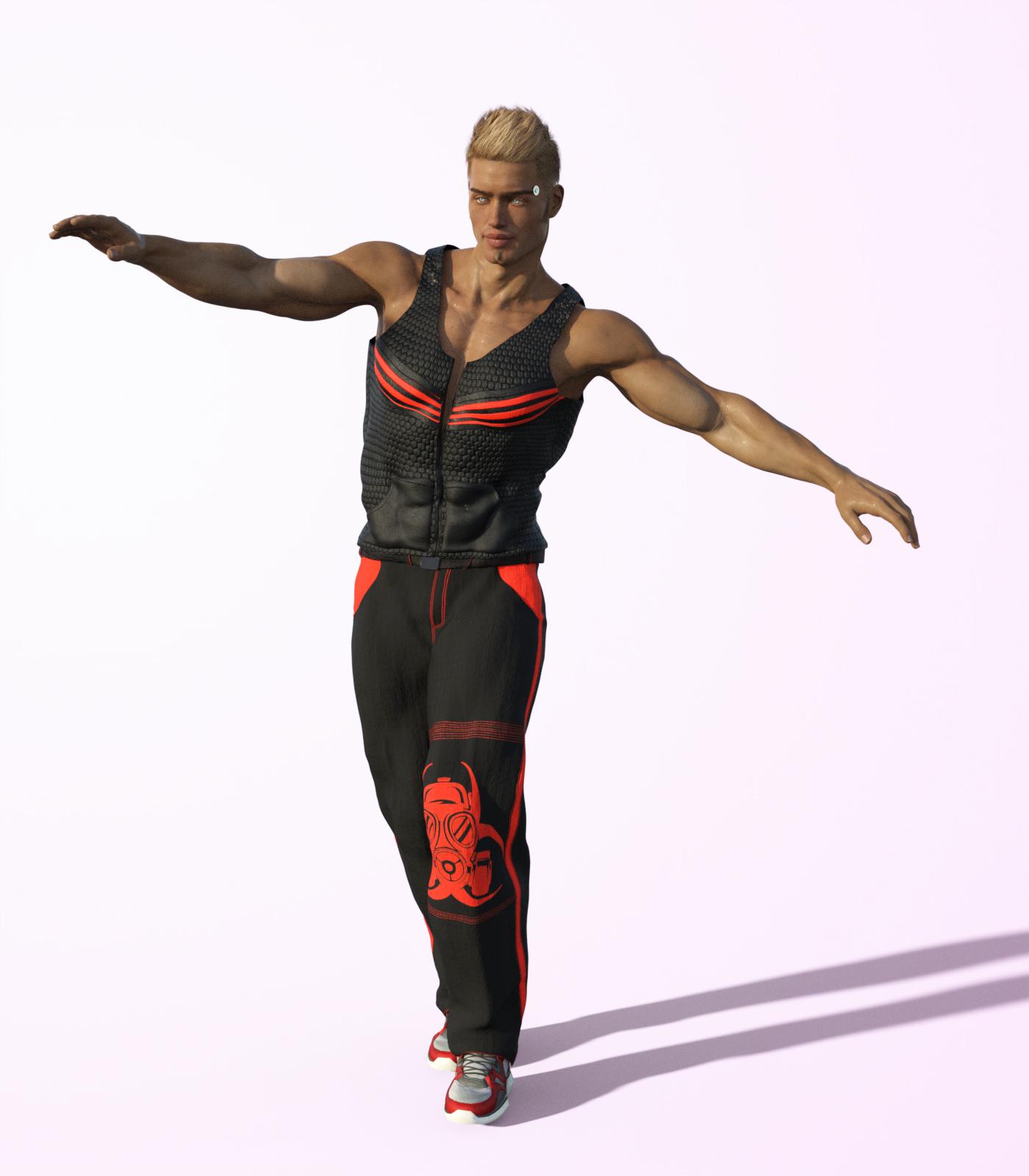
SereneNight's Sci-Fi Fun Thread 2The dForce Newrava Outfit for Genesis 8 Male has a nice vest and pants which would make good club wear or a workout outfit when paired with some sneakers. The vest even has an unzip morph.
 Settings for Large, Round Eyes?
Look at the body subparts in the Scene pane under the Head, and you'll find the Upper Face Rig section. Lots of controls for the rigged face posing handles on the brows and eyelids; after playing around a bit I can get almost perfectly round eyes.
And I've just realised I also have an Eyes Size shaping morph under Head>Face>Eyes. Not sure if that's a default parameter or if I got it in one of the many G8 morph sets I've bought over the years. Add the two together and I've got a nice goggle-eyed-fishy-person look.
(There's also a Lower Face Rig controlling the lower mouth, cheek and chin; that's under the Lower Jaw body part.)
Daz 3D is part of

Connect
DAZ Productions, Inc.
7533 S Center View Ct #4664
West Jordan, UT 84084Licensing Agreement | Terms of Service | Privacy Policy | EULA
© 2026 Daz Productions Inc. All Rights Reserved.