-
Star Trek Builders Unite 8: THE REBOOT
Curious to know what you're using for your uniforms, Draven.
So for the uniform the Top is from MightyMike over at Renderosity https://www.renderosity.com/mod/bcs/tops-034-mmkbg3m-/126714/
The bottoms and shoes are from the Cyberpunk Everyday Clothes here at Daz3d https://www.daz3d.com/20-50-cyberpunk-everyday-clothes-for-genesis-3-male-s
On the Bajoran's, I've textured my way out of it for them moment using a photo of DS9's Major Kira, though still very interested in a nose morph for the G8's
Chevybabe's Dforce SBH Hair ThreadYou are very welcome Simon. I understand you were not directing these at any product or vendor. This was more about dealing with the tech involved, and I feel like they are good examples or questions on how to deal with them :).
"Poke thru with elf ears and explosion! One of the things I was hoping for was to be able, with SBH, to 'plonk' the SBH on a figure, then have an animated pose from base figure toposed and morphed figure at, say, frame 30, with the hop (expectation?) that the ear morph would slolwy push the SBH out of the way. Um, nope. Or at least not yet with any hair that is remotely long and covers the ear area."
Now I understand. That is a little more hopeful of the tech. I would expect it to animate to an extent. If you had dialed in an ear morph when you dialed in the morphed figure, then, maybe?
"Leaving a trail: doing an animated simulation with the figure moving forward, the hair seems to leave a trail dangling in the air behind, from start position to end of animation (it would be a few strands of hair around 20' lng in RL terms)"
If this is for a still render, then its definitely a simulation setting as I stated above. If it's a full blown animation and you have one hair hangin in the breeze, then I don't have an answer to that, and I would have to ask someone with more knowledge.
"Wind nodes: I have put the wind node in front of the hair and cranked it up to 100 and ... nothing."
Wind is a finicky pain in the.. You have to animate the simulation ( I usually use the start bones from memorized pose) to get the wind to work. I don't use the timeline. If the wind node is not pointed precisely in the right spot, it does nothing. I have also asked tech to please give us more information on it.
Chevybabe's Dforce SBH Hair ThreadSome general dhair issues were discussed in a different dforce hair thread and I want to share them here along with solutions. I placed the info towards the bottom of the first post.
Thank you for addressing some of the points/opinions I made in a deifferent thread, I will try and clarify! None of these are aimed at any PA or nay particulat hair product, just in reference to the actual underlying engine!
Poke thru with elf ears and explosion! One of the things I was hoping for was to be able, with SBH, to 'plonk' the SBH on a figure, then have an animated pose from base figure toposed and morphed figure at, say, frame 30, with the hop (expectation?) that the ear morph would slolwy push the SBH out of the way. Um, nope. Or at least not yet with any hair that is remotely long and covers the ear area.
Leaving a trail: doing an animated simulation with the figure moving forward, the hair seems to leave a trail dangling in the air behind, from start position to end of animation (it would be a few strands of hair around 20' lng in RL terms)
Wind nodes: I have put the wind node in front of the hair and cranked it up to 100 and ... nothing.
Can XTransfer transfer from G8F to G8M and from G8M to G8F?Would the G8 Cross-Figure Resource Kit enable/aid in cross gender morph transfer at all?
No. That product is used for clothing or hair creation, not morph transfer.
Can XTransfer transfer from G8F to G8M and from G8M to G8F?Would the G8 Cross-Figure Resource Kit enable/aid in cross gender morph transfer at all?
Does Morph Loader Pro produce junk?i would have thought that the morphs were just saved as part of the scene file unless you actually save your morph asset separately - but i dont know.
Yes. I'm not sure if it is still an issue but in the past embedded morphs (saved in the scene) have not projected into fitted clothing after the scene is saved and reloaded.
Does Morph Loader Pro produce junk?i would have thought that the morphs were just saved as part of the scene file unless you actually save your morph asset separately - but i dont know.
What might cause an installed morph package to not show its dials?Hi. I create separate content folders for certain install types. So my morph packages are in its own content folder aptly named “morphs”. Others are for “characters”, “posing”, “shaders and materials”, and so on. The reason I do this is because it allows me to organize content in a way that I can find it more easily.
Each of these contains the usual: data, people, runtime, documentation, manifest, etc...
installed via DIM.
When I look in the content browser, I see the duf files as expected (a few base poses and morph reset utility) under people/genesis 8...
but then when I load up the figure and try to locate the morph dials, (g8 Head morphs in my case), none of the dials show up, only the standard, basic ones.
Can XTransfer transfer from G8F to G8M and from G8M to G8F?Hi no it cannot do native cross gender. That function is reserved for a possible new module. Focus right now is to get the last update out on existing XTransfer product (version 1.3), and then the release of G8 to G3 module after that. Honestly, will see about cross gender based on viability. Thing is you can already cross gender via GenX as mentioned above which adds to the viability issue of a native release dedicated to just cross gender. However that does leave one small gap, G8F to G8M and vice versa cross gender transfer..
Copying transform limits from one rig to another?Hello. I have been working on multiple rigs recently, some of which I want to transfer over to other models of the same geometry, the problem is when I use the Transfer Utility it doesn't copy all the rotation limits over, nor does it give me the option to do so. I can't seem to copy the parameters from one rin to another either. It's tedious to have to keep re adding all the rotation limits to each new rig I copy over, so can someone tell me if there is indeed a way to copy and paste limits set in the parameters from another rig or copy the whole thing altogether?
Thank you.
Does Morph Loader Pro produce junk?Hi everyone. Just a curiosity. I created a lot of assets for my projects importing lots of morphs for Genesis 8 made with Blender. I was woandering if all the obj that I've imported with Morph Loader Pro are just read and not stored in the data morph subfolders or stored somewhere creating junk. If they are stored somewhere... where are they stored (path)?
Daz 4.11 Iray Dark Eyes Bug ?As another note, if you do use the morph to fix the issue, you can always use the spot render tool to render just the area around the eyes and drop that over the original render with dark eyes in photoshop (this is all assuming that everything in the scene is the same, including the cameras.) Because the spot render is a much smaller portion of the scene, it will render many times faster. Then it takes maybe 30-60 seconds to fix them in photoshop, most of that time is for photoshop to boot and load the pics.
Just remember to go to the spot render tab and select 'new window', and it will work perfectly.
This way, you do not have to render the entire scene again, saving a ton of time.
Limited Time Freebies Discussion ThreadYes, it's only been 1 week. Plus we got Freak 4 and some M4 morph bundles that I had been hoping for! Thank you, DAZ!
 Iliac crest too prominent
@bebez71, yeah it appears that you may have a body morph that's applying to all your figures. Check to see which character/morph pack you installed when the issue started. You can also select the character and then in the parameters tab, click on "currently used" to see if there's a morph being applied. If nothing shows up, click on the upper left corner (hamburger button) and then check "show hidden properties" to see if a corrective morph is being applied. I'm attaching what the G8 Female Base looks like.
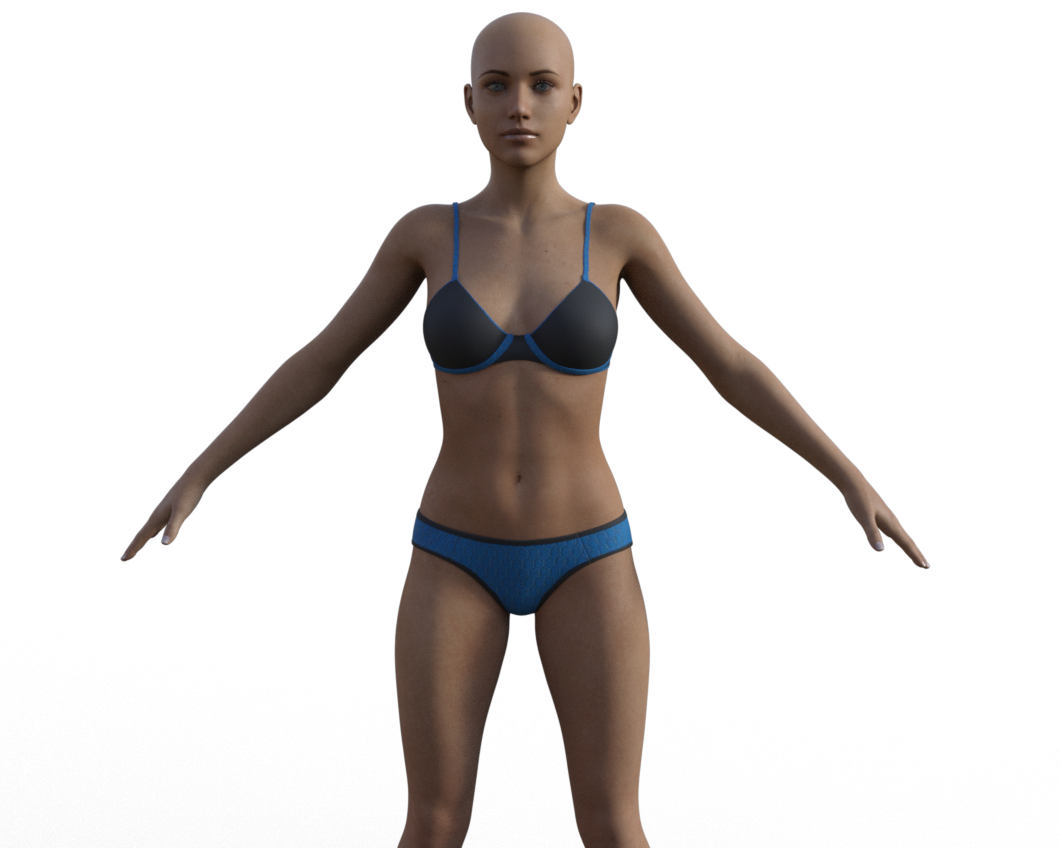 XTransfer Module 1- Genesis 3 to Genesis 8 Morph Converter (Commercial)
Ok regarding Teeth Distortions on certain characters this was our findings.
Turns out it is not the head morph that has teeth issues. It is the eyelashes morph. The problem is that the lashes morph doesn't do anything on G8's mesh now that the lashes are separate geometry but deltas exist in the morph. Since vertex count and order changed those lash verts end up affecting the teeth instead and it is scrambled. So we will have a fix for that. It was hard to spot because not all characters had this issues with the lashes.
Can XTransfer transfer from G8F to G8M and from G8M to G8F?No, it transfers from G3M to G8M and from G3F to G8F only. Future modules might provide cross-gender conversion.
For Multi-Man you could transfer it to G3F first with GenX and then from G3F to G8F, though.
Ethereal Goddess Hair for Genesis 8 Female... so has anyone actually found any morph/movement/pose dials as part of this hair? Or are these confirmed as not being present?
It really is a nice product, and I do like the style a lot - I'd like to work out how to use this properly.

Oh, they're there. But they're Easter eggs!
Can XTransfer transfer from G8F to G8M and from G8M to G8F?Can XTransfer transfer from G8F to G8M and from G8M to G8F? Example, RareStone's Face Morph Collection for The Girl 8 to G8M? Multi-Man for Genesis 3 Male to G8F? Or maybe Multi-Man for Genesis 3 Male to G8M then to G8F?
Strange Cracks Caused by Hair appearing in the characters forehead.Out of touch hair always has a scale X Y Z morph, you can adjust it and it fixes this problem 10/10
Endlessly ongoing... playing cards/casino chips/coins/banknotes scatter... hiatus time (still)...and tangentially speaking - just slapping the doubloon face on the casino chips with a pseudo-metallic Poser Friefly shader...
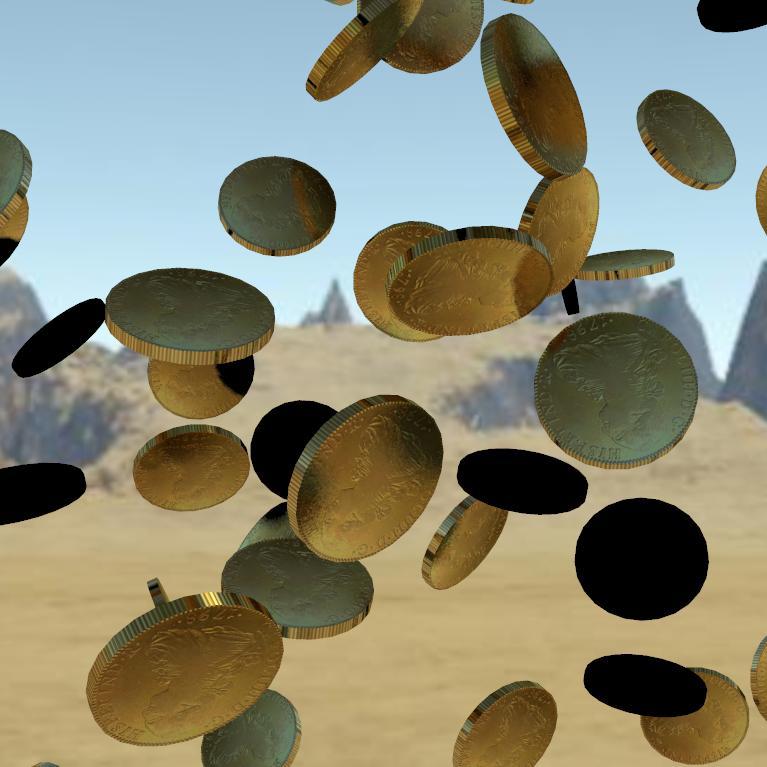
I'm rather surprised that the edges actually appear knurled/reeded - that's definitely a lucky bonus !
So coins may actually be easier than I thought.
However, I can't use a morph to change the thickness or diameter of the coin, because such morphs would screw up when combined with the mid-air rotation morphs.
I can't see any solution to changing the diameter:thickness ratio in the scatter prop.However (again), different diameter coins could be achieved by simply using scaling and a bit of simple mathemagics. E.g. a US quarter is about 1" diameter, and a cent about 0.75". So if I scaled a chip scatter prop to 6.51% the chips would be 2.54cm (1") across. If I scaled another chip scatter prop to 4.88% the chips would be 1.9cm (0.75") across. If I then set 'Mid-Air Scatter A' of the first prop to 0.2, and set 'Mid-Air Scatter AB' of the second prop to 0.267, and applied appropriate quarter/cent textures... then (if I've got my maths correct) you should have $13.04 up in the air !
Daz 3D is part of

Connect
DAZ Productions, Inc.
7533 S Center View Ct #4664
West Jordan, UT 84084Licensing Agreement | Terms of Service | Privacy Policy | EULA
© 2026 Daz Productions Inc. All Rights Reserved.