-
Why 8-9 months for a Big Sur update?
Daz is sticking it's toe into being "all things to all people" by integrating Filament and making Octane more viable, but being render-engine agnostic (how would that even work?) isn't the way to go. Daz attempts to provide a consistent platform for content creators who sell their work at the Daz store, so that they don't have to guess at what kind of materials to provide, and to provide a consistent experience for users, provided that they have reasonably recent hardware. All of these things together make the stuff Daz sells more affordable for users.
It's too bad that Mac users have to wait until the Big Sur update, but Macs haven't been the best choice for Daz Studio users for a few years now.
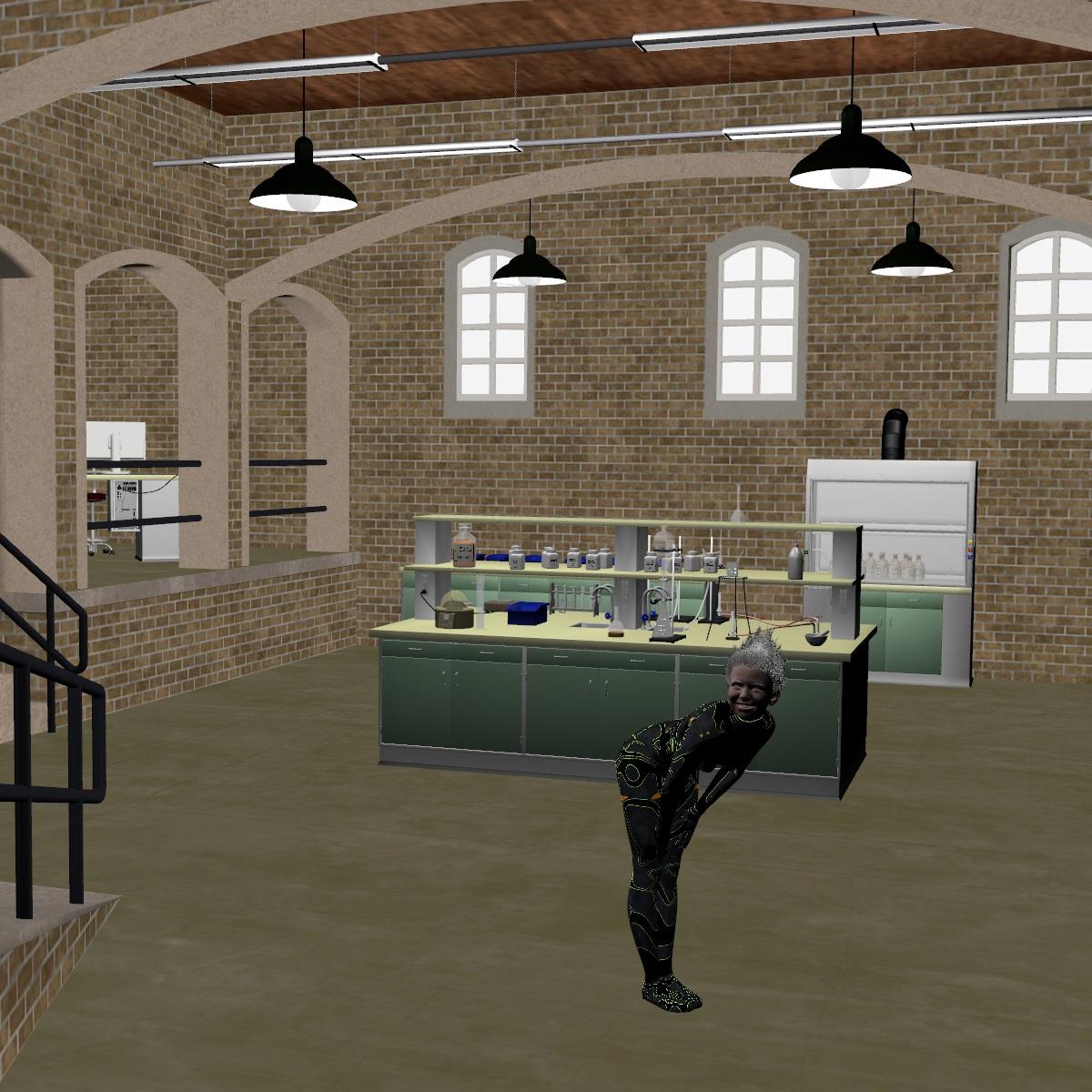
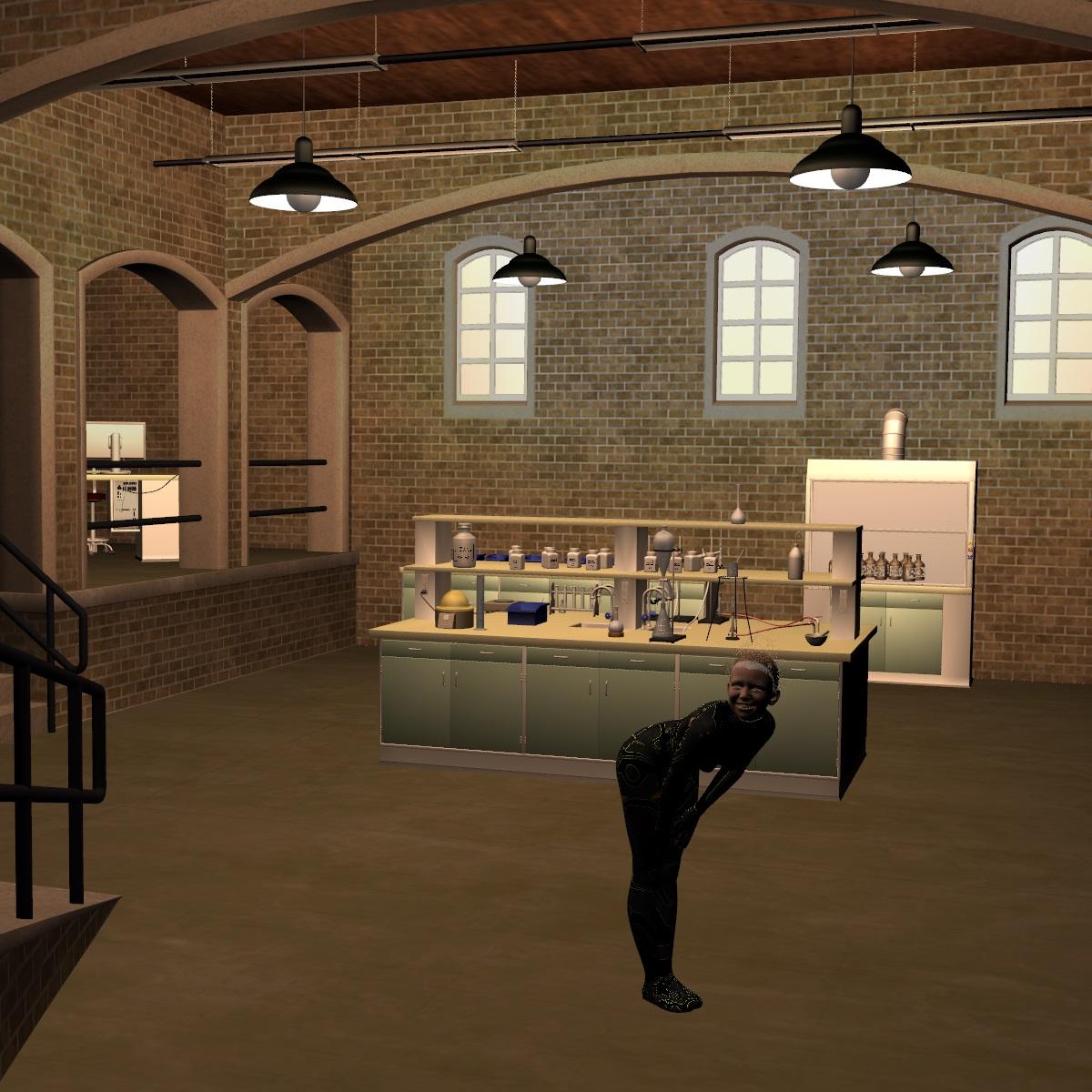
[Released] RSSY 3Delight And Iray To Filament [Commercial]These are my very first filament renders. Options tab is very useful - on can easily adjust lights and environment and preview it directly.
Used https://www.daz3d.com/chemistry-laboratory and https://www.daz3d.com/ensley-hd--expressions-hd-for-genesis-8-female
Before:
After:
 Why 8-9 months for a Big Sur update?
duckbomb said:
One nice move of DAZ would be to make Filament available on Macs. It would show some dedication to the platform. I am aware that this is extra work, as OpenGL in the version required by the current Studio Filament implementation is not available on Macs. But Filament itself is available also on Metal.
I'm confused... I thought that DS won't even run on current Mac OS? How could they make Filament work without DS working? Can you just DS as only a render engine?
If your suggesting why not put in development time and money into making changes on older Mac OS's, then I think the answer seems obvious. I can't imagine it being beneficial for them to do that. The people already using Macs are already using it, and potential new Mac users will obviously be dissuaded by the fact that they'd have to downgrade their OS to even run DS.
I hate to say it, but no company caters to everyone and it just seems that DAZ isn't super worried about their Mac segment. I'm sure everyone has an opinion, but actions speak and if it were a priority for them we'd have heard that...
Studio is working on Catalina (macOS 10.15) but not on BigSur (macOS 11), Filament is a Google render engine (https://google.github.io/filament/Filament.md.html) that works also on macOS - as a stand-alone render engine. It has not (yet) been integrated into DAZ Studio to work on macOS, though.
I suppose the BEST way for DAZ Studio would be to be render-engine agnostic. But that would require a lot of work, esp. with regard to materials and shaders. At the time when DAZ decided for Iray, it provided - undoubtly - the best rendering results. But it was limited on Nvida GPU's. Other render engines are now superior to Iray, both regrading render quality and especially speed, e.g Octane. But they require a completely different setup regarding materials and shaders. DAZ has already provided some way to switch render engines, e.g. with Filament or with an Octane material set offered for free in November. I would really appreciate if they continue with that - especially, since Studio seems to be aiming to support both still image renders and animations. Iray is a nightmare and resource hog for the later.
The DAZ busniess model is selling content. Studio is the reason why they sell content. So, keeping Studio up to date is essentialy to keeping the business model alive. This is different to Poser, wehere you have to pay for the software. DAZ Studio is free. That's what I have thought when I first installed it. But you have the urge to buy content (especially the rellay good looking one), and that is what DAZ is getting the revenue from. Its a bit like a fremium game.
The Mac user community is not that small on DAZ, and that is why they still continue developing Studio for macOS. Its like having a second entrance to your well-equipped store, inviting (Mac) users to enter and shop.
[Released] RSSY 3Delight And Iray To Filament [Commercial]Purchased. There are things I still would really like to see this script do (chief is add more point lights based on Iray emitters in the scene - not just candles, flames, etc.). But it does save some time. It is unclear to me to what extent this superceeds:
https://www.daz3d.com/sf-beautiful-skin-filament
I have found that sometimes you are better off without the materials being swapped. Anyway, here is an example scene Iray vs Filament:
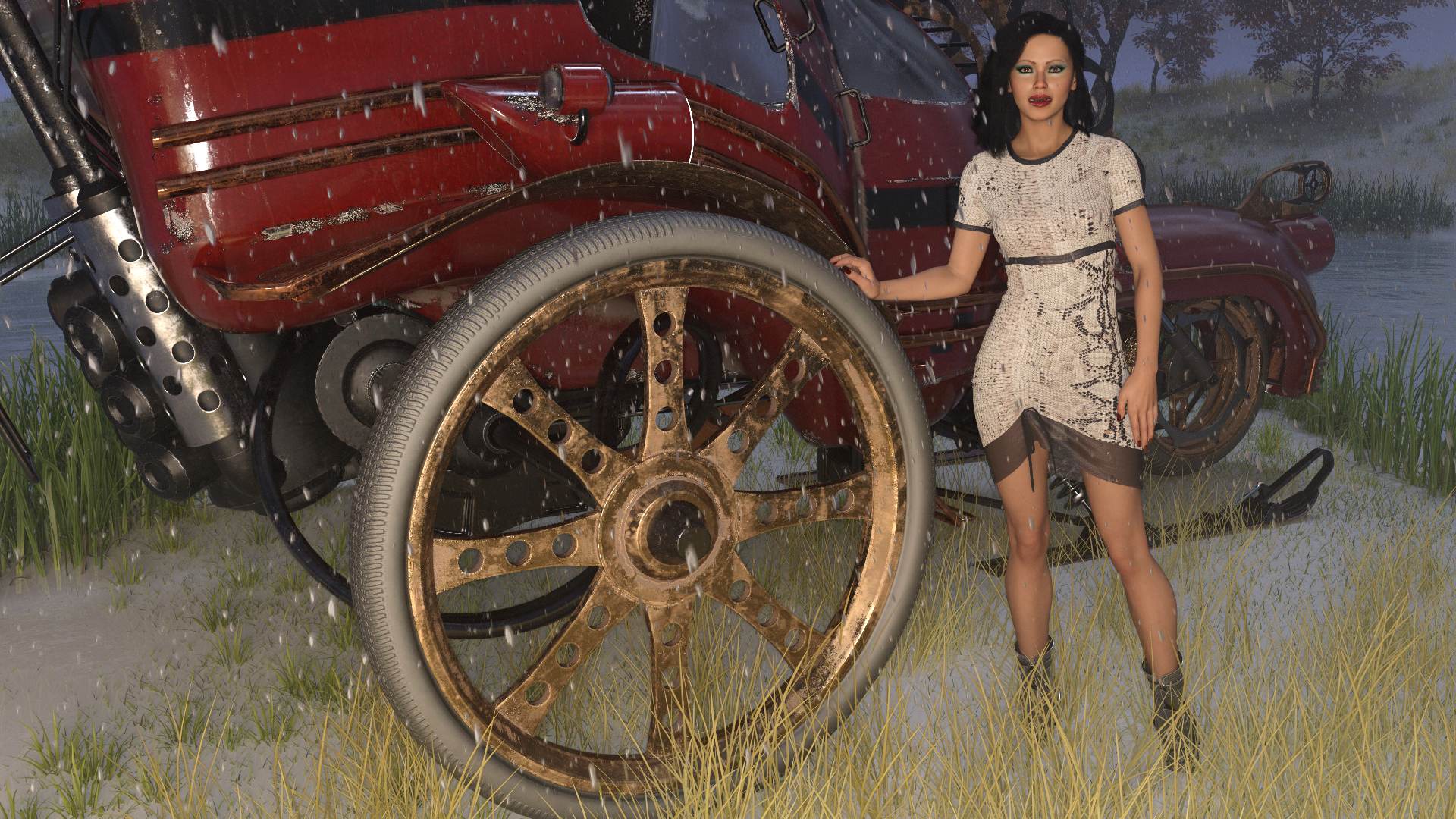
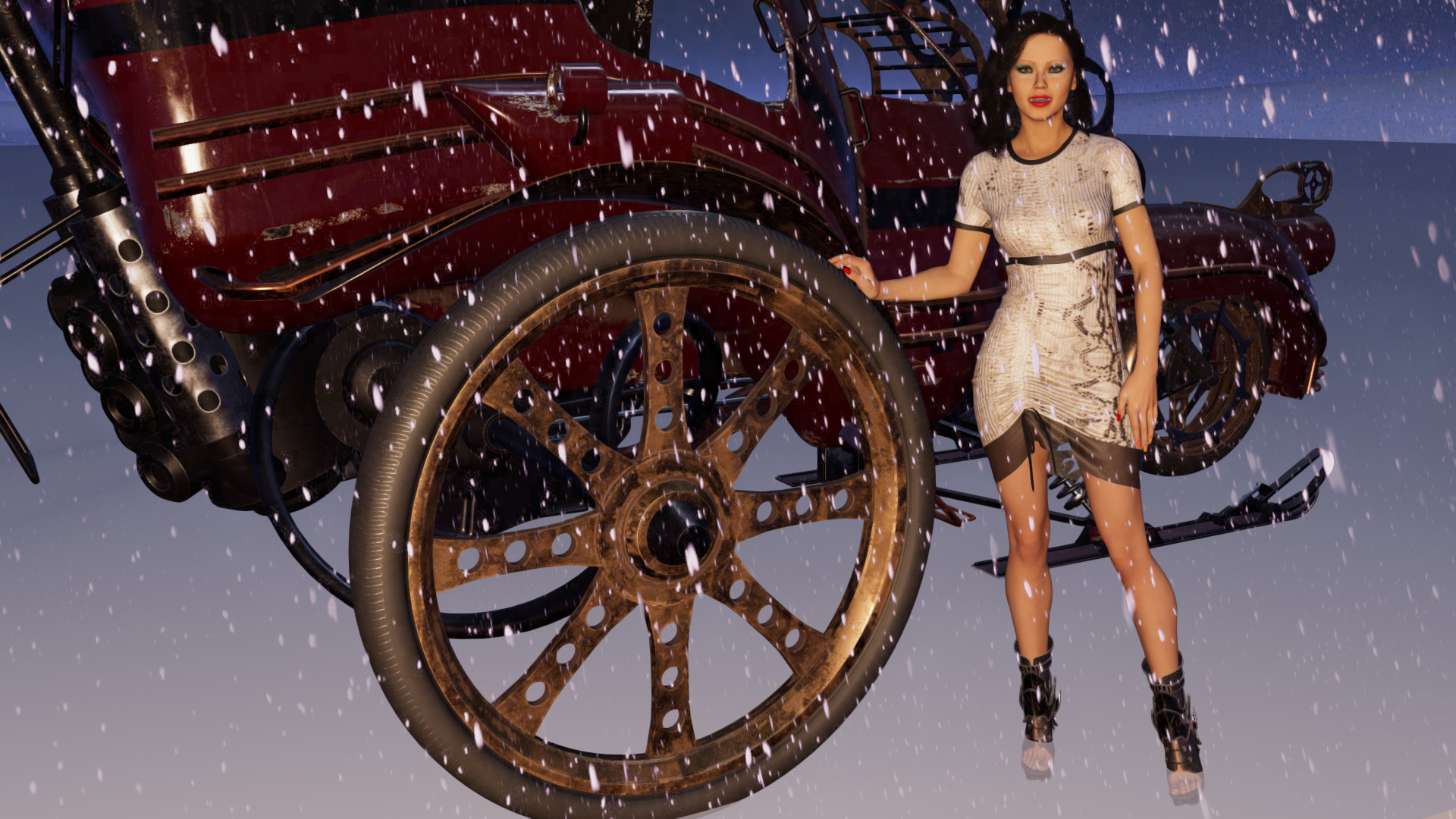
Obviously many of the differences are simply because UltraScenery doesn't render well in filament. But other differences are visible as well. Obviously Iray is better. It should be since it rendered in over 5 hours vs a second or two for filament.
Why 8-9 months for a Big Sur update?One nice move of DAZ would be to make Filament available on Macs. It would show some dedication to the platform. I am aware that this is extra work, as OpenGL in the version required by the current Studio Filament implementation is not available on Macs. But Filament itself is available also on Metal.
I'm confused... I thought that DS won't even run on current Mac OS? How could they make Filament work without DS working? Can you just DS as only a render engine?
If your suggesting why not put in development time and money into making changes on older Mac OS's, then I think the answer seems obvious. I can't imagine it being beneficial for them to do that. The people already using Macs are already using it, and potential new Mac users will obviously be dissuaded by the fact that they'd have to downgrade their OS to even run DS.
I hate to say it, but no company caters to everyone and it just seems that DAZ isn't super worried about their Mac segment. I'm sure everyone has an opinion, but actions speak and if it were a priority for them we'd have heard that...
Why 8-9 months for a Big Sur update?Richard Haseltine said:
fernandomorgan said:
If you go to /Applications/DAZ 3D/DAZStudio4 64-bit/plugins in the macOS sheell and type
otool -L *.dylib
you can see the libraires required for that plugin.
So libstdc++.6 is used by almost everything because its the core functionality for everything written in C++ (https://stackoverflow.com/questions/16858243/what-functions-does-libstdc-so-provide if you want to dig deeper).
/usr/lib/libstdc++.6.dylib (compatibility version 7.0.0, current version 7.9.0)
Apple deprecated this like 4 years ago, when Xcode8 came out (current one is 12, one release per year lately), so DAZ had 4 years to prepare if they cared about their customers using Macs. It stopped being even available for developers with xcode 10:
Building with libstdc++ was deprecated with Xcode 8 and is not supported in Xcode 10 when targeting iOS. C++ projects must now migrate to libc++ and are recommended to set a deployment target of macOS 10.9 or later, or iOS 7 or later. Besides changing the C++ Standard Library build setting, developers should audit hard-coded linker flags and target dependencies to remove references to libstdc++ (including -lstdc++, -lstdc++.6.0.9, libstdc++.6.0.9.tbd, and libstdc++.6.0.9.dylib). Project dependencies such as static archives that were built against libstdc++ will also need to be rebuilt against libc++.
(from xcode 10 release notes, available for free at their developer site).
a) Daz Studio is built on Qt - Daz has been working on moving to a new version of Qt for some time (see all the threads on UI scaling, which also requires an update).
b) updating this will break the binary compatibility of plug-ins, some of which will certainly not be updated to work with a new version, so it is going to have a strong negative impact on many users on both Mac and Windows platforms.
Not having a version of DS that is ready for Big Sur is not evidence of Daz' lack of concern.
One nice move of DAZ would be to make Filament available on Macs. It would show some dedication to the platform. I am aware that this is extra work, as OpenGL in the version required by the current Studio Filament implementation is not available on Macs. But Filament itself is available also on Metal.
Daz Studio 4.16[.0.x] Pro, General Release! (*UPDATED*)It is irritating when I have a complex scene (Not really - it's just 6 DAZ 3D products - a set, a animal, a person, hair, eyebrows, clothing) in DAZ Studio but can't set the viewport to Filament because, presumable guess, my GeForce GTX 1650 Super 4GB runs out of RAM, and well that's OK, but I can't set Filament as an explicit render type in the list of renderer options, only viewport and so to get a Filament render I need Filament in the viewport chosen which is not happening for this scene; at least not happening 100% of the time; sometimes it does manage to open the scene in Filament without crashing DAZ Studio (in prior versions of DAZ Studio with filament).
Auto Muscle Enhancer HD [Commercial]Sigurd said:
Trying to render right now. I keep getting invisible or transparent renders. I do not know why.
Sigurd,
I noticed that if I was doing Filament work with a Beautiful skin shell applied, I couldn't just remove the shell, I had to reapply an Iray texture. something in the shell application opaques some of the texture, and caused some see thru issues when going back to Iray. Don't know if that's your issue, but I have seen that. Also noticed some lag problems when doing a lot of Filament work, have to restart to get things speeding up again. TD
How to Render Hair in Fillament?the only way I know is rather resource intensive and kind of defeats the purpose
and that is to use the Blender hair to particle hair plugin in the Blender forum
then wait several hours to convert that to curves and extrude them and export the hideously high poly result
you then have a fiberhair mesh with no transmapping
otherwise just use fibermesh hairs, are a few in the store
strandbased with line tesselation will render too
here is elegant bun hair which is a fibermesh hair in Filament
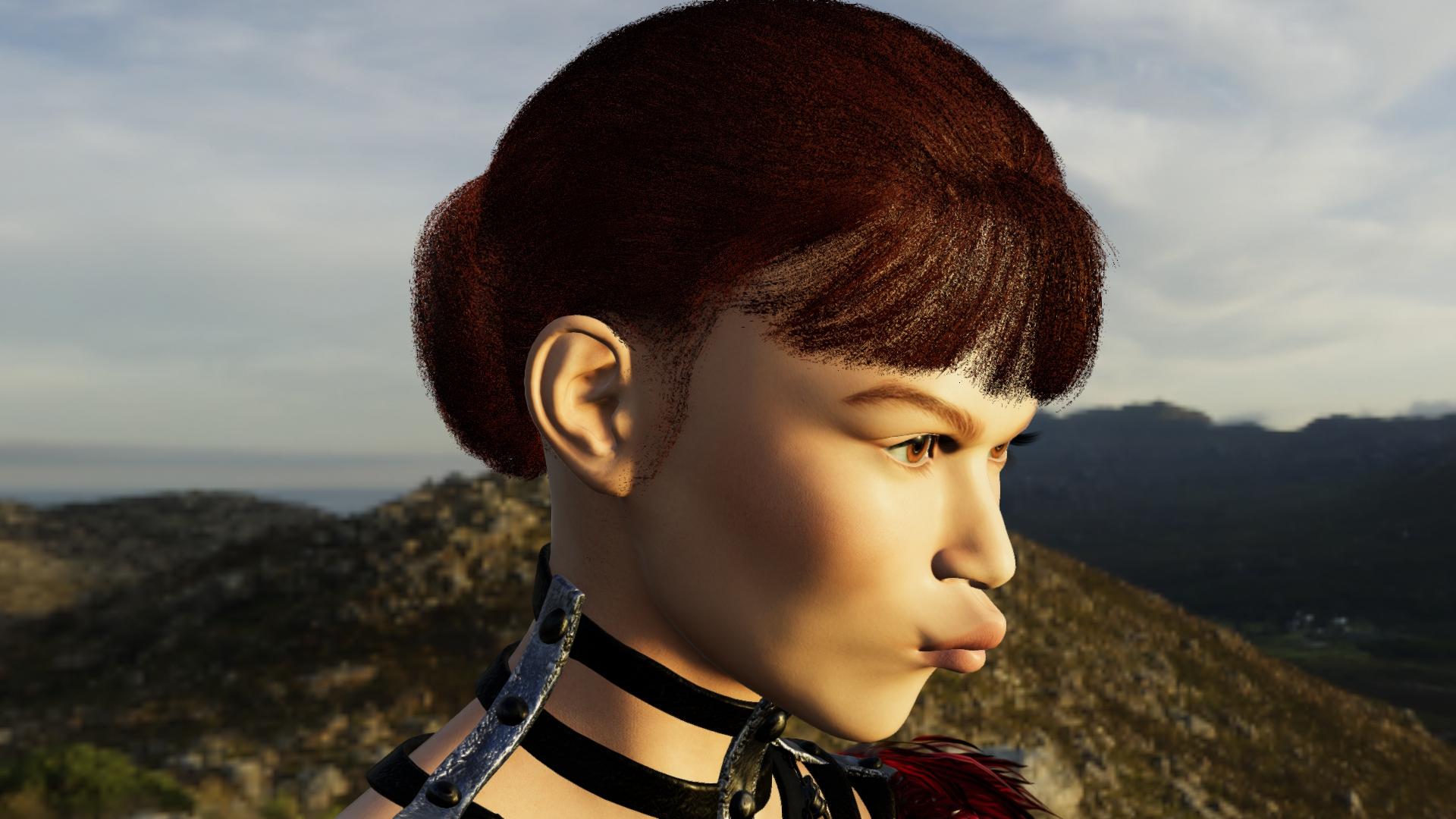 Daz Studio Pro BETA - version 4.15.0.30! (*UPDATED*)
Frinkky said:
I'm getting the same issue as 4.14 - opening the program brings up the splash screen, the main program window appears and within a couple of seconds it freezes - no element responds to mouseover or click. hen he program just closes. The last few lines in the log file are:
2021-01-09 13:46:30.153 Creating Script Engine...
2021-01-09 13:46:30.169 WARNING: 3DConnexion Plug-in Error: Could not create Device, CoCreateInstance failed
2021-01-09 13:46:30.169 3D mouse support library could not be loaded.
2021-01-09 13:46:30.170 Creating Main Window...
2021-01-09 13:46:30.171 Creating Viewport Manager...
2021-01-09 13:46:30.213 Successfully created OpenGL viewport for Viewport1.
2021-01-09 13:46:30.303 Successfully created OpenGL viewport for Viewport2.
2021-01-09 13:46:30.362 Successfully created OpenGL viewport for Viewport3.
2021-01-09 13:46:30.419 Successfully created OpenGL viewport for Viewport4.
2021-01-09 13:46:30.526 Creating Action Manager...
2021-01-09 13:46:30.537 Creating Pane Manager...
2021-01-09 13:46:30.706 Successfully created OpenGL viewport for AuxViewportView.
2021-01-09 13:46:31.362 WARNING: QFile::flush: No file engine. Is IODevice open?
2021-01-09 13:46:31.473 WARNING: QMetaObject::connectSlotsByName: No matching signal for on_pslJpegSaveQuality_valueChanged(int)
2021-01-09 13:46:31.478 WARNING: QMetaObject::connectSlotsByName: No matching signal for on_sldAniImageQuality_valueChanged(int)
2021-01-09 13:46:31.484 WARNING: QMetaObject::connectSlotsByName: No matching signal for on_bbnRestartDriver_released()
2021-01-09 13:46:31.564 WARNING: QMetaObject::connectSlotsByName: No matching signal for on_ptbEditNodeGraph_released()
2021-01-09 13:46:33.841 Started in: C:/Program Files/DAZ 3D/DAZStudio4 Public Build
2021-01-09 13:46:33.841 DAZ Studio Started
2021-01-09 13:46:33.842 Creating Pixel Buffer
2021-01-09 13:46:33.867 Pixel buffer - Width: 1024 Height: 1024
2021-01-09 13:46:33.868 Compiling OpenGL Shader...
So it seems to be an opengl issue...
I'm running this on a 4790K cpu (iGPU disabled), 32gb ram and a 1070ti.
Any ideas would be appreciated. As stated above, I've been having this problem since 4.14 beta so presumably Filament related? I won't try a 4.14 or 4.15 main release as that would overwrite my only working version (4.12).
It does work on my laptop, 8750H 16gb + 1070 8gb.
What is the OS version,video card and driver version?
How to Render Hair in Fillament?My very ancient computer and I are loving Filament. At last I can create stuff in minutes rather than hours.
I love the look of the Fillament renders, they are perfect for my uses.
BUT... I can't render hair. I am sure there must be a way, but I don't know what it is.
Please, could any kind soul tell me if there is a way to make normal transparent hair look right in Fillament?
I see the new product that claims it does, but there are no pictures, and screen shots that have been posted in threads here don't seem to have fixed hair at all.
More Non-photorealisitic Renders (NPR II)I think I like Filament - Daz Outline (script) render and Photoshop combo
Hair transluscent in most angles in filament?Filament is kind of experimental and doesn't handle transparency correctly right now. One of the biggest things affected by this is hair. As far as workarounds, there are a few:
- Use hair that doesn't have transparency. These are hard to find, although toonish / anime style hair sometimes doesn't use it.
- Try a different hair prop. Some work better than others in Filament.
- Do another render of just the hair using iray or 3delight, than composite in Photoshop or Gimp by putting the second hair layer on the bottom. Then on the main image, you can erase the parts (or use a layer mask if you want to do it non-destructively) where you want the second hair render to show through and play with the curves, brightness and contrast etc. to match the color and lighting with the main render.
Hopefully, in the future Filament transparency support will improve.
[Released] RSSY 3Delight And Iray To Filament [Commercial]Will the script run on the Mac version of DAZ Studio, or does it need the Filament engine itself present?
-- Walt Sterdan
Daz Studio Pro BETA - version 4.15.0.30! (*UPDATED*)I'm getting the same issue as 4.14 - opening the program brings up the splash screen, the main program window appears and within a couple of seconds it freezes - no element responds to mouseover or click. hen he program just closes. The last few lines in the log file are:
2021-01-09 13:46:30.153 Creating Script Engine...
2021-01-09 13:46:30.169 WARNING: 3DConnexion Plug-in Error: Could not create Device, CoCreateInstance failed
2021-01-09 13:46:30.169 3D mouse support library could not be loaded.
2021-01-09 13:46:30.170 Creating Main Window...
2021-01-09 13:46:30.171 Creating Viewport Manager...
2021-01-09 13:46:30.213 Successfully created OpenGL viewport for Viewport1.
2021-01-09 13:46:30.303 Successfully created OpenGL viewport for Viewport2.
2021-01-09 13:46:30.362 Successfully created OpenGL viewport for Viewport3.
2021-01-09 13:46:30.419 Successfully created OpenGL viewport for Viewport4.
2021-01-09 13:46:30.526 Creating Action Manager...
2021-01-09 13:46:30.537 Creating Pane Manager...
2021-01-09 13:46:30.706 Successfully created OpenGL viewport for AuxViewportView.
2021-01-09 13:46:31.362 WARNING: QFile::flush: No file engine. Is IODevice open?
2021-01-09 13:46:31.473 WARNING: QMetaObject::connectSlotsByName: No matching signal for on_pslJpegSaveQuality_valueChanged(int)
2021-01-09 13:46:31.478 WARNING: QMetaObject::connectSlotsByName: No matching signal for on_sldAniImageQuality_valueChanged(int)
2021-01-09 13:46:31.484 WARNING: QMetaObject::connectSlotsByName: No matching signal for on_bbnRestartDriver_released()
2021-01-09 13:46:31.564 WARNING: QMetaObject::connectSlotsByName: No matching signal for on_ptbEditNodeGraph_released()
2021-01-09 13:46:33.841 Started in: C:/Program Files/DAZ 3D/DAZStudio4 Public Build
2021-01-09 13:46:33.841 DAZ Studio Started
2021-01-09 13:46:33.842 Creating Pixel Buffer
2021-01-09 13:46:33.867 Pixel buffer - Width: 1024 Height: 1024
2021-01-09 13:46:33.868 Compiling OpenGL Shader...
So it seems to be an opengl issue...
I'm running this on a 4790K cpu (iGPU disabled), 32gb ram and a 1070ti.
Any ideas would be appreciated. As stated above, I've been having this problem since 4.14 beta so presumably Filament related? I won't try a 4.14 or 4.15 main release as that would overwrite my only working version (4.12).
It does work on my laptop, 8750H 16gb + 1070 8gb.
Hair transluscent in most angles in filament?Does anyone else have a problem with hair appearing translucent/transparent at certain (most) angles in Filament? Is there any way to fix this? Note: You can see the scalp through the hair.
The Official aweSurface Test TrackOff topic,
@Sven, is it me or does the new DS builds feels sluggish/slow compared to older ones? I have both 4.7 and 4.14 Beta installed and 4.7 is both faster with animated poses/loops and re-loading scenes.
Well I'm still on 4.9. Have the 4.10 beta which I use only if I need to dForce something. I really see no point in updating unless DAZ suddenly upgrades 3DL to use OSL and USD etc. which will not happen. Filament would be nice but PC only, so...will probably get the newest beta if they port it over to the Mac. From the comments on the forums I've seen a lot of complaining about slow rendertimes crashes and whatnot. Not surprising considering they can't seem to manage to run even their own store properly.
RSSY 3Delight And Iray To FilamentThe latest public betas has taken Filament way beyond what filament is in the current public release
{Solved} Dark object rendering [Light does not catch it]I think I found the fix guys. First and Second pictures are rendered by other shaders. Third one is likely rendered by those shaders from the last picture.
so, the next question is why is that? why these shader will not cast light the way they do on the "Filament(PBR)" in viewport. Just curious.
Thank you Catherine3678ab, charles, Fishtales
Regard,
Steve
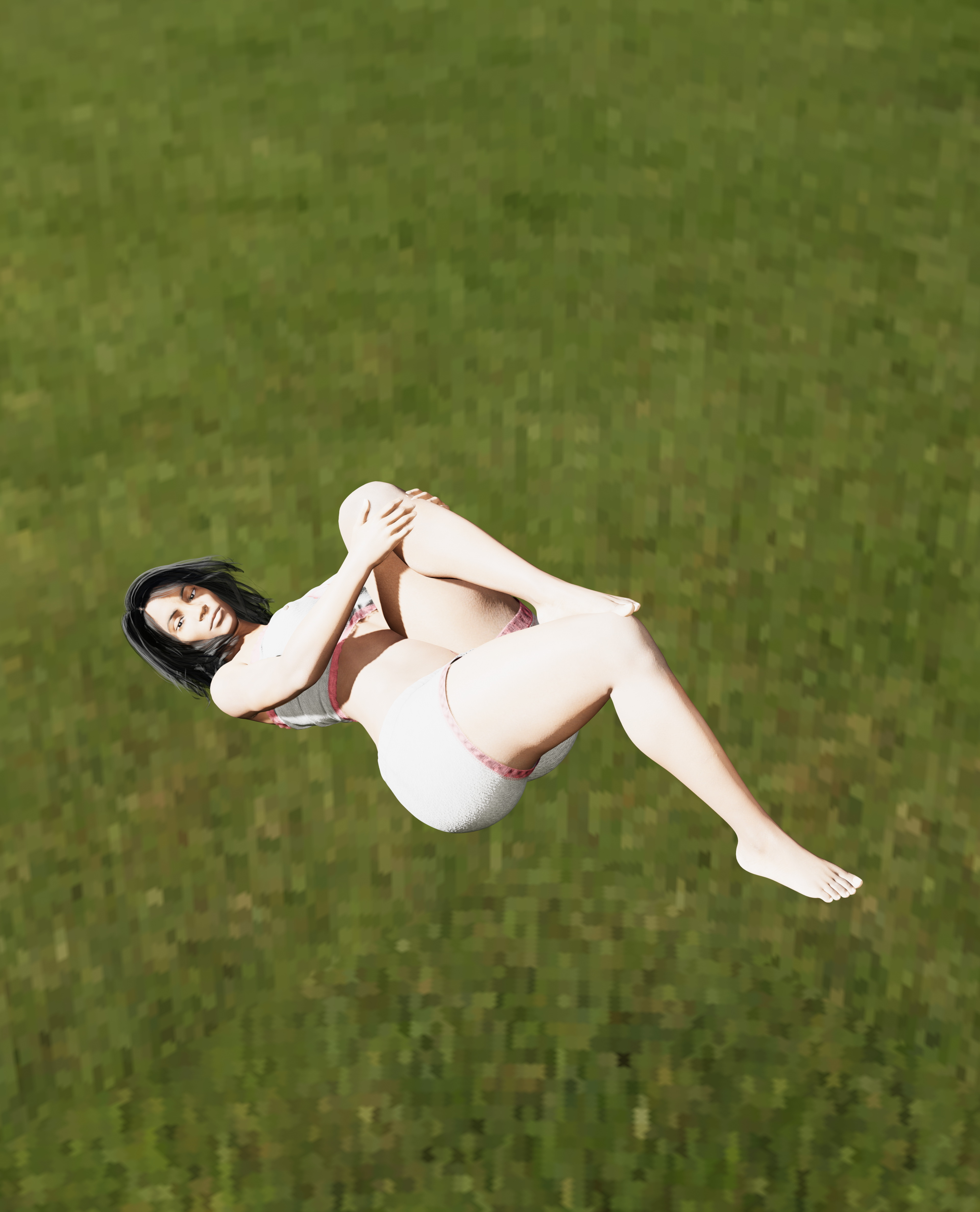
RSSY 3Delight And Iray To FilamentI don't want to seem like a troll who is trying to make the product look bad intentionally. I loaded the scene I always start with, which has the green point park HDRI from HDRI haven. Then I loaded a character.
Filament Before Conversion:
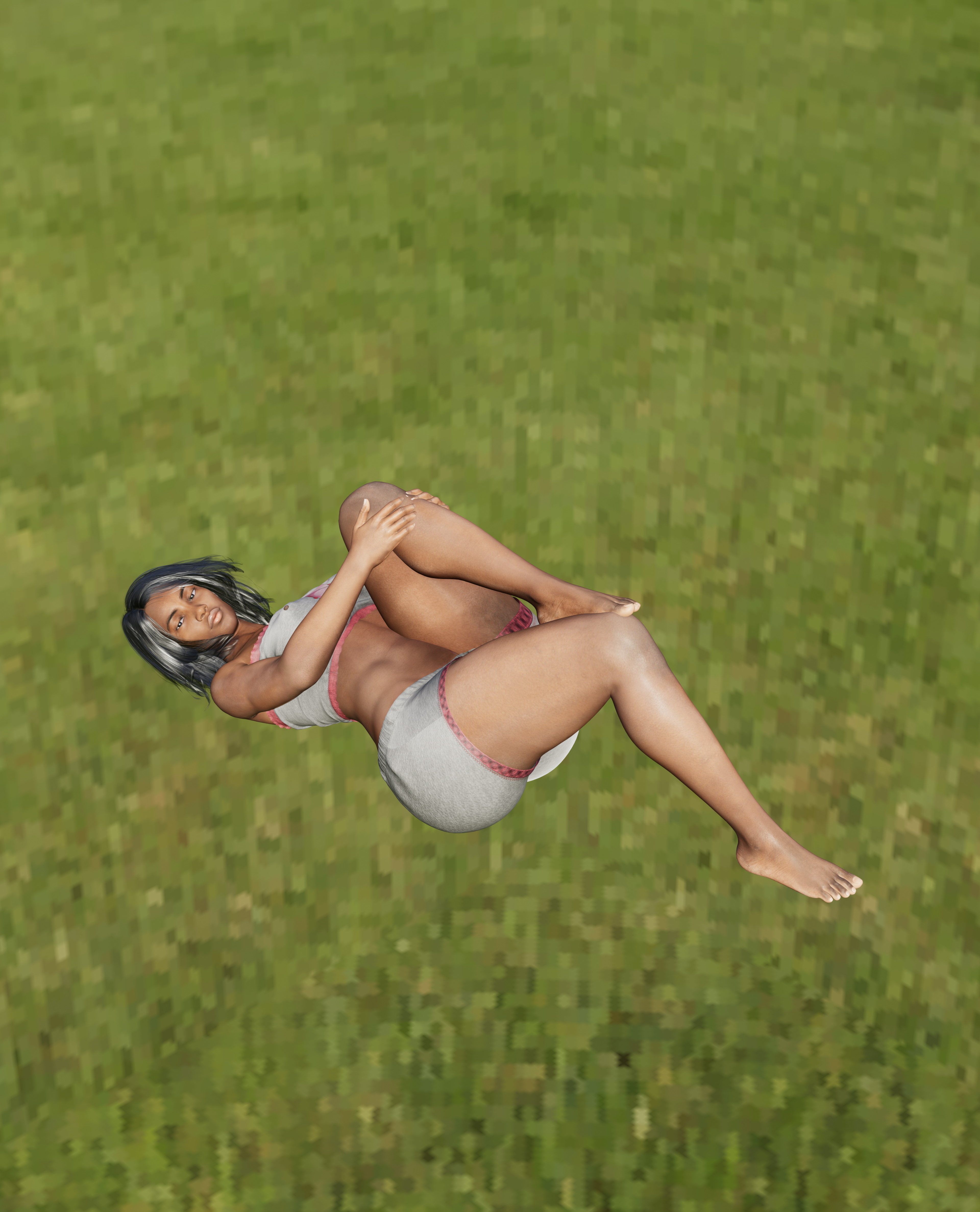
Filament After Conversion:
I thought maybe some setting I had for my default scene file was affecting the brightness so I chose "file" and "new" so I'd have the default DAZ settings. And I loaded a character and clothes.
Filament Before Conversion:
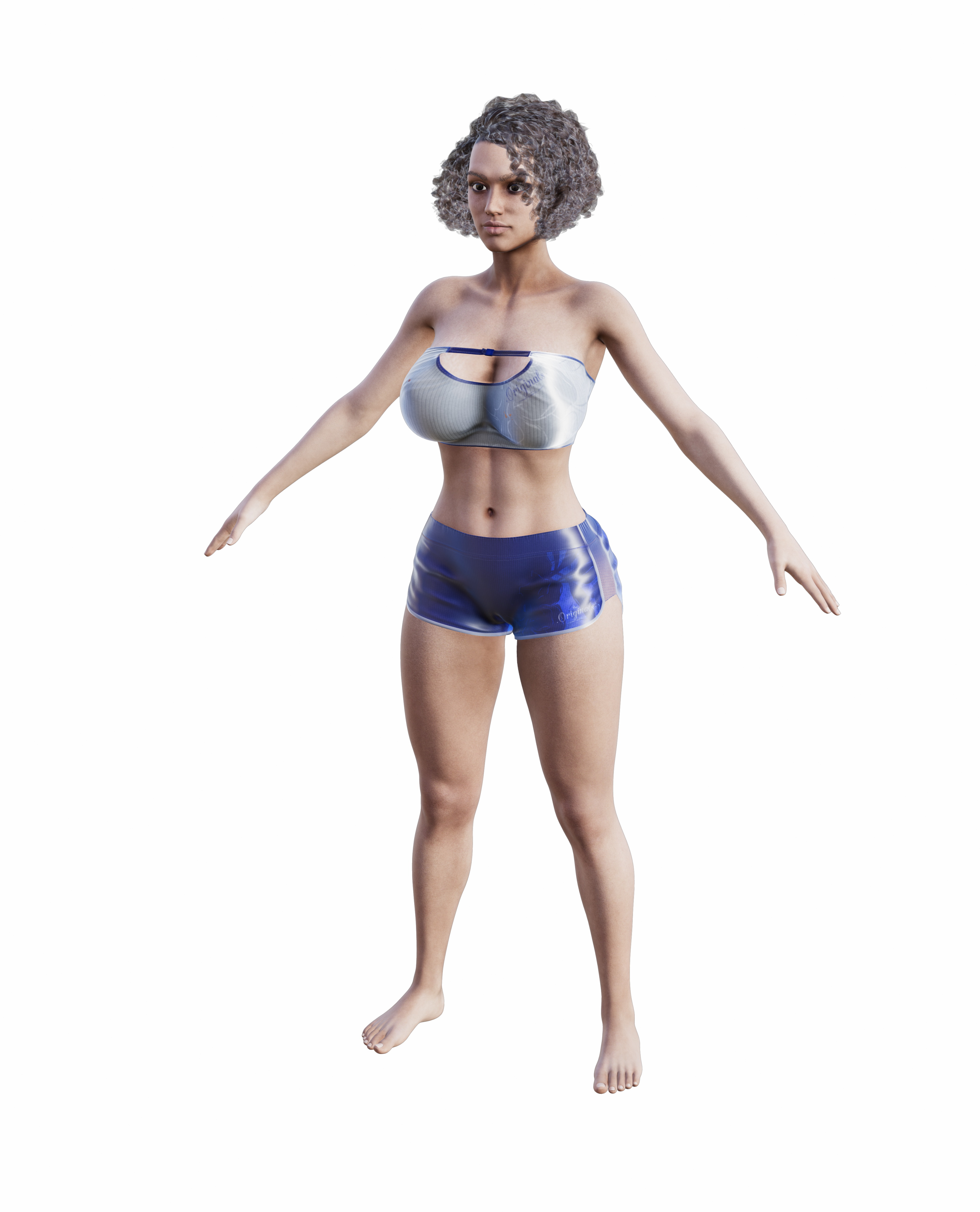
Filament After Conversion:
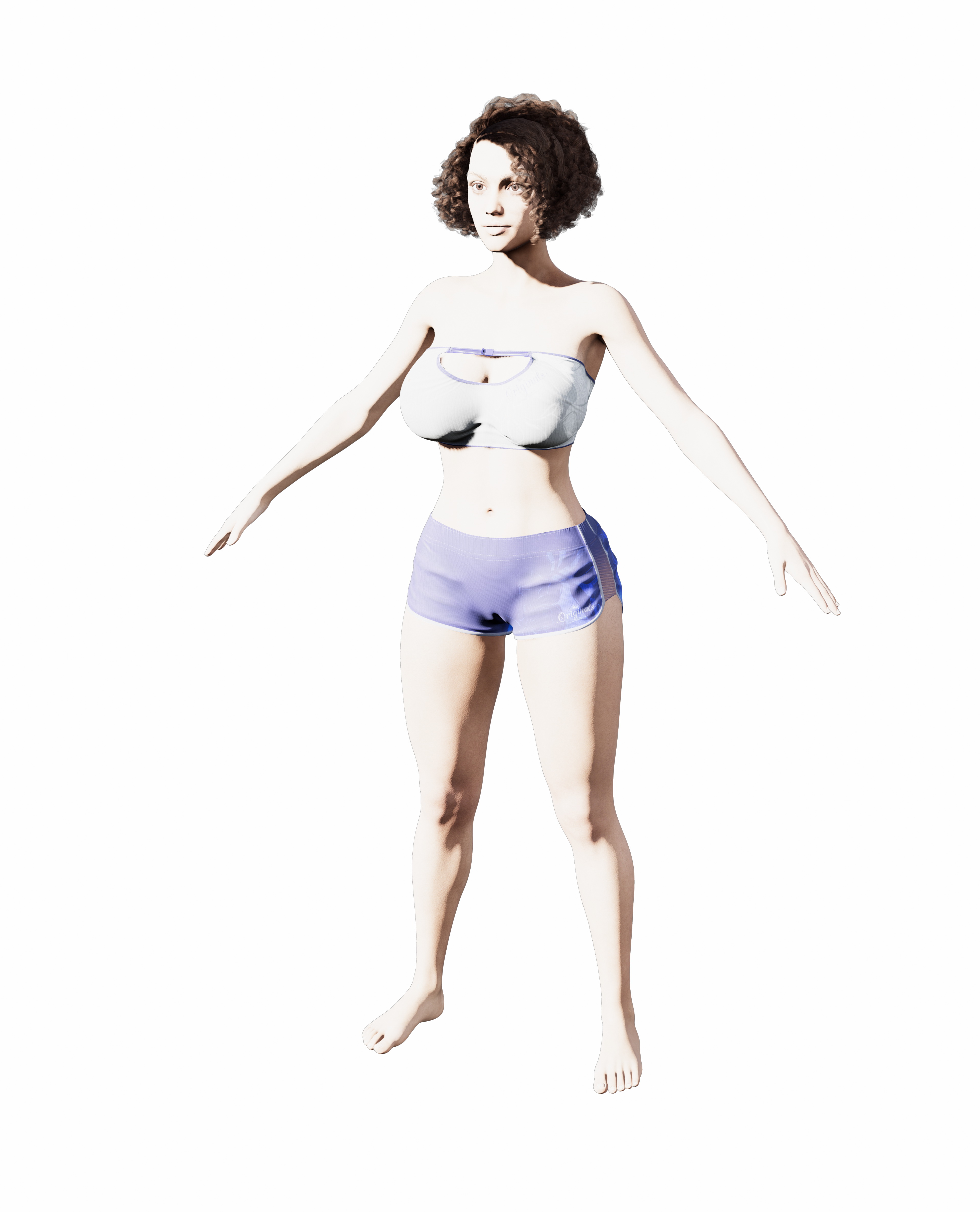
No amount of sliding the intensity dial could make that character seem less bright. Even when I slid it down to zero. I don't know what's different between these and the earlier ones that make the second batch so bright. They render normally in IRAY. I think I may hve had the IBL Master objects in the scene in the earlier renders. For anyone who thinks I'm a troll because the images look bad, or an idiot for not knowing some "obvious" thing that would make this script work better, just understand that wasn't the impression I was trying to create. I was just responding to the original poster's request. At the time, nobody else seemed to be doing that.
Daz 3D is part of

Connect
DAZ Productions, Inc.
7533 S Center View Ct #4664
West Jordan, UT 84084Licensing Agreement | Terms of Service | Privacy Policy | EULA
© 2026 Daz Productions Inc. All Rights Reserved.