-
Celebrity Look-a-Likes for 3D figures Part 2
Your model morphs are superb. I've downloaded Simone Missick, the actress that plays Misty Knight on Netflix Marvel's Luke Cage and added my own texture to her. I believed she turnt out okay.
I was commissioned to do four celebrity morphs recently, I figured I'll add the links here for anyone who may be looking for these actresses:
Rila Fukushima: https://www.deviantart.com/tritiumcg/art/Rila-Fukushima-Head-Morph-for-G8F-832636705
Simone Missick: https://www.deviantart.com/tritiumcg/art/Simone-Missick-Head-Morph-for-G8F-832845496
Christa Linder: https://www.deviantart.com/tritiumcg/art/Christa-Linder-Head-Morph-for-G8F-833172249
Sophia Loren: https://www.deviantart.com/tritiumcg/art/Sophia-Loren-Head-Morph-for-G8F-833997794
All freebie downloads: https://www.deviantart.com/tritiumcg/gallery/67331252/daz-studio-freebies
Thank you so much! I'm glad that you like them! If you ever upload your renders of Misty or any of my morphs to Deviantart, leave a link in the comments on the morph's page and I'll feature it. ^_^
I was recently commissioned to do a full body morph of Rihanna: https://www.deviantart.com/tritiumcg/art/Rihanna-Head-and-Body-Morphs-for-G8F-838891936
I know she's been done before, but the commissioner insisted on my take specifically. :) Anyway, I hope some of you guys will find some use for her too.
Creating clothing for Characters.If you use Reverse Deformations here you are subracting the AutoFollow morph and leaving only the additonal changes you made on top of it -that's part of the reason I suggested importing onto a zeroed figure with any AutoFollowed morphs removed.
How to make imported clothing work with Genesis 8Does the imported jacket line up with the base figure without adjustment? If so Edit>Figure>Transfer Utility, set the Source to Genesis 8 Male and the target to the Imported OBJ, and click Apply.
Auto Muscle Enhancer HD [Commercial]Nice! So do you suggest not using the characters HD morph if you are using AME?You adjust. Always add and test to see. For me, the camera position dictates the percentage blend. Thus I may have shapes setting like BOB close up, BOB mid-range, and BOB far away.
The HD morphs on the character can also enhance the AME details or it can also take away. You must try and see. That is the fun of it. It is your vision, your arts.
Remember: "Only ignorant critique arts and intelligence will only convey one opinion."
Auto Muscle Enhancer HD [Commercial]Nice! So do you suggest not using the characters HD morph if you are using AME?
What the hell is Gordig doing now?Lighting is pretty flat, though. It almost looks like you left the auto head lamp on and the baby's skin seems to dark/brown to me.
I actually did experiment with the headlamp for a bit before abandoning that in favor of a point light. The ambient light in the Danaides set is virtually nonexistent, or I would have relied more heavily on that. I still don’t have a good sense for how to light scenes effectively, especially given my proclivity towards dark scenes.
As for the baby’s skin being too brown, well...it’s not a white baby.
Oh, and I love the guys expression on Liquid Sunshine!
Thank you, that was kind of the centerpiece of the scene for me. As soon as I had the idea for the scene, I knew I wanted to replicate a face Calvin from Calvin and Hobbes made frequently. I was originally trying to use Toon Boy, but to my considerable surprise, that morph is actually quite resistant to extreme facial expressions.
Creating clothing for Characters.Hi Richard, thank you so much for your responce.
I'm trying to do it with Alexandra8 and it has been really difficult to get my skirt to fit her with the imported morph. I put the skirt onto Gen 8 female, then I fial up Alexandra8 morph the full body moreph that is. I believe it does it without the head.
Then I export the skirt at Daz preset 100% size. using the name FBMAlexandra8 as the name for my export. then after I edit the skirt making it fit better I export to daz and then import using morph loader pro. I set it to reverse deformations, and set it to deltes only. and it is a success. Then when I dial up the Alexandra8 morph the skirt goes up the model and is not sized right.
So I must be missing something. some option or something
Creating clothing for Characters.First, make sure you are dealing with the actual morphs not a controller for multiple morphs - I think Aiko 8 is probably driving separate head and body morphs. Export the base figure (as a guide) and the clothing - you can eithe start with the AutoFollow morph, or you can use the base shape of the clothing and entirely sculpt the shape you need without the AutoFollow starting point. Make sure that the final morph OBJ has the name of the morph, not the label (from the Parameter Settings dialogue - click the gear icon on the slider). Load the morph on the unmorphed clothing (use Edit>Figure>Clear Generated Morphs to make sure there are no AutoFollow remnants). Of course you will also, for a shape like Aiko 8, probably need to add JCMs/MCMs after that.
Creating clothing for Characters.Hi, I am looking for any tutorials or videos or any information on the correct way to export a piece of clothing when a character morph is applied like for example.
I dial up Aiko 8 character morph on the Gen 8 model. Then I export the clothing that is on the model to a modeler, fit the clothing correctly then import back as a corrective morph or whatever it needs to be to correctly fit gen 8 when dialed back up to Aiko 8.
Any help anyone can provide is greatly apriciated as I can not find any information about the process.
many thanks and I hope you all stay healthy.
IRAY Photorealism?A thread talking about skin, photorealism and using filmic in blender? Back into the fray!
AFAIK filmic is or is similar to a LUT, but is specifically geared towards accurately transforming 32bit render data into something resembling what you would expect to come out of a camera, whereas must LUTs are generally designed to take what is coming out of a camera (either 8 or 16 bit) and turn it into something pretty. Here's a great example image (from blenderguru I think)
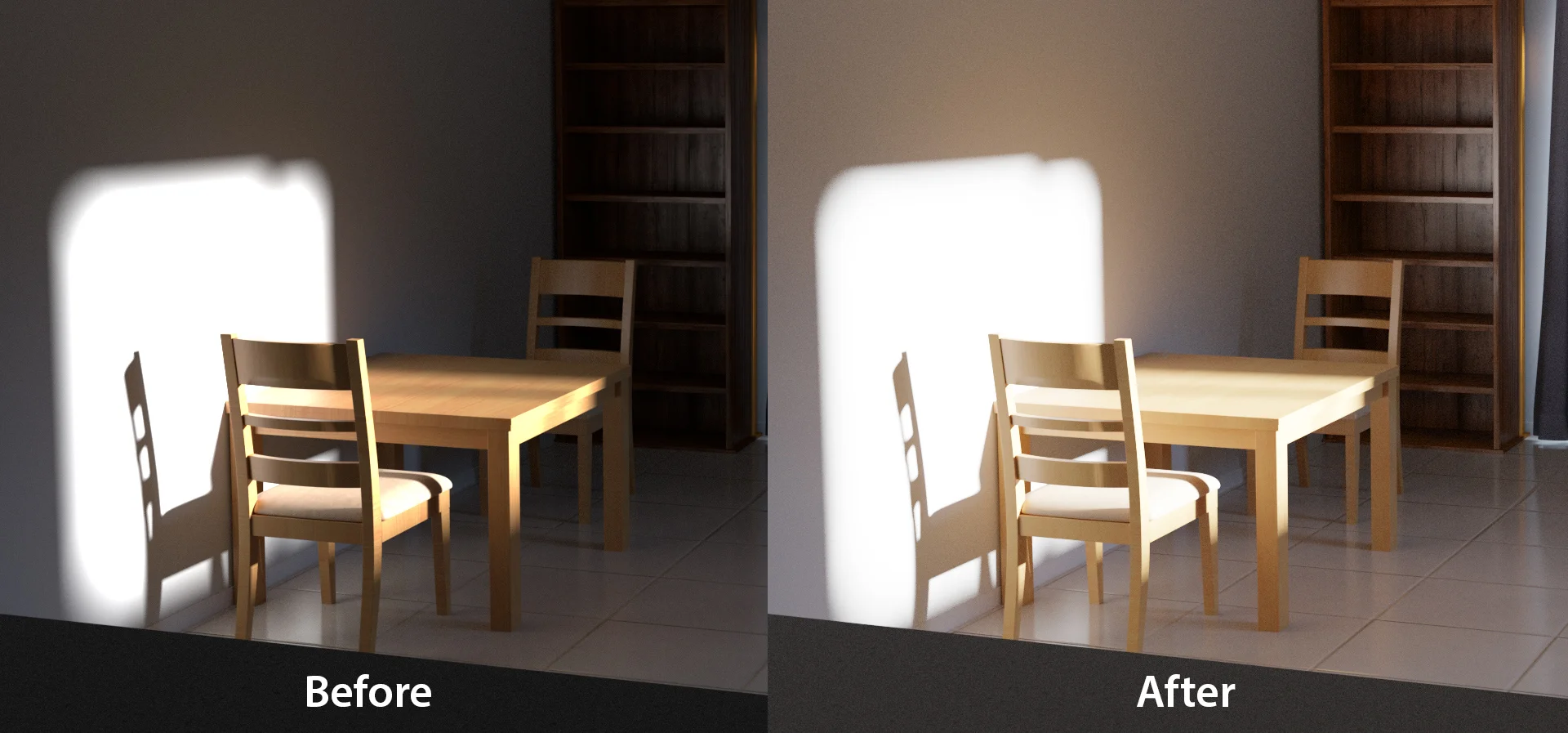
its not just that the shadows are lighted look at the edges of the direct light see how the first has this really weird and ugly falloff?
I actually happen to have a pretty good (if specific) example of where this really adds some realism. Render straight out of iray vs sending the exr over to blender and filmiced

See those weird blown out hotspots in the bokeh? fugly and something I've never seen when taking a photo
Also, thank you folks evangelizing spectral rendering, I had dabbled, but lacked some stick-to-itiveness. The SSS is indeed way more accurate, I can do 100% SSS without turning red or a glowing mess! Mind you because 100% SSS doesnt use the difuse map, if theres funkiness with the Translusency map things get weird fast, Although I have some preliminary expiriments that look hopeful, even for darker skin (which Iray is way more fiddly about)
And speaking of the fray, here's my hat in the ring, as it were. No lofi look for me, I love me some dramatic lighting

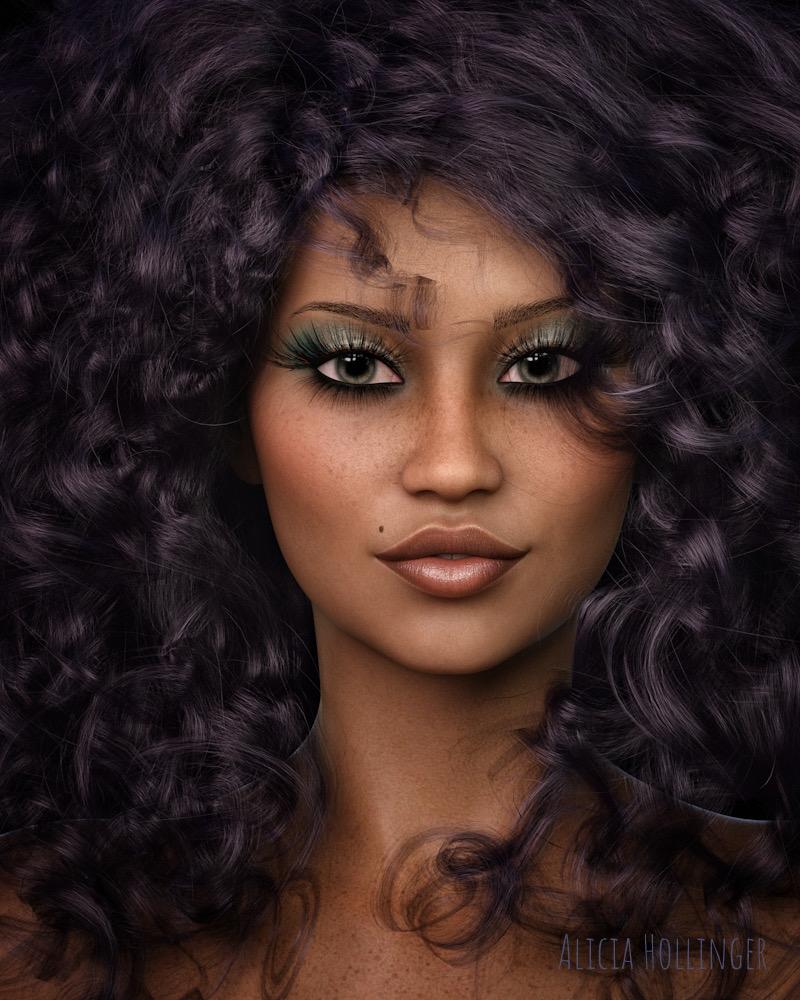
Skin using 100%SSS Strand based hair, strand based eyebrows, velus hair... so many strands (in retrospect the velus hair might be a bit to strong, but it didnt look so clear until halfway through rendering and i decided I'd done enough re-renders). I'm also not fully satisfied with the hair, mostly trying to get baby hairs round the hairline. Sadly, you can't control the thickness if individual strands with a textuure, which I think would have helped (you cant do this in blender either and it makes me sad) I'm actually quite satisfied with the eyes, though, although this isnt really a shot that shows them off
One thing that was mentioned earlier that I think needs to be repeated, the morph is super important. I've started sculpting morphs (this lady's head is a custom morph for instance) and one thing I've noticed is that If i don't work from reference, a lot of the features end up sort of this is the concept of "nose" rather than an individual's nose. (if that makes any sense at all)
GenX2 - Need HelpThanks, Havos and Leana.
I do have all the products mentions.
Here is the part where I'm not sure what to do.
I loaded David 3 into the scene. Not sure if that is required. I also drug his icon into the center box on the GenX2 panel and that populated the box. But then I have to select some morph(s). But I don't see a body or head morph. Am I suppose to select all of the morphs in those groups? Or am I doing something wrong? I thought maybe there was a base male and a morph for dialing David 3 in like there are for the Genesis characters, but I did not find a base character for the 3 characters.
Alawa 8Taoni for Alawa at 50%. I started a thread that mentioned several errors but no one responded so I guess I have to open a ticket. What I wrote:
Getting errors on https://www.daz3d.com/taoni-for-alawa-8 First it couldn't find the nail bump map. Now it is looking for the file data/oso3/blendy/oso blendy/oso blendy.dsf for one of the makeup files. Oso is not a PA on this product and it says nothing about needing that product...
Anyway, I thought her morph was too strong at 100% but like it at 50%. Of course I have to mix it with other morphs now too!
 SOLVED "Geometry did not match, failed to create morph."
I'm trying to export G8F's mesh to create a custom morph with Blender, but something seems to be wrong with my export settings and I'm not sure what.
I set the mesh resolution to "base" and the subsurfing to zero, then went to file>export and used the default Blender export settings. I wanted to makes sure I had the settings right before working on the mesh, so I immediately opened a new document, reloaded G8F, and tried to load the OBJ I'd just exported in with morph loader pro. Apparently something is wrong with my settings because the dialogue box said that the geometry, which I hadn't even opened in another program yet, didn't match.
I've attached screen shots, can anybody tell me what settings I need to adjust?
How to animate water in DAZ Studio.this old morphing terrain makes a quite good ocean too with water shader
https://www.daz3d.com/versatile-terrain
use puppeteer on the morph sliders to animate it
less is more unless doing a storm
Sakura 8Sakura in the back and the male morph off Sakura in red.

Adorable crew!! Is that Hitomi in blue? I've been wanting her for AGES. I keep missing it when she's been on sale.
I'm loving the Sakura renders! I hope people post more! :D
Indeed that is Hitomi in blue.
Sakura 8Sakura in the back and the male morph off Sakura in red.
Adorable crew!! Is that Hitomi in blue? I've been wanting her for AGES. I keep missing it when she's been on sale.
I'm loving the Sakura renders! I hope people post more! :D
Sakura 8Sakura in the back and the male morph off Sakura in red.
GenX2 - Need HelpThanks, Havos! I think I figured it out. I apparently installed GenX2 with connect. When I re-installed with with DIM, I had the full panel then.
So if I wanted to transfer the base character D3 over to other Geneis Characters, what would I need to do? It seems like you have to check some of the morphs. Do the morphs have to have values set or can they be zero and you just check them? I just want to end up with a Genesis character that looks likd David 3. I figured I could use the morphs that come with Genesis to add muscle or definition, etc. But it seems like you are required to check some morphs and I don't see a full body morph.
Thanks again.
To get the base David shape just ensure any morph of David's morphs are selected, and then transfer using the option "Selected Morphs". You can delete the one morph you selected later if you want, important is to get the base David Head and body morphs over.
You can then move over the morphs you want. Personally I don't tend to bother with full body morphs that are much the same as the ones that are already available in the basic Genesis 1/2/3/8 morph packs, eg: Head size. heavy, thin etc. However moving over unique looking head or full body morphs, eg morphs for original characters, or creatures such as elfs, hobbits etc are a good idea.
Attached is David 3 on G3M using David 5's skin
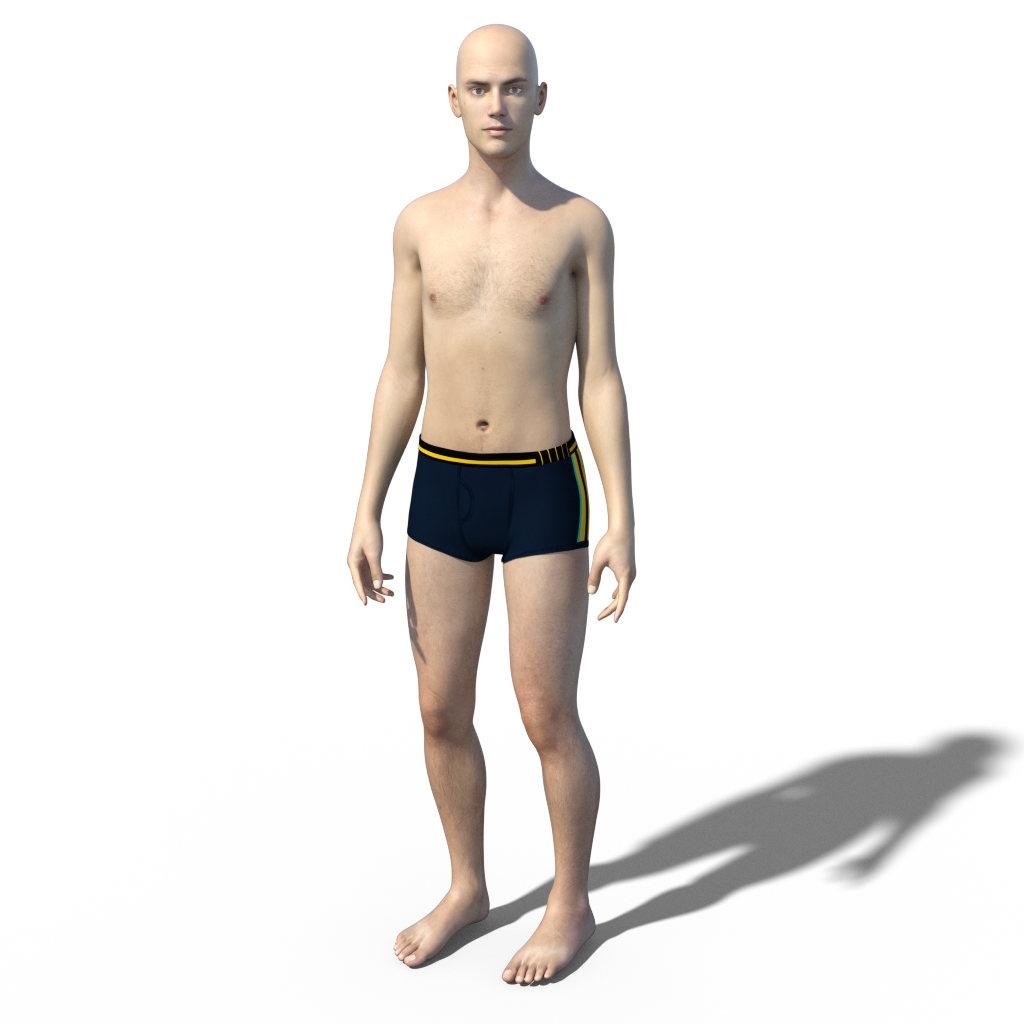 Is something missing?
Hi everyone. I installed George for genensis 3 and 8. In George's subtree of content library, i guess George Genitalia is missing. When I applied nothing changed. Could I install any morph or is something missing? Thank you.
GenX2 - Need HelpThanks, Havos! I think I figured it out. I apparently installed GenX2 with connect. When I re-installed with with DIM, I had the full panel then.
So if I wanted to transfer the base character D3 over to other Geneis Characters, what would I need to do? It seems like you have to check some of the morphs. Do the morphs have to have values set or can they be zero and you just check them? I just want to end up with a Genesis character that looks likd David 3. I figured I could use the morphs that come with Genesis to add muscle or definition, etc. But it seems like you are required to check some morphs and I don't see a full body morph.
Thanks again.
Daz 3D is part of

Connect
DAZ Productions, Inc.
7533 S Center View Ct #4664
West Jordan, UT 84084Licensing Agreement | Terms of Service | Privacy Policy | EULA
© 2026 Daz Productions Inc. All Rights Reserved.