-
XTransfer Module 1- Genesis 3 to Genesis 8 Morph Converter (Commercial)
What are you transferring? Genesis 1 Base morph has not been resolved yet. All joins on GenX G1 and G2 character shapes should be fine. Can I see what morphs you are trying to transfer please?
I used Sadie from 3D Universe, I'm trying some more right now.
Like before the elbows, knees and nape gets really bad bendings, along with some other, less noticeable, problems in whole body. I even tried re-rigging it following your previuos post, nothing to do, it solves only the hands issue and even the wrong way (when bending the fingers they also twists)
[Released] dForce Magnet [Commercial]the magnet is loading in like a half a screen away from the fabric.
The magnet uses the vertex location of the base mesh in default state. When you have a morph applied, a transformation or anything else that changes the object's appearance the Magnet will load with an offset. I recommend creating the magnet before you move or morph anything.
To use the magnet on a morphed dress, for example with a morph that widens the skirt, have the dress in default shape in frame 0, create the magnet there, and then apply the morph in frame 1 and move the magnet to fit the vertex's position.
I struggle with that restriction regullary. Is there no option to use the morphed mesh for the magnet position?
Star Trek Builders Unite 8: THE REBOOTguys the thing is it doesn't matter what character it's for as long as the texture is for Victoria 4 . I've already built my own morph to make the character . I just need to texture to finish her outModify Daz clothes in Hexagon?You need to modify the mesh.
I assume you can do that in Hexagon, but I have never used that. But if you export the clothing to Hexagon, and then pull the top row of verteces up to where you want the collar to be. Then import it back to Daz Studio as a morph. The texture will be stretched, but if it is a solid color you won't notice.
Pay attention, that you in Hexagon only move vertices. If the vertex order get changed it will mesh up the morph.
Edit to add: if you have https://www.daz3d.com/mesh-grabber then you can do it inside Daz Studio.
[Released] Character Converter from Genesis 8 Male to Genesis 3 Male [Commercial]Hiya - RiverSoftArt - Thanks for all the great products you produce - I have used many and find them really useful to the projects I'm working on.
One quick question - when I convert a character from G8 -> G3, the character comes over great, but I don't get the morph dials and controllers in the shaping tab for the morphs that were transferred over so they are not added into the 'gene pool' for easy combination of existing G3 characters.
Troubleshooting so far:
- I do have Show Hidden Properties enabled. If I export the character via fbx the morphs are avaiable to export.
- If I search for the morph, the region is properly highlighted but the morph dials do not show.
Is there something that needs to be done to make them available?
Again thanks for the great work you do in these products.
Endlessly ongoing... playing cards/casino chips/coins/banknotes scatter... hiatus time (still)Maybe I'm being stupid - in fact I probably am - but where is the link to download these groovy freebies?
Hey, I bagsied 'being stupid' first !

My original plan... well... sort of ran into a brick wall (as far as the cards and banknotes are concerned) due to the "But do I really want to go through all this morph target creation again for a pack of cards and a wad of bank notes ?" mentioned in this post.
However, Catherine3678ab's comment about little asteroids gave me an idea for a different approach, using geometry swapping, which works beautifully in Poser.
But unfortunately not in DAZ Studio - it appears* that DS4.[something, 5/6 perhaps?] broke Poser-style geometry swapping.
However (again), using a figure with 54 (effectively) disconnected bones, but without the geometry swapping is a possibility for DS, although there's some tedious and error-prone stuff that I'd have to do up front (assigning each individual card/banknote/chip mesh to a separate bone) which I can't really face ! Luckily I've already done that for the deck of cards (which is actually why I know I can't face doing it again in the forseeable future for the banknotes or chips)So.
The only stuff that I've actually released for this so far is the pre-release stuff - links in the first couple of lines of the OP so you don't have to plough through the thread to find them somewhere on page 2.
But (too many 'however's already) as I mentioned in the previous post I've found the blend file for the 54 casino chips, and (despite my penchant for dual-club-wielding ladies in pink bikinis standing in the grass) I've actually started work on creating the release version of the 54 chip scatter prop. So fingers crossed on that.
And since there's now no way that I'm going to do the cards in that same morphing prop way, I've decided to do them as a 54-loose-boned figure. Fingers crossed there too.
*mentioned here, 4th paragraph, 1st sentence
[Released] RSSY Clothing Converter from Victoria 4 to Genesis 8 Female [Commercial]Please delete the first item in your list. Instead of a valid conformer, it has been filled it in with C:/Users.../Genesis 8 Basic Female.duf. The other ones in the list have a valid conformer identified: Converter Bodysuit, Converter Cape.
That helped. I thought that was the trick. Now I only have to figure out why the shoulder straps on all my converted stuff are up over the character's ears...
It's a new look, though. Maybe I'll start a trend or something. Thanks for the reply.
If you are talking about looseness, there are a ton of helper morphs to fix things like that. The helper morphs are in the Parameters pane, below Actor->Converter Morphs (see Figure 10). Adjusting the Tighten All morph and turning on Smoothing can fix most issues.
If you are talking about shoulder armor becoming all bendy, that cannot be fixed.
What character is used in this promo image ?I named her May. She is a custom dial mixed character. Her body is a mix of 5 different character morphs while her head is a mix of over 17 different character and morph sets. Her skin is Sage for G3F by Thorne.
That particular image is a promo from my new set - https://www.daz3d.com/mmx-knitted-fabric-and-patterns-for-iray
If you look through my store, you will see more promo images of here as far back as my 3rd earring set.
My Artstation gallery, link below, contains more images of her that dont appear in my Daz gallery.
Make me Itsy Bitsy - Terry "Bump"Displacement can be a bit of a swine to get right. Remember that ALL of the material zone is affected, so if the base grey is out by a bit then the whoel garment will be displaced out too. Of course the mid-point for a grey scale is actually 127.5, which is not simple to do in 8 bits of a byte, so the base of 128 actually will displace eberythign a little. You could see if the garment has a shrink morph or an expand that allows negative values and you'd need to have the item just under the skin of the figure so that whjen the displacment is applied at render time it will appear correctly - rinse, repeast on that one! ;) You might be able to adjust the minimum displacemnt value to achieve something similar.
L'Adair's WIPsA new tool in my toolbox is Mesh Grabber. I've gotten pretty darn good with dForms, but the Mesh Grabber is faster and more intuitive for most situations. I love this tool but it can be slow and combersome if you need to make changes to a large number of polys/vertices at one time; a limitation I attribute to the code running Daz Studio, currently in version 4.12.
For example, in the image below with the centaur, I used an outfit for G8F that included a dForce cape. I needed the cape to bend up parallel with the horse back before I could run the simulation. Selecting 2/3 of the cape and trying to bend it up using Mesh Grabber took foorever for the viewport to update with each movement of the mouse. I actually used Hexagon to create the bend morph for the cape.
I used Mesh Grabber for everything else: creating a Fit to Centaur morph for the belted waist of the dress, and numerous tweaks of the outfit as I went along. It's perfect for such smaller changes. I also used it to create several morphs for the "collar" including one that allowed me to move the rigid pieces up, so they were out of the way during the dForce simulation, moving down into place by the end of the animation.
But what I really want to talk about is how I used the Mesh Grabber to create churned sand under the centaur. Here's the finished image:

First, I should mention I was using the beta, which is no longer working. The released version of the Rotations addon is in the Daz queue, and should be available soon. It is a "must have" as far as I'm concerned, and considering the amount of work the PA put into it, I'm fine with it being a paid addon.
XTransfer Module 1- Genesis 3 to Genesis 8 Morph Converter (Commercial)What are you transferring? Genesis 1 Base morph has not been resolved yet. All joins on GenX G1 and G2 character shapes should be fine. Can I see what morphs you are trying to transfer please?
Bamboozle for Matt , morph + compatibilityHi,
I just discovered this:
https://www.daz3d.com/bamboozle-for-matt
and I love it! But... does anyone have it and does it fit on G8? I have mesh grabber and can fix poke throughs a bit, but if the complete pose is broken, then its too much.
And... because I love moprhs: Have the jacket a openable morph? :D
Open the FF UniformHoi!
I could buy finally the Firefighter uniform (because its finally in sale from 30$ to 10$).
https://www.daz3d.com/firefighter-uniform-for-genesis-3-males-and-genesis-2-male-s
And I used it to "abuse" it as rain coat/jacket for my girl (and wanna use it again in future), because jackets/child jackets are rare, but this looks useful!
See attachment.
I did try meshgrabber with a 0.5 area range, but he grabbed both sites.
Is someone Hexagon/zbrush skilled here who owns that item and can open it? :) as Morph?
Optional, I can offer to Gift the item to someone who is willed to do it for me :)
(with a daz3d giftcard, I mean you can buy with that money other stuff if you own it already)

Edit, I found this:
https://www.daz3d.com/x-fashion-faux-leather-jacket-for-genesis-3-male-s
and it have "open" promoimages, I think I use that.
or that:
https://www.daz3d.com/x-fashion-trench-coat-for-genesis-8-females
Exporting FBX to Cinema 4D problems with clothingI can confirm that the clothing comes in way worse than the figure as an FBX into Cinema 4D. See screenshots. The reds are FBX files and white are OBJ's. There's quite a significant difference between them, so I assume there are just problems with the simulation with clothes within DS and how they are being interpreted in Cinema 4D. It is really such a shame that there are such problems between these two programs.
And yes, of course I could always use OBJ's, because they always come in perfect into Cinema 4D, but what if I want to do some animation within Cinema 4D or do some little pose adjustments? That's why I wanted to try and solve this problem for future reference.
Or are you referring to something else when you mentioned the pose morph tag in Cinema 4D? I've never come across it before.
The pose morph tag is where exported FBX morphs show up under in C4D. It's analgous to blendshapes in maya. You can control them ther . A incorrect deformation can be the result of multiple morphs for the same thing exported . Some have slightly different name, but represent the same morph, so you get doubled maybe 200% strength or more. You'd need to disable one or delete one. It doesn't look like you have that going on here , but something to keep in mind . Always go through the pose morph tag list and clean them up , or be selective in the FBX morph export rules as to which morphs you export. Check both character and clothing. Another common problem with morph animations is the keyframe interpolation. It might different between programs, you might get an overshoot in some program, whereas in DS , maybe it was interpreted as linear, so check the curves.
FBX has other problems with matching DS, because you usually export only the base mesh (both character and clothing). No subd , no HD (although there are workarounds to export subd, but you need to redo weight maps; and HD is never supported) . Subd applied in C4d is quite different than when applied in DS.
Adjusting FBX within C4D won't match the same adjustment in DS. If you don't care, you don't need to bring in other stuff or go back to DS then it should be Ok if you're staying in C4D. But all the secondary links are broken or not interpeted the same way by C4D . You can test it yourself - do that knee bend 150 degrees. No JCM, JCJ,MCM . Bends don't look right, and things like muscles buldges don't look right .
$419.98 Banana Suit?Can the Yeti wear this? Lol!
:-) Mind you a morph helps it look better. And you can't be minding that it'll become a little bit hairy of a banana.
For those that want it, click here.
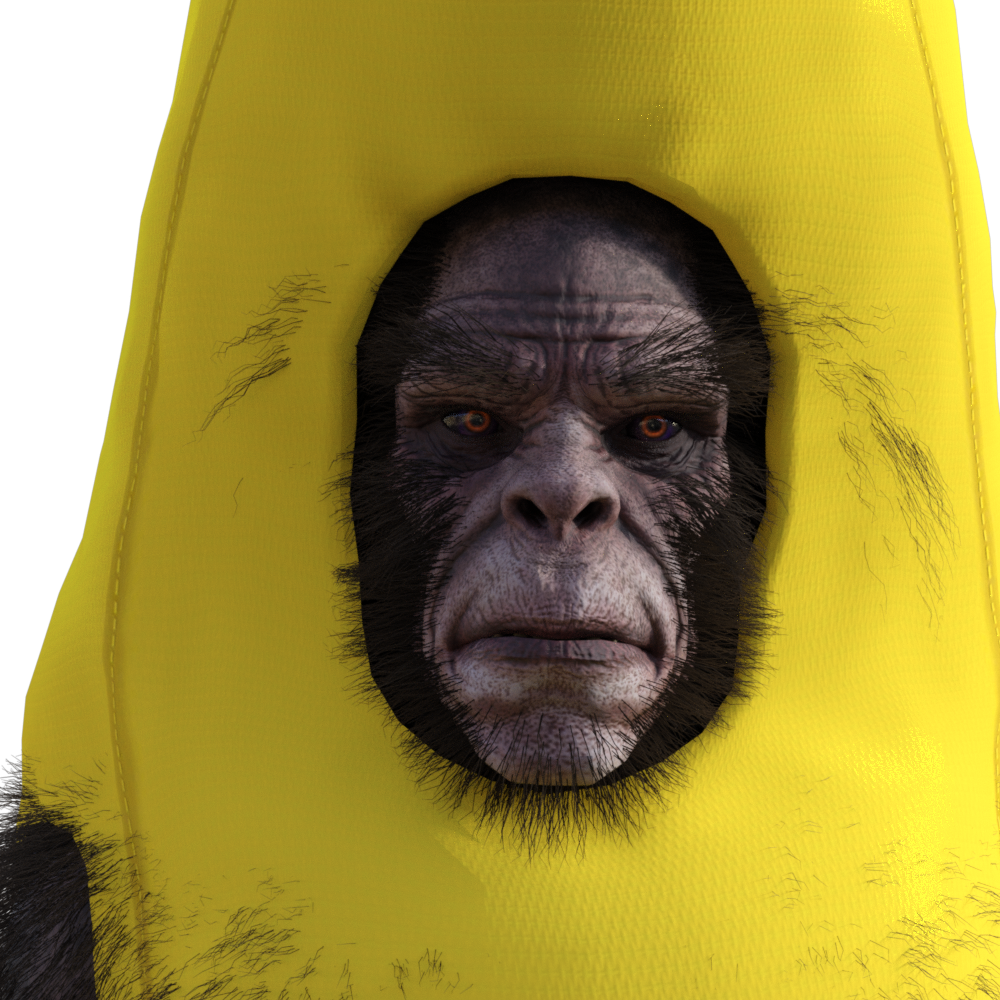
This awesome! Love it!
You're welcome :-)
Exporting FBX to Cinema 4D problems with clothingI can confirm that the clothing comes in way worse than the figure as an FBX into Cinema 4D. See screenshots. The reds are FBX files and white are OBJ's. There's quite a significant difference between them, so I assume there are just problems with the simulation with clothes within DS and how they are being interpreted in Cinema 4D. It is really such a shame that there are such problems between these two programs.
And yes, of course I could always use OBJ's, because they always come in perfect into Cinema 4D, but what if I want to do some animation within Cinema 4D or do some little pose adjustments? That's why I wanted to try and solve this problem for future reference.
Or are you referring to something else when you mentioned the pose morph tag in Cinema 4D? I've never come across it before.
Missing files in Belle 6 and Cormac HDIf you use G2F often then the morphs (there are body morphs too) are useful to have.
I seem to remember something in the forum about Cormac when he was released - I wonder if he was going to be part of the Landon bundle but ended up in the Elios one? Can't remember exactly now. That may explain why he's looking for Landon's head morph.
If I have time later, I'll load him and see what the difference is with/without Landon and post the result here.
Endlessly ongoing... playing cards/casino chips/coins/banknotes scatter... hiatus time (still)I'm afraid that I'm still at the distracted stage. That geometry swapping stuff is working really nicely (but unfortunately not in DS) and I've veered off at a tangent to the original tangent*
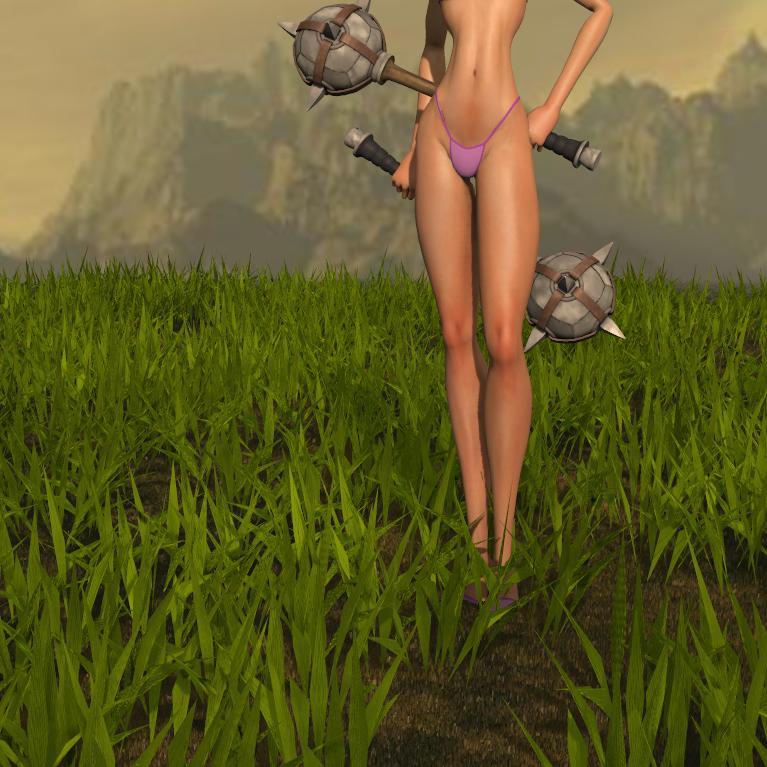
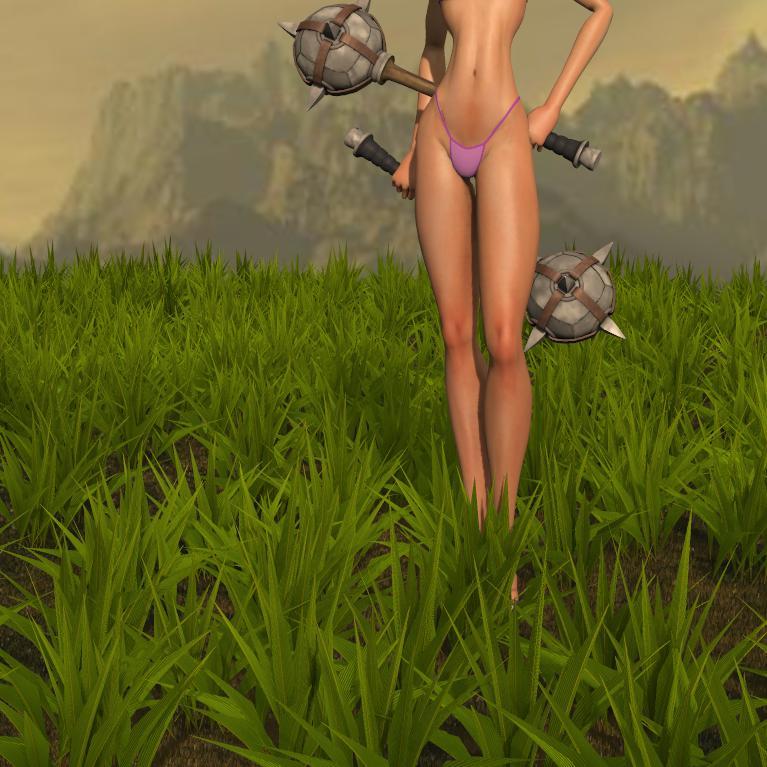
However, I did find the blend file with the 54 co-located casino chips and all the morphs, and I've redone the faulty 'Random Z Scatter (Mid-air C)' morph target.
But personally speaking, at present I'm finding that dual-club-wielding ladies in pink bikinis standing in the grass are more fun to play with...
*the mathematically inclined will doubtless wish to point out that a tangent to a tangent is the same as the original tangent. To which I can only say, "you obviously don't live in my world!"
Missing files in Belle 6 and Cormac HDThis is the morph product for G2F with the cornea bulge morph: https://www.daz3d.com/genesis-2-female-head-morphs
Are the messages just something you found in the log file, or in a popup?
If they are only in the log file, then the characters should still load and be useable, just not exactly identical to the product page.You could raise a help ticket about this, if you want.
Thank you!
It is a pop up but it continue to load the characters. They're probably small details but I'd like to get the required items anyway.
$419.98 Banana Suit?Can the Yeti wear this? Lol!
:-) Mind you a morph helps it look better. And you can't be minding that it'll become a little bit hairy of a banana.
For those that want it, click here.
This awesome! Love it!
Daz 3D is part of

Connect
DAZ Productions, Inc.
7533 S Center View Ct #4664
West Jordan, UT 84084Licensing Agreement | Terms of Service | Privacy Policy | EULA
© 2026 Daz Productions Inc. All Rights Reserved.