-
Remember, "There's Always Another Sale™" (Report sales errors here.)
In the PC+ for a day items is the wrong Autumn Leaves by Orestes there? This: https://www.daz3d.com/autumn-leaves-resource-pack instead of this: https://www.daz3d.com/autumn-leaves
There are two poses/packs for the second Autumn Leaves for 1.99 in the list of items, so it got me wondering.
Light presetsIs this an HDRI, or is it a skydome type of object actually loaded as a model in the scene?
It is an HDRI. It can only be seen with the Nvida viewport selected. It is Orestes Iray HDRI Lonely Country Road.
L'Adair's WIPsThis is just a screen capture of the render window…

I'm rendering an image for Llola Lane's monthly challenge, and it has so much small detail, I'm rendering the final image very large, 4700 by 2000 pixels. There are some things I need to fix, which will require some spot renders, and I need to add the hoof prints in the snow for the deer using post work. (Hope I'm up for that challenge!) But over all, I'm really happy with the way this is turning out.
It's rendering very slow, though. It's not just the size. There is a lot of snow in the scene, over and above the snow in the set, Cabin In The Snow, A large number of objects are using DA Let it Snow to add layers of snow, some from the set, some from the added objects I kitbashed into the scene. Like the pine tree in the foreground to the left. And while they are not visible in this "small" screencap, there are also several mesh lights with the cabin: Some that are part of the set, and some that I added. And one antique lantern. Aside from the mesh lights, lighting is one HDRI from Orestes Iray HDRI Skydomes - Brooding set. To this point, I have not adjusted anything in Tone-Mapping. Not sure that I will, either.
At the rate this is rendering, and considering the spot renders and post work, it could be another week before the completed image is ready.
Need Advice Lighting Characters in Outdoor Settings in IrayThanks for your advice, everyone!
Ghost lights was the first thing I tried, scorpio, without much luck. The more I brightened them, they made my background too bright while my figure remained dark.
Interesting to note that Iray Worlds Skydome is dark, xyer0. I tend to be pretty partial to dramatic shadows and was hoping to keep those while lighting the figure. I wanted to try it because it gives more control than your standard HDRI. For example, Skies of iRadience have been tinted, and try as I might, I couldn't change that. I tend to go for plain sky HDRI's because many of the UltraHD has subject matter in their images that I don't want. They can be pretty specific, though I do see where I could use some of them - you've got some pretty good tips there. I typically use Orestes IRay HDRI Skydomes - I like variety in my skies. HDR's are great but don't give the same control over brightness, color, etc. that I had with 3DL skies.
I'll have to try that, Fishtales, it's a good tip.
I'm going to take your advice and do some experimentation before I spend time creating the perfect scenery and become frustrated again.
Desert Island DAZ - what are the EssentialsOrestes HDRIs are definitely up there (there aren't too many alien planet and sci-fi HDRIs out there, I'd love to see even more of those with really extravagant sky colors)
Another one I really like is Sickleyields' Ripples and Wakes Iray, it really adds some nice detail when placing figures and stuff in water. All her other water and liquid props are awesome too, by the way. Still have a few more of those in my wishlist that will definitely be useful. But Ripples and Wakes is the most basic one to start with, and combine with all the others.
Desert Island DAZ - what are the EssentialsWhat are the 5-8 essential lights, tools, shader etc that you find yourself going back to every time. For me it is Orestes HDRIs.
hdri skydomes and moon ...hi
is there a easy way to find the moon
i try to rotate the dome randomly to find it
https://www.daz3d.com/orestes-iray-hdri-skydomes--fantasy-moon
thanks in advance
September 2019 - Daz 3D New User Challenge - Depth of Field@katedelongwriter. I think the mist thing was something to do with how the wall was constructed ( I know nothing about making assets!) as the mist has never appeared before with Depth Shader. It could also be the HDR - Erupiter by Orestes, my absolute fave at the minute for everything! The Depth Shaders are good. I've had to play about with them, but the best thing has simply been lowering gloss on background props.
Oh, and I'm with you and am a Photoshop tinkerer to the nth degree! :)
I don't have the shaders, so I'm only guessing, but it looks to me as though the shader you used added the mist. Maybe a map in the glossy reflectivity parameter… something that can vary depending on the light. In your second image, the mist appears to be on the back wall, but not the pillar. It also looks like you used a touch of bloom. It that wasn't postwork, using the Bloom Filter might have brought out the mist more.
I find your second image more interesting because your character is actively doing something. Although I'd never heard of using color to create DOF, it certainly is working in this image. The eye is drawn to the character, her face and her hands, with the background staying in the background.
In the first image with the centaur, she is very lovely and the pose is very feminine and shows off the lines of her human and equine bodies very well. But I don't know why she's there, or why she's gesturing behind her. The story behind the pose is unclear. Is she indicating the castle? Or perhaps the archers protecting her from the castle crenelations? And who is she "talking" with that she'd be making such a gesture? I'd really love to see more of the story in this image.
Thank you for the indepth comments, L'Adair. :)
Image2 : I rarely use bloom, so it could be a Ps filter. I've been working on other things since, so the specifics of that image have gone <--so bad at recalling anything right now! lol It was fun to make and I may return to it on a larger scale as it's a character ref for a book I should be writing.
Image1: Tbh, I don't know why she's there, either. I love centaurs, but I never know what to do with them! I think I've fallen again into the trap of pondering book cover or narrative, mixed it, and come away with neither. I originally fell into Daz with the idea of using it for cover work (and became addicted!).
Same here. My fledgling career as an author got derailed. I'm having so much more fun creating 3D art.
Use your storytellling ability to let the scene tell a story. As with writing, allow the character to tell you what they're going to do. (It's weird, I guess, but the characters "talk" to me, and I follow their lead…) But back to the challenge…

So as one writer turned Daz Studio addict to another, I "challenge" you to rework either image, (or something similar to either one,) in the HD format, 16:9 ratio. That should pull your mindset away from book covers, and give you the room to include both a protaganist and an antagonist in the scene. (The challenge is optional, of course. Just trying to inspire you to think "scene" instead of "cover".)
Kaye Kaye - Learning Through Play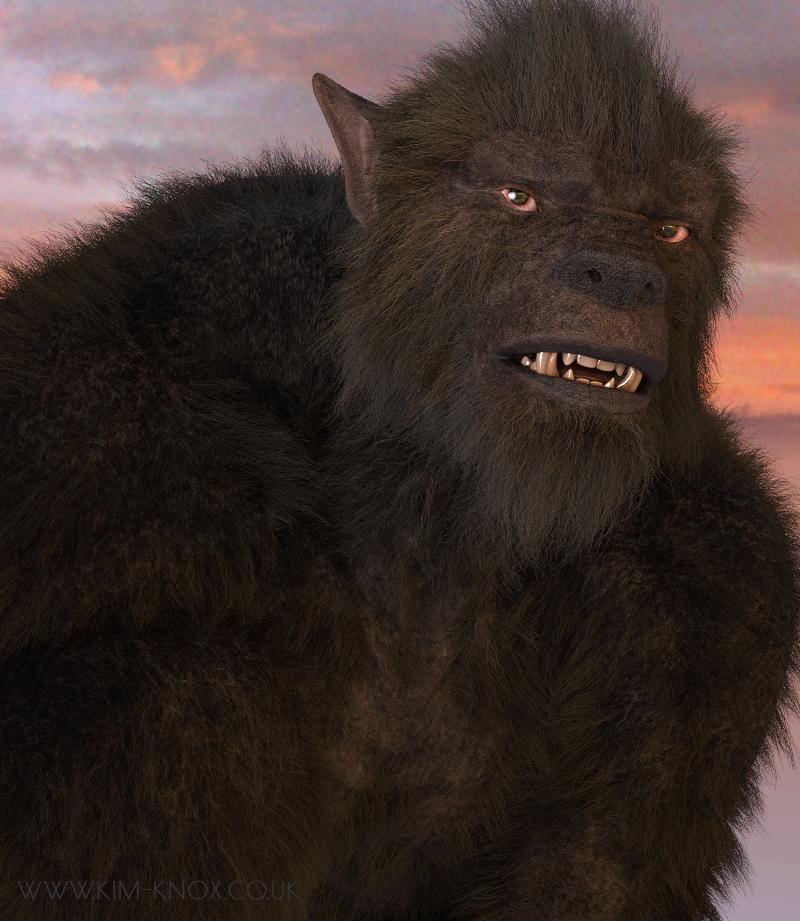
And I wanted to see what RawArt's Wolfman looked like, as I couldn't see the fur/hair till it was rendered. So something simple...and I like him!
Orestes HDR and a right eye specular spotlight, for when I forget... ;-)
OMG there is my hubby lolz!!!
But seriously what a great render!!!
lol, thank you! :)
September 2019 - Daz 3D New User Challenge - Depth of Field@katedelongwriter. I think the mist thing was something to do with how the wall was constructed ( I know nothing about making assets!) as the mist has never appeared before with Depth Shader. It could also be the HDR - Erupiter by Orestes, my absolute fave at the minute for everything! The Depth Shaders are good. I've had to play about with them, but the best thing has simply been lowering gloss on background props.
Oh, and I'm with you and am a Photoshop tinkerer to the nth degree! :)
I don't have the shaders, so I'm only guessing, but it looks to me as though the shader you used added the mist. Maybe a map in the glossy reflectivity parameter… something that can vary depending on the light. In your second image, the mist appears to be on the back wall, but not the pillar. It also looks like you used a touch of bloom. It that wasn't postwork, using the Bloom Filter might have brought out the mist more.
I find your second image more interesting because your character is actively doing something. Although I'd never heard of using color to create DOF, it certainly is working in this image. The eye is drawn to the character, her face and her hands, with the background staying in the background.
In the first image with the centaur, she is very lovely and the pose is very feminine and shows off the lines of her human and equine bodies very well. But I don't know why she's there, or why she's gesturing behind her. The story behind the pose is unclear. Is she indicating the castle? Or perhaps the archers protecting her from the castle crenelations? And who is she "talking" with that she'd be making such a gesture? I'd really love to see more of the story in this image.
Thank you for the indepth comments, L'Adair. :)
Image2 : I rarely use bloom, so it could be a Ps filter. I've been working on other things since, so the specifics of that image have gone <--so bad at recalling anything right now! lol It was fun to make and I may return to it on a larger scale as it's a character ref for a book I should be writing.
Image1: Tbh, I don't know why she's there, either. I love centaurs, but I never know what to do with them! I think I've fallen again into the trap of pondering book cover or narrative, mixed it, and come away with neither. I originally fell into Daz with the idea of using it for cover work (and became addicted!).
SkydomesI’ve figured out ways to make use of skydomes in Iray... but honestly I would invest in hdris. Many of them work way better and more easily (for sky backdrops I would avoid hdris that include terrain and a lot of ‘close’ detail).
Orestes and DimensionTheory in particular have s lot of great sets.
I am leary about purchasing another skydome of any kind mostly due to the fact that there is no up-to-date tutorial on how to use them. The earliest one on Youtube is dated back in 2014 and the guy talks as if you already know how to use them. Everyone I've purchased renders black. No matter what light or what I read to light them. Black... always black... Only one skydome works in my library and it's just a blue color sky... nothing dramatic and I don't even understand why that one works.
Before I drop even one more penny on yet another skydome set I'd like to find out the issue of why -- no matter what I do -- my renders are just black.
The camera is not out of bounds, I can use a camera or perspective view and the results are always the same. Take away the skydome and it renders out nicely. My main issue is that I can't find a "From the start" tutorial.
I do find it odd that the makers of skydomes do not make one with settings that automatically load when you load a skydome. It's like buying a car and you don't get the keys...
Kaye Kaye - Learning Through PlayAnd I wanted to see what RawArt's Wolfman looked like, as I couldn't see the fur/hair till it was rendered. So something simple...and I like him!
Orestes HDR and a right eye specular spotlight, for when I forget... ;-)
OMG there is my hubby lolz!!!
But seriously what a great render!!!
September 2019 - Daz 3D New User Challenge - Depth of Field@katedelongwriter. I think the mist thing was something to do with how the wall was constructed ( I know nothing about making assets!) as the mist has never appeared before with Depth Shader. It could also be the HDR - Erupiter by Orestes, my absolute fave at the minute for everything! The Depth Shaders are good. I've had to play about with them, but the best thing has simply been lowering gloss on background props.
Oh, and I'm with you and am a Photoshop tinkerer to the nth degree! :)
I don't have the shaders, so I'm only guessing, but it looks to me as though the shader you used added the mist. Maybe a map in the glossy reflectivity parameter… something that can vary depending on the light. In your second image, the mist appears to be on the back wall, but not the pillar. It also looks like you used a touch of bloom. It that wasn't postwork, using the Bloom Filter might have brought out the mist more.
I find your second image more interesting because your character is actively doing something. Although I'd never heard of using color to create DOF, it certainly is working in this image. The eye is drawn to the character, her face and her hands, with the background staying in the background.
In the first image with the centaur, she is very lovely and the pose is very feminine and shows off the lines of her human and equine bodies very well. But I don't know why she's there, or why she's gesturing behind her. The story behind the pose is unclear. Is she indicating the castle? Or perhaps the archers protecting her from the castle crenelations? And who is she "talking" with that she'd be making such a gesture? I'd really love to see more of the story in this image.
Kaye Kaye - Learning Through PlayAnd I wanted to see what RawArt's Wolfman looked like, as I couldn't see the fur/hair till it was rendered. So something simple...and I like him!
Orestes HDR and a right eye specular spotlight, for when I forget... ;-)
September 2019 - Daz 3D New User Challenge - Depth of Field@katedelongwriter. I think the mist thing was something to do with how the wall was constructed ( I know nothing about making assets!) as the mist has never appeared before with Depth Shader. It could also be the HDR - Erupiter by Orestes, my absolute fave at the minute for everything! The Depth Shaders are good. I've had to play about with them, but the best thing has simply been lowering gloss on background props.
Oh, and I'm with you and am a Photoshop tinkerer to the nth degree! :)
FeralFey's Thread of Thrills * FF Insouciant Beauty LIVE in Store * [Commercial]Yep, except that it doesn't seem to have e.g. holding a wine glass preset. There is one for a coffee mug :)
I'll see what I can do for you, Doctor Jellybean. Since there are so many different wine glasses available, do you have a particular model you would like the hand to fit to?
Great to see these. I was literally thinking "I haven't heard much from FeralFey lately..."
Funny you should mention it. I've been around, building sets for the PC+ mostly. But I've had a lot of RL issues that have gotten in the way of building sets specifically for my catalog. I'm hoping things have settled down enough that I can get back to some semblance of productivity. Right now I have the Cat Fight poses for Genesis 8 Female poised for release. I finished up a set for the PC+ that I think is a lot of fun. I'm working on a second PC+ pose set now that should be ready by the end of the weekend. I've got a set for my catalog waiting for me to finish up some props and all the artwork for it. No. I lied, I have two sets like that. And a third where I just need to finish the poses to go with a project that Orestes Studios and I are working on together. Not to mention another hair model in the works. Oh, and possibly another collab with Lyrra. And then there's the other assorted products in development. Unfortunately, I don't have much to share on any of my catalog products in development and I certainly can't share anything about the PC+ stuff becasue of the NDA. But when I get closer to getting these catalog products submitted to the store, I'll post sneak peeks here.
So watch this space. FeralFey is STILL in the store. ;)
SkydomesI’ve figured out ways to make use of skydomes in Iray... but honestly I would invest in hdris. Many of them work way better and more easily (for sky backdrops I would avoid hdris that include terrain and a lot of ‘close’ detail).
Orestes and DimensionTheory in particular have s lot of great sets.
Kaye Kaye - Learning Through PlayAnd I finally found out why my brushes and styles disappear every time I close Photoshop : size. Brushes, at least, only has a 2gb limit...and I have too many Ron's and Orestes brushes. *sigh*
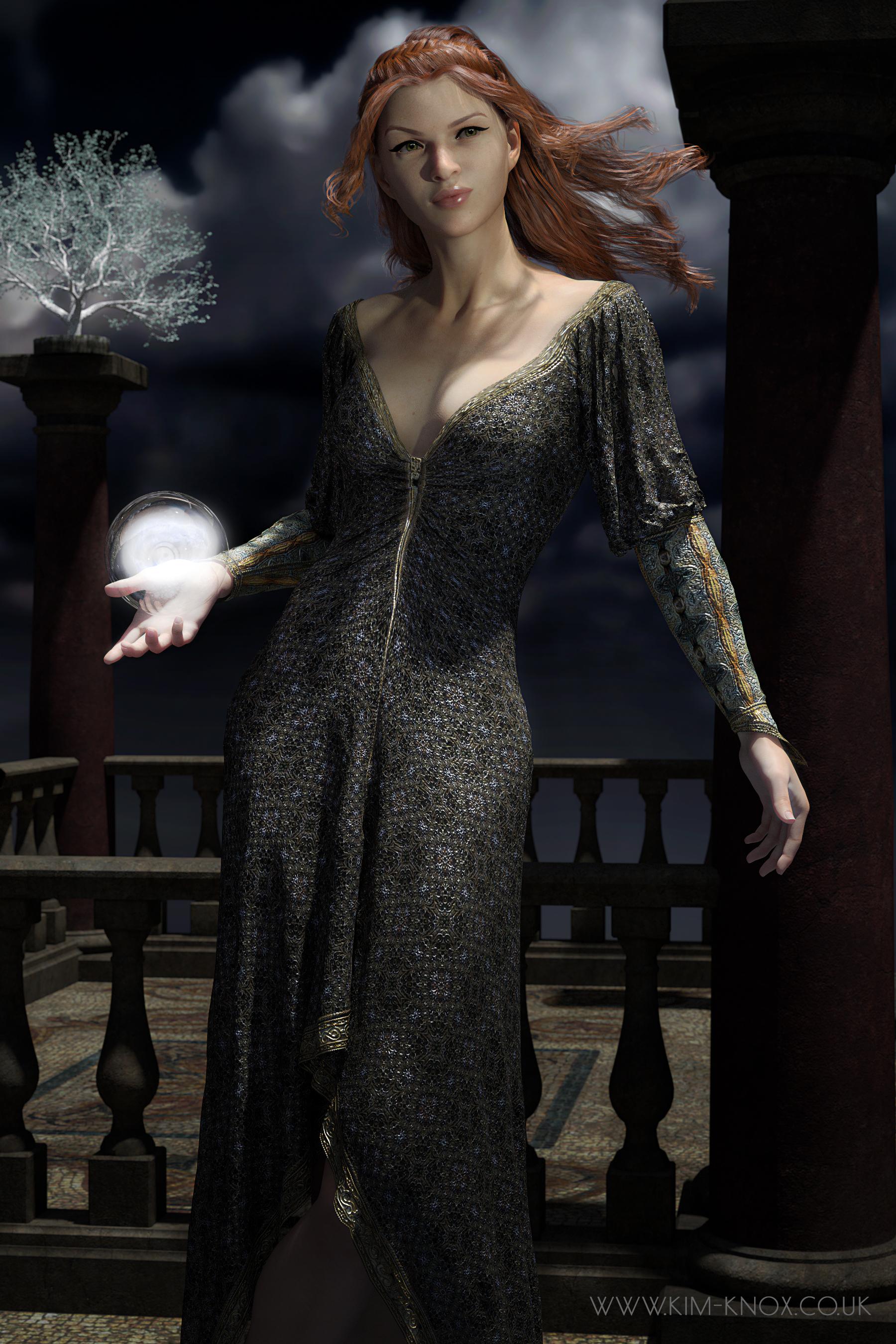
This image feels like the start of something bookish...
Looking at her again, I think I may have to dial back on the diffuse filter!
 Kaye Kaye - Learning Through Play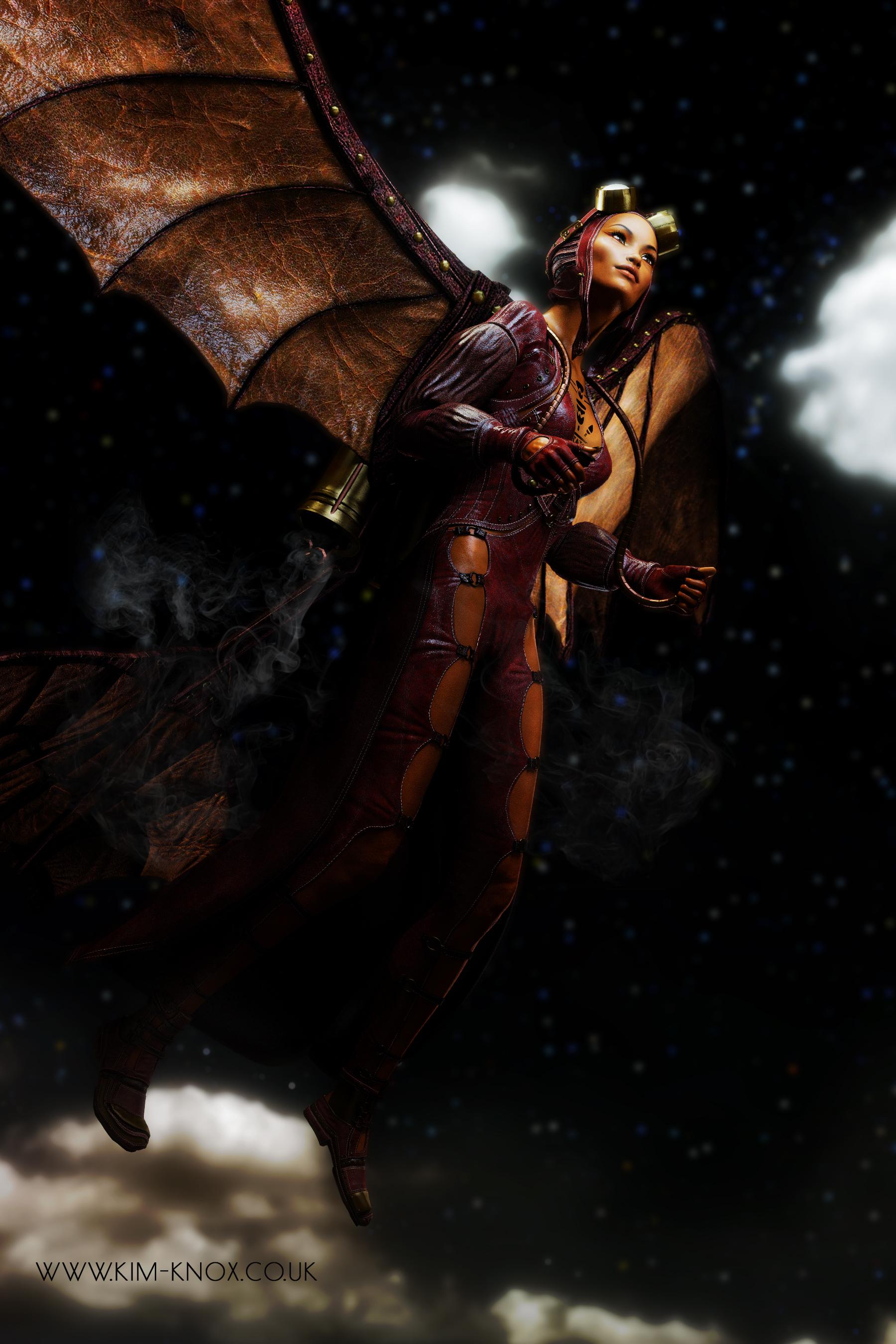
I am loving the Erupiter HDRIs from Orestes. The light quality from them is lovely.
Novica & Forum Members Tips & Product Reviews Pt 12Okay, not a glitch- with the new GIMME-MY-FIFTY, if you go to the Bohemian Chic Sale and put any new release in the cart (ANY) the featured stores go 50% off, then buy at least 3 things from those stores to get an additional 20%, then with the code, THINGS GO TO EIGHTY PERCENT OFF. 80% !!!!!! Remember the limit is 10 things. I don't remember if that's 10 things in the cart or 10 things discounted- does it include your new release in the cart?
Shopping Cart

DGV Outdoor Planters $14.95 $2.99
80%

$22.95 $4.59 80%

The Giger Wastes $24.95 $4.99 80%

The Venulcan Plains $24.95 $4.99 80%

Orestes Iray HDRI Environment - Four Seasons Field $24.95 $4.99 80%

DGV Palm Resortnew $21.95 $15.37 30% This was my new release- athough it's only 30% I really love this set from the first impression of it, and with these other prices going 80% off, I splurged on this one. You do NOT have to buy a new release from today, it's ANY new release to get the stores to go 50% (the featured ones)

ZaraBeth for Genesis 8 Female $18.95 $3.79 80%

Sam Hair for Genesis 3 and 8 Female(s) $23.95 $4.79 80%

Orestes Iray HDRI Skydomes - Hazy Afternoon $20.95 $4.19 80%

Orestes Iray HDRI Skydomes - Witches Twilight $20.95 $4.19 80%
Daz 3D is part of

Connect
DAZ Productions, Inc.
7533 S Center View Ct #4664
West Jordan, UT 84084Licensing Agreement | Terms of Service | Privacy Policy | EULA
© 2026 Daz Productions Inc. All Rights Reserved.