-
[Released] Bone Minion for Generation 4 Poses [Commercial]
Binaries Torturer said:
What happens if one uses this tool on poses made for other generation 4 figures such as The Freak 4 and The Kids 4?
They work and are converted (I tried a Freak 4 pose). However, it is as if you applied the Freak 4 pose to Michael 4 so I imagine it is not exact. I have neither Freak 4 or Kids 4 so I cannot say how accurate it is in comparison.
Morph for each clothesRSSY - which is short for two content creators by the names of RiverSoft Art and SickleYield - collaborate on several scritps that automate certain functions. Any user can learn to do any of them, but it's nice to have a lot of the work automated. They are quite good at what they do! You can learn to do the morphs yourself but you're right; it'll be challenging to create special morphs for each item of clothing. I take it you're "kitbashing" here, which I do a lot of. That just means taking a pair of boots (or something) from one product and usig it with a pair of pants (or something) from another product. (Or are you modeling your pants and boots from scratch?) If you're just starting out with kitbashing, you'll be a lot happier making sure that all your clothing items are designed for the same base figure. Don't try to use boots meant for Michael 4 with pants meant for Genesis, on a Genesis 8 figure. Once you've done that, select the item you want to morph and look in the Create menu for two tools that will accomplish the same ends (if not mathmatically identical results) as the RSSY product: D-formers and Push Modifiers. It takes practice to learn and fine-tune either of them. Also look for videos about how to fix "pokethrough" which is what your picture exhibits. (The mesh of the boots pokes through the mesh of the pants.)
I'm not sure how your code works - nor would I understand it if you told me - but maybe it would be easier to export outfits using the morphs you create. In other words - morph the pants to fit the boots but have them select that "version" of the pants instead of morphing the pants themselves. To the end user it would be invisible; they'd just think "I want those pants with these shoes" but instead of one pair of pants with a hundred morphs to accomodate all possible shoes, you'd really have one separate pair of pants configured for each pair of shoes you have.
I hope I didn't tell you what you already know but something about the way you asked the question made me think that might be the answer you need. Probably not the one you want, but sometimes that's how it goes.
I couldn't really comment on the licensing part of the question.
general help with-generation-x2Well, to start, your Source should be Michael 4, he should be in the list. If not, you have to load the figure directly from the .cr2, or drag him into the tab from the library. You can load M4 and apply the character you want and get the values from the figure in the scene. The GenX morph list won't show anything more than the basic M4 set, so you must add the morph injections (any you might need). Use the buttons at the top, or drag and drop the pose file(s) from the library.
Right-click -> All -> Get values from figure in scene. Any morphs used will load up their values into the list. If you miss a morph set, add the injections, and reload the values. You could also drop the morph file directly into GenX and it will add the morphs and fill in the values, but it won't show on the figure, so you'll have to trust it if you don't apply also to M4 in the scene. (There is more than one way to get it done).
After that my eyes glaze over, too many options to remember...
Help Using v4-and-m4-shapes-for-genesisNo, the Michael 4 Morph gives Gensis the Michael 4 shape (via a slider on the figure) but doesn't allow other Michael 4 morphs to be used.
Let us choose which morphs to load before loading a character into the scene?Robert Freise said:
vozolgant said:
Let's say we want to load G8F into the scene. It would be nice if we could specify which morphs to load for it. I noticed that the more morphs G8F has, the slower it is to load. Letting us specify which morphs to load before hand could help fix that.
What do you guys think?
Years ago you could load a figure without any morphs add the ones you wanted and then save it as a custom figure.
No, the channels always had to be present - which was why combining mutliple sets was a pain, if each had its own custom CR2. The ExP System used by Victoria 4, Michael 4, etc. used separate pz2s listing each morph pack's entries and a utility to index them all for loading, but that required updating the inex files after any instalaltion. The only system that would inject morphs without any groundwork was the Poser .pmd system, but that had memory impact initially and the format of the calls changed with every service pack making ti impossible for Daz to implement, and a pain for Poser users.
However there were complaints from people who wanted all the morphs to load but didn't want load them and save a custom figure and then there was the problem created when you bought an outfit and it didn't have all the morphs in it.
So now everything loads every morph you have and you get long load times and a list of morphs that takes three days to look through with many duplicates of right eye closed, breasts big, cleavege mouth open and so on
[Released] Bone Minion for Generation 4 Poses [Commercial]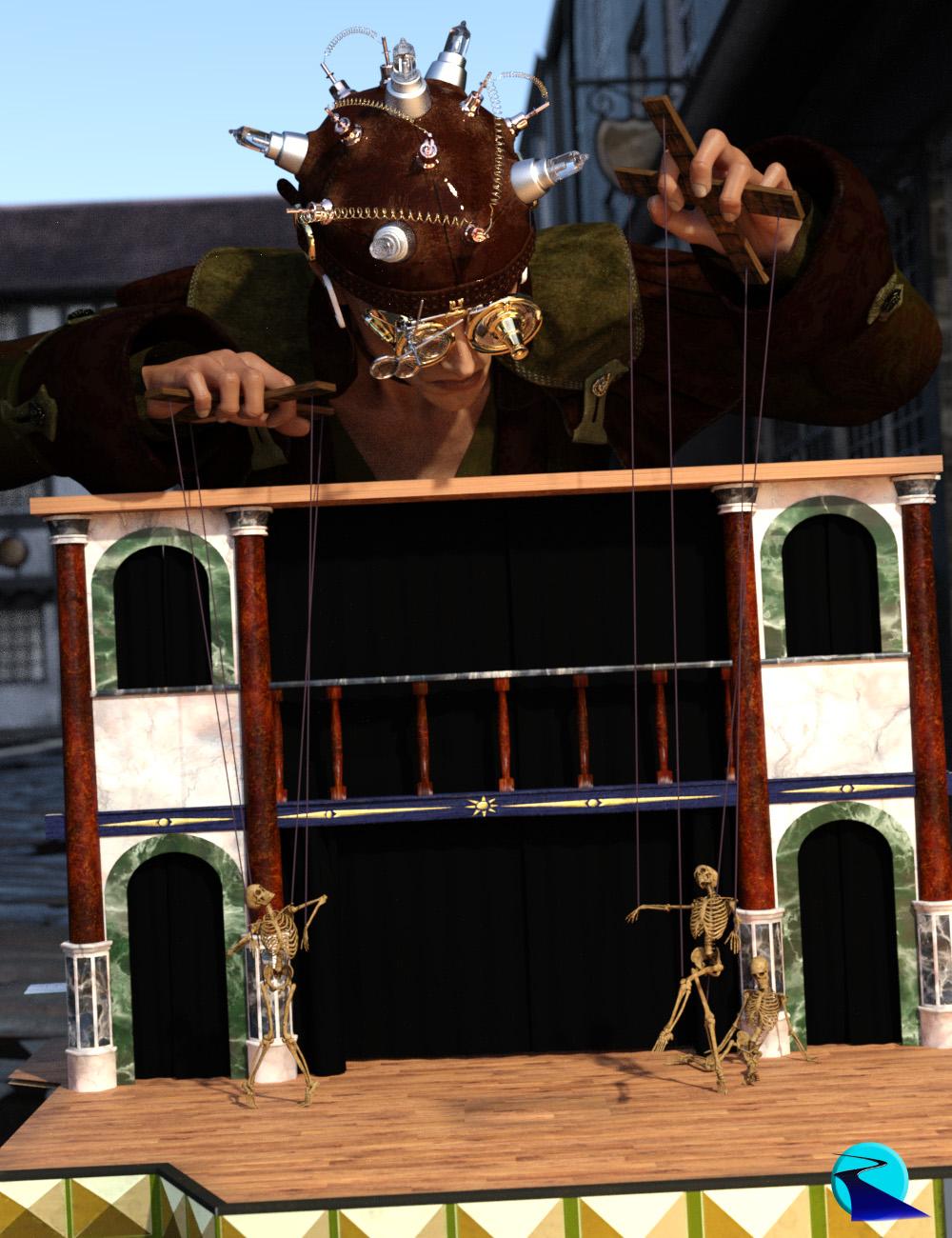 Introducing the revolutionary new way to use poses from different figure generations! Stop wasting time and hard drive space converting pose presets, just use them! With Bone Minion, you can directly use poses for Michael 4 and Victoria 4 on later generations without first converting and saving them to a preset. Your Bone Minion will do the hard work for you by acting as a bone "catcher" for a pose and then transferring (and converting if necessary) the pose to its parent target figure*. Simply load the desired Bone Minion (i.e., Victoria 4 Bone Minion for Victoria 4 poses) on your target figure (Genesis 8.1 Male), select the Bone Minion, and start applying poses!
- On the fly conversion of poses to your Target Figure
- Directly convert from the Source generation to the Target generation without converting to intermediate generations (i.e., direct conversion from V4 to G8F instead of V4 to G2 to G3 to G8)
- Works with full poses, partial poses**, and even hierarchical poses***
- Automatically applies full poses when they are loaded**
- Cross-gender pose conversion
- Use Pose Details on the Bone Minion to apply partial poses
Note that converted poses (and especially props if they are hierarchical poses) may not be perfect and may require tweaking. Facial Bones (i.e., expressions) except for the eyes are not transferred.
* Requires purchase of the correct Bone Minion product.
** Any pose that sets the hip of the Bone Minion will be automatically converted on the fly and applied to the target figure. Only 1 bone minion can be in automatic mode per figure (the first installed on a character). The Apply Changes script can be used to transfer any pose (including partial poses) on the Bone Minion to its target figure.
*** Hierarchical poses require the props loaded on both the Bone Minion and the target figure. The prop will be properly rotated for the pose but may need to be manually translated to the correct location.
Tutorial
 Boat straw hat suggestions for G8?
Might also look at the Straw Boater in https://distantflame.webs.com/freebies.htm ; though that too is a Michael 4 prop (also at sharecg and rendo free stuff).
Boat straw hat suggestions for G8?zombietaggerung said:
There's this, https://www.renderosity.com/rr/mod/bcs/il-gondoliere/105682/ but it's for Michael 4 so would need to be parented to G8/8.1's head
Ah i see, thanks for the recommendation!
Boat straw hat suggestions for G8?There's this, https://www.renderosity.com/rr/mod/bcs/il-gondoliere/105682/ but it's for Michael 4 so would need to be parented to G8/8.1's head
Need some help identifying these characters and wearablesI recognize a few of the hairs: https://www.daz3d.com/lucian-hair, https://www.daz3d.com/cuffed-tail-2, https://www.daz3d.com/mark-hair, https://www.daz3d.com/crazy-locks-male-hair. I don't recognize any of the characters, but they all have the look of Michael 4 or Genesis 1(Michael 5) characters, so you may have some luck searching for that. Same with the other hairs.
"Compatible Software: Poser." Does that mean it's not compatible with DAZ Studio?Thanks for the link. I tried searching for All Time Hair too, but there were no hits, and DAZ usually lists prerequisites for a product, so I concluded it was stand alone. The core product is more than I want to spend, so I'll submit a request for a refund. I recently got a refund for a DAZ product made for Michael 4 that apparently is no longer compatible with Michael 4. Thanks everyone for your responses.
Ctrl R don't work and missing filesRichard Haseltine said:
Do any of the shortcuts show next to commands in the menus? Does the delete key work? It may be an issue with your layout - if so, reload through Window>Workspace>Select Layout (or Window>Workspace>Customise and use the Import button to import the actions only).
The product thumbnails are missing or unreadable - can you open the product? If so are its thumbnails readable, and can you use the files?
Just tried the missing items for Michael 4 that's listed. I clicked on the blank icon and it did show morphing shapes. But i just realized I don't have Michael 4 so I can't test them out to see if they will work. I only have Michael 5 and 6. I'm also have blank icons for Bob Hair: Rachel for Genisis 2 Female, uh, wait. There's too many to list. I'm gonna add pics showing them with their surrounding files I do have to see if they could offer a clue.
I still would like to know why Ctrl R doesn't work.
Not sure what you mean about my delete key. I have deleted images in the viewport, as well as it's working in other programs.
Can you fit Genesis hair onto Michael 4 and Victoria 4?I'm still working with Michael 4 and Victoria 4 because I have a library of clothes and poses for them that aren't available for Genesis figures. Question: Is there any reason I can't apply hair created for Genesis figures to M4 and V4? I realize the hair would need to be fitted manually, but before I invest in more hair I just want to be sure there's no reason this wouldn't work. Thanks!
AIUTO...CHI CONOSCE L’ITALIANO? PARTE TREDICIKainjy said:
Non per fare il gradasso... ma il clone per passare da V4 a G8 con un solo passaggio lo puoi fare da te (io ne ho creato uno mio).
Oppure li puoi comprare già fatti: https://www.daz3d.com/sy-victoria-4-and-michael-4-clones-for-genesis-8Attenzione: i cloni vanno bene per vestiti attillati come bodysuit o tutine, vestiti larghi o con oggetti particolari (armature con spuntoni o elmi chiusi) danno molti problemi.
Vabbé, la mia era la soluzione free, comunque concordo con il fatto che vestiti "particolari" danno problemi, questo perché se un vestito ha magari che so dei bones aggiuntici, per fare cose particolari, esempio stupido ha delle ali attaccate. Quando lo converti da una figura ad un altra, il vestito riceve lo scheletro della figura ricevente, perdendo i bones aggiuntivi. Se invece ha dei morphs, la dipende, a volte funzionano a volte no.
AIUTO...CHI CONOSCE L’ITALIANO? PARTE TREDICINon per fare il gradasso... ma il clone per passare da V4 a G8 con un solo passaggio lo puoi fare da te (io ne ho creato uno mio).
Oppure li puoi comprare già fatti: https://www.daz3d.com/sy-victoria-4-and-michael-4-clones-for-genesis-8Attenzione: i cloni vanno bene per vestiti attillati come bodysuit o tutine, vestiti larghi o con oggetti particolari (armature con spuntoni o elmi chiusi) danno molti problemi.
Carrara Challenge #62 "Clowns and Other Circus Stuff" -UnifiedBrain said:
Diomede said:
This is the old spirit of the challenges that I liked the best, stretching are skills and challenging us to get out of our comfort zone.On a mico level, I do that in every Challenge. But learning animation is on the macro level, because characters tend to move and clothing must conform. Until now, I have successfully avoided thigs like transfer utilities and clothing converters, because I can make just about anything fit in the Carrara modeling room in a single frame render. Now I find myself flailing away in DS, hoping to get something to work.
For example, I am currently trying to get a clothing item (OBJ) to fit V4. I can get it to conform to G3 in DS, but where to go from there?
In short, to do what I want, I now apparently have to relearn DS.
I also have to learn how to conform clothing.
I also have to learn how to use the Carrara animation timeline.
I also have to learn basic animation skills (ironically, this may be the easiest part).
I also must brush up on video editing skills.
For sure, all of these things are valuable. And if HW extends this Challenge for another month of two, I might get something done.

Have to admit, I am counting on this challenge having a longer than typical period of time for works in progress.
Other than encouragement, admit I can't be of much help for the animation timeline, basic animation, or video editing. However, I might be able to help with the V4 issue. Carrara 8.5 is fully compatible with the rigging setup of Victoria 4, Michael 4 and similar Poser figures prior to Poser 9. Daz was making figures and content for Poser prior to the release of their genesis figures. V4's native rigging is actual for Poser. Do you have an old version of Poser(or even a new one)? Not necessary, just curious. Do you have the VWD draping plugin and Philemo's bridge? Again, not necessary, just want to know the options.
Can you provide more specifics? Did you model the OBJ? Is it a clothing item made for a different figure? Does it generally line up with V4, or is significant alteration required? You have quite a few choices. One option is to attach the obj directly within Carrara without ever going to Studio. Probably not what you are going to want to do, but again depends on the specifics.
Any chance of seeing NEW characters for G3? G2?Cybersox said:
Ghosty12 said:
One thing if looking for "newer" content for G1, G2 or G3 then would have to look at other 3D content sites, as there are still a few creators out there that still create new content for G1, G2 and G3.. Heck you can still buy newer content for Victoria and Michael 4..
Or, if they're not creating it, they're putting up things made in the past that are technically on par with anything else made for those figures, since many were sold here at DAZ or other sites that have gone under. Renderosity, in particular, used to have a policy of dropping items that dropped below a certain number of items sold per quarter, but they reversed that a while back and a lot of creators promptly re-listed many of their older items (though many still show in the clearance section), and that's where a huge number of DAZ's former vendors have ended up. Which is nice, as I still prefer the Genesis 3 figures for a lot of purposes as they're rarely affected by the creepy smile syndrome that the 8s and Pointies are so often cursed with, and the original Ironman13's pose packs are still the best that I've used.
I often wondered about that, just looking over at Rendo and it is quite interesting to see what the differences are.. Seems that Victoria 4 is still very popular, where as Genesis and Genesis 2 not so much.. As for myself yes I still play around a lot with Genesis 2 and Genesis 3, as converting characters is not so painful as it is converting to Genesis 8.. Also that Generation X2 unfortunately only goes as far as Genesis 3..
 Any chance of seeing NEW characters for G3? G2?
Ghosty12 said:
One thing if looking for "newer" content for G1, G2 or G3 then would have to look at other 3D content sites, as there are still a few creators out there that still create new content for G1, G2 and G3.. Heck you can still buy newer content for Victoria and Michael 4..
Or, if they're not creating it, they're putting up things made in the past that are technically on par with anything else made for those figures, since many were sold here at DAZ or other sites that have gone under. Renderosity, in particular, used to have a policy of dropping items that dropped below a certain number of items sold per quarter, but they reversed that a while back and a lot of creators promptly re-listed many of their older items (though many still show in the clearance section), and that's where a huge number of DAZ's former vendors have ended up. Which is nice, as I still prefer the Genesis 3 figures for a lot of purposes as they're rarely affected by the creepy smile syndrome that the 8s and Pointies are so often cursed with, and the original Ironman13's pose packs are still the best that I've used.
Any chance of seeing NEW characters for G3? G2?Ghosty12 said:
One thing if looking for "newer" content for G1, G2 or G3 then would have to look at other 3D content sites, as there are still a few creators out there that still create new content for G1, G2 and G3.. Heck you can still buy newer content for Victoria and Michael 4..
can you please message me some links?
Any chance of seeing NEW characters for G3? G2?One thing if looking for "newer" content for G1, G2 or G3 then would have to look at other 3D content sites, as there are still a few creators out there that still create new content for G1, G2 and G3.. Heck you can still buy newer content for Victoria and Michael 4..
Daz 3D is part of

Connect
DAZ Productions, Inc.
7533 S Center View Ct #4664
West Jordan, UT 84084Licensing Agreement | Terms of Service | Privacy Policy | EULA
© 2026 Daz Productions Inc. All Rights Reserved.