-
How to animate water in DAZ Studio.
this old morphing terrain makes a quite good ocean too with water shader
https://www.daz3d.com/versatile-terrain
use puppeteer on the morph sliders to animate it
less is more unless doing a storm
Sakura 8Sakura in the back and the male morph off Sakura in red.

Adorable crew!! Is that Hitomi in blue? I've been wanting her for AGES. I keep missing it when she's been on sale.
I'm loving the Sakura renders! I hope people post more! :D
Indeed that is Hitomi in blue.
Sakura 8Sakura in the back and the male morph off Sakura in red.
Adorable crew!! Is that Hitomi in blue? I've been wanting her for AGES. I keep missing it when she's been on sale.
I'm loving the Sakura renders! I hope people post more! :D
Sakura 8Sakura in the back and the male morph off Sakura in red.
GenX2 - Need HelpThanks, Havos! I think I figured it out. I apparently installed GenX2 with connect. When I re-installed with with DIM, I had the full panel then.
So if I wanted to transfer the base character D3 over to other Geneis Characters, what would I need to do? It seems like you have to check some of the morphs. Do the morphs have to have values set or can they be zero and you just check them? I just want to end up with a Genesis character that looks likd David 3. I figured I could use the morphs that come with Genesis to add muscle or definition, etc. But it seems like you are required to check some morphs and I don't see a full body morph.
Thanks again.
To get the base David shape just ensure any morph of David's morphs are selected, and then transfer using the option "Selected Morphs". You can delete the one morph you selected later if you want, important is to get the base David Head and body morphs over.
You can then move over the morphs you want. Personally I don't tend to bother with full body morphs that are much the same as the ones that are already available in the basic Genesis 1/2/3/8 morph packs, eg: Head size. heavy, thin etc. However moving over unique looking head or full body morphs, eg morphs for original characters, or creatures such as elfs, hobbits etc are a good idea.
Attached is David 3 on G3M using David 5's skin
 Is something missing?
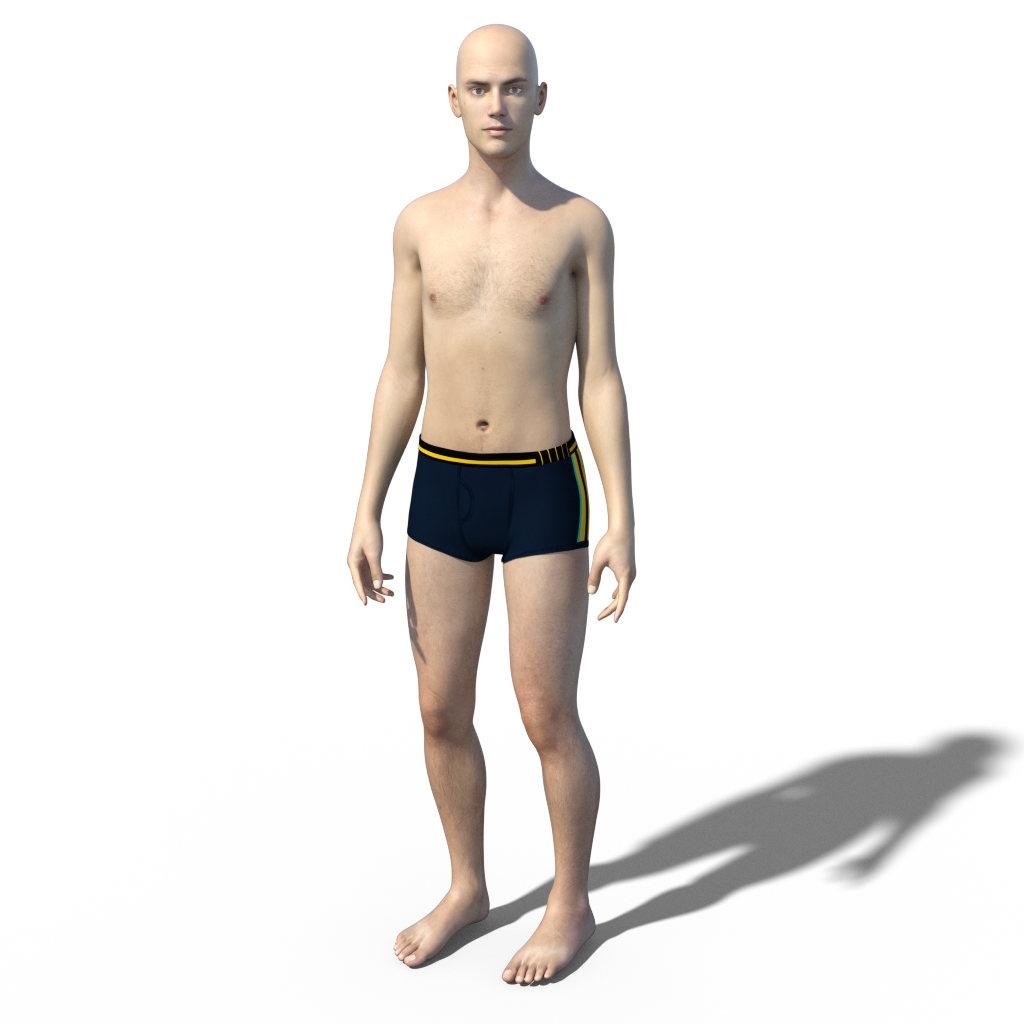
Hi everyone. I installed George for genensis 3 and 8. In George's subtree of content library, i guess George Genitalia is missing. When I applied nothing changed. Could I install any morph or is something missing? Thank you.
GenX2 - Need HelpThanks, Havos! I think I figured it out. I apparently installed GenX2 with connect. When I re-installed with with DIM, I had the full panel then.
So if I wanted to transfer the base character D3 over to other Geneis Characters, what would I need to do? It seems like you have to check some of the morphs. Do the morphs have to have values set or can they be zero and you just check them? I just want to end up with a Genesis character that looks likd David 3. I figured I could use the morphs that come with Genesis to add muscle or definition, etc. But it seems like you are required to check some morphs and I don't see a full body morph.
Thanks again.
Star Trek Builders Unite 8: THE REBOOTI have ran into a problem with the Planetary Smuggler. He comes with four fingers and toes. The fingers I can deal with, but I found the feet are causing a split in the shoes. There is no separate body or head morphs for the character, and I looked at the promos and tried every outfit listed and each of the shoes split because of the four toes. I own pretty much every morph package for Genesis 8 Male and Female, but could not find anything that would fix this. Does anyone have a suggestion? I have no idea how the PA was able to show the character with normal looking shoes in the promos.
Thanks ahead of time,
Mary
PS, love the renders!
Ridiculously long loading time........I'm not at all sure a reliable scan fr new items would be more efficient than the current system, and I suspect we'd end up asking "Have you run the scan for new morphs?" the way we used to ask "Have you run the DzCreaeExPFiles-v4 script?" in every thread on morph issues.
I could have suggested an additional checkbox under "Content Database Maintenance" or may be, as an option in Preferences > Startup but that wouldn't be necessary. For typical scenarios, such as adding/removing morph related content using DIM/Connect would automatically and transparently trigger a partial addition/removal of morph metadata similar to how the typical content metadata is handled presently.
Outside of DIM/Connect there are couple of ways:
1) Third party content which are installed as DIM packages (i.e. with package metadata) would not require a full scan and the morph metadata in those packages can be scanned incrementally and transparently just like the typical content without any additional manual intervention.
2) Third party content which do not have any package metadata or are distributed in exploded format would necessitate a full scan for morph metadata within the content. We can incorporate the "scan for morphs" option into the existing "Refresh" context menu option. Then the scan could be "transparently" triggered whenever the user refreshes the content library folder inside DS, which they would have to inevitably perform for reloading the manually added content. Since the refresh menu option is path aware, it would reload the morph metadata from the morph files visible under the folder where it is invoked. That way the user wouldn't have to invoke any additional "scan for morphs" function (as a menu or script).
So, that leaves us with no further risk of the user missing out on the invocation of "scan for morphs" action. You may consider the capability of manually running "scan for morphs" a redundant option now :)
P.S. In case you are wondering what would happen if the user decides to restart DS without refreshing the content library folder, you can always suggest them to manually refresh that folder using the refresh context menu instead of asking them to run any script or any additional menu option.
P.P.S. I wish there was an interactive wiki which could enable me to take these questions and incorporate their resolution into my original suggestion, but I guess this would have to suffice.
DSON InstallerA while back I purchased the DSON IMporter for Poser and a Genesis morph called Mr Hyde. For various reasons, I never installed them on my PC. Now I want to do so, but it seems when I downloaded the content, I only downloaded that and not the installers.
I manually installed the content but I don't believe I did it right, so I wanted to re-download DSON with the auto installer, but when I go to my account, and click on that link (see attached pic), it says the address "isn't understood". Not even sure what that means besides the link not working, so I'm wondering if there's a way I can download that, so the software will auto install correctly on my machine?
Any help is appreciated. Thanks -
Buy Something That Doesn't Work in Carrara? Post your Questions and Workarounds here. (please)right now I am struggling with trying to save a scene using a G8M and Blended weight clothing
getting an error has occurred every time I try
he saves on his own even a Philemo HD morph version
but a dressed normal one won't
after applying and animation or a smart prop possibly still trying to pinpoint point of no return
update
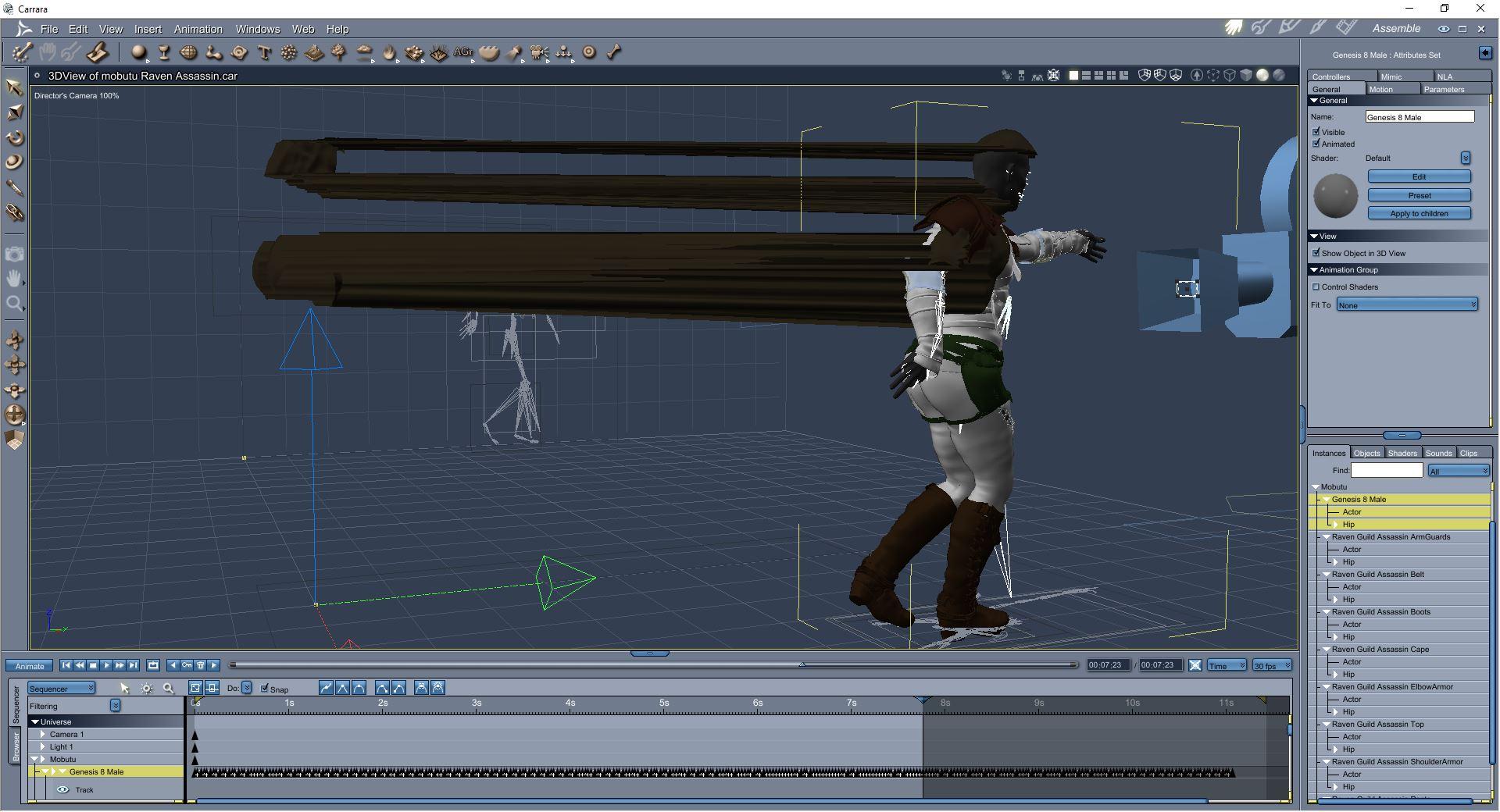
he saves dressed unanimated but loading and applying one ..
we thought the shoe weightmap sticky was bad .
 Hexagon Displacement Brush Tool
Thank you for that! It was something simple. My problem isn't with importing/exporting obj files; I've done that to create morph sliders in DAZ. It's merely trying to find my way around in Hexagon. Nothing seems intuitive at all.
So now the tool and its properties tab are active. But now I select object and this selects one joint (Collar). I need to model across the Collar and Upper Arm, but holding down Alt, Ctrl or Shift doesn't allow me to select multiple objects. Moreover clicking on the Upper Arm doesn't switch my selection. So using the stretch tool from Utilities creates a seam between the joints. And using the displacement brush creates a blur of selections that doesn't allow me to see what I'm doing.
I don't want to be tiresome with these difficulties, is there a tutorial that focuses on these basic commands, selections? I haven't found one that doesn't take them for granted.
Ridiculously long loading time........I'm not at all sure a reliable scan fr new items would be more efficient than the current system, and I suspect we'd end up asking "Have you run the scan for new morphs?" the way we used to ask "Have you run the DzCreaeExPFiles-v4 script?" in every thread on morph issues.
[Released] Character Converter from Genesis 2 Male to Genesis 8 Male [Commercial]Sorry it's taken a while, but I've converted everything again, and I've added pictures to the thread to show you the results:
Minotaur 6 - Only the body morph was converted (no pic).
Reptilian 6 - Loading from the content Library was giving me Lucian 7. After Orso was converted, Orso was loading in via the Content Library. The morphs work.
Scott 6 - Converted with no problems. Nipples are a little lower on the G8M version. Loading from Content Library gives me Orso with that "Male" morph.
Orso - Two morphs created. One morph is for the head, and the other morphs head and body (the latter also controls the single head morph). It just looks like a "bigger" version of the G8M base.
Lilith 6 - Not a perfect conversion (like I've had with other conversions), but I'm pretty happy with how she's turned out. Content Library give me Lilith 6
My G2F OC - Would also be a good conversion, had it not been for the area around her eyes (I've never had a mesh deform like that before in any of the converters). Content Library gives me the base G8F model.
My G2M OC - Isn't looking too bad. I was seeing a problem with his top lip, but I think that's been sorted. Loading from content library gives me the G8M base figure.
Plus, Daz hasn't crashed at all, when I've closed the script.
I've added results from the G2F Converter too. I just wanted to show that things do work (although correcting my G2F OC's eyes has me stumped).
I'd say the script is working, but some results are "hit and miss".
For the eyes issue, I assume you have tried all the usual suspects. You might try by first turning off your scaling or setting the scaling as close as possible to the height of the G8F.
Ridiculously long loading time........So, if I understand correctly there exists a many-to-many relationship between morphs(shapes and poses) which are classified as sub-components(downstream dependencies) and controllers(upstream dependencies). And since this relationship is not maintained in a normalized fashion centrally, it necessitates scanning of all relevant morph file resources everytime a character is loaded. What if the building of that relationship graph for morphs could be centralized and normalized in the CMS itself in relational tables? Loading a character would trigger a one-way traversal of the graph and fetch only the relevant morphs (i.e. fetching only sub-components). We don't have to worry about loading all associated controllers unless that associated controller was explicitly added to the scene directly or as a sub-component of another explicitly added morph.
Creating the many-to-many dependency graph in the CMS could be triggered manually or automatically whenever new characters or morph packages are installed/uninstalled.
What about third-party content that doesn't come with metadata?
All the required morph metadata(such as label, path, default values, sub-components, controllers, keys etc) is already available in the individual morph files irrespective of whether they are released by Daz or any third-party store. And that information is sufficient to populate the morph and relation tables in the CMS. So we would need these 3 changes:
1) Replace the file scanning strategy to load the morph relationship and other metadata from the CMS on character or scene load. Morph deltas would still need to be read from file.
2) Provide a functionality such as "scan for morphs" which can also be invoked manually using a menu option or button that loads the morphs metadata into the CMS by scanning all morph files in the content library. This is the only functionality that would allow morphs to be read from files (except for loading deltas, of course). This funtionality needs to be triggered every time there is:
a) Change in content library paths
b) Installation/removal of any morph packages
c) Installation/removal of characters
3) Provide a universal context-aware morph browser (whose structure would be similar to the shapes pane but acts like a content library for morphs). This would allow the user to search/navigate for desired morphs and manually add them to their characters. The morph browser loads its content(i.e. morph metadata) only from the CMS so there is no performance impact due to file I/O(except for morph display icons). Morph browser only facilitates adding morphs to a character but morph removal needs to be addressed separately. Removing morphs functionality would check whether that morph is a sub-component of any other morphs (i.e. check its own controller entries). If that check passes (i.e it has no controller entries), it can safely be removed from the character and but would not remove any of its own sub-components which could also be sub-components of other installed morphs. It would only remove its own controller entry from those sub-components. So, a morph which is not explicitly added by the user and does not have any controller entries can be safely deleted/removed from the library or a loaded character.This approach would give us the following benefits:
1) Less number of morphs to process - DS would only process the morphs that are part of the "minimum viable set" plus any that has been explicitly added by the user (or added implicitly by traversing its sub-components hierarchy) to a character.
2) Significantly faster character and scene load times - Not only DS would be scanning for fewer morphs every time a character or scene is loaded but fetching the morph metadata from the CMS. This way DS would avoid extensive morph related file I/O unless morph deltas need to be loaded.
3) Preemptive morph dependency validation and error checking - Morph dependency and validation would be triggered only when the functionality for "scan for morphs" is invoked rather than every time a character or scene is loaded. This would facilitate early detection and reporting of errors in morph metadata which can be acted upon before those erroneous morphs gets added to characters in scene. This would result in better scene integrity. The effect of morph deletion/removal from the file system on an existing scene can be handled by validating the morph data from the scene with that in CMS when the scene is being loaded. So it is imperative to trigger the "scan for morphs" functionality every time morph packages or characters are removed/uninstalled.Challenges:
This approach decouples the file based morph metadata access from the character and scene loading process which enables faster load times for characters and scenes. But the efficacy of this approach depends upon the triggering of "scan for morphs" functionality which needs to be automated and reliably triggered based on #2a,b,c above. Changes in content library paths are supported only inside the DS. DIM and connect would already know when to trigger. Which leaves us with manual installation/removal of morphs, in which case, the user has to manually trigger that functionality (from a menu or button) similar to what would be required for manually adding smart content.This approach should address manual addition and safe removal of shape and pose morphs which I believe constitute the bulk of all morph files. Simulation and smoothing morphs are already being added manually. Which leaves us with corrective morphs, which I assume can be adequately handled by the above approach unless you think I am missing any of their unique characteristics.
Ridiculously long loading time........The long load times are down to nastier errors, basically they are causing DS to go "not responding", the more of these you have the longer it takes DS to recover, add in a boat load of the other errors to slow down DS and your computer, and it's no wonder some are talking about 30 minute load times..Main problem here is despite all the people complaining about long load times, they don't come back and shown their log file, so even I have no idea WTF is causing them although I do have some suspicions. Three "Failed to create alias" has locked up DS for 4 minutes for one user, problem here is the log doesn't tell which alias file it crapped out on.
Does someone know how to fix the "Failed to create alias" respectively how to identify the responsible file ?
Removing files step by step from "data\DAZ 3D\Genesis 8\Female\Morphs" is no option with so much content LOLSadly no, the two log entries I've seen both show that error right before DS does "Begin Loading Character Addons", so it doesn't even give you a hint as to where in the load order it's happening.
So, if I understand correctly there exists a many-to-many relationship between morphs(shapes and poses) which are classified as sub-components(downstream dependencies) and controllers(upstream dependencies). And since this relationship is not maintained in a normalized fashion centrally, it necessitates scanning of all relevant morph file resources everytime a character is loaded. What if the building of that relationship graph for morphs could be centralized and normalized in the CMS itself in relational tables? Loading a character would trigger a one-way traversal of the graph and fetch only the relevant morphs (i.e. fetching only sub-components). We don't have to worry about loading all associated controllers unless that associated controller was explicitly added to the scene directly or as a sub-component of another explicitly added morph.
Creating the many-to-many dependency graph in the CMS could be triggered manually or automatically whenever new characters or morph packages are installed/uninstalled.
What about third-party content that doesn't come with metadata?
Lets not forget about those of us that don't use metadata and regularly delete it.
I messed up and don't know what I did. (added sample renders)I think I applied an undressing morph to clothing that did not have that morph and ever since, anytime I pose a figure or try to apply body shapes they come out distorted.
My question is how can I tell what I did and is there a way to undo it?
This is happening to all of my females, this doesn't happen with the male figures.
Auto Shape Enhancer [Commercial]The image here (made with the old file looks like it has ribcage morph. The Parameters pane shows ribcage morph dialed in. Yet it opens fine now after updating. I'm still perplexed.
Do you have the file duckbomb needs, or do I have permission to give him the download I saved from April 12? I don't see any working link to that file now.
The DIM install is newer than the one you tested.
Yes, you can share the April 12 file, this was the test file for the DIM. I believe he is looking for the old Ribcage. Which is on page 1 in this forum.
Yes, I see it there now! I see that duckbomb got it so I guess all is well.
Auto Shape Enhancer [Commercial]The image here (made with the old file looks like it has ribcage morph. The Parameters pane shows ribcage morph dialed in. Yet it opens fine now after updating. I'm still perplexed.
Do you have the file duckbomb needs, or do I have permission to give him the download I saved from April 12? I don't see any working link to that file now.
The DIM install is newer than the one you tested.
Yes, you can share the April 12 file, this was the test file for the DIM. I believe he is looking for the old Ribcage. Which is on page 1 in this forum.
Auto Shape Enhancer [Commercial]The image here (made with the old file looks like it has ribcage morph. The Parameters pane shows ribcage morph dialed in. Yet it opens fine now after updating. I'm still perplexed.
Do you have the file duckbomb needs, or do I have permission to give him the download I saved from April 12? I don't see any working link to that file now.
Daz 3D is part of

Connect
DAZ Productions, Inc.
7533 S Center View Ct #4664
West Jordan, UT 84084Licensing Agreement | Terms of Service | Privacy Policy | EULA
© 2026 Daz Productions Inc. All Rights Reserved.