-
Face Transfer...could be worse
Here are the profiles for the above characters after the Face Transfer Shapes were applied. Before that they were kind of flat ;)
Laurie
IRAY Photorealism?When you look for realism, you won't ever get it looking 100%
In my own renders, I just try to go as realistic as I can-- for 3D that is. I know even games that budget millions of dollars don't get super realism, so I try to get on their level of realism. It had me thinking though this thread, as my own stuff is what I want to create. I don't try to make it super realistic. But as an artist, what makes anything look realistic is the texture, and finer details of a face. I have Face transfer, and although it cannot render the side of the face, it can capture some textures nicely. I just really wish that at some point, I can add in an entire head texture, which will 'try' to copy the same texture for the side of the head as well. For a close-up face this would look good what I did here, but I will still work on the mouth in post-processing a bit to get that shine off the lips in the one render (if I worked on this. Remember, none of these has post-processing on them in terms of Affinity Photo or Photoshop used). I then adjusted it, added sun-sky for a light source (which is my favourite by the way), and then added hair on the face- eyebrows to compliment the existing eyebrow texture captured in Face transfer, along with actual long hair (reminded me of this series I am watching on Amazon Prime, so long hair it was). Lightened the sun a bit, and find that this character can pass for a decent 3D character in a game. I never kid myself to find realism, as in human-realism, as that is just silly. I am happy to have good 3D realistic, and that is all I can ask for in life. A character like this here, is on the same level of darn good artists that undergo university degrees at high class art institutions. So for me, this is awesome that I can to some degree get that same realism.
Face Transfer...could be worseThose turned out really nice. Good stuff. If you start out with ideal reference images, this thing seems to work okay. How are the profiles?
I got the Face Transfer Shapes by PhilW (I think...forgive me if I 'm wrong) when I bought Face Shapes yesterday and one click and it fixes the profiles. BOOM!...fixed :). The profiles look good. :)
Laurie
Catoon QuestionExperimenting with fur settings...
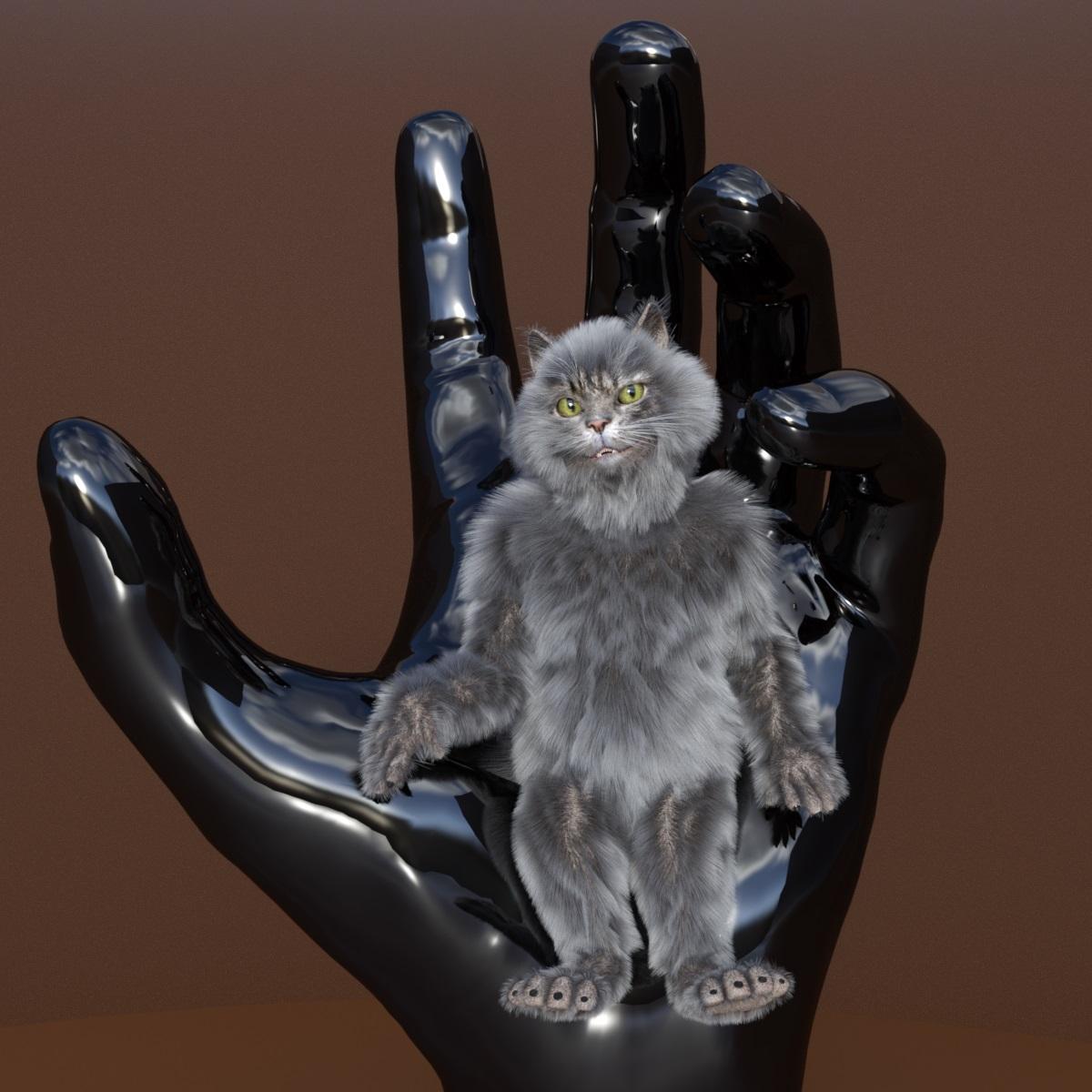
Very Nice.
I been pulling it's polys in Carrara

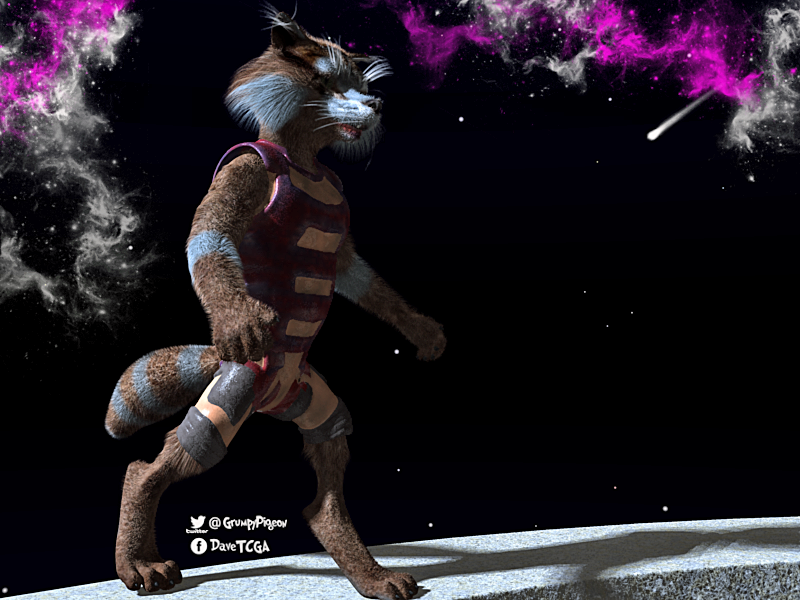
Wow! Did you make a racoon morph for him?
Ditto on the WOW.
Ten Years After - The Making of Dartanbeck.comLOL! I Love you guys!!!

I have "www.dartanbeck.com" pointing to my site!
I was hoping that it would show as dartanbeck.com instead of the google address. We'll see if we can sort that out. At least it's working. I'm numb at www stuff - wwwhat???
I guess I'm just as confusing as ever. I have a feeling that my site is fairly tough to navigate! LOL
I can change anything, so let me know if you have ideas or suggestions.
The way it is now, the upper menues expand and take you places, but I put in things that I 'intend' to write about, but haven't got to yet. Perhaps I should back off on that a bit? Anyway, I'm glad to have it up. I'm going to do more with Cripeman's memorial. Tutorials are coming! The launch of Introducing Rosie alone will be spawning a whole lot more - and I haven't finished the ones I've made so far - the Dynamic Hair, EYEdeas 3+ and Millennium Teeth. The morph reduction one is fairly complete but I want t add some images and a few more examples of how valuable this sort of workflow can be - with pictures. I like visuals.
I had a lot of fun writing the main support article, but ran out of time, so I'll be returning to that as well. In it I also promise to write:
Delving Deeper
- Shaders (surface texturing) and Genesis 1 (Generation 5)
- Creating Costumes
- aniMate 2 and aniBlocks in Carrara
- Animation Conversion from earlier generations to Genesis
Those will be my next main focus
RenderGuyNY's Freebies (latest freebie updated 5-24-20)Hello! I have a new character for G8M, Grayson. Grayson includes a full face and body morph, makeup options, and a number of other features. As always, happy rendering!
https://sharecg.com/v/95818/view/21/DAZ-Studio/Grayson-for-G8M

 Stop genesis from loading morphs
So far going good, but I screwed up a bit. I added a bunch of cards for sliders without it in the past, but I forgot to archive the edited morph files to my installer files for a good chunk of them, so I am having to relink and rearchive a lot of morphs as I install. Being lazy bites me in the ass in the end all the time it seems lol.
Daz Studio 4.12 Pro, General Release! (*UPDATED*)I downloaded DAZStudio_4.12.1.117_Win64. I have encounter an issue which causes some morph not to save as "scene" properly during an animation scene. Example: I made an animation scene from 1 to 30 frames. In frame 0 his stomach is flat, frame 15 his stomach is inflated, and in from 30 his stomach is flat again. Next I goto File- Save or File- Save as- Scene. Stomach morph does not appear when I load scene. I install previous DAZStudio_4.12.0.86_Win64. I dont have this problem. Has this been an issue for anyone else?
Computer everything uptodate and specs: Windows 10 (64 bit) Primary Display Resolution: 3840 x 2160
AMD Custom Ryzen 7 1700 Eight-Core Processor At 3.4Ghz
Custom Radeon RX Vega 56 Graphics 8Gb Memory: RAM 24GbWhen you saved the scene, which key in the timeline was selected?
For the stomach inflation animation, I selected Frame 0 "Belly size" 0, Frame 15 "Belly size" 100, Frame 30 "Belly size" 0. I can play the loop animation fine. But the problem is that the animation morph for stomach was not saved. Rest of animation was saved fine when loaded back into a new scene. Is this a bug or glitch?
I'm not sure, but the question may have been about what was selected in the Timeline pane rather than which properties were used.
Correct.
Reload the original scene, make sure that the animation is working. Now select the Frame 0 key and save. Reload and see if the animation is still working.
Daz Studio 4.12 Pro, General Release! (*UPDATED*)I downloaded DAZStudio_4.12.1.117_Win64. I have encounter an issue which causes some morph not to save as "scene" properly during an animation scene. Example: I made an animation scene from 1 to 30 frames. In frame 0 his stomach is flat, frame 15 his stomach is inflated, and in from 30 his stomach is flat again. Next I goto File- Save or File- Save as- Scene. Stomach morph does not appear when I load scene. I install previous DAZStudio_4.12.0.86_Win64. I dont have this problem. Has this been an issue for anyone else?
Computer everything uptodate and specs: Windows 10 (64 bit) Primary Display Resolution: 3840 x 2160
AMD Custom Ryzen 7 1700 Eight-Core Processor At 3.4Ghz
Custom Radeon RX Vega 56 Graphics 8Gb Memory: RAM 24GbWhen you saved the scene, which key in the timeline was selected?
For the stomach inflation animation, I selected Frame 0 "Belly size" 0, Frame 15 "Belly size" 100, Frame 30 "Belly size" 0. I can play the loop animation fine. But the problem is that the animation morph for stomach was not saved. Rest of animation was saved fine when loaded back into a new scene. Is this a bug or glitch?
I'm not sure, but the question may have been about what was selected in the Timeline pane rather than which properties were used.
Darwins' Schtuff Pt DeuxThanks, Carola! That was, in fact, the inspiration behind the render as well as one of the references for his morph. ;)
A bit of an issue with eyes using Face TransferI haven't used it since the last time I posted here, and just want to update that the skin doesn't seem too bad when I tried using my own face, but the eyes... not sure what is up, but it doesn't work. It makes the eyes glassy still and while last time I could swop out the eyes, this time I could not, no matter what eye texture I applied. It had a darkness* if I had to describe it, to the eye texture that looked wrong. Almost like horror eyes now but it renders badly with white spots, and I can't actually replace the eyes any more, while previously I could. I left it for months now since my last post, is anything been done about this?
Edit- yesterday that happened(as stated above). Today I logged on and tried it again and much better! Except this time I used a different face and the results were interesting. I realised what the red was and it is the translucency. I think the program tries to match the colour to some degree, but it doesn't work properly. I adjusted a few values and managed to get the skin colour to my liking. So for now, I am almost going to say that Face transfer won't work as well with a photo, but for some reason, it works excellent with an existing 3D character as long as all the lines are there, and good lighting on the skin.Face Transfer...could be worseGreat use of face transfer! I will have to try this soon....
Default Gf8 loading with preset morphsI have loaded the "Default" Genesis 8 Female Basic figure from Genesis 8 Essentials. This unfortunately comes in with the Toon Generation 4 (TG4) morphs active (except for the head which is default Genesis 8 female). I have set the default values for all the TG4 dials to 0.0% in the settings panel and then saved (Save as -> Support Asset -> Save Modified Assets). However, when I reload the Genesis 8 Female Basic figure (after restarting DS), the figure still loads with the TG4 morphs active. The main problem seems to be that the "TG Enable" morph (the controller morph for all the other TG4 morphs) has it's default value reset to 100%. So the Save Modified Assets process either did not save the modified asset at 0% or there is another "Controller" somewhere which is switching it back to 100%. Note, I have Show Hidden checked but still cannot find anything that could reset the "TG Enable" to 100%, and in the Settings for this item, it shows that it has no controller morphs.
I ran the DB_List_Products_Used.dsa, as you indicated above and this does not indicate any TG morphs, as shown in the attached image. (the TG4 morphs in the Parameters panel are indicated with a red asterisk)
So, what can I try next to find the item which is loading the TG4 morphs along with the Genesis 8 Female default figure?
Saving character presets with custom morphs from a custom directoryI decided to save my characters as a character preset with custom morph presets. The only thing that I have done is that the morphs reside in a different library. And I wanted to save the character preset to that same directory too. The morph presets are only present in this custom library folder, and that folder is added in the content directory manager and shows up in the content pane tab too. I can see the morphs when I load a new G8 figure, and the morphs also work on that character. I can also save that file as a scene, and loading or merging that scene also has the character with the morphs applied. So, all in all, morphs work, present in a custom library and nowhere else (checked, and there are no duplicate morphs in case I saved more than once, which I did not)
Once I have done all that, saving a character preset with those morphs turn out to be a failure. I can see the duf file for the character preset, there's no mention of those morphs anywhere, except for the ones for eyelashes (by default they are always set to 100%). And yes, I also set my morphs to be 100% too. The character preset is saved, without the morphs. So when I load that preset, it loads as the G8 basic female character without anything applied to it. I can see that it's saving any morphs/settings from the main directory but not the custom one.
I haven't tried to do the same from the main directory yet, I'll give that a try too. Also did not try out with the textures, which are also saved in the custom directory, so not sure if they would load or not, similar to the morphs. I also did not try adding the library in DIM (maybe it has to do something with it, not sure)
(Side-note: Uh, what's with the eyelashes morphs applied to 100% by default. It's the same with the dev load figure. I am guessing those morphs should not be present in the character preset or should they? I did exclude them from the custom morphs, since I didn't think they would be necessary there.)
Marigold hair glitch.Adjust-ForeheadDepth
This is the adjustment morph you need to use. I own this hair and it's one of my favorites.
Yeah, I found that 14% is the number I needed to fix the issue.
Marigold hair glitch.Adjust-ForeheadDepth
This is the adjustment morph you need to use. I own this hair and it's one of my favorites.
Daz Studio 4.12 Pro, General Release! (*UPDATED*)I downloaded DAZStudio_4.12.1.117_Win64. I have encounter an issue which causes some morph not to save as "scene" properly during an animation scene. Example: I made an animation scene from 1 to 30 frames. In frame 0 his stomach is flat, frame 15 his stomach is inflated, and in from 30 his stomach is flat again. Next I goto File- Save or File- Save as- Scene. Stomach morph does not appear when I load scene. I install previous DAZStudio_4.12.0.86_Win64. I dont have this problem. Has this been an issue for anyone else?
Computer everything uptodate and specs: Windows 10 (64 bit) Primary Display Resolution: 3840 x 2160
AMD Custom Ryzen 7 1700 Eight-Core Processor At 3.4Ghz
Custom Radeon RX Vega 56 Graphics 8Gb Memory: RAM 24GbWhen you saved the scene, which key in the timeline was selected?
For the stomach inflation animation, I selected Frame 0 "Belly size" 0, Frame 15 "Belly size" 100, Frame 30 "Belly size" 0. I can play the loop animation fine. But the problem is that the animation morph for stomach was not saved. Rest of animation was saved fine when loaded back into a new scene. Is this a bug or glitch?
Auto-fit clothes to a dformed figure?If I make a custom body morph for a figure, like Genesis, using Dformers, is there a way to get the clothes to autofit to it?
Generally speaking, have Genesis as it loads, selected, load the clothing, then apply the body morph - clothing should follow the shape. If it is an extreme morph, the clothing may require additional morphs to make it fit better.
Lashes + Morphs...Remove the eyelashes from the scene. Selec the figure and on the Parameters Tab find the morph - right-click to enter Edit mode. Then use the wheel cog to load the Parameters options - put a check mark in auto-follow. Can the exist Edit mode. Reload the eyelashes and hopefully they will now follow your morph(s) :-)
Face Transfer...could be worseI think its hit or miss, but I quite like it.
To get a decent face morph you need an image with decent lighting contrast on the face, and a reasonable smile. One thing I noticed was that if you wanted to use the base skin from the face transfer, you were better off using a skin from flatter lighting. However, the morph from even lighting was often questionable. (Occasionally the evenly lit faces would result in flat nose tips which was interesting to discover.)
It helps to have a side profile image to try and adjust the morphs. Sometimes the face will be flat in profile but workable.
Daz 3D is part of

Connect
DAZ Productions, Inc.
7533 S Center View Ct #4664
West Jordan, UT 84084Licensing Agreement | Terms of Service | Privacy Policy | EULA
© 2026 Daz Productions Inc. All Rights Reserved.