-
How do I package up all contents to move to another computer?
I've created a scene and its got lots of tiny elements, textures, objects, etc.. from all over the place on my computer. ( Bad file management by me but im only new and learning )
I have a new computer and want to transfer the scene. Is there a way I can create a folder, and package up all the bits in the Daz scene so I can transfer it to my pther computer? Thank you
Welcome Biscuits to Daz!We certainly need a new PA on the level of Linday when it comes to simulated hairs. The new product looks pretty great, hope to get it soon. Perhaps someone can say for certain if there is a side part morph?
Hey hfilb, the actual part is in the middle, but there are flip to side presets, so the hair can morph over the head to the other side. :)
Thanks for letting me know. Looks great! :)
Carrara Challenge # 52 - Carrara Cryptids WIP thread--Entries EndedThanks for the thumbs up, ed3D.
And here is a Who female. Not a true morph, but related. Took an intermediate stage Grinch mesh, made changes, and attached the Grinch skeleton. Rigged, but needs the weightmaps adjusted. See under the armpits.
OK, so I've got a Grinch, his dog, and a Who couple. Can I assemble a scene by tomorrow night?

Yes - they can make the deadline !!!
she's giving me nightmares already :)
Welcome Biscuits to Daz!We certainly need a new PA on the level of Linday when it comes to simulated hairs. The new product looks pretty great, hope to get it soon. Perhaps someone can say for certain if there is a side part morph?
Hey hfilb, the actual part is in the middle, but there are flip to side presets, so the hair can morph over the head to the other side. :)
[Released] Character Converter from Genesis 2 Female to Genesis 8 Female [Commercial]I'm having trouble with the eyes. I tried converting Callie 6 three times but her eyes always end up really elongated and oval. I tried to convert Keiko 6 and the same issue arises - the very elongated eyes. I tried following the process laid out here: https://www.daz3d.com/forums/discussion/comment/5403631/#Comment_5403631 and set the tolerance to .02. But that didn't help. I'm still getting the long oval eyes. Does anyone have any suggestions or a fix?
I'm using "Conversion Process 2020 Method" if that makes a difference? Should I be using a different setting?
Nothing like the eyes in that post? Have you converted a lot of other G2F characters? Perhaps if you temporarily move the other morphs to another location and try again (unchecking the convert JCMs though, that takes way too long).
Another thought, did the eyes change at all between your two conversions? If not, CC may not have actually done a new morph for the head. You need to delete the head morph between tries.
I've only tried converting Callie and Keiko so far.
I deleted the morphs for Callie between tries (it took me a while to find them, they where in a folder labelled "3D Universe,DAZ 3D,Heysun Oh" in the data folder under the Genesis 8 Female morphs. Very weird.
I'll keep trying and maybe I can get it to work. I see that the eyes look good at the link I posted, so there has to be a way to get them to look like that. I'll try again.
Sounds like you did everything right. If you only delete the FHM morph and you set the script so it doesn't overwrite morphs, it will be faster in your attempts. Please post a log of the conversion. I want to make sure that it is actually using the 2020 method. If for some reason, the script cannot find a FHM morph (or whatever prefix you specify), it will fall back to the 2019 methods.
I finally figured out the issue. User error, of course - apparently I had done an earlier attempt at transferring Callie 6 but in a different Daz Studio Directory on a different hard drive. So I wasn't finding ALL the Callie 6 morphs when I was deleting them between tries. After tracking down the morphs on the other drive and deleting them, I tried the method outlined by Brugan again. This time it worked much better.
There was still some slight "oval" effect on the iris as well as some minor warping of the eyelids, but I added a smoothing modifier to the figure and that fixed the eyelids. For the slight oval iris I added J Cade's Sakura Iris Oval morph at a negative value: https://www.daz3d.com/forums/discussion/comment/3179366/#Comment_3179366
I also added ArkadySkies' G2F morph: https://www.daz3d.com/forums/discussion/comment/3179366/#Comment_3179366
I think after those minor adjustments she came out great!
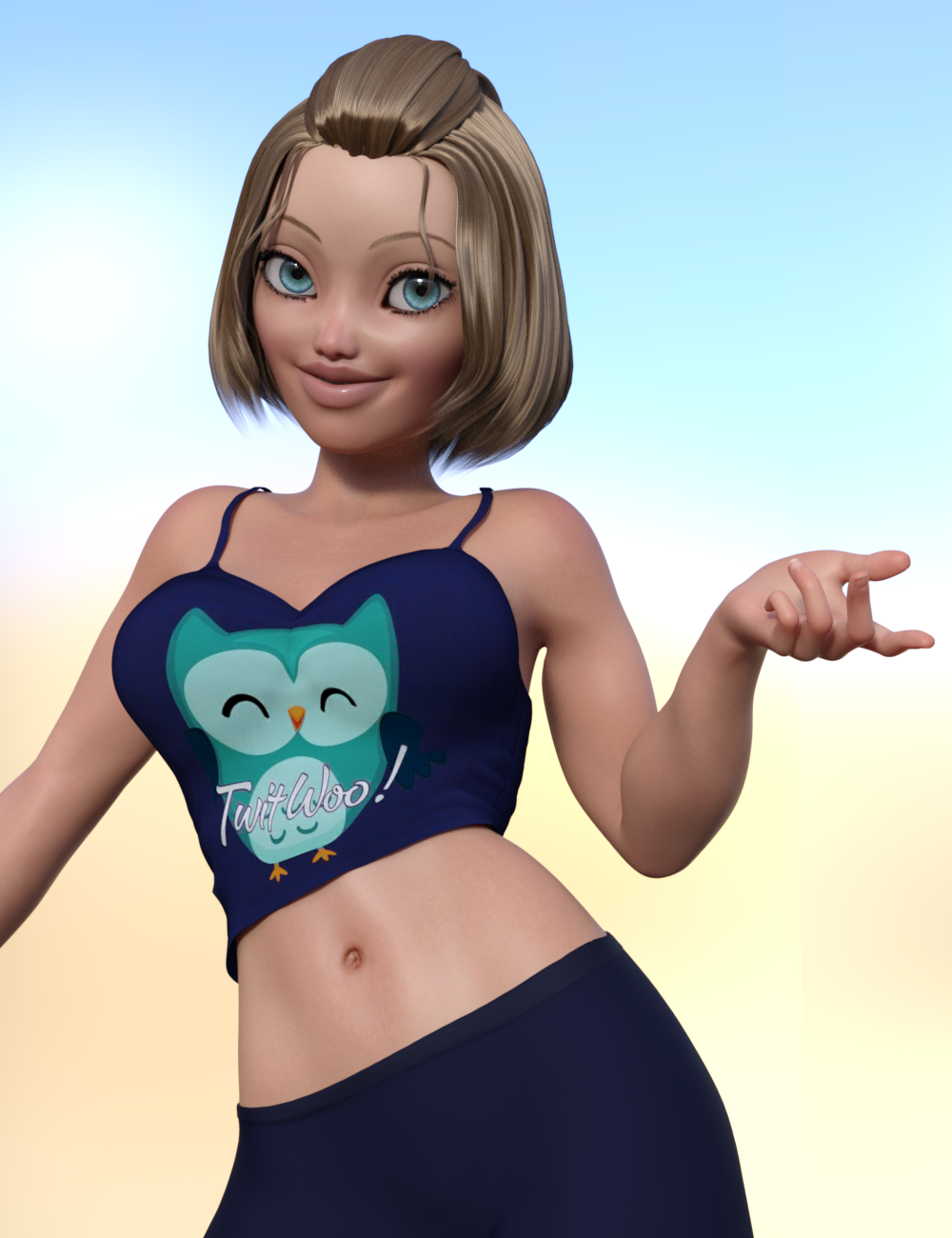

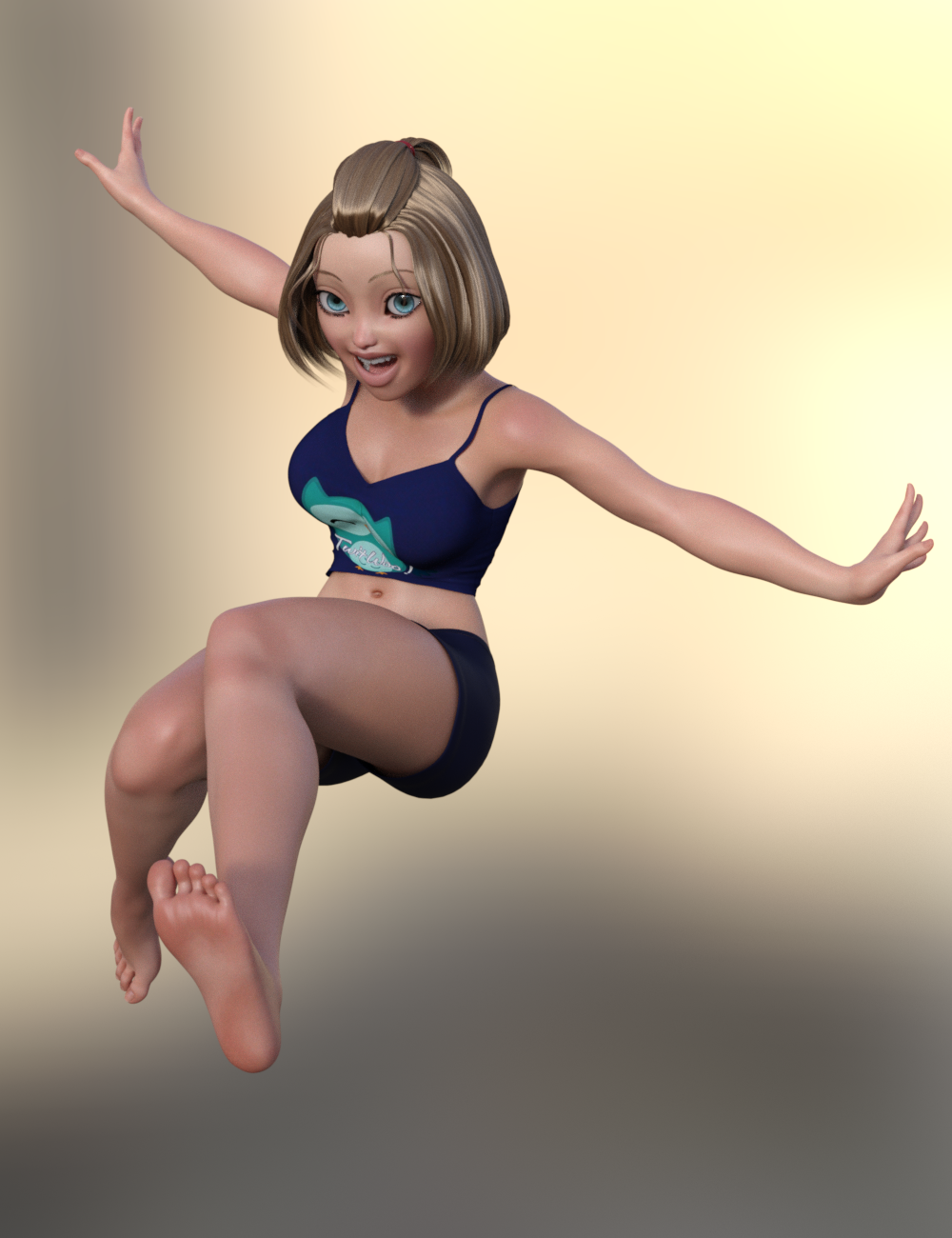

The skin and hair from Toon Generations Essentials works great with her, imo.
It turned out really great! I am glad you got it working.
Thank you! And thank you for such great products! I've been longing to have my G2F characters brought up to G8F! :D I'm looking forward to trying it with my custom G2F characters. I'm really glad you made this!
Generation 3 Aiko and Hiro Appreciation Thread..yes GenX2 can transfer shapes and morphs to G3. I use it a fair amount when building custom characters.
How to convert any Genesis Clothings (G1,G2,G3 and G8) for Figures?You might try Parenting Blue 2.0's head to the body of a Genesis figure (hiding all of Blue except his head and hiding the Genesis figure's head, eyes, ears, and mouth) and use some of the genesis morphs to approximate the look of the Blue 2.0 body. You could then, of course, use the Genesis clothing on the figure. It wouldn't be exactly Blue, but you might be able to get close if you have a good amount of morphs for your Genesis figure (or own a similar Alien, Goblin, or similarly shaped figure to start with).
I did a test of that idea and it seems to work decently:

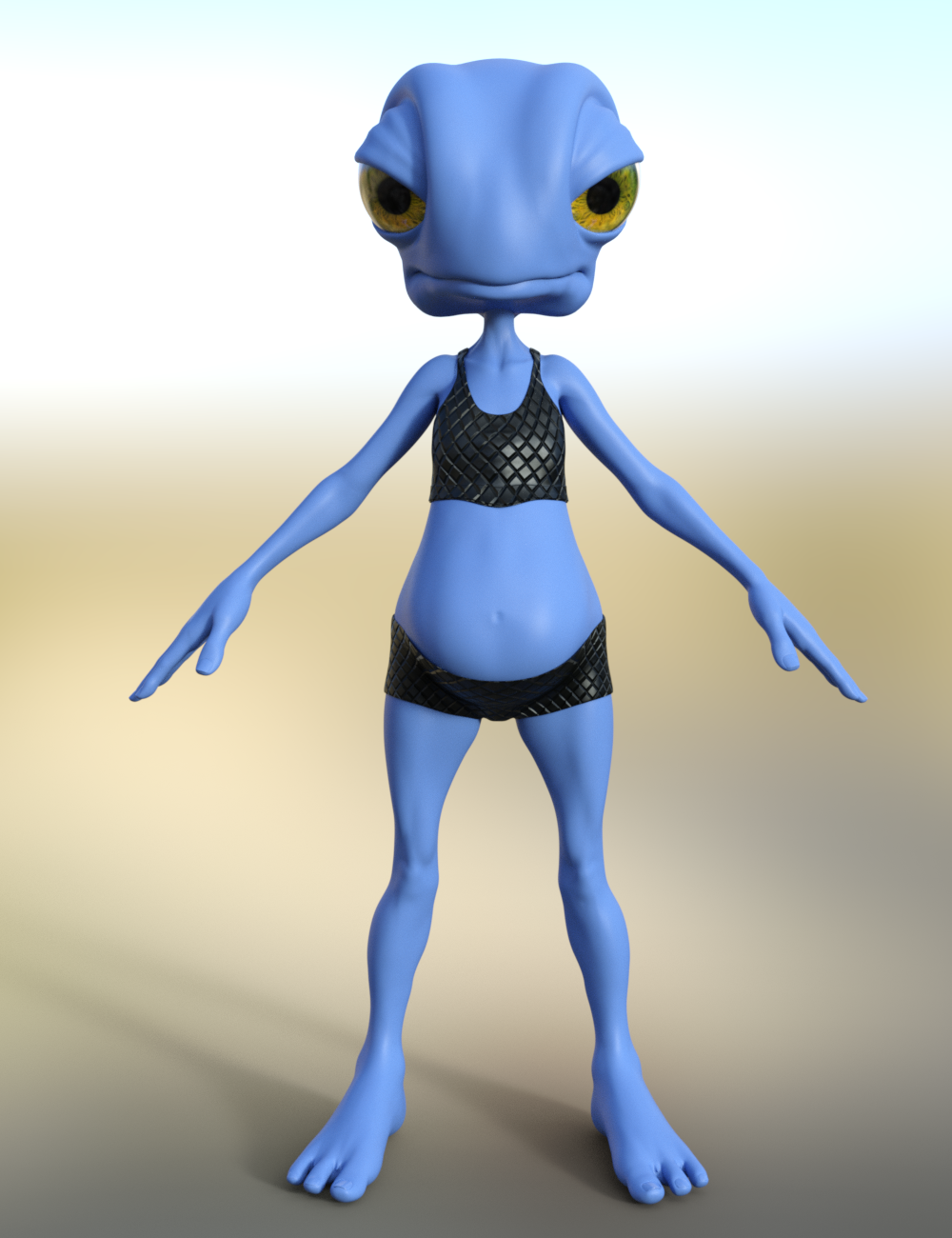
I used HFS Ultimate Shapes, Genesis 8 Female Body Morphs, and of course Blue 2.0.
If you have those and want the Scene Subset let me know and I can attach
THAT'S IT!!! You are awesome!! I was thinking about doing that but I was hoping if can parent the body of the genesis 8 to Blue 2.0 would work. And it did work with a little help with the Mesh Grabber but unforunately the when I tried to move the arm and the leg the clothes just stay put. So I will do your way @Divamakeup and thank you for this great help!!! I really appreciate it.
Ok, here's the scene subset if you want it: https://www.dropbox.com/s/0goxcehsyfifjrw/G8F with Blue 2 Head.zip?dl=0
If you don't have some of the assets I used (like it might ask for Toon Generations Mats since I used that when setting up the skin) you'll probably get Missing File error messages when you load it - but you can ignore it. It shouldn't affect the overall look of the figure. As long as you have the morph packs I listed above it should end up looking similar to the above renders.
If that doesn't work, let me know - I can send a regular scene file instead if that would work better.
Generation 3 Aiko and Hiro Appreciation ThreadThe legacy shape of A3 is avaialble (among others) for G1. Can't use the maps, but the shape transferes over reasonably well. GenX is able to transfer character morphs which had been made for the A3 shape over to G1 as well. Later versions of GenX2 may be able to move them further. Up to G3 I am pretty sure. I'm not sure, but check legacy shapes in the store. There may have also been a morph pack which made the A3shape available for G2F as well.
In any case, it would take rather a lot of work and add-ons, but one could use GenX2 to port the shape from G1 to G3F, and then try Zev0's character transfer (or Riversoft Art's) to get it from G3 to G8.
[Released] Character Converter from Genesis 2 Female to Genesis 8 Female [Commercial]I'm having trouble with the eyes. I tried converting Callie 6 three times but her eyes always end up really elongated and oval. I tried to convert Keiko 6 and the same issue arises - the very elongated eyes. I tried following the process laid out here: https://www.daz3d.com/forums/discussion/comment/5403631/#Comment_5403631 and set the tolerance to .02. But that didn't help. I'm still getting the long oval eyes. Does anyone have any suggestions or a fix?
I'm using "Conversion Process 2020 Method" if that makes a difference? Should I be using a different setting?
Nothing like the eyes in that post? Have you converted a lot of other G2F characters? Perhaps if you temporarily move the other morphs to another location and try again (unchecking the convert JCMs though, that takes way too long).
Another thought, did the eyes change at all between your two conversions? If not, CC may not have actually done a new morph for the head. You need to delete the head morph between tries.
I've only tried converting Callie and Keiko so far.
I deleted the morphs for Callie between tries (it took me a while to find them, they where in a folder labelled "3D Universe,DAZ 3D,Heysun Oh" in the data folder under the Genesis 8 Female morphs. Very weird.
I'll keep trying and maybe I can get it to work. I see that the eyes look good at the link I posted, so there has to be a way to get them to look like that. I'll try again.
Sounds like you did everything right. If you only delete the FHM morph and you set the script so it doesn't overwrite morphs, it will be faster in your attempts. Please post a log of the conversion. I want to make sure that it is actually using the 2020 method. If for some reason, the script cannot find a FHM morph (or whatever prefix you specify), it will fall back to the 2019 methods.
I finally figured out the issue. User error, of course - apparently I had done an earlier attempt at transferring Callie 6 but in a different Daz Studio Directory on a different hard drive. So I wasn't finding ALL the Callie 6 morphs when I was deleting them between tries. After tracking down the morphs on the other drive and deleting them, I tried the method outlined by Brugan again. This time it worked much better.
There was still some slight "oval" effect on the iris as well as some minor warping of the eyelids, but I added a smoothing modifier to the figure and that fixed the eyelids. For the slight oval iris I added J Cade's Sakura Iris Oval morph at a negative value: https://www.daz3d.com/forums/discussion/comment/3179366/#Comment_3179366
I also added ArkadySkies' G2F morph: https://www.daz3d.com/forums/discussion/comment/3179366/#Comment_3179366
I think after those minor adjustments she came out great!
The skin and hair from Toon Generations Essentials works great with her, imo.
It turned out really great! I am glad you got it working.
[Released] Character Converter from Genesis 2 Female to Genesis 8 Female [Commercial]I'm having trouble with the eyes. I tried converting Callie 6 three times but her eyes always end up really elongated and oval. I tried to convert Keiko 6 and the same issue arises - the very elongated eyes. I tried following the process laid out here: https://www.daz3d.com/forums/discussion/comment/5403631/#Comment_5403631 and set the tolerance to .02. But that didn't help. I'm still getting the long oval eyes. Does anyone have any suggestions or a fix?
I'm using "Conversion Process 2020 Method" if that makes a difference? Should I be using a different setting?
Nothing like the eyes in that post? Have you converted a lot of other G2F characters? Perhaps if you temporarily move the other morphs to another location and try again (unchecking the convert JCMs though, that takes way too long).
Another thought, did the eyes change at all between your two conversions? If not, CC may not have actually done a new morph for the head. You need to delete the head morph between tries.
I've only tried converting Callie and Keiko so far.
I deleted the morphs for Callie between tries (it took me a while to find them, they where in a folder labelled "3D Universe,DAZ 3D,Heysun Oh" in the data folder under the Genesis 8 Female morphs. Very weird.
I'll keep trying and maybe I can get it to work. I see that the eyes look good at the link I posted, so there has to be a way to get them to look like that. I'll try again.
Sounds like you did everything right. If you only delete the FHM morph and you set the script so it doesn't overwrite morphs, it will be faster in your attempts. Please post a log of the conversion. I want to make sure that it is actually using the 2020 method. If for some reason, the script cannot find a FHM morph (or whatever prefix you specify), it will fall back to the 2019 methods.
I finally figured out the issue. User error, of course - apparently I had done an earlier attempt at transferring Callie 6 but in a different Daz Studio Directory on a different hard drive. So I wasn't finding ALL the Callie 6 morphs when I was deleting them between tries. After tracking down the morphs on the other drive and deleting them, I tried the method outlined by Brugan again. This time it worked much better.
There was still some slight "oval" effect on the iris as well as some minor warping of the eyelids, but I added a smoothing modifier to the figure and that fixed the eyelids. For the slight oval iris I added J Cade's Sakura Iris Oval morph at a negative value: https://www.daz3d.com/forums/discussion/comment/3179366/#Comment_3179366
I also added ArkadySkies' G2F morph: https://www.daz3d.com/forums/discussion/comment/3179366/#Comment_3179366
I think after those minor adjustments she came out great!
The skin and hair from Toon Generations Essentials works great with her, imo.
Character Dial-Spinning Best PracticesYou could also try using Shape Splitter (formerly X-Morphs) to split specific parts of a morph from another. If you like a certain's character's nose, for example, you could totally use Shape Splitter to make a morph of just that nose and add it to your morph library. Its also great for splitting those characters that have head and body as a single morph (which I detest but thankfully is rare now). Its a very cool product to play with.
But yeah, like Diva said there is no right or wrong way to do anything, as long as you get to what you want it doesn't matter how you get there. I don't think there is any faster way if that is what you are looking for. I do think Rarestone's 200 shaping morphs are awesome. She made one each for male and female and they have a lot of unique and very specific morphs that nobody else has.
There is also a randomizer script product too. I do not have this myself, but it could be a fun thing to play with when you have no idea of what you want. It has some options in how you set it up.
Applying Poses is taking way way way too long.I switched to a new character (Young Minto) and messed around some more...
I've tried a pose with NO JCMs or shape from default pose. I loaded half the items on the yVas Belt. The pose was fast ish at 30 seconds (and no shape). Heaven forbid that was a complicated morph to work with. Next I added the other half of the belt items.. zerod all the JCMs on the belt, and it took just over 1 minute.
From that position... I simply applied a new pose without zeroing JCMs and that took 2 minutes and 20 seconds.
This is pretty far from a useful work flow. I'm doing this under controlled circumstances with nothing else there, and only playing with one piece of clothing with its requisit props. Heaven forbid I should have a vaguely complicated situation like a real render. My mouse slips, or I do an undo.. and Daz is in the weeds. For a fully loaded scene and more props, this becomes way way way slower.
Daz Studio 4.12 Pro, General Release! (*UPDATED*)hey all,
So im trying to save an animation with some morphs, one is called " open wide" what ever i do, it wont save the keys on the timeline when i use this morph.
Is there som workarround for this? It really disrupts my work now and i cant figure out where it goes wrong.
Allready searched the forums and it seems to be a problem in general, but maybe there is a workaround?I happen to have this morph. If you could please tell me what you are trying to achieve, I can try it on my system. If you could supply the scene, that would help.
Character Dial-Spinning Best PracticesI dial spin a lot of characters - probably spend far too long at it, but I find it fun.
Basically whatever looks good to you is what is "right". You definitely need a few morph packs if you want to do anything too far from the base mixing. Sometimes you add two characters together and it throws the jaw or nose so far out of wack, but you really like the rest of the face - having a few nose, jaw, and other morphs that you can dial in to "tame" those areas is helpful. Alternatively, if you like the dial spin but one or two areas are "bothering" you can spot fix those in a modelling program to make a morph that fixes those areas. Basic morph creation can be a bit daunting to learn at first, but once one learns how to do it, it can be really helpful and satisfying.
Dartanbeck's Journey - CG Filmmaking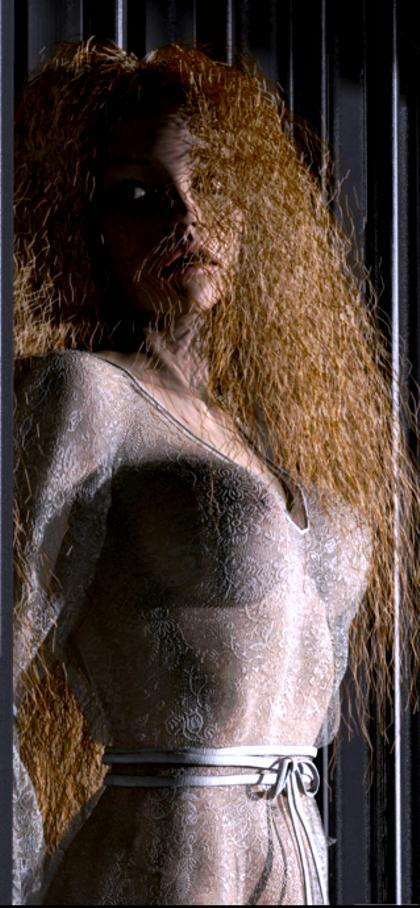 Wow Dartan... that's a bit much, don't you think? Sheesh!
Sorry about that!
Okay, so aside from staying up all night uploading and getting the new Freebies section going on the site, I've also managed to get a start on a couple of topics that are going to be really cool - so I thought I'd put them up here in case any of you have any questions on the subject(s) that I can answer. Of course I'll answer you hear instead of making you wait for me to add it to the article(s), but it'll give me the notion that it's another question that needs answering - so I can add it to the article(s).
Using Genesis in Carrara is going to be a much more in-depth topic that what it might seem. It's going to go deep enough that I needed to keep the next one separate:
Hybrid aniMation which is not at all a repeat of my aniMation in Carrara topic here in the Carrara forum, in fact I link to that topic in the article so I don't have to repeat. The word aniMation cues it off that it includes aniMate 2 - and that's true. As a Carrara user, I find that aniMate 2 is key to bringing Motion Capture into Carrara, since GoFigure was nice enough to make us a plugin for aniBlock imports. So I'll be digging in as deep as I've been going - perhaps it will spur further questions, conversation or sharing of other things I haven't figured out yet. After all... I'm quite a part-timer at all of this - so I get busy and dig right in. It's highly likely that I'll miss something.
Aside from that, I worked on the new Gallery a bit - that was fun. Don't worry. I was rendering the whole time!
After I get a bit caught up in the Character Setup department, I'll be juggling between Scene topics and Postwork (VFX, Editing, Sound, Music, etc.,)
So far Character Setup has
- Using Genesis in Carrara
- Introduction to Rosie 5 (article)
- Making Rosie 5 (article)
- Character Transfer using NLA Pose
- Genesis Morph Reduction
- Dynamic Hair
- EYEdeas 3+
- Millennium Teeth
Peace!
Daz Studio 4.12 Pro, General Release! (*UPDATED*)hey all,
So im trying to save an animation with some morphs, one is called " open wide" what ever i do, it wont save the keys on the timeline when i use this morph.
Is there som workarround for this? It really disrupts my work now and i cant figure out where it goes wrong.
Allready searched the forums and it seems to be a problem in general, but maybe there is a workaround?Keyframes for morphs are not being saved on 4.12.1.117. I have wasted 5 hours trying to figure out what might be wrong. Going back to previous version solved this issue for me.
I'm not even going to bother wasting my time contacting support because they still have not fixed a bug I have reported more than 3 years ago.
Anybody knows which girl is this model?That shows what lighting can do, because the pic I posted is 100% pure Amira with no alterations. So if you think my pic looks different than the Amira promos, its all due to lighting alone. Lighting makes a big difference, but I can spot a bluejaunte skin a mile away, LOL.
Amira has a separate HD details morph. If you dial the HD detail out, she will have a smoother skin and features more like the OOT model does. Even the lip has a similar shape to it.
I believe OOT teams up with an artist who does their promos for them, which would explain why the fit is not one listed with the hair.
This is Amira with her HD details dialed out. Notice how much smoother the lip is now. I think there is some Amira in the promos, its just a question of how much and who else there may be mixed in.
 Daz to Maya question
How well does the Auto Convert feature work for DAZ iRay Shaders? The current AD says:
"Transfer a Daz figure or props to Maya with 2 clicks! Auto-HumanIK controls for easy posing/animating with the power of Maya! Auto convert to vray and arnold render engines, and lot of other optimizations and fixes made in the background automatically. This product requires Maya 2016 or higher, and currently does not support Maya LT."
(I don't even know what the arnold render engine is.)
Just looking to get some information. I suppose I'd have to subscribre to the full Maya version, huh? Also, I'm on a Macintosh.
The Mac FAQSaw the AD for DAZ to Maya: https://www.daz3d.com/daz-to-maya
Visited the Documentation Center: http://docs.daz3d.com/doku.php/public/read_me/index/47879/start
It says some interesting things: "Transfer a Daz figure or props to Maya with 2 clicks! Auto-HumanIK controls for easy posing/animating with the power of Maya! Auto convert to vray and arnold render engines, and lot of other optimizations and fixes made in the background automatically. This product requires Maya 2016 or higher, and currently does not support Maya LT."
It doesn't mention if the DAZ to Maya plugin works with a Macintosh. Does it?
I also notice that just subscribing to Maya is expensive: "The price of an annual Maya subscription is $1,620 and the price of a monthly Mayasubscription is $205. The price of a 3-year Maya subscription is $4,375."
But what I'm really interested in is this sentence from the above: Auto convert to vray and arnold render engines
How well does this work? When I used Reality and Lux, I spent a good deal of time messing with the shaders in order to get Lux to provide a good render. Is the auto convert to vray any good? How about the arnold render engine? (I don't even know what the arnold render engine is.)
Never mind the price. Is anyone using Maya, and how well does the auto convert feature work?
Anybody knows which girl is this model?Looks like bluejaunte Sahil, maybe with a little different morph on the face.I don't think so.
It seems that it is not easy to find...
She is extremely easy to find. It is obviously one of the bluejaunte girl's skin. They are the only models in all of Daz that have skin like that. Actually it is probably Amira, she has that exact same eye liner as pictured and the moles on her cheeks and nose line up. So that is the skin. Odds are they dialed in a mixture of models for the shape of the face. This is not unusual as that vendor has a history of promos like that, and they also have a history of using bluejaunte characters in some promos. So you will never get an exact answer on the face shape because it could be any number of shapes, unless the vendor themselves chimes in. But knowing that it is Amira you should have no problem getting a close match with some dial spinning. I would guess that Amira is maybe 50%-75% mixed with some other fresh faced female, which Daz has plenty of.

Thank you very much. I suppose it is that, because, if you see all the supported shapes in the loose tails, you won't find that exactly model, neither in outoftouch index.
I will try to do it like you, because look the differences between Amira and your model:

Daz 3D is part of

Connect
DAZ Productions, Inc.
7533 S Center View Ct #4664
West Jordan, UT 84084Licensing Agreement | Terms of Service | Privacy Policy | EULA
© 2026 Daz Productions Inc. All Rights Reserved.