-
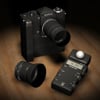
stadiometer/height measuring tool
Is height measuring a core part of a doctor's job? I don't recollect ever having my height checked, but I'm fortunately a very infrequent user of medical services.
Anyway, if you want one, there's a free one here: https://www.renderosity.com/mod/freestuff/z-doctors-measuring-device-including-morph-/74468
If it's relevant to your visit they will probably check your height, weight and blood pressure. For kids checking height is how they measure their growth progress. For adults they might check height and weight which will allow them to calculate your BMI which lets them know how overweight or obese you might be. If you are seeing a doctor because you have chest pains or trouble breathing knowing what your bmi is might help the doctor. If you're seeing a doctor because you stubbed your little toe on your coffee table and you need them to prescribe pain meds then there isn't any need for them to check your height or weight.
stadiometer/height measuring toolIs height measuring a core part of a doctor's job? I don't recollect ever having my height checked, but I'm fortunately a very infrequent user of medical services.
Anyway, if you want one, there's a free one here: https://www.renderosity.com/mod/freestuff/z-doctors-measuring-device-including-morph-/74468
In the UK the height measure is often part of the scale for weighing patients as part of a medical examination.
stadiometer/height measuring toolIs height measuring a core part of a doctor's job? I don't recollect ever having my height checked, but I'm fortunately a very infrequent user of medical services.
Anyway, if you want one, there's a free one here: https://www.renderosity.com/mod/freestuff/z-doctors-measuring-device-including-morph-/74468
Trouble logging in/finding filesI have split this to its own thread.
Make sure that your passsword is at least seven characters long, if it is you may need to open a support ticket https://www.daz3d.com/help/help-contact-us
Where are you looking for the files, and how did you install? Note that some products, such as morph sets, may have few, or no, user-facing files - instead they will add options elsewhere (morph sets add new sliders to the figure, for example).
Loading a new UV Set - Daz combining two separate uv's into one uv mapWhen you say in your second paragraph that you are copying all the old prop's better [UVs] to the face groups that matched up, what are you doing exactly, step by step? I assume you are using the Transfer UV Layout option under the Object->Make Links menu - I don't know of another option. This will transfer the entire (active) UV map from the active object to the selected one, and it will only do so if the geometry and vertex orders match (https://docs.blender.org/manual/en/2.80/editors/uv/layout_management.html).
So, are there separate UV maps for the individual 'face groups' and you are transferring those over? Do they overlap? Are the models both one contiguous mesh or multiple meshes? And are you sure the geometry/vertex orders of the two models match, because looking at the UV layouts you posted I have some doubts about that (it's not clear that the 'Blender Genital UV Template' has a hip area, while the 'Gen UV Template 1' clearly does, and you say there is a face group that doesn't 'match up'). If the geometry/vertex orders don't match, it's possible the transfer may not actually produce an error in Blender, but will give incorrect results.
If you could post the OBJ files for the two models (licence permitting!) I will try to take a look, and your .blend file.What happened to the body morphs for Genesis2??The morph you listed were always part of the body morphs pack you have to purchase separately, not part of the base figure.
AIUTO...CHI CONOSCE L’ITALIANO? PARTE DODICI
Mac, sapessi quante volte devo rivedermi i tutorial per ricordarmelo :DIo mi scordo sempre dell'Erc Freezee e di dove sta...
Parameters> Right-click (a sinistra)> Edit Mode. Poi a destra (Xtrans, ecc), right-click> ERC Freeze
Per me, e fondamentale per fare morph - sopratutto Keyed Extract (estrarre dal timeline), e Morph Boolean (morph da 0 a 100 senza valori 'in-between').
Utile anche Edit Mode> Right-click (a destra)> Show In Property Hierarchy (bisogna avere il pane gia aperto), che ti permette di fare drag & drop dei parametri su un property
Face Transfer Unlimited For Commercial Use?Can anyone tell me if using Daz's Face Transfer Unlimited to make characters to sell is allowed please? Or can you atleast use to create a base to use with MR morphs to make characters to sell? Help with this would be greatly appreciated so I can avoid costly mistakes. Thank you very much.
As far as I know, yes BUT that's presupposin' one has rights to use everything else including the photograph for commercial purposes too.
I'm not a lawyer, I just read [too] many posts ;-)
For a proper answer though, you would need to ask the Company Daz3D first via one of those CS help tickets.
I did ask Daz and they said it was against their EULA, but wouldn't tell me how or why. I am extremely disappointed and don't understand why you can use Facegen Artist Pro tol do that, but not Face Transfer Unlimited. Not everyone starts out with that kind of money either.
Face Transfer Unlimited For Commercial Use?Can anyone tell me if using Daz's Face Transfer Unlimited to make characters to sell is allowed please? Or can you atleast use to create a base to use with MR morphs to make characters to sell? Help with this would be greatly appreciated so I can avoid costly mistakes. Thank you very much.
As far as I know, yes BUT that's presupposin' one has rights to use everything else including the photograph for commercial purposes too.
I'm not a lawyer, I just read [too] many posts ;-)
For a proper answer though, you would need to ask the Company Daz3D first via one of those CS help tickets.
Zev0 Skin Folds & Creases- Oversize Tab image blocks controller label.Interesting, thanks NorthOf45.
I follow your description, but I think instead of the hassle of fixing these defective products myself, I'm going to report them via support ticket as a defective products. Really, Zev0's been in the business long enough to know that if users can't read the name of the specific morph for a slider controller, there's a problem that should have been resolved before the product was offered for sale.
AIUTO...CHI CONOSCE L’ITALIANO? PARTE DODICIIo mi scordo sempre dell'Erc Freezee e di dove sta...
Parameters> Right-click (a sinistra)> Edit Mode. Poi a destra (Xtrans, ecc), right-click> ERC Freeze
Per me, e fondamentale per fare morph - sopratutto Keyed Extract (estrarre dal timeline), e Morph Boolean (morph da 0 a 100 senza valori 'in-between').
Utile anche Edit Mode> Right-click (a destra)> Show In Property Hierarchy (bisogna avere il pane gia aperto), che ti permette di fare drag & drop dei parametri su un property
[Released] Oso Blendy Two Layer Shader for Irayyeah, googled that about buffer zone.
I convert the the blended skin via map transfer. There's seems to be an bleed option. But that to 1, but the images still look the same.edit: forget that with map transfer. The underyling skin which is NOT transfered via map transfer has this seam glowing effect
Okay, glad you found the source of the glow. I haven't tried map transfer {only so many days in the hour} but if 1 is referring to what I think it is, I'd try for 3 or 4 at least.
Well, I didn't find the source of glow.

But I'm very conviced that's this a blendy or iRay issue. Defenitly not a skin texture, after this issue is still there, after I removed every single texture ;)[Released] Oso Blendy Two Layer Shader for IrayOkay,
I removed from the character every morph and hopefully every texture (expect the blendy maks).
It's defenitly a blendy issue.
I also attach the duf file.[Released] Oso Blendy Two Layer Shader for Irayyeah, googled that about buffer zone.
I convert the the blended skin via map transfer. There's seems to be an bleed option. But that to 1, but the images still look the same.edit: forget that with map transfer. The underyling skin which is NOT transfered via map transfer has this seam glowing effect
Okay, glad you found the source of the glow. I haven't tried map transfer {only so many days in the hour} but if 1 is referring to what I think it is, I'd try for 3 or 4 at least.
[Released] Oso Blendy Two Layer Shader for Irayyeah, googled that about buffer zone.
I convert the the blended skin via map transfer. There's seems to be an bleed option. But that to 1, but the images still look the same.edit: forget that with map transfer. The underyling skin which is NOT transfered via map transfer has this seam glowing effect
TritiumCG Freebie ThreadThank you very much :-) I esp. like the Charlotte morph.
TritiumCG Freebie ThreadJust 0.02 from someone who has zero experience in 3D sculpting. The only one I've tried is Kate Mara since I don't know the othe people or game characters. The morph is very good at capturing the outline of her face but it does not say Kate Mara IMHO. I think the reason is that the morph is missing her two most prominent features: the chin dimple and the nose (the tip and philtrum?).
It's still a very pretty and unique face though and thank you for sharing them.
I tried so hard to get Kate's nose right, I really did. I literally spent hours. It's hard to admit defeat but at some point I just had to call it (I want to blame it on a lack of geometry in G8F's face, but that may just be an excuse for my lack of skill). :,( All I can hope is it'll serve as a good base to start from or at least as another pretty face for the genepool.
Here's the latest three, Julia Kyoka came out really nice though I think (she has such a smooth body it was a delight sculpting her features):
https://www.deviantart.com/tritiumcg/art/Lexi-Sindel-Head-Morph-for-G8F-829403352 | https://www.deviantart.com/tritiumcg/art/Julia-Kyoka-Head-and-Body-Morphs-for-G8F-829620669 | https://www.deviantart.com/tritiumcg/art/Kate-Mara-Head-Morph-for-G8F-830230704
I think without the DAZ Studio HD tools the only way you can get details like the nose nearly exactly similar is use normals and/or displacement in DAZ Studio and that means you've need to create those by creating those maps after a hi-res sculpt in another program and creating those maps there with intent to use in DAZ Studio only. A very roundabout and suboptimal way of doing things for sure.
Loading a new UV Set - Daz combining two separate uv's into one uv mapI'm not sure I fully understand what you are trying to do, or what you have done in Blender, but maybe this will help.
I am assuming you have two objects with the same vertex count but different UV layouts, and perhaps shapes, and with two surfaces defined in DS on each. The UV layouts represent the entire object in both cases. At this point, you can export object A to OBJ file, then use Load UV Set on object B and select the OBJ file for object A, and set a unique name for the UV set when prompted. You can now select one of the surfaces on object B and should be able to choose the new UV set for that surface from the dropdown list.
I don't think it matters if the UV layouts of the two surfaces on object B now overlap as long as the surfaces themselves do not, and as far as I know that's not possible. So the fact that you have some of the hip area UV in the UV layout you are going to use on the genitals seems unimportant. Does it mess up the result and if so how? I don't see why you need to be copying/pasting UV layouts in Blender, which makes me think I haven't understood your objective. If your two objects have different vertex counts, and looking at the UVs it kind of looks like that may be the case, then that's a different and more difficult question.
It is a little confusing that UV layouts belong to surfaces in DS, not to meshes (~= objects in DS) like they do in Blender. So each surface has only one UV map in DS, but as you may know a mesh can have more than one in Blender. Material definitions in Blender can use more than one UV layout too of course.
You've got most of it. I should say I've done UV loading before, usually it's a pretty simple process. I create a new surface with the polys I want to make the new uv for. Then unfold the uv in Hexagon for that surface's polys and tweak, or sometimes I'll project a new uv template onto the new surface polys in Hexagon. Export the obj, morph load it for the UV set. Then under surface I change the new surface I created UV's to be the UV I changed in Hexagon. I may be wrong with my understanding of it, so much of Daz is a blackbox since no actual documentation exists for it.
This case is slightly different. I have two props, all the face groups except the hip face group has the same layout and poly count between the two version (old and new). I created the two surfaces, Hip and Genital, and assigned the hip polys to the "Hip" surface. I then assigned all the other polys to the "Genital" surface. In Blender I took advantage of the copy UV to copy the old prop's better to all the face groups that matched up (the Genital surface) and left the face group that did not match up with its original UV. When I exported the UV remapped version from Blender it looks great and the UV for each surface is as it should be.
Where it seems to be going wrong is when the UV from the exported Blender OBJ is loaded onto the new prop back in Daz, it leaves the Hip surfaces original UV fine, but when I load the Blender exported UV to the Genital surface, I get the mushed up UV you see in the picture.
I'm assuming maybe something in Blender (which i don't have a ton of experience with) is saved with the obj and Daz is mucking it up when it loads the OBJ's UV. Usually I find this process pretty straight forward :/
Beta for DazCentral, your new Content ManagerWhen I used Daz Connect, I found that I couldn't download the files on one PC, and then transfer them later onto my main PC, which meant that I couldn't create a backup of all my products. (I'm on a 2mb line so downloading takes forever,)
Does DazCentral allow you to simply move your entire library around, backup, restore, move it onto an external hard drive if you start running out of space, move it to another PC, when you upgrade etc like you can with files downloaded through DIM?
I guess this answers my question. it looks like we have to redownload our entire library. It seems like just another form of DRM to be honest.
Can I copy products installed using Daz Connect from one computer to another?
The preferred workflow is to log in to each computer and install the desired products using Daz Connect
I like to move files around on disk to organize them differently. Can I still do that?
You cannot move files around for products installed through Daz Connect. You can change the drive and/or path to which products are installed using Daz Connect, but you cannot manually re-organize the files within the product.
It's not but I understand your concern. At least, it isn't so far.
Can't load any g8....Looking at your second Log-file;
The file "ePHMDDAlyxSmile.dsf" has a typo somewhere within the code => Reinstall the file and if the error doesn't go away, look for an update or contact the PA. You could try to figure out the mistake by yourselves, but it may be quite difficult as it could just be a comma instead of a full stop or something just as frustrating.
You can remove the file or rename it to "ePHMDDAlyxSmile.dsf.xxx", which will get rid of that particular warning but unless you remove the character as well, renaming/removing can cause new warnings due to the missing file that is referenced in other files of that character.
KinsleyBody.dsf... Could be the same thing.
Alias... No clue
Aliases are things like expression sliders on the ehad as well as the actor, or hand controllers on hand and figure - having one property appear in two places
The morph/file "CTRL_ChRO_Smile.dsf" is trying to find another morph/file "eCTRLEyesClosed.dsf" to change it's value, but cannot find it
... The same with the rest of "Could not find", the easiest solution is to remove the file mentioned after "in file :", keeping in mind that if the file is a part of a package / character, the rest of the package / character may as well be in need of removal if removing the one file causes new warnings.
"Duplicate formula found" = You have the same morph installed at least twice in your data-files, this could be that you have installed the same file twice in different locations (revisions may cause this), or the PA has copied code from a previous morph and didn't change it enough, or even DS may have erraneously written code into a wrong file when updating assets.
Duplicate Formulas does not usually indicate duplicate files, it's mostlly a conflict with two products using the same name for their different properties. It can also be an issue within a single property, but testing shoudl catch those.
Reinstall the morph, search for duplicates and these don't give you a solution or a clue to the cause, remove the character.
Daz 3D is part of

Connect
DAZ Productions, Inc.
7533 S Center View Ct #4664
West Jordan, UT 84084Licensing Agreement | Terms of Service | Privacy Policy | EULA
© 2026 Daz Productions Inc. All Rights Reserved.