-
Rodents by AM export problem
I've been having really great luck converting & exporting via FBX for furred, LAMH animals until I tried an older one with the European Grey Squirrel,or rather the Rodent Polymorph. The end result is the base figure isn't fitting to the fur items and I can't really see what's particularly different with it. It seems to be some sort of morph or transformation issue though. Figure is zero posed with the exception of the Jaw opened 1/2 range.
I DS, I've tried every combo of baking, memorizing, etc. but doesn't seen to have any affect. Not having proper docs for the process of course doesn't help. Hoping someone might know what I'm missing here.
If I remove all the fur objects & just export the squirrel w/ same settings, it seems to come in correctly.
Novica & Forum Members Tips & Product Reviews Pt 13Novica, I have the hair, but haven't tried to use it yet. Does it come with a morph to turn it into style you have on the child? That is a great look! And I love both versions. And the eyemakeup is nice for a dark one. It looks like it was feathered in.
I do like the makeups as they are softly done, instead of the harsh, bold looks (which are fine if that's what the character calls for.) Here's the funny thing- I didn't do anything to the hair for the child. When I selected Astrid and applied Growing Up, the hair did that all on its own.
 Edit- I just tested it again, and yup, the hair sides go kinda POOF! Novica & Forum Members Tips & Product Reviews Pt 13
Novica, I have the hair, but haven't tried to use it yet. Does it come with a morph to turn it into style you have on the child? That is a great look! And I love both versions. And the eyemakeup is nice for a dark one. It looks like it was feathered in.
Is there a thread about "character bloat"?Yeah, it can get pretty awful after a while, and the constant onslaught of G3 and G8 characters for two to five bucks a pop certainly hasn't helped... I use my G2 and Genesis figures for background characters a lot simply because I have fewer of them and they load so much faster than the G3s and G8s. I'm also trying to only buy new characters now when they get super-mega-discounted or if they come in set with unique added fetures like dirty skins, unique hairs or clothing, as I really have more CG females than I could ever possibly use. What DAZ really needs is to have a seperate outboard content organization system where the products can be qued up and viewed as if fully installed, but not be counted in the initial load-in, something like how a prop can be pulled over via P3DO and loaded directly in a scene. But I doubt that will happen unless a PA develops something like it first, as convenience and efficiency don't seem to be a DAZ programmer priority given that every new update to DS lately seems to make Studio run slower and slower. In the meantime, my current long term plan is to start using one computer exclusively for nothing but character building, and then transfer ONLY the completed characters with just the new morphs and textures they require, to my main computer which does everything else.
How to rig a belt in DazStudio ?Hi,
I created a belt and a buckle which are two different mesh.
I preferred not to weld these two meshs.
In DazStudio, I used the Transfer Utility for these two parts.The buckle is perfectly round, for a zero pose, as we see it in (1)
But the buckle becomes oval when the body is slightly tilted (2)
For certain poses, the buckle is totally deformed (3)I also tried not to apply the Utility transfer for the buckle, parenting it with the abdomen only.
In this case, it does not deform, but for certain poses it disappears in the body.
For static poses, the buckle can possibly be repositioned everytime.How to proceed, knowing that I wish to make animations.
Maybe I should do a more precise rigging than the Transfer Utility, but with what tool ?
 Best way to build custom characters
...I tend to have a large stable of basic character shapes to build off of as well as library of morph utilities, add on content and GenX2 for bringing older characters and morphs into the mix. I dial spin all my custom characters, doing a lot of "gene pool mixing" to create as unique a character as I can. I also have become fairly skilled with dFormers which I find are also very useful tools in certain instances.
As I become more skilled with Blender (8.2 finally gave us a pointer driven UI along with an icon/tabs structure which is a lot easier to work with than past versions) I will look into using its sculpting tools as Zbrush is way out of my budget..
Is it your own animation in the end of all your posts? The one with the girl and the bear? I love it so much!
 It is so cute!
  Complete uninstall and reinstall required - help please!!
Ok, I apologise if this has been covered in other threads, and I'll try not to make this too long. I have just got a new computer, and am wanting to install DS 4.12 onto it along with my content (and existing characters/scenes if possible). So, I d/l Daz Central and Studio 4.12 yesterday, and begin downloading my content via Daz Central. All seems ok until it becomes clear multiple files are missing for G2 and G3 figures (the "actors"), so something is wrong anyway. I think I should have installed via DIM but I didn't
I guess I should have thought of this before, but the bigger problem is that my new computer has a 128gb SSD and a 1Tb HDD. I have started with d/l DS to the SSD and had planned to put content on the HDD, but its clear that even this way, with my other other programs the SSD will soon fill up. Therefore my new plan is to completely uninstall and reinstall ALL Daz Studio and content on to the HDD - in other words D Drive. But this isn't simple
1) I can't uninstall DAZ Studio as there is no uninstaller - where is it, and if there isn't one how do you uninstall? I don't really want to do a System Restore, even thought with a new computer it won't be the end of the world. So I'm stuck here at the moment with a partially working 4.12 that I can't uninstall
2) Assuming I can clean uninstall, what is the best way to reinstall DS to get best result? Is it via DIM or is it manual? If its via DIM, I see there are other threads showing how to change the paths from the default C: to the new drive, but is there anything else that needs to be done for a new install on a different (in this case :D) drive?
3) Having done all that, and assuming all DAZ content is then d/l and installed via the DIM, what is the best way to move 3rd party and poser content from "My Library" to the new computer - do I simply copy on a storage device and transfer it across - if I do this will DS recognise and find the files ok? I understand that saved scenes and characters may not work, it would be nice if they did but again its not the end of the world
Could really use some help on this so TIA
DS (Not Responding) when Loading AssetsHuh, another loosely related question... I started to dig into figuring out what the names of Morph Packs I never use are which is going to be a nightmare it seems for some... But one I found is a few different sets of Breast Morphs, maybe 2 differently colored Sets when looking at the Sliders, called "Natural Breast Morphs". So I went into DIM and uninstalled it. Closed DIM, opened DS and the Morphs are still there. Closed and re-opened DS a few times and no change. Confirmed in DIM that it was sitting in "Ready to Download", Restarted the Computer. Tried another called "Body Diversity", same exact thing. Both Packs of Morphs are still there in DS and still work. What am I missing here?
Angharad 8Not a huge fan of the character, but the outfits are great and it's nice to see they took a break from the high-heels for one bundle.I wish all* footwear with high heels came with a flats morph, but whaddaya? High heels are great when you're only going for sexy but I just can't buy them for action themes, at all.
It seems like a hard problem to solve: the authors aren't financially motivated to make them, so what's the next artist going to do? Offer morphs for every pair of high-heeled boots for $0.25 apiece? Make a ton of freebies?
* not literally "all," I mean normal real-world stuff doesn't need it, but, you know what I mean - fantasy and action-movie type stuff.
There are a few free 3D sculpting programs. Morphing the high heels into flatter heels might be an option. Doing simple morphs can be a lot of fun too. :)
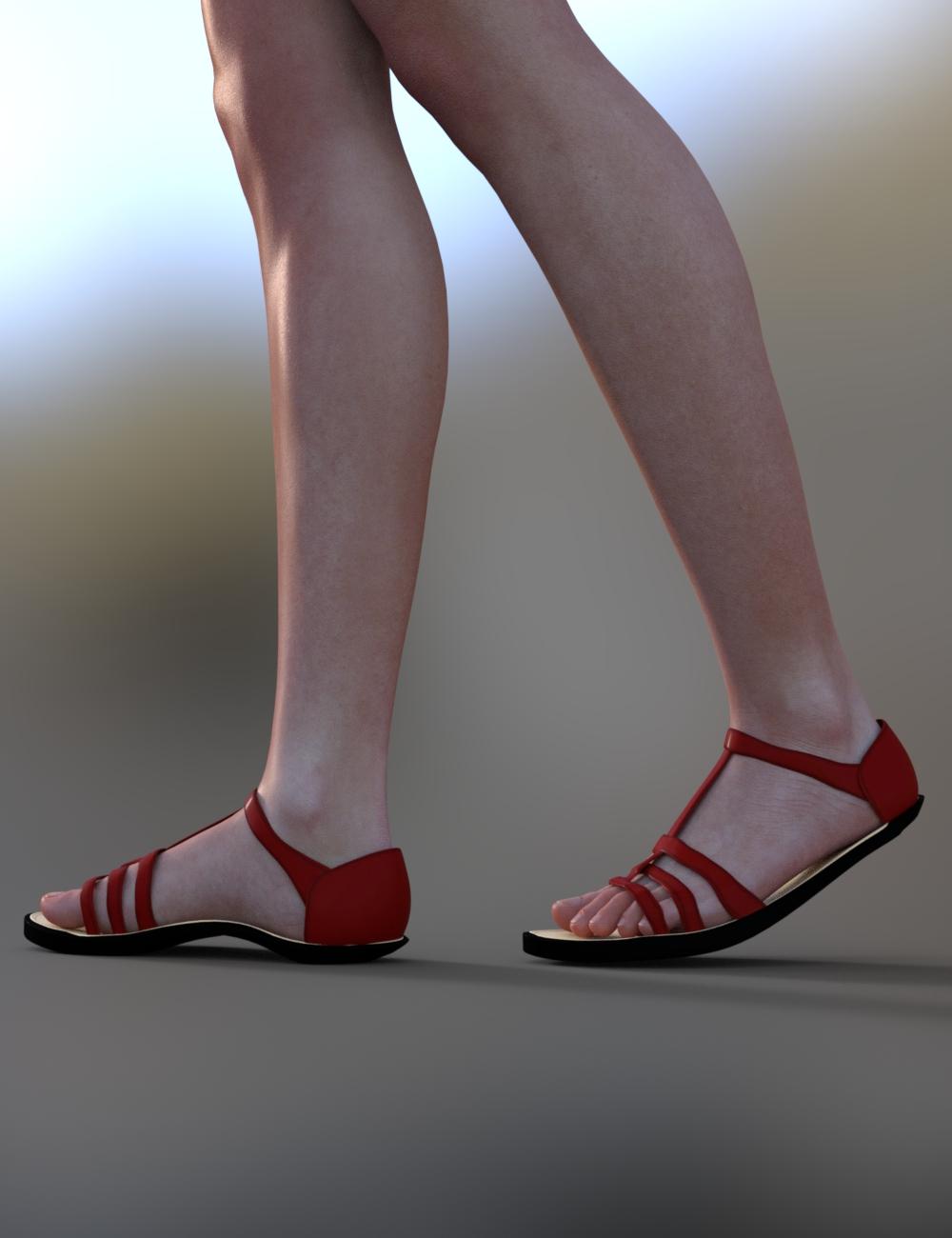
*Edit - I just had an idea that actually kind of worked! I used Mesh Grabber to grab the base of the heel and just dragged it up and into the sole of the shoe:
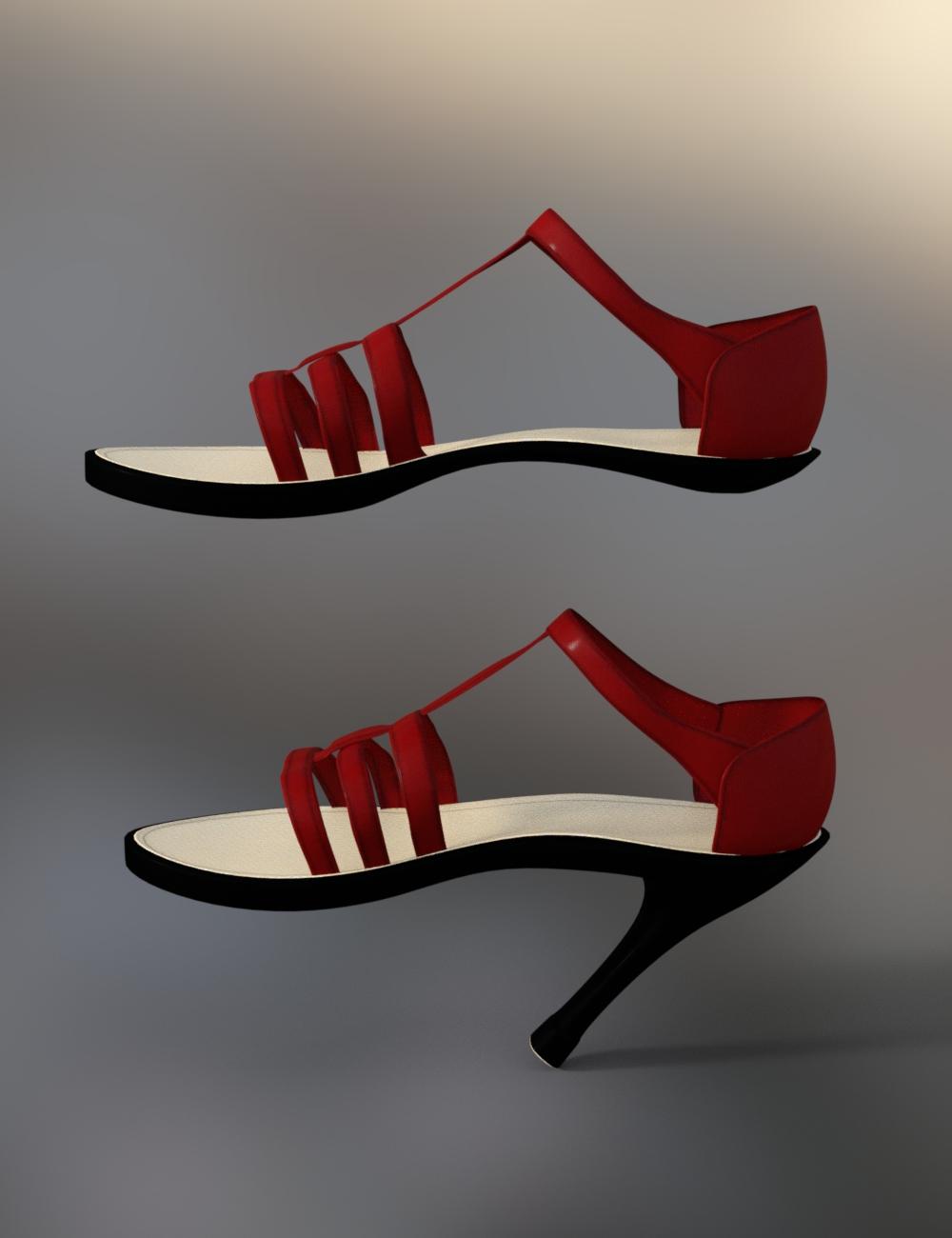
It's not perfect but it works in a pinch. :) Mesh Grabber is kind of amazing!
 Celebrity Look-a-Likes for 3D figures Part 2Looks like figure by Anagord at Rendo.
Thanks for the guess, but either you didn't understand or the morph is just too far off the mark still, because I was actually trying to test if anyone can guess which celebrity the face is meant to resemble.
Legacy T-poses for Genesis clones?Where can I find legacy T-poses for the hidden clone shapes listed under Genesis 2?
For example, if you enable "Show Hidden Parameters", and click on the Parameters tab, you can find clone shapes for various Genesis figures, like:
Genesis 2 Female -> Hidden -> Clones -> Genesis
Genesis 2 Female -> Hidden -> Clones -> Genesis 2 Male
Genesis 2 Female -> Hidden -> Clones -> Genesis 3 Female
Genesis 2 Female -> Hidden -> Clones -> Victoria 4
Genesis 2 Female -> Hidden -> Clones -> Victoria 4 Skirts
I can use this to morph my G2F figure into a legacy shape, like Victoria 4. However, it doesn't come with a legacy T-pose. Where can I find this legacy T-pose?I tried adjusting the pose myself, but the arms and legs don't match up perfectly. Any suggestions on getting a G2F figure into a V4 figure T-pose?
Control shape and size of G3F lips?...yeah I often use the Lips Thin morph from the G3 Head Morphs. I also have Dogz 200+ Head and Face Morphs (currently on sale) which also has a Thin Lips morph that is a little better.
XTransfer Module 1- Genesis 3 to Genesis 8 Morph Converter (Commercial)"As this seems to be associated with XTransfer, is there a fix to diable this behaviour and not automatuically have this XT Morph applied by default?"
You can also just delete the XT morph. Or not include it in transfers. Pretty sure this issue was resolved in version 1.3
Hi Zev0 - thank you for your guidance, I always upgrade to the latest version via DIM so yes I am using the latest. I have found the XT Mouth Realism HD Morph under Actor->Full Body->Head->Face->Mouth->XTransfer but any help on finding the actual HDD location of the Morph File so that I may delete it? I have searched under \data\DAZ 3D\Genesis 8\Female\Morphs\XTransfer but cannot seem to find it without the actual filename. Perhaps its stored under a different directory?
Thanks again for your help!
Best Regards!
boob problemIt looks like a certain unwanted morph is dialed in. What do you find in "currently used" on the G8F figure?
Weird stuff behind the knee...I loaded the base G8M and dialed in the Toon Hero character. I don't see the knee bend issue that you're having, gerterasmus.
Also, I can't find any reference to dials (hidden or otherwise) named "Stud_LeftKnee90" or any permutation of "Stud_".
It's likely that I don't have the same characters/figures you have. It doesn't appear to me that the Toon Hero figure is contributing to the issue. Perhaps there's another figure that installed with "Stud_" as parameter dial prefixes?
Have you installed any new characters or morph add-ons in the last week?
Lee
Angharad 8Not a huge fan of the character, but the outfits are great and it's nice to see they took a break from the high-heels for one bundle.I wish all* footwear with high heels came with a flats morph, but whaddaya? High heels are great when you're only going for sexy but I just can't buy them for action themes, at all.
It seems like a hard problem to solve: the authors aren't financially motivated to make them, so what's the next artist going to do? Offer morphs for every pair of high-heeled boots for $0.25 apiece? Make a ton of freebies?
* not literally "all," I mean normal real-world stuff doesn't need it, but, you know what I mean - fantasy and action-movie type stuff.
Is there any way to omit ears from the morphs that hair follows?You can also export/import the hair with the morph in effect, and either use the Attenuate By option in Morph Loader Pro with a weight map to exclude the ears or once loaded select thee ar vertices with the Geoemtry Editor, make the morph a favourite, and use the right-click>Morph Editing>Delete Seelcted Deltas from Favourites command (from memory).
Report sales errors here: "There's Always Another Sale™"Unexpectedly, I seem to have lost my $10 off purple banner and additional "stacking" discounts for Angharad 8 today :( Usually the sales offers last for a week and offer only appeared 4 days ago... so is this a sales error or have they cut the sale short?
I don't see the exclusive offer in my inbox anymore either (I already used it)
The messages stay in your inbox until the end of the promotion, and the banner stays at the top of the page until then also unless you dismiss it, even if you've taken advantage of it.
Oh, and I wasn't criticizing Bianca. I think it's a nice morph. And the promos - except for the expressions - are nicely done. I was just commenting that we don't usually see individual morphs offered for sale without skins. Or skins for a single character, for that matter.
Report sales errors here: "There's Always Another Sale™"It's weird. Yesterday it was a skin without a morph (Anise), and today there's a single morph without a skin (Bianca). I mean, whatever, but it's weird for Daz. That's the kind of stuff you usually see at DA. At least Thrace includes both a morph and a skin. and costs less than the one without the skin.
Bianca is sold with a "chair" that's a stool, and 10 expressions that are all the same except for the eyes. She looks like she's following a fly around the room while waiting for the novocaine to wear off.
Bianca comes with a head and body morph, 25 poses, 10 expressions, and a chair with 4 textures, plus, it says a scene with cameras and render settings. It's also, as far as I can tell, the first time that PA has released a character morph, so maybe you're being a little harsh? I think the morph is quite lovely. She has a very pretty pin-up style to her, imo. :)
peopel are intitled to their opinion, and I don't feel calling them out on it is particularly fair. Personally I agree with Sevrin the expression look the same except for the eyes which due to to the layout of the images look rather weird.
Yep, He's entitled to his opinion and saying that "it looks like she's following a fly around the room while waiting for the novocaine to wear off" and I'm entitled to my opinion saying that I think he's being too harsh in that critique. Opinions and being entitled to them works both ways. :)

The truth can sometimes be 'harsh'.
Report sales errors here: "There's Always Another Sale™"It's weird. Yesterday it was a skin without a morph (Anise), and today there's a single morph without a skin (Bianca). I mean, whatever, but it's weird for Daz. That's the kind of stuff you usually see at DA. At least Thrace includes both a morph and a skin. and costs less than the one without the skin.
Bianca is sold with a "chair" that's a stool, and 10 expressions that are all the same except for the eyes. She looks like she's following a fly around the room while waiting for the novocaine to wear off.
Bianca comes with a head and body morph, 25 poses, 10 expressions, and a chair with 4 textures, plus, it says a scene with cameras and render settings. It's also, as far as I can tell, the first time that PA has released a character morph, so maybe you're being a little harsh? I think the morph is quite lovely. She has a very pretty pin-up style to her, imo. :)
peopel are intitled to their opinion, and I don't feel calling them out on it is particularly fair. Personally I agree with Sevrin the expression look the same except for the eyes which due to to the layout of the images look rather weird.
Yep, He's entitled to his opinion and saying that "it looks like she's following a fly around the room while waiting for the novocaine to wear off" and I'm entitled to my opinion saying that I think he's being too harsh in that critique. Opinions and being entitled to them works both ways. :)
Daz 3D is part of

Connect
DAZ Productions, Inc.
7533 S Center View Ct #4664
West Jordan, UT 84084Licensing Agreement | Terms of Service | Privacy Policy | EULA
© 2026 Daz Productions Inc. All Rights Reserved.