-
Lex Murphy face for Genesis 8 request
There are 3 ways for you to do it yourself. facegen, headshop and the face transfer system in Daz Studio
SereneNight's Sci-Fi Fun Thread 2My take for what it is worth, is the set is good if you want the transgender morphs and the details they include such as the breast removal scars and you don't already have the UV transfer set, which I bought long ago.
There is already a free set for transgender morphs on deviant art by Agent Unawares, and several transgender figures sold on Renderhub, but if you want the extra options, and don't already have the UV transfer set, then this might be a good purchase.
The bus and the boat (dingy), are somewhat problematic, since vehicles like this require a lot of passengers, and studio doesn't do big scenes well on the average person's computer. To get a good scene, you'll want to load your bus, and dingy, and even my relatively new computer struggled with just the bus and Owen and Boyd in the same scene.
I do like the confetti that loaded with the vehicle set, and sincerely wish there were some balloons not anchored to the bus, so characters could carry them.
The poses are okay, but come in wtih baked in expressions. Some of which are slightly goofy.
I think depending on your needs, you might purchase ala carte the items you specifically like. Since I intend to use most of it, at some point 17 dollars seemed a good deal, even if some items were redundant because of content I already have installed. .
There is also Pedro Furtado's Plastic Surgery product but I don't remember if he included surgery scars. I know from my traumatic brain injury when I was in an accident that required plastic and bone reconstructive surgery that plastic surgery is not something to take lightly at all. It is involved and scary. I was in the hospital 2 weeks and surgery took over 4 hours. Before surgery, they even consoled me after I asked about refusing the surgery saying I'd look like a monster the rest of my life if I didn't.
 LOL, so I had the surgery! It was sort of interesting to look at the computed tomography pictures of my skull showing the damage. I was very lucky in the damage that was done crush a nerve other wise I would have been in bad pain as it was it only almost knocked me unconscious. What drama![In store now] Felidae by AM - Snow Leopard [Commercial]
Alessandro, in some of the promos, the cat's head looks a little out of proportion. In photos of the actual cat, the head looks smaller. Is that just a lens effect?
Hi Damsel, I guess you could be right, at least on some specimen the head (probably also because of a shorter or scruffly fur around the neck, or specimen age) can look or be smaller. I guess probably I could add a morph to tune it down a little so that one can set the desired look.
Why Does It Take So Long To Load Figures? ("Solved", with GUIDE)Well... I had a blood bath. Removed about half of my G8Fs..... Got rid of some rendunant morph sets for G8 as well.
I cut my load time for G8Fs from 5.30 to 2.09 So that is better than half.
That's great to hear! :D
just a quick tip: also use the sets from content manager directory.. you can basically install less used stuff to a new directory, copy and past the content set, change the cms folder and add the new content folder to both daz and poser slots..
this way you can have a "quick" set with stuff you use everyday and a "full" one..
That's a nice idea!
It would take a bit of time to set it up, and it's only useful for figures and morphs.
The problem is that you use them in other characters you do use everyday, so the products you may use that way are very little, and you'd need to move them once you use them in the creation of another custom character.
So it's not really viable for me!Help wanted with free DForce Dress by Mostdigitalcreationsmaybe if you use the transfer utility to fit it to the figure first?
then it should inherit morph shapes
Help identifiy characterShe might be a morph variation from East Asian Women for Mei Lin 8
https://www.daz3d.com/east-asian-women-for-mei-lin-8Marvelous Designer to Daz 3D Workflow (Tutorial)MD's simulation is lightyears ahead of everything else. I don't see the point in using something that only yields inferior results.
MD can't read Daz figure files which is why you can't really import a proper Daz figure for animation in MD. FBX is not an alternative either because MD can't read Dual Quaternion data.
Well the point of making dforce clothing is you can share and sell them to/with Daz community.
what's the problem with exporting from Daz as either Alembic or MDD? I export as alembic from Daz and it seems to be perfectly fine...
Hmm... I never experimented with MDD before, it might even be the thing I'm looking for. Thanks for the suggestion. I tried FBX but the dual quaternion weight maps can't be read by MD among other issues so that's a no go. Now I just use OBJ's and morph targets.
i have never tried MDD myself - supposedly you need the paid version of animate2 in order to export it properly (but not sure about that because the free version also has MDD export option...) All i know is other people use this MDD format successfully.
Side note: MysteryIsThePoint has a free alembic exporter for Daz that seems to work quite well. I have moved to using this one over the Daz one recently. Although sometimes i still use the Daz exporter.
Just tried it. It works great. Export Obj from Daz. Import said Obj as avatar in MD. Then import MDD. It's not really an animation per se but a series of morphs for each individual frame. Now it's all an issue of tweaking the technical aspects as it's not that straight forward of a process on an i7 processor, which is my case.
SereneNight's Sci-Fi Fun Thread 2My take for what it is worth, is the set is good if you want the transgender morphs and the details they include such as the breast removal scars and you don't already have the UV transfer set, which I bought long ago.
There is already a free set for transgender morphs on deviant art by Agent Unawares, and several transgender figures sold on Renderhub, but if you want the extra options, and don't already have the UV transfer set, then this might be a good purchase.
The bus and the boat (dingy), are somewhat problematic, since vehicles like this require a lot of passengers, and studio doesn't do big scenes well on the average person's computer. To get a good scene, you'll want to load your bus, and dingy, and even my relatively new computer struggled with just the bus and Owen and Boyd in the same scene.
I do like the confetti that loaded with the vehicle set, and sincerely wish there were some balloons not anchored to the bus, so characters could carry them.
The poses are okay, but come in wtih baked in expressions. Some of which are slightly goofy.
I think depending on your needs, you might purchase ala carte the items you specifically like. Since I intend to use most of it, at some point 17 dollars seemed a good deal, even if some items were redundant because of content I already have installed. .
Marvelous Designer to Daz 3D Workflow (Tutorial)MD's simulation is lightyears ahead of everything else. I don't see the point in using something that only yields inferior results.
MD can't read Daz figure files which is why you can't really import a proper Daz figure for animation in MD. FBX is not an alternative either because MD can't read Dual Quaternion data.
Well the point of making dforce clothing is you can share and sell them to/with Daz community.
what's the problem with exporting from Daz as either Alembic or MDD? I export as alembic from Daz and it seems to be perfectly fine...
Hmm... I never experimented with MDD before, it might even be the thing I'm looking for. Thanks for the suggestion. I tried FBX but the dual quaternion weight maps can't be read by MD among other issues so that's a no go. Now I just use OBJ's and morph targets.
i have never tried MDD myself - supposedly you need the paid version of animate2 in order to export it properly (but not sure about that because the free version also has MDD export option...) All i know is other people use this MDD format successfully.
Side note: MysteryIsThePoint has a free alembic exporter for Daz that seems to work quite well. I have moved to using this one over the Daz one recently. Although sometimes i still use the Daz exporter.
Marvelous Designer to Daz 3D Workflow (Tutorial)MD's simulation is lightyears ahead of everything else. I don't see the point in using something that only yields inferior results.
MD can't read Daz figure files which is why you can't really import a proper Daz figure for animation in MD. FBX is not an alternative either because MD can't read Dual Quaternion data.
Well the point of making dforce clothing is you can share and sell them to/with Daz community.
what's the problem with exporting from Daz as either Alembic or MDD? I export as alembic from Daz and it seems to be perfectly fine...
Hmm... I never experimented with MDD before, it might even be the thing I'm looking for. Thanks for the suggestion. I tried FBX but the dual quaternion weight maps can't be read by MD among other issues so that's a no go. Now I just use OBJ's and morph targets.
Way to organize (and get rid of) Unwanted expression dialsI'd love it if there was a way to organize and get rid of unwanted expression dials. I have thousands, and quite frankly some of them just don't work for me. I'd love an easy way to remove them, without rooting around in the data folder for the exact morph.
Unfortunately there is no easy way to do this.
If you've installed via DIM, Daz connect, or Daz central, you can just select the particular product and remove it.
If you want to keep certain dials but remove others, you'll need to find the particular DSF file in the Data folder and remove them manually.
If you've installed manually, you'll need to delete it manually.
To find the particular DSF, you'll need to check it's Name, not its Label, in the slider. Click on the gear icon for the Parameters Settings dialogue box, and note the name above the label. image 1
Once you know it's name, and the PA didn't bork something, you'll then just need to run a search through Explorer in the data folder.
AIUTO...CHI CONOSCE L’ITALIANO? PARTE DODICIhttps://www.daz3d.com/transgender-shapes-for-genesis-8
Lenio, questo potrebbe aiutarti!
Ci hanno messo solo cinque anni a realizzare dei morph per farlo, ma adesso sei a posto! Ci sono perfino gli UV Swapper.

Allora ora si possono fare i mostri femmina per i mostri che sono solo masculi
Has development stopped?Another really cool think about the Genesis 8 framework: rotating certain joints affects other joints. I think raising the eyebrow also widens the eye, for example, keeping everything looking natural. Like a good bass player in a rock band... you don't notice until you don't have one.
I see what you mean. It didn't occur to me because I do my face poses in Daz Studio and then transfer them to Unreal as animation, so I would be getting the benefits of this setup. I don't think bringing those over to Unreal would make sense (they would constantly be fighting with your animations), but if you're animating the face in Blender or Maya it would be nice to have those.
Data errors on extractingLooks like your copy of the archive is corrupt, it happens, but rarely. Try a new download.
Tried that and still doing the same.
Could be a bad source file, a bad transfer, 7zip getting stuck on stupid, or you might have a drive failure in the works.
First try saving the download to a different directory and extracting there.
Next try saving to an alternate drive and extracting there.
Next try extracting with a different program. Winrar etc. I've found that with some files 7zip will produce errors while winrar won't and vice versa. Mostly depends on the compression that was used on the file(s).
if none of that works, you may need to try contacting the site regarding the file to let them know it may be corrupted on their end.
Also, if you're using a spin drive from the last couple years, check the PID(product ID) to make sure it's not one of the SMR(shingled magnetic recording) drives that have been causing problems lately.
High heels poseThe first way to avoid this problem is to lock the Bend, Twist and Side to side dials, as well as any morph dials associated with pose preset.
Start by selecting the foot and expanding the tree from there, images 1 and 2.
Next select everything from the foot down to the Big toe 2, image 3
Next, in the parameters or posing tab, select the All section to show the parameters for the selected items.
Then, click the lock icon on the Bend, Twist and Side to side sliders. Image 4
Next check the Currently Used section for any morph dials that are associated with the pose and lock those as well.Image 5
That should keep the pose preset from changing the foot pose. Be aware though that some pose presets will override the lock function and you'll be back to square one.
As an alternative, you can create a custom action for the particular shoe pose to apply in a more rapid fashion.
Start by finding the particular shoe pose and right click over it to bring up the menu options. image 6
For the sub menu, image 7, you can either select the Favorites or scripts parent menu and create a new sub menu in the box.
Once accepted a new item will be added to the menu bar, either favorites or scripts depending on selection, and if a sub menu is created it will be listed in there. Image 8
You can assign a shortcut to the custom action via the Customize box, F3 default shortcut.
If you have access to the Visual menus product you can create an entire scripted menu for shoe poses.
LGBTQ* content appreciation thread!I'd like to lend my voice and say GREAT JOB to all PA's who worked on this, and to DAZ for becoming even more inclusive.
I love the trans morphs. Although, I must say I hope they don't stop the development of this proposed product.
Anyone Know Where I can purchase this Space Craft/Object???Ha, yes. Also this space station Corridor. https://www.daz3d.com/retro-sci-fi-corridor
(Not the Discovery, but the hotel in the transfer station between Earth and the Moon.)There are plenty of things in the store that I like, which clearly come from movie sources (and not just 2001).
Marvelous Designer to Daz 3D Workflow (Tutorial)- Part 2 - In-depth workflow overview, topcoat - https://mooncraftrp.com/index.php/2020/06/25/dforce-top-coat-workflow-for-marvelous-designer-to-daz-3d-studio/
Why are you simulating using dForce and not doing it directly in MD?
I transfer eventually to Blender as hat is where I render.
I simulate using all three; Blender, Studio and MD. They are tools - so don't get fixated on the tool, but the goal.
I'll export an object as an avatar, and a dforced skirt in the pose, then just tweak in MD; other times I'll do the whole lot in MD; sometimes, I'll just use Blender.
Marvelous Designer to Daz 3D Workflow (Tutorial)I've been using MD since version 6 and with version 9 their simulation is top notch, it can even rival that of Pixar. Aside from being the quintessential program for creating clothes, you can integrate it in an animation pipeline. I created my own Daz Genesis figure and importing it properly in MD as an avatar is currently impossible. Hopefully MD and Daz will have a baby some day.
I dont understand whats stopping you from importing it into MD "properly"? Cant you just use OBJ, Alembic, MDD options? They all work fine.
One thing that I was thinking about recently, was how useful Daz Studio's transfer utility is to quickly rig clothes to conform to figures. I think that aspect of Daz is quite useful, and would be useful to have in Marvelous Designer. If you want to pose an outfit in MD, currently you need to animate the pose (either as morph target or animation) from the zero pose. In Daz Dforce, you have two options: (1) of doing the simulation from Zero pose or (2) doing simulation from final pose. The latter of which is made possible by rigged clothing, which is a good complement to simulation in terms of streamlining the process, at least for those of us who only do static images and dont need a whole animation.
So i agree that it would be great if MD was useable in Daz so we could take advantage of rigged clothing.
SereneNight's Sci-Fi Fun Thread 2Has anyone gone through and pruned your expression morph dials? I'm feeling the urge, since I seem to have about 50 evil grin expressions, that I just don't need. But I struggle with it being overly complicated to locate the pose expression creator.
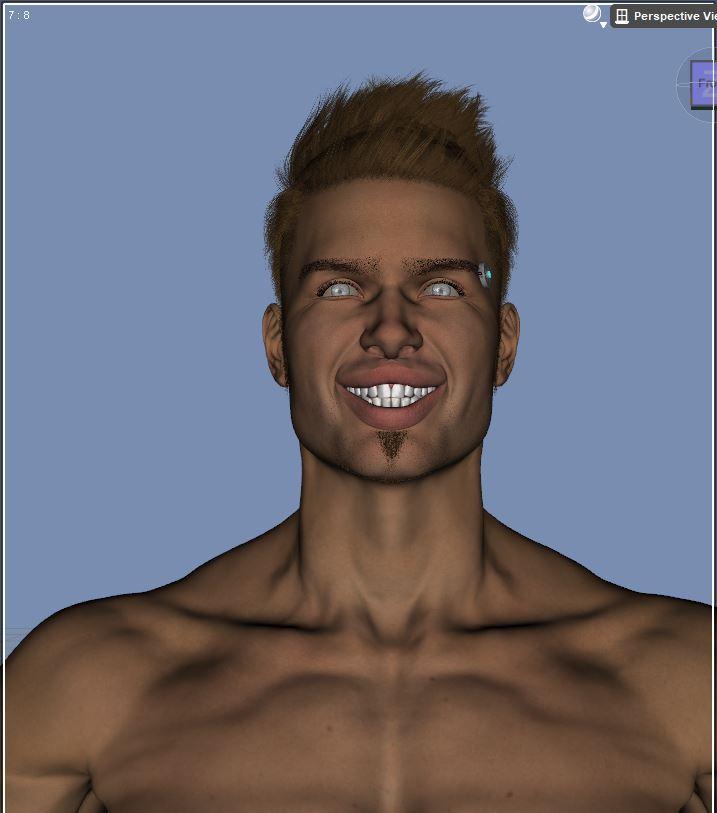
I bought one set of expressions that were particular bland and repetative and there are lots of them but I've not yet uninstalled that product.
Daz 3D is part of

Connect
DAZ Productions, Inc.
7533 S Center View Ct #4664
West Jordan, UT 84084Licensing Agreement | Terms of Service | Privacy Policy | EULA
© 2026 Daz Productions Inc. All Rights Reserved.