-
Does NFXstudios Farmhouse still make Daz crash?
WendyLuvsCatz said:
OK am on my Win7 PC without a graphics card!!!
(my Nvidia rig is in use)
and can move around the viewport with iray enabled, yes grainy as F but it actually renders with onboard intel graphics
it is now rendering fine in a new window but I would not expect it to reach convergence before tomorrow on this PC!

I stopped because my CPU hit 99C
Filament it is perfectly fine realtime
lol!!! Awesome. Thanks for your help.
Does NFXstudios Farmhouse still make Daz crash?OK am on my Win7 PC without a graphics card!!!
(my Nvidia rig is in use)
and can move around the viewport with iray enabled, yes grainy as F but it actually renders with onboard intel graphics
it is now rendering fine in a new window but I would not expect it to reach convergence before tomorrow on this PC!
I stopped because my CPU hit 99C
Filament it is perfectly fine realtime
Some of the Render Settings can't be savedmargrave said:
Yeah, they changed it at the same time they introduced Filament. Did you try saving just the environment and tonemapper nodes as a scene subset and merging them into your scene?
That can work... But it's a little inconvenient...
AIUTO...CHI CONOSCE L’ITALIANO? PARTE TREDICIAnfy said:
Grazie a tutti.
Non è - per rispondere a quel che dice Imago - che sia sommamente felice all'idea di cacciar fuori 5.000 Euro (da qualche parte dovranno pur esserci, ma davvero non saprei dove: magari alla fine dell'arcobaleno
 - anche se pensavo di spendere decisamente di meno, una volta che la penuria di schede video avrà avuto fine), è che:
- non sono molto bravo con gli shader, e neppure con le luci di 3Delight a dirla tutta;
- Filament sembra promettente; mi sembra molto giovane, e abbisognevole - allo stato - di add-on per le ombre ecc.; il che mi par cozzare un po' con la velocità dello stesso, se uno deve ombreggiare a mano (se non è così mi scuso, perché davvero non lo conosco bene);
- molti prodotti qui in vendita sono ottimizzati per Iray, con semplificazione, credo, mica male delle procedure;
- il massimo che la mia obsoleta macchina ha impiegato - per un render delle usuali dimensioni di 3.000 x 2.000 pixel (poi ingrandisco il risultato finale con Topaz GigaPixel) è di due ore, non poche ma neppure tempi biblici.
Di shader ne trovi a bizzeffe pronti, li devi solo applicare e le luci sono molto più semplici di quel che credi, puoi addirittura usare delle immagini come con IRay e aggiungere uno o due booster e hai la scena illuminata come vuoi.

Filament ha le ombre sue e pure dinamiche ma soffrono di un paio di problemi a causa del buffer non configurato bene che si spera venga fixato e le trasparenze che non vengono "ordinate" in modo corretto. Per il resto direi che è ottimo, sfrutta sia gli shader di Iray (non tutti tutti) che quelli 3Delight (non tutti tutti).
Ho fatto un pò di test, mi funzionano persino gli shader outline toon che avevo sviluppato un secolo fa!AIUTO...CHI CONOSCE L’ITALIANO? PARTE TREDICIGrazie a tutti.
Non è - per rispondere a quel che dice Imago - che sia sommamente felice all'idea di cacciar fuori 5.000 Euro (da qualche parte dovranno pur trovarsi, ma davvero non saprei dove: magari alla fine dell'arcobaleno
- pensavo in realtà di spender decisamente di meno, una volta che la penuria di schede video avrà avuto fine), è che:- non sono molto bravo con gli shader, e neppure con le luci di 3Delight a dirla tutta;
- Filament sembra promettente; mi sembra molto giovane, e abbisognevole - allo stato - di add-on per le ombre ecc.; il che mi par cozzare un po' con la velocità dello stesso, se uno deve ombreggiare a mano (se non è così mi scuso, perché davvero non lo conosco bene);
- molti prodotti qui in vendita sono ottimizzati per Iray, con semplificazione, credo, mica male delle procedure;
- il massimo che la mia obsoleta macchina ha impiegato - per un render Iray delle usuali dimensioni di 3.000 x 2.000 pixel (poi ingrandisco il risultato finale con Topaz GigaPixel) è di due ore, non poche ma neppure tempi biblici.
Pax's Pretty Boys ThreadLoaded Milos onto 8.1 and fiddled around with the PBR skin. It's... in some ways easier to work with, given everything I had to do to get his skin this colour in the first place, and in some ways harder. It's much less reactive to whatever you whack into the transluscency channel, for a start. But I didn't like the way the new expressions worked with his face, so I kept the shader and moved him back to G8.
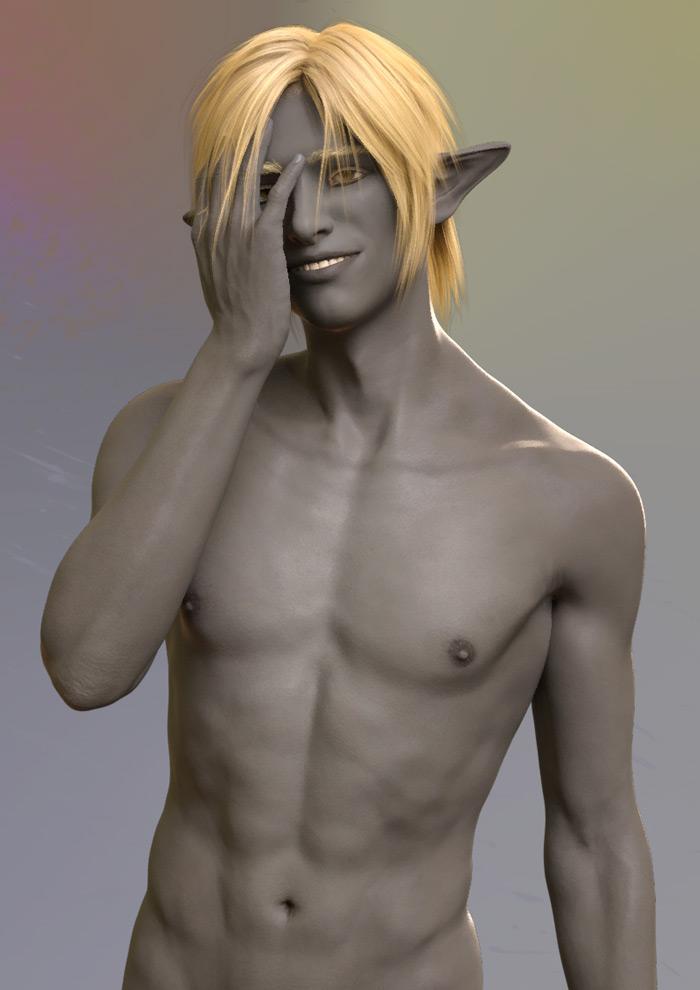
And one of Kirill too, since I've been trying to fudge a ~1880-90s British military uniform and mostly failing. I've got an old Optitex one, but half the time these days using it is more hassle than it's worth. Bloody steampunk -- well, that whole book was a pain in the arse so why would this be any different? I blame Johnny Flynn. The thing is, this was a really quite sweet smile until I angled his head down.
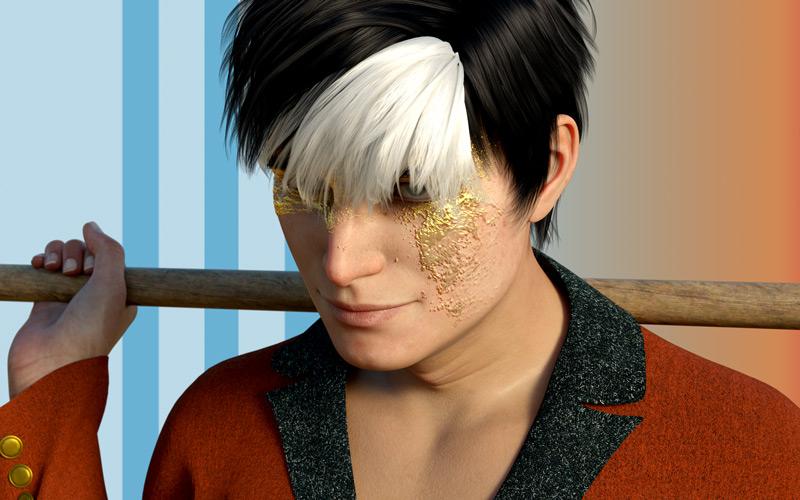
Also, on the subject of G8.1... I did a test Filament animation using Ruo Xi (so I won't link it here 'cause she's not a boy) but tried loading her onto G8.1. Woah. No. Never again. That face did not play nice.
Filament background image doesn't updateHi Everyone,
I'm working in Filament and attempting to change the Environment Options > Background Map, but the only map that will display is the default map.
Can anyone identify why this is happening?
New DS Filament Render EnginePax Asteriae said:
If they can fix the transparency issue, add in the emission shader, and maybe include a few basic Filament shaders the way they do for Iray and 3DL -- and maybe if someone could kindly make some toon shaders like Visual or Manga style (pretty please) -- then they might get a little more positive attention focused on it.Though as it is, it's still a lot of fun when you actually start using it.
It would be nice, yes. They also need to fix the shadows (they gets "cut" based on camera angle and dome orientation now) and add support for more lights both in types and number.
It could be a perfect alt choice for animations.Some of the Render Settings can't be savedYeah, they changed it at the same time they introduced Filament. Did you try saving just the environment and tonemapper nodes as a scene subset and merging them into your scene?Some of the Render Settings can't be savedmargrave said:
xueyt9518 said:
margrave said:
xueyt9518 said:
After I updated the DAZ to 4.15, some of my render settings cannot be saved when I save as a scene. Like the environment map, max samples and max time, etc. I changed the value and saved the scene but next time I openned the scene, these parameters will change back to the default value. I want to know how to solve this problem. Thank you!
Render settings were offloaded to the two new Filament nodes thay are created for every scene now. Did you delete those?I didn't delete them. If I want to save the render setting, I need to delete them or not?Those are your render settings, so don't delete them. When you open a file, make sure they still have the same properties in the Properties pane. If not, you may need to save them as a Scene Subset and load them in that way.I deleted the default environment map image and used 'none' for the environment map.
But every time I reopen the scene it will change back to the default image...
I just tried, changed this image and didn't delete the Environment Options nodes. But it still change back to the default image when I open the scene again. This didn't happen in 4.14 but happened in 4.15.
New DS Filament Render EngineI finally decided to have a play with Filament after watching Dreamlight's tutorial about it, and somehow it turned into "can I make an animation with it?"
I'm now smitten, which I never expected. I've never actually rendered any animations with DS before (well, aside from one random G1 caramelldansen clip, the logic behind which now eludes me), and it took longer to remember how to turn an image series into a video than it did to render the ~700 images in question.
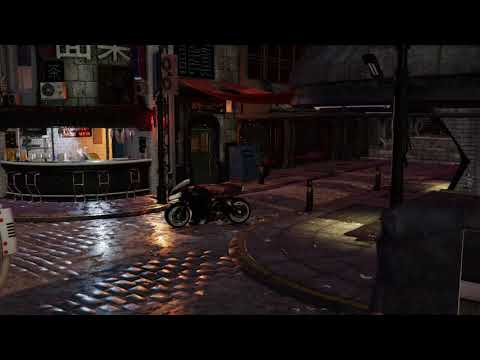
Edit: oooo the embed worked.
If they can fix the transparency issue, add in the emission shader, and maybe include a few basic Filament shaders the way they do for Iray and 3DL -- and maybe if someone could kindly make some toon shaders like Visual or Manga style (pretty please) -- then they might get a little more positive attention focused on it.
Though as it is, it's still a lot of fun when you actually start using it.
AIUTO...CHI CONOSCE L’ITALIANO? PARTE TREDICIAlessandro Mastronardi said:
Anfy said:
Eccomi di nuovo.
Sto imparando, da arruffone quale sono, a usare il programma a un livello elementare. Sto però cercando di dominare - si fa per dire - l'illuminazione, la mia dannazione, anche perché ho preso delle belle luci che simulano quelle di uno studio fotografico, e funzionano bene per quel che le ho provate (di base sarei un fotografo).
Due domande (se son fuori luogo nel presente topic mi scuso e fate finta che non le abbia poste):
1) faccio girare Daz Studio su una vecchia macchina, addirittura con poverssore... processore AMD Phenom II X4 940 di una dozzina d'anni fa, gloriosi 8 Gb di RAM, a cui ho affiancato, da molto tempo, una NVIDIA 970 con 4 Gb di RAM (che mi salvano un poco).
Ho però preso gli eccellenti Scimpanzé e Orango di AM (Alessandro Mastronardi) che mi han fatto capire che con il mio attuale computer non posso illudermi di andare troppo lontano.
Ora, se dovessi acquistare un PC nuovo, ovvio che un AMD Ryzen di fascia altissima, con 128 Gb di RAM e una NVIDIA 3090 sarebbe una bella scelta, ma occorrono veramente specifiche così alte, visto anche che allo stato non faccio animazioni?
I rendering di scene non troppo complesse variano attualmente, con Iray, dai 10 minuti alle 2 ore circa;
2) ho provato Face Transfer, e mi pare funzioni bene. Non sono tuttavia stato in grado di ottenere gli stessi risultati con HeadShop One Click 2021, nonostante dicano che dovrebbe esser migliore. Sbaglierò io qualcosa?
Questi programmi sono dei giocattoli che al di là di un possibile effetto "wow!" servono a poco?
O si possono usare con profitto?
Grazie!
Mia personalissima opinione, ma le specifiche che hai elencato mi sembrano altissime. Con un PC AMD Ryzen (o intel) di fascia medio-alta, RAM 64GB e scheda video Geforce 2070 8GB (se poi riesci a trovare la serie 3xxx meglio anche se al momento sembra tutto deserto), hai già un sistema di ottime caratteristiche senza dover spendere un budget esagerato.
Purtroppo quello è il minimo per Iray.
 Con meno non finisci mai di renderizzare.
Io davvero non capisco per quale motivo la gente preferisca spendere 5000 euro piuttosto che imparare ad usare le luci e gli shader di 3Delight o spingere di più su Filament.
 3D Art Freebie Challenge-March 2021-Winners Up "Chasing Your Golden Dreams" -Entries Thread Only
The Big Live
Most musicians dream of a chance to play on a big stage in front of a giant crowd. The girls finally got their big break and gave it their all.
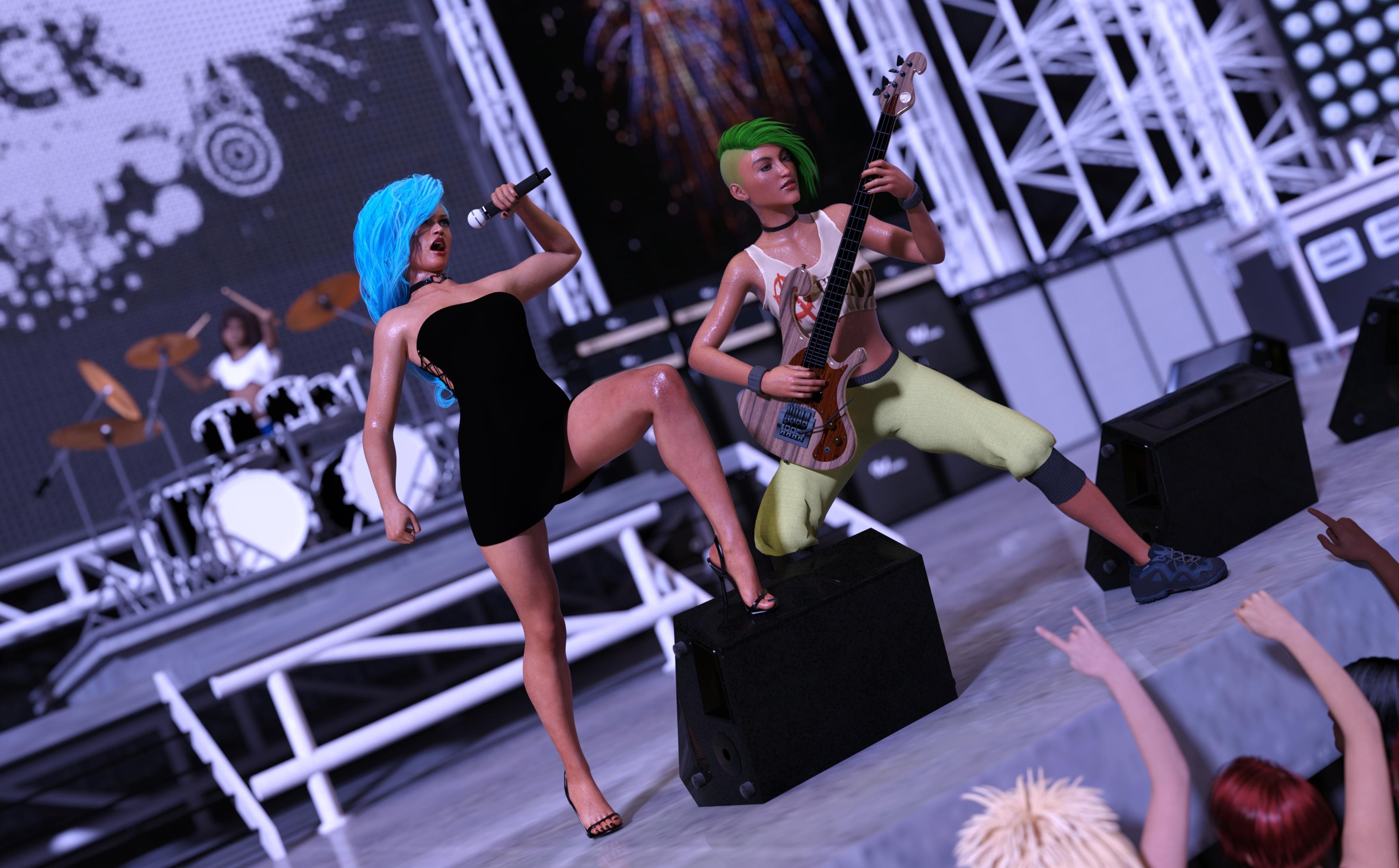
This image has been resized to fit in the page. Click to enlarge.
Vocals:
Chameleon ROse 2 - https://www.renderosity.com/rr/mod/freestuff/chameleon-rose2-for-genesis-8-female/85859
Side Swept ROse Hair - https://www.renderosity.com/rr/mod/freestuff/side-swept-rose-hair-g3f-g8f-update/79641
Side Lace Minidress - https://www.deviantart.com/lustravias/art/Side-Lace-Minidress-for-G8F-Daz-Freebie-838893503
Minimalist Sandal Heels - https://www.deviantart.com/tritiumcg/art/Minimalist-Sandal-Heels-for-G8F-Daz-Studio-DL-778130191
Greendragon's Lycra Shader - https://www.deviantart.com/greendragon-gecko/art/Greendragon-s-Lycra-Shader-656776865
Heart Choker - https://drive.google.com/drive/folders/1gzE9S7CdKWtBMpNvEpSGlDKh9HJs0-W9
Mic Set - https://sites.google.com/site/mdp6gdl/Bass:
Pachyderm Bass - https://www.renderosity.com/rr/mod/freestuff/les-claypools-pachyderm-bass/85427
Tayanna - https://www.renderosity.com/rr/mod/freestuff/tayanna---free-character-for-g8f/81342
EA Sidecut Hair - https://www.renderosity.com/rr/mod/freestuff/ea-sidecut-hair-for-genesis-3-amp-8-female-s-/82972
Jenn Choker - https://www.renderosity.com/rr/mod/freestuff/jenn-choker-for-genesis-3-female/77152
80's Style Workout Outfit - https://www.renderosity.com/rr/mod/freestuff/80s-style-workout-outfit-for-g8f/77666
dForce Pants - https://www.renderosity.com/rr/mod/freestuff/dforce-pants-for-g8-female/84382
Zephyr Shoes - https://sharecg.com/v/96782/gallery/21/DAZ-Studio/Zephyr-Shoes
Mechanized Infantry Girl - https://www.sharecg.com/v/79427/gallery/21/DAZ-Studio/141594
Natural Dyes - https://sharecg.com/v/49664/gallery/6/Texture/Natural-Dyes-Digital-ClothDrums:
Chloe - https://www.renderhub.com/reizibarrientos/chloe-filipina-character-for-genesis-8-female
Wild Curls - https://www.renderosity.com/rr/mod/freestuff/?item_id=86422
Drum Kit - https://www.renderosity.com/rr/mod/freestuff/the-rockstage/69933
Shorts And TShirt 2 - https://www.most-digital-creations.com/g8f_shorts_and_tshirt_2.phpStage & Crowd:
Stage - https://www.renderosity.com/rr/mod/freestuff/concert-stage/78067
Aliza Hair - https://www.sharecg.com/v/77084/browse/21/DAZ-Studio/Aliza-Hair-for-Genesis-2-Female-DS-only
Skin tones for G2F - https://www.sharecg.com/v/78505/gallery/21/DAZ-Studio/Skin-tones-for-G2FNo count:
G2 with basic hair and clothes in the crowd.
Purchased Items:
Studio Light PRO HDRI Iray Wow Lights - https://www.daz3d.com/studio-light-pro-hdri-iray-wow-lights
Iray HDRI Reshade - https://www.daz3d.com/iray-hdri-reshade
Iray Ghost Light Kit - https://www.daz3d.com/iray-ghost-light-kit
FSL Realistic Hair Shaders for Iray and Filament - https://www.daz3d.com/fsl-realistic-hair-shaders-for-iray-and-filament
Short Wet Hair (for wet skin) - https://www.daz3d.com/short-wet-hair-for-genesis-8-male-s-and-female-sglossy reflective eyes in viewport -- yes in Genesis 1, no in Genesis 8?I would sometimes use an OpenGL render from viewport for rough images, then do Iray Render on finished scene views. I did often change iray eyes again and again looking for sparkle or more life instead of flat and dull that many purchased characters seem to have. I do find the filament view gives a hint if eyes are bright or dull in the final render.
You can have a geoshell on the character with 3delight shaders that look great in OpenGL preview, but set this geoshell to not visible in Render. Best of boths worlds this way, you can pose and create the scene with nice looking textures.3D Art Freebie Challenge-March 2021-"Chasing Your Golden Dreams" -Main Thread Onlyioonrxoon said:
This challenge is just brilliant; not only does it help one find hidden gems, but you also get the chance to see old assets in recent renders - assets you might ignore due to their promo pics, without realizing it's more than a decade old render. Cheers for hosting it and linking the previous editions.
The Big Live
Most musicians dream of a chance to play on a big stage in front of a giant crowd. The girls finally got their big break and gave it their all.
Vocals:
Chameleon ROse 2 - https://www.renderosity.com/rr/mod/freestuff/chameleon-rose2-for-genesis-8-female/85859
Side Swept ROse Hair - https://www.renderosity.com/rr/mod/freestuff/side-swept-rose-hair-g3f-g8f-update/79641
Side Lace Minidress - https://www.deviantart.com/lustravias/art/Side-Lace-Minidress-for-G8F-Daz-Freebie-838893503
Minimalist Sandal Heels - https://www.deviantart.com/tritiumcg/art/Minimalist-Sandal-Heels-for-G8F-Daz-Studio-DL-778130191
Greendragon's Lycra Shader - https://www.deviantart.com/greendragon-gecko/art/Greendragon-s-Lycra-Shader-656776865
Heart Choker - https://drive.google.com/drive/folders/1gzE9S7CdKWtBMpNvEpSGlDKh9HJs0-W9
Mic Set - https://sites.google.com/site/mdp6gdl/Bass:
Pachyderm Bass - https://www.renderosity.com/rr/mod/freestuff/les-claypools-pachyderm-bass/85427
Tayanna - https://www.renderosity.com/rr/mod/freestuff/tayanna---free-character-for-g8f/81342
EA Sidecut Hair - https://www.renderosity.com/rr/mod/freestuff/ea-sidecut-hair-for-genesis-3-amp-8-female-s-/82972
Jenn Choker - https://www.renderosity.com/rr/mod/freestuff/jenn-choker-for-genesis-3-female/77152
80's Style Workout Outfit - https://www.renderosity.com/rr/mod/freestuff/80s-style-workout-outfit-for-g8f/77666
dForce Pants - https://www.renderosity.com/rr/mod/freestuff/dforce-pants-for-g8-female/84382
Zephyr Shoes - https://sharecg.com/v/96782/gallery/21/DAZ-Studio/Zephyr-Shoes
Mechanized Infantry Girl - https://www.sharecg.com/v/79427/gallery/21/DAZ-Studio/141594
Natural Dyes - https://sharecg.com/v/49664/gallery/6/Texture/Natural-Dyes-Digital-ClothDrums:
Chloe - https://www.renderhub.com/reizibarrientos/chloe-filipina-character-for-genesis-8-female
Wild Curls - https://www.renderosity.com/rr/mod/freestuff/?item_id=86422
Drum Kit - https://www.renderosity.com/rr/mod/freestuff/the-rockstage/69933
Shorts And TShirt 2 - https://www.most-digital-creations.com/g8f_shorts_and_tshirt_2.phpStage & Crowd:
Stage - https://www.renderosity.com/rr/mod/freestuff/concert-stage/78067
Aliza Hair - https://www.sharecg.com/v/77084/browse/21/DAZ-Studio/Aliza-Hair-for-Genesis-2-Female-DS-only
Skin tones for G2F - https://www.sharecg.com/v/78505/gallery/21/DAZ-Studio/Skin-tones-for-G2FNo count:
G2 with basic hair and clothes in the crowd.
Purchased Items:
Studio Light PRO HDRI Iray Wow Lights - https://www.daz3d.com/studio-light-pro-hdri-iray-wow-lights
Iray HDRI Reshade - https://www.daz3d.com/iray-hdri-reshade
Iray Ghost Light Kit - https://www.daz3d.com/iray-ghost-light-kit
FSL Realistic Hair Shaders for Iray and Filament - https://www.daz3d.com/fsl-realistic-hair-shaders-for-iray-and-filament
Short Wet Hair (for wet skin) - https://www.daz3d.com/short-wet-hair-for-genesis-8-male-s-and-female-sAll Links Check Out Plz Move To Entries Thread
Ultimate Make-Up for Genesis 8 Female [Commercial]Thanks for buying the sets. The first thing to say is that the Texture Shaded preview does not show the make-up so you have to be in either the Iray preview (for the most accurate previews) or the Filament preview will also generally give you a good idea of what the make-ups will look like. I would also recommend working in the Content Library view and not the Smart Content view as the options are laid out more logically there.
For the Fantasy, Tribal and Sci-Fi Make-up sets, they all come with "Designs" and "Colors". The Designs are complete presets so they should work just by applying them. The Color presets can be used to change the colors but not the designs, giving you more flexibility. Although they are sold in sets, you can use any of the color presets to change colors, so for example if you like a particular Tribal design, you can still apply a Sci-Fi or Fantasy color preset. Some will admitedly not look as good as others, but it is a very flexible system. There are also utilities to brighten and darken the make-up, add a metal effect, change the lips and to fade the make-up for more subtle effects.
For Ultimate Make-Up, first apply one of the Eyes-Face presets to establish the basic color and tone. You can then change exactly where the Make-Up is applied with the Coverage options (each with blusher on or off), adjust the strength, darken and add subtle tone changes.
I hope this helps - let me know if I can help further.
The Mac FAQYeah, no Big Sur love yet.
Hopefully "soon," but not yet. Same with Filament Render. The technology for the latter exists and is stable, but Daz doesn't support it yet due to code base issues.
Some of the Render Settings can't be saved
Those are your render settings, so don't delete them. When you open a file, make sure they still have the same properties in the Properties pane. If not, you may need to save them as a Scene Subset and load them in that way.xueyt9518 said:margrave said:
xueyt9518 said:
After I updated the DAZ to 4.15, some of my render settings cannot be saved when I save as a scene. Like the environment map, max samples and max time, etc. I changed the value and saved the scene but next time I openned the scene, these parameters will change back to the default value. I want to know how to solve this problem. Thank you!
Render settings were offloaded to the two new Filament nodes thay are created for every scene now. Did you delete those?I didn't delete them. If I want to save the render setting, I need to delete them or not?Some of the Render Settings can't be savedmargrave said:
xueyt9518 said:
After I updated the DAZ to 4.15, some of my render settings cannot be saved when I save as a scene. Like the environment map, max samples and max time, etc. I changed the value and saved the scene but next time I openned the scene, these parameters will change back to the default value. I want to know how to solve this problem. Thank you!
Render settings were offloaded to the two new Filament nodes thay are created for every scene now. Did you delete those?I didn't delete them. If I want to save the render setting, I need to delete them or not?
Daz Studio keeps crashingThe blown out figure sdounds like the Viewport is in Iray, or possibly Filament, Drawstyle - try switching to Texture Shaded via the sphere icon to the elft of the group of controls at top-right (or if you have a keyboard, ctrl 9)
Daz 3D is part of

Connect
DAZ Productions, Inc.
7533 S Center View Ct #4664
West Jordan, UT 84084Licensing Agreement | Terms of Service | Privacy Policy | EULA
© 2026 Daz Productions Inc. All Rights Reserved.