-
Blendshapes don't maintain negative morph rotation values, only positive
Hi,
After exporting a character into Maya, I've noticed that any morphs I export along don't maintain full functionality as blendshapes. A very simple example: eyes side-side, or mouth side-side. The blend shape slider goes from 0 to +1, whereas in Daz they go from -1 to +1, allowing the morph to make eyes look left to right or make the mouth go left to right. In the shapes editor, I can only make them move one way or return them to the central position. At first I didn't see the problem because I thought I could just put in the negative values manually, but that reveals that the surrounding geometry actually doesn't play ball at all. In the case of the eyes, turning them positively moves the eyelids and eyelashes along with the rotation. Turning them negatively causes them to bulge out of their sockets as they expand in size.
I have no idea how to get around this problem. Who can help?
Can an expert give a final word on Catmark Subdiv and How To in Maya?Hi,
It might be a long shot after two years but I've got this issue.
When I export a FBX with high resolution subdiv locked to 1, the mesh arrive in Maya in A pose with the rig in T pose. It create a mess (attached picture).
I can't find how to correct it. If anyone has any idea?? It works fine when I export it with base resolution but I need it to transfer the details as described by @InTheFlesh.
Khemsit 8...Well, so far I'm dissapointed. The eye makeuo and lipstick load together (I pulled a different lip color from files), no fibermesh brows and as usual, I had to make the eyelashes longer with other PA morphs. But what really surprised me was that the Nirv hair looks nothing like the promos! Instead of a morph for length, there are style morphs and just combining the morph for curliness with a style morph that makes it longer, it gets all jaggedy! I haven't tried a smoothing modifier yet, but this looks like really old hair! Going to play with everything more to see if I can make things look decent, but I'm not happy with it so far.
Yes, I've always wondered why I have to rely on other PA's Eyelash Morphs in order to curl or lengthen, why is this please?

 Morphing bra
CJ-Studio's bras usually have morphs that undo them at the back, this one for example: Underwear for Genesis 3 Females
Outoftouch tends to include such a morph for their bras too, eg: Tessa Lingerie for Genesis 8 Females or Topmodel Lingerie for Genesis 3 Females
Once the bra is off, you can swap to use Laundry Day Mega Set or Messy Laundry Mega Set depending on how tidy your undressing lady is.
Face TransferCan you save the face out as a morph and apply it to a figure already posed in the scene? I don't want to add it to anything other than the base genesis 8 as a morph, it's just I created it for a scene I already have that is dressed, posed etc, and I don't want to start over with the new figure. I thought maybe I needed to save scene subset as shape, but that didn't seem to load anything. Also, is there a way to save just the face texture? I'm really not great at the surface tabs knowing what to change, but I'd in the end like to load whatever body texture I want and then use just the face texture I created.
I made a little tutorial when Face Transfer first came out. Forum Post.
I used the save inside of Face Transfer. Covers making a morph from it, finding the textures, etc.
FBM Expand does nothingI generally just ignore those 'expand all' morphs. They tend to have started existence from an autogenerated morph when first made. There are a couple of other morphs that can end up in packages too. Same deal. I tend to remove them before redistributing my files.
Sometimes you will find morphs that do 'nothing' and they must be kept because they are really doing something. They are preventing the clothing from making a change when a morph by the same name is used in the figure. That is what NorthOf45 was explaining.
I don't have that product.
One day maybe you will decide to try Hexagon again ;-)
{Have just the figure and the socks and shoes, socks and shoes parented to the figure, send the figure over the bridge to Hexagon. Then in D/S select the socks. In Hexagon 'freeze/lock' the figure and the shoes. Select the socks, then select the faces of the sock that you want brought out of the figure. {helps to toggle on transparency so can select through all mesh} Have soft select on {just a little bit}. And use the resizer cube [centre of the manipulator] and stretch them larger. Then with the socks selected send it back over the bridge to D/S and make the morph [reverse deformations]. If like, save morph: File > Save As > Support Asset > morph.}
How to transfer customized menuRegarding the customized menu I have made, does anybody know what folders I must go into and what all needs to be transfered from one Studio installation (the one with the customized menu) to another (the new) Studio installation? Of particular interest to me is to save time redoing all the (huge number) of script shortcuts I have in the customized menu. I imagine the same scripts need to be installed in the new script folder, but what else needs too be copied and transferred? Does the layout setting also have to be transferred? Anybody done this before?
data/daz 3d/genesis2/base/genesis2.dsf?The first thing that jumped out from you log was 6 lines of "Nested directory encountered while adding a Poser folder:"... This may have something to do with you problems. You need to fix your content libraries so that there is no nesting (Same content available via different content libraries)
Also in regards to the reference to "Genesis2.duf"... That may come from a product that exists for both, the Genesis and Genesis 2. I see references to Deepsea EVE in your log, and that one does have versions for every Genesis generation.
The Julie issue sounds odd... You could install Genesis Starter essentials again, if by some change Julie has somehow been activated in the *.duf that loads the Genesis base character, the procedure that I gave corrects problems inside the morph files which is a different thing.
Will get off work soon. If something comes to mind, I'll get back later.
data/daz 3d/genesis2/base/genesis2.dsf?I was expecting complete, unedited log...
It doesn't matter, what morphs are activated on a character. Every character including the base character reads each and every morph-file that has been installed for the associated base figure (Genesis)
Loading the base figure is necessary to eliminate any and all morphs that are intentionally activated for the loaded character.From the information you posted, I would start looking for the "Genesis2" reference in the files that "Andrei for Freak 5" has installed into Genesis, it has had problems to start with. (https://www.daz3d.com/forums/discussion/17347/not-a-good-job-daz)
To fix Julie beeing activated for the base figure;
1. Load your base figure (Genesis base).
2. Select "Show Hidden" in the Parameters-Tab, drop down menu (right-click)
3. Zero the figure (Found in Parameters-Tab, drop down menu)
4. Memorize the figure (Found in Parameters-Tab, drop down menu)
5. File->Save As->Support Asset->Save Modified AssetsThis procedure will zero the default value in the ill-behaving morph/morphs, and while saving DS also shows you a list of the morphs it is changing.
data/daz 3d/genesis2/base/genesis2.dsf?when I first had the issues with julie and genesis.. I downloaded and installed the genesis base stuff.
didn't make a difference.
1) load genesis
2) daz says no morphs
3) but it lies they are used
4) and even if you dial julie out .. one of her breast shape morphs is active (my male cat characters tended to get upset over this)
5) but even dialed out they show as currently used.
---
here is the log... it loads some strange pings..
-------
I loaded genesis and got the missing genesis2 message
told daz New and still got the message
---
I'm wondering what and where thesrc\sdksource\fileinput\dzassetdaz.cpp(4930): Could not find parent for modifier: PBM3duSadieHead, things are .. don't appear to be in the library or the program folder (didn't come up in a search.)
but I'm guessing they're data files that daz creates
---
this wouldn't be much of a problem etc the cats are still genesis based because the head morphs only work with genesis.
----
oh, I did load a genesis base into a new screen .. it's says can't locate file genesis2.dsf
so it's right there in the genesis figure. Which also insists on loading with the julie shaping morph on.
>>>>>> A FIX ON PART<<<<
I took the genesis figure that loaded as julie.. set the julie and julie breast morphs to zero and locked them
Renamed the original Gensis duf to Genesisold then saved the zeroed genesis figure to that folder as a scene file under the name Genesis
I can now load that genesis figure and have it merge without being Julie
big question maybe what happens if something else calls the genesis duf2020-09-20 22:53:17.369 WARNING: ..\..\..\..\..\src\sdksource\fileinput\dzassetdaz.cpp(5759): Could not
find output property for formula: Genesis:/data/DAZ
%203D/Genesis/Base/Morphs/Mallenlane/Hitomi/PHMHitomiRealisticNose.dsf#PHMHitomiRealisticNose?value in
file : /data/DAZ%203D/Genesis/Base/Morphs/Morris/Andrei/CTRLAndrei.dsf
2020-09-20 22:53:17.378 WARNING: ..\..\..\..\..\src\sdksource\fileinput\dzassetdaz.cpp(5759): Could notfind output property for formula: Genesis:/data/DAZ%203D/Genesis/Base/Morphs/DAZ%203D/The%20Girl
%204/FBMTheGirl4.dsf#FBMTheGirl4?value in file : /data/DAZ%203D/Genesis/Base/Morphs/JK/BLC/JKBlanca.dsf
2020-09-20 22:53:20.302 File loaded in 0 min 8.2 sec.
2020-09-20 22:53:20.303 Loaded file: Genesis.duf
2020-09-20 22:53:21.650 Could not resolve : "/data/DAZ 3D/Genesis2/Base/Genesis2.dsf"
2020-09-20 22:53:21.928 Loaded Morph Deltas in 0 min 0.0 sec.
2020-09-20 22:53:21.935 Loaded file: PBMJulieBreastsShape2.dsf
2020-09-20 22:53:21.965 Loaded Morph Deltas in 0 min 0.0 sec.
2020-09-20 22:53:21.965 Loaded file: FBMJulie.dsf
2020-09-20 22:54:55.680 Loaded image Twig.png
2020-09-20 22:54:55.681 Loaded image Twig.png
2020-09-20 22:54:55.710 Loaded image CWFJagCard.png
2020-09-20 22:54:55.711 Loaded image CWFJagCard.png
2020-09-20 22:54:55.717 Loaded image Cat_Female_Card.png
2020-09-20 22:54:55.718 Loaded image Cat_Female_Card.png
2020-09-20 22:54:55.721 Loaded image CWFPantherCard.png
2020-09-20 22:54:55.730 Loaded image CWFPantherCard.png
2020-09-20 22:54:55.731 Loaded image CWFTigerCard.png
2020-09-20 22:54:55.732 Loaded image CWFTigerCard.png
2020-09-20 22:54:55.734 Loaded image DarkElf-NoEars.png
2020-09-20 22:54:55.735 Loaded image DarkElf-NoEars.png
2020-09-20 22:54:55.737 Loaded image FBMFaerie.png
2020-09-20 22:54:55.738 Loaded image FBMFaerie.png
2020-09-20 22:54:55.739 Loaded image FBMHag.png
2020-09-20 22:54:55.741 Loaded image FBMHag.png
2020-09-20 22:54:55.816 Loaded image FBMBasicFemale.png
2020-09-20 22:54:55.825 Loaded image FBMBasicFemale.png
2020-09-20 22:55:00.164 Loaded image FBMVoluptuous.png
2020-09-20 22:55:00.166 Loaded image FBMVoluptuous.png
2020-09-20 22:55:00.188 Loaded image JKBlanca.png
2020-09-20 22:55:00.189 Loaded image JKBlanca.png
2020-09-20 22:55:00.192 Loaded image Deepsea Eve.png
2020-09-20 22:55:00.193 Loaded image Deepsea Eve.png
2020-09-20 22:55:00.197 Loaded image Deepsea Eve HD Details.png
2020-09-20 22:55:00.198 Loaded image Deepsea Eve HD Details.png
2020-09-20 22:55:00.201 Loaded image FBMJulie.png
2020-09-20 22:55:00.209 Loaded image FBMJulie.png
2020-09-20 22:55:00.211 Loaded image FBMSAPG1Body01.png
2020-09-20 22:55:00.212 Loaded image FBMSAPG1Body01.png
2020-09-20 22:55:00.213 Loaded image FBMSAPG1Body02.png
2020-09-20 22:55:00.214 Loaded image FBMSAPG1Body02.png
2020-09-20 22:55:00.215 Loaded image FBMSAPG1BodyBase.png
2020-09-20 22:55:00.216 Loaded image FBMSAPG1BodyBase.png
2020-09-20 22:55:00.217 Loaded image StalkerGirl.png
2020-09-20 22:55:00.218 Loaded image StalkerGirl.png
2020-09-20 22:55:00.220 Loaded image FBMStephanie3.png
2020-09-20 22:55:00.228 Loaded image FBMStephanie3.png
2020-09-20 22:55:00.230 Loaded image FBMStephanie5.png
2020-09-20 22:55:00.231 Loaded image FBMStephanie5.png
2020-09-20 22:55:00.232 Loaded image FBMStephanie5CurvyBody.png
2020-09-20 22:55:00.233 Loaded image FBMStephanie5CurvyBody.png
2020-09-20 22:55:00.234 Loaded image FBMStephanie5ModelBody.png
2020-09-20 22:55:00.236 Loaded image FBMStephanie5ModelBody.png
2020-09-20 22:55:00.237 Loaded image FBMTJMJulieBody01.png
2020-09-20 22:55:00.238 Loaded image FBMTJMJulieBody01.png
2020-09-20 22:55:00.246 Loaded image FBMTJMJulieBody01.png
2020-09-20 22:55:00.247 Loaded image FBMTJMJulieBody01.png
2020-09-20 22:56:49.245 Loaded image FBMJulie.png
2020-09-20 22:56:49.246 Loaded image FBMJulie.png
2020-09-20 23:00:45.476 Loaded image FBMJulie.png
2020-09-20 23:00:45.477 Loaded image FBMJulie.png
2020-09-20 23:01:04.282 *** Scene Cleared ***
>>>told Daz new <<<<<<<<<<<<<<<<<<<<<<<
2020-09-20 23:01:14.733 *** Scene Cleared ***
2020-09-20 23:01:18.894 WARNING: ..\..\..\..\..\src\sdksource\fileinput\dzassetdaz.cpp(4930): Could notfind parent for modifier: PBM3duSadieHead.
2020-09-20 23:01:18.894 WARNING: ..\..\..\..\..\src\sdksource\fileinput\dzassetdaz.cpp(1431): Failed toprepare modifier: PBM3duSadieHead!
2020-09-20 23:01:18.967 WARNING: ..\..\..\..\..\src\sdksource\fileinput\dzassetdaz.cpp(1442): Failed tocreate modifier: PBM3duSadieHead!
2020-09-20 23:01:20.071 WARNING: ..\..\..\..\..\src\sdksource\fileinput\dzassetdaz.cpp(5759): Could notfind output property for formula: Genesis:/data/DAZ
%203D/Genesis/Base/Morphs/Mallenlane/Hitomi/PHMHitomiRealisticNose.dsf#PHMHitomiRealisticNose?value in
file : /data/DAZ%203D/Genesis/Base/Morphs/Morris/Andrei/CTRLAndrei.dsf
2020-09-20 23:01:20.073 WARNING: ..\..\..\..\..\src\sdksource\fileinput\dzassetdaz.cpp(5759): Could notfind output property for formula: Genesis:/data/DAZ%203D/Genesis/Base/Morphs/DAZ%203D/The%20Girl
%204/FBMTheGirl4.dsf#FBMTheGirl4?value in file : /data/DAZ%203D/Genesis/Base/Morphs/JK/BLC/JKBlanca.dsf
2020-09-20 23:01:23.063 File loaded in 0 min 8.3 sec.
2020-09-20 23:01:23.063 Loaded file: Genesis.duf
2020-09-20 23:01:24.278 Could not resolve : "/data/DAZ 3D/Genesis2/Base/Genesis2.dsf"
2020-09-20 23:01:24.452 Loaded Morph Deltas in 0 min 0.0 sec.
2020-09-20 23:01:24.452 Loaded file: PBMJulieBreastsShape2.dsf
2020-09-20 23:01:24.481 Loaded Morph Deltas in 0 min 0.0 sec.
2020-09-20 23:01:24.482 Loaded file: FBMJulie.dsf
>>>> guess it didn't load the pings again because they were already in the shaping menu
Bubble Suit questionThe realism is probably down to the shaders used. You could possibly use this product and transfer the shader/s to them. Like in eveything else, your scene lighting will ultimately determine how good they look.
Thanks. I did what you suggested and it worked!
I had two different DAZ magic products with crystal balls, so I just applied the shaders to the crystal balls and presto!
The crystal balls are in the foreground, and the Bubble Suit standalone prop (many bubbles) is in further back in the render. I can't tell them apart. :)
https://www.daz3d.com/z-wicked-sorcery--prop-poses-and-expressions-for-genesis-8-female-and-mabel-8
https://www.daz3d.com/it-s-magicBubble Suit questionThe realism is probably down to the shaders used. You could possibly use this product and transfer the shader/s to them. Like in eveything else, your scene lighting will ultimately determine how good they look.
FBM Expand does nothingEasy to fix? I'll let someone fluent in morph answer that part. The PA should answer whether it is a design decision or not. Seeing as how the auto-follow feature works well, I don't see how you would need more than that. Even so, add a smoothing modifier, or get out your Mesh Grabber for spot fixes.
Note: In the image you provided, the shoes you have are not ones that come with the product. The socks are not full socks that cover the whole foot. The proper shoes (the HighTops) cover that part of the ankle/shin right up to the socks, so you would not see the pokethrough anyway.
Khemsit 8...YAY for getting the shaders!!!
 They are awesome! (I really love the "gold accent" and "silver accent" you can do). And I love this pic - so happy and natural looking!!
 Khemsit's texture/hd morphs are REALLY nice! I like her morph, too, but I also really like to do my own, so I slapped on Khemsit's texture and just went to town.
She's on the right of the image, Twosret is on the left - both have custom morphs. And thanks @jakiblue for making me buy the Egyptian Fabrics shaders (I don't regret it lol)
 FBM Expand does nothing
A conforming item might have built-in morphs that were prepared to match various morphs of the target figure. If an item's morph matches one on the target figure, it will follow the target figure morph control, and not respond to dial settings on the item itself, if they are even visible. The whole point of having conforming items is to follow the figure to which it is fit without having to adjust every morph on every face group to make it fit better. However, sometimes manual adjustment is needed in certain circumstances, or just to cover future requirements that are unknown to the artist at the time. The Socks and HighTops will follow any morphs to the foot and lower leg when they are dialed in on Genesis 8. If you look at the hidden morphs, every time you adjust a new morph that could affect the conforming items (refresh the view by moving away from the item then go back to it), those same morphs are added to the item. This is how auto-follow works.
In this case, for the Socks, the ExpandAll and FBMExpandAll actually do nothing because there is nothing in the morph file, just a definition of the parameter controller. Compare to the Male version, where the ExpandAll morph actually works on the socks, because there is data in the morph file. So, I would say it is an error in the product to have no ExpandAll adjustment possible for the female version of the Socks. The FBMExpandAll is redundant, probably intended to be used, but it wasn't.
Sienna HD Leg Corruption when KneelingThere's JCM flex morphs for the left and right leg. Assuming all things equal, why is only the left leg going crazy? Did somebody copy over the right morph file to the left, and forgot to edit the values?
It's Here! First Live Product! [Commercial]So, I tried Protozoon's technique. I loaded the outfit, set smoothing on pants and shirt to 10, set pants to collide with shirt. My results still had problems, maybe due to the HD or maybe due to the pose, or both. This is certainly NOT the only clothing product that has problems with HD morphs poke through! I really like that the collar and neck are not "paper thin", but I still have poke through in the neck and collarbone area, the shirt still pokes through the pants, and the belt is totally messed up. This is without dForce simulation and no morphs.
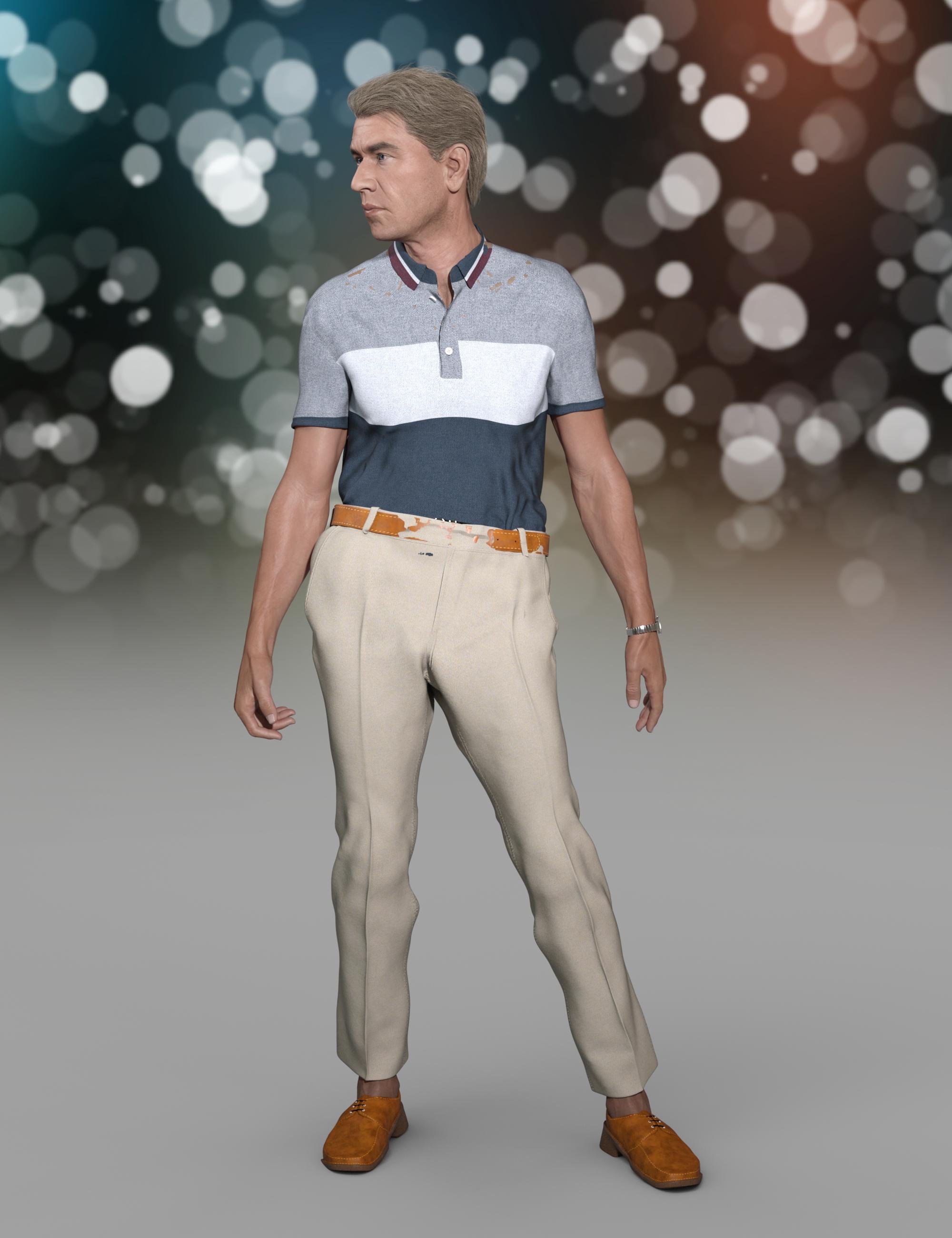
So, I am back to fiddling with morphs again, but at least this gave me a better starting point. I see that loading the outfit doesn't dial in the TuckIn morph on the shirt. Setting that to 100% and dialing some pants waist pull morphs finally eliminated the pants waist problems. I tried some shirt collar, shoulder, lapel, etc. morphs, but I was unable to completely eliminate poke through in the collarbone area. Finally I reduced the smoothing on the shirt to 7 and changed it to Generic. That helped overcome the HD poke through.
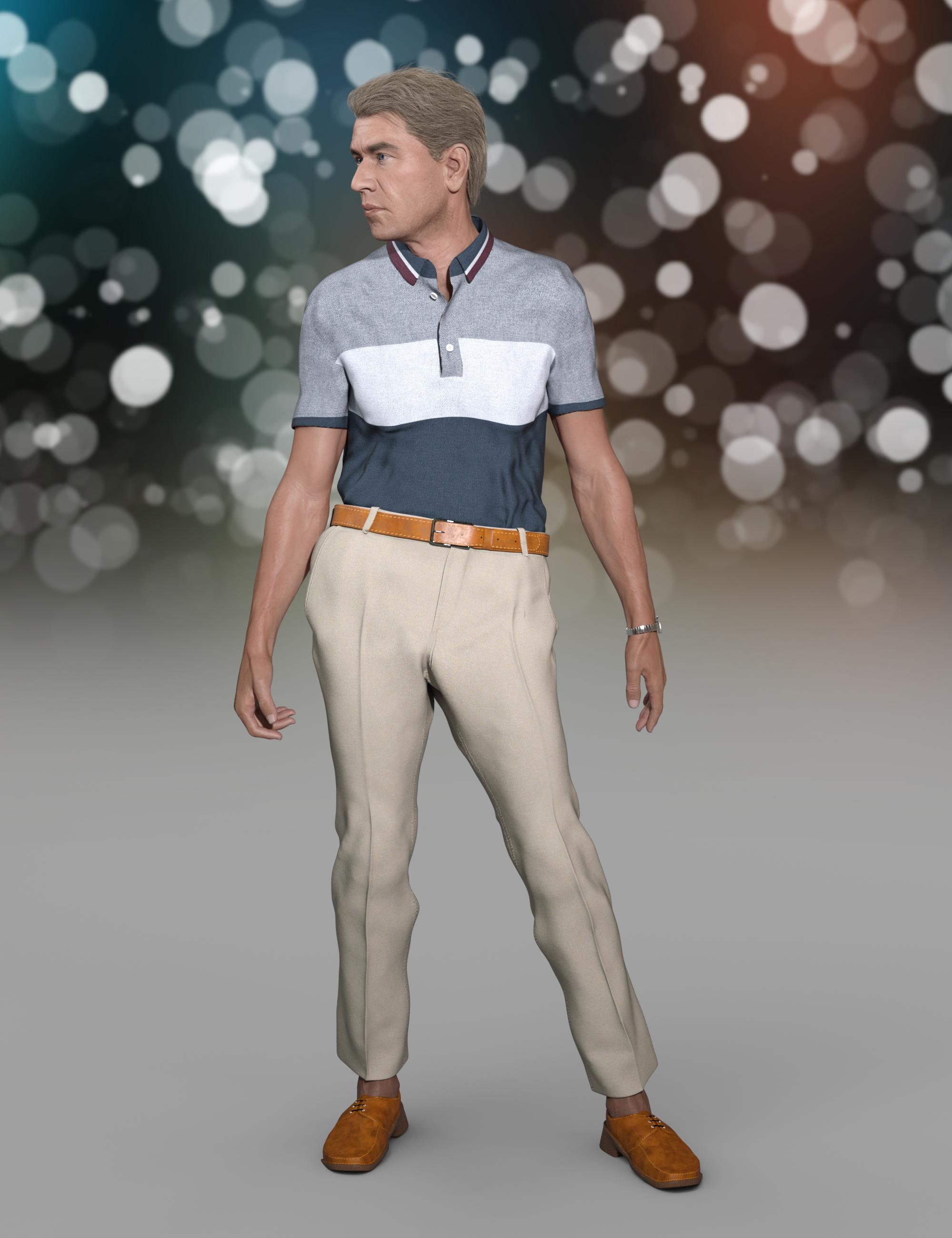
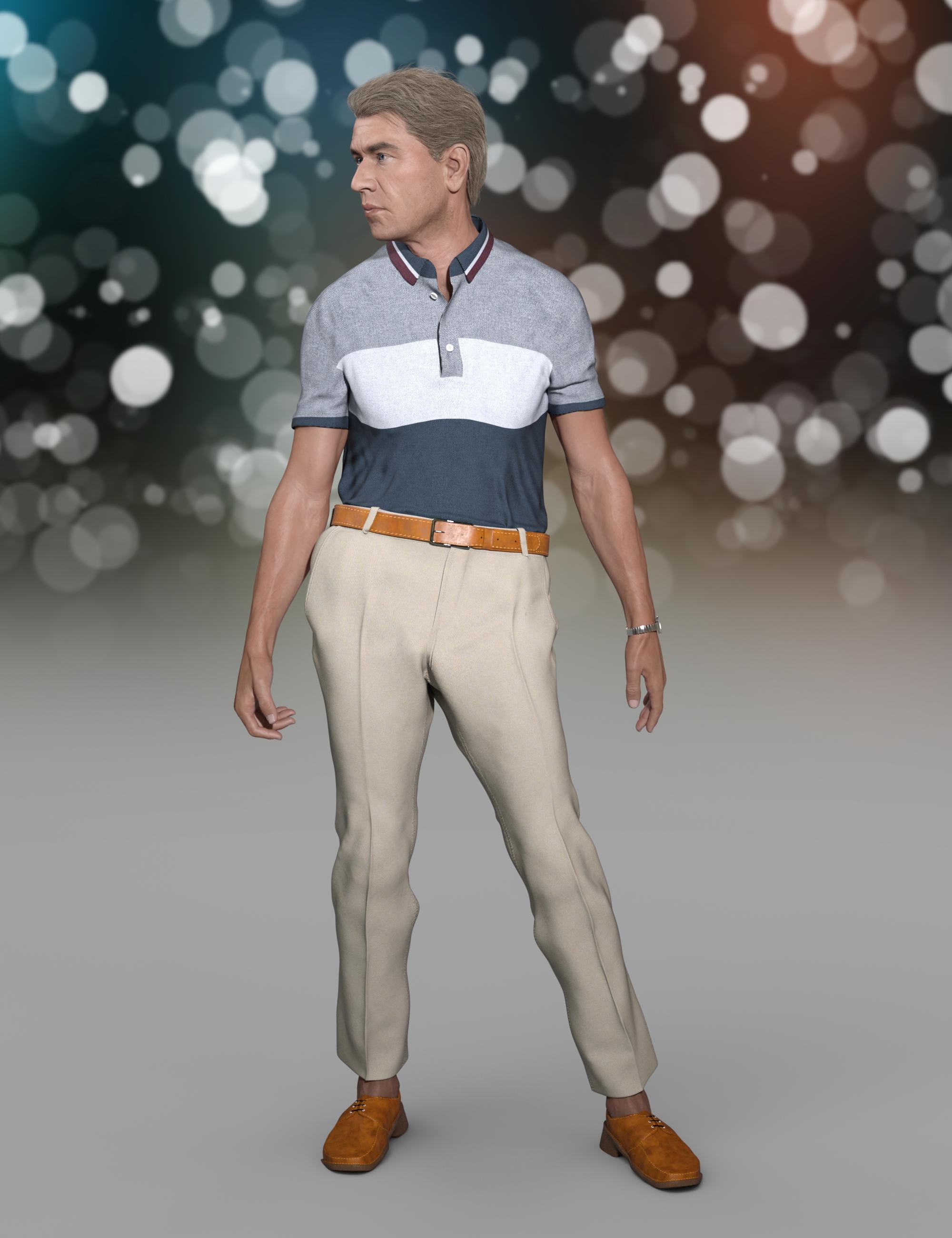
Now, after having eliminated the poke through, I did a dForce simulation from this pose (from memorized pose turned off). This is the final result. The dForce simulation brought the shoulder area back down to a natural shape. I think overall, this is a better shirt fit than my original complicated attempt.
 I am so tired of new products with bad metadata
DMax, the older items don't come with metadata, so you get to add it yourself. There are a few exceptions but those are joyful surprises. What I did after watching Slosh's video and getting it down to a smooth operation, was to have an interesting TV show on or video and do it in increments. A little a day. You will eventually run out of files to work on. And get a chance to really look at some wonderful old products. Of course, there were some items I tore my hair out trying to figure out what they were for. So the sales page helps a little.
@memcneil70 I have actually continued with the metadata activity... I know that I am too fastidious to not complete the activity even if it's going to take a while... one question though: if ever I have to reinstall my purchased items, etc... (backup failure, computer transfer, etc)... will I lose all these efforts? My fear is it will!
Export User Data.You can do that in the Content Library's Content DB Maintenance section. It will save it to a file in Runtime/Support. Later you can reimport that saved user data.
Face TransferYes, you can.
In Face Transfer, when you're saving your face, there's a checkbox option called "Save as Scene Subset". When you uncheck this option, the dialog tells you nothing will be saved, but to save the morph, you have to use File -> Save as -> Support Asset -> Morph Asset(s)... This will save the morph by itself, so you can apply it to any figure afterwards.
I am so tired of new products with bad metadataDMax, the older items don't come with metadata, so you get to add it yourself. There are a few exceptions but those are joyful surprises. What I did after watching Slosh's video and getting it down to a smooth operation, was to have an interesting TV show on or video and do it in increments. A little a day. You will eventually run out of files to work on. And get a chance to really look at some wonderful old products. Of course, there were some items I tore my hair out trying to figure out what they were for. So the sales page helps a little.
@memcneil70 I have actually continued with the metadata activity... I know that I am too fastidious to not complete the activity even if it's going to take a while... one question though: if ever I have to reinstall my purchased items, etc... (backup failure, computer transfer, etc)... will I lose all these efforts? My fear is it will!
Daz 3D is part of

Connect
DAZ Productions, Inc.
7533 S Center View Ct #4664
West Jordan, UT 84084Licensing Agreement | Terms of Service | Privacy Policy | EULA
© 2026 Daz Productions Inc. All Rights Reserved.