-
Luthbellina HD Essentials (Feet and Hands) screenshots
Given the title, it would be great if someone couild confirm the hands bit.
Luthbellina has a line of 4 morph packs named "HD Essentials", which covers Feet, Hands, Navels and Nipples so far. In the title I'm refering to 2 of those products (Hands and Feet). I guess the PA accidentaly included part of the description of the Hand product on the Feet one.
Although the promos show some morphs, I'd like to see more closeups, and if it's worth it using them at Subdivision level 1.
[Solved] How to use Cross-Figure Resource Kit with Genesis 8.1 ?Load the hair where it is supposed to go (avoids the auto-fit dialog). Select G8M and set "Parmeters->Cross-Figure->Transfer To: Genesis8Female" to 100%. Select the hair and run the Cross-Figure Setup script. You should get a success pop-up.
Select the hair (you can unparent it) and go to the context menu and select "Edit->Scene Identification". The last item is "Preferred Base", which you have to select from the ellipsis (...) at the far right. Wait for the list to appear (could take a while if you have many products). Search for "Genesis 8.1" (just type it in, it should go there automatically), then select "Female" from the sub-bases. (Just "Female", I have a couple of other erroneous entries there, so be careful).
You can now fit the hair to Genesis 8.1 Female. It will look off a bit, you must dial in "Parameters->Hidden->FID_Genesis8Female" (not really hidden) to 100% and the hair should slip into place.
Wow! I Thought For All These Years That The DAZ Cow Was Just A Joke!...there is a reindeer a tapir, and more recently, a sheep morph for Horse 3, surprised there isn't a cow.
Celebrity Look-a-Likes for 3D figures Part 4alofaro said:
Richard Haseltine said:
This is an issue that is going to need legal advice iif you beleive you might be affected, not a forum discussion.
True if one wants a full legal opinion, though should never remember that lawyers never take responsibility, they give advice, what you do is still your responsibility.
At the same time "when viewed as a whole by a reasonable person, is indistinguishable from an authentic visual depiction of the individual" and depicting an "intimate" context, which is a politically correct way to refer to situations afferent to the situation linked to the word that starts with "s" and ends with "x".
There are so-called "AI" system, where using a model with a face structure close enough to the real person, they can superimpose the person face to the model and make it difficult to see the difference (though honestly, I think I saw some even with the label saying it was fake video, and in general even when the face was very good, the body and some other element gave it out, the ones really really good, are an exception) - that law is clearly made thinking about those, although it uses general wording to try to be +/- "technology agnostic".Without offence to any asset made for DAZ Studio, and any artist using it, I have only a couple of times seen images when one could think the image was a real photography, and even in those that was only with the face. The moment you put in other elements (like would be the case in any "intimate" depiction), it becomes even more visible they may be very good, but cannot be exchanged for a real picture of the real person engaging in that type of activity.
Once I exchange with a content creator that did a lot of look-alike, some even very good, but does not say who they are meant to represent, when I told him I guessed he could be afraid, he told me that was not reason. He said he had cleared it with a lawyer before starting to make them, who said making the assets and selling them he was basically like a someone selling colours, the one buying them can use them to do something illegal (e..g defacing a monument), or do something legal, but the problem is of the one using the colour, not of the one making the colour.The Take it Down Act is all about NCII(Non Consensual Intimate Imagery). So in that context it also prohibits people from doing something like, say, using Face Transfer, on an individual and putting them in said intimate situations. AI is the bigger target, but it applies to anything, really. Someone could just use Photoshop on an image and that could be a problem.
As far as lookalike models, there are some that have a passing resemblence, or are inspired by a celebrity, and then others that are very well done, and undeniably a 3D depiction of that person. I would hope this law doesn't affect us here because these prodicts should have always been used responsibly.
 Help with Genesis 9 Autofit
I manged to rig the item using the transfer utility. I can pose it but only seperatley to the genesis figure. Parenting it to the genesis figure still doesnt make it make. It moves with the genesis figure if i set it to "fit to" the genesis figure but that also results in the item warping.
Many Thanks :)
Help with Genesis 9 AutofitIf I understand correctly, you modeled the robot part around a morphed G9, and the rigged it with transfer utility. But now when it's fit to G9 it adds your character morph again so it's distorted?
To rig an item which was not made for the default G9 shape, you need to do this:
- Use your morphed G9 as the source figure when running transfer utility
- Select "Current" for "Source - item shape", and check "Reverse Source Shape for Target" in the parameters
Daz Studio 4.24[.0.x], General Release!Is it a known issue?
Transfer Utility doesn't work for me in DS 4.24.
It works like a charm in the DS alpha 2025.Why does my Daz model lose pose and weapon attachments when imported into Unreal?Hey everyone,
I started in Daz Studio by loading a character that originally had no weapons or gear. I then manually added a mace and a shield and parented them to the character’s hands. After setting everything up, I saved it as a Scene Subset so I could reuse it later.Later, I reloaded that Scene Subset into a new scene (see image 1), and used the Daz to Unreal Bridge to export it. I selected Skeletal Mesh as the export type and left the settings at their default (see image 2).
but, when I import the character into Unreal, the result is not what I expected. The character appears in a T-pose, and both the mace and shield are no longer attached to the hands (see image 3). I feel like the pose and the parented props didn’t carry over in the transfer. So I have a few questions:
-
Is this behavior normal when using the Daz to Unreal Bridge, or am I missing a step?
-
If this is expected, is there a correct way to reapply the pose or reattach the props inside Unreal manually?
-
Or is there a way to prepare everything properly in Daz to make sure the pose and attachments transfer correctly from the start?
Thanks in advance guys for your help.
My "environment" tab in Render Settings is missingThat's the thing. It does not work. Only the render settings are retained, while the environment and tone options are not.
I can load older scenes and save environment/tone settings into savedata and that would work. But issue remains with assets that apply render settings and environment/tonemapper options. They don't transfer environment/tonemapper options into new scenes done with 4.24 daz.
Assets separate "Iray Render Presets" no longer works.
barbult's take on the lives of Jack and RichardAugust 2023 - This starts another story about Jack and Richard. I rendered this image for a Daz+ Inspiration Contest. Those contests require the use of at least one of the week's new Daz+ releases. At the time, I had no idea that this render would become a lead-in to a Jack and Richard story.
I decided the new spurge plants make good seaweed. They look surprisingly great under water, even though that was not the PAs intent. I also learned that it is hard to make an octopus fist.
The Specimen Escapes
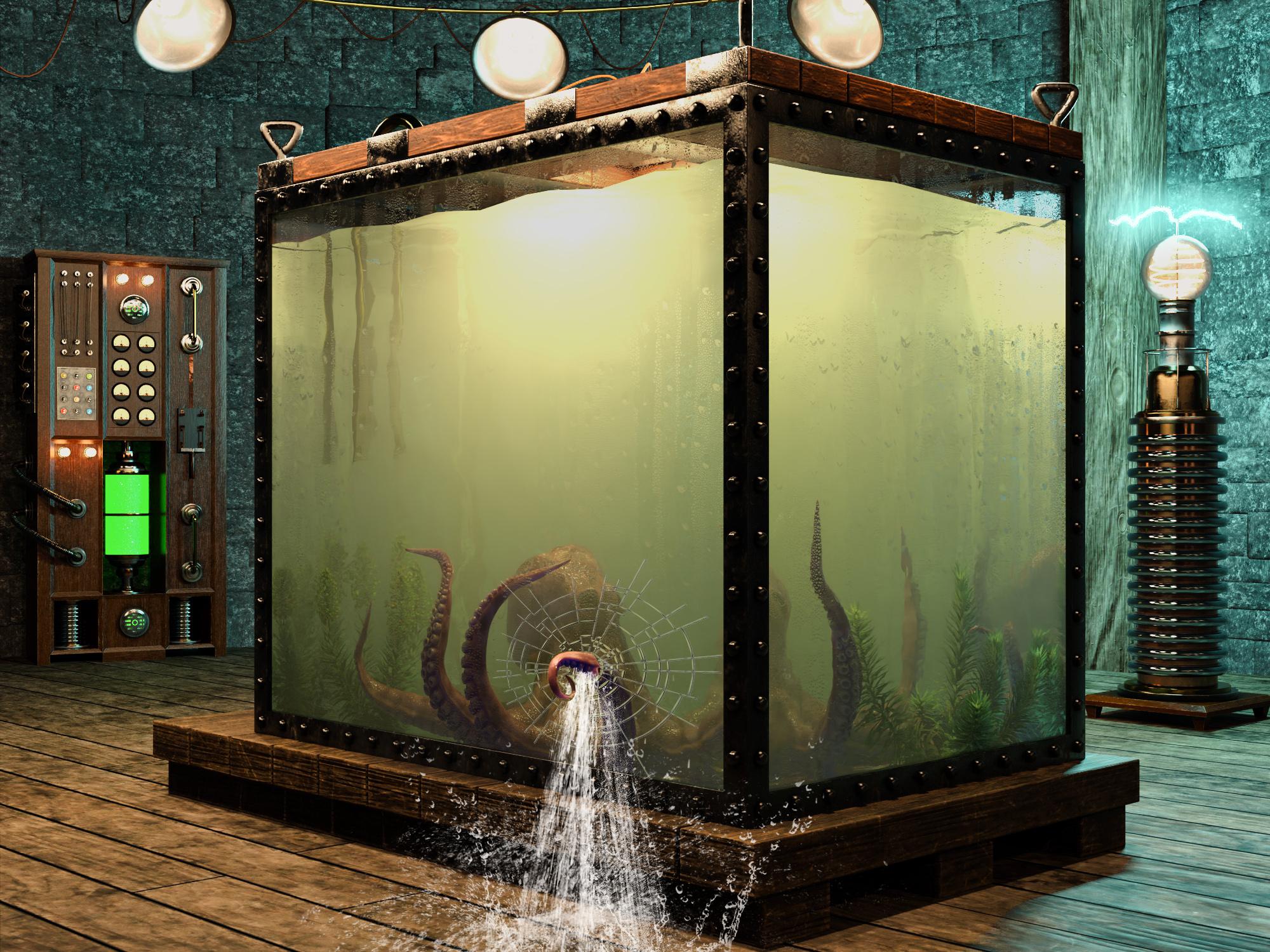
Item Used: Mediterranean Flowering Spurge Plants
Some Reader Comments:
junk: Dang that is such an incredible image! I love images that get you wondering. about what happens next. Plus such a creative use of the plant as seaweed.What Came Next
(Thanks to junk for the inspiration!)
Public Service Announcement [braaaap braaaap braaaap]: The Specimen is on the loose! Keep a watchful eye. Report any sighting to your nearest species control agency. Do not venture out. Stay safe.
The lab is flooded. The equipment has shorted out and is starting to rust. Only the solar powered lighting remains functional. Nature's flora and fauna are establishing a renewed foothold. The spurge is thriving!
Qualifying Item - Mediterranean Flowering Spurge PlantsOblivion
Having arrived early in the Daz Meeting Room for the unveiling of Genesis 10, Jack and Richard pulled out the Nine Men's Morris board to play a few rounds. Oblivious to the threat outside the window, they continued to play. Richard was ahead 8 to 2. Nine Men's Morris is Richard's favorite game, because he is sure it is named for his great uncle "Nine Lives Morris".
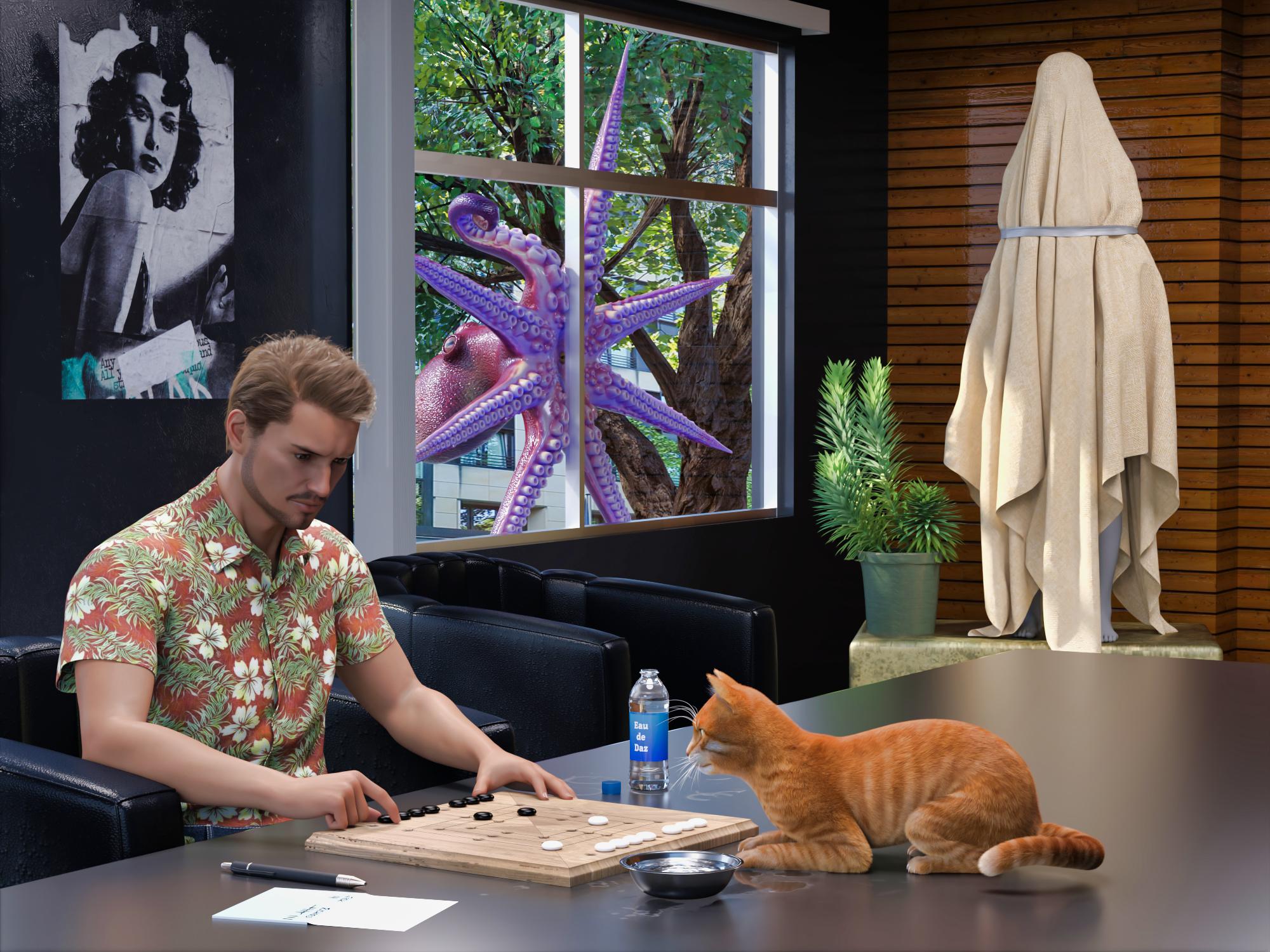
Items used:
English Village Pub GamesSome Reader Comments:
Richard Haseltine: Ah, seafood. (I hope.)
Lilwolff: "I spy with my lil eye and it is pink and purple" Along with new cast member. Wonderful fun barbult!
barbult (back to Richard): Alright, my path is clear. Something or someone will become food in an upcoming render.
Richard Haseltine: Ulp. Is it too late to suggest it might be part of my underground railroad for the unjustly imprisoned?
barbult (back to Richard): Yup, too late! The die is cast. Your future is predefined. Good luck on your underground railroad, though. Have you designated a second in command? You know, just in case... I'd suggest that Jack is not a good choice, 'cause, well, you know...
Well, I'd better get to rendering. Hm... "rendering". That has to do with cooking fat out of something. Well, let's not go there!Lunch?
The specimen peered through the Meeting Room window. "Ah...see...FOOD!"
It smashed through the glass, trashed the room, and snatched its prey, faster than the blink of a human eye.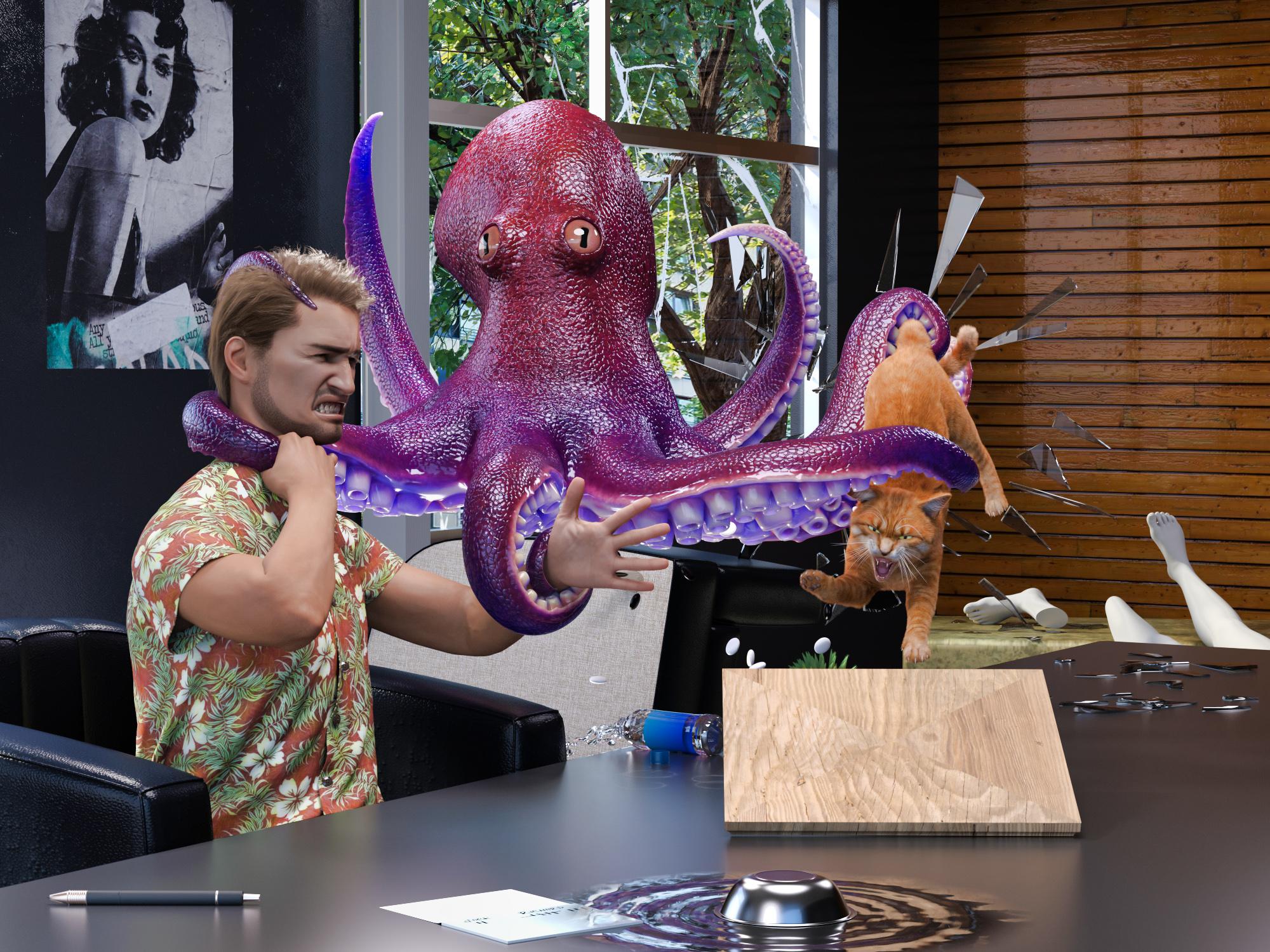
Item Used Pure Masculine Expressions for Genesis 9
Just to demonstrate my commitment to continuing this story: I had to create a whole new "Jack". Old Jack was G8. To use the new G9 expressions, I had to create a G9 Jack. To keep the continuity, I wanted to use the same skin. I own the Legacy UVs for the female, but not the male, and the male set was not on sale at the time. So...I used the G8 UV Swap and Map Transfer to create a set of G8F maps for my G8M skin and saved it as a Material Preset that I could apply with the Legacy UV for the female UV. Then I tried to dial a G9 character similar to the old G8 character, but I wasn't completely happy with it, so I manually converted the G8M character shape to G9. Then I discovered that the shirt didn't autofit very nicely to G9. Since it was something I made in Marvelous Designer, I loaded up the old G8M project and a G9 avatar and refit the shirt to G9. Then I had to export it as OBJ, and import it to DS, and run the transfer utility, and retexture it, and reattach buttons. Then, I could work on the scene! Whew.
Some Reader Comments:
Richard Haseltime: That's an impressive effort - though i am not entirely sure I appreciate it.
barbult (back to Richard): Cats have nine lives (as your great uncle Morris would remind you). Certainly, you must have a few left. I'd say that Jack is the one who should be most concerned. He has only one life to live. (Oh, I hear old soap opera music playing now.)
Richard Haseltine: I was a litle concerned about what might happed with today's releases after Jack had been chugging throat linctus (he claimed).
barbult (back to Richard): He'll be needing something pretty strong after the next episode.Rob to the Rescue
(This render introduced Rob (rbtwhiz), Daz developer, to the cast of characters. Why is he a shark? Well, Joe Quick released Jawsome Quickstrike HD shark for Genesis 9 that week, so I just had to use him. And Rob's avatar does have kind of a fish tail on the end of his hair, so...)
Just then, Rob arrived in the Meeting Room for the ceremonial unveiling of Genesis 10. He encountered a horrific site! Yes, Genesis 10 lay shattered and exposed on the Meeting Room floor! A tear fell from Rob's eye.

Oh, one more thing... "Untentacle my colleagues, you slimy specimen!", screamed Rob, brandishing the sword he was going to use to remove the cover from Genesis 10. "You destroyed my Genesis 10! You and I are going to have it out here and now!"
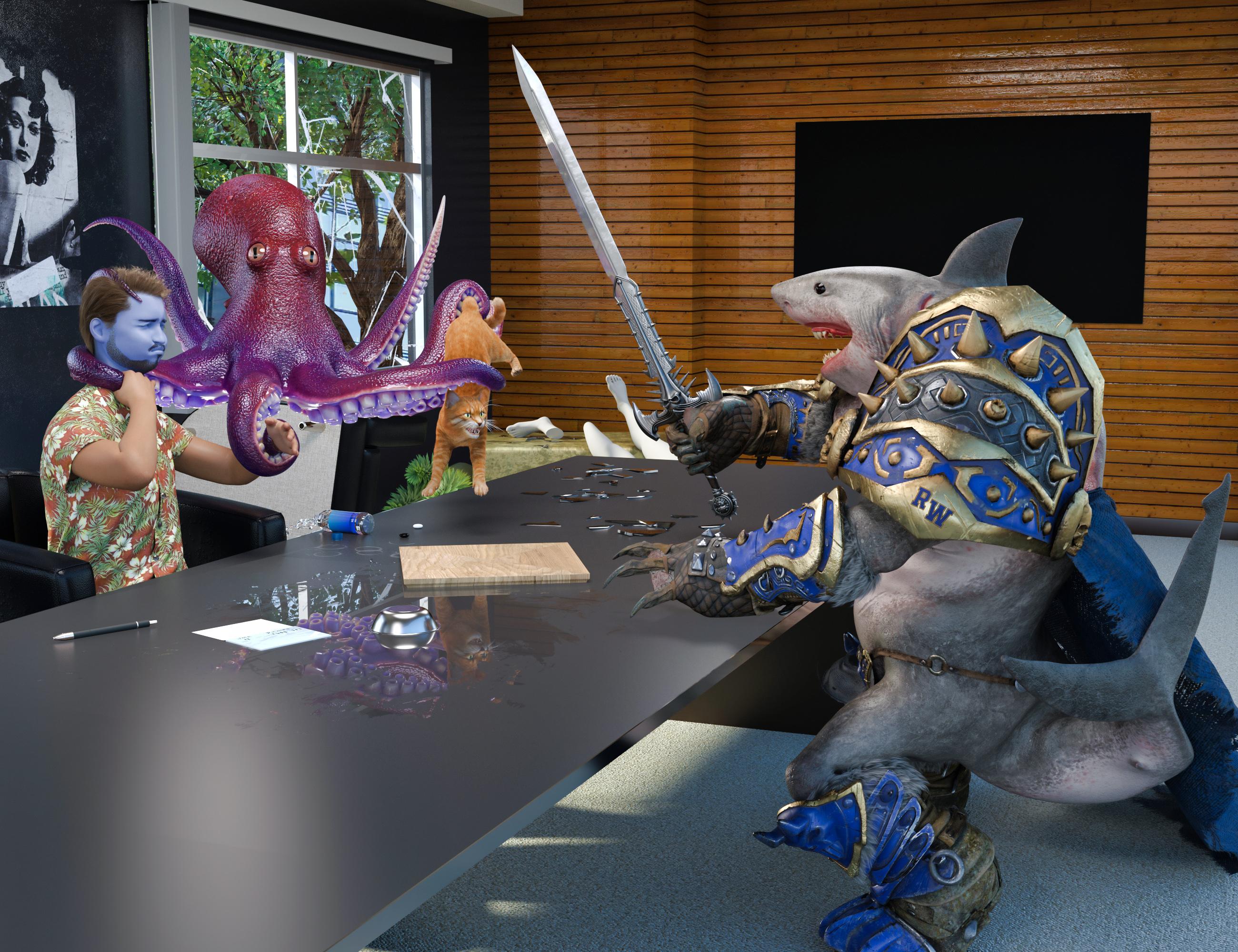
Items Used:
Jawsome Quickstrike HD Shark for Genesis 9 (Rob)
Pure Masculine Expressions for Genesis 9 (Jack and Rob)
Some Reader Comments:
Richard Haseltine: Phew! Though I think Jack wants CPR, ideally from VictoriaX.
barbult (back to Richard): Oh, dear Richard. Sit down. I am painfully sorry to be the one to break this news to you, but VictoriaX is not a living, breathing, human being, capable of performing CPR. (This is like telling a child that Santa Clause is not real. ) Besides, I believe Jack is a married man and father. Being publicly caught in a lip lock with VictoriaX would not be good for those relationships. It is rather catty of you to suggest such a thing! No. No. We can't go there. Jack's medicine will have to come from elsewhere. The still is already cranking out a new batch. Edit: Oh, I realize what's going on here! You are still mad at Jack's wife for banning you from their house because of the hat construction mess. You are trying to break up their marriage by hooking Jack up with VictoriaX. Bad cat! Bad! It won't work. Jack is too honorable.
Ah, Seafood
The specimen was multi-armed, but Rob was more heavily armed, with a battle sword and teeth - lots of teeth - big jagged saw tooth teeth, and he hadn't had lunch yet.
Slash, slash, chop, chop, chop, slice, slice, chomp (yum, that head was tasty!)...
"Bon appetite, fellas", said Rob, as he sped away on his motorcycle to go finish Daz Studio 5.
Jack wanted nothing to do with it, as he chugged his throat linctus (so he claimed), but Richard dug right in. "Ah, seafood!", he exclaimed.The End
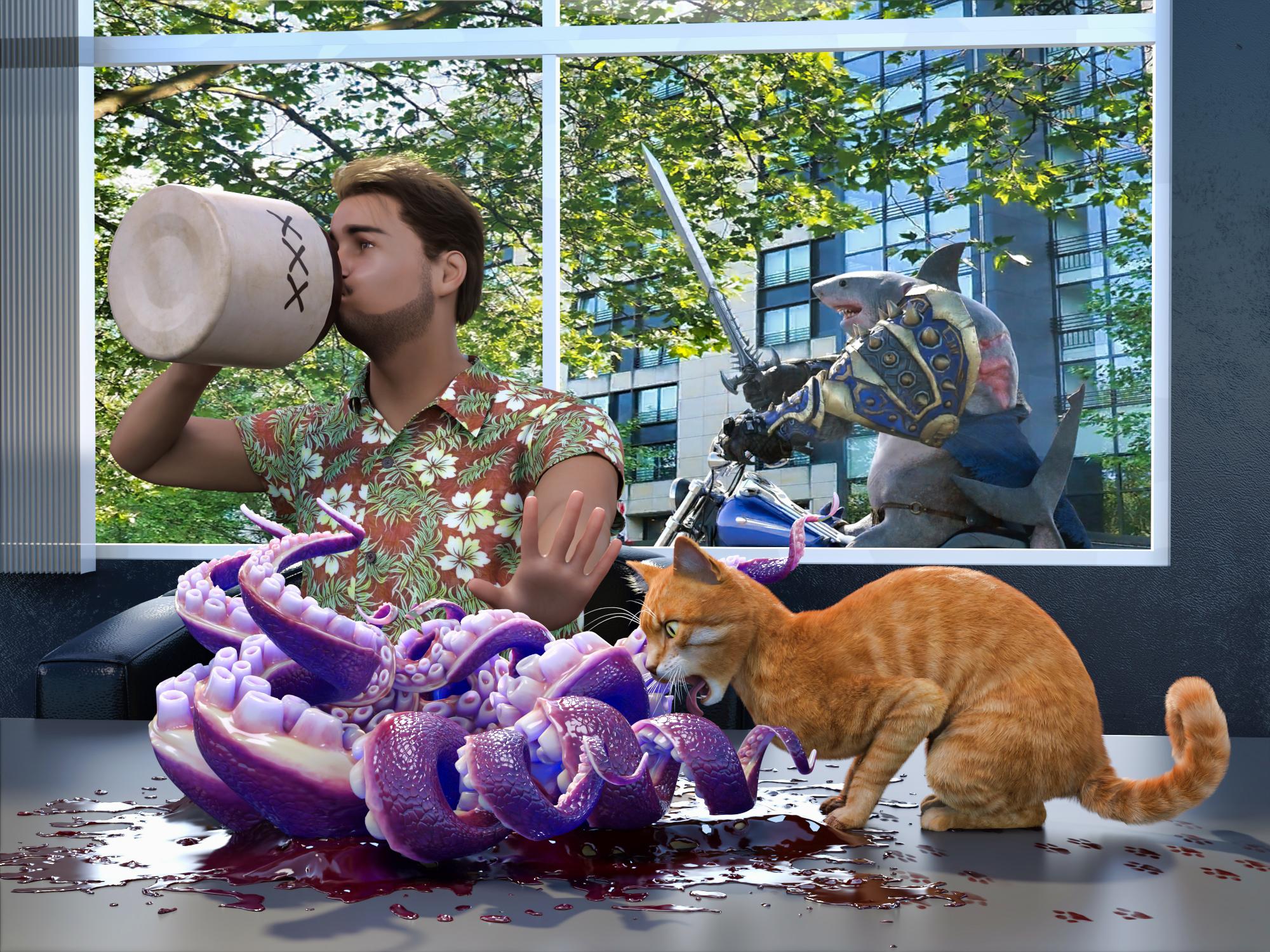
Yes, our guys have survived another harrowing adventure by the skin of their teeth. How long can luck like this last?
Items used:
Jawsome Quickstrike HD Shark for Genesis 9 (Rob)
Pure Masculine Expressions for Genesis 9 (Jack and Rob)
Some Reader Comments:
Richard Haseltine: Alas, poor escaped specimen (/sheds a tear, sincerity not guaranteed)
barbult: Thank you for all your entertaining responses that drove the story along, Richard.
Richard Haseltine: It's a cat's business to cause trouble.Is that model comes from a product ?It looks like Fabiana took different elements from those products listed. The skin is from this package: https://www.daz3d.com/es3d-tauriel-hd-for-genesis-9 You can see the distinctive freckle below the left eye.
The morph is probably one or more of the other characters listed in the "Additional Products".
Anatomical Elements for genesis 9I don't have that product.
But just to check, you own this? https://www.daz3d.com/genesis-9-starter-essentials-expansion
And to answer your question: you can create your own morph in a modeller (but only in base resolution, while Daz PAs can do HD morphs).
I need beautiful handsCES3D said:
The Nails Length morph is included by default in Genesis 8 ("Genesis 8 Starter Essentials"), so you can try it without purchasing additional morphs.
Thank you very much for all the reference photos!
I’ve decided to consider using either Genesis 8 Female Body Morphs, Aiko 8, or possibly both.MSO Nelly HD for Genesis 9 Feminine where are the 8 expressions?Mousso usually names a character expression with that character name in it, so the simple way to find them is to select the character, to open the paramaters panel and with the root of the character selected here, to filter by their name (so in your case, just typing 'Nelly' should list any morph related to Nelly).
I need beautiful handsThe Nails Length morph is included by default in Genesis 8 ("Genesis 8 Starter Essentials"), so you can try it without purchasing additional morphs.
I need beautiful handsThank you to everyone who recommended the Genesis 8 Female Body Morphs.
Regarding the morph, does it nails length slider the nail bed rather than the free edge?
AIUTO...CHI CONOSCE L’ITALIANO? PARTE QUATTORDICIMa l'autofollow ha smesso di funzionare in 4.24? Non mi riesce di far seguire i morph agli abit che creo, mi tocca sempre spostare lo slider del morph perchè combaci...
Using a Genesis 9 clone on Genesis 8 or Genesis 3G8 figures should include a G9 clone morph as long as you have installed the latest version of Genesis 8 starter essentials (the official clone morph was added when 4.23 was released)
Clones are a special kind of hidden morph used by autofit. You can find the morph in Parameters tab under "Hidden > Clones" section, as long as you have "show hidden properties" selected in the preferences for that tap (you can set the preferences in the tab's menu).
G3 figures don't have a G9 clone included by default, but you can get one from this product: https://www.daz3d.com/mmx-genesis-9-clones-for-all
Сlothes fitIf it can be simulated, you can simulate it.
If it not come ready to simulate, you can add a dForce modifier. But there will be a risk of explosions. Might either be solved by reducing collision distance, or turning off self collision.
Else you need to either make a morph in an extern modeller or use mesh grabber inside Daz Studio (if you have that).
Using a Genesis 9 clone on Genesis 8 or Genesis 3Hi all,
I read an interesting post on how to get a single morph from a Genesis 8 figure to work on a Genesis 9 figure by using a Genesis 9 clone on a Genesis 8 figure: This is what the post said:
"The way of using Clone is simple. Main steps: Dial G9 Clone on G8, import G9 Base OBJ and rig it on G8 with Transfer Utility, dial an HFS Hand Morph on G8, export rigged G9 to OBJ and import it to G9 Base figure as a Morph."
So where do I find this Genesis 9 clone for Genesis 8? And is there also a Genesis 9 clone for Genesis 3? The morph I want to carry was originally made for Genesis 3, and I transferred it to Genesis 8, but I think it would be better to transfer the original one straight from Genesis 3 to Genesis 9 if possible.
Thanks a lot,
Kind regards,
MeDaz 3D is part of

Connect
DAZ Productions, Inc.
7533 S Center View Ct #4664
West Jordan, UT 84084Licensing Agreement | Terms of Service | Privacy Policy | EULA
© 2026 Daz Productions Inc. All Rights Reserved.