-
Four (4) Arms for Genesis 8
I think about something like 2 Genesis 8 figures
- Part 1 : Head, neck, shoulders and arms
- Part 2 : Shoulders, arms, body and legs
It would need a morph and an opacity map for the transition and porbably some adjusted JCM for the pectoral and back muscles.
The 2 parts would be fully compatible with any morphs, poses and skin maps.
My Project: Brash Lonergan adventures - Warning AI Discussion PossibleHoliday Special Heads, Mouths, and Eyes
Frankly, I am not happy with the base stylized head above or the Heat Miser morph because of the mouths and eyes. The look that I think I want to hearken to for my extremely unrealistic project could have two base eyes and two base mouths.
- Base eye 1 - a large flat white oval plane over which a black pupil (and sometimes iris) translates.
- Base eye 2 - no eye white - just small black eye-specs that are morphed to mimic eye movement.

- Base mouth 1 - a black and white plane covered by a panel that extends down to include the chin like a ventriloquist's wooden dummy. The chin slides down to open the mouth and the black/white
plane is adjusted for phonemes and expressions.
- Base mouth 2 - a torus widened in the horizontal direction and smashed down in the veritcal direction. Torus is morphed for phonemes and expressions.
Here are some examples of Rankin Bass characters with combinations of each
Gerry Anderson's amazing marionettes had a really cool speech facility. Like it was latex skin over a mechanical lower lip plate on a hinge or something. Amazing!
I messed something up and now Genesis 8 always loads with preapplied morphs.To fix any ill-behaving morphs, do as follows;
1. Load your base figure or the developer version to an empty scene. ("Genesis 8 Basic Female" or "Genesis 8 Female Dev Load")
2. Select the figure
3. Select "Show Hidden properties" in the Parameters-Tab, drop down menu (right-click)
4. Zero the figure (Found in Parameters-Tab, drop down menu)
5. Memorize the figure (Found in Parameters-Tab, drop down menu)
6. File->Save As->Support Asset->Save Modified AssetsThis procedure will zero the default value in the ill-behaving morph/morphs, and while saving DS also shows you a list of the morphs it is changing.
How to Zero all JCMs?If the processing of JCMs is causing a slow down (and it may well be) then zeroinf them isn't the answer, you would need to remove their links (which might break the morphs, if in use) or simply unisntall the character or morph product that introduced the JCMs.
I messed something up and now Genesis 8 always loads with preapplied morphs.I was trying to learn how to make a save a custom morph slider last week and when I went to play with Daz this week, I noticed that Genesis 8 Female always loads with a character morph applied. How can I undo that? I don't recall what I did since it was last week. I just need her to load without any morphs applied anymore.
 Purchased daz figures
Easiest way I know it to just slide the ones you dont want to 0. Are these random morphs showing up in all characters?
Yes.
Extremely frustrating at first, you buy for, instance, a bundle based on character, install it .
Then find you have to to go to currently used to make adjustments.
Easier way, lately, is just to zero figure and reapply.
But i felt there is a default setting I missed, that throws other character morphs into the one I bought
There are characters and morphs that are badly packaged with non-zero default values, which causes them to be activated for each and every character/figure (using the same base figure) that is loaded onto the scene or saved in an older scene.
To fix any ill-behaving morphs, do as follows;
1. Load your base figure or the developer version. ("Genesis 8 Basic Female/Male" or "Genesis 8 Female/male Dev Load") to an empty scene
2. Select the figure
3. Select "Show Hidden properties" in the Parameters-Tab, drop down menu (right-click)
4. Zero the figure (Found in Parameters-Tab, drop down menu)
5. Memorize the figure (Found in Parameters-Tab, drop down menu)
6. File->Save As->Support Asset->Save Modified AssetsThis procedure will zero the default value in the ill-behaving morph/morphs, and while saving DS also shows you a list of the morphs it is changing.
My Project: Brash Lonergan adventures - Warning AI Discussion PossibleHoliday Special Heads, Mouths, and Eyes
Frankly, I am not happy with the base stylized head above or the Heat Miser morph because of the mouths and eyes. The look that I think I want to hearken to for my extremely unrealistic project could have two base eyes and two base mouths.
- Base eye 1 - a large flat white oval plane over which a black pupil (and sometimes iris) translates.
- Base eye 2 - no eye white - just small black eye-specs that are morphed to mimic eye movement.
- Base mouth 1 - a black and white plane covered by a panel that extends down to include the chin like a ventriloquist's wooden dummy. The chin slides down to open the mouth and the black/white plane is adjusted for phonemes and expressions.
- Base mouth 2 - a torus widened in the horizontal direction and smashed down in the veritcal direction. Torus is morphed for phonemes and expressions.
Here are some examples of Rankin Bass characters with combinations of each
My Project: Brash Lonergan adventures - Warning AI Discussion PossibleNot Brash and Moxie (as of now)
Here is an example of a style which would move further away from the old newspaper Prince Valiant style comics. I did a comparison of rigging in Carrara and rigging in Studio. One advantage to rigging in Studio is that it can still be used in Carrara, and the Studio transfer utility can be used to aid the development of additional content.
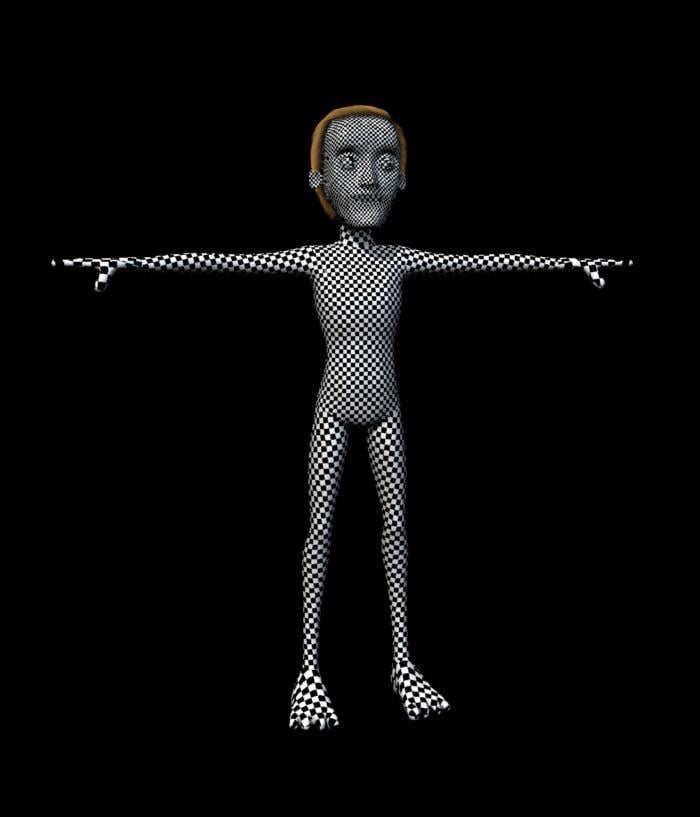
morphed to be a meaner / leaner Heat Miser
 HELP! What character is it?
I would agree that Raiya's character, or one of them, could be involved. It's normal for PAs to either use their own or morph existing ones.
My advice: send in a request for the character or the morphs used; it might not help though.
Kitten MorphHey, you are welcome.
Unfortunately I only needed a few kitten images and this was servicable enough for the current need.
If you let me know how you would like it changed/adapted or what a new one should do different from the current one I can give it a try.
mhhh.. i saw your kitten morph a while ago, was interested, but i'm not sure if i DL it or just postponed it - anyways, i can't find it in my freebie folders... AND it seems your link here has disappeared again. i saw @Catherine3678ab 's thread https://www.daz3d.com/forums/discussion/436617/helper-morphs-for-the-kitten-morph-for-daz-house-cat#latest and it reminded me of your morph, but now i can't DL yours...

EDIT: nevermind! ... i just was the victim of the forum quirk - after going to & from suddenly the rar was back here ^^
thanks a lot for this cute morph ^^
beginner questionsWhen I download this, what file should I put in which folder? I have daz3d library folders in c:daz3d, also in my documents\daz3d, and programfiles\daz3d, I believe. And I made none of these myself. Does it matter which of the library folders I use? And in the download are several folders and files, but how to you make it "tidy" in the app, so you dont have to go through way too many folders to get to your morph\prop etc.?
C:\Daz3D should be where your content resides. Documents\Daz3D is for content that you create (for example, by saving a pose preset), and content downloaded through Daz Connect (if you install something within DS rather than through DIM/Central or manually). Program Files is just that: the files that DS needs to function. You shouldn't have any content there. For Alysha, follow the same steps I outlined above for the medieval hovel: copy the data, people, runtime etc. folders into your main Daz library, and the files should propogate to the correct locations and become usable in DS. If there are parent directories, like "content", "Daz3D", or anything of the sort, ignore those; you only want the content directories.
Also, it may be worth it for you to pick up Content Wizard, since that handles all the installation for you, and even installs Smart Content if you're into that sort of thing.
Also, after I have downloaded and put the files in the right place, how do I use a morph? Do I first load the gen8 female, then drag the morph to the selected female? Or do I go to open, in the top left corner? Could it be that it is working, that it is infact morphed but I cannot see it, as in the view mode is wrong? Sorry I am just trying to see the potential errors here.
You don't "open" morphs. If they're installed correctly, they should be available in the Shaping/Parameters pane, and all you need to do is dial them in. If Alysha, for example, includes a character file, you can open that by double-clicking or dragging, and it will create a new G8F in the scene with Alysha's morphs and materials applied, or apply those same parameters to an existing character that you have selected.
beginner questionsHello Again! Sorry I dont really understand the whole quote mechanics here, not really big on forums :)
"That sounds as if you have Genesis 3 Male Starter Essentials installed, but not Genesis 3 Female Start Essentials."
I see, so I tried to uninstall and install daz3d sentral again, without any difference. I managed to download gen3 female starter essentials and put it in what I though was the correct directory, so I could use it, but it wouldnt find it where it used to be. For example at the startup, it wouldn't let me choose gen3 female, or even in the same folder as it used to be in smart content. I could however find and use it when I search for it in my library content.
"When looking in the Content Library do you see the /data folder, possibly /content/data/? You shouldn't, having that (or Runtime) visible as a folder in the Content Library means that the product was unzipped with an extra sub-folder (usually Content) containing its files, in which case the fix is to take the stuff out of the sub folder and merge it with the matching folders in the main content directory (e.g. /Daz 3D/Studio/My Library/ in the documents folder)."
Yep. I see like you say, all those folders. I tried "unpacking" them more, meaning I found the file in the deepest folder and removed the other folders. Then alot of the exclamation marks disappeared and turned into preview pics, so that solved that problem. Thanks alot! However, when I try to apply the morph, it doesnt work. I tried so many different ways, and I have no idea where the problem lies. I know that when I initially installed the app, it stopped many times. I had to click install again and again, because it would stop. And when I clicked install once more, it would continue where it left of. So maybe it wasnt installed correctly. I used daz central to install daz3d. Since I suspected I had made some errors in my installing and butchering the folders by mixing folders here and there, I decided to start over. First uninstalled Daz3d, then daz central, and reinstalled, but still when I installed daz central it would show many of the things I had formerly installed, it it showed as installed. For example the starter essentials. So I uninstalled once again, and went through my computer to find all the folders related to it and deleted it. Now when I installed it, it was really from scratch. Daz central did no longer show the assets as installed.
So now that I start over, before I download assets, morphs and stuff, could you please explain how I should go about this from start to finish. I am sorry to ask so much, but I really dont get this to work.
lets start with alysha morph:
https://www.renderhub.com/emotionaldreams/alysha-for-genesis-8-female
When I download this, what file should I put in which folder? I have daz3d library folders in c:daz3d, also in my documents\daz3d, and programfiles\daz3d, I believe. And I made none of these myself. Does it matter which of the library folders I use? And in the download are several folders and files, but how to you make it "tidy" in the app, so you dont have to go through way too many folders to get to your morph\prop etc.?
Also, after I have downloaded and put the files in the right place, how do I use a morph? Do I first load the gen8 female, then drag the morph to the selected female? Or do I go to open, in the top left corner? Could it be that it is working, that it is infact morphed but I cannot see it, as in the view mode is wrong? Sorry I am just trying to see the potential errors here.
Thanks again, you have really helped me alot!
About the sweet home 3d, I did find some export there, and it does export to obj. I tried to export a file and import it in daz3d, and it did somewhat work. i could find the "house" i had designed, but I could only view it from a distance. I could look over it and under it, but the zoom didnt work. So I could not look up close. not sure if it was just too far away, due to incorrect conversion numbers in the beginning. This I will try to look more into, but if you have any thoughts, please share.
Regards
DELETEI used my first go on some Fast Grabs, which were definitely cheaper than a lot on my wishlist but will be very useful in the near future. This is what I keep telling myself because I rushed just in case they weren't supposed to be included, given the near daily mistakes in the ad text and site functionality. There was also a morph pack that I am actually regretting now because I realize it won't work how I'd envisioned.
Second is focused on items either high in price or priority. I'm still finalizing my choices. Filter Forge Pro for $24? Dark Knight Horse and Cloudscape Creator bundles for $10 apiece? I started with a cart that had 20 things in it and each one I had to remove hurt a little. Easily the best deal we've gotten during this sale and hopefully Daz will do something similar once more before it's over, when another group of artists is featured.
Khemsit 8...My total was higher for using the Cairo-Coupon, so approx. $50 after store credit.
Bundle + 2 textures & The HD morph to get the 20$ store credit.
(Like the two textures and although the HD morph might be subtle it will add to the pool. By the way: Try out an HD Add-On on a different character. Brings out interesting effects and can help to improve an otherwise "flat" character or even do a little bit of additional aging (for example with a HD morph like Mrs. Chow.)Then thanks to the Cairo-Coupon 88% on the Nature Trees in Fast Grab and 80% on the UltraScenery Pines. Very good deal for UltraScenery-Lovers. Also 88% on the Sshodan Cloak from fast grab. Did think about also getting the outoftouch texture extension but given that I hardly use the connected base hair I opted for two other things on my wishlist and the 80% option.
Now the big question is whether "CAIRO-GIFTS" will also work tomorrow? It is stated that it will work twice though.
Well, it doesn't work on new releases, only on things that are more than 2 months old. So it will really depend on what artists have new items released tomorrow, and whether they have anything available in their Featured Artists list that's high on your wishlist already. I noticed there's already a 40% discount on Fluidos 2, so I just figured I'd rather grab that today with the coupon, than risk the 40% discount being gone tomorrow. A combined discount of 80% is pretty sweet I think.
it wouln't be 80% discount. It's price x 0.6 x 0.6 which would be discount of 64%
Khemsit 8...My total was higher for using the Cairo-Coupon, so approx. $50 after store credit.
Bundle + 2 textures & The HD morph to get the 20$ store credit.
(Like the two textures and although the HD morph might be subtle it will add to the pool. By the way: Try out an HD Add-On on a different character. Brings out interesting effects and can help to improve an otherwise "flat" character or even do a little bit of additional aging (for example with a HD morph like Mrs. Chow.)Then thanks to the Cairo-Coupon 88% on the Nature Trees in Fast Grab and 80% on the UltraScenery Pines. Very good deal for UltraScenery-Lovers. Also 88% on the Sshodan Cloak from fast grab. Did think about also getting the outoftouch texture extension but given that I hardly use the connected base hair I opted for two other things on my wishlist and the 80% option.
Now the big question is whether "CAIRO-GIFTS" will also work tomorrow? It is stated that it will work twice though.
Well, it doesn't work on new releases, only on things that are more than 2 months old. So it will really depend on what artists have new items released tomorrow, and whether they have anything available in their Featured Artists list that's high on your wishlist already. I noticed there's already a 40% discount on Fluidos 2, so I just figured I'd rather grab that today with the coupon, than risk the 40% discount being gone tomorrow. A combined discount of 80% is pretty sweet I think.
Khemsit 8...My total was higher for using the Cairo-Coupon, so approx. $50 after store credit.
Bundle + 2 textures & The HD morph to get the 20$ store credit.
(Like the two textures and although the HD morph might be subtle it will add to the pool. By the way: Try out an HD Add-On on a different character. Brings out interesting effects and can help to improve an otherwise "flat" character or even do a little bit of additional aging (for example with a HD morph like Mrs. Chow.)Then thanks to the Cairo-Coupon 88% on the Nature Trees in Fast Grab and 80% on the UltraScenery Pines. Very good deal for UltraScenery-Lovers. Also 88% on the Sshodan Cloak from fast grab. Did think about also getting the outoftouch texture extension but given that I hardly use the connected base hair I opted for two other things on my wishlist and the 80% option.
Now the big question is whether "CAIRO-GIFTS" will also work tomorrow? It is stated that it will work twice though.
Rigging of V3 & V3 clothingOK. Thinking on it.
It sounds a fair bit of effort to get to somewhere I regard as a bit of a distraction from the main, long term goal of getting the GV3 figure shape onto G8F. I think I will stop chasing down this rabbit hole and go towards the main goal of transferring the GV3 shape as a morph to G8F. There, I am in much more comfortable territory as I can program whatever tools I need and I don't have to flounder around with a hopelessly inadequate documentation system (such as in DS).
I know Blender can do it, but for some reason the Anti Virus system on my main PC objects to Blender and deletes the installation file when I try to get it to run.
I understand that the GenX2 package with all addons and one further morph can get me to a G3F morph, and the G3 to G8 convertor by RiversoftArt (that I already have) can get me to G8F, but the amount of cash involved means I couldn't finish the conversion this year on my budget, and it's a lot of cash to invest in one or two conversions and no more. Instead I think I'll re-vamp my 3D finite element modeller program with the aim of doing two tasks: that of converting GV3 (https://www.daz3d.com/glamorous-vicki-set-for-victoria-3-0) and GND2 (https://www.renderosity.com/mod/bcs/the-girl-next-door-2-athletic/39673/) to G8. Don't think any other V3 figure I got ages ago is worth the conversion effort. Then I can probably stop trying to work around or hide the joint limitations of V3 based figures.
So, can I thank you for your help & bring this aborted experiment to the end it deserves.
Regards,
Richard
Default Daz Studio vs Maya head shapethere are at least 2 work-a-rounds for this problem. What you are experiencing in Maya is the pure basemesh. You are not comparing apples to apples. Unless you dial down your viewport in DS, you won't ever see what the basemesh really looks like. Anyways, here are the workarounds that I use:
1. Export a hi-poly OBJ (usually subD4) and bake it as a displacement map to your Maya rig. I bake vector displacements in Zbrush or Mudbox. I use this method when I want to use the micro details already on the HD Daz asset (HD morphs).
2. Export hi-poly OBJ (usually subD2 or 3) and use it as your render mesh. You can transfer animation by means of UVblendshapes. I do this when I'm transferring micro-details from other sources or making my own.There is also a third possible way: a piece of software published by a friend of mine called Kinetic Motive has a feature that reportedly automatically bakes the HD morph from Daz into your Maya rig. I haven't tried this feature to confirm it, but you might want to try it out. Good luck.
/edit/ I neglected to provide you with links for the tools used in these methods. SeUVblendshapes plugin is essential to my Maya animation pipeline: https://scottenglert.com/seuvblendshape/
Kinetic Motive is my pal's facial animation plugin. Here is his webstore: https://gumroad.com/kineticmotive. ; He has a website too, but I can't find it at the moment.
And these are some renders of Daz figures using this method in Maya:

https://www.deviantart.com/bad-uncle for more images (figures are unclothed)
I used method #2 in the above examples. If you have any questions about how to employ some of these techniques, feel free to hit me up on Skype.
PRZ White Tie Outfit for Genesis 8 MaleI am messing around with it now. I really like that the bowtie is not conforming to the neck, and can be moved around, making it look a lot beter in certain poses.
Hi!
the bow also has a morph to bend its tips forward to make it look more natural.
p
Reconstruct Subdivision in ZBrushIt won't work because DAZ and Zbrush use differente subdivision algorythms. DAZ uses Catmark while Zbrush uses Catmul-Clark. When you use the "reconstruct subdivision" feature in ZBrush you are breaking the vertex order of the model. That's the reason why it explodes when loading it back to DAZ.
One solution is to use Blender's addon "Transfer Vertex Order":
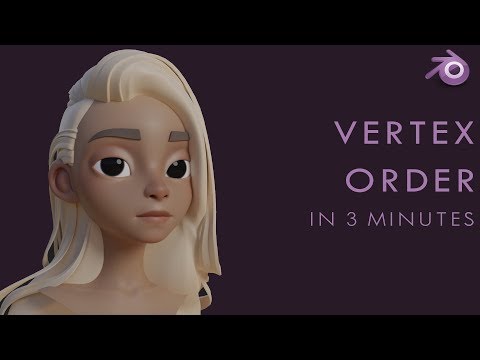
The addon restores the correct vertex order to your mesh so you can now load it back successfuly as a morph in DAZ.
(Maybe Maya has something similar but I don't know as I have never used Maya.)
Hope this helps,
Martha
OH COOL! Thank you for the info! It's really nice to know the technical "WHY" behind why it's doing what it's doing, even if it doesn't change the end result. I'm so hesitant to adding a 4th program to my already blown-out pipeline, but if this works it's worth looking into. I'll take a peek and see if I can figure it out.
I'd be interested to know what others people solutions are for addressing this kind of functionality, or if anybody else is struggling with it like I am. Perhaps I'll start a thread on it at some point, it would be very interesting to see :)
THanks everyone!
Daz 3D is part of

Connect
DAZ Productions, Inc.
7533 S Center View Ct #4664
West Jordan, UT 84084Licensing Agreement | Terms of Service | Privacy Policy | EULA
© 2026 Daz Productions Inc. All Rights Reserved.