-
make custom morph to a custom character based on genesis8
Don't do it as a morph, create geo-grafts fill the eye 'sockets'.
i see...but i need to do that for genesis 8 base, correct? or can i do it for the sakura8 model?
sorry if this is a silly question, i only found some geograph info on youtube
suggestions for special comic like edged faces? --- Ghost Dynamics?Hi,
I am looking for special comic like edged faces – like for existing batman drawings.
Do you have any suggestions?
I didn’t find any figure or tool/morph for this. (Dwayne is in that direction but to funny in its shape and could be more edged).
I tried editing a face mesh in DAZ but seems not be really practible or I tried a wrong method.
Star Wars Renders 2013 +Nice! Good attention to the background, I love the R2 at the back.
Have you considered playing with the lighting, so that the troopers are in full light and the spy is in shadow?
Also, what figure or morph is the spy? I'd love a good fox-person.
Bothan Spy

I had a lot of issues while trying to do this one, so I wasn't able to experiment with the liggting as much as I would normally. My compter seems to have issues when using full body d-force hair. A few times I tried to render a small IRAY preview and all I got were black canvasses. For the head shape, I used HFS Ultimate Shapes for Genesis 8 Male. For the hair, I used Tomcat For Genesis 8 Male. Both are available in the Daz store.
AIUTO...CHI CONOSCE L’ITALIANO? PARTE DODICISto fatto dei morph che ralentano lo dicevo io in tempi non sospetti con Genesis, gia allora quando capii come funzionanva la gene pool, immaginai che chi ha tantissimi morph, poi deve aspettare più tempo per caricarli.
Ma fare una cosa più semplice no? Cioè apri il character, inietti quello che ti serve dopo averlo caricato, non prima, e vai. Non i dite che cosi si faceva con V4, la apriva solo i canali, e per farlo pure ci mette il suo el tempo.
make custom morph to a custom character based on genesis8Don't do it as a morph, create geo-grafts fill the eye 'sockets'.
Star Wars Renders 2013 +Nice! Good attention to the background, I love the R2 at the back.
Have you considered playing with the lighting, so that the troopers are in full light and the spy is in shadow?
Also, what figure or morph is the spy? I'd love a good fox-person.
Bothan Spy
Rose HD and Expressions for Genesis 8 Female overwrites pix FWSA Rose HD for Victoria 8I think I had two morphs with the same name once, and Daz Studio added a prefix of "(2)" to its parameter name. Or maybe I had the same morph on two different drive paths, I don't know. I never tracked the problem down.
Morphs for slightly anthropomorphic charactersYeah, it's sad that Beth stopped making the incremental morph sets once the Genesis wave debuted. I always wondered why. It's not like she totally "bowed out" as she still releases ;pose" sets, but I can't find any items under her name that can be used to tweak the faces and/or the bodies for the various Genesis iterations. I would have been more tempted to finally "switch camps" had she done so.
Sincerely,
Bill
Vehicles: Real World EquivalentsNow if only I could find a Lotus Seven S II, like the famous KAR120C from The Prisoner series... (and a Patrick McGoohan morph, the clothes... the whole darn village. Pretty sure I could make Rover with dForce and a sphere...)
dForce Thorn Dryad Outfit for Genesis 8 FemalesIts possible if you are using a custom shape or character that the autogenereated fit morph is causing some issues? Dforce can be very finicky but we do our best to make things behave and work out of the box. I'd suggest trying the same pose with the outfit on a default g8, just to check if its the pose or the morph causing troubles
LM
already tried that same problem, not using any other shape iether, tried it with a primitive plain with the figure posed to sitting just pokes through the plain where other clothing reacts to the floor - by not poking through
dForce Thorn Dryad Outfit for Genesis 8 FemalesIts possible if you are using a custom shape or character that the autogenereated fit morph is causing some issues? Dforce can be very finicky but we do our best to make things behave and work out of the box. I'd suggest trying the same pose with the outfit on a default g8, just to check if its the pose or the morph causing troubles
LM
AIUTO...CHI CONOSCE L’ITALIANO? PARTE DODICIMi pare strano che gli shape preset ti rallentino, in fondo si basano su morph già installati.Crios è sempre sul pezzo, ahahah!

Abbiamo già appurato che avevo pensato male, non sono i preset ma i morph.
Come dicevo io ne ho un migliaio circa per G8 (metti 800, via) ma il caricamento/posa della base non mi da problemi da quando ho installato la versione precedente all'ultima.Non appena avevo messo quella adattata per il Face Transfer era assolutamente impossibile utilizzare G8 in nessun modo, posing, animazione e perfino solo spostarlo dal centro del mondo era scattoso e lento.
Boh, più vanno avanti più cose rompono...
 Ero molto contento quando hanno corretto gli IK ma l'hanno fatto a metà, purtroppo.FBX morph syntax
Thanks M-A. I have some more clairity too and hope it helps.
I thought the staging list in the FBX export was a list of morphs and not selectable. I thought I'd have to rewrite every morph I'd have to use. That's why it was so bad that I couldn't get Hands. to work even though Head. did. Daz seems to give you all these incredible features (in FREE software, I love daz) and then hide them as best they can. I think they hired a UX guy from Zbrush.
In the FBX export options the bottom section is called Staging for reasons. No controls. No right click menu. I thought it was just a list. But if you hit Control C while a list item is selected you can copy it even though there's no right click submenu or Edit menu. Then add a morph to the list, select it so it's editable and hit Control V to paste the morph you just copied.
You have to watch out cuz they duplicate morphs on that list. But it gave me my dream list with no morphs I never use like cheek flex.
make custom morph to a custom character based on genesis8So im trying to make a custom morph for the face of Sakura(basically tring to remove her eyes to make sure the surface of her head is smooth(so i can 3d print and put a sticker for her eyes)
the problem is, if i go to zbrush with export deformations and do my work there and then re-import, the whole mesh gets weird when i import it as a morph(also seems to scale)
if i try to do that on the genesis 8 base, when i apply it "works" but the result is way off.
is there a way to add that custom morph on top of the sakura and not get it to be messed up?
thanks in advance.
Why is this happening?Hi all. I have a question. I have Daz 4.12 pro and I have been using Daz for years. Just lately, for some unknown reason, I can load an environment, like a living room, with furniture, and it takes a long time to load. Then if I want to add people, I can try to add one character of Gen 8 female, with clothes and hair, and it will take about 30 minutes for the add display to go away, but the character never loads because Daz freezes and the cursor will not move. I have to push the power button on my pooter to shut it all down and restart it. Not good! The light on the front of the pooter that shows it is "at work" just stays on. It started doing this a while back but is getting worse. I can all but forget a second character. This happened to me years ago with an earlier build of Daz and through lots of questions asked, I was finally told that I may have a certain character morph that was a freebie at Rendo, to check and see if I had it. I did. They told me to delete it, I did. I immediately got my power back and characters were loading like they should. My problem is...I have years and years of stuff, but most all the characters I use are Gen 8 and the clothes and hairs are newer ones for Gen 8. I sure wish I knew what was causing this because I lose all want to create any scenes with people in them now. Can anyone maybe help me figure out why this is happening? Please?
More Non-photorealisitic Renders (NPR II)Been playng more with G1 blends. Found that Hitomi works best as an accent, rather than the main morph.
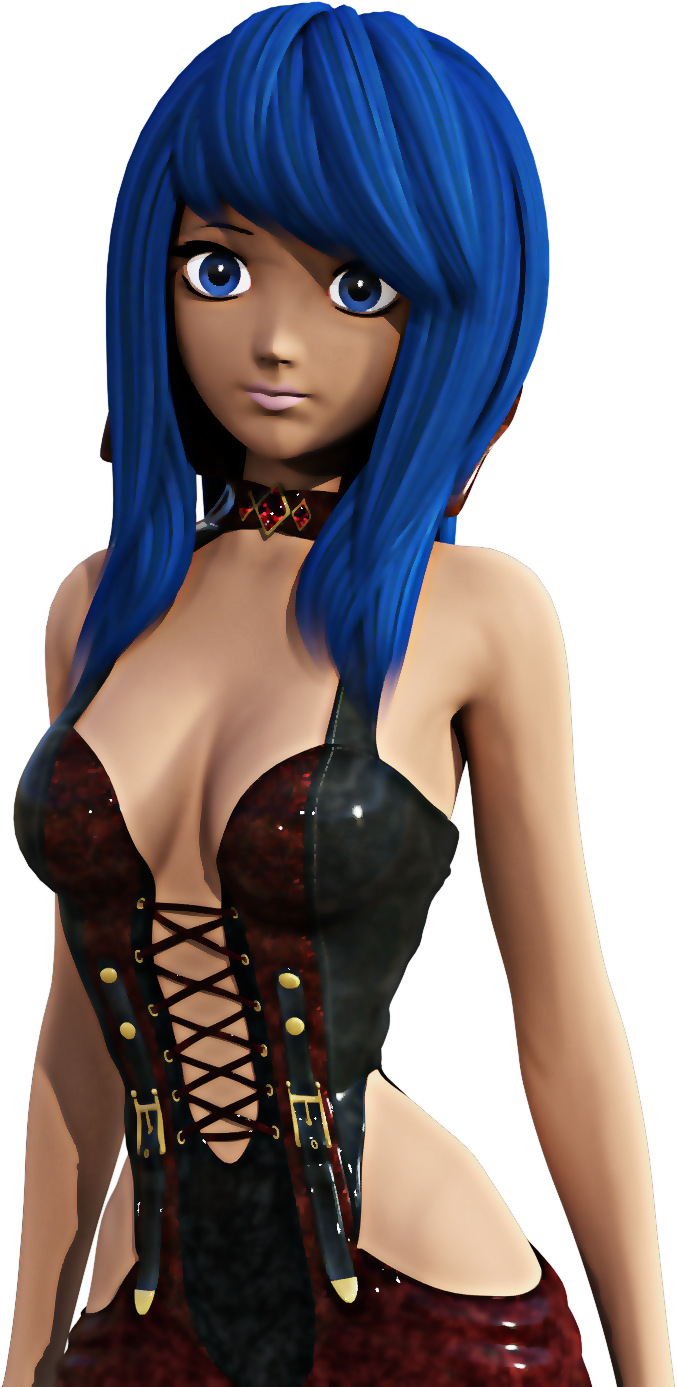
Cool design! Looks like something that could be fun to work with.
The Doors [A Rant...Sort of]use the geometry editor
This tool will only let you create new surfaces, but it can be used to make existing doors invisible to put in new doors, which is how I use it. Lots of sets come with moving doors which can be separated (unparented) and saved as a scene asset, then worked into position. That's how I solve the problem of non-opening doors anyway.... a tiresome process but works for me.
I 'solved' this in the update of Corridors I'm doing. The basic corridor prop is 600cm long and there are a lot of different ones - 4 door openings. 2 door openings. no openings, etc. Plus single walls, blank or with door openings, crossroads, T-junctions..... and they all fit together. You get the idea.
In amongst this, there are 3 door figures - each one has 4 doors and they fit any corridor unit. And each door can be switched off/on or moved to be used in a totally different environment. The 3 types are Wood, Office, and Glass. On top of that, these same 3 types, plus a pushbar door come as single props.
In the image, you can see Office doors along the corridor and an emergency exit at the back. (That pushbar door is in the figure, but also included as a prop)
Of course, it's only a partial solution because if you want sci-fi doors, I can't help you.
Just out of curiosity: How much extra time does it take you to model and rig a door that opens vs a door and frame that are merely decorative?
I can't answer that, because I've never made an unrigged door. All my sets have doors that open. Many of them have been multi-part props and not figures, but the work is mostly the same - hinges, locks, etc. I can tell you you that figures are more of a nuisance, with rigging and what-not, especially since DAZ switched to the full figure morph system, but I reckon there could be a fair amount of work on both sides.
One of the main things in any set is the planning, and definitely if you're going modular. That requires a great deal of thought, and measurements to see how the pieces will fit together,.
Anyone done any renders of Hagar?you can sort of fix the brows yourself, load her in, select the brows, open the transfer utility, set hagar as source and brows as target, set source item shape to current shape, under advanced options tick reverse source shape from target.
file>save as> support asset > save modified assets.
Unfortunately you'll still have to change the eyebrows fit to parameter each time you load Hagar as they load in parented and not fitted.
Edit: assuming update hasn't made any changes to the brows and they load in, in place parented to Hagar but not fitted
Thank you for this fix.
No Pose Controls on Import [SOLVED]Okay, I found the solution. If you find yourself unable to see any pose morph tags on import from Daz Bridge, go to your C4D preferences -> Import/Export -> FBX Import -> be sure under animation "Poses" is checked on.
FBX morph syntaxThe text you type is matched with the morph name (case sensitive), so if you enter "Head." it will export/bake/ignore any morph that contains "Head." it's nothing more to it then that, if you type the full name of the morph it will only export/bake/ignore that one.
I have not actually tried but it might be possible to do something like:
export "abc." (export everything containing abc)
ignore "def" (ignore any of the abc that contains def).
But that is juse a guess, you cannot do any more fancy filtering
Not sure what you mean with favorites, once you have a list of the ones you want to export you save it as a .csv file and you can reuse it next time.
Bake = The morph is baked into the exported mesh, so the morph is lost but the mesh is set to whatever the morph was
Export = The morph is exported and can be used in the FBX
Ignore = Do not export that morph
Daz 3D is part of

Connect
DAZ Productions, Inc.
7533 S Center View Ct #4664
West Jordan, UT 84084Licensing Agreement | Terms of Service | Privacy Policy | EULA
© 2026 Daz Productions Inc. All Rights Reserved.