-
Organizing Daz scene files
Love your avatar btw. Do you have a like about how to use the metadata?
Organizing Daz scene filesMy folder structure is like this : My Daz Library \ My Scenes \ Years \ [Subjects] \ [xxxxxx] - 000 - 999. duf
All of the scene files have metadata, so I can quickly locate what I want in thousands of DUF files by filtering some key words.
I think it should be always up to your preferences to build a folder structure for better organizing and managing the scene files.
Weird thing with Smart ContentThe more content you have, the more you realize how limited the entire Smart Content system is, and the fact that DAZ isn't going to go back and generate metadata for all of the old product being moved over from Rendo only makes it less useful.
Weird thing with Smart ContentWhile it’s true that products from third-party sites (and sometimes, old Daz Studio content) install into Daz Studio without metadata, you can manually create a Product from any subset of items installed (mapped) in your Content Library. The items can be from one product or from multiple products. Once a Product has been created, it appears in Smart Content without a thumbnail image but you can create one easily and file it in Runtime/Support as long as it has the same metadata name as the dsx file that Daz Studio creates when you create a Product. The thumbnail filename needs to be in the format LOCAL_USER_Your_Product_Name.jpg.
Huge Opportunity for the Future of DAZ if they are bold enough to embrace it.wolf359 said:
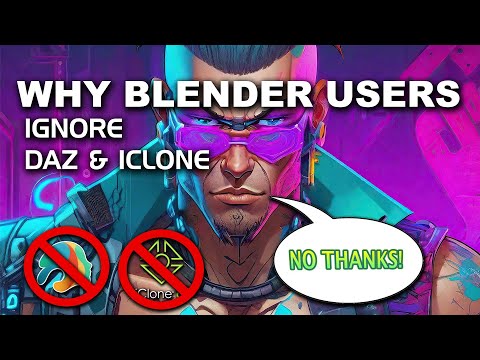
The advantage i saw was, from the perspective of Blender users, having native support in Blender (a seamless user experience)
You still have to import your (G9 only) into Blender and use his “texture tool” it is no more “seamless than Daz to Blender or Diffeomorphic except you pay him $35 dollars.

People have paid more for multiple texture sets on the daz store.
Having material presets already in blender is faster than importing them, i would assume.
Regarding your previous point about 3 gigabytes of files. It would be less gigabytes if HD shapekeys were a thing in blender (since daz's dhdm files take up less space than disp maps)Huge Opportunity for the Future of DAZ if they are bold enough to embrace it.The advantage i saw was, from the perspective of Blender users, having native support in Blender (a seamless user experience)
You still have to import your (G9 only) into Blender and use his “texture tool” it is no more “seamless" or "blender native" plugin than Daz to Blender or Diffeomorphic except you pay him $35 dollars and have to install 3 gigabytes of his bloatware for his “texture system” to work and it does not import Daz animations or even recreate the Daz JCM’s like Diffeo or Daz to Blender which is why you mostly see facial close up stills in his promo vids.
Read the comments on Jays video here.
from the perspective of Daz3d, having a community of daz-supported assets outside of the immediate daz sphere, which could help to expand the reach of the daz figures etc.My many years in the Blender community have shown me that blender user prefer to stay within their content ecosystem comfort bubble of Blender market & GUMROAD
There really is little opportunity for Daz or Reallusion to capture that demographic no matter what import plugins they might offer
 Victoria 4 Figures in Newer DAZ Versions
Yes, you can still use them in recent versions of DS.
They might not appear in smart content tab due to lack of metadata, but you can load them from the content library.
Weird thing with Smart ContentIf the products came from Rendo, they don't have the metadata for 'Smart' Content
Any way to get these to merge/render?ProtegeArts said:
crosswind said:
ProtegeArts said:
crosswind said:
I saw the vendor provided OBJ + MTL files in the product folder as your screenshot shows. You may also try with them.
But if you've already unpacked the resources and find the folder of texture maps, you better check if the paths are correctly defined in vendor's mtl file. And when you export to OBJ, you also need to check the option of Export Materials, then at least diffuse maps would be seen.
Meaning to double-check in Blnder before exporting? I saw the file but i didn;t pay much attentio to is since, as a new guy learning Blender(hardly touched it) it would be ready to go and simple. That is something I'm learning that it isn't. The times i exported .obj, and muli-seletcted options when exporting(imgaes below) it still comes out as the white/blank canvas on the asset.
I will update/ respond to your message about the MTL file and making sure everything is 100% annd exporting in .obj file into DAZ.
Edit: added a new screenshot with default selected options
The settings seems no problem... but you first of all try importing the OBJ file provided by the vendor. Firstly check mtl file, make sure the texture maps locate in the correct folder (like the example in attached screenshot 1)
Then import OBJ to DS. You should get the correct result.
the mlt file says its in my C drive. Yet, they show up in my D drive, where all my downloads go too. Would i need too move them there? As for those numbers that are there, Ka, Kn, etc. i don't know what any of that means and tried seeing if there's something named close to that and i can't seem to find it.
Your first mistake is using the mtl files. People will probably crawl out of the woodwork to argue with me about this, but I would never read .mtl files. They are, for the most part, garbage.
Just import the obj and uncheck the box for read material library file.
And then drag/drop the texture maps to the correct slot on the Surfaces tab manually.
Obj and associated mtl files are not a Blender to Daz bridge. There's no such thing as a BLender to Daz bridge yet. The best you have is fbx and obj as fairly universal file formats but they will usually not put texture maps in the correct place, and they usually will assign incorrect values on the sliders in the Surfaces tab. Thus it is best to just bring in obj without reading the mtl so that your values are in their default position, and then do everything manually.
"Where do i put texture maps in the iray uber shader!?"
Metallicity = MetallicityRoughness = Glossy Roughness*
Base Color/Albedo/Diffuse = Base Color
Opacity/Alpha = Cutout Opacity
Normal = Normal
Height/Bump = Bump
Displacement = Displacement
*Glossy Layered Weight should be around 100% if you are using the Glossy parameters like Glossy Roughness
*If youre putting a map in a slot, the corresponding dial should be set to 100%. Obviously you can use your eyeballs and reduce if you feel like that is warranted.
Note: Leaves have translucency. Im not going to explain how to set up translucency or SSS in Daz but if you feel like making realistic leaves, you can set up translucency with the maps you have.Any way to get these to merge/render?crosswind said:
ProtegeArts said:
crosswind said:
I saw the vendor provided OBJ + MTL files in the product folder as your screenshot shows. You may also try with them.
But if you've already unpacked the resources and find the folder of texture maps, you better check if the paths are correctly defined in vendor's mtl file. And when you export to OBJ, you also need to check the option of Export Materials, then at least diffuse maps would be seen.
Meaning to double-check in Blnder before exporting? I saw the file but i didn;t pay much attentio to is since, as a new guy learning Blender(hardly touched it) it would be ready to go and simple. That is something I'm learning that it isn't. The times i exported .obj, and muli-seletcted options when exporting(imgaes below) it still comes out as the white/blank canvas on the asset.
I will update/ respond to your message about the MTL file and making sure everything is 100% annd exporting in .obj file into DAZ.
Edit: added a new screenshot with default selected options
The settings seems no problem... but you first of all try importing the OBJ file provided by the vendor. Firstly check mtl file, make sure the texture maps locate in the correct folder (like the example in attached screenshot 1)
Then import OBJ to DS. You should get the correct result.
the mlt file says its in my C drive. Yet, they show up in my D drive, where all my downloads go too. Would i need too move them there? As for those numbers that are there, Ka, Kn, etc. i don't know what any of that means and tried seeing if there's something named close to that and i can't seem to find it.
Any way to get these to merge/render?ProtegeArts said:
crosswind said:
I saw the vendor provided OBJ + MTL files in the product folder as your screenshot shows. You may also try with them.
But if you've already unpacked the resources and find the folder of texture maps, you better check if the paths are correctly defined in vendor's mtl file. And when you export to OBJ, you also need to check the option of Export Materials, then at least diffuse maps would be seen.
Meaning to double-check in Blnder before exporting? I saw the file but i didn;t pay much attentio to is since, as a new guy learning Blender(hardly touched it) it would be ready to go and simple. That is something I'm learning that it isn't. The times i exported .obj, and muli-seletcted options when exporting(imgaes below) it still comes out as the white/blank canvas on the asset.
I will update/ respond to your message about the MTL file and making sure everything is 100% annd exporting in .obj file into DAZ.
Edit: added a new screenshot with default selected options
The settings seems no problem... but you first of all try importing the OBJ file provided by the vendor. Firstly check mtl file, make sure the texture maps locate in the correct folder (like the example in attached screenshot 1)
Then import OBJ to DS. You should get the correct result.
Besides, as long as the opacity map is a W/B mask, JPG format will also do.
Searching for some guidescrosswind said:
vroid models are pretty unique... you probably want this add-on: https://github.com/saturday06/VRM-Addon-for-Blender
to firstly import VRM into Blender, then export to OBJ or export to FBX with Better FBX add-on, import into DS.
oh thank you I'll look into it, but tbh I only ever used daz cause... well easy but nothing like trying something new
I'll check it out, thank you
Smart content should sort things by generation of figureThat will work if the metadata actually links to the Genesis # base. But I have found a number of figures that are not fully completed by DAZ, ie not linked to a base character and also clothing/accessories not linked to the supposed base character in metadata. For example, MSO Carrie for G9 released with no skin metadata, others don't have 'Figure/People/Female/Real World' or 'Actor/Character'. I have to check for these when I can't find a new character after I download it, or I use the Filter by Context and nothing shows up. I have tried reporting these to Customer Service but have given up. A recent issue was answered for the first time six months after I reported it. And that was for a thumbnail for a hair product assigned to Monk shoes. Both released around the same time. DAZ wanted to see what I did wrong by having me film my actions when I downloaded the product. The issue still remains.
A recent release had ships coded as Environments, not Transportation.
Question about converting real photo focal length to Studio cameraThe only times I've tried to replicate photos (actually still frames from movies) I didn't have camera metadata on hand, so I can't tell you from experience. Are you sure it doesn't say 5.7Cm? That would mean 57mm, which is still a little unusual for a focal length but more appropriate for a portrait (if that's what you're doing).
Question about converting real photo focal length to Studio cameraHm, so Studio's interpretation sounds correct. I didn't take the photo, so I don't know why it's listing the focal length at 5.7mm. Have you ever been able to accurately match a Studio camera to proper photo metadata? If so, I'll just assume something is screwed up with this photo's information.
Question about converting real photo focal length to Studio camera5.7mm will be an incredibly wide angle, so your results sound appropriate. It's also incredibly odd to have a non-integer focal lengths on physical lenses. I'm not sure how to account for the difference between your DS and the metadata.
Searching for some guidesvroid models are pretty unique... you probably want this add-on: https://github.com/saturday06/VRM-Addon-for-Blender
to firstly import VRM into Blender, then export to OBJ or export to FBX with Better FBX add-on, import into DS.
Daz Studio only opens in thumbnailRichard Haseltine said:
That is saying that DS cannot connect to the database engine that handles all the content panes/lists except The Daz Studio, Poser, and other Import Formats in the Content Library pane. Is PostgreSQL installed (you may have only one version, usually 64 bit General reelase though the beta is the same)? Assuming it is there could be several causes of that, including the roll back (especially if PostgreSQL was running when the image was made, and was included in the snapshot) so troubleshooting can be tricky. One thing to try is chnaging the Content Cluster location (in DIM or Daz Studio) - make a note of the old value as the fiels don't get copied, but if this fixes the error the issue is in the database or in fdolder permissions while if it doesn't something is probably interfering with communication.
Richard, I've found that the folder for PostgreSQL is no longer installed.
I've tried reinstalling Daz Studio from DIM, and it does not restore the folder. There is no Daz Studio under Apps in the Win 11 Settings, or under Programs and Features in the Control Panel.
I think I need to do a full uninstall and reinstall of Daz Studio to get the folder back, but since Daz has made the app work in a way that it cannot be uninstalled normally, I have no idea how to do this.
Help?
Thank you,
- BillSmooth Out Bumpfelis said:
If you hide the clothing, is it then visible on her body?
If not then it must be the clothing. It could be caused by a slightly incorrect weigth map.
The easiest solution would be to take it to a modeller, and sculpt it away and import as a morph (with reverse defomations). Or you could use mesh grabber to push it in a bit. If you wait for an updated/new mesh grabber it includes a smooth function, but it is unknown when it comes.
For a single image I would probably fix it with the existing mesh grabber.
I've uploaded some pics and it looks like the suit is sticking out further.
Using Other Content with DAZ Studio (Resolved)Depending on the file format in the content that you bought, Daz supports importing OBJ, FBX, DAE... you can import these files into DS and assign texture maps provided in the content package to items' Surfaces accordingly.
Daz 3D is part of

Connect
DAZ Productions, Inc.
7533 S Center View Ct #4664
West Jordan, UT 84084Licensing Agreement | Terms of Service | Privacy Policy | EULA
© 2026 Daz Productions Inc. All Rights Reserved.