-
FE dForce Irregular Skirt Punk Outfit G8F oops
Anyone else purchase the Irregular Skirt Punk outfit only to find that the skirt length morph actually modifies the width instead?
Oh, and the earrings are parented to the eyes instead of the ears, so that when the eyes move the earrings, move too?
LOL. Ticket time.
Does it in effect modify the length after draping?
lol thats not how geometry works
 it would just pleat/gather more
like draping a circle skirt with the same radius as a pencil skirt's length
but one's bum would look bigger
Deepnds how it is widened - it it pulled out at the bottom more than the top, which is what I was picturing since it wouldn't fit otherwise, then the length from waist to hem would increase and when simmed the result would be longer (but, as you say, with more/deeper folds).
oh I will concede this is Dforce we are discussing

not how real life stretch knitwear would behave
my polo tops don't stretch and at the same time vacuum cling to my boobs when I put them on either

and my goth like black jersey tunic dresses with the flounce around the bottom actually ride up more the looser they are ... because real life physics
 no leggin friction
in the DAZ studio portal more means density and mass not swing and flap
FE dForce Irregular Skirt Punk Outfit G8F oopsAnyone else purchase the Irregular Skirt Punk outfit only to find that the skirt length morph actually modifies the width instead?
Oh, and the earrings are parented to the eyes instead of the ears, so that when the eyes move the earrings, move too?
LOL. Ticket time.
Does it in effect modify the length after draping?
lol thats not how geometry works
it would just pleat/gather morelike draping a circle skirt with the same radius as a pencil skirt's length
but one's bum would look bigger
Deepnds how it is widened - it it pulled out at the bottom more than the top, which is what I was picturing since it wouldn't fit otherwise, then the length from waist to hem would increase and when simmed the result would be longer (but, as you say, with more/deeper folds).
Genx2 and Daz 4.14Personally I don't bother w/ GenX2 anymore. There are other chacter converter scripts by Riversoft Arts and Zev0 that require much less effort and fewer manual steps, with better results.
May not be the answer you want.
I didn't realize the Riversoft Arts had scripts that could convert those really old Gen 3, Gen 4, Gen 5 (Genesis 1) scripts to Genesis 8.
They don't, their character converters start from G2 only (they might create more later). So yes, GenX2 is still useful.
OK, that's what I thought. I bought all the GenX2 just for the possibility of moving old Gen 3, Gen 4, and Gen 5 morph shapes to Genesis 3 and then to Genesis 8 with Zev0's product. Haven't bought RiverSoftArt's yet to try it.
FE dForce Irregular Skirt Punk Outfit G8F oopsAnyone else purchase the Irregular Skirt Punk outfit only to find that the skirt length morph actually modifies the width instead?
Oh, and the earrings are parented to the eyes instead of the ears, so that when the eyes move the earrings, move too?
LOL. Ticket time.
Does it in effect modify the length after draping?
No, just the width.
As for the earrings, I reparented them to the ears and THEN had to use the joint editor in order to be able to adjust angle properly, because the pivot was set at the bottom tip instead of at the earlobe.
Quoting, because I get "Bad Request" when submitting edits
I don't know if it's a language thing. For example I love FeSoul's short hair, but the left sliders affect the right side of the head and vice versa. That's also messed up, but it's consistent and the sliders work, so it's not something I'd put in a ticket over.
FE dForce Irregular Skirt Punk Outfit G8F oopsAnyone else purchase the Irregular Skirt Punk outfit only to find that the skirt length morph actually modifies the width instead?
Oh, and the earrings are parented to the eyes instead of the ears, so that when the eyes move the earrings, move too?
LOL. Ticket time.
Does it in effect modify the length after draping?
lol thats not how geometry works
it would just pleat/gather morelike draping a circle skirt with the same radius as a pencil skirt's length
but one's bum would look bigger
FE dForce Irregular Skirt Punk Outfit G8F oopsAnyone else purchase the Irregular Skirt Punk outfit only to find that the skirt length morph actually modifies the width instead?
Oh, and the earrings are parented to the eyes instead of the ears, so that when the eyes move the earrings, move too?
LOL. Ticket time.
Does it in effect modify the length after draping?
No, just the width.
As for the earrings, I reparented them to the ears and THEN had to use the joint editor in order to be able to adjust angle properly, because the pivot was set at the bottom tip instead of at the earlobe.
FE dForce Irregular Skirt Punk Outfit G8F oopsAnyone else purchase the Irregular Skirt Punk outfit only to find that the skirt length morph actually modifies the width instead?
Oh, and the earrings are parented to the eyes instead of the ears, so that when the eyes move the earrings, move too?
LOL. Ticket time.
Could you tell me the Vert Count on the skirt and top pleeaaase? Really liked it but was holding off until I could find out about the geometry as usually impulse purchases have eleventy billion verts ;)
FE dForce Irregular Skirt Punk Outfit G8F oopsAnyone else purchase the Irregular Skirt Punk outfit only to find that the skirt length morph actually modifies the width instead?
Oh, and the earrings are parented to the eyes instead of the ears, so that when the eyes move the earrings, move too?
LOL. Ticket time.
Does it in effect modify the length after draping?
FE dForce Irregular Skirt Punk Outfit G8F oopsAnyone else purchase the Irregular Skirt Punk outfit only to find that the skirt length morph actually modifies the width instead?
Oh, and the earrings are parented to the eyes instead of the ears, so that when the eyes move the earrings, move too?
LOL. Ticket time.
[Released] ManFriday's Mesh Grabber [Commercial]2 Questions about morphing:
(1) If I make a long tube morph, and I find too much of an object it's attached to is affected, is there a way to freeze part of the object so that it is excluded from the pulling to make a tube?
(2) If I wish to reduce the size of the opening of a tube, on one end, or even to close one end of the tube, is there a way to do this with Mesh Grabber, or maybe with the Geometry Editor?
By the way, no one has responded to these two questions. Does anyone know? If these things are not possible, then this is what I would like at some future point in the development of Mesh Grabber. (I'm not suggesting that I'm in the least disappointed; just adding on to the wish list.)
IRAY Photorealism?I haven't popped back here in a while, but I ave been doing some stuff in Iray as well as cycles
So way way back I posted this reference
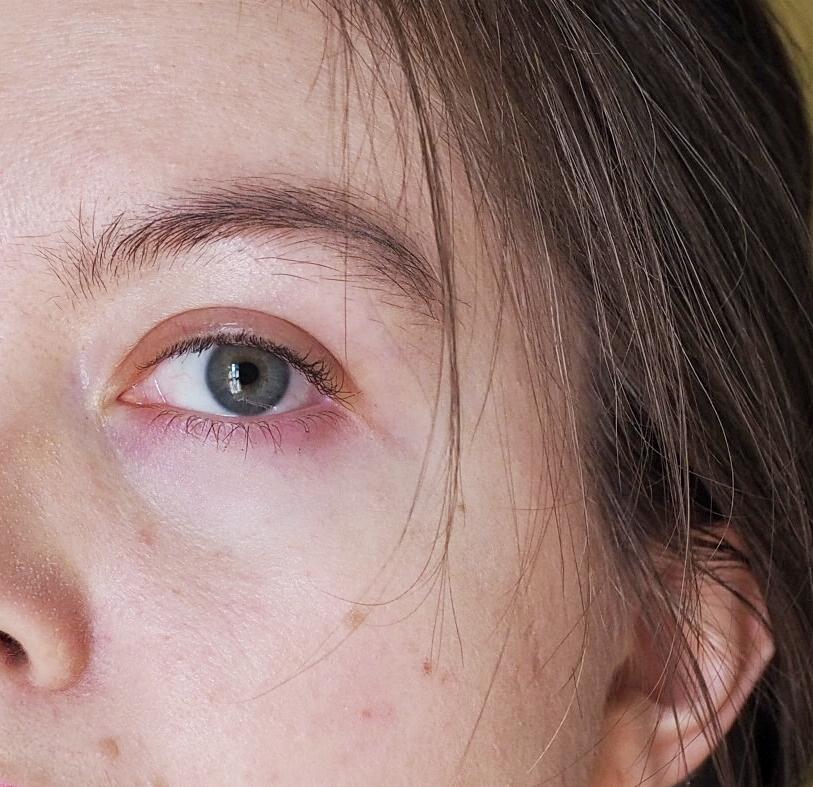
And at some point after decided hey lets see how exactingly we can recreate this
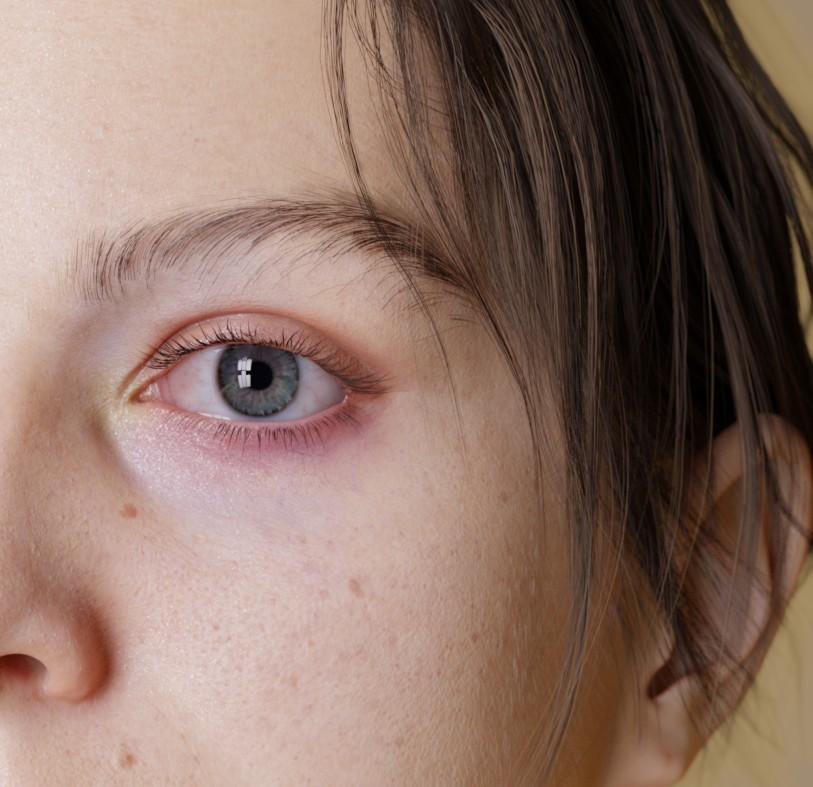
By which I mean lets create a custom morph and heavily edit some textures and just to be extra set up photomectric lights in a pattern that matches the window of the room the photo was taken in so the eye reflections even match
And then I completely forgot to ever post it. A couple months go by - I make another morph completely unrelated, but I look at it and go "hey this is sort of similar to my face" so I tweak it and make a morph matching my face again and then I remember: Oh yeah have a texture that matches the freckles and moles on my face pretty well (actually it only really matches 1/2 my face because I never bothered with finishing the other side)
So I stick them in some nice lighting and
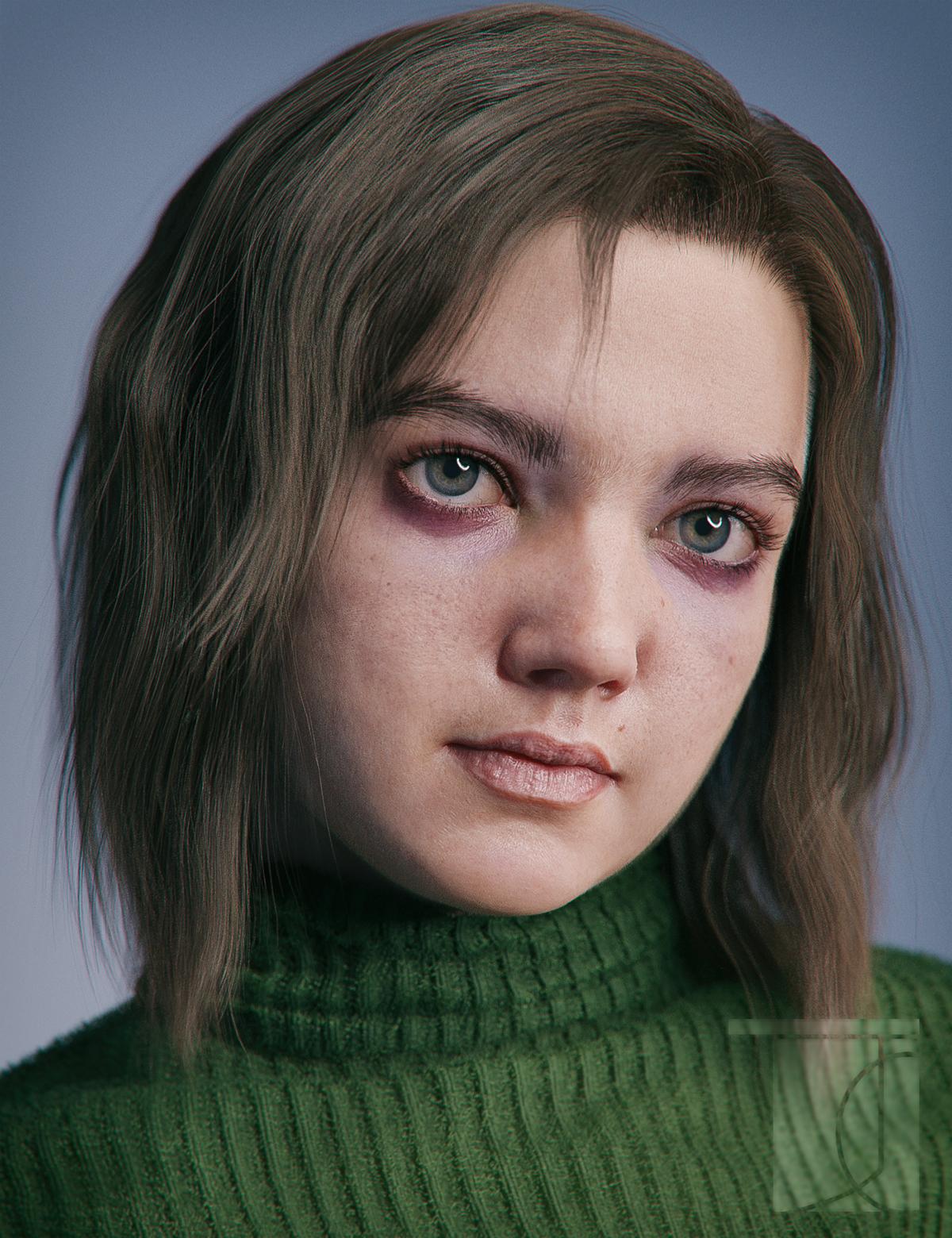
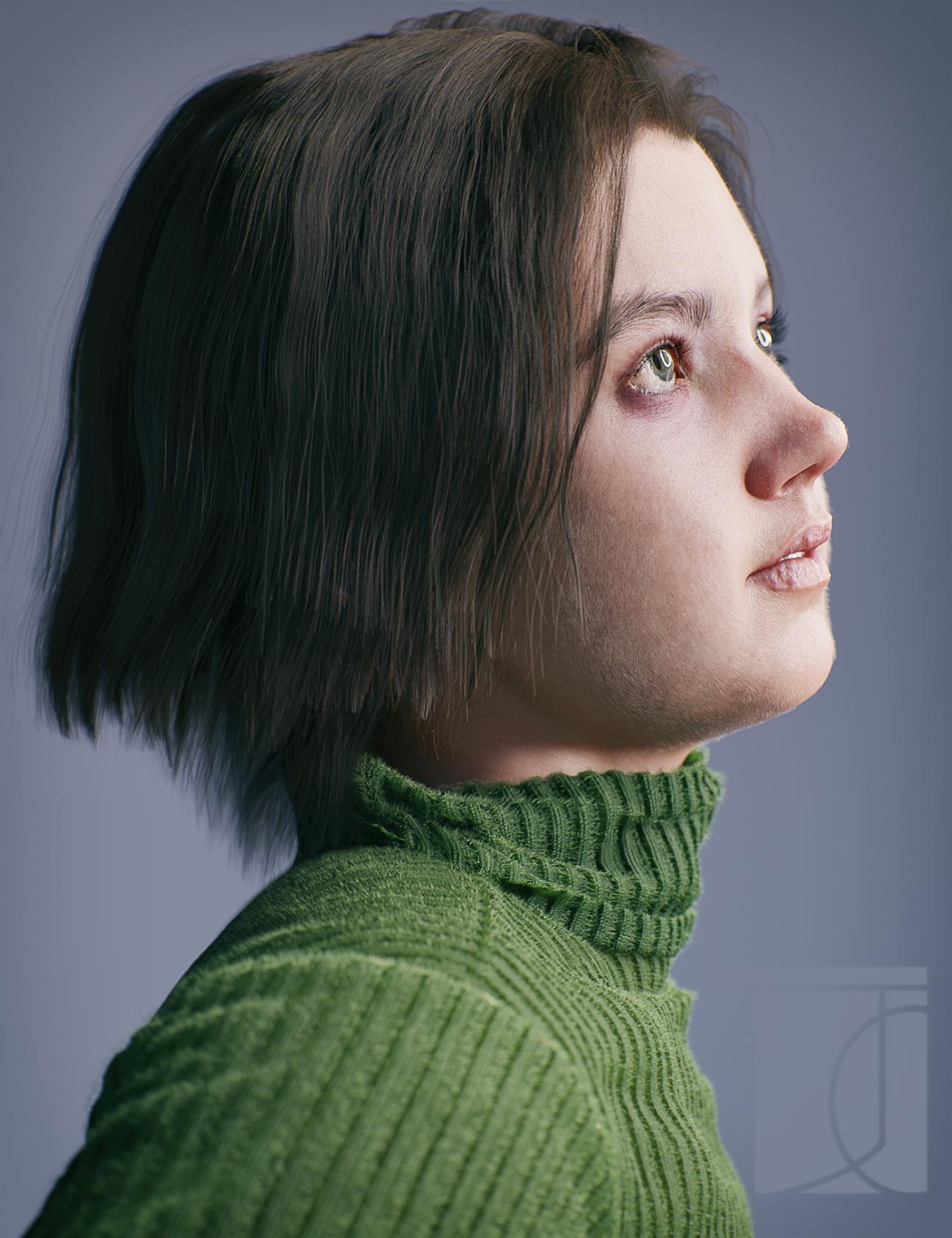
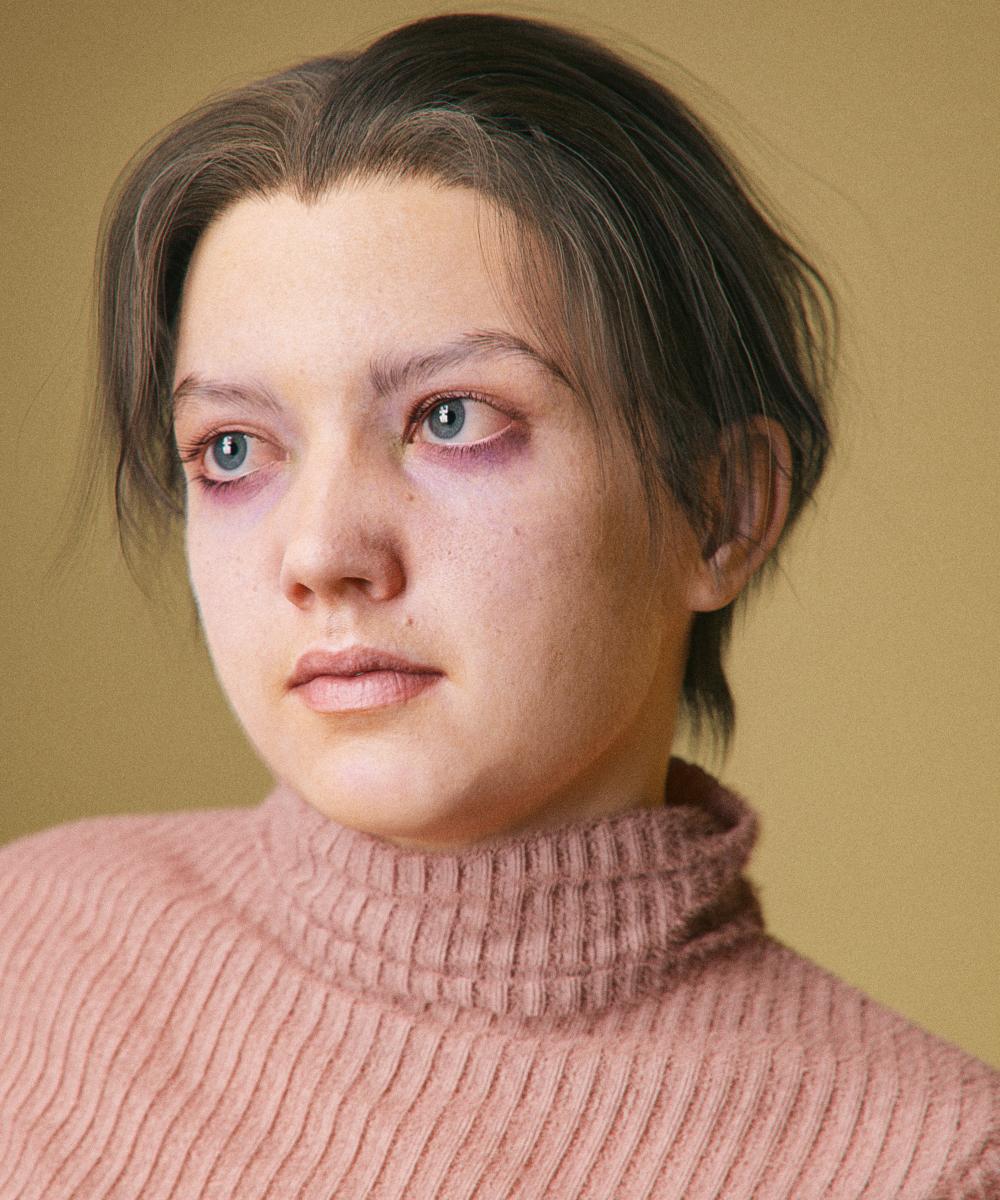
And I made a new icon!
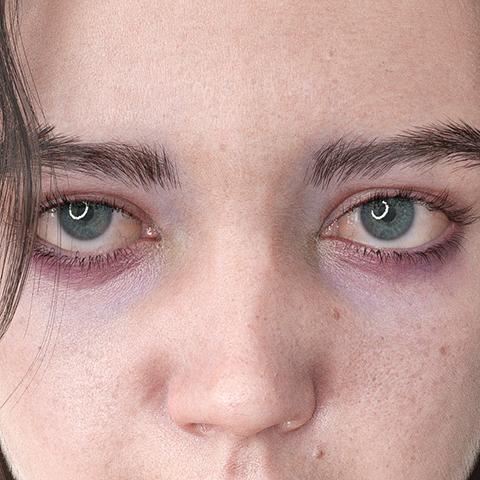
Technical notes
the textures are actually customized V8. Extra details were painted onto the diffuse and bump maps. For the bump map the lips were completely painted over. (I have some feelings about lip bump). Skin settings are pretty similar to the isadorekeegan method - main takeaway transmitted color of .98/.98/.98 so that it works well in spectral
just an obscene amout of strands: the hair is strands, the eyebrows are strands (the more recent renders with a new and better shape) the lashes are strands from blender converted to mesh, the sweater is covered in strands. There aren't strands on the eyes or teeth, although I'm sure I'll figure out a reason to one of these days. For the vellus hair for instance the max hair density is a truly gross 350 strands per cm^2 (though controlled with a density map so there are less in some areas) and a base thickness of .015mm. So that my computer doesn't explode, all hairs have their tesalation set to 2 rather than 3 - although either DS has gotten a bit better with strand memory or I've gotten better at picking my settings, because I swear its been way less memory intensive and freezy.
The morph itself is also even more different from the default than it looks - I mean the general proportions and over all skull shape are just completely different - though that may have as much to do with my head as the relative realisticness of the base G8. Some G8 sameyness really comes down to a lot of characters - even if they have different features - having very similar proprtions: thie lip might curve differently but its width relative to the face stays the same; the eyeshape is tweaked but its height and depth remain unchanged. I think I've said it before, but I am really starting to think that things like morphs and hair are at far more important than the minute details of material settings when it comes to realism. Also even when it does come to materials a large part of how our skin looks is effected by the fact that we are indeed covered in hair - In some of these renders you can't really see the idividual vellus hairs, but, were I to hide them, the skin would look completely different
IRAY Photorealism?
Home AgainThis is convincing. This is JeffSomeone level...The blurryness is tricking the eye perfectly
The one comment to I woud say is the eyelashes look a little too thick or something,and I know some wear lashes like that, but it looks almost too symetrical somehow, it drew my attention.
Any *slight* imperfections you add to the skin will enhance, but it looks great already!
At somepoint we want to just worry about the story of the picture as opoposed to obsessing over the specs, and you are now at that level. Like I said to Siciliano, just put different characters in the same scene and you wil find who is good/bad for this lighting/shading. But this is AWESOME!
Thank you :-)
well, "imperfections" Imperfections are important for sure, but photos often soften those imperfections, which is often welcome on photos. I checked the texture maps (ISource textures Chiquita) and there are indeed imperfections, but blurring and the light sets I used just smooth those flaws, as a camera would.
sometimes I worry about to overdo those imperfections.
I added some asymetry morphs to her and spent a hell lot of time to give her a unique and realistc smile.
Most of the sub component in the morph parameter list is keyed, in order to keep her smile as real as possible at any set of the dial.Failing to Install DS 4.14 On F DriveI've found forum links to questions about migrating everything DS from one PC to another, but I chose to do a new install of everything to a new drive via the Daz site as I assumed it would be quicker as all of my DS is on a laptop when my new PC is much faster. The only link I've found re this is the one below, but there's not enough step-by-step instruction for me, plus the creation of the Daz Central monster has only complicated things. And now I've complicated my own planned process by first trying to install everything on a new PC, not realising that there isn't enough space on the D Drive as I wanted it separate to the C, then having to buy a 2TB external SSD (F Drive) only to frack myself as I'd already messed up the paths in DIM failing to get it on the D.
In DIM I now have all of the paths back to the default for C Drive (I've successfully installed 2 small KB only products to my old laptop which is almost out of space); ie: all of these are now C:
Package Archive
Thumbnail "
Manifest "
Content Database Base
Content Base Path
64-bit Software Base
32-bit "
Do all of these paths have to be changed in order to install everything on a new PC's F Drive? I would assume so, but this is where I'm in complete confusion as in DIM every path is visually incomplete and ends with "..." So I've absolutely no idea what to change or what to change it to. I was hoping I'd need to change one path as I did with DIM and Daz Central and that would be it, "simples".On my F Drive I created the folder "AaaMY Daz Content" (the Aaa so that this folder will always be first in the line). In that is the "DazCentral" folder and the "Program Files" folder in which are DAZ 3D: DAZ3DDIM1 then the array of other folders and files, mostly .dll. But do I need to add any other folder besides my "AaaMY Daz Content"?
What I need is step by step instructions on how to word the file paths in DIM, first so that I can install Daz Studio in the F Drive, and then so that via DIM I can install all of my Daz content in the new Daz Studio.https://www.daz3d.com/forums/discussion/128146/how-to-transfer-daz-to-a-new-pc
Dforce Santa suitAs a sidenote it would be great if the coat had a open close morph
AIUTO...CHI CONOSCE L’ITALIANO? PARTE DODICIUna domanda ai più informati... Ma sulla generazione 9 si sa nulla ? Esce ? Quando ? E sopratutto a parte la mesh avrà qualcosa di diverso ? GrazieNon penso ci stiano già lavorando: l'anno scorso hanno detto che non sarebbe arrivata presto.
Quello che hanno detto è che, quando arriverà, gli asset per generazioni precedenti non saranno del tutto compatibili, altrimenti non avrebbe senso farla.
Hanno molte cose in pentola: Face Transfer, Strand Hair, dForce Hair, Filament, i bridge per qualsiasi programma 3D esistente...penso siano piuttosto occupati gli sviluppatori della Daz!
Ma l'unico che potrebbe sapere qualcosa sono Muscleman, AlessandroAM e Maclean, che però se sapessero qualcosa non potrebbero dircela.
Black Is Beautiful IIThe morph is Zarra by Anagord over at Rendo. Texture is Eden's with some modification, and the eyebrows are from...I forget.
 The Official aweSurface Test Track
I wanted to see how the M4 Vladimir skin works with awe, then figured I'd rather use it on Genesis1 so transferred the morph. Now they seem to have a small dispute about who is the real Vlad and who is fake...(M4 on the right). To be fair, I didn't attempt to make an exact copy
 .
.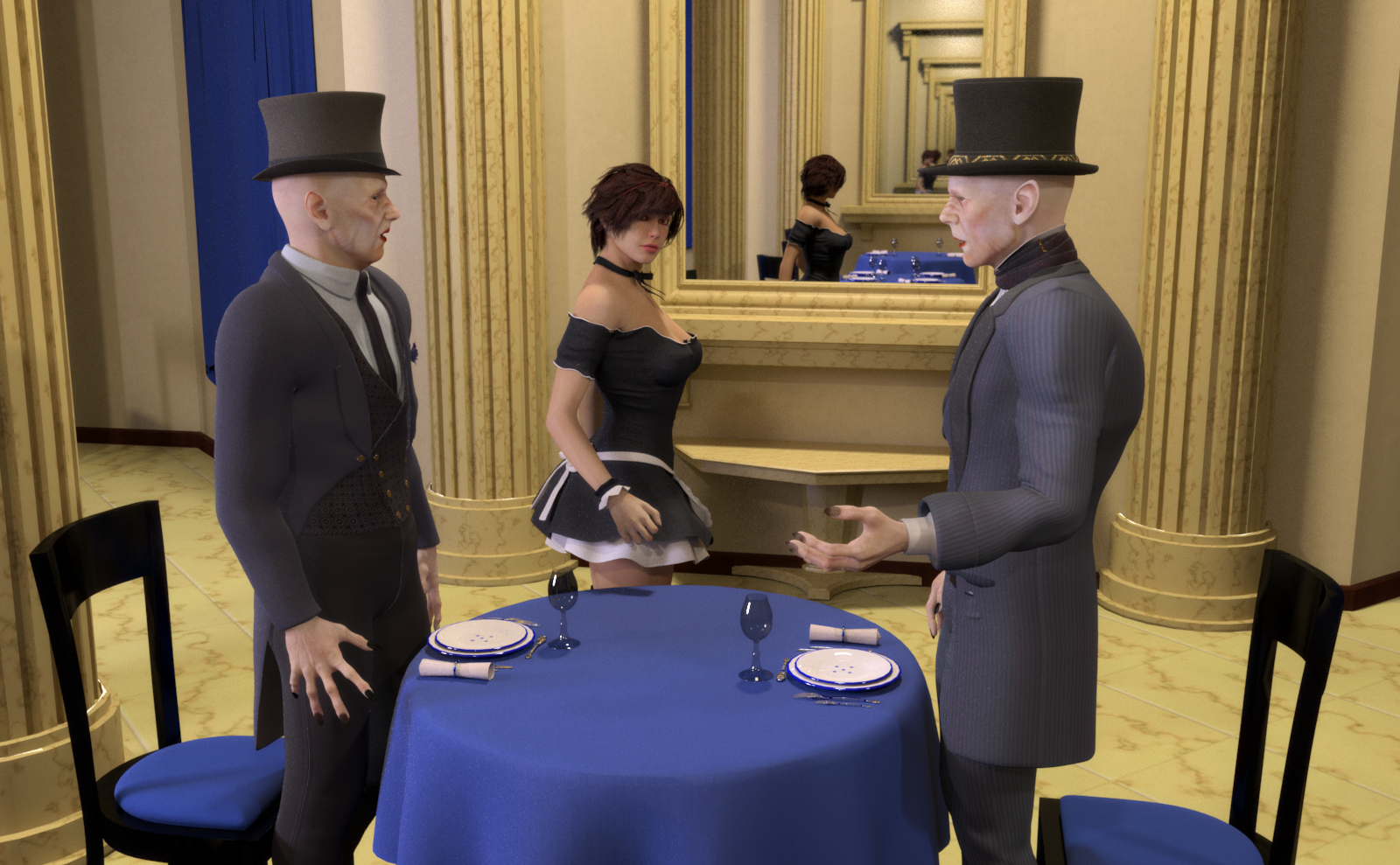 V4/A4-G3F Bi-directional Pose Transfer
OK, now the G3F to V4 script. First matching the zero pose:
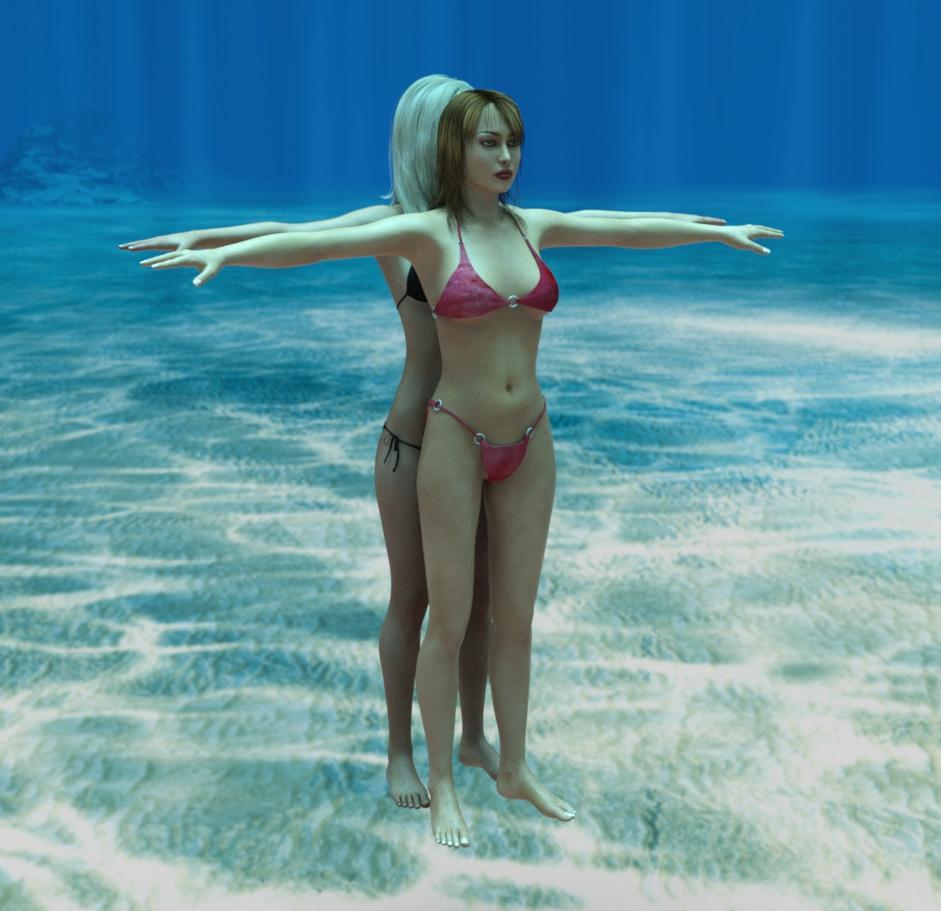
Now a before and after image of the pose transfer:
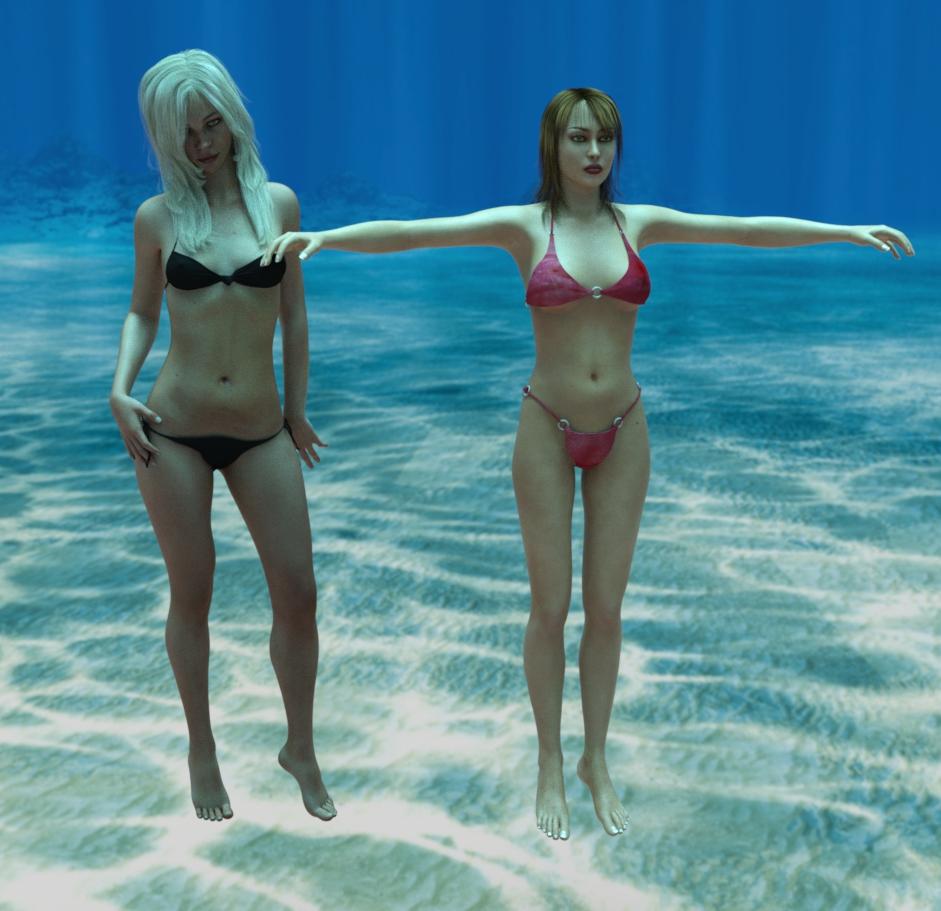
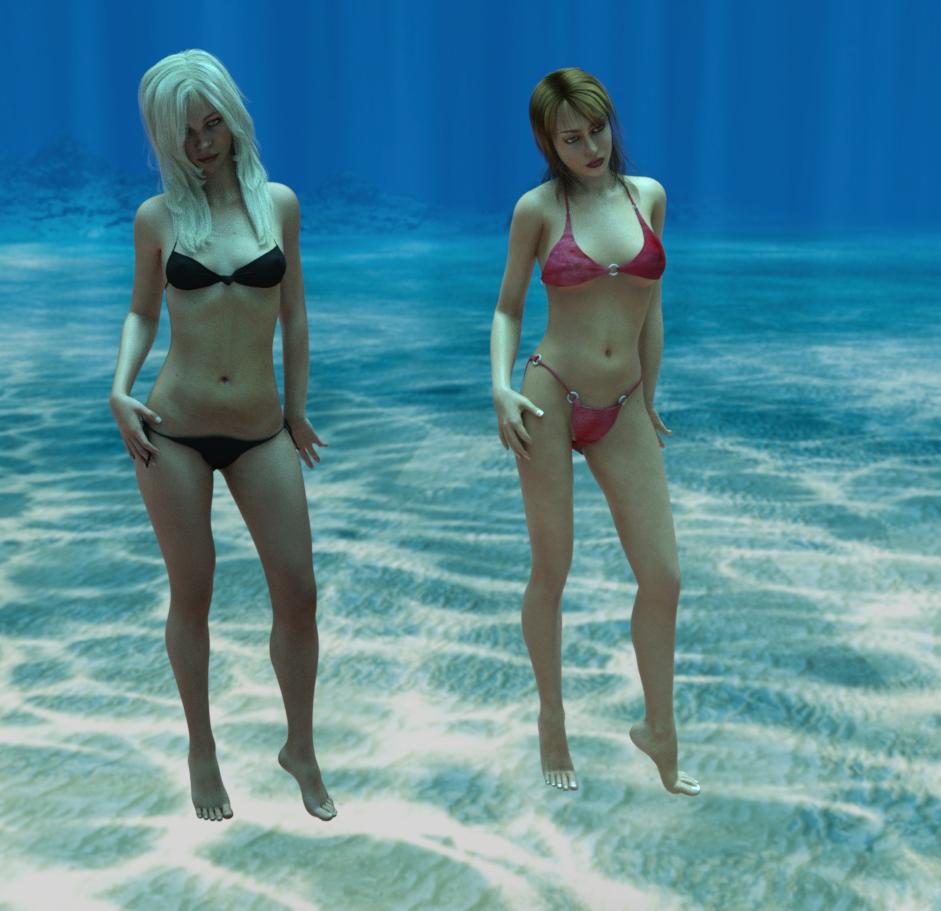
Once again, hope it's useful.
Regards,
Richard.
V4/A4-G3F Bi-directional Pose TransferI don't want anyone to feel that I am carpet bombing the forum, it's not my intent, I have simply had an attack of inspiration and want to run as far with it as I can while it's still with me.
This script was requested by @arrow1 over on Renderosity. It had not been my plan to do this as G3F and G8F are so similar that a very simple script can correct the pose for G3F. But then it occurred to me that if I did it once, in the main script, then that would be time saved for everyone.
Anyway, in the same theme as my other pose transfer scripts I have two scripts covering bi-directional pose transfer between V4/A4 and G3F. I cover the V4/A4 script in this post, and the return script in my next post in this thread.
Both scripts operate by you loading the source figure with the correct pose, the loading the destination figure and running the script. You need to identify V4's/A4's hip in one drop-down combo box, and G3F's hip in the other and then press the 'ACCEPT' button to run it. Some tweaks may be needed after the script is used, but probably not too much.
As this is the V4/A4->G3F post, here are some images of it working. This is Adam Thwaites' ACJenny wearing SWAM's Seema Hair in her G3F incarnation showing that after initially being in her zero pose, when the script is applied she matches the V4 character zero pose quite well.
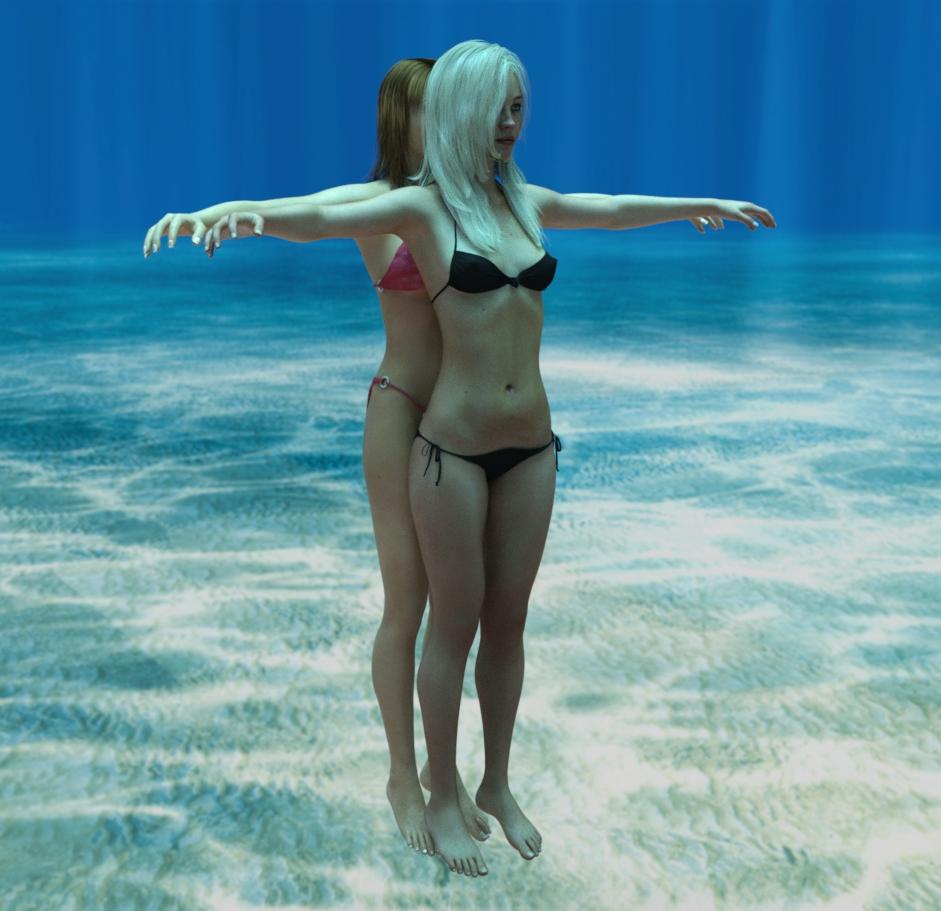
Then two images, a before and after image with V4 providing the source pose:
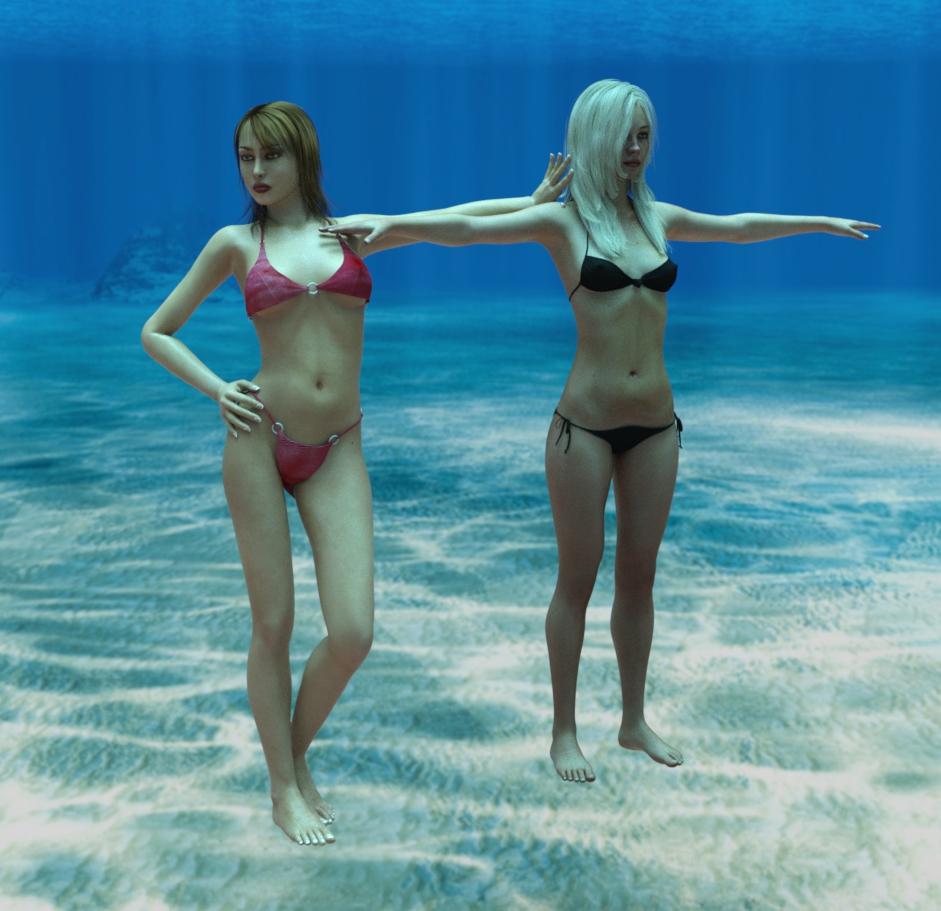
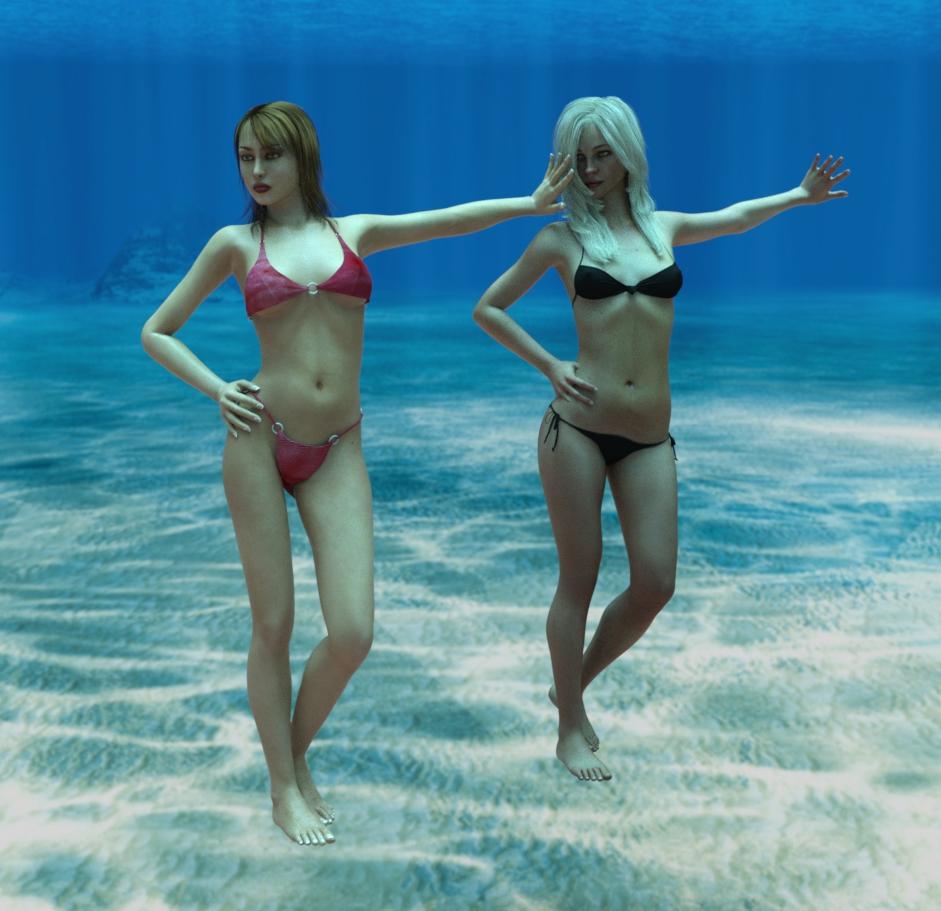
I do hope someone finds this useful.
Regards,
Richard.
Feet HD Detail (Or Lack Thereof)Hey Necriseye, sorry for the looooong delayed response! The HD morphs are from Babina. Here is Tilly with nice sole displacement by Flagg3d on Deviant Art. Not perfect but always trying to improve. You do excellent work by the way!
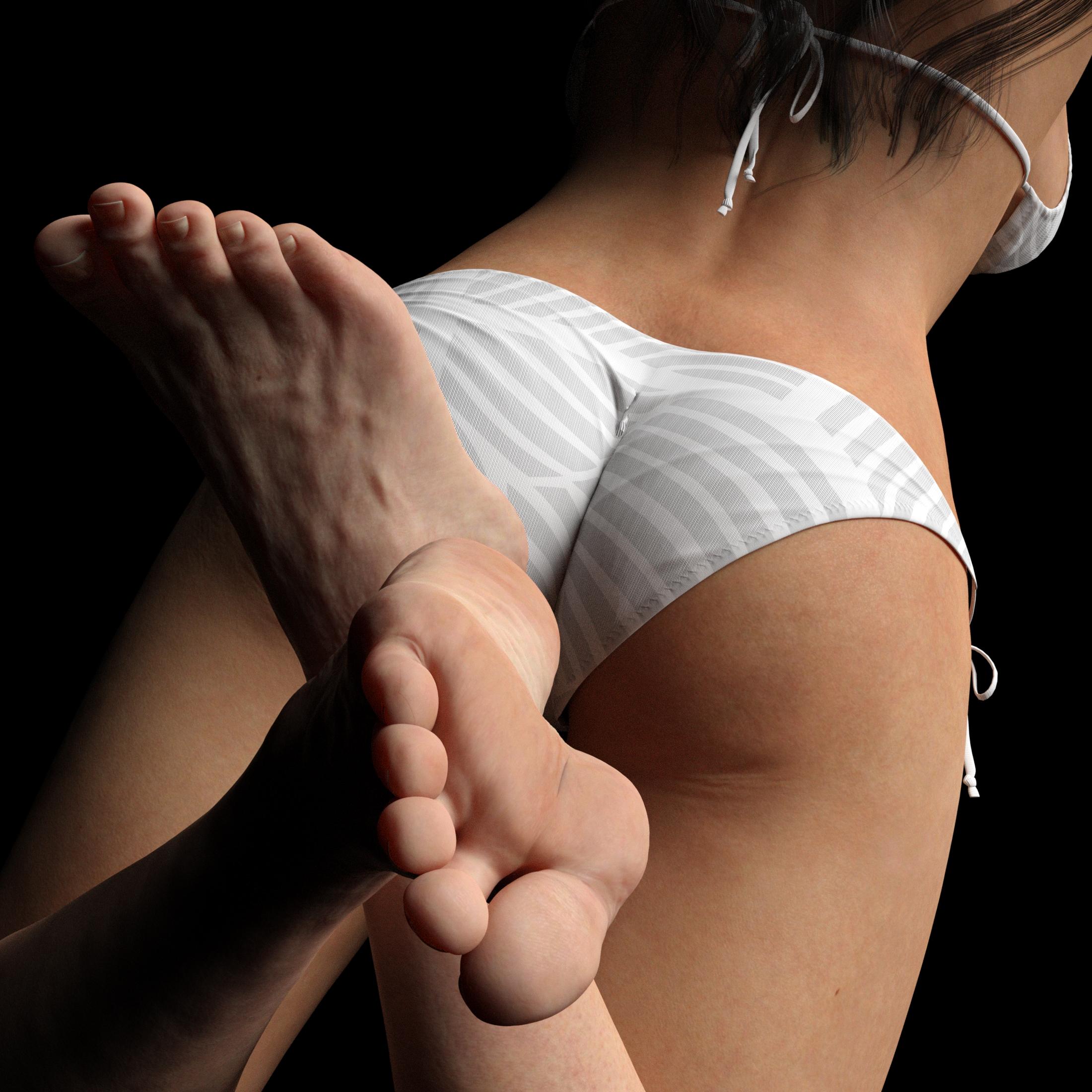
Excellent job Necriseye! I'm with you....I had to make my own foot morphs. I really don't like those grooves in the balls of the feet. Congrats to you on a job well done.
Hmm excellent job on the foot morph, particularly with the toes my friend. Glad other people are spearheading this issue with me, I felt pretty lonely for some time haha.
Is that hd detail your own or is it part of another morph? Would be great if an artist with access to the HD tool was working on this too.
Daz 3D is part of

Connect
DAZ Productions, Inc.
7533 S Center View Ct #4664
West Jordan, UT 84084Licensing Agreement | Terms of Service | Privacy Policy | EULA
© 2026 Daz Productions Inc. All Rights Reserved.