-
HDRI Discussion Help Thread
This thread is created so people can get HDRI questions answered.
And wow, do I have some questions!
For instance,
Is HDRI a "projection"? Is it projected from the infinite dome into the scene or from the center of the scene to the infintie dome and then light/color bouncing off the infinite dome back into the scene?
Is the HDRI map simply laid/stretched upon/around an "infinite/finite dome" or is it something that is projected onto this dome?
I have noticed that if I take an HRDI file into Photoshop and resize it and save it as an HDRI, the image looks exactly the same when loaded onto a Daz infinite dome, other than depending on if it is resized larger or smaller the smaller file has a noticeable loss in quality and detail definition but the dome images are the same size.
What is odd is that the relative size of the objects (i.e. the sun or moon etc.) in the HDRI "projection" (if it is a projection) is still the same size!
Is the infinite dome always the same size?
The infinite dome can be rotated on all axis but there is not a resize slider. It seems the infinite dome cannot be translated either, only the finite dome can be translated. That might have solved my dilemma. If I move my figures/objects in the scene further away or closer to the sun/moon, then it distorts the sun/moon so they become oblong and misshapen.
If the infinite dome is a projection, then this would affect the finite dome in different way.
Depending on if the HDRI file is a projection. How is the HDRI file transferred to the finite dome from the infinite dome? Is the image refracted like though a piece of glass from the infinite dome outside to the finite dome inside or is it projected to the finite dome and then onto the infinite dome also? There is a size distortion between the infinite dome to the finite dome. The finite dome shows the sun/moon objects of the infinite dome smaller when inside of it. Is it a projection from the center of the scene out or projected from the outside dome in?
If this is a projection, how do I adjust the "projector" to make the image/dome size smaller or larger if it is not a projection how to I scale the image wrapped around the dome so the sun/ moon is closer (smaller) or further away (larger)? (I am not referring to the sun/sky only option. This is regarding HDRI skies.)
I bought a pack TerraDome and in the promo pics it shows the sun smaller, but I can't figure out how to resize the sun. I don’t want to make it half as small I want to be able to gradually make it smaller or larger, so it fits precisely into my scene the way I need it.
Any answers to these questions are greatly appreciated.
You can resize the finite dome but that does not affect the image "projected" onto the dome, it remains constant. It seems the image on the finite dome is about half the size of the infinite dome. Do I have to edit a parameter in the HDRI file itself to change the initial dome size?
And if the dome size remains constant, what exactly does the environment lighting resolution slider do especially regarding how many megapixels the HDRI file is? Does it raise and lower the megapixels of the file itself or does it lengthen the ray tracing paths of the HDRI light effect?
If the dome is always the same size, then that would explain why more megapixels makes a more detailed image, but you would think that a larger image would make a larger dome size. This does not seem to be the case. This again leads me back to the question how do I resize the infinite dome or use the finite dome to obtain the same effect? This all boils down to, how do I resize the HDRI sun/moon?
Thanks in advance for any help on this. (really confused)
Let's start with "I have noticed that if I take an HRDI file into Photoshop and resize it and save it as an HDRI, the image looks exactly the same when loaded onto a Daz infinite dome, other than depending on if it is resized larger or smaller the smaller file has a noticeable loss in quality and detail definition but the dome images are the same size.".
No, an HDRI is not like a conventional image like a standard image. What makes it magical is that there is added luminance that "lights" up the scene with the image like a sky dome as an added benefit. When you alter it in Photoshop or Gimp, you reduce those luminance levels as you manipulate the image to fit into the human visual range.
This two questions can be answered the same way:
"Is HDRI a "projection"? Is it projected from the infinite dome into the scene or from the center of the scene to the infintie dome and then light/color bouncing off the infinite dome back into the scene?
Is the HDRI map simply laid/stretched upon/around an "infinite/finite dome" or is it something that is projected onto this dome?"
The HDRI map is closer to an infinite map projected onto an infinite dome; it something closer to the actual sky which seems like a two dimensional structure but is actually more complex than that.
"Is the infinite dome always the same size?
The infinite dome can be rotated on all axis but there is not a resize slider. It seems the infinite dome cannot be translated either, only the finite dome can be translated. That might have solved my dilemma. If I move my figures/objects in the scene further away or closer to the sun/moon, then it distorts the sun/moon so they become oblong and misshapen."
Yes, the infinite dome is infinite so it pretty much is one size.
"If the dome is always the same size, then that would explain why more megapixels makes a more detailed image, but you would think that a larger image would make a larger dome size. This does not seem to be the case. This again leads me back to the question how do I resize the infinite dome or use the finite dome to obtain the same effect? This all boils down to, how do I resize the HDRI sun/moon?"
This is that division between the the HDRI as a light source vs a sky dome. The resolution determines the resolution of the light that lands on elements in your scene as well as the crispness of your background. Since the dome is infinite, the higher resolution doesn't make a bigger dome, it makes a crisper dome. So How do replicate those gigantic suns an moons like orestes-iray-hdri-skydomes--oblivion , time to play with your camera's focal length. The default camera is an approximation of a "normal lens" at 50 mm. If you change the focal length, you can make two objects that are far apart look close together such as
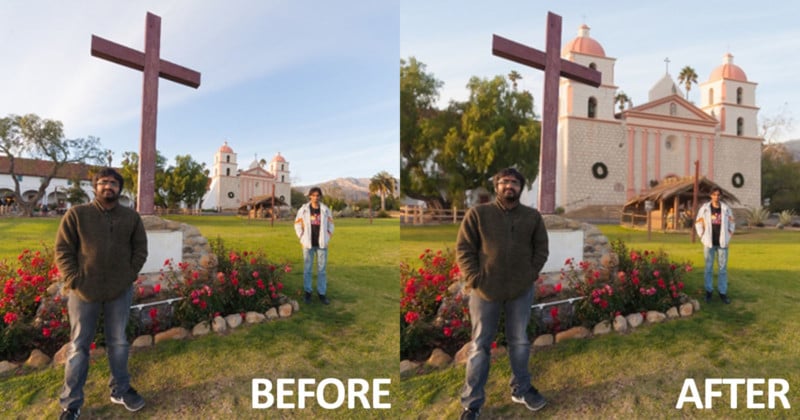
So that is how you "resize" the sun or moon.
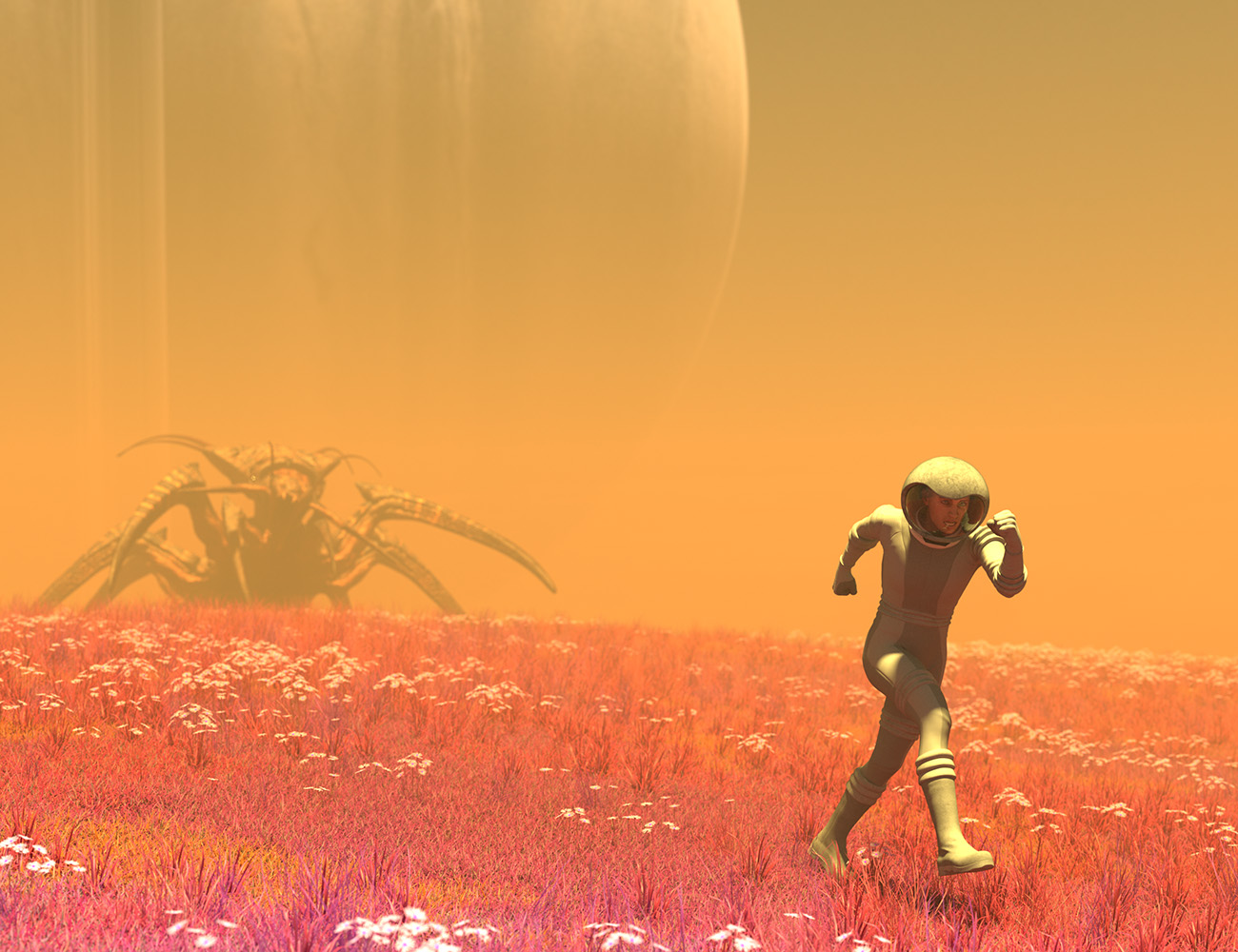
UltraScenery [Commercial]Another wacky alien planet.
This time I did basically grassland, and again made the foliage 'alien' by tweaking colors. The daisies still look pretty much like daisies, but whatever. Heh.
Retro spacesuit, orestes oblivion HDRI, and HH drone complete the look.
The haze effect is just me tweaking a fog cube.
 UltraScenery [Commercial]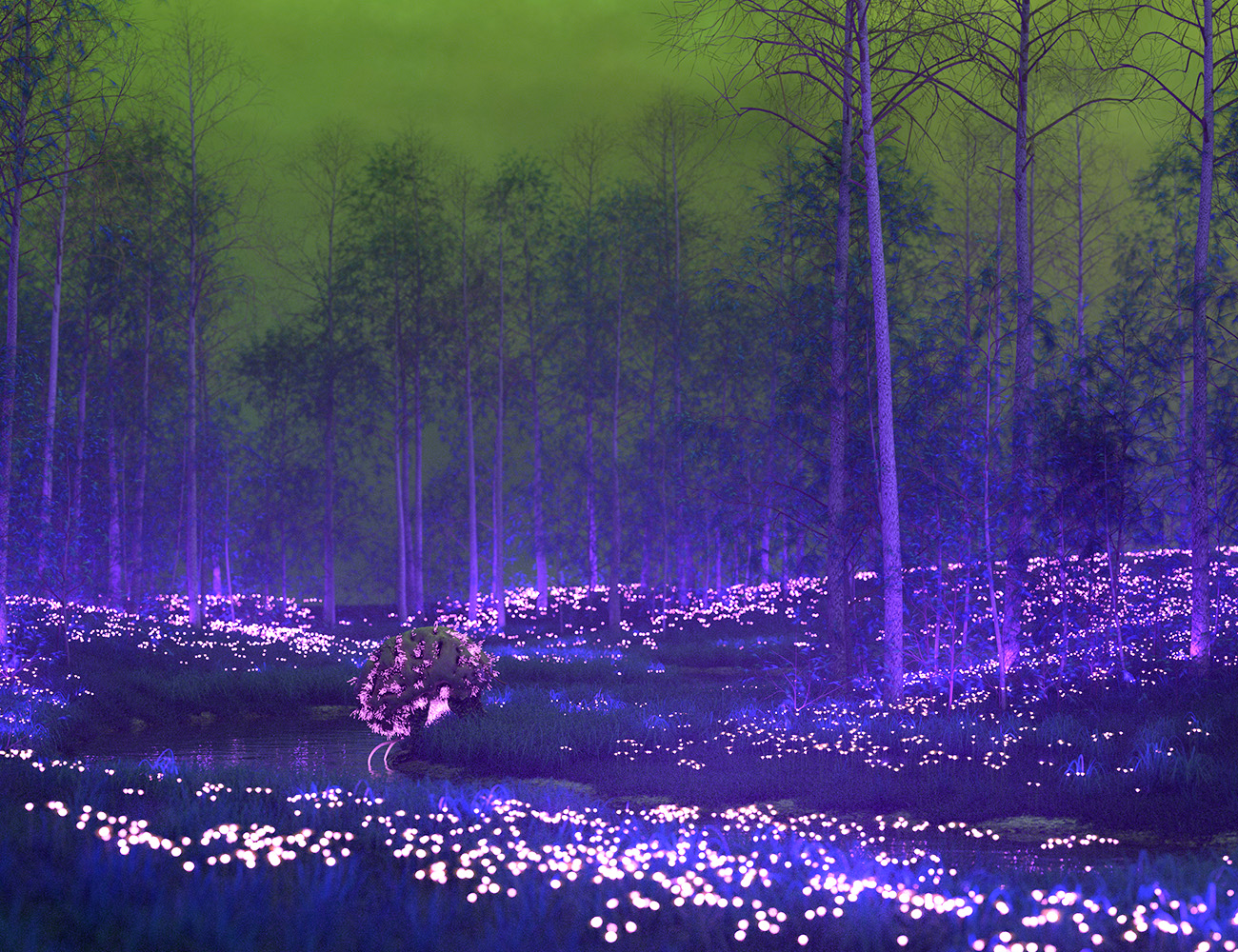
Using Orestes' Radiothane and my cephalovore. It's actually just a regular Ultrascenery scene with color and texture shifts, and I added emission to the daisies...
Wow, the creativity knows no bounds with this product. I would never have thought to make daisies emissive, but it adds a fabulous element to the image!
UltraScenery [Commercial]I'm going for a Van Gogh type color scheme here. The HDRI is aptly named Sunflowers, from HDRI Haven. This image combines UltraScenery, UltraTree, and UltraScatterPro. They all work well together.
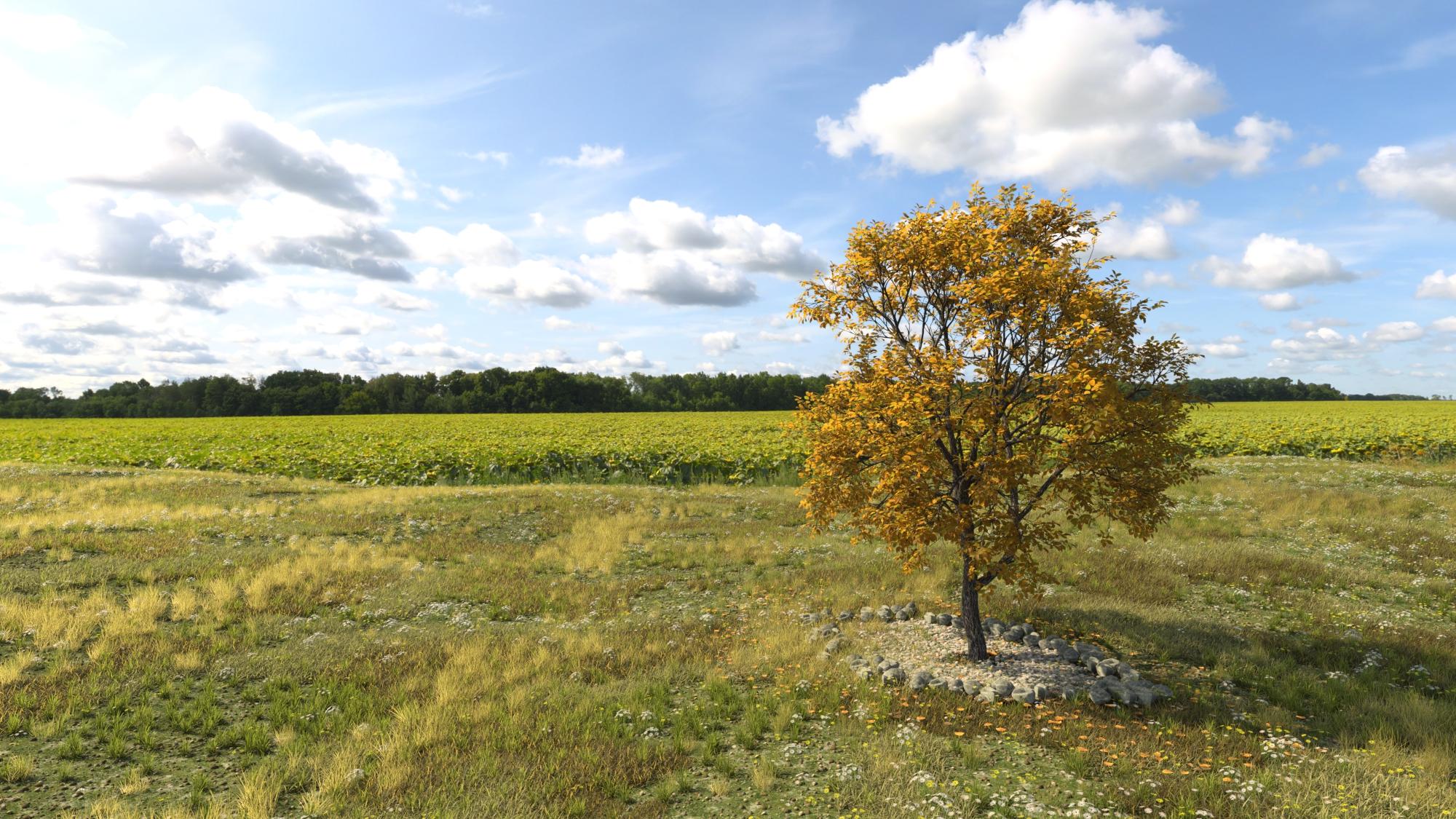
Love it! The US scene fits into that HDRI so well (I can barely see the join).
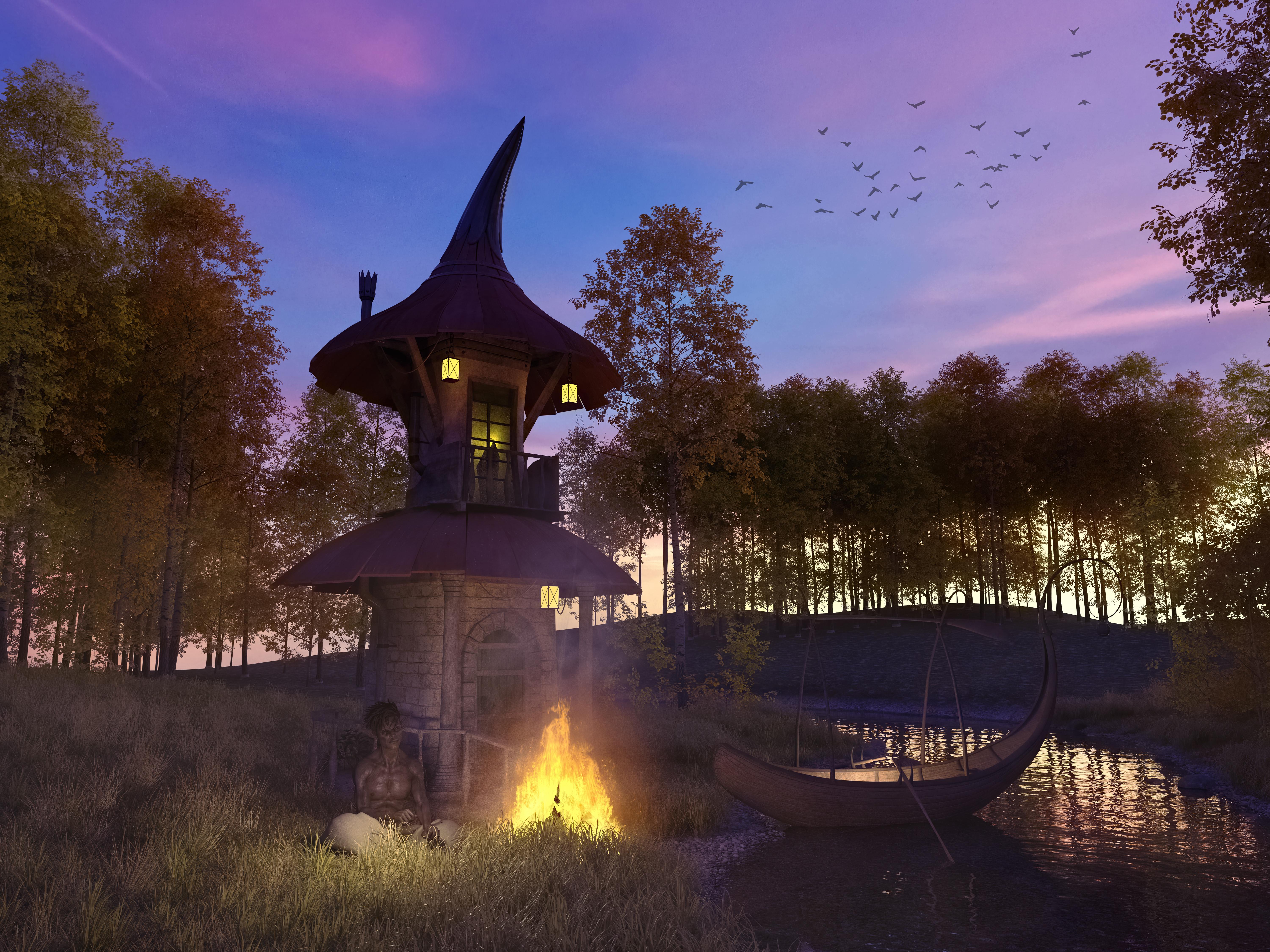
I finally came to terms with Ultrascenery - and man do I love this product
 Can't wait to see the add-on's jump into my cart
Really pretty scene! Nice lighting.
Using Orestes' Radiothane and my cephalovore. It's actually just a regular Ultrascenery scene with color and texture shifts, and I added emission to the daisies...
What a clever idea - those daisies really glow.
UltraScenery [Commercial]Using Orestes' Radiothane and my cephalovore. It's actually just a regular Ultrascenery scene with color and texture shifts, and I added emission to the daisies...
UltraScenery [Commercial]MelanieL: Actually it's the recent Oblivion: https://www.daz3d.com/orestes-iray-hdri-skydomes--oblivion
My stuff: https://www.daz3d.com/oso-ammonoids and https://www.daz3d.com/cephalovore-hd-for-daz-dog-8
Differing light levelsSeveral of dDimension Theory's, most/many from Orestes Graphics, Magix 101, Cake and Bob. These are all outdoor / sky HDRIs. I have many from each PA. I have several from HDRI Haven as well, but like to support the PA's.
A HDRI bought from the store will load into the Render Stettings>Environment>Environment Map when double clicked. A HDRI from the internet will need to be manually loaded in same.
Fastbike - could you please recommend a HDRI for lighting woodland scenes. Thankyou.
UltraScenery [Commercial]This is my first test, using an Orestes HDRI Sky for light and sky filler. I absolutely love the whole scene, and the clouds and the light make for some very interesting lighting inside the treeline. MAN, I'm gonna burn a lot of cycles playing with this beauty! Can't wait to start throwing animals and butterflies, birds, (Eagles!), Dinos, horses, etc in there. WOOHOO!!
RE: UltraScenery - Realistic Landscape System
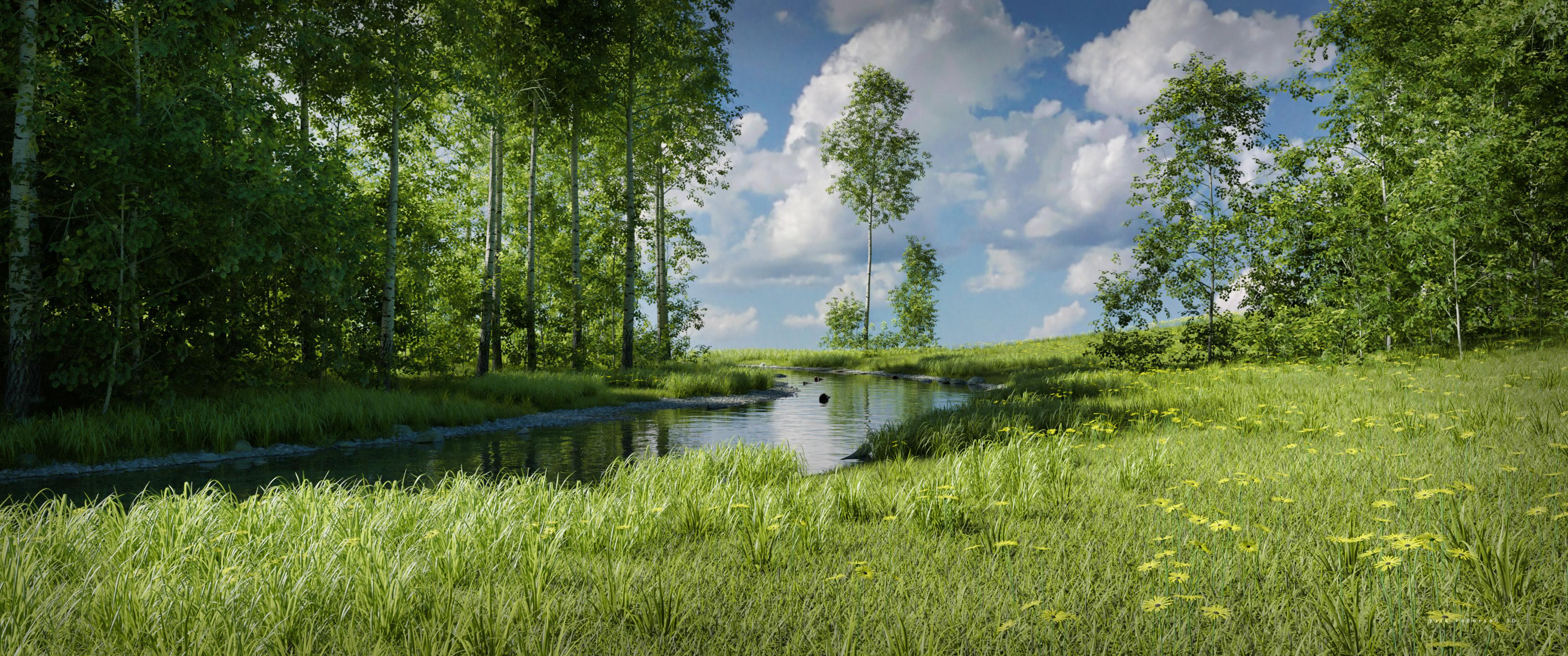
Wow, that is gorgeous, Gogger!
My (almost) first attempts. The second one I added a heightmap to get the stepped terrain.
This product is an absolute winner!
And so are those, Nath.
I have it in my cart ready to go - how are you finding render times compared to (say) one of Howie's existing landscape products?
Thanks! I've been looking at these all day long as my desktop backgrounds at work and am coming up with TONS of ideas to try out.
IMHO, everything is a bit better than the older products, but as always, A LOT depends on your hardware and the scene settings, but I think it behaves better than previous scenes. I'm about to put that to the test by adding animals, people and other stuff. A night scene, perhaps with Aurora, will be a good test too. Fireflies? Oh yeah!!!! Be advised though, that after you run the script and make all the ecosystem choices it can take what seems like QUITE A WHILE to compile everything. I'm NOT complaining because it is doing mystical and magical things and the results are worth five times the wait! I can't wait to get my hands on a Pine tree ecosystem add on!UltraScenery [Commercial]This is my first test, using an Orestes HDRI Sky for light and sky filler. I absolutely love the whole scene, and the clouds and the light make for some very interesting lighting inside the treeline. MAN, I'm gonna burn a lot of cycles playing with this beauty! Can't wait to start throwing animals and butterflies, birds, (Eagles!), Dinos, horses, etc in there. WOOHOO!!
RE: UltraScenery - Realistic Landscape System
Wow, that is gorgeous, Gogger!
My (almost) first attempts. The second one I added a heightmap to get the stepped terrain.
This product is an absolute winner!
And so are those, Nath.
I have it in my cart ready to go - how are you finding render times compared to (say) one of Howie's existing landscape products?
Thanks!
Render times about similar, I'd say - but be prepared for the generating the scene to take a lot of time (for me 10 - 15 minutes), but once the scene is there it is pretty smooth to move the camera around in.
UltraScenery [Commercial]This is my first test, using an Orestes HDRI Sky for light and sky filler. I absolutely love the whole scene, and the clouds and the light make for some very interesting lighting inside the treeline. MAN, I'm gonna burn a lot of cycles playing with this beauty! Can't wait to start throwing animals and butterflies, birds, (Eagles!), Dinos, horses, etc in there. WOOHOO!!
RE: UltraScenery - Realistic Landscape System
Wow, that is gorgeous, Gogger!
My (almost) first attempts. The second one I added a heightmap to get the stepped terrain.
This product is an absolute winner!
And so are those, Nath.
I have it in my cart ready to go - how are you finding render times compared to (say) one of Howie's existing landscape products?
UltraScenery [Commercial]This is my first test, using an Orestes HDRI Sky for light and sky filler. I absolutely love the whole scene, and the clouds and the light make for some very interesting lighting inside the treeline. MAN, I'm gonna burn a lot of cycles playing with this beauty! Can't wait to start throwing animals and butterflies, birds, (Eagles!), Dinos, horses, etc in there. WOOHOO!!
RE: UltraScenery - Realistic Landscape System
Wow - that's beautiful! I would have pulled the trigger all ready, but I'm waiting to see if there are any late-in-the-day Daz sales :)
Thanks! Whether you pay FULL price, or get a great bargain, you won't be sorry either way!
UltraScenery [Commercial]This is my first test, using an Orestes HDRI Sky for light and sky filler. I absolutely love the whole scene, and the clouds and the light make for some very interesting lighting inside the treeline. MAN, I'm gonna burn a lot of cycles playing with this beauty! Can't wait to start throwing animals and butterflies, birds, (Eagles!), Dinos, horses, etc in there. WOOHOO!!
RE: UltraScenery - Realistic Landscape System
Wow - that's beautiful! I would have pulled the trigger all ready, but I'm waiting to see if there are any late-in-the-day Daz sales :)
UltraScenery [Commercial]This is my first test, using an Orestes HDRI Sky for light and sky filler. I absolutely love the whole scene, and the clouds and the light make for some very interesting lighting inside the treeline. MAN, I'm gonna burn a lot of cycles playing with this beauty! Can't wait to start throwing animals and butterflies, birds, (Eagles!), Dinos, horses, etc in there. WOOHOO!!
RE: UltraScenery - Realistic Landscape System
Making renders but using other people's assets....Are there any PAs out there looking at this and thinking about putting together an "art bundle" of objects to populate your museum and art gallery renders?
https://www.daz3d.com/orestes-iray-stylized-glamour-props
https://www.daz3d.com/jepes-cinematic4-poses-and-props-for-michael-8
https://www.daz3d.com/jepes-art-deco-statuettes-iii-for-victoria-8
https://www.daz3d.com/jepes-art-deco-statuettes-ii-for-victoria-8
https://www.daz3d.com/jepes-cinematic-poses--props-for-michael-8
Or do the code for a 3D program from zero...or design the operative system for the 3d program
Not to go in any more, but if you watch almost any video about behind the scenes special effect work, they PRIDE themselves on rewriting all these 3D programs or adding code to get it to do what they want it to.
So even the high-end professionals think all these fancy 3D programs are inadequate for the work THEY want to create.
Which is the same as the Daz user- using scripts. Scripts probably fall under power user territory. It's the same idea that Daz Studio, by itself is unable to do what you need it to so you add...oh, you get the idea.
and build the components of a new computer with your own cpu and gpu design...
Actually some do. Computer building is a thing. All the way down to the lighting in the case, fans and the cooling.Those that are REALLY into computers, frown on people just 'buying a whole computer' at the store. For them, BUILDING a COMPUTER is (part of) THE ART (form). And yep, they do take pictures and share them.
As to the broader discussion of what's art and what's not, I don't think you can create a definition. Just think..
Usually you put a word to describe the thing before it or after it to be more specific. Just because we don't know what those words are, doesn't mean they don't exist and are being used by those that need to use them.
Last example is Kick Boxing.
Kick Boxing exists in every format and form.
There is a FULL COMBAT/Contact Kick Boxing sport.
There is a kick boxing Tournament Sport, which is NOT full contact.
There's someone taking self defense and being taught kick boxing techniques.
There are Kick Boxing gyms who do not compete, but they light spar and teach Kick Boxing.
There are aerobic classes called Kick Boxing that have some Kick Boxing techniques/elements put to music.
Most people who understand those differences would never think they were ALL the SAME.
And most people couldn't watch someone throw a kick and for sure know which aspect they partake in.
But that difference does make a difference.
I'll say it again. When humans are into something. they tend to dig deep into it and get more involved with it- they DO MORE.
Why or how is art so special that this doesn't happen in that arena.
What is a Daz Power User or Power Customer?
Someone who's been around forever- before or since day one.
Someone with a massive library -some with truly ancient items.
Someone with a 'Daz budget' - some have a DAILY budget.
What are those -that ....
Use and Write scripts.... edit textures....create their own morphs.....use Plug-ins.....
User other programs aside from Daz....
Heck, even use OTHER RENDERING ENGINES......
Do post work....master the system/tools/resources- enough to not need post work...
learn Deforce.....weight maps....geometry editing...modifiers.....
Those are all people digging deep into this 3D thing.
So you have to RESPECT those that do more and understand their frustration when someone does little to nothing and wants to land right beside them as ARTISTS with ART.
That why I said it takes all three, because at the end of the day, we are going to judge the work for effectiveness. Doesn't matter how the artist feels about it.
I'm not the art police. I love everybody.
Hit the render button, make art.
Semi OT: Of Unreal Engine and The Mandalorian and massive LED screen backgrounds providing lightingSo, I just read this article on Ars:
Apparently, they have swapped out green screens for LED screens, which display the backgrounds in real time for the actors to interact with, and in this case using Unreal Engine to generate the backgrounds, and also provide the bulk of the lighting for the scene. And, as noted in the article, swapping in and out lighting elements is apparently much easier to do, using just an Ipad.
The displayed LED backgrounds providing lighting part is in a way very similar to how a number of us around here use HDRIs for some of our art. And of course swapping in and out buildings, backgrounds, and such as needed.
Those huge LED screens must cost a pretty penny of course! But then Disney has cash to burn...
I just find the 'parallels' to the techniques we often use in our own Daz Studio related rendering fascinating. I don't follow Hollywood VFX development closely, but this seems like a very recent development. It does make me wonder if we'll be be seeing more and more of the assets we see in the store around here on the big screen though... Say some of Orestes' HDRI planetary environments.
Just had to share!
Show Us Your Iray Renders. Part VII
Thank you (and also thx @nonesuch). Wishlisted.The environment is https://www.daz3d.com/the-harpwood-trail-for-daz-studio , the lighting is one of Orestes many HDRIs; huge fan of those for creating a nice, believable sky.
One thing I like about a solid HDRI and environment is trusting softer lighting; portrait lighting tends to go for dramatic contrasts but believable environments are frequently MUCH more diffuse. And then there's a trick, because you still want definition from the lighting...
I'm also trying to learn to have better camera settings, and starting to look to real world camera lenses for direction. I think here I went 35 mm for focus and the adjusted the width a bit. I did several different focal distances before I was happy (focus on the boy? In between? The tail? )
Did you create the textures yourself? In the hardwood trail product description I could not see that it included autumn textures.There is an addon with such textures:
What's your favourite HDRI or light set, and why?Inane Glory and Elianeck for light sets and mesh lights also those by DimensionTheory, for HDRIs Orestes Graphics or DT's, but I do find some of DT's HDRIs give hard shadows which personall I'm not too found of.
Show Us Your Iray Renders. Part VIIThe environment is https://www.daz3d.com/the-harpwood-trail-for-daz-studio , the lighting is one of Orestes many HDRIs; huge fan of those for creating a nice, believable sky.
One thing I like about a solid HDRI and environment is trusting softer lighting; portrait lighting tends to go for dramatic contrasts but believable environments are frequently MUCH more diffuse. And then there's a trick, because you still want definition from the lighting...
I'm also trying to learn to have better camera settings, and starting to look to real world camera lenses for direction. I think here I went 35 mm for focus and the adjusted the width a bit. I did several different focal distances before I was happy (focus on the boy? In between? The tail? )
Did you create the textures yourself? In the hardwood trail product description I could not see that it included autumn textures.It's includeed as part of the "Mallard Pond for the Harpwood Trail" addon , also by Howie Farkes.
Show Us Your Iray Renders. Part VIIThe environment is https://www.daz3d.com/the-harpwood-trail-for-daz-studio , the lighting is one of Orestes many HDRIs; huge fan of those for creating a nice, believable sky.
One thing I like about a solid HDRI and environment is trusting softer lighting; portrait lighting tends to go for dramatic contrasts but believable environments are frequently MUCH more diffuse. And then there's a trick, because you still want definition from the lighting...
I'm also trying to learn to have better camera settings, and starting to look to real world camera lenses for direction. I think here I went 35 mm for focus and the adjusted the width a bit. I did several different focal distances before I was happy (focus on the boy? In between? The tail? )
Did you create the textures yourself? In the hardwood trail product description I could not see that it included autumn textures.There is an addon with such textures:
Show Us Your Iray Renders. Part VII
Did you create the textures yourself? In the hardwood trail product description I could not see that it included autumn textures.The environment is https://www.daz3d.com/the-harpwood-trail-for-daz-studio , the lighting is one of Orestes many HDRIs; huge fan of those for creating a nice, believable sky.
One thing I like about a solid HDRI and environment is trusting softer lighting; portrait lighting tends to go for dramatic contrasts but believable environments are frequently MUCH more diffuse. And then there's a trick, because you still want definition from the lighting...
I'm also trying to learn to have better camera settings, and starting to look to real world camera lenses for direction. I think here I went 35 mm for focus and the adjusted the width a bit. I did several different focal distances before I was happy (focus on the boy? In between? The tail? )
Daz 3D is part of

Connect
DAZ Productions, Inc.
7533 S Center View Ct #4664
West Jordan, UT 84084Licensing Agreement | Terms of Service | Privacy Policy | EULA
© 2026 Daz Productions Inc. All Rights Reserved.