-
UltraScenery [Commercial]
I'm going for a Van Gogh type color scheme here. The HDRI is aptly named Sunflowers, from HDRI Haven. This image combines UltraScenery, UltraTree, and UltraScatterPro. They all work well together.
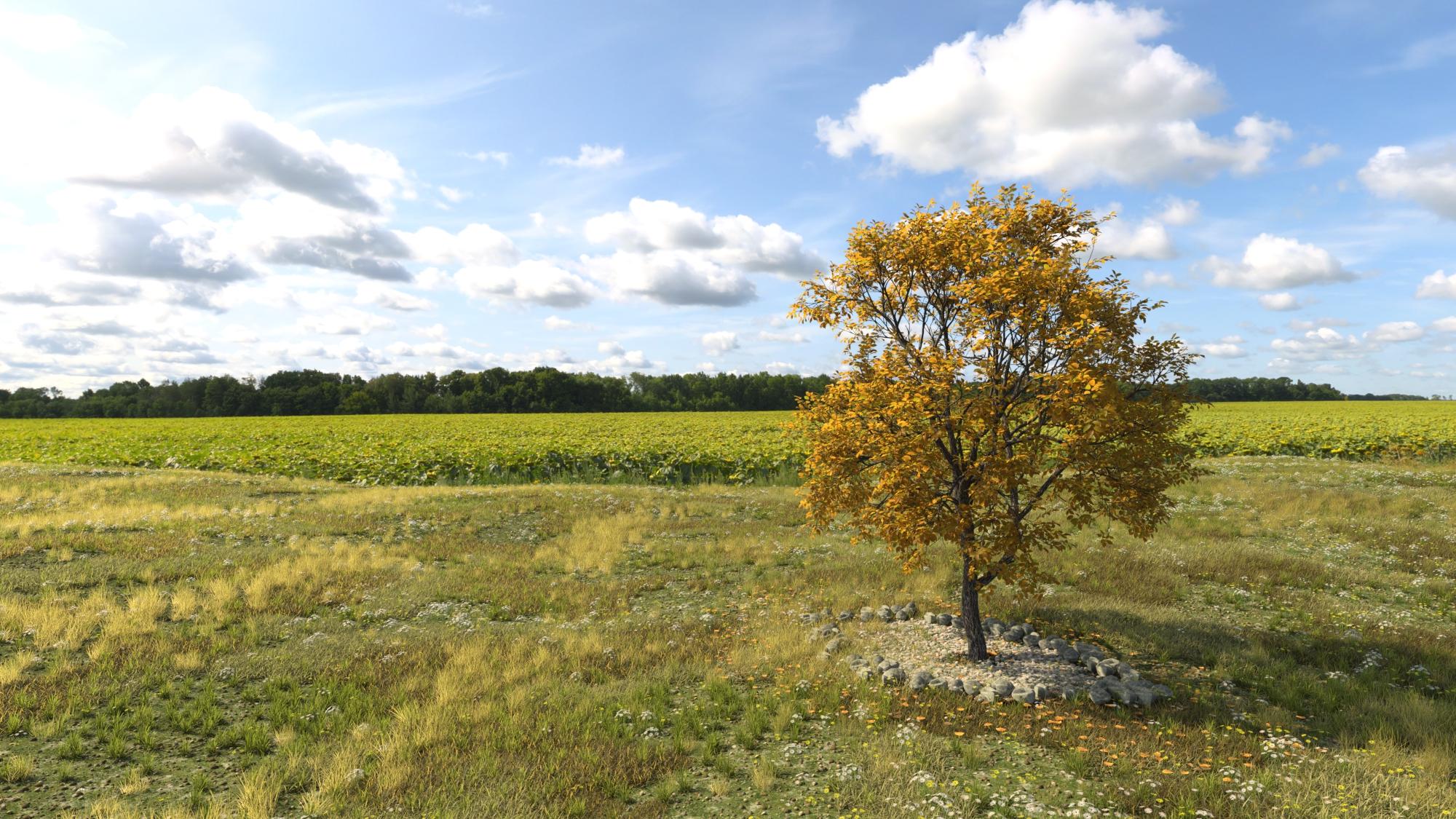
Love it! The US scene fits into that HDRI so well (I can barely see the join).
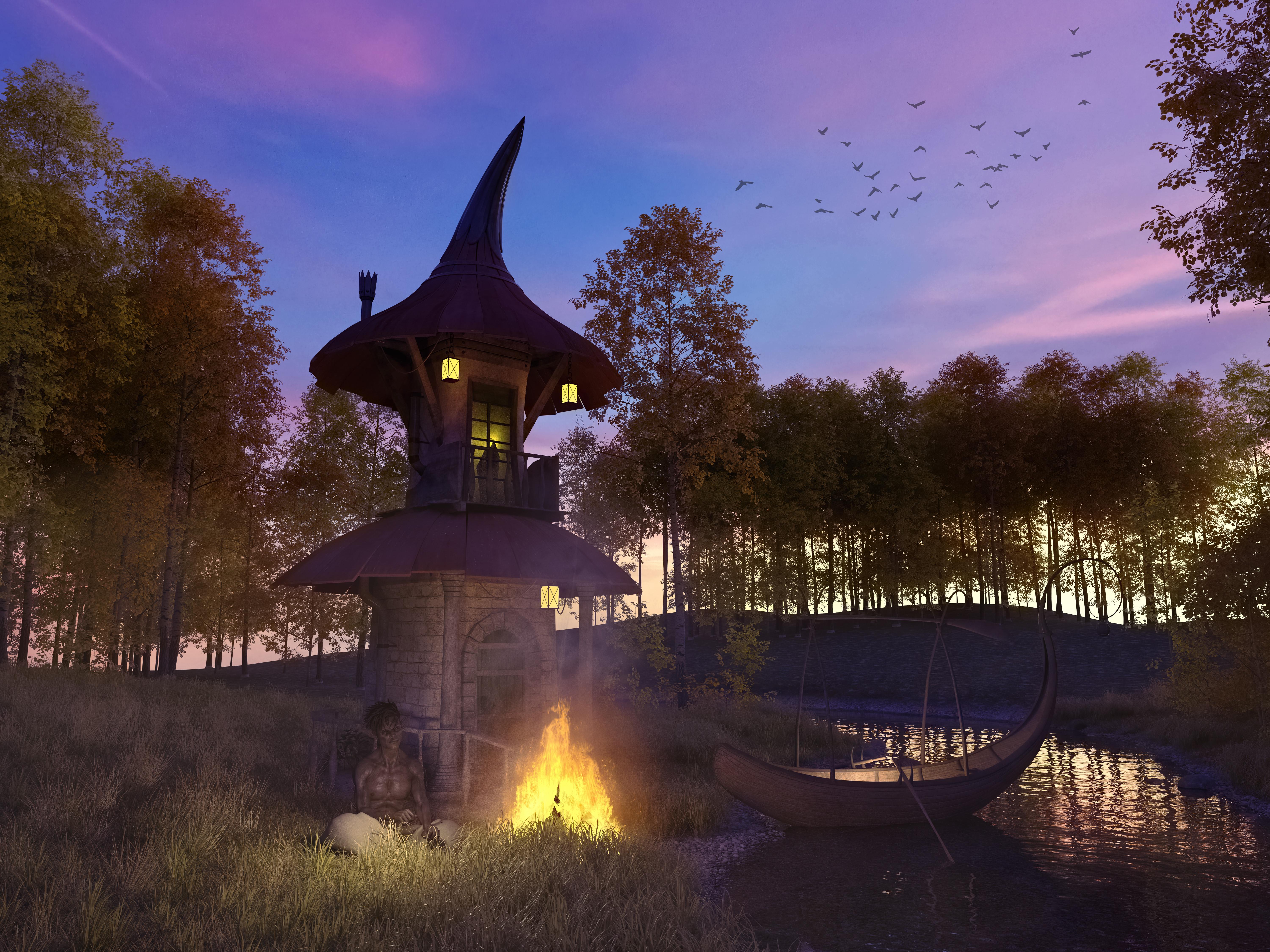
I finally came to terms with Ultrascenery - and man do I love this product
 Can't wait to see the add-on's jump into my cart
Really pretty scene! Nice lighting.
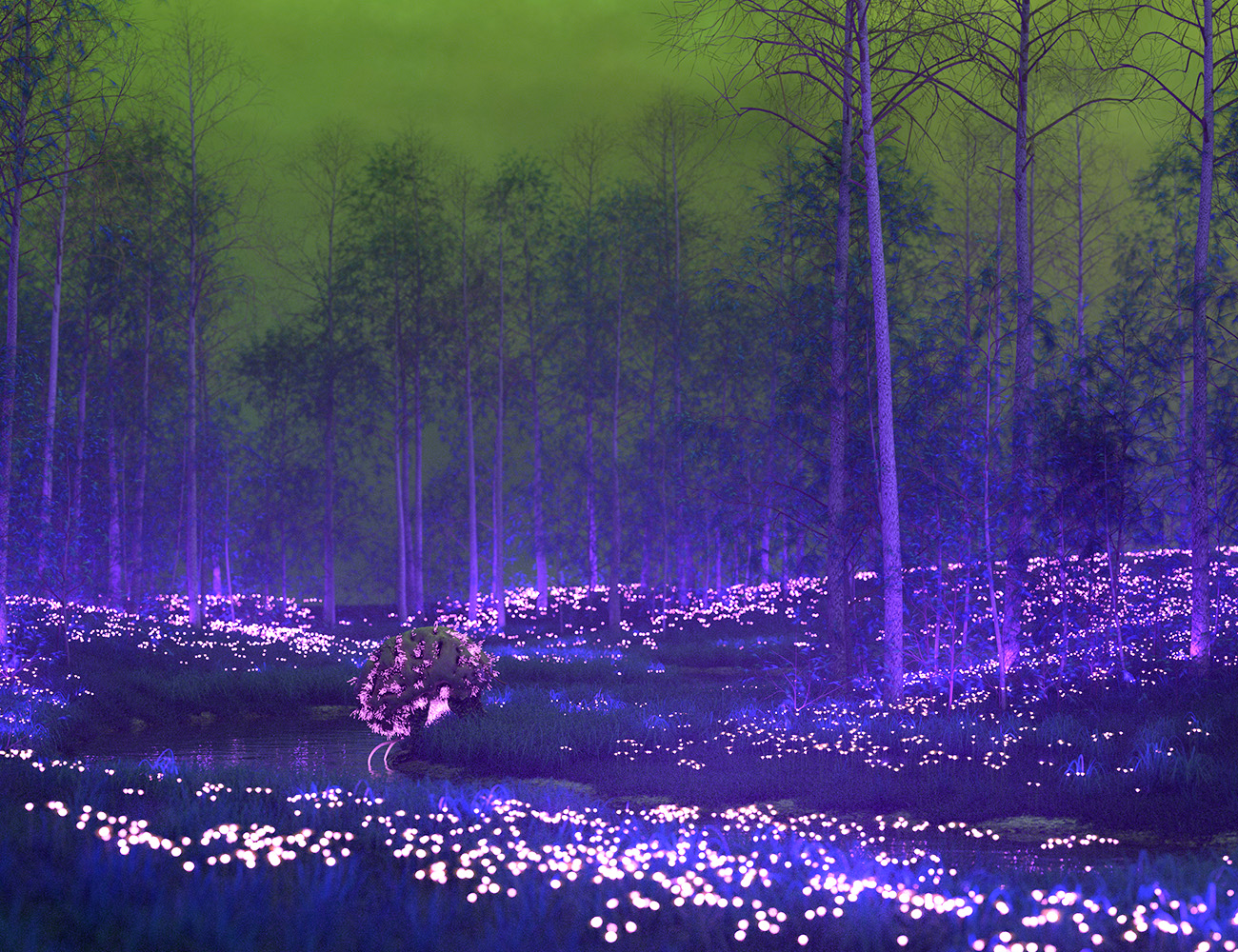
Using Orestes' Radiothane and my cephalovore. It's actually just a regular Ultrascenery scene with color and texture shifts, and I added emission to the daisies...
What a clever idea - those daisies really glow.
UltraScenery [Commercial]Using Orestes' Radiothane and my cephalovore. It's actually just a regular Ultrascenery scene with color and texture shifts, and I added emission to the daisies...
UltraScenery [Commercial]MelanieL: Actually it's the recent Oblivion: https://www.daz3d.com/orestes-iray-hdri-skydomes--oblivion
My stuff: https://www.daz3d.com/oso-ammonoids and https://www.daz3d.com/cephalovore-hd-for-daz-dog-8
Differing light levelsSeveral of dDimension Theory's, most/many from Orestes Graphics, Magix 101, Cake and Bob. These are all outdoor / sky HDRIs. I have many from each PA. I have several from HDRI Haven as well, but like to support the PA's.
A HDRI bought from the store will load into the Render Stettings>Environment>Environment Map when double clicked. A HDRI from the internet will need to be manually loaded in same.
Fastbike - could you please recommend a HDRI for lighting woodland scenes. Thankyou.
UltraScenery [Commercial]This is my first test, using an Orestes HDRI Sky for light and sky filler. I absolutely love the whole scene, and the clouds and the light make for some very interesting lighting inside the treeline. MAN, I'm gonna burn a lot of cycles playing with this beauty! Can't wait to start throwing animals and butterflies, birds, (Eagles!), Dinos, horses, etc in there. WOOHOO!!
RE: UltraScenery - Realistic Landscape System
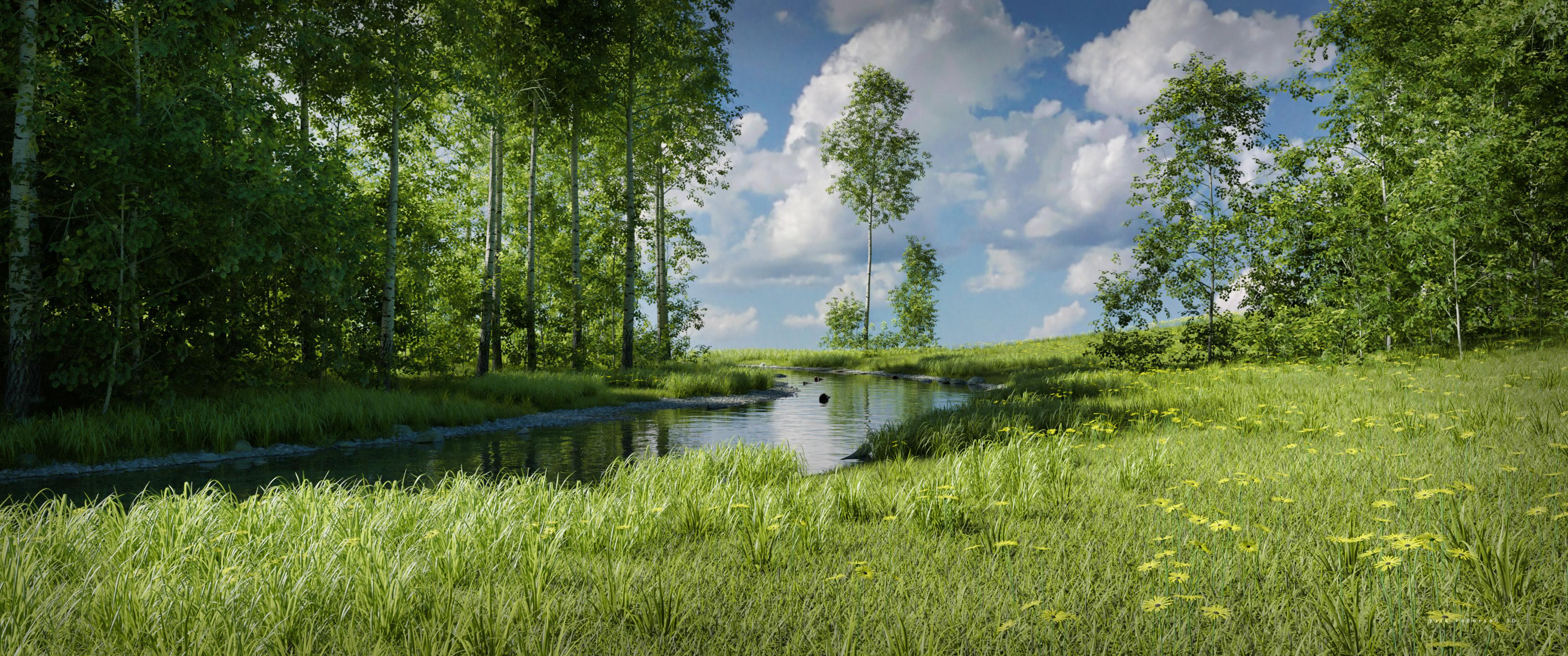
Wow, that is gorgeous, Gogger!
My (almost) first attempts. The second one I added a heightmap to get the stepped terrain.
This product is an absolute winner!
And so are those, Nath.
I have it in my cart ready to go - how are you finding render times compared to (say) one of Howie's existing landscape products?
Thanks! I've been looking at these all day long as my desktop backgrounds at work and am coming up with TONS of ideas to try out.
IMHO, everything is a bit better than the older products, but as always, A LOT depends on your hardware and the scene settings, but I think it behaves better than previous scenes. I'm about to put that to the test by adding animals, people and other stuff. A night scene, perhaps with Aurora, will be a good test too. Fireflies? Oh yeah!!!! Be advised though, that after you run the script and make all the ecosystem choices it can take what seems like QUITE A WHILE to compile everything. I'm NOT complaining because it is doing mystical and magical things and the results are worth five times the wait! I can't wait to get my hands on a Pine tree ecosystem add on!UltraScenery [Commercial]This is my first test, using an Orestes HDRI Sky for light and sky filler. I absolutely love the whole scene, and the clouds and the light make for some very interesting lighting inside the treeline. MAN, I'm gonna burn a lot of cycles playing with this beauty! Can't wait to start throwing animals and butterflies, birds, (Eagles!), Dinos, horses, etc in there. WOOHOO!!
RE: UltraScenery - Realistic Landscape System
Wow, that is gorgeous, Gogger!
My (almost) first attempts. The second one I added a heightmap to get the stepped terrain.
This product is an absolute winner!
And so are those, Nath.
I have it in my cart ready to go - how are you finding render times compared to (say) one of Howie's existing landscape products?
Thanks!
Render times about similar, I'd say - but be prepared for the generating the scene to take a lot of time (for me 10 - 15 minutes), but once the scene is there it is pretty smooth to move the camera around in.
UltraScenery [Commercial]This is my first test, using an Orestes HDRI Sky for light and sky filler. I absolutely love the whole scene, and the clouds and the light make for some very interesting lighting inside the treeline. MAN, I'm gonna burn a lot of cycles playing with this beauty! Can't wait to start throwing animals and butterflies, birds, (Eagles!), Dinos, horses, etc in there. WOOHOO!!
RE: UltraScenery - Realistic Landscape System
Wow, that is gorgeous, Gogger!
My (almost) first attempts. The second one I added a heightmap to get the stepped terrain.
This product is an absolute winner!
And so are those, Nath.
I have it in my cart ready to go - how are you finding render times compared to (say) one of Howie's existing landscape products?
UltraScenery [Commercial]This is my first test, using an Orestes HDRI Sky for light and sky filler. I absolutely love the whole scene, and the clouds and the light make for some very interesting lighting inside the treeline. MAN, I'm gonna burn a lot of cycles playing with this beauty! Can't wait to start throwing animals and butterflies, birds, (Eagles!), Dinos, horses, etc in there. WOOHOO!!
RE: UltraScenery - Realistic Landscape System
Wow - that's beautiful! I would have pulled the trigger all ready, but I'm waiting to see if there are any late-in-the-day Daz sales :)
Thanks! Whether you pay FULL price, or get a great bargain, you won't be sorry either way!
UltraScenery [Commercial]This is my first test, using an Orestes HDRI Sky for light and sky filler. I absolutely love the whole scene, and the clouds and the light make for some very interesting lighting inside the treeline. MAN, I'm gonna burn a lot of cycles playing with this beauty! Can't wait to start throwing animals and butterflies, birds, (Eagles!), Dinos, horses, etc in there. WOOHOO!!
RE: UltraScenery - Realistic Landscape System
Wow - that's beautiful! I would have pulled the trigger all ready, but I'm waiting to see if there are any late-in-the-day Daz sales :)
UltraScenery [Commercial]This is my first test, using an Orestes HDRI Sky for light and sky filler. I absolutely love the whole scene, and the clouds and the light make for some very interesting lighting inside the treeline. MAN, I'm gonna burn a lot of cycles playing with this beauty! Can't wait to start throwing animals and butterflies, birds, (Eagles!), Dinos, horses, etc in there. WOOHOO!!
RE: UltraScenery - Realistic Landscape System
Making renders but using other people's assets....Are there any PAs out there looking at this and thinking about putting together an "art bundle" of objects to populate your museum and art gallery renders?
https://www.daz3d.com/orestes-iray-stylized-glamour-props
https://www.daz3d.com/jepes-cinematic4-poses-and-props-for-michael-8
https://www.daz3d.com/jepes-art-deco-statuettes-iii-for-victoria-8
https://www.daz3d.com/jepes-art-deco-statuettes-ii-for-victoria-8
https://www.daz3d.com/jepes-cinematic-poses--props-for-michael-8
Or do the code for a 3D program from zero...or design the operative system for the 3d program
Not to go in any more, but if you watch almost any video about behind the scenes special effect work, they PRIDE themselves on rewriting all these 3D programs or adding code to get it to do what they want it to.
So even the high-end professionals think all these fancy 3D programs are inadequate for the work THEY want to create.
Which is the same as the Daz user- using scripts. Scripts probably fall under power user territory. It's the same idea that Daz Studio, by itself is unable to do what you need it to so you add...oh, you get the idea.
and build the components of a new computer with your own cpu and gpu design...
Actually some do. Computer building is a thing. All the way down to the lighting in the case, fans and the cooling.Those that are REALLY into computers, frown on people just 'buying a whole computer' at the store. For them, BUILDING a COMPUTER is (part of) THE ART (form). And yep, they do take pictures and share them.
As to the broader discussion of what's art and what's not, I don't think you can create a definition. Just think..
Usually you put a word to describe the thing before it or after it to be more specific. Just because we don't know what those words are, doesn't mean they don't exist and are being used by those that need to use them.
Last example is Kick Boxing.
Kick Boxing exists in every format and form.
There is a FULL COMBAT/Contact Kick Boxing sport.
There is a kick boxing Tournament Sport, which is NOT full contact.
There's someone taking self defense and being taught kick boxing techniques.
There are Kick Boxing gyms who do not compete, but they light spar and teach Kick Boxing.
There are aerobic classes called Kick Boxing that have some Kick Boxing techniques/elements put to music.
Most people who understand those differences would never think they were ALL the SAME.
And most people couldn't watch someone throw a kick and for sure know which aspect they partake in.
But that difference does make a difference.
I'll say it again. When humans are into something. they tend to dig deep into it and get more involved with it- they DO MORE.
Why or how is art so special that this doesn't happen in that arena.
What is a Daz Power User or Power Customer?
Someone who's been around forever- before or since day one.
Someone with a massive library -some with truly ancient items.
Someone with a 'Daz budget' - some have a DAILY budget.
What are those -that ....
Use and Write scripts.... edit textures....create their own morphs.....use Plug-ins.....
User other programs aside from Daz....
Heck, even use OTHER RENDERING ENGINES......
Do post work....master the system/tools/resources- enough to not need post work...
learn Deforce.....weight maps....geometry editing...modifiers.....
Those are all people digging deep into this 3D thing.
So you have to RESPECT those that do more and understand their frustration when someone does little to nothing and wants to land right beside them as ARTISTS with ART.
That why I said it takes all three, because at the end of the day, we are going to judge the work for effectiveness. Doesn't matter how the artist feels about it.
I'm not the art police. I love everybody.
Hit the render button, make art.
Semi OT: Of Unreal Engine and The Mandalorian and massive LED screen backgrounds providing lightingSo, I just read this article on Ars:
Apparently, they have swapped out green screens for LED screens, which display the backgrounds in real time for the actors to interact with, and in this case using Unreal Engine to generate the backgrounds, and also provide the bulk of the lighting for the scene. And, as noted in the article, swapping in and out lighting elements is apparently much easier to do, using just an Ipad.
The displayed LED backgrounds providing lighting part is in a way very similar to how a number of us around here use HDRIs for some of our art. And of course swapping in and out buildings, backgrounds, and such as needed.
Those huge LED screens must cost a pretty penny of course! But then Disney has cash to burn...
I just find the 'parallels' to the techniques we often use in our own Daz Studio related rendering fascinating. I don't follow Hollywood VFX development closely, but this seems like a very recent development. It does make me wonder if we'll be be seeing more and more of the assets we see in the store around here on the big screen though... Say some of Orestes' HDRI planetary environments.
Just had to share!
Show Us Your Iray Renders. Part VII
Thank you (and also thx @nonesuch). Wishlisted.The environment is https://www.daz3d.com/the-harpwood-trail-for-daz-studio , the lighting is one of Orestes many HDRIs; huge fan of those for creating a nice, believable sky.
One thing I like about a solid HDRI and environment is trusting softer lighting; portrait lighting tends to go for dramatic contrasts but believable environments are frequently MUCH more diffuse. And then there's a trick, because you still want definition from the lighting...
I'm also trying to learn to have better camera settings, and starting to look to real world camera lenses for direction. I think here I went 35 mm for focus and the adjusted the width a bit. I did several different focal distances before I was happy (focus on the boy? In between? The tail? )
Did you create the textures yourself? In the hardwood trail product description I could not see that it included autumn textures.There is an addon with such textures:
What's your favourite HDRI or light set, and why?Inane Glory and Elianeck for light sets and mesh lights also those by DimensionTheory, for HDRIs Orestes Graphics or DT's, but I do find some of DT's HDRIs give hard shadows which personall I'm not too found of.
Show Us Your Iray Renders. Part VIIThe environment is https://www.daz3d.com/the-harpwood-trail-for-daz-studio , the lighting is one of Orestes many HDRIs; huge fan of those for creating a nice, believable sky.
One thing I like about a solid HDRI and environment is trusting softer lighting; portrait lighting tends to go for dramatic contrasts but believable environments are frequently MUCH more diffuse. And then there's a trick, because you still want definition from the lighting...
I'm also trying to learn to have better camera settings, and starting to look to real world camera lenses for direction. I think here I went 35 mm for focus and the adjusted the width a bit. I did several different focal distances before I was happy (focus on the boy? In between? The tail? )
Did you create the textures yourself? In the hardwood trail product description I could not see that it included autumn textures.It's includeed as part of the "Mallard Pond for the Harpwood Trail" addon , also by Howie Farkes.
Show Us Your Iray Renders. Part VIIThe environment is https://www.daz3d.com/the-harpwood-trail-for-daz-studio , the lighting is one of Orestes many HDRIs; huge fan of those for creating a nice, believable sky.
One thing I like about a solid HDRI and environment is trusting softer lighting; portrait lighting tends to go for dramatic contrasts but believable environments are frequently MUCH more diffuse. And then there's a trick, because you still want definition from the lighting...
I'm also trying to learn to have better camera settings, and starting to look to real world camera lenses for direction. I think here I went 35 mm for focus and the adjusted the width a bit. I did several different focal distances before I was happy (focus on the boy? In between? The tail? )
Did you create the textures yourself? In the hardwood trail product description I could not see that it included autumn textures.There is an addon with such textures:
Show Us Your Iray Renders. Part VII
Did you create the textures yourself? In the hardwood trail product description I could not see that it included autumn textures.The environment is https://www.daz3d.com/the-harpwood-trail-for-daz-studio , the lighting is one of Orestes many HDRIs; huge fan of those for creating a nice, believable sky.
One thing I like about a solid HDRI and environment is trusting softer lighting; portrait lighting tends to go for dramatic contrasts but believable environments are frequently MUCH more diffuse. And then there's a trick, because you still want definition from the lighting...
I'm also trying to learn to have better camera settings, and starting to look to real world camera lenses for direction. I think here I went 35 mm for focus and the adjusted the width a bit. I did several different focal distances before I was happy (focus on the boy? In between? The tail? )
Novica & Forum Members Tips & Product Reviews Pt 12Hey Novica, I got the banner, and the gift card offer, which I got for 28% yesterday, and everything else in that cart was 44%. The only flash sale I managed to buy from was OOT & Orestes, so 3 items at 65%. Today, taking a rest, wishlisting things.
Sky Dome In HDRI Too CloseIce Scribe -- I really appreciate coming across your post here tonight. Thank you!
Your solving the issues described, set me on a path to tweak some of the settings & am feeling more intrigued by the results.
I've attached a screen shot of a scene from Oblivion 02 -- with settings I'm experimenting with. Had some warping issues too, & these settings took care of that.
Hope I'm not making this as clear as mud.
I ascribe to the theory that there are several uses for everything -- what it's made for, and what you can make it do.
Really enjoy Orestes artistry -- fantastic resource.
I only recently discovered that I can save my puter from slogging through heavy iray previews renders by turning off Rendering Quality Enable, setting Max Samples to 100 (or less) in Progressive Rendering -- quick preview, happy machine. 16:9 aspect, 1000 width, or less -- takes very little time.
Best,
Charismatrix
Show Us Your Iray Renders. Part VIIThe environment is https://www.daz3d.com/the-harpwood-trail-for-daz-studio , the lighting is one of Orestes many HDRIs; huge fan of those for creating a nice, believable sky.
One thing I like about a solid HDRI and environment is trusting softer lighting; portrait lighting tends to go for dramatic contrasts but believable environments are frequently MUCH more diffuse. And then there's a trick, because you still want definition from the lighting...
I'm also trying to learn to have better camera settings, and starting to look to real world camera lenses for direction. I think here I went 35 mm for focus and the adjusted the width a bit. I did several different focal distances before I was happy (focus on the boy? In between? The tail? )
The Harpwood Trail's now on my list. I agree about the HDRI environment lighting. I've got several of the Orestes sets and they're great.
The lighting may be great but the skies themselves usually suffer from compression artifacts unfortunately. Seems to be a common problem with HDRIs sold or included with products at DAZ, probably because of people not using top quality cameras. I always return them with "poor quality" as reason, if they have this problem. Here's an example of a bad one from Dreamlight, and a high quality one made by DimensionTheory (all those I have of his look great).
https://www.daz3d.com/forums/discussion/comment/4858311/#Comment_4858311
Daz 3D is part of

Connect
DAZ Productions, Inc.
7533 S Center View Ct #4664
West Jordan, UT 84084Licensing Agreement | Terms of Service | Privacy Policy | EULA
© 2026 Daz Productions Inc. All Rights Reserved.