-
Alien/Magical Body Markings?
rileygarraway88 said:
I'm looking to create a wookie body morph but I don't know how is there a way I can use an image and transfer that image to body email me to answer questions please and thank you
Mod Edit to remove email address
I think Yeti HD could make a pretty workable Wookiee. Use a different fur, maybe slim him down a bit, and you're there.
dForce Classic Fur Cape [Commercial]Does this product have a lay flat morph so it can also be used as a rug?
Daz to Cinema 4D Update 1.1Rezca said:
Good to see it naturally works in R23 now without manual workarounds; but now Morphs won't import :(
I've tried six different figures, not a single Morph is carried over and no Pose Morph tag is created.
With the new fix. You need to make sure the figure is selected before you run the script or the morphs will not attach.
Alien/Magical Body Markings?I'm looking to create a wookie body morph but I don't know how is there a way I can use an image and transfer that image to body email me to answer questions please and thank you
Mod Edit to remove email address
Four/multi arms morph and/or character/s for G3/G8Interesting thread. Forgot about the whole skin/seams thing, was just thinking about the morph/shape. I guess, like Baryolax, it would have to be a unique figure(s). Unfortunate.
Four/multi arms morph and/or character/s for G3/G8Way back in Genesis (1) days, there was a four arms morph. Rawart also made a character to take advantage of it.
I'd like to make some mythical or alien characters with more than two arms. Is DAZ or a PA up for something like this? Or does someone have a suggested way of doing this without the need for a morph?
I have Baryolax and the add-ons, but that's a unique figure. I'm looking for something that G3/G8 can do, so you have the ability to make many characters.
Example, maybe take an orc and give him four arms. Then mod his looks a bit to make him look more alien.
Also, would like to be able to do this with male or female figures.
Weird line on G8F Chest - Possible G8F Morph Malfunction?Nevermind, I figured it out! So for some reason, when applying the Raw Massive Veins morph to her, it makes that weird line. But it's only in that spot, all the other veins look pretty normal. Not sure why it's like that, but I go it figure out now, so I guess it's fine.
Weird line on G8F Chest - Possible G8F Morph Malfunction?I'm using the Massive morphs for G8F as well as the Genesis 8 Female Body Morphs to make this character, and there is this weird vein/line that's popping up on the left side her chest. Not sure where it's coming from, but it's hardly visible in the texture view. I'm going to try and make her smaller, but I really wish I know how to get rid of it. I did take the photo over to GIMP to see if there was any way that I could just smooth it out, alas I'm not that talented in it (still learning) and there are a million ways to smooth something out in GIMP (google hasn't been helpful, but I'm trying.
I've listed two images, one showing the before render where you can't even really tell that it's there, then the finished render with that weird line.
What can we do to improve the long load times of characters?jbowler said:
it came back at 350,539,905 bytes, but it took a lot longer.
boy was that fast, and the cache file came back at 23,344,247 bytes.
Large amount of morph instead lead to large cache file which is slower to load. Less morphs installed, smaller cache, fast load time. A fresh copy of genesis 8 female is only 3mb in cache file size. The cache file is basicly a copy of all the files in the morph folder so daz dont have to open thousands of small file, it will just compare the file modification time to do a quick check at the end and load files not in the cache and rebuild the cache file. Keep in mind building the cache file is slow, its better to do performance measure after the cache file have been rebuilt.
I think its parsing the cache file that is slow, so storage speed might not help, single core cpu performance is the bottleneck.
My theory is by looking at the content of the cache file, it is possible to estimate how much impact a particular item have on load time. I am assuming more room it take, the longer it will take to load.
Scene File Size BALLOONSI could be wrong, and happy to be corrected, but this is my understanding. Every figure you load into a scene needs data to list the coordiantes of each vertex that make up that figure. I believe that data is stored in the data folder in your content library. when you save the scene, you are saving an index of what files within the data folder need to be accessed to load the vertex coordinates. Even a saved morph gets written to the data folder. If you use modifiers like meshgrabber, push modifiers, dforce, etc and then save the scene, the mesh of the figure has changed but has not yet been saved anywhere for the changes to be indexed, so that information must be saved within the scene file causing it to bloat.
Assembling files for character test freebie postingI've created many different G8F characters using Face Transfer, and face and body morphing utilities, and I would ultimately like to put them out for sale. What I need to know is there any kind of utility that will assemble all the necessary files (data, texture, etc.) or do I have to do it all by hand. Prior to offering them for sale I would like to be able to test them as "freebies" on sites such as Renderosity, etc. Can anyone offer any suggestions/help as to how to do this. Thanks for any help.
What can we do to improve the long load times of characters?How to load character fast without deleting characters [WIP]:
I will provide some background explaination and then propose a workaround. I will use genesis 8 female as an example.
The issue:
The more morphs a figure have, the longer it will take to load. That is some content in "data\DAZ 3D\Genesis 8\Female\Morphs\" contributes to the load time.
The content of files in the morphs folder can be seperated 3 categories: morph deltas, formulas, and metadata\others. Daz will cache the morphs in a file called "Female.cache.dsf" in "AppData\Roaming\DAZ 3D\dson\cache\data\DAZ 3D\Genesis 8". It basically combines the matadata and formulas of all the files in the morph folder into one file. Morph deltas are not included. Daz will parse this cache file and this is unfortunately a single thread slow process. The cache file contain the last modified time of a file so Daz will know which file need to be updated. If there are new morphs Daz will load them and write out a new cache file.
Morph deltas looks like this and is loaded when you change a slider so does not appear to impact load time.
"morph" : {
    "vertex_count" : -1,
    "deltas" : {
    "count" : 11016,
    "values" : [
        [ 0, 0.0003357831, -1.385933, 0.9539337 ],
        [ 1, -0.0009604891, -1.793137, 1.383705 ],
        [ 4, 0.0002822045, -2.334381, -0.2555213 ],
... skip thousands of lines ...
Formulas looks like this and is a main contributor to load time. Some character or morph sets can have handreds of formulas.
"formulas" : [
{
    "output" : "hip:/data/DAZ%203D/Genesis%208/Female/Genesis8Female.dsf#hip?center_point/y",
    "operations" : [
        { "op" : "push", "url" : "Genesis8Female:#FBMSue?value" },
        { "op" : "push", "val" : -1.337715 },
        { "op" : "mult" }
]
},
and metadata looks like this:
"assets" : [
{
    "file_version" : "0.6.0.0",
    "asset_info" : {
        "id" : "/data/DAZ%203D/Genesis%208/Female/Morphs/DAZ%203D/Base%20Correctives/lShldrBend_CTRLMD_N_YRotate_n110.dsf",
        "type" : "modifier",
        "contributor" : {
            "author" : "Daz 3D",
            "email" : "",
            "website" : "www.daz3d.com"
        },
        "revision" : "1.0",
        "modified" : "2021-02-07T12:27:36Z"
    },
    "modifier_library" : [
    {
        "id" : "CTRLMD_N_YRotate_n110",
        "name" : "CTRLMD_N_YRotate_n110",
        "parent" : "/data/DAZ%203D/Genesis%208/Female/Genesis8Female.dsf#lShldr",
        "presentation" : {
            "type" : "Modifier/Corrective",
            "label" : "",
            "description" : "",
            "icon_large" : "",
            "colors" : [ [ 0.5019608, 0, 0 ], [ 0.5019608, 0, 0 ] ]
        },
        "channel" : {
            "id" : "value",
            "type" : "float",
            "name" : "CTRLMD_N_YRotate_n110",
            "label" : "CTRLMD_N_YRotate_n110",
            "visible" : false,
            "locked" : true,
            "value" : 0,
            "clamped" : true,
            "min" : 0,
            "max" : 1,
            "step_size" : 0.01
        },
        "group" : "/Hidden/CTRLMDs",
        "formulas" : [
... skipped ....
        }
    ],
    "scene" : {
        "modifiers" : [
        {
            "id" : "CTRLMD_N_YRotate_n110-1",
            "url" : "#CTRLMD_N_YRotate_n110"
}
]
}
},
There are two main types of product that add morphs: characters and morph sets. Both can add a large number of formula to the figure causing load time bloat.
What can we do to improve the long load times of characters?Richard Haseltine said:
grimulkan_9cfbd329bc said:
Richard Haseltine said:
If you hide morphs then they aren't read adn so DS doesn't take time setting up the channels and links - your solution works because the time is consumed as I stated, they are not conflicting accounts of the same phenomenon.
Do agree, but the point is they shouldn't be trying to calculate those links in the first place, if unused. Maybe I'm just misunderstanding how morph injection used to work and we're both saying the same thing.
It's almost like DAZ decided to prioritize pre-calculation of said links, to make turning morphs on/off quicker for the end user. Hence the move away from manual injection & power loader. But as the number of available products and content libraries grew in size over time, the decision began to penalize load times (as well as posing and animation). Maybe only significantly penalizing a small number of users with very large libraries.
The links need to be loaded so that DS knows how the property should affect others and is affected by others. If there is a constant term in the link then the value of the property itself does not have to be non-zero for it to have an effect, so waiting until it is used is not a viable strategy.
This is a software engineering analysis and I won't dispute its correctness.
However my experiments show that I get a substantial speed-up on both scene load and character insert by excluding just character morph controls; I'm not excluding all character morphs and I have a set of "generic" morphs such as the Musculature morphs loaded. Obviously the results I get depend on my particular CMS; what I've bought. I do know from previous experiments that I can get character insertion time down to less than 10s by excluding pretty much everything but that would be pointless.
So I take off my "computer programmer" hat and put on my "user" hat. It's a nicer hat because I'm always right when I have that one on.
With that hat on the issue is simply that I don't want to see my load times increase simply because I bought a new character. Sure, if I buy a morph set that I can apply to any character and any scene including ones I have already composed, rendered and am satisfied with, sure, then I will take a small hit in load time; I bought the morph set for that purpose. But a new character is a completely different thing. I don't expect buying Hugren to slow down the load time of every G8M character I have and, worse, I expect Hugren to stay in his corner and look pretty; I'm perfectly happy if he doesn't suddently appear as a morph option on every G8M in the scene (which is what happens at present).
I'm perfectly happy with THIS behavior:
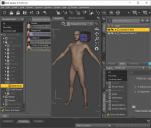
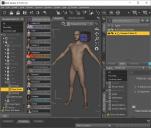
Those two screen shots are from exactly the same instance of DAZStudio, all I did for the second was to select male (2)... I inserted male 1 with my default set of male characters I then just changed the CMS to include Everything I have purchased and inserted male 2. Ok. That's fine. But if I save that file I believe both G8Ms will have all the options (I didn't test that).
What I want is for the behavior above to persist. I don't want options automagically added to scenes I have already made AND I don't want character options to be stored in a scene unless I set them. In fact it's been a long day but I think DAZStudio 4.15 does not do the latter, however either earlier versions did or I've yet to discover something (dForcing maybe?) that forces those options in.
What can we do to improve the long load times of characters?Zilvergrafix said:
PDSmith said:
@Zilvergrafix I did the same method you used, then tried something else and found it works just as well and just as fast.
I right click on the individual morph folders, and in the parameters section I change the folder to hide, then apply. all folders and files are now hidden. (how many finger nail morphs do we need? )
Hide morphs is great with 1 or 3 characters, not with +100 I have heavily customized, but I agree with your example of finger nails, for me is like +200 Eyelashes morphs and +150 nipple morphs that are useless due to the abomination of geometry on the nipples at such grade that I needed to buy a geograft from Rotica just for satisfy...satisfy...others

let's move on the initial method:
just beware because I had no access to a beautiful customized character of mine when I saved with hidding morphs and reinstalling got me an error that DS is not able to fix and me too, the character file is broken (prematurely or officialy got corrupted) and no way to create again, I saved minutes in initial load but... I lost a character.

I think i come up with a way to use characters without performance impact with very little incovenience. It basically involves making copy of the genesis 8 figure. I only saw someone suggesting doing this manually once when I was originally researching this problem but I can't find it now.
Morphs on the other hand are a bit more difficult to deal with. I did make a python script to analyse the cache file to find which product is causing the most of the slow down. Posted in the my other thread.
What can we do to improve the long load times of characters?PDSmith said:
@Zilvergrafix I did the same method you used, then tried something else and found it works just as well and just as fast.
I right click on the individual morph folders, and in the parameters section I change the folder to hide, then apply. all folders and files are now hidden. (how many finger nail morphs do we need? )
Hide morphs is great with 1 or 3 characters, not with +100 I have heavily customized, but I agree with your example of finger nails, for me is like +200 Eyelashes morphs and +150 nipple morphs that are useless due to the abomination of geometry on the nipples at such grade that I needed to buy a geograft from Rotica just for satisfy...satisfy...others
let's move on the initial method:
just beware because I had no access to a beautiful customized character of mine when I saved with hidding morphs and reinstalling got me an error that DS is not able to fix and me too, the character file is broken (prematurely or officialy got corrupted) and no way to create again, I saved minutes in initial load but... I lost a character.
What can we do to improve the long load times of characters?Richard Haseltine said:
The links need to be loaded so that DS knows how the property should affect others and is affected by others. If there is a constant term in the link then the value of the property itself does not have to be non-zero for it to have an effect, so waiting until it is used is not a viable strategy.
I see. So the only reason my script fixes the problem is because the links are sparse. Note that I don't compute the final value of the morph (which, as you say, took too long). I just check if there is a possible path for a morph to acquire a non-default value from the saved scene data, which only takes me a few seconds even on larger scenes. Morphs which cannot possibly be set to a non-default value via a forumla, assuming there are no scripts outside the scene file that manipulate morphs, are the only ones that are hidden. This can indeed help when loading or posing/animating.
The price to be paid is that the sparsity goes down as the user uses more morphs, and some additional lag when this happens due to recalculations (in the case of my script, it will need a restart of Studio when new morphs are to be added, but DAZ themselves don't have that restriction).
That's all strictly better than the current situation, I don't see why it wouldn't be viable.
EDIT: Okay, I do build the "sparsity matrix" offline which takes ~5 minutes, which is about how long DAZ takes to load everything. But once I build the matrix, with timestamps for each morph file's modified date, updating the database takes only a few seconds when morphs are added/updated.
TLDR: DAZ could exploit link sparsity (a list of what morphs can possibly affect what other morphs) to optimize their loading & re-calculation process.
What can we do to improve the long load times of characters?grimulkan_9cfbd329bc said:
Richard Haseltine said:
If you hide morphs then they aren't read adn so DS doesn't take time setting up the channels and links - your solution works because the time is consumed as I stated, they are not conflicting accounts of the same phenomenon.
Do agree, but the point is they shouldn't be trying to calculate those links in the first place, if unused. Maybe I'm just misunderstanding how morph injection used to work and we're both saying the same thing.
It's almost like DAZ decided to prioritize pre-calculation of said links, to make turning morphs on/off quicker for the end user. Hence the move away from manual injection & power loader. But as the number of available products and content libraries grew in size over time, the decision began to penalize load times (as well as posing and animation). Maybe only significantly penalizing a small number of users with very large libraries.
The links need to be loaded so that DS knows how the property should affect others and is affected by others. If there is a constant term in the link then the value of the property itself does not have to be non-zero for it to have an effect, so waiting until it is used is not a viable strategy.
What can we do to improve the long load times of characters?grimulkan_9cfbd329bc said:
Richard Haseltine said:
If you hide morphs then they aren't read adn so DS doesn't take time setting up the channels and links - your solution works because the time is consumed as I stated, they are not conflicting accounts of the same phenomenon.
Do agree, but the point is they shouldn't be trying to calculate those links in the first place, if unused. Maybe I'm just misunderstanding how morph injection used to work and we're both saying the same thing.
As I understand it it's setting up the dials for all the morphs that takes time, and if you don't do that there's no way to manage them in DS. Whatever you want to do with the morph (apply, inject/remove, hide/unhide) there has to be some kind of reference in DS from where you can manage it, if not a dial (as it is now) then a checkbox or whatever. But in any case there must be a faster way to handle a large number of morphs.
Genesis: The Early YearsThanks, FirstBastion.
I didn't know morph transfer could go backwards with GenX2, Sven Dullah. That is pretty cool.
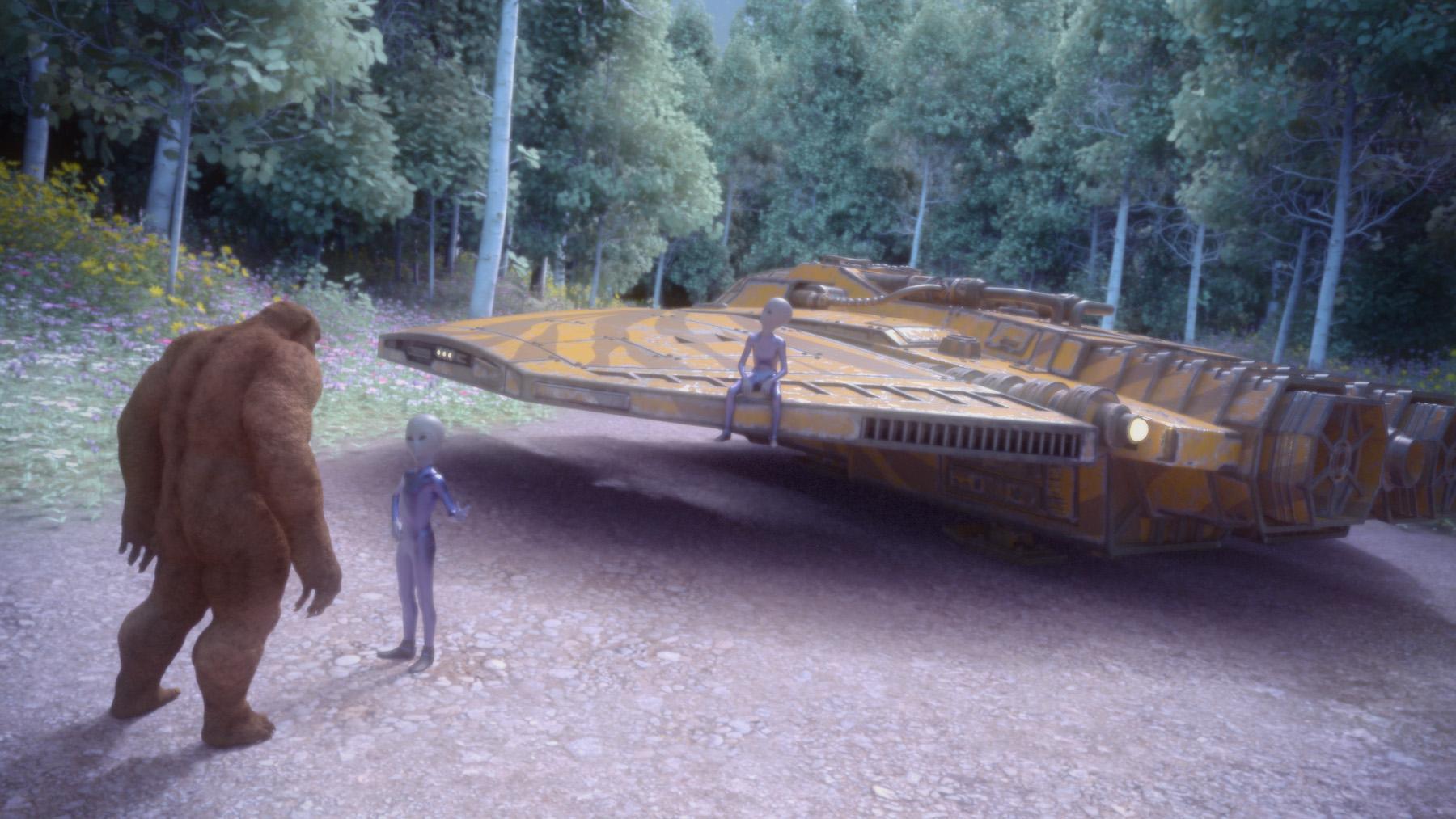
Here are some Genesis aliens made from various morphs and a RawArt's bear for Genesis. I wanted to use Dimension Theory's Skys of Sylvan that I grabbed in Fast Grab a few days ago. I used some Filter Forge filters and Ron's plates.
 What can we do to improve the long load times of characters?
Richard Haseltine said:
If you hide morphs then they aren't read adn so DS doesn't take time setting up the channels and links - your solution works because the time is consumed as I stated, they are not conflicting accounts of the same phenomenon.
Do agree, but the point is they shouldn't be trying to calculate those links in the first place, if unused. Maybe I'm just misunderstanding how morph injection used to work and we're both saying the same thing.
It's almost like DAZ decided to prioritize pre-calculation of said links, to make turning morphs on/off quicker for the end user. Hence the move away from manual injection & power loader. But as the number of available products and content libraries grew in size over time, the decision began to penalize load times (as well as posing and animation). Maybe only significantly penalizing a small number of users with very large libraries.
Daz 3D is part of

Connect
DAZ Productions, Inc.
7533 S Center View Ct #4664
West Jordan, UT 84084Licensing Agreement | Terms of Service | Privacy Policy | EULA
© 2026 Daz Productions Inc. All Rights Reserved.