-
dForce Archmage
Okay, so... I tried what you said with the looping script, and it actually works. HOWEVER, as soon as I select a tool other than the geometry editor tool, the simulation on the hair disappears again. This is still unusable, since selecting the Geometry Editor Tool destroys all the Geoshells I have placed on the figure.
I can't extract the morph and apply it later because the morph only works when I select the Geometry Editor tool. As soon as I select a different tool, the dforce simulation disappears.
My exact steps were as follows:
Load figure -> load hair on figure -> select geometry editor tool -> left click hair -> right click hair "fit to" and parent to figure -> left click figure -> run animated timeline simulation with archmage -> left click hair ONLY strands -> run loop script
It runs for a bit and does everything it should. However, as soon as I deselect the geometry editor tool, the dforce simulation disappears.
dForce Archmagebarbult said:
I own four OOT dForce strand-based hair products. I am able to morph all of them with the standard Daz tools and even with Archmage. I don't own any of the ones that jksafe referenced, but it would be surprising if they differed in structure from the ones I own. It took me some time and some hints from jksafe to figure out how to morph them in Archmage. I select the geometry editor tool. I fit and parent the hair product to G9. I select G9 and launch the simulation. I select the hair strands object and extract the morph. That can be slow, so I just wait while DS is not responding. When it is finished, I save the morph as a Modifier Asset, if I plan to use it in the future. Here are examples of the four OOT strand-based hairs I own and the morphs I created in Archmage. The unmorphed hair is on the left and the morphed hair is on the right in each render. (That last one is Messy Low Ponytail Hair. I have a typo in the render file name.)
Did you try looping it and get it to work by any chance?
Limited Time Freebies Discussion ThreadI'm sure they can be applied to G3F with a substitute for the originally required character. On occsions where the original is needed at 100% I tend to see if there is a similar character in my library and use their morph to fill in the missing bits. It can lead to differences from how the character was intended, but if the substitute is close, it should lead to a decent character anyway.
Regards,
Richard
Leg holster identificationrichardandtracy said:
Then use the transfer utility to copy across the original harness rigging to the modified harness. The way to do this is use menu option Edit| Figure| Transfer Utility . Here you select the old harness as the source figure, the new harness as the destination figure and set it running.
On these settings, you won't transfer any corrective morphs, which are an important part of the rigging.
Even with the right settings, you won't transfer any custom control links (and quite a lot of clothes have custom control links, I find).
If you want to edit clothes to hide parts of them, the magic you want is conditional grafts.
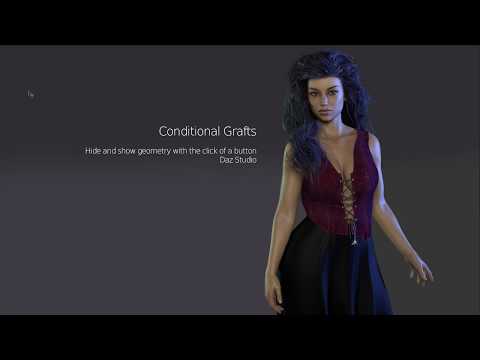
These will retain all correctives, compatibilities, HD morphs, etc.
You shouldn't need to take it to an external editor if all you want to do is hide faces.
(And I really wish conditional grafts could be applied to props as well as figures so that I didn't need to save edited standalone copies of them to hide some parts).
dForce ArchmageI own four OOT dForce strand-based hair products. I am able to morph all of them with the standard Daz tools and even with Archmage. I don't own any of the ones that jksafe referenced, but it would be surprising if they differed in structure from the ones I own. It took me some time and some hints from jksafe to figure out how to morph them in Archmage. I select the geometry editor tool. I fit and parent the hair product to G9. I select G9 and launch the simulation. I select the hair strands object and extract the morph. That can be slow, so I just wait while DS is not responding. When it is finished, I save the morph as a Modifier Asset, if I plan to use it in the future. Here are examples of the four OOT strand-based hairs I own and the morphs I created in Archmage. The unmorphed hair is on the left and the morphed hair is on the right in each render. (That last one is Messy Low Ponytail Hair. I have a typo in the render file name.)
Eye blink problemanders869 said:
Richard Haseltine said:
That looks as if a shape is applied that does not have a corrective morph or a corrective morph is aplying when it should not. Do you have The Age installed?
yep, i have
Until there is a fix you probably want to uninstall it.
Eye blink problemRichard Haseltine said:
That looks as if a shape is applied that does not have a corrective morph or a corrective morph is aplying when it should not. Do you have The Age installed?
yep, i have
dForce ArchmageArtini said:
So it looks like most of the problems are with outoftouch hair. Just wonder what cause that.
Yes. Unfortunately, I'm unable to do anything with that. It's not like I made a mistake in code and need to fix it. These hair assets don't support the creation of custom morph even with standard DAZ tools.
Genesis 8 or 9?Hi Maxwell, there are various converters for switching between generations. You can convert characters, clothing, and poses as needed. Some videos on YouTube show you how to convert items manually. Note that these instructions are a bit time-consuming compared to scripts that somebody is selling, or if you decide to make your own scripts. I prefer Victoria 7's more model-like look over Victoria 8's girl-next-door-like look; however, I prefer the material and functionality of Victoria 8 and Generation 8. As I own Victoria 7, 8, and 9, I converted all Victoria's 7 shaping settings to GF8 character morphs using XTransfer—Genesis 3 to Genesis 8 Converter. Now, I can use the materials from my Victoria 8, such as skin, eyes, tear ducts, etc., and still have the look of the Victoria 7 Shape. Older hair and clothes should auto-fit with some fine-tuning. I recently purchased Generation 3 and Generation 8 characters and items from the bargain bins in Daz Shop, as I have the tools to convert them if needed. You can even convert G9 characters and items to G8 if you don't want to move to G9. Look up converters and transfer products from RSSY and Zev0. Best of luckDaz Studio Premier and DS 2025 Alpha question.jdavison67 said:
Does Premier render faster?
There is absolutely no difference in the render engine.
To reiterate the point Richard made: Daz Studio Premier is almost entirely the standard Daz Studio, apart from the fact a few of of ManFriday's plug-ins (Mesh Grabber, dForce Companion, Render Queue, and Character Converter) have been polished up and bolted on.
From many perspectives, these are really just quality of life features (good quality of life features, but all they do is automate things you can do manually - albeit sometimes via exporting to another application like Blender). There are no major capabilities of the program that are locked away.
Has anyone used the character converter? Does it work?
All cross-generational conversion is going to be a bit rough around the edges. Some figures will transfer fine, others may experience issues.
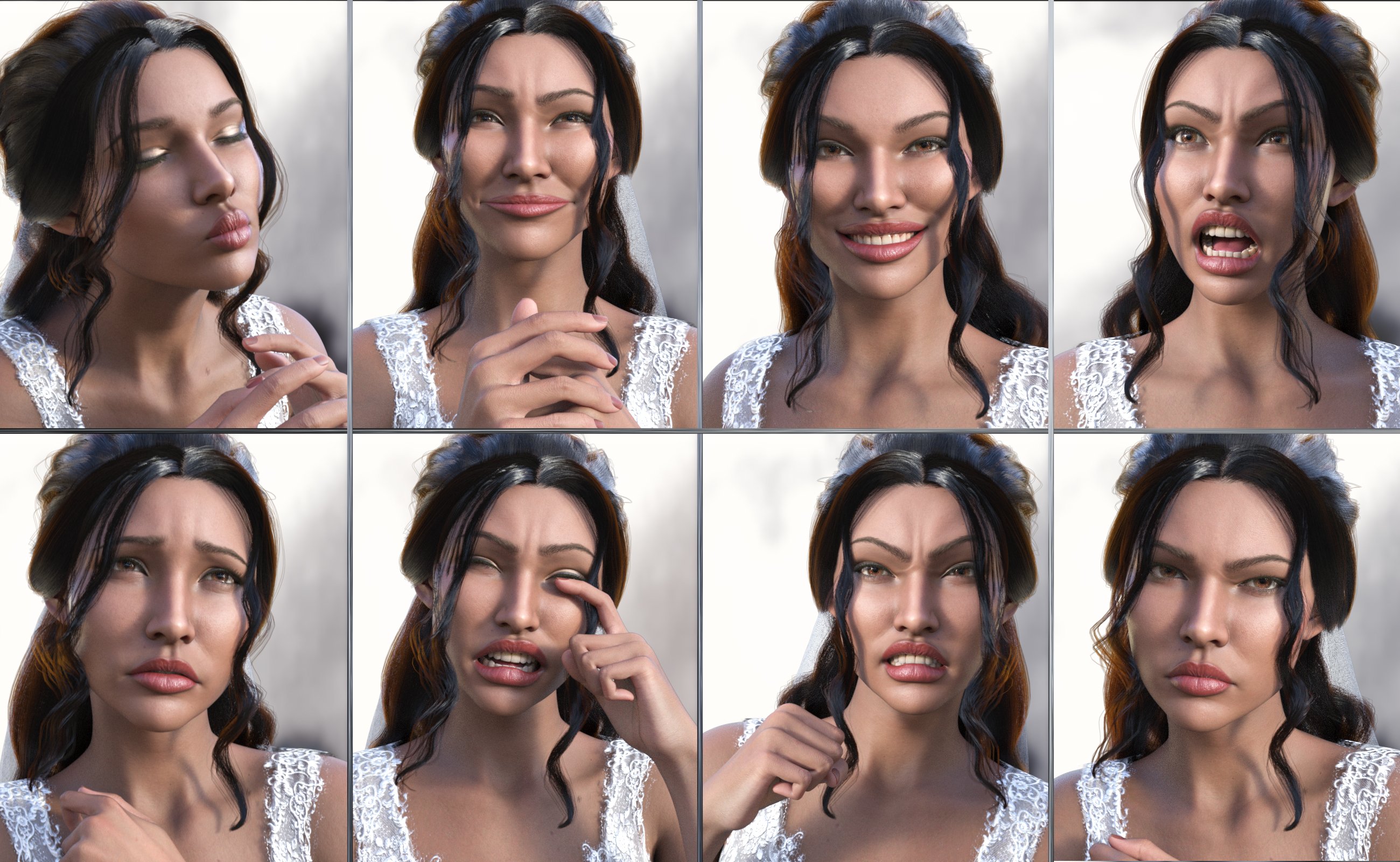
Brianna 9, Here Comes the Bride to DAZ3DI got a bit jumpscared first . I like her silhouette and the hairstyles.
On the other hand I've been wishing for black and heavier core figures for months only for them to restrict those as Premier exclusive and a 21 / 30$ single morph "addon". That's the same price as Mechasar's Beverly which is a full character with quality textures, makeup, jcms, body folds, customizable heaviness...
The Addon-ception also doesnt feel right sometimes, which is splitting a dress in different products (the veil, sleeves and bustle) and even make an addon texture for the addon, selling you 4 products from 2, for the sake of justifying a pack's price tag.
Leg holster identificationYou might be able to use the geometry editor to hide the parts you don't want.
I've not used it at all really, but there is a thread here that gives a bit of a start on how to use it here: https://www.daz3d.com/forums/discussion/146436/geometry-editor-tool-tutorial-anywhere? I'd select the facets I didn't want on the other side and apply a new surface to them, then make that surface transparent/hidden. That way the facets would still be there to correct any errors if I managed to select the wrong ones and needed to restore them to the main model.
Have to confess the main reason I've not used geometry editor much is because in these situations I export an obj model, edit it to delete unwanted facets in a modeller and then re-import and convert to a piece of clothing again. The way to do this is to:
- Zero the figure and harness.
- Unparent the harness from the figure.
- Make sure the harness is at base resolution.
- Ensure that the haness root X, Y and Z translations & rotations are zero.
- Hide everything in the scene except the harness.
- Export the Harness at 100% scale as an obj file using menu option File| Export.
- Edit the harness obj file in a modeller.
- Save the modified harness as an obj file from the modeller at 100% scale.
- In DS import the modified harness model at 100% using menu option File| Import
- Use menu option Edit| Object | Convert to Figure and select 'General Weight Mapped' rigging when the popup dialogue box appears.
- The new harness will now have a scene tree name of 'Figure: <obj filename>'. Change the name in the scene tree now if you want.
- Then use the transfer utility to copy across the original harness rigging to the modified harness. The way to do this is use menu option Edit| Figure| Transfer Utility . Here you select the old harness as the source figure, the new harness as the destination figure and set it running.
- Copy materials from the old harness to the new one.
- Now your altered harness is ready to use.
Sounds long winded, and it is, but then you'll have your own unique harness which can be saved as a library part or simply fitted to your character.
Regards,
Richard
Zelara 8 spineI didn't see any morph included with Zelara 8 to get her spine to look like that but it could be from this other product for Zelara 8:
https://www.daz3d.com/xenogirl-hd-for-zelara-8
As for using it on Genesis 9, you can autofit it to Genesis 9 but you'll miss the HD morph made to make it look better fused with Zelara's back, and materials will be a bit painful to apply because they are Hierachical ones.
Zelara 8 spineHello, I own Zelara for a long time now, but I can't remember where to morph her spine like in this promo image https://gcdn.daz3d.com/p/53499/i/zelara8-3.jpg
Can you please help me? Would it be possible to use the spine at G9? Thanks in advance :)
dForce Archmagebarbult said:
I'm having problems with this product so far.
- I loaded G9 and loaded a skirt and shirt parented and fit to it.
- When I launch Initiate dForce with default settings, it simulates from memorized pose correctly.
- Then I executed Heal Simulation Springs with both the skirt and shirt selected in the scene pane. The script said it healed the springs. But when I look in the Surfaces pane, only one of the two selected garments was changed. The user manual says it will affect all materials of the selected dForce enabled objects. I assume that means all SURFACES of selected dForce enabled objects, since it is SURFACES that have dForce parameters like the collision offset. It doesn't say I have to select any surface, only objects in the scene pane.
- When I Invoked dForce again, it no longer simulates from memorized pose. It simulated from current pose, and looked awful.
- I am using DS 4.24 on Windows.
Edit: I resolved at least part of this. After Healing Simulation Springs, G9 was no longer selected. Only the clothes were selected. That is why the simulate from memorized pose did not work and why the simulation results were terrible.
I still don't know why not all of the clothing had the collision offset changed when I ran Heal Simulation Springs, though.Thank you for purchasing dForce Archmage!
-
Heal Simulation Spring only works with a single object, which is why those errors occurred. I apologize for the incorrect information in the User Guide.
-
Add To Favorites wasn’t working due to a silly mistake I copied over from Morph Master. It’s now fixed.
-
The User Guide has been updated, and a new "Known Issues" section has been added. I also modified the script that opens the User Guide so it works properly on macOS.
I’ll PM you and wait a couple more days in case any new issues come up — then I’ll release the updated script for everyone.
Also, I am attaching the updated User Guide
UPDATE: I will also increase max value of Gravity to 10 and max Air Resistance to 5
Genesis 2 Appreciation ThreadI was unable to do rendering during G2 days, as my PC baulked at V4, let alone G2 and all the added sophistication of the character. So, images I show will be new, and in all probability content will be obtained as a freebie or from the Outlet store. As a case in point: Lyonesse Maribel from the outlet store below. Her shaders converted to Iray very well with a material set I put together for V4. Apart from the fact the poses I have for G2 are pretty grim and I now need to do a G8F to G2F pose transfer script, I'm pretty happy with my first proper G2 render. Scene is Tango Alpha Country Ford UltraScenery.

Regards,
Richard.
AIUTO...CHI CONOSCE L’ITALIANO? PARTE QUATTORDICIManon saprei, l'Advanced non mi pare abbia chissà che, però ora che ci penso, in passato è stato utile per gli oggetti con i morph, non i personaggi. Però in quel caso era un problema di memoria.AIUTO...CHI CONOSCE L’ITALIANO? PARTE QUATTORDICICrios said:
Qualcuno mi spiega la differenza fra l'Advanced Morph Loader e il Pro? Quando uso l'Advanced l'Erc Freeze no va, con il Pro invece si.
Il Pro è la versione più avanzata e nuova. Per qualche ragione i Dev hanno lasciato anche la vecchia versione, meno precisa e con meno funzioni, disponibile insieme alla nuova.
Magari la Advanced ha delle funzioni che la Pro ha abbandonato e degli utenti ne hanno ancora bisogno.
Genesis 2 Appreciation Thread@xyer0: Not a huge variety considering POC characters for G2M, though, especially if you want a character with a less muscular physique. Luckily we have morph packs to help us create some more.
I imagine that render was very challenging - posing all those characters so close to each other and everybodys' eyes following the ball - impressive!
Morph MasterI didn't replace the existing guide, just added 'Mac' to the title and slipped it into the folder in for Morph Master and in the Content Library it appeared with no tip image (of course) and when I clicked that, it opened perfectly. That way I am not changing your program. I will keep a copy on hand outside of the program just in case an update eliminates it in the future.
Many thanks @matew
Mary
Daz 3D is part of

Connect
DAZ Productions, Inc.
7533 S Center View Ct #4664
West Jordan, UT 84084Licensing Agreement | Terms of Service | Privacy Policy | EULA
© 2026 Daz Productions Inc. All Rights Reserved.