-
View These Artists Together
That link is added by the daz deals add-on. It takes the link to the first shop and changes the filter to add all featured artists names in it.
That works well when links to the various artists store are links to a category or to the shop with a filter for that artist, but not when the page is setup with individual links for each store like today.
If you look at today's link for example you'll see it starts by https://www.daz3d.com/ravenhair
https://www.daz3d.com/ravenhair#filter_vendor=ravenhair^rawart^orestes-graphics^arryn^onnel^riversoft-art^tesla3dcorp^3d-ghdesign^sade^abalone-llc^jgreenlees^the-antfarm^dreamlight^sarah-payne^inception8^moonscape-graphics^mousso^half-life^underconstruction^cynderblue^anna-benjamin^merlin-studios^ozichick^twiztedmetal^serum^mely3d^dimidrol^dglidden^peanterra^vyusur^ansiko^howiefarkes&filter_new=0&filter_platClub=0&filtered=1
If you replace that with "shop" the link should work as intended
https://www.daz3d.com/shop#filter_vendor=ravenhair^rawart^orestes-graphics^arryn^onnel^riversoft-art^tesla3dcorp^3d-ghdesign^sade^abalone-llc^jgreenlees^the-antfarm^dreamlight^sarah-payne^inception8^moonscape-graphics^mousso^half-life^underconstruction^cynderblue^anna-benjamin^merlin-studios^ozichick^twiztedmetal^serum^mely3d^dimidrol^dglidden^peanterra^vyusur^ansiko^howiefarkes&filter_new=0&filter_platClub=0&filtered=1
Show Us Your Iray Renders. Part VIIThere are so many crazy good renders here, it's quite intimidating seeing the insane quality you can all achieve which I can only dream of! That lighting and the iRay-ified Neo Stop @Wonderland just.. wow!
So I thought I would share a comparison of where my image started to where I ended up (in no way was this inspired by teh fact I had literally watched Terminator Genesys before firing up Daz Studio....)
So, I set up my scene and initially had spent more time getting orestes electromancy looking like I wanted in iRay (as I don't have the iRay version yet!) - it meant I ended up with quite a "flat" and "meh" image:
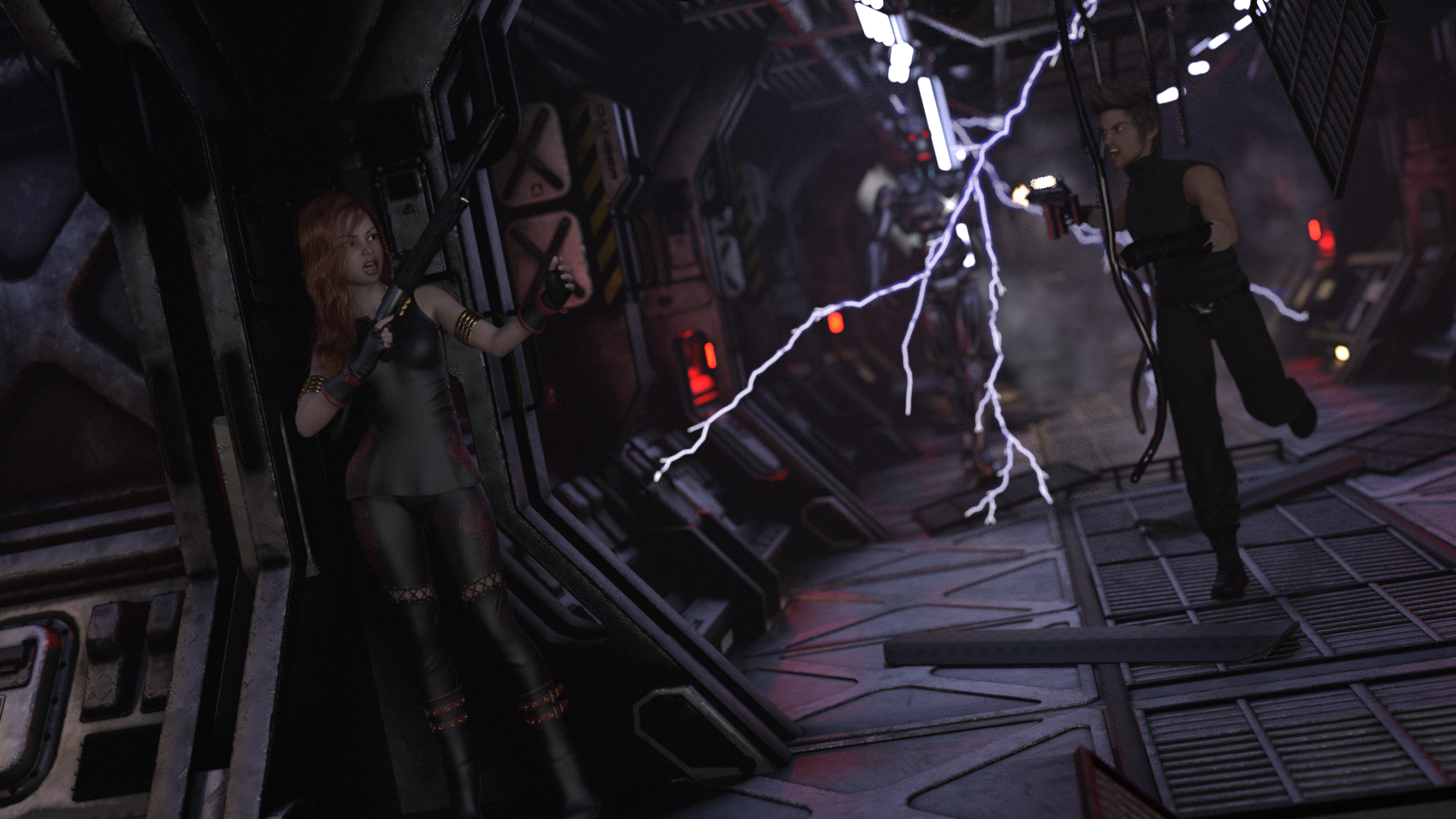
There was no "urgency" or atmosphere to it.. and I wasn't happy with the hair on either character to boot, so I went back to the drawing (well.... lighting) board and increased the desnsity on the Atmocam atmosphere and for some reason, I decided to try using lighting using the iRay Rim Light Rig to some results I was pleasantly surprised with and finished with a Ghost Light behind the camera to balance the foreground. There is a LOT that I'm sure could be done to improve but from where I'd started I was quite pleased at getting to the point I did:
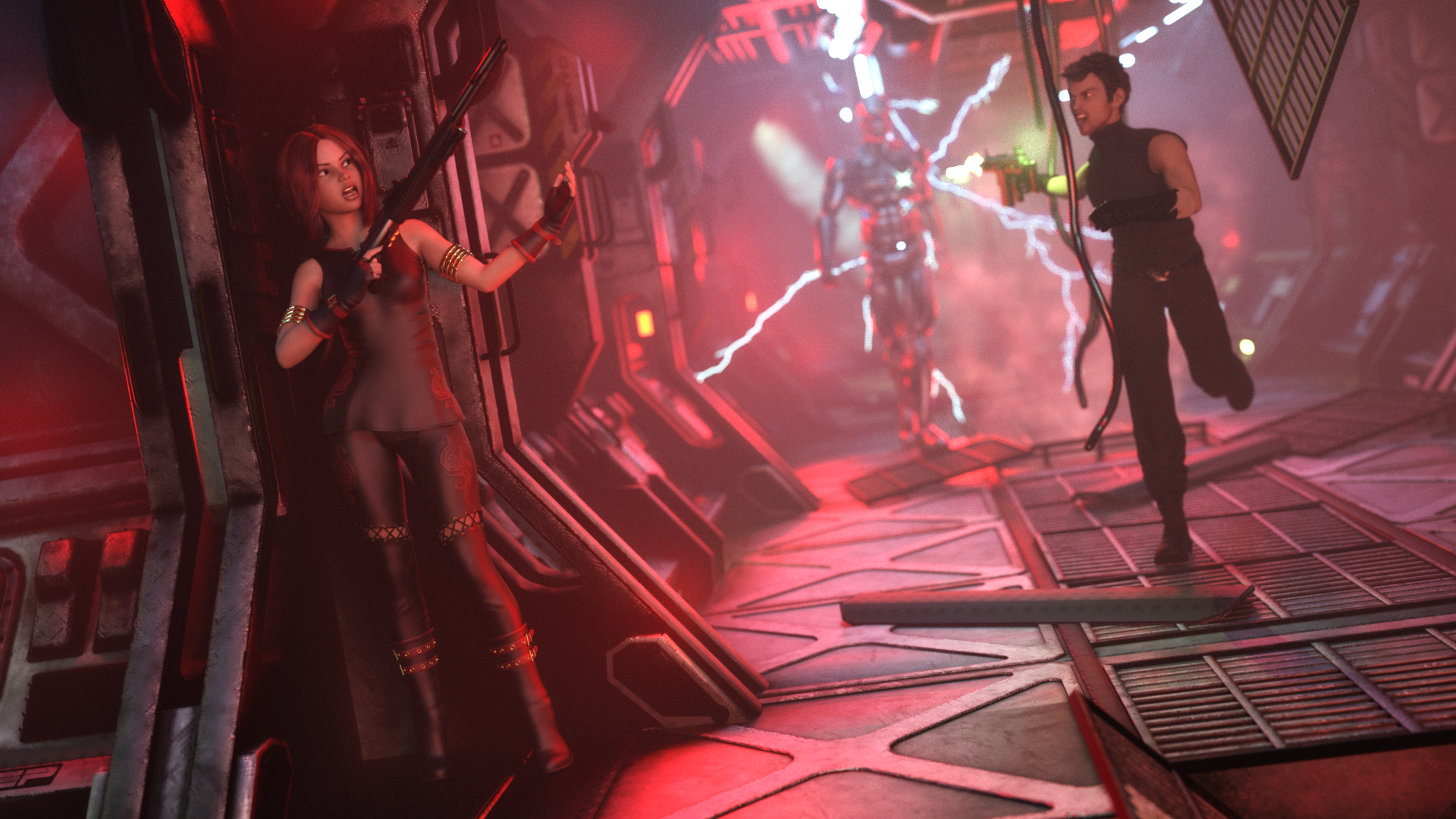
Gallery Link - https://www.daz3d.com/gallery/#images/1023516
AIUTO...CHI CONOSCE L’ITALIANO? PARTE DODICIGrazie Tiziano, hai subito inteso l'utilizzo che vorrei fare di daz ???? Accidenti quanti addons: mi ci vorrà uno stipendio!!! Dovrò operare una cernita ???? A gratis su Youtube c'è questo tutorial che ho seguito e che porta a fare una foto esattamente come vorrei io ???????????? (ovviamente ho provato e il risultato non era proprio lo stesso, specialmente per gli occhi????????????????????)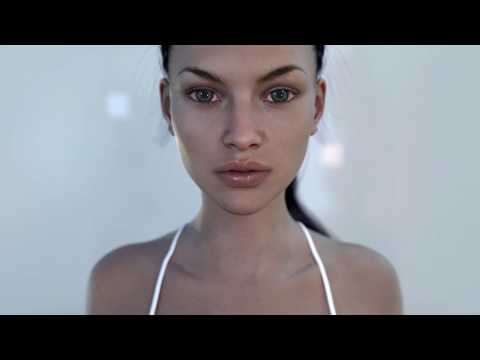
Gli spotlight possono andare bene: sono gratis, e possono dare buoni risultati. Ogni tanto li uso.
Ma uso molto più di frequente questo: https://www.daz3d.com/li-incandescent--portrait-lighting-for-iray
Fra dozzine e dozzine (se non centinaia) di set di luci che ho, vince a man bassa. Puoi tranquillamente riutilizzarne i pezzi e costruire set da te, sono luci molto belle.
Il set Li Incandescent puoi usarlo in qualsiasi situazione, anche in una stanza al chiuso. I seguenti invece sono "plug-n-play": apri, carichi la figura, e il render esce stupefacente. Li uso quando devo fare un pinup veloce per presentare un personaggio, o se me ne chiedono uno in particolare. Chiaramente non devi comprarli tutti, mettili in wishlist e poi ti regoli in base allo stile che vuoi :)
Questi sono i miei preferiti:
https://www.daz3d.com/pro-studio-hdr-lighting-system
https://www.daz3d.com/iradiance--light-probe-hdr-lighting-for-iray--expansion-5
https://www.daz3d.com/ly-leonine-pro-hdr-lighting
https://www.daz3d.com/click-n-render-ibl-set
https://www.daz3d.com/studio-light-pro-hdri-iray-wow-lights
https://www.daz3d.com/orestes-iray-hdri-abstract-styleSempre in ambito luci, che avevo completamente dimenticato, se ti serve un cielo veloce, questo pacchetto è fenomenale:
https://www.daz3d.com/cloudscape-creator--bare-sky-hdris-for-irayInfine, errore imperdonabile non averti nominato le Ghost Light. Sì puoi fartele da solo, come tutto, ma ci vuole tempo e il risultato non è equivalente. Il primo lo considero un must, l'altro un'aggiunta carina.
https://www.daz3d.com/iray-ghost-light-kit-3
https://www.daz3d.com/iray-light-probe-kitLadies AND Laddies of Mousso appreciation threadG3 version of Mackenzie
Fairy Tales 3
https://www.daz3d.com/gallery/#images/1006906
Made with...
- Oleander Hair for Genesis 3 Female(s)
- Mischievous Fairy Outfit for Genesis 3 Female(s)
- Mackenzie for Genesis 3 and 8 Female
- French Bulldog for Daz Dog 8
- Orestes Iray HDRI Environment - Vigil Creek Falls
 Need Some Lighting Advice
And there are these HDRI lights which (I assume take very little resources when rendering) that give you backgrounds and infinite lighting possibilities when you rotate the dome. They are also very theatrical looking, The come in 3 separate sets too https://www.daz3d.com/orestes-glamour-portrait-bundle
New to Iray, HDRI dome question..A while ago, someone in the forums asked how to achieve something like this:

When they loaded the product, the planet was small in the sky. I explained to them that HDRI's work like like the real sky; the way you achieve that big moon is by changing the focal length of your camera and not the size of the sky:

Yeah, the only issue with this technique is that super wide angles will distort faces.
New to Iray, HDRI dome question..A while ago, someone in the forums asked how to achieve something like this:
When they loaded the product, the planet was small in the sky. I explained to them that HDRI's work like like the real sky; the way you achieve that big moon is by changing the focal length of your camera and not the size of the sky:
Money Pile?There are a few products here that scatter
https://www.daz3d.com/sy-dforce-confetti-and-nature-effects
https://www.daz3d.com/sy-confetti-and-nature-effects-iray
https://www.daz3d.com/autumn-leaves
https://www.daz3d.com/orestes-falling-leaves
a much older one
Dear PAs: Please don't mess with Render Settings That Don't Concern you.This thread is why I don't buy the HDRi packages from the DAZ store now. I've been bitten a few times by having my scenes spoiled by the settings someone else thinks I should be using. Better by far to just download a HDR image and plug that into the environment slot, leaving my render settings as they were.
The only pack I've purchased recently was one of the Cake and Bob sets so I could decronstruct how DoF is applied. Other than that...it's pretty much HDRI Haven for me...unless I'm looking for something specialized. Orestes has some pretty neat specialized ones.
But yeah, I've had my render settings all sorts of whackdoo'd by stuff...I've even had some that turned up render quality to 100...like whut?
I don't mind so much when they increase those settings, since I can always just stop the render when it's satisfactory. It's when they do stuff like change iterations down to the minimum that I get tripped up. Unlike tone mappings, when you change some settings on the fly from the render window and not have it interrupt your render, I've found the render really does start over again from zero when you change Progressive Render settings.
Orestes and Cake'n'Bob, for all their faults, are my favourite HDRI vendors. Their stuff works well for the kind of images I like to render.
Dear PAs: Please don't mess with Render Settings That Don't Concern you.This thread is why I don't buy the HDRi packages from the DAZ store now. I've been bitten a few times by having my scenes spoiled by the settings someone else thinks I should be using. Better by far to just download a HDR image and plug that into the environment slot, leaving my render settings as they were.
The only pack I've purchased recently was one of the Cake and Bob sets so I could decronstruct how DoF is applied. Other than that...it's pretty much HDRI Haven for me...unless I'm looking for something specialized. Orestes has some pretty neat specialized ones.
But yeah, I've had my render settings all sorts of whackdoo'd by stuff...I've even had some that turned up render quality to 100...like whut?
Show Us Your Iray Renders. Part VIIhttps://www.daz3d.com/1stb-long-stretch-of-deserted-road + https://www.daz3d.com/yamaki-hover-bike- + https://www.daz3d.com/friedrich-hd-for-genesis-8-male + https://www.daz3d.com/oso-ammonoids + https://www.daz3d.com/orestes-iray-hdri-skydomes-vol-3-vega-system
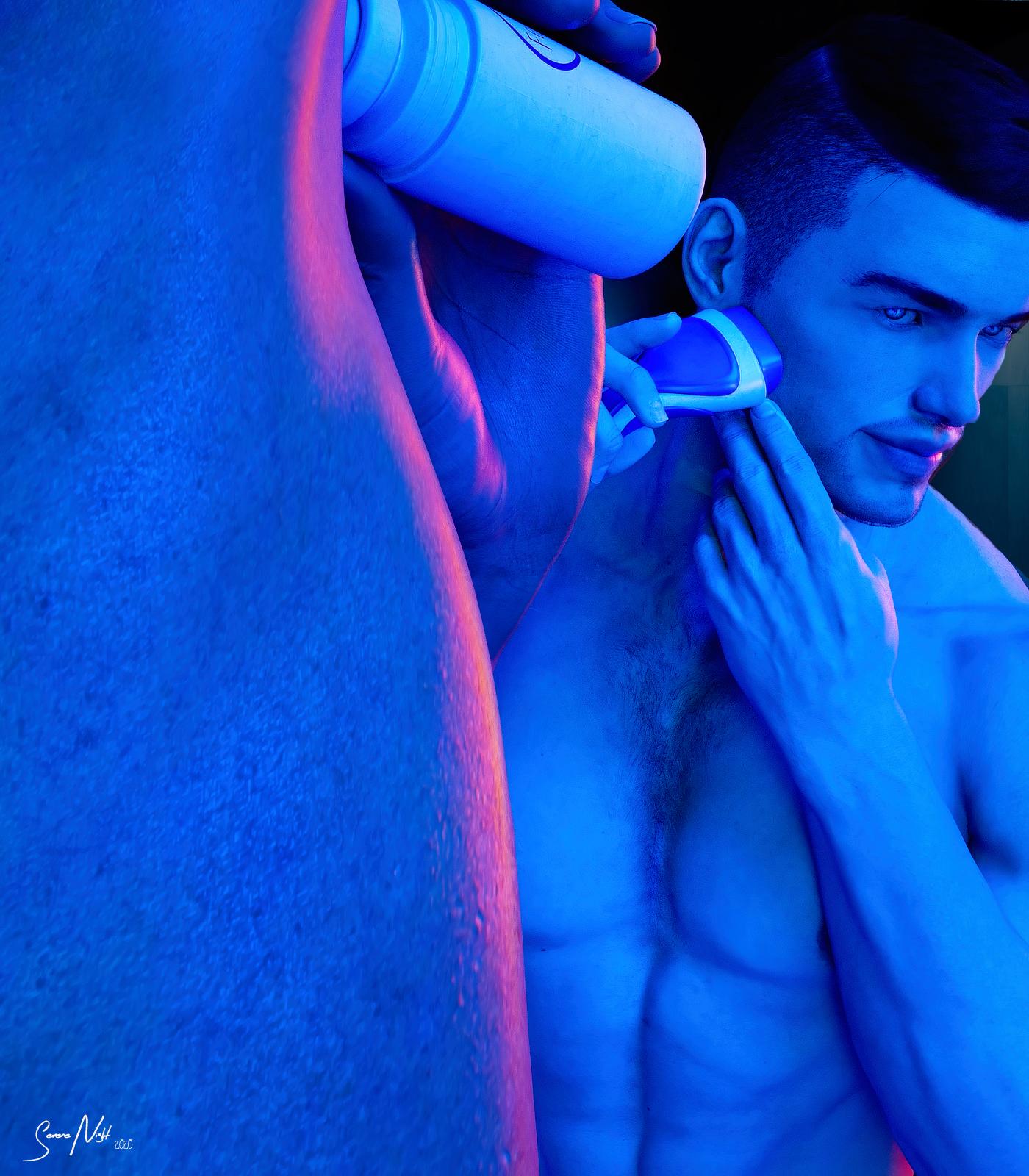
SereneNight's Sci-Fi Fun Thread 2The Beauty routine prop includes this Deoderant pose, and this shaving pose. The lights are from Orestes Iray HDRI Mystical Wisps. The camera angle is a bit different. I shot this from beneath Boyd's right armpit.
 Creating HDRIs using Daz assets - Cityscapes, etc
This method definitely works, it's just that the light intensity can have some issues.
One solution is to reduce the light intensity in your original scene, which you're turning into a HDRI. (The sweetspot is around 0.0002 if I remember correctly) The advantage of this is, that you won't need to adjust the light intensity everytime you use that HDRI later. However, it also has a drawback: if the HDRI you used for the original scene doesn't provide enough light, then the HDRI you create will not only be very dark, but it will also be extremely grainy. In those cases, revert to the second solution:
Not reducing the light intensity in your original scene. The resulting HDRI will be more crisp, but will also have the drawback of being extremely overlighted, so you will need to dial down the light intensity every time you use it.Some general pointers:
Don't raise the camera in your original scene too high, or you'll end up with the horizon of your "source" HDRI above the horizon of your scene (like, higher than the buildings and whatnots surrounding your camera). The result just won't be a pretty HDRI anymore, though it will still look very decent when used for top-down images, where the horizon is out of the picture anyway. So, in general, try to have your source-scene obscure the horizon of the source-HDRI. This can be somewhat mitigated by adding more "blocks" around your central area, and slightly raising them, the further they are away from you. Don't overdo it, because things will start to look odd.
High-res beauty canvasses give massive files. An 8000x8000 pixel beauty canvas easily results in a 1 gigabyte .exr file.Some shots with a HDRI I made a few months back. The second image was actually one of those HDRI's with the camera raised "too high", but as you see, it's still neat for top-down renders.


That's a good point. You'll want to have your camera approximately the height your camera will be in the final render. In the office scene, I rendered with my camera 1500 thingies above vertical because that was the view I was after, but then I had to raise my office set to the same height so that the perspective wouldn't be off. These aren't really general use HDRIs, like Orestes skies, rather their purpose is to provide a background that doesn't already exist for specific scenes.
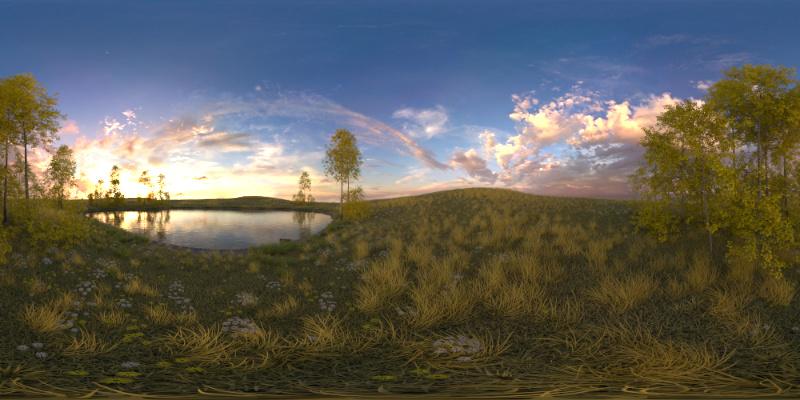
Creating HDRIs using Daz assets - Cityscapes, etcAfter bringing up the Ultrascenery thing, I thought I'd try one but with higher resolution. This was rendered at 8k x 4k, which I started before heading to bed and took about 3 hours. It's obviously not something you'd want to do unless you really can't fit stuff on your GPU, or else want to render multiple images in the same spot.
I set up my camera toward one edge of the scene, using Orestes Vanilla Evening Skydome as the lighting.
And then I stuck a character in the scene and did a couple of renders that took about 20 minutes to converge at 95%.
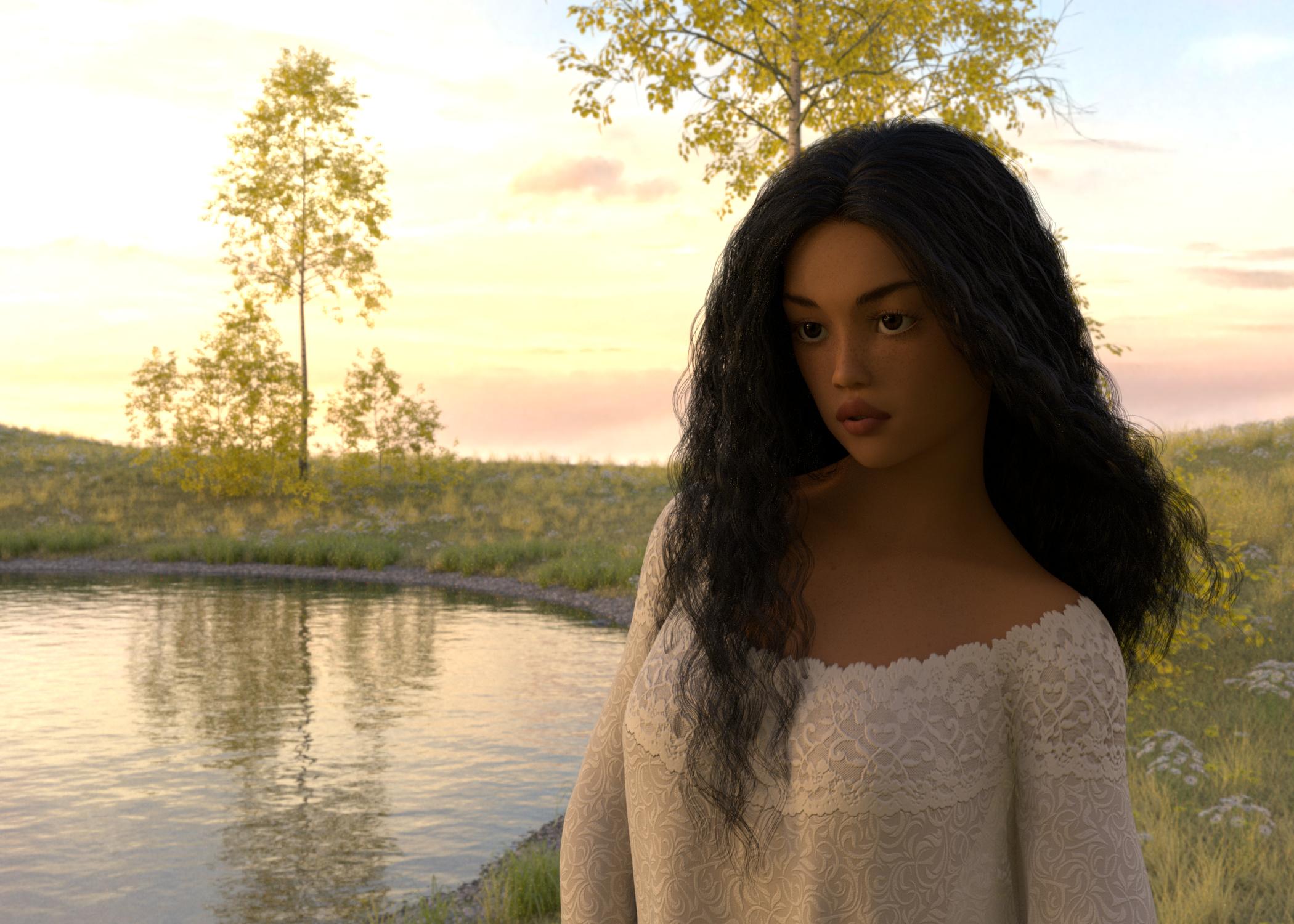
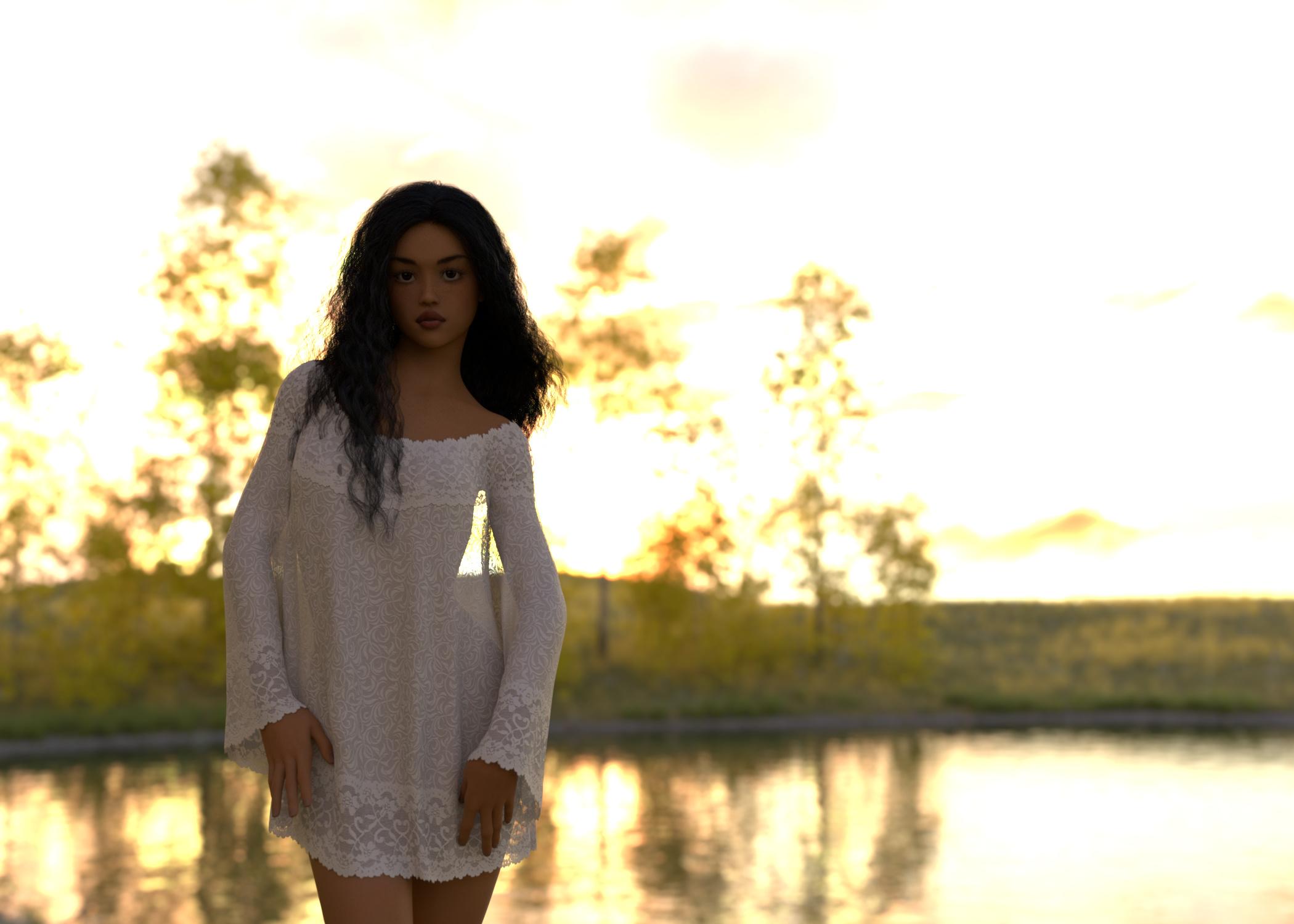
Now these are just proof of concept type renders. Typically, you'd add a bit more lighting for the figure. These are lit by the HDRI alone.
Creating HDRIs using Daz assets - Cityscapes, etcAfter bringing up the Ultrascenery thing, I thought I'd try one but with higher resolution. This was rendered at 8k x 4k, which I started before heading to bed and took about 3 hours. It's obviously not something you'd want to do unless you really can't fit stuff on your GPU, or else want to render multiple images in the same spot.
I set up my camera toward one edge of the scene, using Orestes Vanilla Evening Skydome as the lighting.
And then I stuck a character in the scene and did a couple of renders that took about 20 minutes to converge at 95%.
Creating HDRIs using Daz assets - Cityscapes, etcI want a set of HDRIs to use as background for office scenes. Like to have the same view with different lighting. Most of the city backdrops HDRIs are from street level, and I would the perspective to be from a bit higher up as if you're looking out of a window in an office, or maybe an apartment. There are a couple of them at Shutterstock, but it's hard to know what image format they're in, and they mostly look to be some kind of stylized archviz stuff. I own a couple of the cityscape backgrounds, and have used them, but they're not entirely what I want.
So I was wondering about making my own. I own Urban Sprawl 3, which is nice, but I wondered how that would look if I set them up surrounding a camera set to spherical. The set comes with Daylight and Nighttime presets, which I like. I'm not fussed about what it looks like directly below, as I wouldn't have my camera pointing down.
I gave it a shot and thought I'd share my first results, because they're not awful.
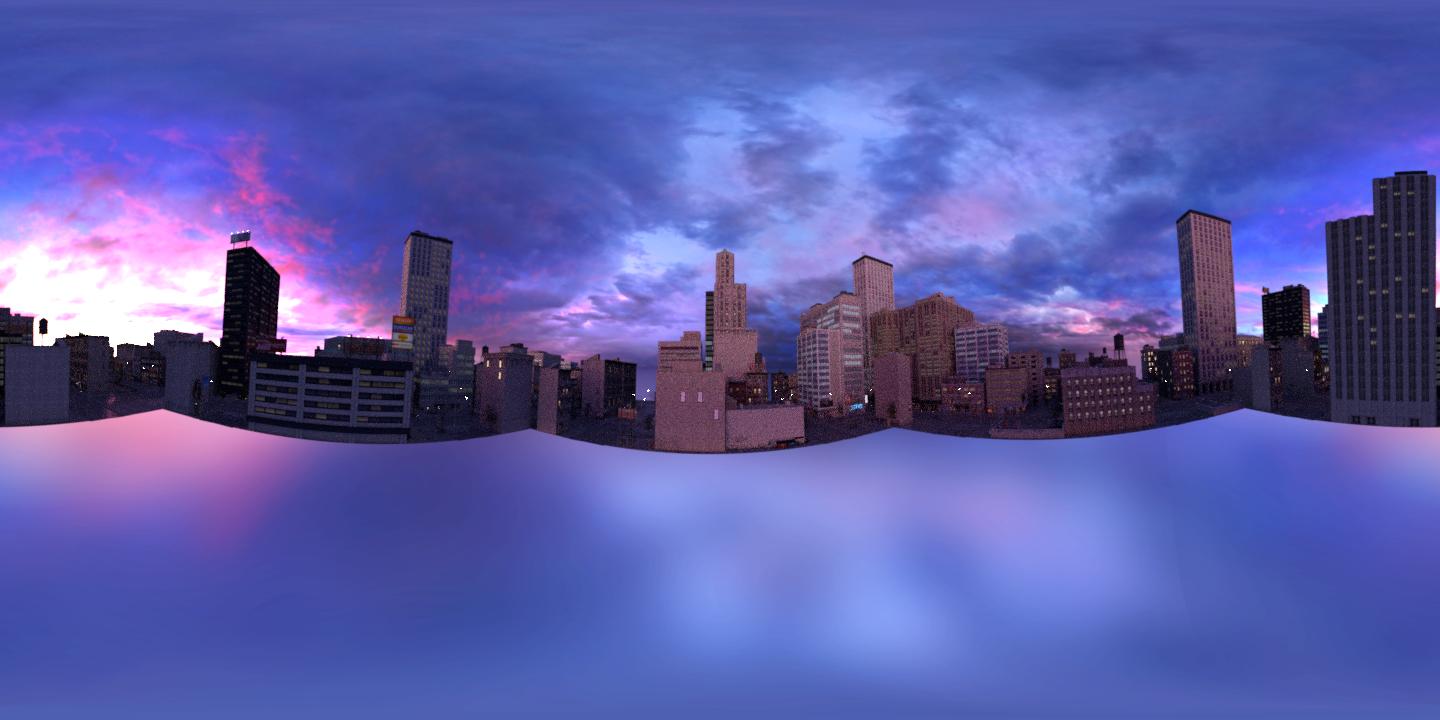
I laid out the 5 blocks from Urban Sprawl 3 and then instanced 3 of them to give me 8 blocks arranged in a square around the world centre. For lighting, I used Orestes Witches Twilight, because just look at it. Then I took a camera, changed the Lens Distortion Type to spherical and elevated it to around 1500 whatsits and gave it a whirl, rendering to canvasses to get 32-bit EXR files, which I could then composite (not really necessary) and save as HDR files. My first attempt was only at 1440x720 because it was just a test, and I was going to use it with depth of field anyway. It rendered super fast.
This is a JPG of that HDRI. Yeah. That's all it is. I didn't have a floor or anything in the centre of the scene.
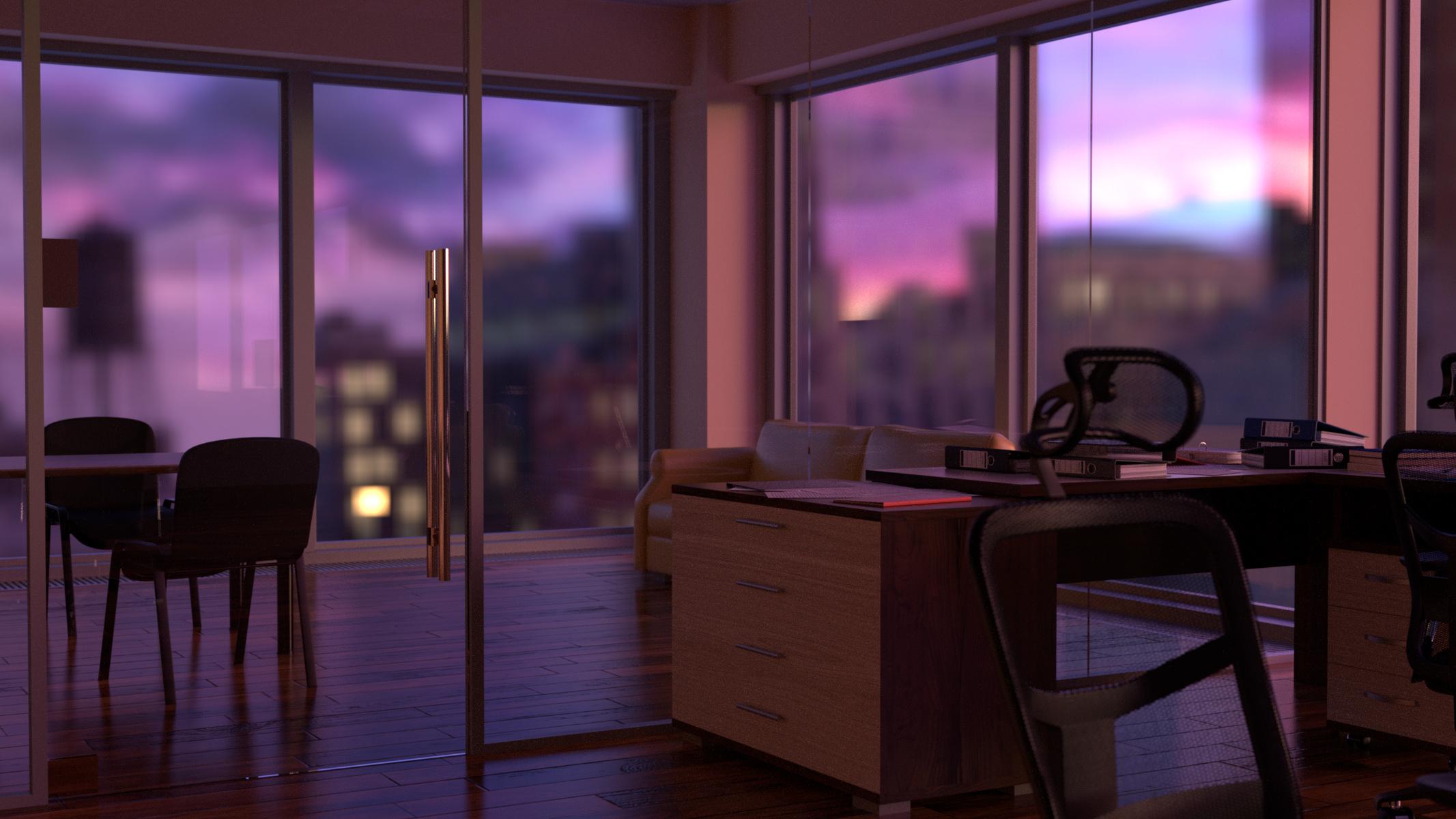
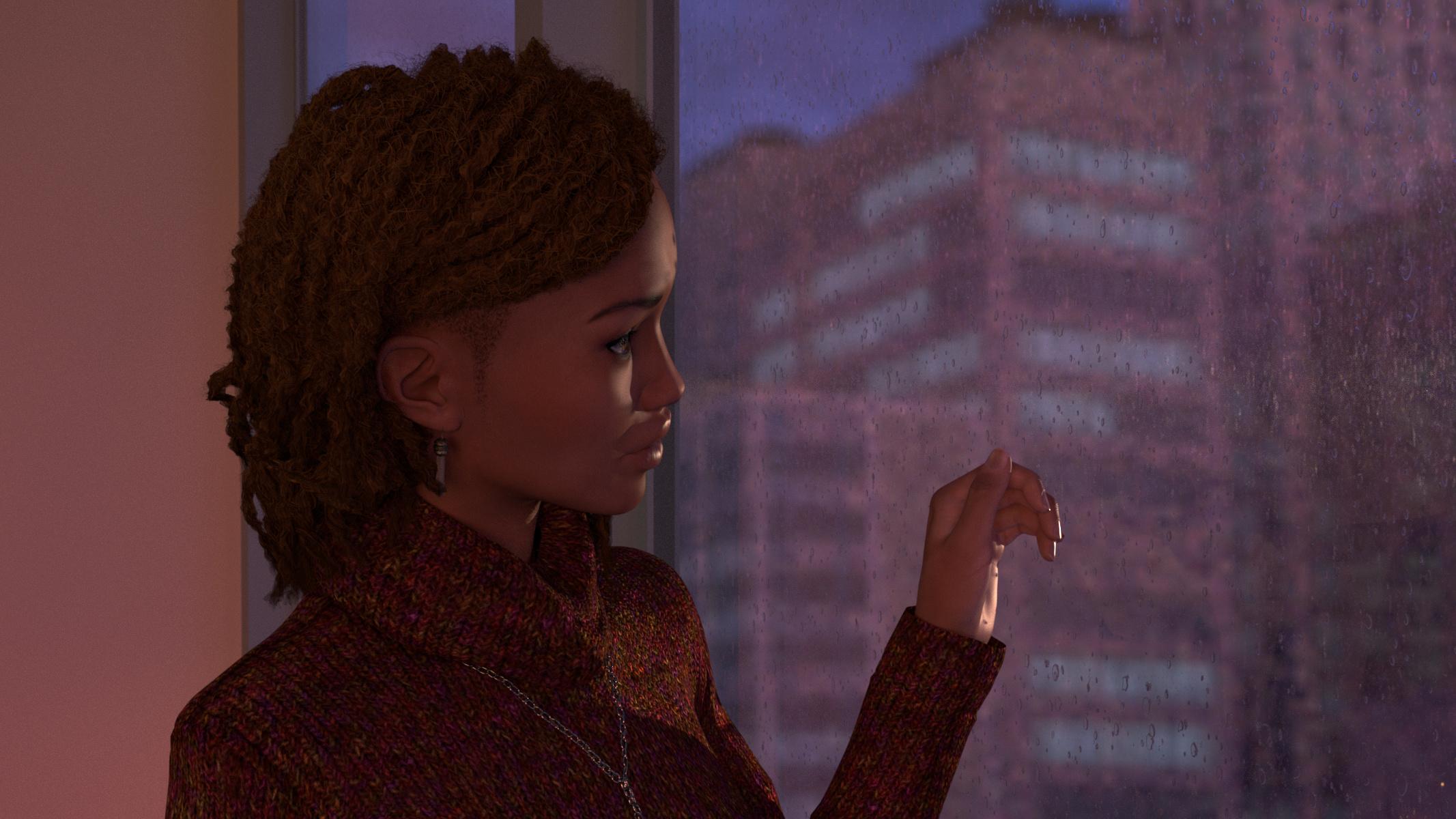
Then I tried it out as an HDRI in a couple of test renders. The renders are nothing fancy. The empty office has nothing but the HDRI as lighting and no adjustments except to bring exposure down, while the image with the beautiful Kerry has a spot, as well and a relective plane behind her and I did minor post. Normally I'd do more to make her hair look nicer, but I wanted to see how the HDRI worked mostly.
Anyway, this works with stuff like Ultrascenery sets, too. If you want to have the scenery and lighting look nice, you'd render at a high resolution than I did here, like at least 4000x2000, but once you have that done, you can add more stuff than you could if you had all the scenery geometry and textures in the scene, as well. If you want to set up a complex scene like with a hairy HD character with clothes and a couple of shaggy dogs or something, this is worth considering. The possibilities are endless!
 Display is not allowed. Do you own this website? (Orestes Graphics)
I went to look at some HDRI products by Orestes Graphics just now, and the interactive example images, where one would normally be able to pan around inside the HDRI image, are all showing me a whirling-circle symbol and the message "Display is not allowed. Do you own this website?" What the actual heck?!? Anyone know what is going on here? Did something get borked for me in Opera browser, or did something go whoopsie about that merchant's stored files at 360Player?
HDRI Discussion Help ThreadThis thread is created so people can get HDRI questions answered.
And wow, do I have some questions!
For instance,
Is HDRI a "projection"? Is it projected from the infinite dome into the scene or from the center of the scene to the infintie dome and then light/color bouncing off the infinite dome back into the scene?
Is the HDRI map simply laid/stretched upon/around an "infinite/finite dome" or is it something that is projected onto this dome?
I have noticed that if I take an HRDI file into Photoshop and resize it and save it as an HDRI, the image looks exactly the same when loaded onto a Daz infinite dome, other than depending on if it is resized larger or smaller the smaller file has a noticeable loss in quality and detail definition but the dome images are the same size.
What is odd is that the relative size of the objects (i.e. the sun or moon etc.) in the HDRI "projection" (if it is a projection) is still the same size!
Is the infinite dome always the same size?
The infinite dome can be rotated on all axis but there is not a resize slider. It seems the infinite dome cannot be translated either, only the finite dome can be translated. That might have solved my dilemma. If I move my figures/objects in the scene further away or closer to the sun/moon, then it distorts the sun/moon so they become oblong and misshapen.
If the infinite dome is a projection, then this would affect the finite dome in different way.
Depending on if the HDRI file is a projection. How is the HDRI file transferred to the finite dome from the infinite dome? Is the image refracted like though a piece of glass from the infinite dome outside to the finite dome inside or is it projected to the finite dome and then onto the infinite dome also? There is a size distortion between the infinite dome to the finite dome. The finite dome shows the sun/moon objects of the infinite dome smaller when inside of it. Is it a projection from the center of the scene out or projected from the outside dome in?
If this is a projection, how do I adjust the "projector" to make the image/dome size smaller or larger if it is not a projection how to I scale the image wrapped around the dome so the sun/ moon is closer (smaller) or further away (larger)? (I am not referring to the sun/sky only option. This is regarding HDRI skies.)
I bought a pack TerraDome and in the promo pics it shows the sun smaller, but I can't figure out how to resize the sun. I don’t want to make it half as small I want to be able to gradually make it smaller or larger, so it fits precisely into my scene the way I need it.
Any answers to these questions are greatly appreciated.
You can resize the finite dome but that does not affect the image "projected" onto the dome, it remains constant. It seems the image on the finite dome is about half the size of the infinite dome. Do I have to edit a parameter in the HDRI file itself to change the initial dome size?
And if the dome size remains constant, what exactly does the environment lighting resolution slider do especially regarding how many megapixels the HDRI file is? Does it raise and lower the megapixels of the file itself or does it lengthen the ray tracing paths of the HDRI light effect?
If the dome is always the same size, then that would explain why more megapixels makes a more detailed image, but you would think that a larger image would make a larger dome size. This does not seem to be the case. This again leads me back to the question how do I resize the infinite dome or use the finite dome to obtain the same effect? This all boils down to, how do I resize the HDRI sun/moon?
Thanks in advance for any help on this. (really confused)
Let's start with "I have noticed that if I take an HRDI file into Photoshop and resize it and save it as an HDRI, the image looks exactly the same when loaded onto a Daz infinite dome, other than depending on if it is resized larger or smaller the smaller file has a noticeable loss in quality and detail definition but the dome images are the same size.".
No, an HDRI is not like a conventional image like a standard image. What makes it magical is that there is added luminance that "lights" up the scene with the image like a sky dome as an added benefit. When you alter it in Photoshop or Gimp, you reduce those luminance levels as you manipulate the image to fit into the human visual range.
This two questions can be answered the same way:
"Is HDRI a "projection"? Is it projected from the infinite dome into the scene or from the center of the scene to the infintie dome and then light/color bouncing off the infinite dome back into the scene?
Is the HDRI map simply laid/stretched upon/around an "infinite/finite dome" or is it something that is projected onto this dome?"
The HDRI map is closer to an infinite map projected onto an infinite dome; it something closer to the actual sky which seems like a two dimensional structure but is actually more complex than that.
"Is the infinite dome always the same size?
The infinite dome can be rotated on all axis but there is not a resize slider. It seems the infinite dome cannot be translated either, only the finite dome can be translated. That might have solved my dilemma. If I move my figures/objects in the scene further away or closer to the sun/moon, then it distorts the sun/moon so they become oblong and misshapen."
Yes, the infinite dome is infinite so it pretty much is one size.
"If the dome is always the same size, then that would explain why more megapixels makes a more detailed image, but you would think that a larger image would make a larger dome size. This does not seem to be the case. This again leads me back to the question how do I resize the infinite dome or use the finite dome to obtain the same effect? This all boils down to, how do I resize the HDRI sun/moon?"
This is that division between the the HDRI as a light source vs a sky dome. The resolution determines the resolution of the light that lands on elements in your scene as well as the crispness of your background. Since the dome is infinite, the higher resolution doesn't make a bigger dome, it makes a crisper dome. So How do replicate those gigantic suns an moons like orestes-iray-hdri-skydomes--oblivion , time to play with your camera's focal length. The default camera is an approximation of a "normal lens" at 50 mm. If you change the focal length, you can make two objects that are far apart look close together such as
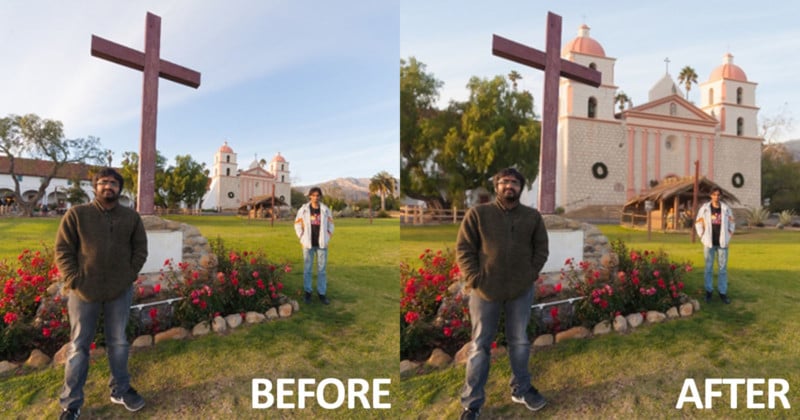
So that is how you "resize" the sun or moon.
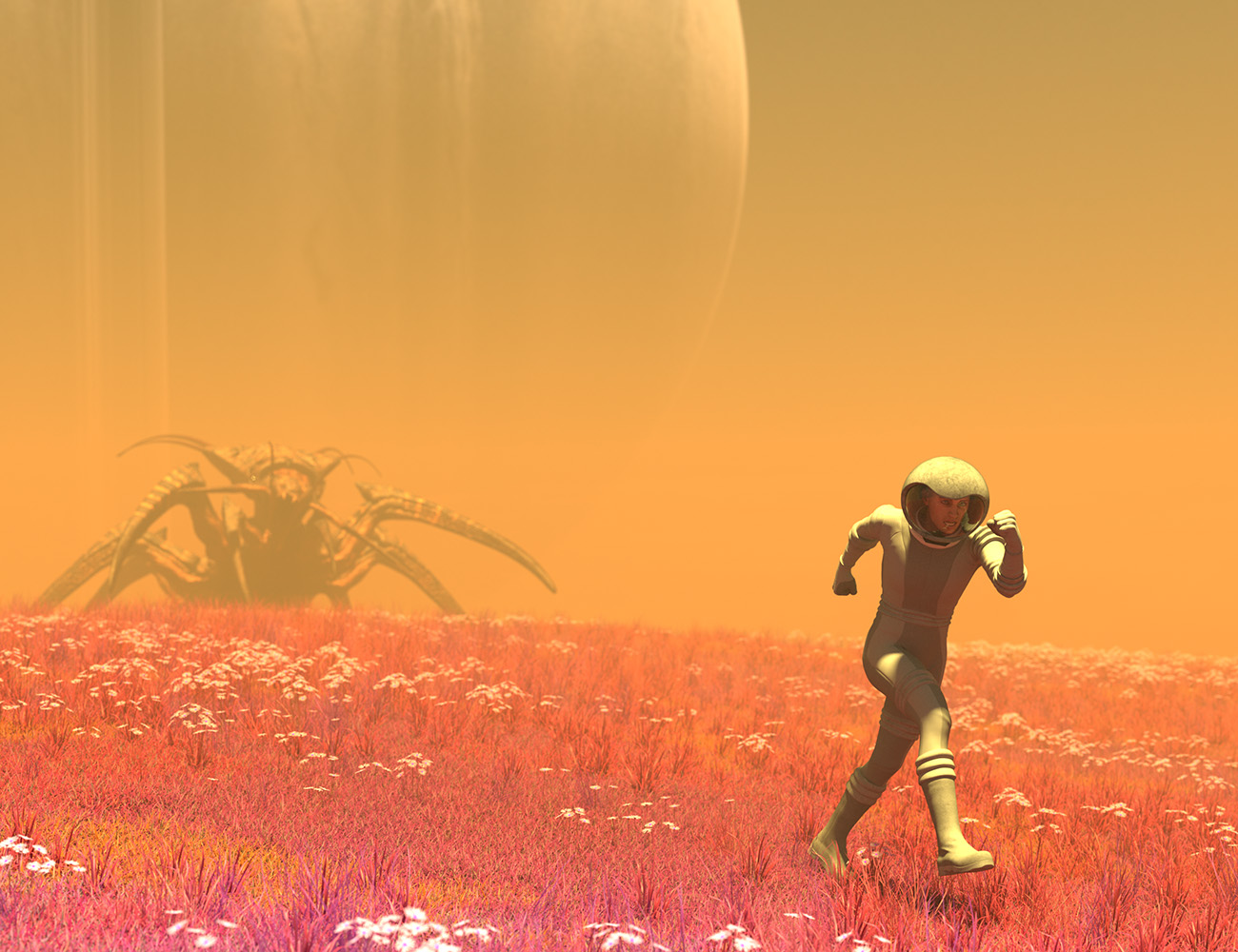
UltraScenery [Commercial]Another wacky alien planet.
This time I did basically grassland, and again made the foliage 'alien' by tweaking colors. The daisies still look pretty much like daisies, but whatever. Heh.
Retro spacesuit, orestes oblivion HDRI, and HH drone complete the look.
The haze effect is just me tweaking a fog cube.
 UltraScenery [Commercial]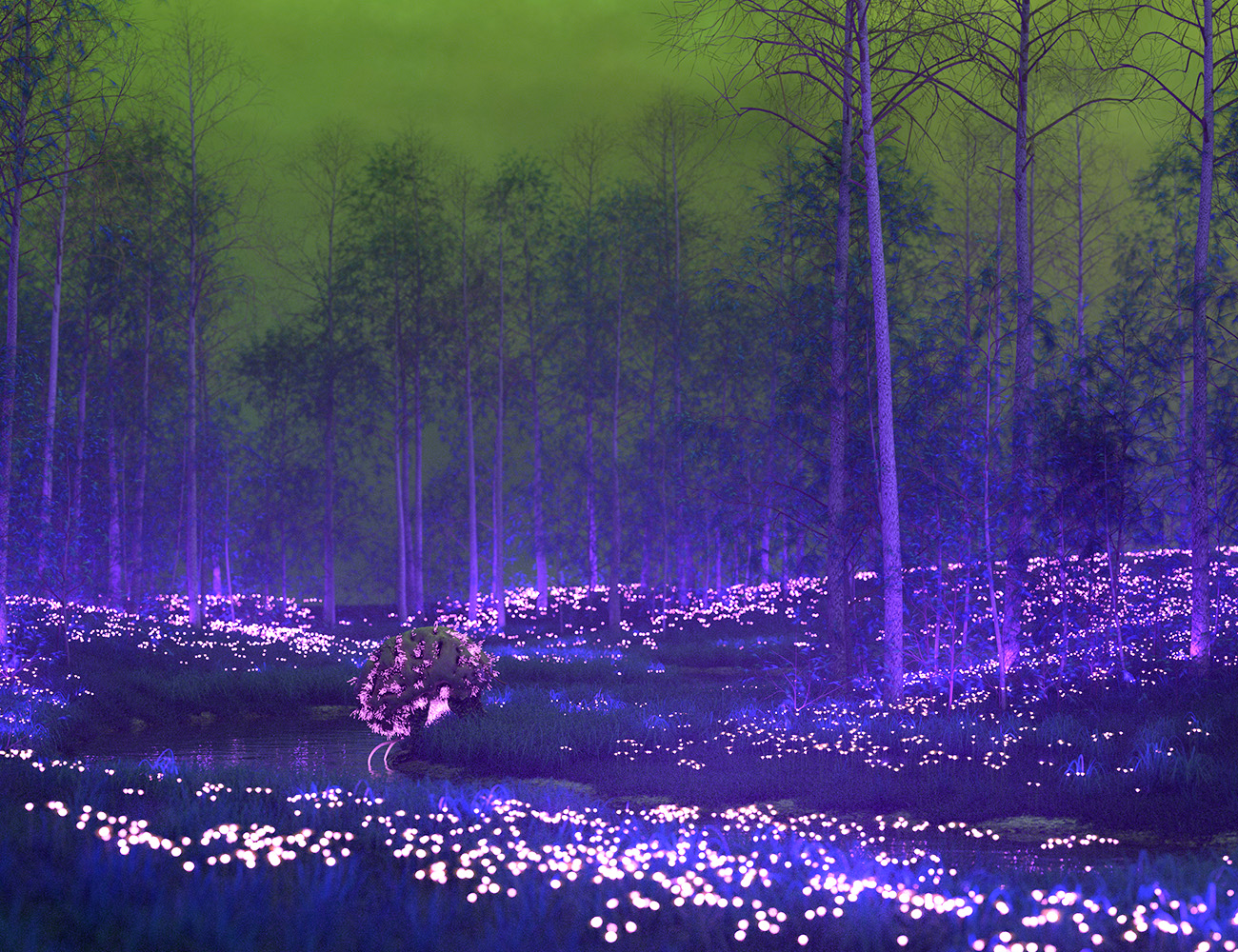
Using Orestes' Radiothane and my cephalovore. It's actually just a regular Ultrascenery scene with color and texture shifts, and I added emission to the daisies...
Wow, the creativity knows no bounds with this product. I would never have thought to make daisies emissive, but it adds a fabulous element to the image!
Daz 3D is part of

Connect
DAZ Productions, Inc.
7533 S Center View Ct #4664
West Jordan, UT 84084Licensing Agreement | Terms of Service | Privacy Policy | EULA
© 2026 Daz Productions Inc. All Rights Reserved.