-
character not looking right
PerttiA said:
There is no "stacking" and if you had another character morph loading, it will most probably load also with the base figure. The reason is that the character morph has been saved with a non-zero default value, which means that it will by default be activated with any and all of your G8F characters and figures.
Do you remember which character it was?
Now this is weird, the Character that is being added is LY Rory. Now, I have never used that characther for any of my renders but for some reason every single time i load a character she is being attached to the build. when I load a character I am getting an error message that reads "duplicate formulas found in files". This must be when she is getting loaded in. I killed Daz and started it up again but the smae thing is happening. I am thinking I am going to have to wipe my content directory and reinstall everything. Any suggestions?
offering a 100GC for a convert rigging script in carraraMimicking the conversion to General Weight is simple enough. But, without autofit, the cloth will only fit G8 base. If you change to, for instance, to Vicky 8, you'll have some poke-through.
I'll have to look a bit more into the matter
Mystiarra said:
thank you. gave me a lil gleam of hope.
before the rigging convesion, the daz studio json script.
the general rig has 1 array of verts and weight numbers.
after, the script is run
there are 5 arrays of verts and numbers. identical numbersi experimented with rounding off the 4 point decimal places to see if it speeds up anything.
didnt seem to make a difference.
the parameter for the skinning type changes. dual quat, general
the blended weight has an additional array.
the arrays are boken down under each bone.
its 5 arrays times the number of bones.autofit is a nice feature.
when i save the clothing item to carrara,
it embeds all the morphs. a 20mb shirt for genesis becomes over 200mbsthe morph stripper is invaluable.
character not looking rightThere is no "stacking" and if you had another character morph loading, it will most probably load also with the base figure. The reason is that the character morph has been saved with a non-zero default value, which means that it will by default be activated with any and all of your G8F characters and figures.
Do you remember which character it was?
character not looking rightFSMCDesigns said:
Looks like you have another morph in there as well as Sienna. Check the parameters tab and check the currently used section to what morphs are active.
I did find another character morph under Sienna. Thanks for the heads up. I was under the impression that when you loaded a new character morph that the old one was wiped and the new one placed on top. I guess I was wrong and "stacking" is a thing. This leads to another question. Is it better to load a Genesis 8 base figure first, and then aply a character morph? Or should all characters be loaded as stand alone figures in a scene?
Future of Daz characters in UE4For smooth shapes in unreal engine, check PN Tesellation checkbox from material properties. Here is my full article : https://www.daz3d.com/forums/discussion/452926/daz-to-unreal-bridge-materials-plugin-fix-morph-exporting-smooth-meshes-fix
Now that I'm finally making moves from V4/M4/K4 to G8MF ... is there a way to convert that far?Poses. There are batch convertors, but for a freebie option for doing it one at a time until you get them, there is a pose transfer option when you apply the pose to V4, and use a script to transfer it to G8F/G8M. I have done four you may find of use. You may come to the conclusion that the V4/M4 poses can generally stay with their generation, and for a few odd ones these scripts would be all you need.
V4->G8F: https://www.daz3d.com/forums/discussion/448391/v4-a4-pose-transfer-to-g8 and the other way if you want one: https://www.daz3d.com/forums/discussion/450206/g8f-pose-transfer-to-v4-a4
M4->G8M: https://www.daz3d.com/forums/discussion/448936/m4-h4-f4-g8m-bi-directional-pose-transfer (both 'from' and 'to' M4 pose transfer scripts are in this thread.)
Hope these may help. No animations, though, my scripting knowledge doesn't run to that.
Regards,
Richard
Content Question Timebrother grim said:
Got it fixed. One more question is there a way to edit the ranger vest on victoria in that pose. If i select the model for the ranger top in the instance manager then click the icon to edit in assembly room the vest jumps off the character. If i select the ranger top and everything included with that model, hip, abdomen, etc. i can only edit it in the modeling room. The problem is I end up deforming the mesh a little more than I need and jumping back and forth between the two rooms which makes a bigger mess. So I make the edit jump back if it doesn't work I undo the edit and start again. If I had to fix several instances of poke through this way the vest would probably look a little off (odd bends and folds) I would think.
If you need to work on the mesh while in a posed position, it truly is a lot easier to work in the Model room instead of using the Edit option in the Assemble room.
In the model room, use the zoom tools in the tiny preview window to get the problem area as visible as possible.
Now go to the Animation tab in the model room (middle tab on the right panel) to see the item as it is on the conformed figure. We cannot actually make adjustments here, but we can select the exact polygons we need, then switch back to the model mode.
Once back in modeling mode, and the polygons selected from above, set the softness to your liking and make your tweaks while looking at the results in the preview.
We can make the preview window bigger, but then it changes the whole interface. We can move it back, but I just got used to leaving it little and just being patient with my adjustments.
I say all of this because there's no way in hell that I can stick only to morph parameters that have been included with products, and I'm always tweaking.
Another useful tidbit to follow this post
character not looking rightLooks like you have another morph in there as well as Sienna. Check the parameters tab and check the currently used section to what morphs are active.
Daz to Cinema 4D Bridge - Meet the TeamSome additional notes - morphs on 8.1 to C4D via Bridge are not really working at all
Screenshots attached
A bunch of morphs come out as shown, with hard to decipher names. Here, 20 or so each labelled "Genesis81Female". How are we supposed to know what these are and what they do?
Then, a whole lot of morphs are included in the C4D export but changing their value in C4D from 0 to 100 has no effect. I can't tell if these are 8.0 morphs coming in with the 8.1 model or it's actually 8.1 morphs and they have no effect anyway. One example, Genesis81FemaleExpressiveFaces-Sad10Victoria8. Does this not work because it's an 8.0 morph on an 8.1 figure? It works in Daz why not in FBX? 8 and 8.1 are supposed to be compatible?
Some morphs are just broken - the eyes for example, pose morph sliders move the eye balls but not the rims, tears or lids etc so the eyeball then intersects the skin when you look up/down/left/right. So I can't make the character look around or animate eyes in C4D.
Finally - I've applied a face expression in Daz from the Vic8.1 sets and the FBX imports with this expression baked in - no corresponding slider set to 100%. So we can't "remove" the face expression in C4D by setting the slider back to zero - every single slider comes in at zero.
The expression slider in Daz used as test is wide smile 27, and there is nothing in the C4D pose morphs with this name. So again, can't animate from one expression to another or even increase/decrease strength of the existing expression.
We could try exporting with neutral expressions, but as shown, a bunch of the morphs are not labelled as they are in Daz and we can't work out which one we need to add back. And even then, if the morphs don't come in tied and linked properly, for eyes for example, you can't actually animate anything because it immediately breaks the face.
Thanks for your effects so far - but I hope to see some improvements soon.The Daz libraries are a great resource and if more people realised this, you'd sell a ton more assets in the store. A ton. But it needs to work properly please or people aren't going to buy in to the ecosystem.Sweat it Out Fitness BundleSevrin said:
The AJC Workout Style Outfit and Dumbbells for Genesis 8 Female(s) | 3D Models and 3D Software by Daz 3D isn't great. It's the first item I've purchased from this vendor and probably the last. I was discouraged with the others because of their high poly count, but this one's got a lot lower poly count. The whole outfit is 28k faces at base resolution.
I first tried it on Keyana, and saw the Shirt needs a lot of adjustment. Then I loaded it on vanilla G8F, and even there the Shirt has issues under the breasts. Keyana's a busty custom morph, so yeah, but if the item doesn't fit smoothly on the base figure, there's something amiss. The Shirt is also not symmetrical. And if you try to add dForce, the Shirt enters the void upon simulation. When I went to chase it, my camera ended up in a place DS calls "nan".
The Top, at SubD 2 (G8F also at SubD 2) looks only slightly less blocky around the breasts than a World of Warcraft character. On checking, I saw it loads with Bilinear SubD instead of the usual Catmark for some odd reason. The reason, I found, was that when you switch to Catmark, the main fabric looks all jaggedy where it meets the trim. The leggings use the same Bilinear SubD, but look smoother.
Anyway, thanks to Fit Control, I got the Shirt sorted out on Keyana well enough for a render without too many issues. Keyana would have shown her belly button, but in the end I gave up on that adventure due to fitting issues, so she's sad. In fairness, the outfit does come with documents marked "warning", so I should have expected this wouldn't be easy.
This is what I came here to ask about. With the bilinear SubD algorithm, the top never doesn't look blocky. It's really disappointing. Changing it to catmark makes the texture look terrible and jagged.
The pants are alright, but suffer from the same problem, though it's not as noticeable as with the bra. It's mostly with the shadows in that they tend to stay very "square" on the fabric.
Was really hoping to find a solution here, but I guess it's just a limitation of the way they were made.
Is there any advantage to bridge if you only want to import your own models from Blender?DaremoK3 said:
@ j cade :
I have never tried bringing in instances, but it is great that millighost added that feature for those who want to use it.
And, I know what you mean with getting used to 2.8x and going back to open 2.79 -- Feels all foreign and strange now...
@ marble :
Those are two different projects -- I started by updating his/her morph import/export scripts, and was going to update the DSF prop export script as well, but abandoned them for now to work on the GoBlender_Daz Studio morph creator bridge.
Yes, I am still hard at work with it, and am making progress, but I still have many months of work ahead of me.
I moved on to an all-in-one script utilizing tabs with dynamic switching between Exports/Imports and the individual object types. I started with a tab per object approach, but changed it to a single tab for both exports/imports with dynamic type selection for active parameters.
I have my mock-ups set up for multiple exports/imports as we previously discussed, but have yet to lay down the code necessary for that to work with both Blender and DS -- On my TODO list...
Wow, looking very professional and comprehensive already! I'm happy to do some more testing if and when you need feedback.
Casual Outfit Issue with shoulderTheMageWilliam said:
Here's a side compare of Michael with Thin Morph. You won't get a more refine look on the collar now, since I lessen Rigitiy, but should remove the shoulder pad look. (From Left (new) to Right(old) with default settings).
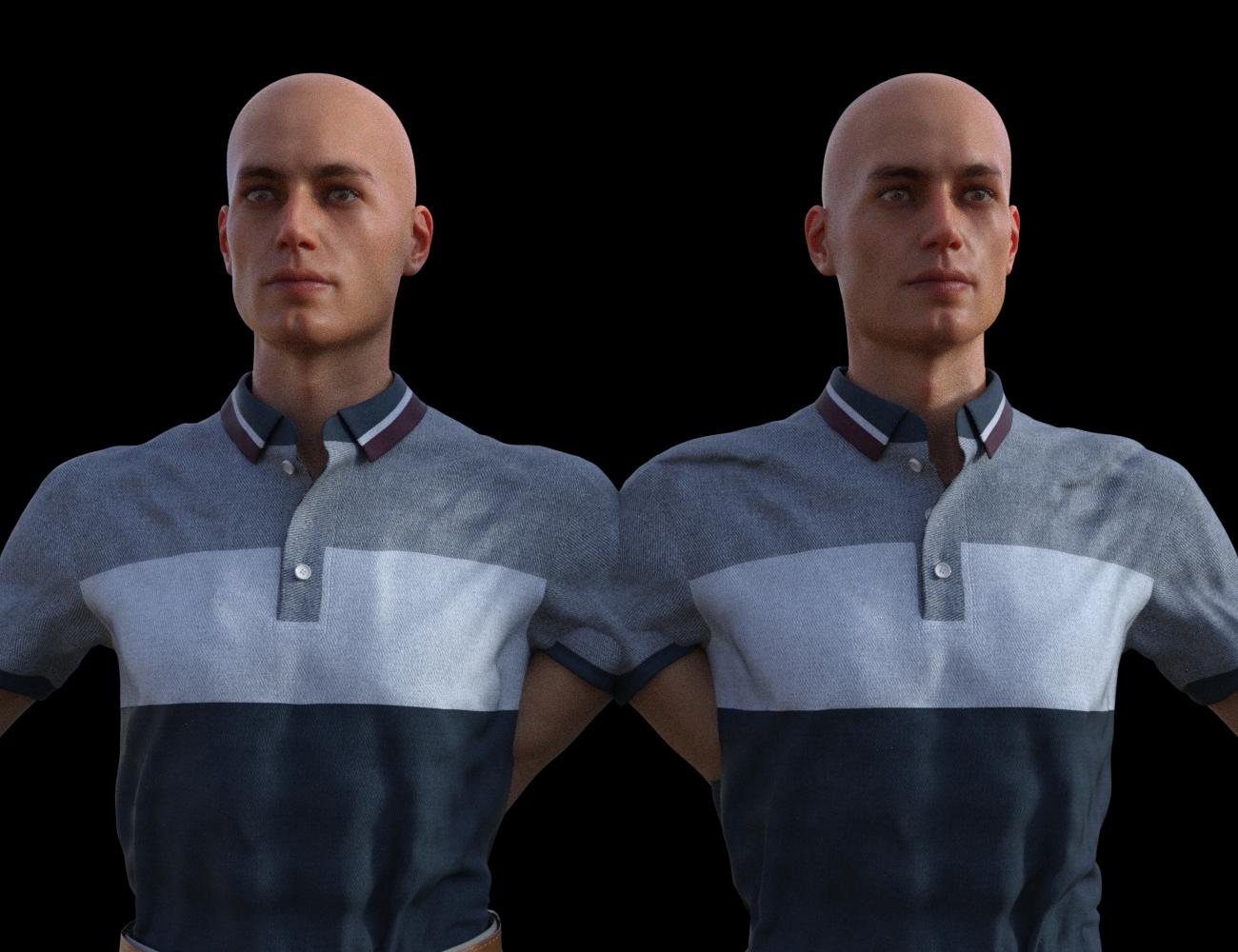
I always recommend using smoothing iterations values between 5-15 on anything clothing related for a more refine finish look. That's why DAZ has it there :)
You can use it for the time being to help with the issue before the changes becomes live. See below.
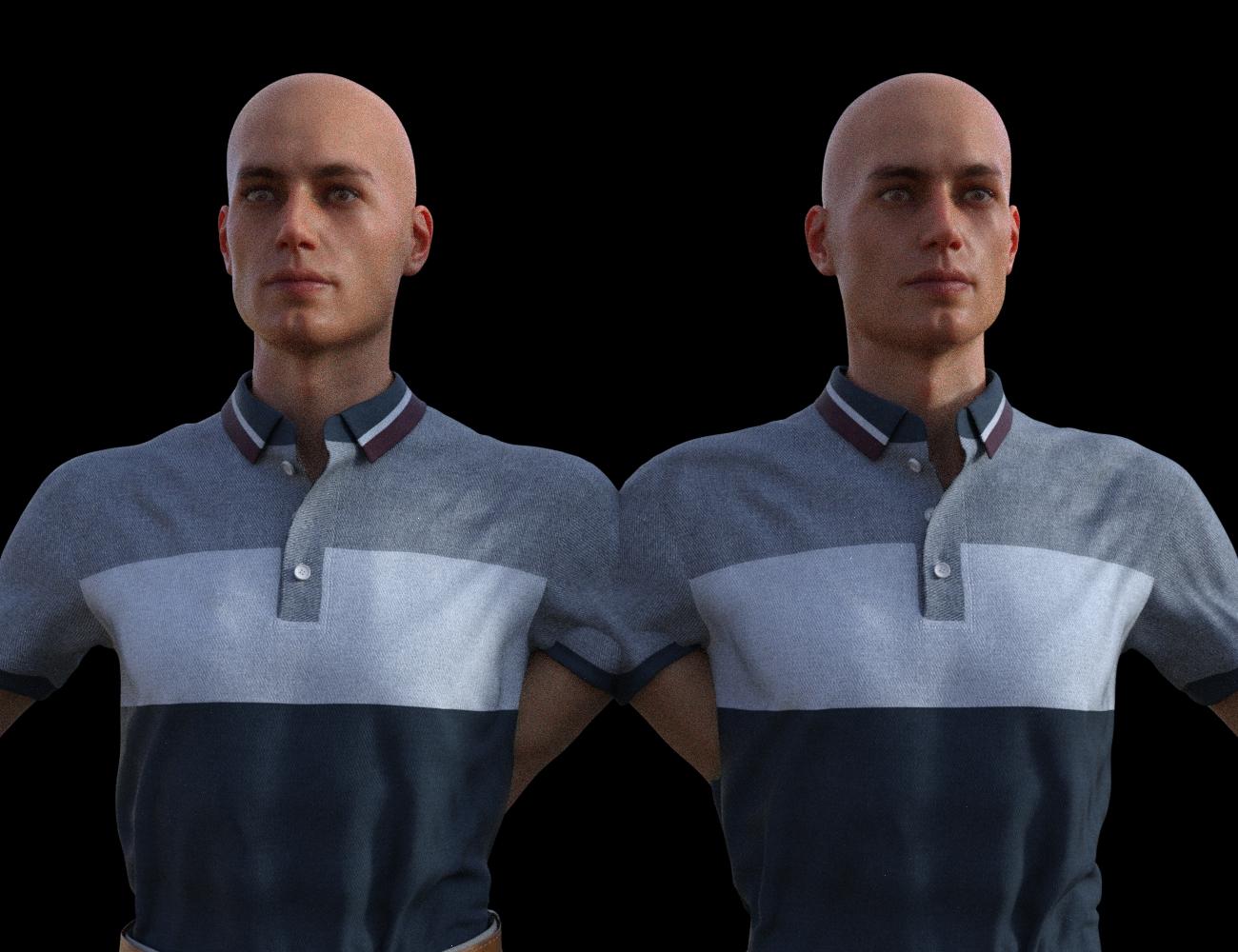
 Casual Outfit Issue with shoulder
mal3Imagery said:
Hey there @TheMageWilliam
I'm very sorry that you're having issues with my product. Like Richard said Rigidity is causing the weird issue that you are seeing in your posted pic. I see the flaws in my first product and had made those changes in regards to the problematic shoulder and the waist area. The problem should be no more after the fix is applied. See the below for reference. I will try and get the change applied as soon as possible as I been busy with IRL and trying to get my next product out. I'm sorry for the inconvenience this has caused you.
Not sure what thin character you used, but I posted an example below with: Body Size -100%, Weight -100%, Emaciated 100%
No dForce used. Some minor adjustment will still need to be in use as per Rigidity's nature.
Our posts must have crossed and didn't catch that. I do see that you replied to my message, but figured I would reply here.
Here is Michael 8, with only the Thin morph, 100%, nothing else.
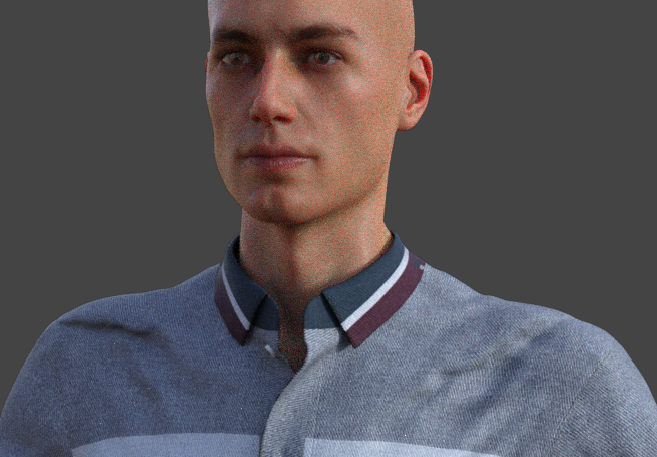
I haven't tried emaciated yet. So you shouldn't need Mr. Wu or Owen that were in the images I sent in the message.
But just putting it on Michael 8 caused this:
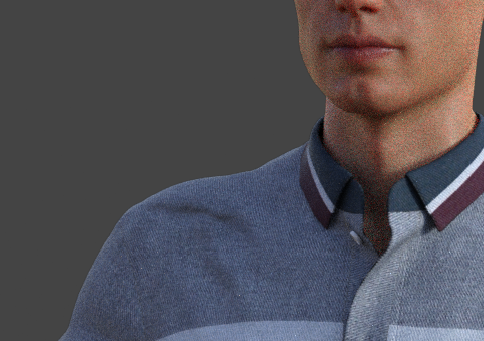
No morphs applied here.
Anyway, thanks for addressing this issue. I'll keep an eye open for the update.
Auto Muscle Enhancer HD [Commercial]Lonesome Cowboy said:
inquire said:
@Lonesome Cowboy: Is this image one of your creations: Computers are sneaky and mean? Also, what is TOF? Is this an artist like Frank Frazetta or Boris Vallejo?
yes it is one of mine and it is also in my gallery. https://www.daz3d.com/gallery/user/4732842999283712#gallery=newest&page=1
TOF = Tom of Finnland
Boris Vallejo and Frank Frazetta have been one of the first ones that inspired me to do graphic works.
"Computers are sneaky and mean" is a bad translation for "Computer sind hinterhältig und gemein" i did with google translate and it is a sentence of experiences of my life as a php coder and MS-DOS and windows-fighter and so on ;-)
Best working product relaying the "closed" chest for me is currently: https://www.daz3d.com/leading-male-morph-collection-2-for-genesis-8-males ; -> LM_Nino
Attached figures to show what was possible with older and newer figures:
- Apollo Maximus
- David3
- David3
- M4 with Olympian morph
- G8M (very very good, but other kind of structure and muscles)This link actually does not produce a product. It's sort of an OOPS! page. Could it be that the product is no longer sold? The message on the page kind of implies that. I see that you like really well-rounded pecs.
Is there any advantage to bridge if you only want to import your own models from Blender?@ j cade :
I have never tried bringing in instances, but it is great that millighost added that feature for those who want to use it.
And, I know what you mean with getting used to 2.8x and going back to open 2.79 -- Feels all foreign and strange now...
@ marble :
Those are two different projects -- I started by updating his/her morph import/export scripts, and was going to update the DSF prop export script as well, but abandoned them for now to work on the GoBlender_Daz Studio morph creator bridge.
Yes, I am still hard at work with it, and am making progress, but I still have many months of work ahead of me.
I moved on to an all-in-one script utilizing tabs with dynamic switching between Exports/Imports and the individual object types. I started with a tab per object approach, but changed it to a single tab for both exports/imports with dynamic type selection for active parameters.
I have my mock-ups set up for multiple exports/imports as we previously discussed, but have yet to lay down the code necessary for that to work with both Blender and DS -- On my TODO list...
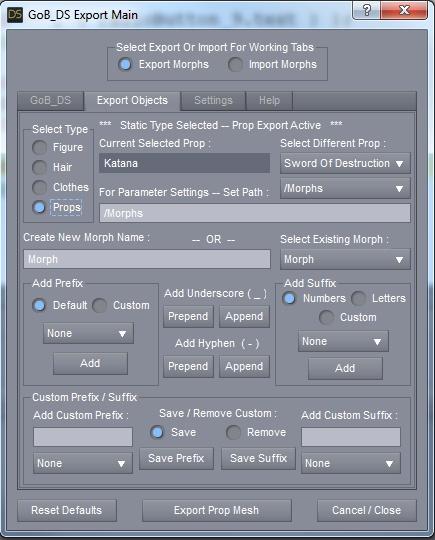
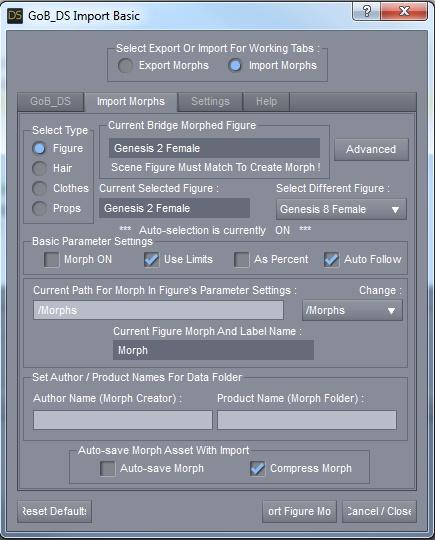
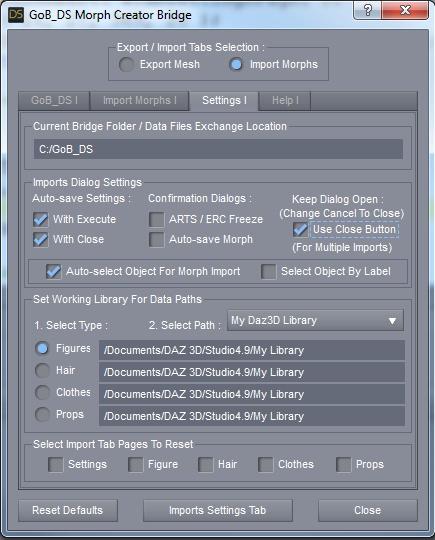
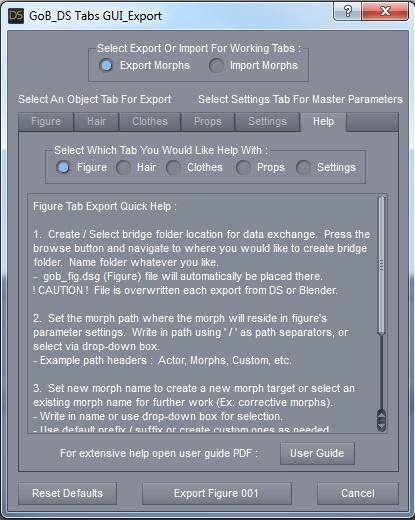
Here are some current WIP images of the current tabs script (all subject to change) :
* Exports Tab :
* Imports Tab :
* Imports Settings Tab :
* ( Old ) Help Tab -- From first multi-tab script :
 Casual Outfit Issue with shoulder
Sevrin said:
Honestly, you'll have better luck fitting your character to the shirt than the shirt to your character.
You'd think so, putting it on a raw character like Owen, it works until I add the Thin morph, and shoulder pads start showing up. On a character like Mr. Wu, it shows up immediately. And I want my character even thinner.
I have been contacted by the creator of this outfit, so hopefully, he can figure it out.
Casual Outfit Issue with shoulderHey there @TheMageWilliam
I'm very sorry that you're having issues with my product. Like Richard said Rigidity is causing the weird issue that you are seeing in your posted pic. I see the flaws in my first product and had made those changes in regards to the problematic shoulder and the waist area. The problem should be no more after the fix is applied. See the below for reference. I will try and get the change applied as soon as possible as I been busy with IRL and trying to get my next product out. I'm sorry for the inconvenience this has caused you.
Not sure what thin character you used, but I posted an example below with: Body Size -100%, Weight -100%, Emaciated 100%
No dForce used. Some minor adjustment will still need to be in use as per Rigidity's nature.
Dwarf Morph 100%
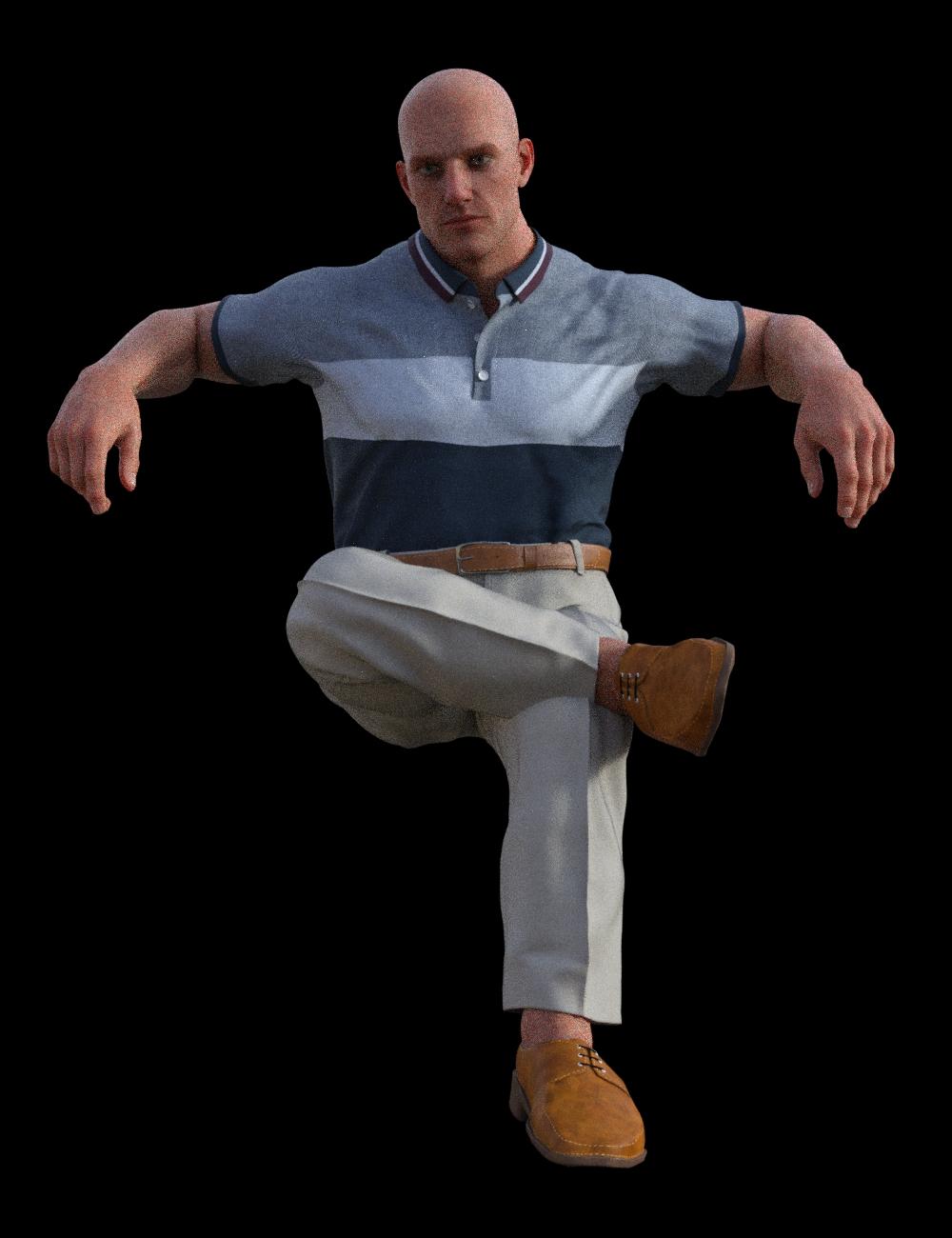

Body Size 100%
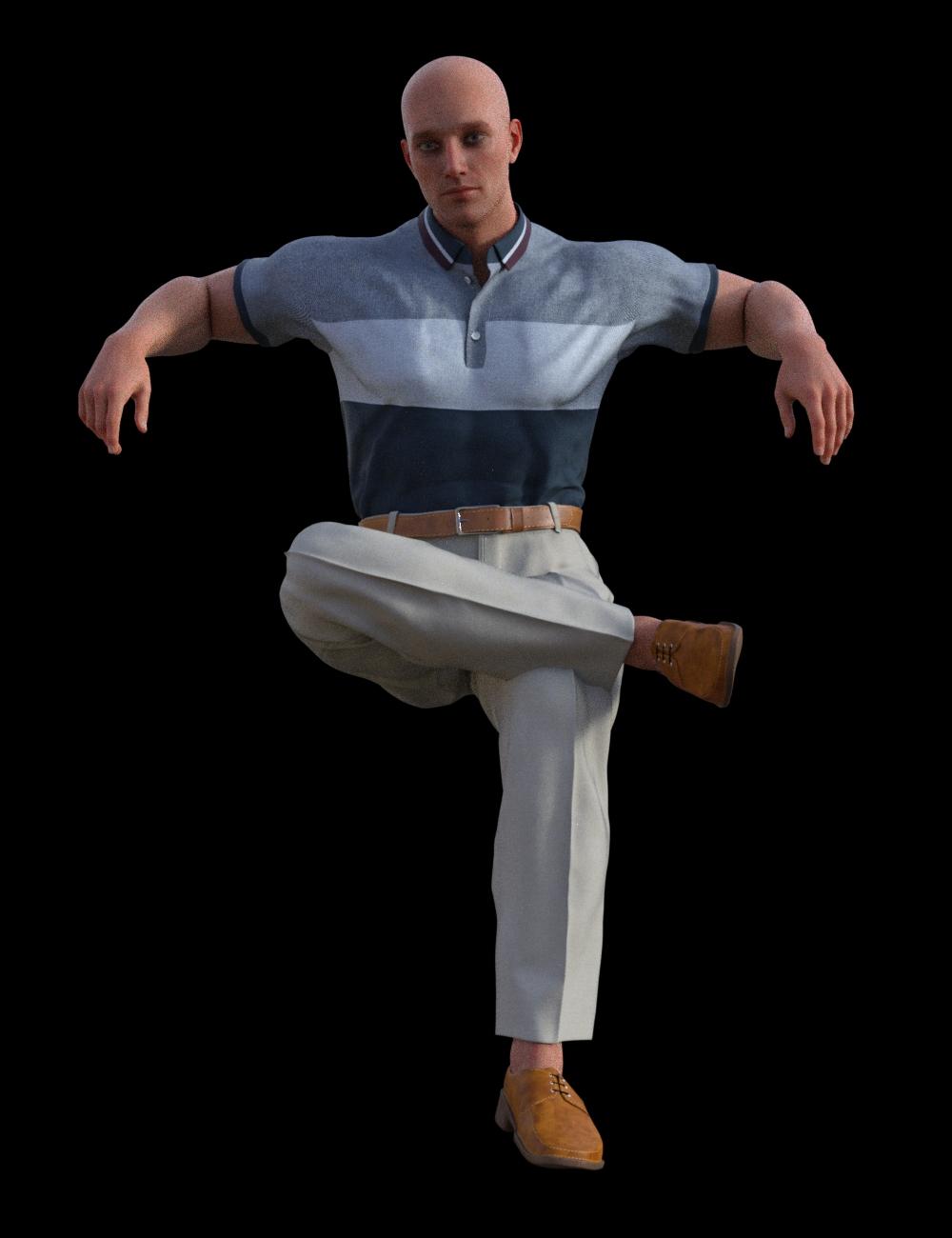
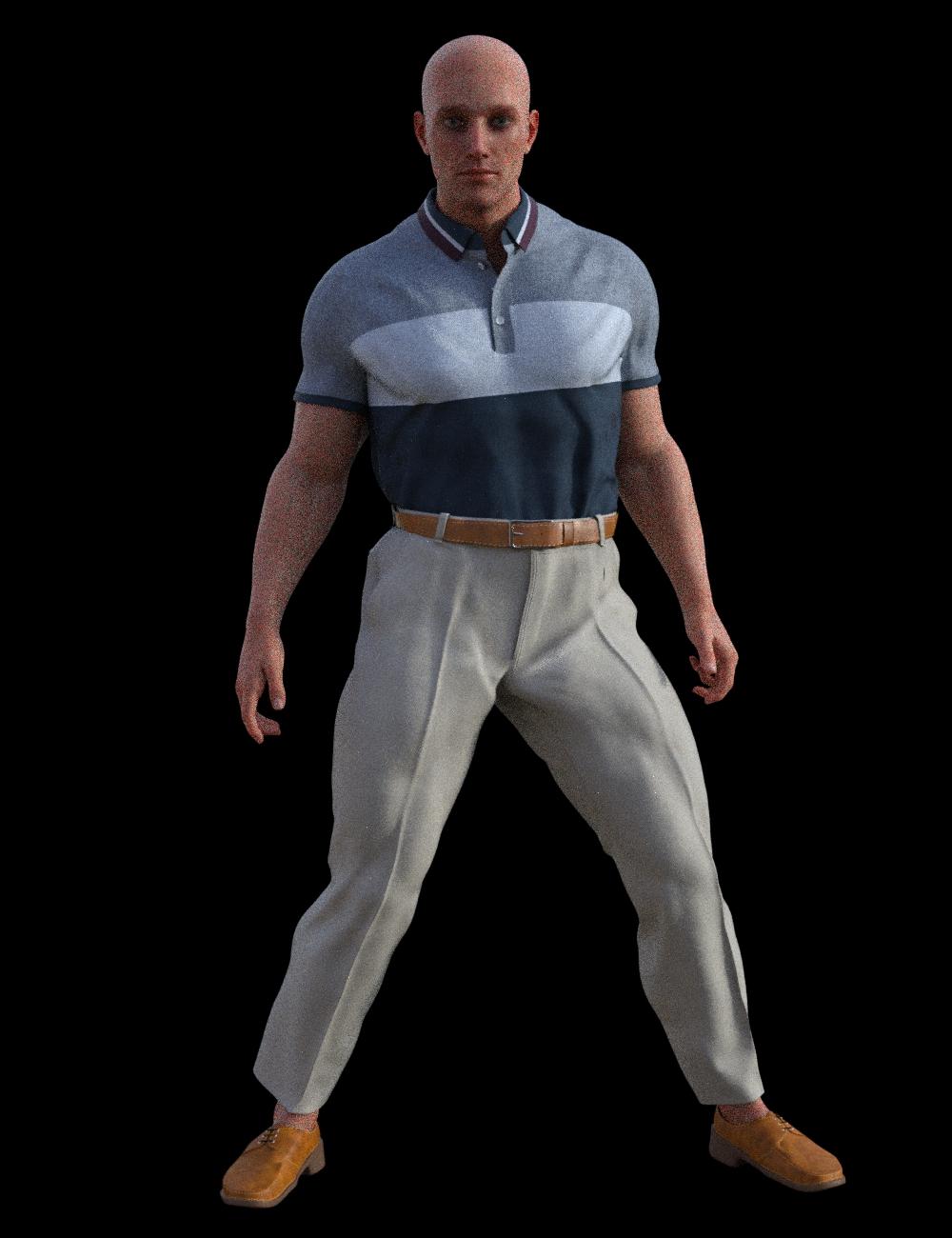
Body Size -100%, Weight -100%, Emaciated 100%
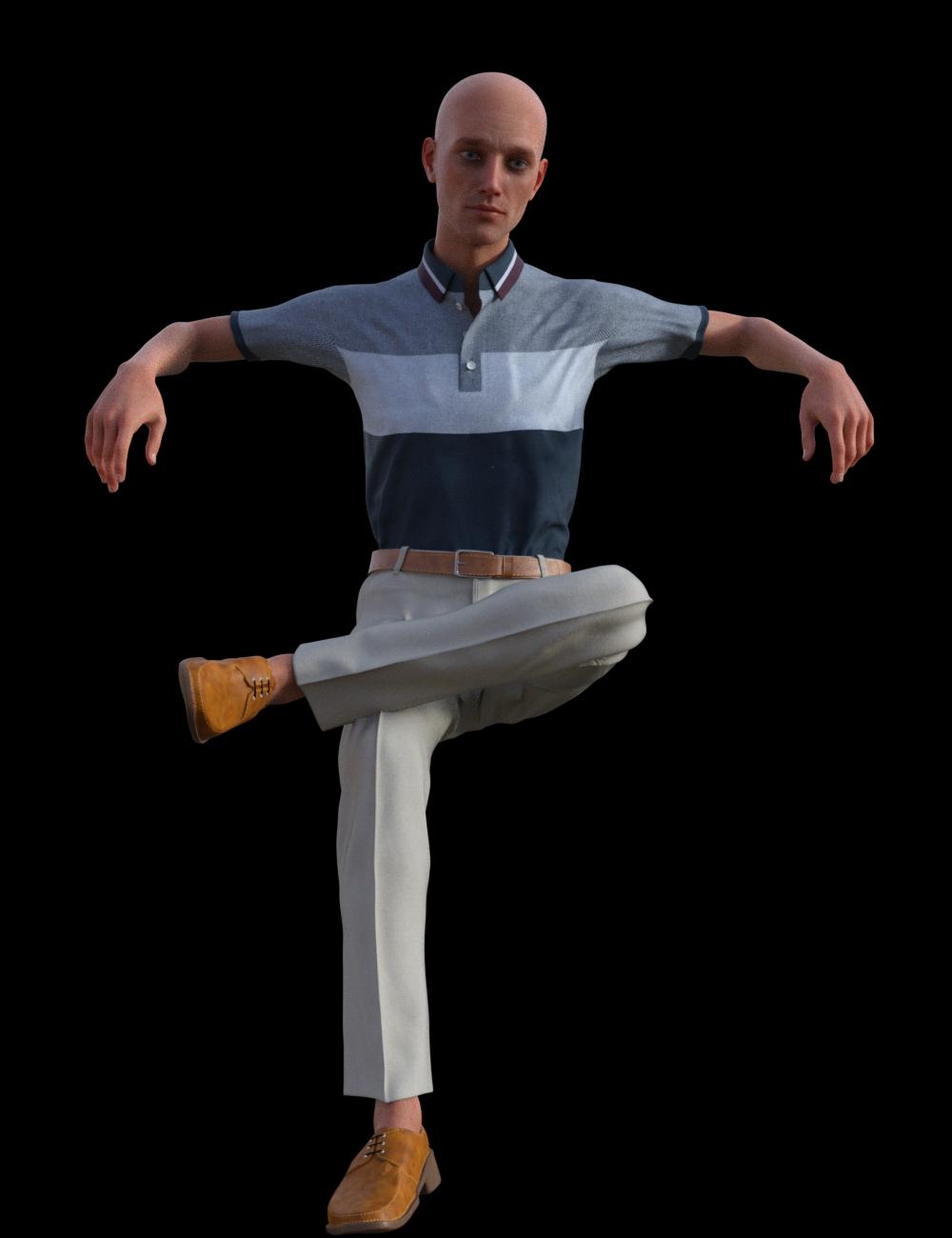
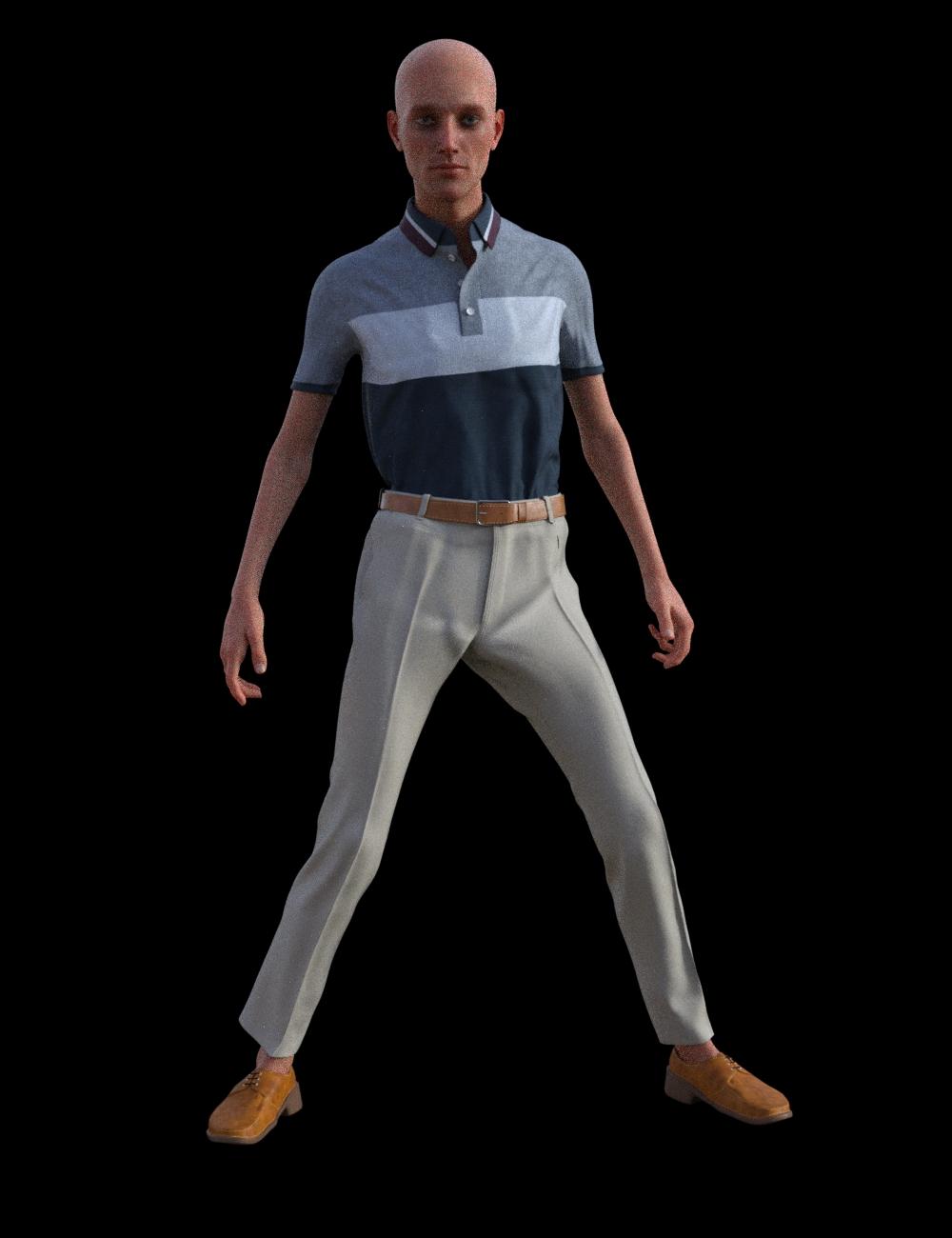 Daz to Blender - Morph update - “Spring Cleaning Update” (2.3.1)
blenderhells said:
Thank you pose and morph option screens! I'm having issues importing into blender specifically when I use 'legs length' and 'torso length.' The bones and rig always don't match the new height, is there a way to fix it?
https://github.com/daz3d/DazToBlender/issues/37
It was missed in our fixes this month. But, someone already brought it to my attention you can find the link to the develop branch there you can download as zip and grab the blender side and daz studio side.Marvelous Designer Fitting ProblemPlease attach the images - .docx files can carry malware.
It's best not to work on a morphed figure if possible, and you should definitely zero any scaling (or rather, set it to 100%). If you do need to work with morphs, in the Transfer Utility set the Source Shape to the morph used (or Current, assuming the moprhing is still in effect) and enable the Reverse Source Shape from Target option.
offering a 100GC for a convert rigging script in carraraPhilemo_Carrara said:
You can find it on ShareCG : https://sharecg.com/v/92883/browse/9/Plug-in/Genesis-Morphs-Eraser
SileneUK said:
Morph Stripper? I vaguely recall this... where can I find it? (Sorry, not doing much, waiting on cataract op).
 Silene
Merci!!!
 And I made a donation. Silene
Daz 3D is part of

Connect
DAZ Productions, Inc.
7533 S Center View Ct #4664
West Jordan, UT 84084Licensing Agreement | Terms of Service | Privacy Policy | EULA
© 2026 Daz Productions Inc. All Rights Reserved.