-
fix that pesky opacity map problem
WendyLuvsCatz said:
LOL Filament needs this brick
Hello, how to use this brick in DAZ Filament?
I got trouble in Filament hair, it changes between normal hair and scalp in different view angle randomly, no matter what kind shader or map I used. Any idea?
Filament hair apperance, need help!!Filament is just awful for transmapped stuff. Its why I only use it for making backgrounds I can postwork the hell out of.
Filament hair apperance, need help!!That can't be helped, it's a limit in filament that can't handle multiple layers of alpha maps thus transmapped hair. You should be able to use SBH or dForce hair just fine though, once you tessellate for the viewport. Below an example with mohawk.
edit. As for transmapped hair, if you really have to use them with filament, you can partially improve the appearence by setting the scalp 100% transparent, so that filament gets less layers to deal with. Or by removing the alpha map entirely but this way you lose the hair transparency. Below an example with toulouse.
Filament hair apperance, need help!!I'm dying on filament hair apperance, always show bald when slightly adjust the viewport angle, change between normal and bald in different angle randomly, no matter what kind shader or map I used, wasted me few days.
Who can help me....
Daz Studio 4.16Wonderland said:
Kgfdamron1 said:
DIM is showing DS 4.16 as available to download, along with some other updates. I would be updating from DS 4.14 (which I've been enjoying immensely); would there be an issue with updating from such an old version?
Depends what graphics card you have. I have a 1080ti and even 4.15 was unusable for me. Crashed every time I used iRay preview, I went back to 4.14 beta which is the only usable version for me. I still have to lower the subD on many G 8.1 characters or it crashes and also most strand based dforce hair makes it crash. It’s getting harder for me to use new content and new versions of DS are unusable so I guess Daz is moving more towards users with only the highest end computers. I keep downloading the newest NVIDIA studio drivers but that doesn’t help. You definitely need a graphics card higher than a 1080ti.
I have 1080ti's too
 2 of them and I love my gpu's for gaming. for daz versions over 4.12 not so much..lol
 So far I have no issues with crashes everything loads fine same as it has always had anyway..with daz 4.16
3delight renders pretty much the same as it always has, I don't use Filament & Iray is slower than Molasses running uphill on a cold New England morning when trying to render & so far it dropped to cpu 98% of the time even if i have a small 4gig scene loaded and my 1080tis are 11 gig ram cards. I blame the gpu driver for that though. because of the opiptex prime always on . Though I can open scenes I have made with daz 4.16 with 4.12 ok, so I may just use daz 4.16 for scene building. and use daz 12 for rendering iray I do like the new power pose tool. everything else appears the same as 4.15 to me. and 4.15 was pretty slow to render with my 1080's as well.
Daz Studio Pro BETA - version 4.20.0.17! (*UPDATED*)What do you mean by the default render screen is so low res it's more befitting an old 8 bit machine? If you are trying to render something in the viewport as a preview try switching to Iray or Filament to get a better quality render (PBR and GPU based.) The dropdown where it says "Perspective VIew" by default, there is a little icon next to it with an arrow that let's you select the renderer type for the viewport your looking into. Set it to nVidia IRay and you'll notice a significant differnece in render quality. IRay is a GPU-nbased renderer by nVIdia whose goal is to be as physically accurate as possible for renders. It is a progressive renderer and continually adds detail. It will run on CPU so you don't have to have an nVidia GPU.
Leana said:
nightkin said:
Have I installed the wrong program? apart from the fact the default render screen is so low res it's more befitting an old 8 bit machine, what the hell happened to my content? whenever i try to load any figure or prop it's in the available section, or pending. DS 4.16 says my content is available, but not installed. Instal Manager says it is installed. is 4.16 not compatible with Instal Manager?
4.16 is compatible with Install manager. However the beta has separate settings from the general release, so if you didn't use the beta before you might need to setup the content directories in preferences so that it knows where your content is. Right now it's likely looking in the default content directories.
Installation from within DS would refer to installing with Connect, and that would install a separate copy from the one you installed with DIM.
4.16 and the MetaMixercrashworship said:
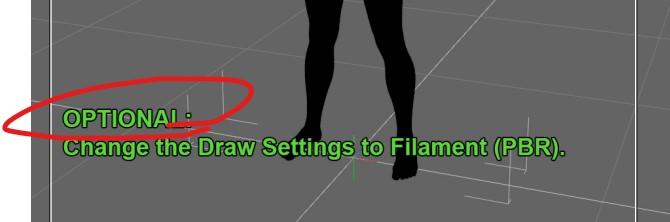
Reading the tutorial, I see a step that requires enabling Filiment which isn't available on the Mac version of Studio. I haven't played with MetaMixer yet but this step is concerning. Is this another thing that's not compatible with Macs? I'm hopeful this is just a rendering speed enhancement but for those of us who have pretty powerful Macs, would the Iray preview setting suffice?
Using Filament is optional. It says so in the tutorial.
This is on Windows, not Mac, but this is MetaMixer in Texture Shaded mode. I applied the MetaMixer materials to the character, but I reduced the shine a little.
 Filament may not be a good choice for Daz Studio
Filament as a viewport preview in 4.16.1.2 public beta is much improved than earlier versions as a viewport preview renderer. It now uses less memory and crashes DAZ Studio less often (due to out of memory). It still does sometimes though.
I think I will try it again as my viewport preview renderer instead of the default texture shaded.
Filament may not be a good choice for Daz StudioFilament is good for exactly one thing, as far as I'm concerned. Fast renders of BGs meant for post-work.
MetaMixerI thought I'd emerge from my lamenting, and post something.
Torment crossed with The Brute
Rendered in Filament (because Iray is a strain on my laptop).
Skin: Edward 8
MetaMixer is a pretty neat tool. But I would love to be able to mix with other characters, which aren't Daz Originals (It's not a complaint, just a wish). I'd love to be able to cross a male oc, with a female oc, then I could create kids/descendants.
Daz Exception loading a scene from a couple weeks agoWhat is the scene? I have an asset Plains and Mountian that causes that. I can put the draw mode window to any other setting beside filament it loads and renders. That error is a very generic error. So more info is really needed to see what may be causing this error. Which version of Daz? System info? GPU info.
With this error, DazStudio tried to access a protected memory address. There are more threads like this in this forum.
Daz Studio 4.16the general release so far ok for me. I did have a crash last night while using the new Metamixer plug ... turned on Filament in viewer and the entir DS went poof. Could not repeat it.
Daz Studio 5 development updatej cade said:
Imago said:
kyoto kid said:
...so wondering now about the future of Iray and Daz.
I have been on the Nvidia Reddit page and there is mention of a new realtime engine branded as "Optix" that Nvida has rolled out.
There was also a reply to a comment I made regarding Iray that mentioned Nvidia was going to "depreciate" the render engine in favour of the new one. The new OPtix is also said to support only W10 on up The concern is how will this affect GPUs, drivers. and of course Daz. Will they continue run Iray even after it is obsolete as they have been doing with 3DL? Will they drop Iray and move to the new Optix engine (they already have Filament as their "realtime" engine)?. That would pretty much say that Daz will abandon anyone who isn't on W10 or higher (something I believe in the past was said wouldn't happen). Will the old 3DL be the only render engine available if that occurs (in spite of just about every product today being released with only with PBR materials)?
Not a surprise, IRay was obsolete just after six months its launch.
 Only DAZ Studio and Iclone are stubborn enough to have kept them until now.
Just hope the new engine is compatible with IRay standards. Or simply jump to 3Delight, you can easily convert any IRay materials to it if you like.
As for me, nothing would change, I'm on 3Delight and I will stay with 3Delight, unless Filament gets fixed and becomes a full render engine.
About Windows, just upgrade your PC! The SSD I have on my pc is with me since Windows 7... I simply updated it to the new releases and versions and everything worked fine. It passed from 7 to 8, then 8.1 and now 10... And when Uncle Bill fixes Windows 11, it will be on my SSD.
uhh... Iray is also in the substance suite, which is at theis point THE standard textuing program used pretty much anywhere. and it was added more than six months after irays launch. not sure why they would add an "obsolete" render engine, but it worked out okay for them :)
Also there is an IRay plugin for 3DS Max.
DAZ Studio 4.16 Features / Fixes?I will be deleting my public beta (when I finish my stable release build 4.11 iray render) and replacing it with the zip I saved of 4.15 so I can use Filament too again.
Filament may not be a good choice for Daz Studiokevinkayu said:
Does anyone know where is the filament plugin codes? I want to try to integrate my own custom render engine to daz3d but there is no sample code for this on the SDK.
Basically, you have to export the scene into a obj, then render that obj in your own render engine and show rendering result in your own window. That's most third part render engine does.
MetaMixerdaveso said:
Faux2D said:
daveso said:
well, this thing doesnt seem to work for me. The little faces in the 3 nodes are sort of grayed out. When I see the powerpose face with the dots, nothing seems to move, but the lag is terrible. It slows my DS to slower than a crawl and nothing is happening as far as morphs or facial changes. Does it have to be G8.1 or will 8 work?
Its not like I have a real old system, 32meg ram and an AMD 3800x. i guess its too old for DS anymore though. This is the last system I will ever be able to afford, so this might be it.
I saw quite a few HD charaqcters get updated, but the question has not been answered. how do you get them into the mixer thing?Could you post a screenshot of the viewport?
here is screenshot. After I posted above, I've been trying to use MM , and now there is a bullet hole or something through each character. As you can see, the face, which is G8.1 base, has changed. It changes with some characters and not for others. maybe obly for 8,1?
In addition, there is no change or movement when trying to utilize the adjustment dots within powerpose. Is there something I need to do to allow it to change the original head?
Note: Powerpose does work within the original parameters not utizing Metamixer.
EDIT: This is set to display Filament.It looks like you have a wireframe overlay on your Filament renderer hence the bullet hole thing.
Make sure that when using the PowerPose MM template you have the Translate tool selected (or the Universal tool, or the Scale tool). This is not necessary but it gives you a better visual input on what you are blending. You might not be clicking and dragging enough for any change to be observed.
Another thing that I suspect might be happening is that some MM widgets are empty, as in the Genesis character does not have the appropriate MM specific morphs. Select the Genesis figure and got to the MetaMixer group in the Parameters Tab (which is hidden by default) and look to see if the character subgroups coincide with all the MM Character presets found in the MetaMixer/Characters folder.
MetaMixerdaveso said:
Faux2D said:
daveso said:
well, this thing doesnt seem to work for me. The little faces in the 3 nodes are sort of grayed out. When I see the powerpose face with the dots, nothing seems to move, but the lag is terrible. It slows my DS to slower than a crawl and nothing is happening as far as morphs or facial changes. Does it have to be G8.1 or will 8 work?
Its not like I have a real old system, 32meg ram and an AMD 3800x. i guess its too old for DS anymore though. This is the last system I will ever be able to afford, so this might be it.
I saw quite a few HD charaqcters get updated, but the question has not been answered. how do you get them into the mixer thing?Could you post a screenshot of the viewport?
here is screenshot. After I posted above, I've been trying to use MM , and now there is a bullet hole or something through each character. As you can see, the face, which is G8.1 base, has changed. It changes with some characters and not for others. maybe obly for 8,1?
In addition, there is no change or movement when trying to utilize the adjustment dots within powerpose. Is there something I need to do to allow it to change the original head?
Note: Powerpose does work within the original parameters not utizing Metamixer.
EDIT: This is set to display Filament.Not a bullet hole. The circle is just showing the mesh lines overlay, like the figure is.
MetaMixerFaux2D said:
daveso said:
well, this thing doesnt seem to work for me. The little faces in the 3 nodes are sort of grayed out. When I see the powerpose face with the dots, nothing seems to move, but the lag is terrible. It slows my DS to slower than a crawl and nothing is happening as far as morphs or facial changes. Does it have to be G8.1 or will 8 work?
Its not like I have a real old system, 32meg ram and an AMD 3800x. i guess its too old for DS anymore though. This is the last system I will ever be able to afford, so this might be it.
I saw quite a few HD charaqcters get updated, but the question has not been answered. how do you get them into the mixer thing?Could you post a screenshot of the viewport?
here is screenshot. After I posted above, I've been trying to use MM , and now there is a bullet hole or something through each character. As you can see, the face, which is G8.1 base, has changed. It changes with some characters and not for others. maybe obly for 8,1?
In addition, there is no change or movement when trying to utilize the adjustment dots within powerpose. Is there something I need to do to allow it to change the original head?
Note: Powerpose does work within the original parameters not utizing Metamixer.
EDIT: This is set to display Filament.METAMIXER - why does nothing happen and questions not answered in other threadsdaveso said:
I have installed Metamixer. Follwed the tutorials.
I have the interface with all the dots. When I choose a dot and move my mouse, nothing happens. Doesn't matter if I'm in sculpting, morphing, blending ... click a dot and drag ... nothing happens. Powerpose works just fine in normal use.
I tried using Filament for viewport..it appears to be wireframe, not Filament.
the widget with the 3 icons of the other characters shows the A,B, C nodes with what looks like a bullet hole throuw the character. Nothing on the original character changes shape
Is this G8.1 only?How do you get the HD characters that you own, that have been upgraded, into the Metamixer widget?
DO WE NEED TO BUY THOSE BUNDLES IF WE ALREADY OWN THE CHARACTERS???
Yes, you do need to buy the MetaMixer addons. Why no one from Daz (mods, PA's, admin) isn't telling anyone, I don't know.
METAMIXER - why does nothing happen and questions not answered in other threadsI have installed Metamixer. Follwed the tutorials.
I have the interface with all the dots. When I choose a dot and move my mouse, nothing happens. Doesn't matter if I'm in sculpting, morphing, blending ... click a dot and drag ... nothing happens. Powerpose works just fine in normal use.
I tried using Filament for viewport..it appears to be wireframe, not Filament.
the widget with the 3 icons of the other characters shows the A,B, C nodes with what looks like a bullet hole throuw the character. Nothing on the original character changes shape
Is this G8.1 only?How do you get the HD characters that you own, that have been upgraded, into the Metamixer widget?
DO WE NEED TO BUY THOSE BUNDLES IF WE ALREADY OWN THE CHARACTERS???
Daz 3D is part of

Connect
DAZ Productions, Inc.
7533 S Center View Ct #4664
West Jordan, UT 84084Licensing Agreement | Terms of Service | Privacy Policy | EULA
© 2026 Daz Productions Inc. All Rights Reserved.