-
Fae model [Solved]
This all made me feel nostalgic so I dug Victoria 4 out of my runtime, applied the Alice Faerie morph, didn't bother to convert to iray and rendered
 What Hair is on Ezra?
The hair is https://www.daz3d.com/zack-hair-for-genesis-8-male-s, I believe, with its peak down morph
 Creating/Saving/Applying G9 Full Body Morph
You need to create the morph from the base figure alone (ie without mouth, lashes, and so on), and at base resolution, otherwise you'll get an error when loading the morph via morph loader.
G9 WoesWith regard to mixing, you sort of can - You can morph the object and apply that normal map. You can also vary the effect of normal maps. So, it's not necessarily either-or. But only PAs have the HD tools. So, there is that. But Oso's sample demonstrates that you can get pretty good illusion of high resolution out of lower-res mesh using normal maps; and that's kinda the point of normal mapping.
Creating/Saving/Applying G9 Full Body MorphI have a full body morph for a character I created for Genesis 9. But I'm not sure of the proper way of saving the OBJ file and then applying it as a full body morph. Then I am going to create clothing that is appropriate for that character.
Genesis 9 has the body, eyelashes, tear, eyes, mouth and eyebrows as separate layers. So do I have to save the morph with all these different parts, or can I combine them all into a single OBJ file and apply that somehow?
First time I've made a character so I'm a bit confused. Help appreciated. 8-)
G9 WoesOso3D said:
With my customer hat on, as a CUSTOMER Unisex is far easier for me.
It means a broad amount of content I only have to buy ONCE.
I don't have to vainly hope that that cool uniform gets made for both M&F, or I have to take extra time hoping I can cross gender autofit decently enough (oh no boob bubbles in the outfit, dammit!)
Much easier to have, say, a brother and sister, when they can share broad morph elements.
The lack of geometry baked around the belly button and nipples makes autofits and extreme shapes more reliable when fitting clothes and other items.
Fewer maps, fewer annoyances to deal with. And hey, I can save unnecessary geometry and texture load by removing mouths for all the figures with closed mouths.
The greater geometry around the face makes it a lot easier to do little tweaks, and I believe makes expressions more fluid without requiring HD stuff. (that's arguable, I'll grant you)
In short, as a user, I am VERY happy with G9 and I sincerely hope Daz never returns to gender split figures.
I prefer a single base for both genders, too. It seems that a lot of creatures created for Genesis 2,3,and 8 tended toward only male versions, although there are some exeptions. On the other hand, I get that some people want to use the newest figures, but that doesn't make the older ones obselete. I just use each figure for what it's best for, with the content I have.
Fae model [Solved]Torquinox said:
Likely made from https://www.daz3d.com/the-girl-4-base or a character for Girl 4, at least the head. Final model is probably tweaked and/or has body from another character as Girl 4 is quite busty. Lots of elf ear solutions on V4 characters and in morph kits.
That's a very good point, thanks. I never look in details at g4 face.
Also might be from RuntimeDNA or Evilinnocence, this model looks similar in some ways
https://www.daz3d.com/woodland-fae-for-v4Fae model [Solved]If recreating, you could start with https://www.daz3d.com/the-girl-4-base, at least the head. Final model would be tweaked and/or has body from another character as Girl 4 is quite busty. Lots of elf ear solutions on V4 characters and in morph kits. Original character more likely original The Girl (V3 vintage, I think) as Girl 4 was not released 'til 2009.
G9 WoesI like the unisex better because the artists have to think about how humans differentiate during biological development. They start out the visibly the same except for the invisible to us DNA, and then they morph into their forms, even in old age they are morphing still.
G9 WoesI am not G9's biggest fan, but a unisex base allows:
- Sharing of morphs on male and female figures for familial resemblance. You can actually have daughters who resemble their fathers, brothers who resemble their sisters, etc.
- Alien/anthro/fantasy creatures semi-automatically have support for males and females. This is particularly key as things like geografts and bend correctives are not easily ported between bases without technical knowledge - and in the case of things like SBH/dForce hair, not at all if it's generated from the figure rather than a scalp shell, as it often is for full body hair.
- Uniforms can actually be uniform. Sure, you might have to swap in a skirt or some trousers, but you natively have compatibility, without auto-fit mucking up all the weightmaps. There's one G8 school uniform set I use consistently because it's about the only one that actually fits both boys and girls.
- More clothes are unisex than people might think, at least within the realm of Daz Studio where clothes automatically follow your body shape. Running shoes, workboots, many jeans, some t-shirts, socks, hi-vis work jackets, etc.
- You might actually find more armour for women that doesn't bare their tits or midriff.
- Sometimes, you just want a male version of a female shape (or vice versa). Most of my teen boy characters are actually masculinised G8F morphs because there was much more choice of good teen girls than boys.
- Shapeshifting or other magical/technological/alien body transformation is a common enough concept in fiction (whether willing or unwilling), and now you have the option to seamlessly morph between male and female shapes.
Now, some may argue that these things come with compromises they're unhappy with... but, in of themselves, all of these things are at least desirable goals, even if the implementation might not impress you.
Creating Shape PresetOn a related note, I read previously that geographs will transfer to Unreal from a G9 character but not earlier? Does anyone know if that is indeed the case? Also, how well do the geographs transfer in the case of G9 characters?
Creating Shape Presetnemesis10 said:
felis said:
When converting to G9, then there isn't enough base geometry for navel and nipples, and as users can't make HD morphs, I cannot see a solution to that.
An Hd geograft perhaps. Vendors already sell those kind of froducts such as https://www.daz3d.com/geo-grafting-navel-and-nipples-for-genesis-9 for example.
Yes, I went through the shop and put some of them on my wishlist. This will hopefully help once I'm able to get some of these, ty. My next question is how well it will transfer to UE Metahumans as that is one of my ultimate goals as I would like to experiment with using UE for cinematics and to become familiar with where this seems to be going in general. I would ultimately like to get some high quality DAZ level characters in UE to experiment with UE's Nanite Tesselation, Lumen, Cloth Physics, etc... Unfortunately, so far it seems that the character transfer process tends to fall apart on more complicated characters, which are the ones I most want to save from previous generations. From what I'm seeing, I'll have to temper my expectations and try getting a base morph over as best as possible, patching it up in Blender in some cases, then finishing it by rebuilding the details in G9. Though, there still are some morphs in G8 that aren't in G9 yet, if ever.
Creating Shape PresetNo, I'm referring to using G9 HD preset from one character on another G9 character... It doesn't seem to work when trying to use it on a character that has been converted from a G3 character but is now a G9 character with the converted morph applied. I never mentioned trying to use it on a G3 character since of course one couldn't do that.
Calum 9 the Barbariannemesis10 said:
daveso said:
is it possible to reduce his muscle bound self a bit? Otherwise I like the skin texture and his face.
Well, ignoring the obvious by simply dialing down his body morph and dialing in some of the base masculine morph, I decided to try something I call Project Scrawny. I dialled in a bit of Charlie FoxTrot who is the least muscular Genesis 9 character I have, and I toned down the pecs with a Tempestra morph or two, and added a bit of the Emaciated morph. My guess you want something less extreme so this is more proof of concept.

awesome. thanks. that is actually a lot better, not so bulked.
Calum 9 the Barbariandaveso said:
is it possible to reduce his muscle bound self a bit? Otherwise I like the skin texture and his face.
Well, ignoring the obvious by simply dialing down his body morph and dialing in some of the base masculine morph, I decided to try something I call Project Scrawny. I dialled in a bit of Charlie FoxTrot who is the least muscular Genesis 9 character I have, and I toned down the pecs with a Tempestra morph or two, and added a bit of the Emaciated morph. My guess you want something less extreme so this is more proof of concept.
AIUTO...CHI CONOSCE L’ITALIANO? PARTE QUATTORDICIvangelrise said:
Beh, che non ho le competenze e (probabilmente) gli strumenti adatti per farlo.
Una volta che hai DAZ Studio installato hai già sei ottavi di quello che ti serve.
Animare non è altro che concatenare più pose lungo la timeline, non è nulla di così diffcile, basta un pochino di pratica. Non farti spaventare dagli Stiller incalliti.
Qunto agli strumenti, ne senti il bisogno solo quando raggiungi un certo livello di "competenza" e gran parte di quello che serve lo trovi gratis un pò qui e un pò là. Gli unici strumenti a pagamento che possiedo e uso sono AniMate (solo per i Constraint), GraphMate, KeyMate (che però ora sono inclusi in DAZ Studio 4.24, ma io uso ancora le vecchie versioni perchè più flessibili) e Mesh Grabber (per i progetti più complessi).
Poi hai a disposizione anche il Puppeteer, un tool che non trovi da nessuna parte e davvero non capisco come possano dire che Blender è meglio senza un tool di quel genere... Col Puppetteer puoi eseguire in tempo reale il blend di pose, personaggi e morph. Ed è incluso in DAZ Studio.Puoi animare con DAZ Studio "liscio" senza problemi, tutto il resto è "contorno" basato su quello che vuoi realizzare.
G9 WoesWith my customer hat on, as a CUSTOMER Unisex is far easier for me.
It means a broad amount of content I only have to buy ONCE.
I don't have to vainly hope that that cool uniform gets made for both M&F, or I have to take extra time hoping I can cross gender autofit decently enough (oh no boob bubbles in the outfit, dammit!)
Much easier to have, say, a brother and sister, when they can share broad morph elements.
The lack of geometry baked around the belly button and nipples makes autofits and extreme shapes more reliable when fitting clothes and other items.
Fewer maps, fewer annoyances to deal with. And hey, I can save unnecessary geometry and texture load by removing mouths for all the figures with closed mouths.
The greater geometry around the face makes it a lot easier to do little tweaks, and I believe makes expressions more fluid without requiring HD stuff. (that's arguable, I'll grant you)
In short, as a user, I am VERY happy with G9 and I sincerely hope Daz never returns to gender split figures.
Shape Splitter - Divide, Combine and Save (The new version is already available. 1.2.1)[Commercial]if I want to keep the HD head of a character but dial out the body using the negative morph method in the video, how would I do it? There is not an option to select the lower body, just torso, arms, legs, but you can't select all 3 at once. So do I need to create 3 separate morphs just to dial out the body below the neck or is there a better way?
edit: nevermind, i figured it out, I hadn't used this in awhile and forgot.
G9 Woesriftwitch said:
BAM! Renders said:
maikdecker said:
I promise to start using G9 stuff as soon there is a way to convert G9 to G8 figures and G9 only clothes don't cause problems when used on G8 figures (yes, many work, but I encountered problems with some longer than knee-length pieces ofclothing).
And a way to convert G9 characters to G8.Here ya go: https://youtu.be/kXssz90XFEA?si=w41glSuHto6kEfII
Jay's tutorials have been very helpful to me.I just tried that tutorial and now I've screwed up all my base G9 figures, they all load with the eyes and teeth out of place, not sure what happened. Can't figure out how to get my base g9 shape back to normal now. I think I'm just gonna uninstall all G9 content and forget that it exists. Was hoping to transfer a couple shapes to G8 but i think its not mean to be. Its a cursed generation.
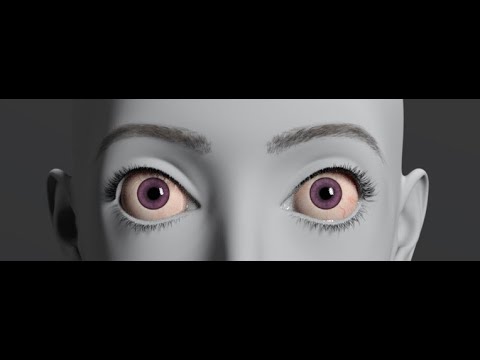
Creating Shape PresetOn a related note, I was converting Topsy 8 to G9 and the basic morph transferred but lost detail and the eyes were way off. They were smaller and placed wrong. I selected each eye bone and adjusted the placement of the eye and resized them up some, but it appears there is some shape difference between G8 and G9 eyes since I can't get them to fit well in the socket when sizing them up. They poke out in places or don't reach all the way, so it seems that G8 eyes aren't as round? Unfortunately, there is only one scale slider, not one for each axis, so trying to adjust the 'roundness' doesn't seem possible without exporting, adjusting and bringing back in as a morph? Not even sure if that would work... When I tried adjusting the position of the eyes beyond a certain minimal amount, it messed with the socket, moving it around as well, although not in a way that would conform it around the eye better unfortunately.
I used this tutorial to figure out what adjustments I could make, for anyone interested:
Daz 3D is part of

Connect
DAZ Productions, Inc.
7533 S Center View Ct #4664
West Jordan, UT 84084Licensing Agreement | Terms of Service | Privacy Policy | EULA
© 2026 Daz Productions Inc. All Rights Reserved.